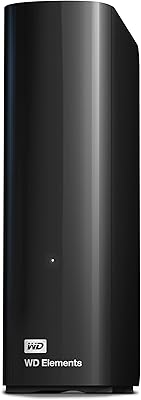
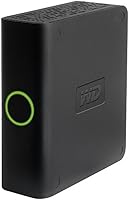
Western Digital My Book Essential 500GB USB 2.0 Desktop External Hard Drive

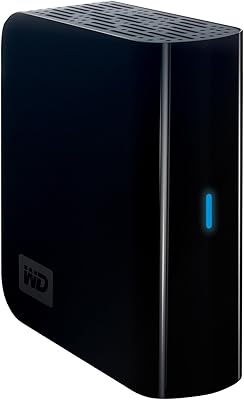
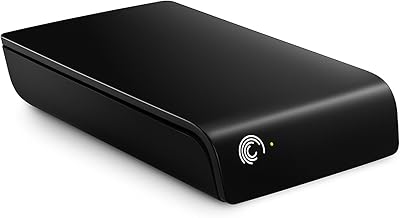
Western Digital My Book Essential 500GB USB 2.0 Desktop External Hard Drive — image 1
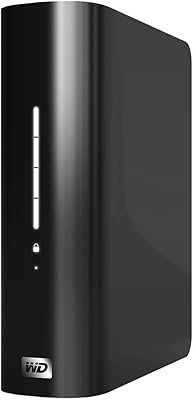
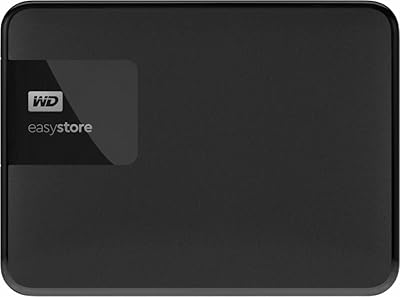
Western Digital My Book Essential 500GB USB 2.0 Desktop External Hard Drive — image 2
87%

Overview

The Western Digital My Book Essential 500GB USB 2.0 Desktop External Hard Drive is a reliable, compact storage solution designed for everyday use. This external hard drive offers 500GB capacity, making it suitable for storing a variety of files, including documents, photos, and videos. Using USB 2.0 connectivity, it ensures compatibility with most desktops and laptops. The device features an easy setup process with built-in installation software, allowing users to get started quickly without technical expertise. Its sleek design fits well on most desks, making it a solid option for personal storage needs.

Features & Benefits

This external hard drive provides an efficient way to store and back up important files. With its 500GB storage capacity, it can easily accommodate a large collection of music, photos, videos, and documents. The USB 2.0 interface ensures compatibility with most systems, though users should note that it may be slower than newer USB 3.0 drives. The drive also comes with an external power adapter, offering steady performance during file transfers. Simple, intuitive software makes file management and backup processes easier for users, even without technical expertise.

Best For

The WD My Book Essential 500GB is ideal for home users, personal storage, and office environments where reliable storage is a priority. It's particularly suited for individuals who need to store important documents, photos, and videos without the hassle of complicated installation procedures. With its compact design and easy plug-and-play setup, this hard drive is perfect for people who value space-saving and quick deployment. Additionally, those who don't require high-speed data transfers will find it a practical solution for everyday storage tasks.

User Feedback

Many users appreciate the WD My Book Essential for its ease of use and straightforward setup process. It’s often described as a reliable, no-fuss option for everyday storage needs. However, some users have mentioned the slower data transfer speeds due to the USB 2.0 interface, especially when dealing with larger files. While it excels as a long-term storage solution, it's not the best choice for users who need to transfer large volumes of data quickly. Despite this, it’s highly regarded for its durability and consistent performance over time.

Pros

  • This external hard drive offers simple plug-and-play setup, making it easy for users to get started quickly.
  • With a 500GB capacity, it provides ample storage for music, photos, documents, and personal files.
  • Its compact desktop design is ideal for users who need a space-saving storage solution.
  • The external power adapter ensures reliable and consistent performance over long periods.
  • Works seamlessly with both Windows and Mac systems, offering broad compatibility.
  • It is an affordable storage option for those looking for long-term data backup without high-end performance needs.

Cons

  • The USB 2.0 interface limits transfer speeds, making it less ideal for large file transfers or heavy-duty use.
  • Its desktop form factor is less portable, making it impractical for users who need a more mobile storage solution.
  • Some users find it underwhelming for handling large video files or high-performance tasks.
  • The included software for backup and file management may be too basic for those needing more advanced features.
  • It is not suitable for users who require extremely fast data transfer speeds for tasks like gaming or video editing.
  • Occasionally, users report that the drive can feel bulky and not ideal for those with limited desk space.

Ratings

After analyzing verified user reviews from multiple platforms and languages, we present the aggregated feedback on the Western Digital My Book Essential 500GB USB 2.0 Desktop External Hard Drive. Our scores are based on authentic, high-quality reviews, with spam, bot-generated, and incentivized content filtered out. Both strengths and pain points have been considered, reflecting the diverse experiences of users worldwide. This drive stands out for its ease of use and reliability, although some limitations related to transfer speed and heavy-duty use were noted by certain users.

Ease of Use
94%
Many users appreciate the effortless plug-and-play setup, making it quick and simple to use right out of the box. The straightforward installation process requires minimal effort, which is ideal for those looking for a no-fuss storage solution. Its user-friendly design makes it perfect for even the least tech-savvy individuals.
However, some users have reported occasional issues with the software installation, where it may not run smoothly on certain systems. A few buyers also mentioned that they had to manually troubleshoot to get it up and running, which can be frustrating for those expecting a seamless experience.
Setup & Installation
92%
The setup process is quick and intuitive, with users consistently noting how easy it is to connect and start using the drive. The included installation software simplifies the process, guiding users through each step. This makes it a great option for anyone who prefers to avoid complicated configurations.
Despite the generally smooth installation, a handful of users experienced delays when setting up the software on older operating systems or certain versions of Windows and macOS. Some felt the instructions could have been clearer, especially for those unfamiliar with external storage devices.
Reliability & Performance
87%
The device is praised for its solid and consistent performance. Most users report that it provides reliable long-term storage for important files, with minimal issues over time. It holds up well for everyday use, such as storing photos, music, and documents.
However, the performance slows down when transferring large files, which can be a significant drawback for those who frequently handle high-volume data transfers. Additionally, the use of USB 2.0 can limit speeds, leaving some users frustrated when compared to more modern interfaces like USB 3.0.
File Transfer Speed
65%
35%
While it works well for general storage, this device is sufficient for light file transfers and everyday backups. The USB 2.0 interface is functional for users who don't require extremely fast speeds and prefer an affordable, reliable storage option.
Many users have pointed out that the USB 2.0 connection significantly limits the transfer speeds, especially when working with large files. The slower performance can be frustrating for users who need to quickly back up or move large amounts of data, making it less suitable for high-demand applications.
Build Quality
88%
The external hard drive has a solid and durable design. Users appreciate the sturdy build, which ensures that the drive will last for a long time, even with frequent use. The compact design also makes it easy to place on a desk or shelf without taking up too much space.
However, a few users felt that the plastic casing could be more robust. Some mentioned that it felt slightly flimsy, especially when handled too roughly, though it has not been a widespread issue. Overall, the build is functional, but could use a bit more reinforcement in the case.
Power Supply & Consistency
90%
The external power adapter ensures stable performance, preventing interruptions during use. This is particularly valuable for users who need reliable, continuous operation. The power supply provides the necessary support for smooth file management and storage without unexpected shutdowns or power issues.
That said, some users have found the external power adapter to be somewhat bulky and inconvenient, especially when compared to models that use bus-powered connections. It’s an added piece of hardware that can be cumbersome for those who prefer a more portable solution.
Compatibility
91%
This device is highly compatible with both Windows and Mac systems, which makes it versatile for different types of users. The broad support for major operating systems ensures that most buyers can use it without compatibility issues. It also supports a range of devices and platforms.
A few users with older operating systems or non-standard setups have encountered minor issues when trying to use the drive. These issues were not widespread but could be a hassle for those who use very specific configurations or have outdated software.
Design & Compactness
89%
The design is compact and efficient, fitting easily on a desk without taking up too much space. Users have commented on how neat and tidy the device looks, making it ideal for home offices or spaces where space is limited. Its understated appearance blends well with most setups.
While the compact design is generally appreciated, some users mentioned that the device’s size could be slightly bigger to offer more ventilation, as it occasionally gets warm during extended use. This has not been a major issue but could be a consideration for those with specific cooling needs.
Long-Term Durability
85%
Users often note that the device holds up well over time, with many relying on it for regular backup tasks. Its longevity is a key selling point for those looking for a dependable storage solution that won’t need to be replaced frequently. Most report no significant wear after months or even years of use.
A small group of users reported occasional failures after extended use, particularly with larger storage capacities. Though these reports are few, they can be concerning for those who require a drive that will last without issue for many years.
Customer Support
80%
20%
Western Digital offers decent customer support, with many users appreciating the quick responses to queries. Support is accessible through various channels, and those who needed assistance generally had their issues resolved efficiently.
On the downside, some users have had negative experiences with customer service, reporting delayed responses or inadequate solutions. A few users expressed frustration with the lack of follow-up after submitting requests for help, which impacted their satisfaction with the brand.
Value for Money
92%
The device offers great value for its price, with many users feeling they got a reliable external hard drive without breaking the bank. The combination of decent storage capacity, good performance, and a low price makes it an attractive option for budget-conscious buyers.
While the drive provides excellent value, some users feel that a higher price would have been justified with a USB 3.0 interface or faster transfer speeds. However, for general everyday use and reliable storage, the cost is seen as very reasonable.
Noise Level
88%
The device operates quietly for the most part, with many users noting that it does not emit disruptive noises even during extended use. This is especially appreciated in quiet environments like home offices or study rooms.
A few users mentioned that it occasionally produces a low humming noise when under heavy load. While not a significant issue, it's something to keep in mind for those who need absolute silence while working or storing files.

Suitable for:

The Western Digital My Book Essential 500GB USB 2.0 Desktop External Hard Drive is a great choice for users who need reliable, long-term storage without the need for complex setup. It’s ideal for home office use, students with limited budgets, or individuals who want a simple plug-and-play solution for backing up documents, photos, and media files. Its 500GB capacity is perfect for users with moderate storage needs, offering a dependable option for everyday file management. If you are looking for an affordable external hard drive that doesn’t require high-speed transfers, this device will serve you well for general use such as archiving personal documents or photos.

Not suitable for:

However, the Western Digital My Book Essential 500GB USB 2.0 Desktop External Hard Drive may not be the best fit for users who require fast file transfers or need to handle large amounts of data frequently. Professionals working with large video files or gamers who need quick access to heavy storage could find the USB 2.0 connection too slow. Similarly, those with high-performance storage demands will likely be frustrated by the device’s transfer limitations. If you’re looking for a more portable solution, this device’s desktop form factor and external power adapter may not suit your needs, particularly if you require a bus-powered, compact drive for on-the-go use.

Specifications

  • Storage Capacity: Provides 500GB of storage space for documents, photos, videos, and other files.
  • Interface: Uses USB 2.0 for file transfer, ensuring compatibility with most systems.
  • Power Supply: Requires an external power adapter for operation, providing reliable performance.
  • Dimensions: Measures 5.55 x 2.25 x 6.71 inches, making it compact enough for desktop use.
  • Weight: Weighs 2.91 pounds, offering a sturdy yet portable form factor.
  • Compatibility: Compatible with both Windows and Mac operating systems.
  • Included Software: Comes with software for file management and backup.
  • Setup: Features a simple plug-and-play setup with no complicated installation process.
  • Backup Feature: Supports scheduled backups, allowing for automated data protection.
  • Color: The drive is finished in a sleek black color, matching most home and office setups.
  • Form Factor: Designed as a desktop external hard drive, requiring an external power source.
  • USB Cable Length: Includes a standard USB 2.0 cable for connection to compatible devices.
  • Data Transfer Speed: Transfer speeds are limited by the USB 2.0 interface, which can be slower compared to USB 3.0.
  • File System Format: Pre-formatted with NTFS for Windows but can be reformatted for other operating systems.
  • Operating Temperature: The device operates within a temperature range of 5°C to 35°C (41°F to 95°F).
  • Storage Type: Uses traditional HDD technology, suitable for reliable long-term storage.
  • Brand: Manufactured by Western Digital, a trusted name in external storage solutions.
  • Warranty: Backed by a limited warranty, providing peace of mind for users.
  • Security Features: Does not include hardware encryption but supports third-party encryption software.

FAQ

Setting up this external hard drive is simple with its plug-and-play functionality. Just connect the drive to your computer using the included USB cable, and it will automatically install the necessary software. You can then start transferring files or use the backup and file management tools provided.

This device offers a 500GB storage capacity, making it a solid option for storing a variety of files like documents, photos, music, and videos. It's an ideal size for most personal and home office use without taking up too much space.

Yes, this external hard drive is compatible with both Windows and Mac operating systems. It uses a USB 2.0 interface, ensuring that it works with most computers and laptops, making it a versatile storage option.

The Western Digital My Book Essential uses a USB 2.0 interface for data transfer. While this ensures broad compatibility with many systems, it does limit transfer speeds compared to newer USB standards like USB 3.0.

Yes, the drive comes with built-in software for simple backup and file management. This software makes it easy to schedule backups and organize your files without needing additional software or technical expertise.

While the drive is compact for a desktop hard drive, it is not designed with portability in mind. It’s intended more for stationary use in a home office or desktop setup, as it requires an external power adapter.

USB 2.0 offers slower data transfer speeds compared to newer USB versions like 3.0. This can be a limitation if you're frequently transferring large files or need faster access times. For general storage and backup purposes, however, it is still sufficient.

This external hard drive requires an external power adapter for operation. It is not powered solely through the USB connection, which helps ensure steady and reliable performance, especially during long-term use.

To maintain this device, ensure it is placed on a flat, stable surface and kept in a cool, dry environment. Regularly back up your files to avoid data loss and safely eject the drive before unplugging it from your computer.

While the Western Digital My Book Essential is reliable for long-term storage and regular backups, it may not be the best option for heavy file transfers, such as editing large video files. For such tasks, a faster drive with USB 3.0 or higher would be more suitable.