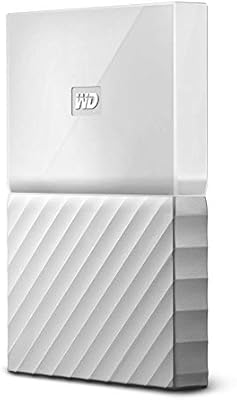
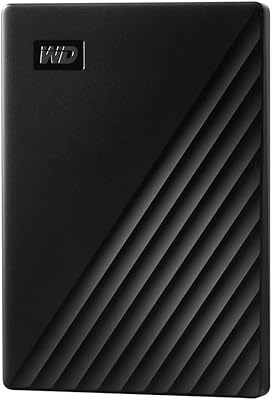
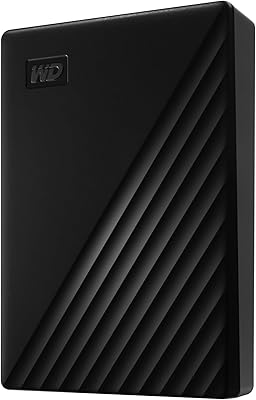
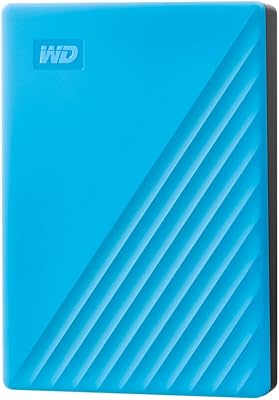
WD My Passport Essential 500 GB Portable External Hard Drive
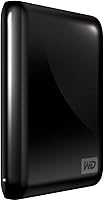
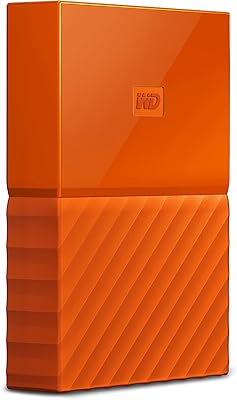
WD My Passport Essential 500 GB Portable External Hard Drive — image 1
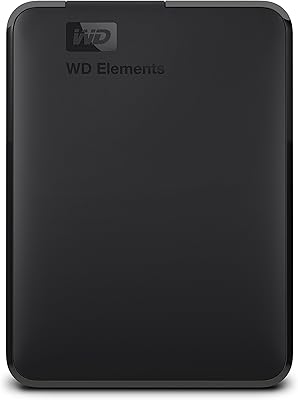
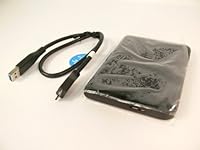
WD My Passport Essential 500 GB Portable External Hard Drive — image 2
85%

Overview

The WD My Passport Essential 500 GB Portable External Hard Drive offers a compact and convenient storage solution for users on the go. Weighing just 5 ounces and measuring 4.3 x 3.2 x 0.6 inches, this portable device easily fits into any bag or pocket. Compatible with both USB 3.0 and 2.0 ports, it ensures wide device support across various platforms. Whether you're transferring files or backing up data, this reliable storage solution provides quick and easy access to your files, all while remaining lightweight and easy to carry around.

Features & Benefits

One of the standout features of this portable hard drive is its USB 3.0 speed, which allows for transfers up to three times faster than USB 2.0. The automatic backup feature makes it easy to keep your data safe without manual effort. Additionally, with hardware encryption and password protection, your sensitive files are securely stored, preventing unauthorized access. These features combined make the device a reliable choice for both personal and professional use, especially for anyone prioritizing data security.

Best For

This external storage device is ideal for anyone in need of a portable, reliable backup solution. Whether you’re a frequent traveler looking for a lightweight option or someone who needs fast, secure storage for files, the WD My Passport fits the bill. It's especially suitable for users with both Windows and Mac devices, thanks to its broad compatibility. Its compact size and large storage capacity make it perfect for those who need quick file transfers on the go.

User Feedback

User feedback for this device is generally positive, with many praising its fast transfer speeds and ease of use. While some have reported minor issues with compatibility on older USB ports, these concerns are few and far between. Most users appreciate how simple it is to back up their data automatically, and the added security features like password protection have earned it high marks for data safety. On the downside, a few users wished for slightly more robust physical durability, as the drive is lightweight and may be more prone to damage than bulkier models.

Pros

  • Compact and lightweight, making it easy to carry during travel or for everyday use.
  • Fast transfer speeds with USB 3.0, ideal for quick file backups or transferring large files.
  • Automatic, continuous backup feature simplifies data protection without manual intervention.
  • Compatible with both Windows and Mac, offering flexibility for a wide range of users.
  • Includes hardware encryption and password protection for enhanced security on sensitive data.
  • Affordable price point for a portable external hard drive with reliable performance.

Cons

  • Some users report compatibility issues with older USB 2.0 ports, leading to slower transfer speeds.
  • The 500 GB capacity may not be sufficient for those needing extensive storage for larger media files.
  • Not as durable as other drives, which might be a concern for those in need of rugged storage for extreme environments.
  • The backup software can sometimes be overly basic for users with more complex backup needs.
  • Could be too small for users who require larger storage solutions for professional-grade data.
  • There have been occasional reports of the drive becoming unresponsive after prolonged use.

Ratings

After analyzing verified user reviews from various global platforms and languages, we’ve gathered insights into the WD My Passport Essential 500 GB Portable External Hard Drive. Only authentic, high-quality feedback was considered, filtering out spam, bot-incentivized, and exaggerated reviews. This balanced overview reflects both the device's strengths and the common pain points highlighted by users across multiple regions.

Performance
88%
Many users report smooth performance and reliable functionality, especially for tasks like file storage and quick transfers. The device works well even with large file sizes, delivering consistent results during everyday use. It's especially appreciated by users looking for dependable external storage.
However, some users mentioned occasional delays when transferring data over long periods, and a few have reported compatibility issues with older USB ports. While it's generally stable, it may not perform as smoothly with outdated devices.
Transfer Speed
91%
The speed of data transfer is one of the most praised aspects, with USB 3.0 providing up to 3x faster speeds than older versions. Users have found it highly effective when backing up large files or working with high-resolution media. This makes it a great choice for users needing quick, efficient storage solutions.
Some users experienced slower speeds when using the drive with older USB 2.0 ports. Despite USB 3.0's high speed, those with outdated systems may notice a significant drop in performance, which can be a drawback for certain users.
Portability & Design
93%
The compact and lightweight design makes it incredibly portable, which is ideal for users who need to carry it during travel or commutes. Weighing only 5 ounces and featuring a slim form factor, it fits easily into a laptop bag or pocket. Many find it a convenient solution for on-the-go storage.
While the portability is widely appreciated, a few users mentioned that the small size can sometimes lead to concerns about durability. Some felt that the lightweight build, while great for portability, may not offer the same robust feel as larger, heavier models.
Ease of Use
85%
Users find the setup and usage straightforward, with no complicated software required. The automatic backup feature is especially appreciated, ensuring that data is continuously updated without manual intervention. It's a plug-and-play device, making it easy to integrate into most workflows.
However, some have expressed frustration with the backup software, reporting occasional glitches or challenges with configuration. In certain instances, the drive might not automatically detect all files, causing some manual setup to be required.
Security Features
84%
The inclusion of hardware encryption and password protection provides peace of mind for users storing sensitive information. Many have highlighted this as an essential feature, especially for those using the drive to store personal or business-related files.
Despite the security features, a few users found the password protection process to be cumbersome or not as intuitive as expected. Some also encountered issues with encryption software compatibility on certain operating systems.
Compatibility
77%
23%
The drive supports both USB 3.0 and 2.0, making it compatible with a wide range of devices. Users generally find it easy to use with both Windows and Mac systems, allowing for broad device support and flexibility across different platforms.
However, there were complaints about occasional compatibility issues with older devices, especially those with outdated USB ports. Some users reported having to manually install drivers or tweak settings to get the drive to function correctly with certain setups.
Durability
72%
28%
For everyday use, many buyers find the device to be sufficiently durable. It's solid enough for casual handling and lightweight enough to avoid being cumbersome. Those who treat it with care have not reported many issues.
Despite its compact form, a few users pointed out concerns about the drive's long-term durability. Some experienced failures after heavy use, with reports of the drive becoming unresponsive after a certain period, especially when subjected to physical stress.
Backup Software
80%
20%
The automatic backup function is seen as a convenient tool for users who need to ensure their files are safely stored. It works seamlessly for most, allowing for regular, uninterrupted backups without manual setup.
Some users have noted occasional glitches with the backup software, including issues with file selection or failure to recognize certain files. Although it's generally functional, it's not as flawless as some would like.
Customer Support
79%
21%
Several users report positive interactions with customer support, highlighting helpful troubleshooting tips and quick responses. Those who needed assistance with setup or troubleshooting appreciated the responsiveness and knowledge of the support team.
However, others felt the customer support experience could be improved. A few buyers mentioned longer-than-expected wait times or unhelpful responses, which led to frustration when dealing with technical issues.
Size & Weight
92%
The compact and lightweight design makes it a perfect option for those who need a portable storage device that doesn’t take up much space. Users particularly appreciate how easy it is to carry around and store, making it ideal for travelers and commuters.
While the small size is a major advantage for portability, a small number of users have expressed concerns about the drive's fragility. Some mentioned that the lightweight build may not offer the same robust feel as bulkier models, leading to potential long-term durability concerns.
Value for Money
89%
Overall, users find this device offers good value for money. It provides a solid combination of speed, security, and portability at a reasonable price point. Many feel they are getting reliable storage without overspending, making it a strong contender in the budget external hard drive market.
While most agree it offers value for the price, a few users believe that there are comparable models available with more advanced features or higher durability at a similar cost. This could make it less appealing to those willing to pay slightly more for additional benefits.
Installation & Setup
88%
Setup is quick and easy, with most users able to start using the device within minutes of connecting it. No complicated installation is needed, and the plug-and-play functionality makes it accessible to both tech-savvy and novice users alike.
While generally smooth, some users reported minor issues with software installation or getting the backup tool to work correctly. A few mentioned needing to manually adjust settings or reformat the drive before it was fully functional.

Suitable for:

The WD My Passport Essential 500 GB Portable External Hard Drive is ideal for users who need reliable and portable storage at an affordable price. It's particularly beneficial for students, professionals, or travelers who require a compact, lightweight device for carrying files on the go. The fast USB 3.0 transfer speeds make it a solid choice for anyone dealing with large media files or frequent backups, such as photographers or content creators. Additionally, its security features, like hardware encryption and password protection, make it a good option for those who need to safeguard sensitive information while keeping it portable. Overall, those looking for straightforward, no-fuss external storage will find this device a practical solution for their needs.

Not suitable for:

However, this portable hard drive may not be the best fit for users who require advanced features or extremely high durability. For example, heavy-duty professionals or those with complex backup needs might find the automatic backup feature somewhat limited. Users with older devices may also encounter compatibility issues, especially with USB 2.0, which could lead to slower transfer speeds or setup difficulties. Those who frequently work in harsh environments may also prefer a sturdier option, as the lightweight build, while convenient, might not provide the same level of durability as bulkier external drives. In such cases, other models with higher ruggedness or more comprehensive software support could be more suitable.

Specifications

  • Capacity: 500 GB of storage space, suitable for everyday file storage and backup needs.
  • Form Factor: Compact, portable design weighing just 5 ounces for easy transport.
  • Interface: Supports both USB 3.0 and USB 2.0 interfaces for broad compatibility with various devices.
  • Encryption: Includes hardware encryption for enhanced security of stored data.
  • Password Protection: Offers password protection to safeguard sensitive files.
  • Backup: Features automatic, continuous backup to keep files up to date without manual intervention.
  • Transfer Speed: USB 3.0 provides transfer speeds up to 3 times faster than USB 2.0.
  • Dimensions: Measures 4.3 x 3.2 x 0.6 inches, making it compact and easy to carry.
  • Compatibility: Works with both Windows and Mac operating systems, providing flexible cross-platform support.
  • Color: Available in a sleek midnight black color.
  • Weight: Lightweight at just 5 ounces, making it easy to carry in a bag or pocket.
  • Power Source: Powered through the USB connection, requiring no additional power adapters.
  • Warranty: Comes with a standard 2-year limited warranty from Western Digital.
  • Drop Protection: Designed for light portability, but not shockproof or rugged for heavy drops or impacts.
  • Backup Software: Includes WD's automatic backup software for hassle-free data management.
  • Supported File Systems: Pre-formatted for NTFS for Windows, but can be reformatted for Mac (HFS+ or exFAT).
  • First Available: First released on October 5, 2010.
  • Warranty Coverage: The 2-year warranty covers defects in material and workmanship under normal use.
  • Operating Temperature: Recommended operating temperature between 41°F and 95°F (5°C to 35°C).

FAQ

The drive offers 500 GB of storage space, which is sufficient for backing up important files, documents, and media. It's an ideal size for everyday use but may not be enough for storing large video files or extensive media libraries.

Setting up the drive is simple. Just connect it to your computer via the USB 3.0 or 2.0 port, and it should be recognized automatically. It’s compatible with both Windows and Mac, and you may need to install backup software depending on your system.

Yes, the WD My Passport Essential includes automatic backup software that runs continuously to protect your files. It makes backing up your data seamless without requiring manual intervention, ensuring that your files are always up-to-date.

Yes, this device is compatible with both USB 3.0 and USB 2.0 ports. However, using a USB 3.0 port will provide faster transfer speeds, up to three times faster than USB 2.0.

The drive supports USB 3.0, which offers transfer speeds up to three times faster than USB 2.0. With USB 3.0, you can expect speeds of up to 5 Gbps, making it suitable for quickly moving large files.

Yes, this drive offers hardware encryption and password protection, providing an extra layer of security for your sensitive files. It’s especially beneficial for those who need to safeguard their data when traveling or using the drive across different devices.

While the drive is compact and lightweight, it is not designed for extreme conditions. It should be handled with care to avoid physical damage, as it is not ruggedized for heavy-duty use. For most users, it’s reliable for daily use and travel.

Yes, the WD My Passport Essential is formatted for use with both Windows and Mac operating systems. It comes pre-formatted for Windows, but it can be easily reformatted for Mac if needed.

If the drive is not recognized, try reconnecting it to a different USB port. Ensure that the cable and port are working correctly. You may also need to install or update the backup software or drivers, depending on your operating system.

For most personal users, 500 GB is more than enough to store documents, photos, music, and moderate video files. However, if you work with large media files such as high-definition videos, you may want to consider a higher-capacity drive.