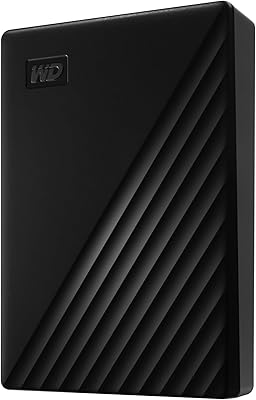
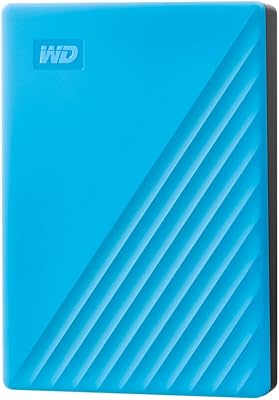
WD My Passport 1TB Portable External Hard Drive
WD My Passport 1TB Portable External Hard Drive — image 1
WD My Passport 1TB Portable External Hard Drive — image 2

WD My Passport 1TB Portable External Hard Drive — image 3
WD My Passport 1TB Portable External Hard Drive — image 4
WD My Passport 1TB Portable External Hard Drive — image 5

WD My Passport 1TB Portable External Hard Drive — image 6
WD My Passport 1TB Portable External Hard Drive — image 7
71%
29%

Overview

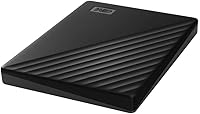
The WD My Passport 1TB Portable External Hard Drive is a no-fuss, bus-powered storage drive built for people who need their files with them without hauling extra cables or adapters. WD has been a trusted name in personal storage for decades, and the My Passport line sits firmly in their practical, reliable everyday tier. At 2.5 inches and just 4.2 ounces, this portable drive has a solid, compact build that holds up well against similarly priced alternatives. One honest note upfront: this is a mechanical hard drive, not an SSD, so transfer speeds are adequate rather than fast. Out of the box, setup is refreshingly straightforward — plug it in, optionally install the software, and you are ready.

Features & Benefits

What separates this portable drive from bare-bones alternatives is the hardware-level encryption — 256-bit AES protection activated through a password you set on first use. If the drive gets lost or stolen, your data stays locked without any additional hardware required. The bundled WD Discovery software adds automatic backup scheduling and a degree of ransomware defense via Dropbox integration, though it is worth being clear: that protection is software-assisted, not a built-in hardware guarantee. Over USB 3.0, expect real-world transfer speeds in the 100–120 MB/s range — respectable for a mechanical drive, but noticeably slower than an SSD. No power adapter needed, and a 3-year limited warranty adds genuine long-term value.

Best For

This WD hard drive is a natural pick for students and remote workers who carry a drive daily and want their data password-protected without any extra hardware. It is also a strong travel companion — pocketable and cable-free, weighing next to nothing. For anyone regularly moving large photo collections, video projects, or music archives between home and office, the 1TB capacity handles most personal libraries comfortably. Mac users, take note: the drive ships formatted for Windows, and reformatting is required for macOS — a step many buyers overlook. Think of this drive as a solid everyday backup layer that works alongside cloud storage, not instead of it.

User Feedback

With well over 100,000 ratings and a strong overall score, the My Passport 1TB has earned a level of trust that is hard to argue with. Recurring praise centers on easy setup and reliability — most buyers plug it in and it simply works, day after day. The honest criticisms are consistent: speed-conscious users find mechanical transfer rates underwhelming compared to SSDs, and some reviewers flag the pre-loaded WD Discovery software as unnecessary bloat, though it is entirely skippable. Long-term owners frequently report years of dependable use, which matters for a mechanical drive. The most common gotcha remains the Mac reformatting requirement — worth knowing before you open the box.

Pros

  • Hardware-level 256-bit AES encryption locks your data without requiring any extra hardware or software key.
  • Weighing just 4.2 ounces, this portable drive genuinely fits in a jacket pocket with room to spare.
  • Bus-powered over a single USB cable — no wall adapter, no extra cord to forget.
  • Plug-and-play setup on Windows PCs is fast and requires zero technical knowledge.
  • Included WD Discovery software adds scheduled backups and a layer of ransomware defense at no extra cost.
  • A 3-year limited warranty is notably generous compared to cheaper competing drives in this price range.
  • USB 3.0 speeds are solid for routine backups and day-to-day file transfers on a mechanical drive.
  • The slim 2.5-inch form factor is durable enough for daily bag carry without feeling fragile.
  • Over 100,000 buyer ratings reflect a long track record of reliable everyday performance.

Cons

  • Transfer speeds lag well behind portable SSDs, making bulk file moves noticeably slow.
  • Mac users must reformat the drive before use — this is not mentioned prominently enough on the packaging.
  • WD Discovery software comes pre-installed and can feel like bloat if you have no intention of using it.
  • Ransomware protection is software-assisted only, not a hardware-level guarantee — a meaningful distinction for security-conscious buyers.
  • Mechanical drives are inherently more vulnerable to damage from drops or sudden impacts than SSD alternatives.
  • 1TB may feel limiting sooner than expected for users with growing photo or video libraries.
  • The USB-A connector may require an adapter on newer laptops that only offer USB-C ports.
  • Long transfer sessions can cause the drive to run warm, which is normal but worth monitoring during extended use.

Ratings

The scores below reflect our AI-driven analysis of verified global user reviews for the WD My Passport 1TB Portable External Hard Drive, with spam, incentivized submissions, and bot activity actively filtered out before scoring. Ratings are built from thousands of real buyer experiences across a wide range of use cases — students, travelers, remote workers, and home users — so both the strengths and the genuine frustrations are represented honestly. This portable drive earns strong marks in several areas, while a handful of categories reveal real trade-offs worth understanding before you buy.

Portability
93%
This is where the drive genuinely shines. At 4.2 ounces and thinner than most smartphones, buyers consistently report tossing it into a bag or jacket pocket without a second thought. The single-cable, bus-powered design means there is nothing else to carry — no adapter, no brick, no extra cord.
The only real portability caveat is the USB-A connector, which requires an adapter on newer laptops that have gone fully USB-C. A handful of users found this mildly frustrating when traveling light and forgetting the adapter at home.
Ease of Setup
91%
Windows users overwhelmingly report a plug-and-play experience with zero configuration required — connect the cable and the drive appears in File Explorer within seconds. Even less tech-savvy buyers, including older users setting up their first external drive, found the process completely painless.
Mac users face an extra hurdle that catches many off guard: the drive ships NTFS-formatted and must be reformatted in Disk Utility before it is writable on macOS. This is a common and recurring complaint that WD does not flag prominently enough during packaging or setup.
Build Quality
78%
22%
The slim plastic chassis feels more substantial than its weight suggests, and most daily commuters report no issues after months of regular bag carry. The drive does not flex or creak under light pressure, which gives it a more considered feel than some no-name alternatives at this price tier.
Long-term reviewers note that the plastic casing shows scuffs and light scratches over time, and the drive lacks any rugged or water-resistant certification. As a mechanical drive, it is also inherently more vulnerable to drops than an SSD — a point that matters for users who are less careful with their gear.
Transfer Speed
61%
39%
For everyday backup tasks — syncing documents, photos, and music libraries — the USB 3.0 speeds of roughly 100 to 120 MB/s are adequate and get the job done without excessive waiting. Users transferring files in the single-digit gigabyte range rarely flag speed as a problem.
Anyone moving large batches of high-resolution video or doing frequent bulk transfers will feel the mechanical speed ceiling quickly. Compared to portable SSDs at similar or slightly higher prices, the gap is noticeable, and a meaningful segment of reviewers specifically cited speed disappointment as their main gripe.
Data Security
88%
The hardware-level 256-bit AES encryption is a genuine differentiator that buyers clearly value, especially travelers and remote workers who store sensitive client or personal files. Setting a password through WD Security is straightforward, and once active, the drive is inaccessible on any machine without the correct credentials.
A small but vocal group of reviewers noted that forgetting the password means permanent data loss, with no official recovery path — a risk that casual users may underestimate. The ransomware protection, while useful, is software-assisted via Dropbox and not a standalone security feature, which occasionally leads to overstated expectations.
Software Experience
59%
41%
WD Discovery does deliver real utility for users who engage with it: automated backup scheduling works reliably in the background, and the Dropbox-linked ransomware defense adds a cloud backup layer that some users genuinely appreciate as part of a broader data protection habit.
Pre-installed software bloat is a recurring complaint — many buyers do not want or need WD Discovery and find the initial prompt to install it unnecessary. The software suite can also feel clunky compared to modern lightweight backup tools, and uninstalling it requires a few more steps than most users expect.
Value for Money
83%
At its price point, this WD hard drive offers a combination of hardware encryption, backup software, and a 3-year warranty that most similarly priced competing drives skip entirely. For buyers whose priority is reliable everyday backup rather than speed, the value proposition holds up well.
As portable SSDs continue to drop in price, the gap between this drive and faster flash-based alternatives is narrowing in a way that makes the value calculus trickier than it was a few years ago. Power users who end up needing more speed will likely feel they should have stretched their budget slightly further.
Storage Capacity
79%
21%
One terabyte is a practical and versatile amount of storage for the majority of personal users — enough to hold a substantial photo and music library, years of documents, and a meaningful video archive without micromanaging space.
Users with growing media libraries or those hoping to consolidate multiple older drives report hitting the 1TB limit sooner than expected. The lack of expansion options (it is a fixed-capacity drive) means upgrading means buying a new unit entirely rather than adding to existing storage.
Reliability & Longevity
76%
24%
A significant number of long-term reviewers report using their drives for two to four years without failure, which is reassuring for a mid-range mechanical HDD. The 3-year warranty also provides a meaningful safety net that adds confidence over the ownership period.
Mechanical drives carry an inherent lifespan risk compared to SSDs, and a subset of reviewers report failures after the first year — often without warning. While WD's failure rate is not unusually high for the category, the consequences of a mechanical failure without a secondary backup are severe enough to warrant caution.
Mac Compatibility
47%
53%
Once reformatted, the drive works reliably with macOS and Time Machine, and several Mac users report smooth long-term performance after the initial setup step is completed. The reformatting process itself takes only a few minutes for most users.
The out-of-box experience for Mac users is genuinely poor — the drive is read-only until reformatted, and this requirement is not clearly communicated on the product page or packaging. It is the single most common negative surprise in Mac-specific reviews and remains a persistent friction point that WD has not addressed.
Noise & Heat
72%
28%
Under normal use, the drive operates quietly enough that most users report forgetting it is connected. Light vibration is present but minimal, and during short-burst transfers the drive stays cool to the touch.
Extended backup sessions — particularly when transferring several hundred gigabytes — cause the drive to run noticeably warm, which concerns some users. A small number of reviewers also report audible clicking during heavy use, though this is not universal and may vary by individual unit.
Cable & Accessories
64%
36%
The included USB-A to Micro-B cable is adequately long for desktop or laptop use and feels reasonably durable for a bundled accessory. Most buyers find it sufficient for their typical setup without needing an immediate replacement.
The lack of a USB-C cable or adapter in the box is a growing pain point as USB-C becomes the standard port on modern laptops. There is also no included carrying pouch, which surprises buyers who expect some basic protection for a drive marketed around portability.
Password Recovery
38%
62%
The decision to tie encryption directly to a user-set password means there is no third-party access to your data — which is genuinely strong from a pure security standpoint and is the intended design for a privacy-focused product.
There is no password hint, recovery email, or reset option available if you forget your credentials — your data is simply gone. This is a well-documented limitation that a meaningful number of reviewers have encountered the hard way, and it is a serious concern for users who are not diligent about password management.

Suitable for:

The WD My Passport 1TB Portable External Hard Drive is a practical, well-rounded pick for anyone who needs dependable everyday storage without the complexity of desktop drives or the cost of SSD alternatives. Students carrying their coursework and project files between home, campus, and the library will appreciate how light and pocketable it is, and the built-in password protection means sensitive work stays locked down if the drive ever goes missing. Remote workers and road-trip professionals who want a secondary backup outside of cloud services will find the automatic backup scheduling through WD Discovery genuinely useful, even if the software takes a few minutes to configure. It is also a strong fit for photographers and videographers working on casual or semi-professional projects who need an affordable way to archive raw files without paying SSD prices. If your workflow lives on a Windows PC and you want something that works the moment you plug it in, this portable drive delivers exactly that.

Not suitable for:

Buyers who need fast transfer speeds for large video editing workflows or frequent bulk file transfers should think carefully before committing to this WD hard drive. As a mechanical drive, it tops out around 100 to 120 MB per second under USB 3.0 in real-world use — functional for everyday backup tasks, but noticeably sluggish compared to portable SSDs when moving dozens of gigabytes at a stretch. Power users working with 4K footage, large databases, or time-sensitive production files will likely find the speed ceiling frustrating over time. Mac users also need to factor in an extra reformatting step before the drive works natively with macOS, which catches a surprising number of buyers off guard. And while the 1TB capacity suits most personal use cases, anyone with an already large media library or plans to consolidate multiple drives into one may find themselves outgrowing the storage sooner than expected.

Specifications

  • Storage Capacity: This drive offers 1TB of formatted storage capacity, suitable for backing up large photo libraries, music collections, and document archives.
  • Drive Type: It uses a 2.5-inch mechanical hard disk drive (HDD), which provides ample capacity at a lower cost than solid-state alternatives.
  • Interface: Connectivity is handled via USB 3.0, with full backward compatibility with USB 2.0 ports on older computers.
  • Transfer Speed: Under USB 3.0, real-world sequential read speeds typically reach 100–120 MB/s, which is standard for a bus-powered mechanical drive.
  • Encryption: The drive features hardware-level 256-bit AES encryption, activated through a user-set password via WD Security software.
  • Password Protection: Password protection is built in and managed through WD's included software, requiring no additional hardware security keys.
  • Backup Software: WD Discovery software is included and provides automatic backup scheduling, device management, and software-assisted ransomware defense via Dropbox integration.
  • Power Source: The drive is entirely bus-powered through its USB connection, requiring no external power adapter or wall outlet.
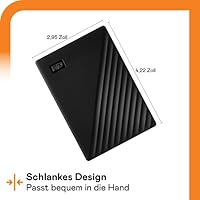
  • Dimensions: Physical dimensions measure 4.22 x 2.95 x 0.44 inches, making it slim enough to fit in a shirt or jacket pocket.
  • Weight: The drive weighs 4.2 ounces, which is light enough to carry daily without adding noticeable bulk to a bag.
  • OS Compatibility: It is formatted for Windows out of the box; Mac users must reformat the drive before it can be used natively with macOS.
  • Compatible Devices: The drive is compatible with desktops, laptops, and tablets that support a standard USB-A connection.
  • Warranty: Western Digital backs this drive with a 3-year limited warranty covering manufacturing defects under normal use conditions.
  • Color Options: This model is available in Black, with other color variants available separately in the My Passport lineup.
  • Manufacturer: The drive is manufactured by Western Digital Technologies, Inc., a company with decades of experience in personal and enterprise storage solutions.
  • Form Factor: The 2.5-inch form factor means the drive is entirely self-contained, with no moving external parts or exposed connectors beyond the USB port.
  • ASIN: The Amazon Standard Identification Number for this specific model and color variant is B07VTWX8MN.

Related Reviews
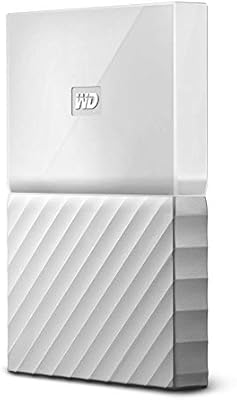
WD 3TB My Passport Portable External Hard Drive
85%
91%
Ease of Use
89%
Performance/Speed
92%
Portability/Size
85%
Reliability
83%
Compatibility (PC & Mac)
More
WD My Passport 6TB Portable External Hard Drive
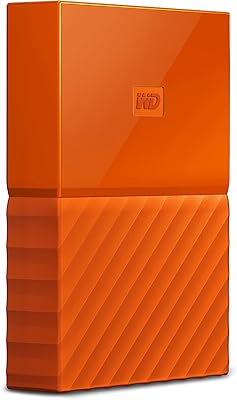
79%
94%
Storage Value
91%
Portability
88%
Ease of Setup
86%
Data Security
61%
Transfer Speed
More
WD 2TB My Passport Portable External Hard Drive
86%
88%
Performance & Speed
91%
Security Features (Encryption & Password Protection)
89%
Ease of Use & Setup
90%
Portability & Design
84%
Compatibility with USB 2.0 & 3.0
More
WD My Passport 4TB Portable External Hard Drive
80%
93%
Storage Capacity
91%
Portability & Form Factor
61%
Transfer Speed
88%
Security & Encryption
67%
Backup Software
More
WD My Passport Essential 500 GB Portable External Hard Drive
85%
88%
Performance
91%
Transfer Speed
93%
Portability & Design
85%
Ease of Use
84%
Security Features
More
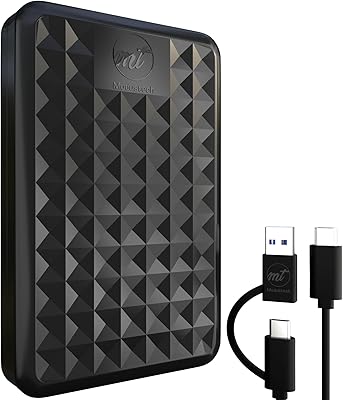
WD Easystore 1TB External USB 3.0 Portable Hard Drive
85%
88%
Performance
91%
Portability
90%
Ease of Use
85%
Transfer Speed
72%
Durability
More
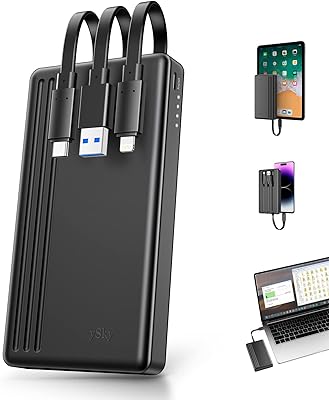
ySky 1TB Portable External Hard Drive
86%
93%
Portability
88%
Ease of Use
85%
Battery Life
90%
Compatibility
82%
Backup Speed
More
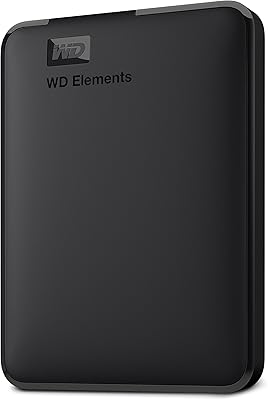
ModusTech MT1TB-PEHD 1TB Portable External Hard Drive
77%
93%
Ease of Setup
61%
Transfer Speed
74%
Build Quality & Durability
89%
Portability & Form Factor
86%
Value for Money
More
Caraele 1TB Portable External Hard Drive
73%
88%
Value for Money
91%
Ease of Setup
93%
Portability
61%
Transfer Speed
74%
Build Quality
More
BIPRA S2 1TB Portable External Hard Drive
84%
91%
Portability
88%
Ease of Use
65%
Transfer Speed
74%
Build Quality
92%
Compatibility
More

FAQ

Yes, it is plug-and-play on Windows. Just connect the USB cable, wait a moment for the driver to load, and the drive shows up in File Explorer. You do not need to install any software to use it for basic storage, though the WD Discovery app is available if you want backup scheduling.

You can, but there is an extra step involved. The WD My Passport 1TB Portable External Hard Drive ships formatted as NTFS, which Macs can read but not write to by default. You will need to reformat it to exFAT or APFS using Disk Utility before you can save files to it. It takes about five minutes, but it is worth knowing before you open the box.

Expect sequential speeds in the range of 100 to 120 MB per second over USB 3.0, which is typical for a 2.5-inch mechanical drive. That is fast enough for backing up documents, photos, and music without much waiting. If you are regularly transferring large video files — say, several gigabytes at a stretch — you will notice it is slower than a portable SSD, so factor that in.

No, the software is optional. The drive functions as standard storage without WD Discovery installed. That said, if you want automatic backup scheduling or password protection, you will need to install at least the WD Security or WD Backup components.

Yes — 256-bit AES hardware encryption is a well-established and serious security standard. Once you set a password through WD Security, the drive cannot be accessed without it, even if someone connects it to a different computer. Just make sure you remember your password; there is no recovery option if you forget it, as the data will be inaccessible.

The ransomware defense is software-based, provided through a Dropbox integration within WD Discovery, and it is not a standalone firewall or antivirus. It adds a layer of cloud-synced protection for backed-up files, but it should not be treated as a replacement for proper security software on your computer. Think of it as a bonus feature, not a core security tool.

It genuinely fits in a jacket or coat pocket at 4.22 x 2.95 x 0.44 inches and 4.2 ounces. It is thinner than a typical smartphone and about the size of a small notebook. Jeans pockets might be tight, but for everyday bag carry or a travel pouch, it barely takes up any space.

The drive comes with a USB-A to Micro-B cable. If your laptop only has USB-C ports — which is common on newer MacBooks and some Windows ultrabooks — you will need a USB-C to USB-A adapter or a USB-C to Micro-B cable, neither of which is included. It is an easy fix, but worth picking up at the same time if you know your setup.

It handles everyday bag jostling reasonably well, but keep in mind it is a mechanical drive with moving internal parts. Unlike an SSD, it is more sensitive to sharp impacts or drops, especially while it is actively transferring files. For daily commuting at walking pace, it holds up fine; just avoid dropping it from desk height or tossing it around.

This portable drive works best as one layer in a broader backup strategy rather than your sole safeguard. Mechanical drives can fail over time, and having a cloud backup alongside it means your files are covered if something happens to the physical drive. The WD Discovery software actually encourages this approach by integrating with Dropbox for a combined local and cloud backup setup.

Where to Buy