Overview

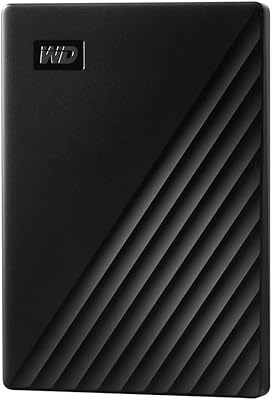
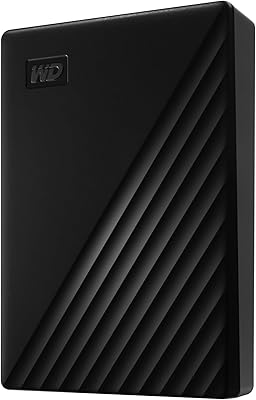
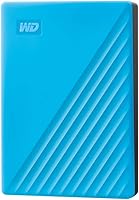
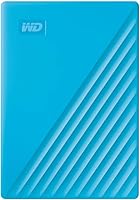
The WD My Passport 4TB Portable External Hard Drive has earned its place as one of the most recognized names in portable storage — and for good reason. At just 7.4 ounces and roughly the footprint of a small notebook, it slips into a bag pocket without a second thought. It connects via USB 3.0 and works across desktops, laptops, and tablets. That said, it is worth being upfront: this is a mechanical hard drive, not an SSD. Transfer speeds and drop resistance are simply not in the same league. If you understand that going in, this drive consistently delivers on what it promises.
Features & Benefits

What separates this backup drive from basic plug-and-play options is the security built directly into the hardware. 256-bit AES encryption combined with password protection locks your files at the hardware level — no third-party app required for that layer. The bundled backup software adds ransomware defense on top, though that feature is software-dependent and only active while the application is running, which is worth understanding. The drive is bus-powered over USB, so you never need to carry a wall adapter. Rounding things out, the 3-year limited warranty is genuinely reassuring in a category where most rivals offer only one or two years of coverage.

Best For

This WD portable drive makes the most sense for people building a reliable local backup without the recurring cost of cloud storage. Students moving between classes and home, remote workers hopping between locations, and anyone managing a growing library of photos or video files will find the 4TB capacity genuinely practical. PC users get the smoothest out-of-the-box experience. Mac users, however, need to reformat the drive before use — a straightforward process, but worth knowing before you plug it in expecting instant compatibility. If raw transfer speed is your top priority, an SSD alternative is worth the additional investment.

User Feedback

Across more than 3,000 ratings, the My Passport 4TB holds a solid 4.4 out of 5. Recurring praise focuses on easy setup, dependable everyday performance, and the compact build. On the other side, a consistent thread of criticism points to the bundled software feeling dated and occasionally intrusive. Several users note that real-world transfer speeds trail SSDs at comparable price points — honest feedback for anyone who regularly moves large files. Long-term reliability reports are mostly positive, though drop damage comes up periodically, which is expected behavior for any spinning-disk drive. No alarming failure patterns stand out in the broader feedback.

Pros

  • Four terabytes of storage in a drive that genuinely fits in a jacket pocket.
  • Hardware-level 256-bit AES encryption protects sensitive files without any extra software.
  • Bus-powered over USB — no wall adapter, no extra cable to pack or forget.
  • Setup on Windows PCs takes under a minute with no drivers required.
  • The 3-year limited warranty is above average for this product category.
  • Broadly compatible with desktops, laptops, and tablets across USB 3.0 and 2.0 ports.
  • At 7.4 ounces, it adds almost nothing to a daily carry bag.
  • Bundled backup software includes scheduled backups and ransomware defense at no added cost.
  • Long-term reliability reports from verified buyers are consistently positive for stationary and light travel use.

Cons

  • Mechanical HDD speeds lag noticeably behind SSD alternatives, especially for large file transfers.
  • Mac users must reformat the drive before use — this is not disclosed prominently at purchase.
  • Once reformatted for Mac, the drive is no longer natively compatible with Windows.
  • The bundled backup software feels outdated and is considered bloated by a significant share of users.
  • Ransomware defense only works while the backup application is actively running in the background.
  • No USB-C cable or adapter is included, leaving users with modern laptops to source their own.
  • The included USB cable is short, which creates awkward setups when ports are in inconvenient positions.
  • No ruggedized casing or shock protection — a single drop onto a hard surface can cause data loss.
  • Drive emits audible clicking and whirring during heavy transfers, which is noticeable in quiet environments.
  • Warranty covers hardware replacement only — data recovery after a failure is entirely the user's responsibility.

Ratings

The WD My Passport 4TB Portable External Hard Drive earns its place as one of the most reviewed portable drives on the market, and the scores below reflect exactly that depth of real-world data. Our AI analyzed thousands of verified global purchases, actively filtering out incentivized, duplicate, and bot-generated feedback, to surface what genuine buyers actually experience day to day. The result is an honest breakdown of where this backup drive excels and where it falls short — no spin, no omissions.
Storage Capacity
93%
Four terabytes in a drive this compact is a genuine strong point. Users archiving years of RAW photos, 4K video projects, or large document libraries consistently report that the capacity holds up well without needing to manage space obsessively. For most personal and small-business backup use cases, 4TB is simply enough.
A small segment of power users — videographers working with uncompressed formats, for example — found themselves filling the drive faster than expected and wished higher-capacity options were easier to find at a comparable size and price point.
Portability & Form Factor
91%
At 7.4 ounces and roughly the size of a folded passport, this drive slips into a jacket pocket or laptop bag side pouch without any fuss. Commuters, students, and frequent travelers specifically praised how little mental overhead it takes to just grab it and go, with no cables beyond the one already connecting to their laptop.
The drive lacks any ruggedized casing or rubber bumpers, so users who toss it loose in a backpack alongside keys and chargers have reported cosmetic scuffing over time. It feels solidly built, but it is not designed to absorb punishment.
Transfer Speed
61%
39%
For routine backup tasks — syncing documents, offloading smartphone photos, or storing music libraries — USB 3.0 speeds are adequate and noticeably faster than older USB 2.0 drives. Users running scheduled overnight backups or periodic full-system copies found the performance perfectly acceptable for those workflows.
Anyone moving large video files regularly will feel the ceiling quickly. Real-world sequential read and write speeds on a mechanical drive like this lag well behind SSDs, and several users switching from flash-based storage found the difference jarring. For fast, repeated large transfers, the HDD mechanism is the honest limiting factor.
Security & Encryption
88%
Hardware-level 256-bit AES encryption combined with password protection gives users a meaningful layer of data security without relying on cloud services or third-party apps. Professionals carrying client files, medical documents, or financial records praised this as a built-in safeguard that works at the device level regardless of which computer the drive is plugged into.
The password setup process confused a subset of less technical users who were not expecting to configure it during first use. A few also noted that forgetting the password means permanently losing access to the data, which is expected behavior but caught some buyers off guard.
Backup Software
67%
33%
The included software gets the job done for users who want a straightforward, scheduled backup solution without buying anything extra. The ransomware defense feature — which monitors backup activity for suspicious encryption patterns — adds a layer of protection that more basic drives simply do not offer out of the box.
The software feels dated compared to modern backup tools, and a notable share of users described it as bloated or intrusive, with some opting to uninstall it and use the drive as plain storage instead. Critically, the ransomware defense is only active while the software is running, which limits its usefulness for users who do not keep it open.
Ease of Setup
89%
Plug it into a Windows PC and it is ready to use in seconds — no drivers, no configuration required. The vast majority of users described setup as genuinely effortless, which matters for less tech-savvy buyers purchasing this as a backup solution for the first time.
Mac users face a mandatory reformatting step before the drive is usable, which is not prominently disclosed at the point of purchase. While the process itself takes only a few minutes, several Mac buyers felt blindsided by it and marked the experience down accordingly.
Build Quality & Durability
74%
26%
The enclosure feels solid in hand, with a textured finish that resists minor scratches better than glossy plastic alternatives. Most users report no physical degradation after months of regular travel use when the drive is kept in a sleeve or pouch.
As a mechanical hard drive, internal spinning components are inherently vulnerable to drops and sudden impacts. Users who dropped the drive from even modest heights — a desk edge, a car seat — occasionally reported drive failure or data corruption. This is a physics limitation, not a defect, but it is worth factoring into how you carry it.
Compatibility
82%
18%
Works natively with Windows PCs and is recognized immediately by modern tablets and desktop setups via standard USB-A. The backward compatibility with USB 2.0 ports means the drive functions even on older hardware, which a surprising number of users in office or school environments specifically appreciated.
Mac compatibility requires reformatting, and once reformatted for Mac, the drive loses native Windows compatibility unless reformatted again. Users who routinely switch between operating systems found this limitation genuinely frustrating in practice.
Value for Money
78%
22%
For users who prioritize raw storage capacity, brand reliability, and built-in encryption at this price tier, the My Passport 4TB represents a well-rounded package. The 3-year warranty in particular adds tangible long-term value that cheaper no-name alternatives simply cannot match.
The gap between this drive and budget SSD options has narrowed considerably in recent years, and performance-conscious buyers noted that spending slightly more gets you dramatically faster speeds. Users primarily comparing on specs rather than brand trust sometimes felt the price point needed stronger justification.
Reliability Over Time
83%
Long-term ownership reviews — those from buyers who had used the drive for a year or more — skew positive. Units used primarily as stationary desktop backups or kept in a dedicated sleeve during travel showed very low failure rates, consistent with WD's broader reputation in the consumer HDD segment.
A minority of users reported drive failures within the first year, which is not unusual at scale for any mechanical drive. The 3-year warranty covered most of these cases, but the data recovery process after a failure remains the user's responsibility, which a few buyers discovered too late.
Cable & Connectivity
72%
28%
The drive ships with a USB-A to Micro-B cable that handles both data and power, eliminating the need for a wall adapter entirely. For users who already carry a laptop USB-A port, this is a clean, low-clutter setup that requires no additional hardware.
The included cable is short — practical for desk use but limiting when the USB port is on the back of a desktop tower or an awkward angle on a docking station. Users with USB-C only laptops must supply their own adapter, as no USB-C cable or adapter is included in the box.
Noise Level
69%
31%
Under normal operating conditions — file browsing, light transfers, backup syncing — the drive runs quietly enough that most users reported not noticing it during use in office or home environments. It does not generate significant heat during standard workloads either.
During sustained large transfers, the mechanical read and write activity produces an audible clicking and whirring sound. Users working in quiet environments, or those who had previously used SSDs, found the operational noise more noticeable and occasionally distracting than expected.
Warranty & Support
86%
A 3-year limited warranty stands out in a product category where one-year coverage is the norm. Users who needed to make warranty claims generally reported that WD's replacement process was straightforward and resolved without excessive back-and-forth.
The warranty covers the drive hardware but does not extend to data recovery, which is a meaningful distinction when a drive fails. A few users assumed data recovery assistance was part of the warranty package and were caught off guard when it was not.
Power Efficiency
84%
Bus-powered operation means the drive draws everything it needs directly from the USB port — no wall adapter, no separate power cable. Laptop users in particular appreciated that there is one fewer thing to pack or forget, and power draw is low enough that it does not visibly impact battery life during normal use.
On older laptops or USB hubs with limited power output, a small number of users experienced intermittent disconnections, suggesting the drive occasionally demands more current than underpowered ports can reliably provide. Using a direct laptop port rather than a hub resolves this in most cases.

Suitable for:

The WD My Passport 4TB Portable External Hard Drive is a natural fit for anyone who needs a large, reliable local backup without the ongoing cost of a cloud subscription. Students hauling laptops between dorms, libraries, and home will appreciate how little space and weight it adds to a bag, while remote workers who regularly switch between office and home setups benefit from having a complete, encrypted copy of their work always within reach. PC-primary users get the smoothest experience — plug in, configure once, and the drive just works. Anyone managing a growing personal archive of photos, home videos, or music who wants hardware-level password protection without configuring third-party software will find the built-in 256-bit AES encryption genuinely useful. The 3-year warranty also makes it a sensible long-term choice for buyers who prioritize brand accountability over chasing the lowest possible price.
Not suitable for:

The WD My Passport 4TB Portable External Hard Drive is not the right tool for every storage job, and being honest about that matters. Videographers, content creators, or developers who routinely move large files — think multi-gigabyte video exports or full system images — will find the mechanical drive speeds a real bottleneck compared to what SSD-based alternatives now offer at increasingly competitive prices. If your laptop has only USB-C ports, you will need to supply your own adapter, since none is included in the box. Mac users should be aware upfront that the drive requires reformatting before use, and once reformatted for macOS, it loses native Windows compatibility — a meaningful inconvenience for anyone who works across both platforms regularly. Anyone who needs a drive that can survive drops, rough handling, or outdoor environments should look at ruggedized options instead, since this drive has no physical shock protection beyond its standard plastic casing.
Specifications

  • Storage Capacity: The drive offers 4TB of total storage space, suitable for large photo libraries, video collections, and full system backups.
  • Drive Type: Uses a traditional mechanical hard disk (HDD) with spinning platters, not flash-based SSD technology.
  • Form Factor: Standard 2.5-inch laptop-style form factor, housed in a slim enclosure designed for portable everyday use.
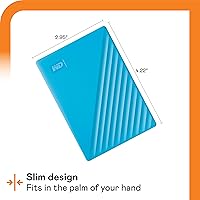
  • Dimensions: Measures 4.22 x 2.95 x 0.75 inches (L x W x H), compact enough to fit in a shirt or jacket pocket.
  • Weight: Weighs 7.4 oz, making it one of the lighter options available in the high-capacity portable HDD segment.
  • Interface: Connects via USB-A 3.0 for modern transfer speeds and is fully backward compatible with USB 2.0 ports.
  • Power Source: Bus-powered entirely through the USB connection — no external power adapter or separate power cable is required.
  • Encryption: Implements 256-bit AES hardware encryption to protect stored data at the device level, independent of any software.
  • Password Protection: Supports user-configured password protection, which activates the hardware encryption and locks the drive against unauthorized access.
  • Backup Software: Ships with WD Discovery software, which includes scheduled backup functionality and active ransomware defense when the application is running.
  • PC Compatibility: Natively formatted for Windows PCs and works out of the box with desktops, laptops, and USB-compatible tablets without any additional setup.
  • Mac Compatibility: Compatible with macOS systems after reformatting; the drive ships in a Windows-native format and must be reformatted before use on a Mac.
  • Cable Included: Comes with a USB-A to Micro-B cable for both data transfer and power delivery; no USB-C cable or adapter is included in the box.
  • Warranty: Backed by a 3-year limited warranty from Western Digital, covering manufacturing defects and hardware failures under normal use conditions.
  • Brand & Manufacturer: Manufactured by Western Digital Technologies, Inc., a company with decades of experience in consumer and enterprise storage solutions.
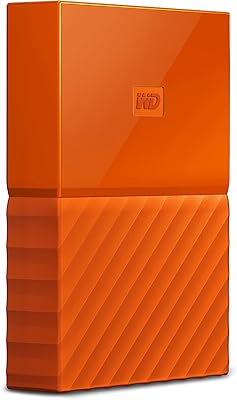
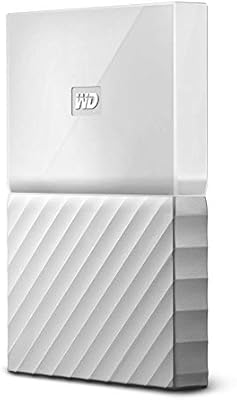
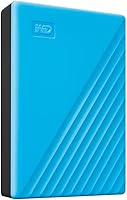
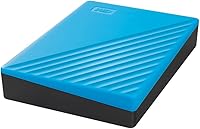
  • Color Option: The reviewed unit is available in Blue; other color variants may be available depending on regional market listings.
  • Compatible Devices: Officially compatible with desktop computers, laptops, and tablets that support a standard USB-A 3.0 or 2.0 connection.
  • Rotational Speed: Operates at a variable spindle speed optimized for power efficiency in portable HDD use cases, rather than a fixed high-RPM rate.
  • Release Date: First made available on August 26, 2019, and remains an active, non-discontinued product in the WD My Passport lineup.
  • BSR Ranking: Holds a top-50 position in the External Hard Drives category on Amazon, reflecting sustained sales volume and consistent buyer demand.

Related Reviews

WD 2TB My Passport Portable External Hard Drive
86%
88%
Performance & Speed
91%
Security Features (Encryption & Password Protection)
89%
Ease of Use & Setup
90%
Portability & Design
84%
Compatibility with USB 2.0 & 3.0
More
WD My Passport 6TB Portable External Hard Drive
79%
94%
Storage Value
91%
Portability
88%
Ease of Setup
86%
Data Security
61%
Transfer Speed
More
WD My Passport 1TB Portable External Hard Drive
71%
93%
Portability
91%
Ease of Setup
78%
Build Quality
61%
Transfer Speed
88%
Data Security
More
WD 3TB My Passport Portable External Hard Drive
85%
91%
Ease of Use
89%
Performance/Speed
92%
Portability/Size
85%
Reliability
83%
Compatibility (PC & Mac)
More
WD 4TB Elements Portable External Hard Drive
87%
89%
Performance
94%
Portability/Size/Weight
95%
Ease of Setup
87%
Transfer Speed
92%
Value for Money
More
WD My Passport Essential 500 GB Portable External Hard Drive
85%
88%
Performance
91%
Transfer Speed
93%
Portability & Design
85%
Ease of Use
84%
Security Features
More
Western Digital EasyStore 4TB External Hard Drive
69%
88%
Ease of Setup
91%
Storage Capacity
72%
Transfer Speed
51%
Long-Term Reliability
61%
Build Quality & Durability
More
G-Technology 4TB G-DRIVE Mobile USB-C Portable External Hard Drive
88%
88%
Performance
94%
Portability
91%
Build Quality
89%
Compatibility
95%
Setup & Installation
More
WD Elements Portable 3TB External Hard Drive
75%
93%
Ease of Setup
91%
Storage Capacity
67%
Transfer Speed
88%
Portability & Form Factor
63%
Build Quality & Durability
More
WD 6TB Elements Portable External Hard Drive
88%
91%
Value for Money
94%
Ease of Use
87%
Transfer Speed
92%
Portability
90%
Reliability
More

FAQ

On a Windows PC, you can plug it in and start using it immediately — no drivers or software installation required. The optional backup software is included on the drive itself if you want to set up scheduled backups, but it is entirely optional for basic storage use.

It will, but not immediately. The WD My Passport 4TB Portable External Hard Drive ships formatted for Windows, so Mac users need to reformat it to APFS or exFAT before it is usable. The process takes just a few minutes using Disk Utility on macOS, but it is worth knowing upfront since reformatting erases any existing content on the drive.
The ransomware defense is part of the bundled WD backup software and works by monitoring backup activity for unusual file encryption patterns — the kind that ransomware typically produces. If it detects something suspicious, it can alert you or halt the backup to prevent corrupted files from overwriting your clean copies. The key thing to understand is that this protection only works while the software is actively running, so it does not function if you use the drive as plain storage without the app open.

For everyday tasks — syncing documents, copying photo libraries, running scheduled backups — the USB 3.0 connection is perfectly capable. That said, because this is a mechanical hard drive rather than an SSD, real-world transfer speeds are noticeably slower than flash-based alternatives, especially for very large files like 4K video projects. If you routinely move files in the tens of gigabytes range and speed matters, an SSD drive is worth the additional cost.

Setting up password protection is straightforward through the WD Security software included with the drive. The important caveat is that the encryption is hardware-based and there is no master password or recovery option — if you forget your password, the data on the drive is permanently inaccessible. Write it down somewhere safe before enabling it.

No — the drive draws all the power it needs directly from the USB port it is connected to. You just need the included USB cable, which handles both data and power in one connection. This makes it genuinely convenient for travel without adding anything extra to your kit.

Not without a workaround, unfortunately. If you format the drive for Windows, it will not be natively writable on a Mac. If you reformat it for Mac, Windows will not recognize it properly by default. The best solution for cross-platform use is to format the drive as exFAT, which both operating systems can read and write without issues. Just be aware that reformatting wipes all existing data on the drive.

The enclosure is reasonably solid for daily carry, but this is a mechanical hard drive with spinning internal components, not a ruggedized device. Drops from significant heights — especially onto hard surfaces — carry a real risk of internal damage and potential data loss. Keeping it in a protective sleeve or pouch inside your bag is a smart habit, especially if you travel frequently.

The drive uses a USB-A connector, so you will need a USB-A to USB-C adapter or a USB-C hub that includes a USB-A port. Neither is included in the box, so factor that into your purchase if your laptop lacks USB-A ports. Adapters are inexpensive and widely available, but it is an extra step worth anticipating.

The warranty covers hardware defects and mechanical failures under normal use conditions — essentially, if the drive stops working through no fault of your own, Western Digital will replace it. It does not cover physical damage from drops, liquid exposure, or data recovery services. The claims process involves contacting WD support directly, and most users who have gone through it report a relatively smooth replacement experience within the warranty window.

Where to Buy