


Overview
The WD My Passport 2TB Portable Hard Drive is one of those drives you barely notice until you need it — which is exactly the point. Weighing just 4.2 ounces and measuring a hair over half an inch thick, it slips into a jacket pocket without a second thought. It connects via USB 3.0, with backward compatibility for older USB 2.0 ports, making it practical across a wide range of machines. Windows users get plug-and-play simplicity right out of the box. Mac users, though, should know upfront: reformatting is required before this WD drive will work with macOS. That is not a dealbreaker, but it is worth knowing before you buy.
Features & Benefits
What makes this portable drive genuinely useful day-to-day comes down to a few practical details. It draws power directly from the USB port — no wall adapter, no extra cables — which matters when you are working from a coffee shop or packing light for a trip. Hardware-level encryption lets you set a password to lock the drive, a real security feature rather than just a checkbox. The included WD Backup software handles scheduled automatic backups on Windows, though many users eventually swap it for Macrium or Windows built-in tools. USB 3.0 transfers are solid for documents and photos; just do not expect SSD-level speed when moving large video files.
Best For
The My Passport 2TB hits a sweet spot for Windows-based laptop users who want reliable backup without any setup friction. Students carrying files between dorms and libraries, remote workers bouncing between home and office, and anyone migrating off an aging computer will find it a practical fit. It also suits light creative work — photographers archiving shoot libraries or video creators keeping reference footage offline. That said, if your workflow involves frequent large file transfers or you are primarily on a Mac, it is worth considering whether the spinning-disk format and the reformatting step match your needs, or whether an SSD alternative makes more sense.
User Feedback
Across a large pool of verified ratings, this portable drive holds a 4.3-star average — a score that reflects genuine consistency rather than a handful of outliers. Most owners point to how quiet and unobtrusive the drive runs and how little effort it takes to get started. Critical voices tend to cluster around two issues: Mac users caught off guard by the reformatting requirement, and long-term owners who encountered reliability concerns after two or more years of heavy daily use. The bundled backup software also divides opinion — some find it perfectly adequate, others replace it almost immediately. Solid overall, but not without trade-offs worth factoring in.
Pros
- At 4.2 ounces and under an inch thick, this portable drive genuinely fits in a jacket pocket.
- No power adapter needed — it runs entirely off the USB connection, which makes travel much simpler.
- Hardware-level password encryption protects your data without installing any additional security software.
- Two terabytes of storage handles years of documents, photos, and media files without constant space management.
- Plug-and-play setup on Windows means most users are up and running in under a minute.
- The included WD Backup software automates scheduled backups, removing the need to remember manual saves.
- USB 3.0 delivers reliable transfer speeds for everyday backup tasks like documents and photo libraries.
- A three-year manufacturer warranty provides reasonable long-term coverage for a storage device at this price.
- The 4.3-star average across thousands of real-world ratings reflects consistent buyer satisfaction over time.
- Quiet operation means the drive never becomes a distraction during work or study sessions.
Cons
- Mac users must reformat the drive before use — this is not optional and is easy to overlook before purchasing.
- Spinning-disk HDD technology transfers large files noticeably slower than comparably priced portable SSDs.
- Some long-term owners report reliability concerns after two or more years of heavy daily use.
- The bundled WD Backup software receives mixed feedback; many users replace it with third-party tools.
- HDDs are more sensitive to drops and physical shock than solid-state alternatives, requiring more careful handling.
- No native Mac compatibility out of the box means extra steps for users in mixed Windows and macOS environments.
- The My Passport 2TB is not ideal for high-throughput tasks like editing 4K video directly from the drive.
- No included carrying pouch or protective sleeve, leaving the drive exposed to scratches and minor impacts.
- Older USB 2.0 ports will significantly bottleneck transfer speeds, making backups notably slower on legacy machines.
Ratings
Our AI-generated scores for the WD My Passport 2TB Portable Hard Drive are derived from thousands of verified global user reviews, with spam, bot activity, and incentivized feedback actively filtered out before analysis. The ratings reflect the full spectrum of real buyer experience — not just the highlights — so both consistent strengths and recurring frustrations are transparently represented. Whether you are a first-time buyer or comparing options, these scorecards are designed to give you an honest, data-backed picture of how this portable drive performs in everyday life.
Portability
Setup & Ease of Use
Transfer Speed
Build Quality & Durability
Data Security
Software (WD Backup)
Mac Compatibility
Value for Money
Noise & Heat
Cable & Connectivity
Backup Reliability
Warranty & Support
Suitable for:
The WD My Passport 2TB Portable Hard Drive is a strong fit for Windows users who want a straightforward, low-maintenance way to keep their data backed up. Students moving between classrooms and dorms, remote workers splitting time between home and office, and anyone who has ever lost files to a dead laptop will find the setup process genuinely painless. The 2TB capacity is generous enough to hold years of documents, photos, and media without needing to manage space obsessively. Travelers benefit from the bus-powered design — one cable, no charger, done. Light creative professionals, such as photographers archiving client shoots or podcasters storing project files, will also find the capacity and portability a practical match for their workflow.
Not suitable for:
The WD My Passport 2TB Portable Hard Drive is not the right choice for everyone, and it is worth being direct about that. Mac users face an immediate friction point: the drive ships formatted for Windows and requires manual reformatting before it works with macOS, which can catch buyers off guard. Anyone working with large video files, running virtual machines, or doing anything where transfer speed directly affects productivity should look at SSD-based alternatives — spinning-disk HDD speeds simply cannot compete. Users who plan to carry this drive in a bag without a protective case should also be cautious, as HDDs are more vulnerable to physical shock than SSDs. Finally, buyers who need long-term heavy daily use reliability should factor in reports from owners who experienced issues after two or more years of intensive use.
Specifications
- Storage Capacity: This drive provides 2TB of usable storage, sufficient for several years of documents, photos, and media files for most everyday users.
- Drive Type: It uses a traditional spinning-disk HDD mechanism in a 2.5-inch form factor, which prioritizes cost-per-gigabyte over speed.
- Interface: The drive connects via USB 3.0 and is fully backward-compatible with USB 2.0 ports, though speeds will be lower on older connections.
- Dimensions: The unit measures 4.33 x 3.21 x 0.54 inches, making it slim enough to slide into most laptop bag pockets without difficulty.
- Weight: At 4.2 ounces, this drive is light enough to carry daily in a bag or coat pocket without any noticeable added bulk.
- Power Source: The drive is bus-powered entirely through its USB connection, requiring no external power adapter or wall outlet.
- Encryption: Hardware-level AES password protection is built directly into the drive's controller, securing data without relying on any third-party software.
- Backup Software: WD Backup software is included for Windows users, enabling automated, scheduled backups to the drive at user-defined intervals.
- OS Compatibility: Plug-and-play support covers Windows 10, 8.1, and 7; Mac OS X users must reformat the drive before it can be used with macOS.
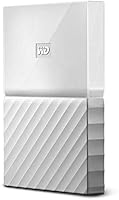
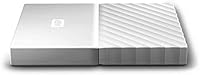
- Color: This particular variant ships in white; other color options exist within the broader My Passport lineup.
- Warranty: Western Digital covers this drive with a 3-year limited manufacturer warranty against defects in materials and workmanship.
- Model Number: The official model identifier is WDBS4B0020BWT-WESN, which distinguishes this white 2TB variant from other My Passport configurations.
- Brand: Manufactured by Western Digital (WD), one of the longest-established names in consumer and enterprise storage hardware.
- Form Factor: The 2.5-inch form factor is standard for portable drives and is designed to operate without physical mounting or external housing.
- Shock Resistance: WD does not publish a specific shock rating for this model; as a spinning-disk HDD, it is more sensitive to drops than solid-state alternatives.
Related Reviews
WD My Passport 6TB Portable External Hard Drive
WD Elements Portable 2TB
WD My Passport 1TB Portable External Hard Drive
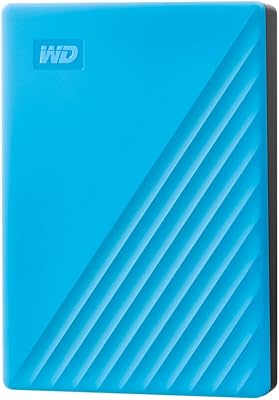
WD My Passport 4TB Portable External Hard Drive
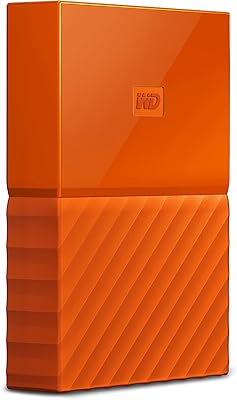
WD My Passport 3TB External Hard Drive
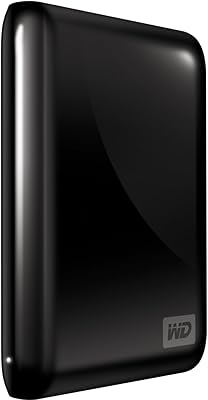
WD My Passport Essential 500 GB Portable External Hard Drive
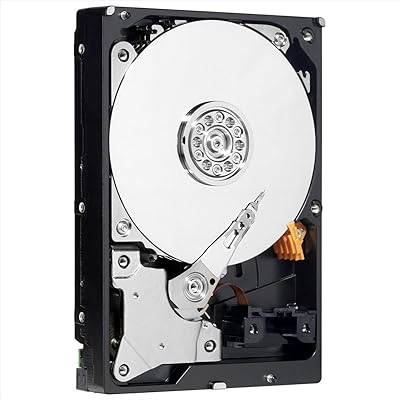
WD AV-GP WD20EURX 2TB Internal Hard Drive
G-Technology G-DRIVE Mobile USB-C 2TB Hard Drive
Seagate Portable 2TB (STGX2000400)