

Overview
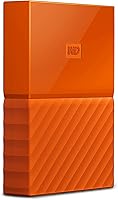
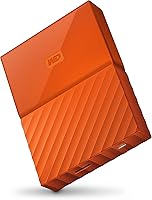
The WD My Passport 3TB External Hard Drive sits comfortably in the mid-range of portable storage — not trying to compete with premium speed-focused drives, but offering a dependable everyday backup option for Windows users who need real capacity without complexity. Western Digital introduced the My Passport line years before this 2016 variant arrived, so the hardware carries accumulated refinement rather than first-generation risk. One practical note worth raising early: this drive is built for Windows out of the box. Mac users can make it work, but reformatting is required, and the bundled software won't follow. Its 4.2-star average across 68 ratings is honest, if modest. The orange colorway at least makes it easy to spot in a crowded bag.
Features & Benefits
Plug this WD portable drive into a USB 3.0 port and large file transfers move at a genuinely useful pace — copying a 10GB folder takes minutes, not half an hour. Drop back to USB 2.0 and expect noticeably slower throughput, which matters for anyone moving large video libraries regularly. The hardware encryption is a real standout: set a password via WD Security and the data stays locked even if the drive goes missing. WD Backup handles scheduled backups automatically on Windows, though plenty of users prefer their operating system's native tools instead. At 8.6 ounces, it weighs about as much as a large smartphone, and no power adapter is needed — just the USB cable. The three-year warranty adds reassurance for a spinning-disk drive.
Best For
The My Passport 3TB is at its best in the hands of Windows-first users who want a plug-in-and-forget backup solution without any technical setup. Students hauling project files between a dorm and a library, or remote workers who would rather pay once for physical storage than subscribe to cloud services indefinitely, will find 3TB of capacity genuinely useful for years. It also suits anyone graduating from a 1TB or smaller drive who wants room to grow. That said, if your main machine runs macOS, pause before buying: reformatting is mandatory, and the bundled WD Backup software will not function on your system at all. Mac-first buyers are likely better served by drives formatted for Apple out of the box.
User Feedback
Across roughly 68 ratings, this Western Digital drive holds a 4.2-star average — which, given the relatively small sample, points to cautious satisfaction rather than a sweeping endorsement. In general, buyers appreciate how quickly the drive gets going: plug it in, it appears, done. Long-term durability is where the picture gets less clear, with a handful of reviewers mentioning failures after a year or two — not unusual for spinning-disk hardware, but worth factoring in. Opinions on the bundled backup software are divided; some find it handy, others consider it redundant. Mac buyers who overlooked the reformatting requirement have left pointed complaints, which underscores how important it is to verify compatibility before committing.
Pros
- Plug-and-play setup on Windows requires no drivers or configuration — just connect and go.
- 3TB of capacity handles years of documents, photos, and media without running short of space.
- Hardware encryption keeps sensitive files locked down if the drive is ever lost or stolen.
- Bus-powered via USB means no wall adapter to pack — one cable does the job.
- Weighs under 9 ounces, making it genuinely easy to carry daily without adding bulk.
- Automatic scheduled backups through WD Backup work reliably for Windows users who prefer a set-it-and-forget-it approach.
- USB 3.0 speeds keep everyday file transfers quick enough for documents and mixed-media folders.
- The three-year warranty provides above-average manufacturer coverage for a drive in this price range.
- The compact 2.5-inch body fits into a shirt pocket or small pouch with no effort.
Cons
- Requires a full reformat before use on a Mac, and all bundled software becomes inaccessible afterward.
- Spinning-disk technology delivers noticeably slower transfer speeds compared to portable SSD alternatives.
- With only 68 reviews, drawing confident conclusions about long-term reliability is genuinely difficult.
- WD Backup feels redundant for users already comfortable with Windows' built-in backup tools.
- A handful of reviewers report drive failures within one to two years — an expected but real mechanical risk.
- Connecting to a USB 2.0 port cuts speeds significantly, turning large file transfers into a slow, frustrating wait.
- No shock resistance or drop protection rating is listed, leaving the drive vulnerable during everyday travel.
- Orange is the only color available in this variant, which may not suit buyers wanting a neutral or professional look.
Ratings
Our AI scoring system analyzed verified buyer reviews for the WD My Passport 3TB External Hard Drive across multiple global marketplaces, actively filtering out incentivized submissions, duplicate accounts, and bot-generated feedback to surface authentic user sentiment. The category scores below reflect both where this Western Digital drive earns genuine praise and where real buyers have hit frustrating walls — no glossing over the rough edges. Every score is grounded in usage patterns reported by everyday buyers, not manufacturer specifications.
Ease of Setup
Transfer Speed
Portability & Size
Data Security
Mac Compatibility
Build Quality
Storage Capacity Value
Bundled Software
Long-term Reliability
Value for Money
Warranty & Support
Power Convenience
Thermal & Noise
Suitable for:
The WD My Passport 3TB External Hard Drive is a practical fit for Windows users who want a reliable, no-fuss backup solution they can set up in under a minute. Students shuttling between home, campus, and libraries — carrying large project folders, video edits, or growing photo libraries — will appreciate having 3TB of local storage that slips into a jacket pocket. Remote workers who have grown weary of recurring cloud subscription fees will find the one-time cost and generous capacity a refreshing alternative. The built-in hardware encryption also makes this a smart pick for anyone carrying sensitive work files who wants meaningful protection without configuring third-party software. Anyone upgrading from an older 1TB or 2TB drive will find the jump to 3TB buys them several comfortable years before needing to think about storage again.
Not suitable for:
Mac users should approach the WD My Passport 3TB External Hard Drive carefully — it ships formatted for Windows, requiring a full reformat before a Mac can write to it, and the bundled WD Backup and WD Security software are Windows-only and will not function on macOS at all. The drive can still serve as raw storage on a Mac after reformatting, but you end up paying for software features you will never touch. Power users who move large files constantly — such as 4K video editors or photographers working with multi-terabyte raw libraries — may find the spinning-disk speed a genuine bottleneck, since portable SSDs transfer data several times faster. Buyers who need a drive that travels across both Windows and Mac systems regularly will find managing cross-platform formatting compatibility defeats the plug-and-play appeal entirely. Anyone working in physically demanding environments should also look elsewhere, as this drive carries no listed shock resistance rating.
Specifications
- Storage Capacity: Offers 3TB (3,000 GB) of total storage for large collections of documents, photos, videos, and mixed media files.
- Form Factor: 2.5-inch portable design that fits in a coat pocket and requires no external power supply beyond the USB cable.
- Interface: USB 3.0 connection with full backward compatibility for USB 2.0 ports, though transfer speeds drop significantly on older connections.
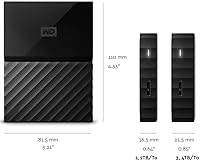
- Dimensions: Measures 4.33 × 3.21 × 0.85 inches, compact enough to slip into a bag pocket or small carry case without difficulty.
- Weight: Weighs 8.6 ounces — roughly equivalent to a large modern smartphone — for comfortable everyday portability.
- Drive Technology: Uses spinning-disk (HDD) technology, which delivers high capacity at a lower cost per gigabyte than solid-state alternatives.
- Security: Includes hardware-level AES encryption managed through WD Security software, allowing a password to be set that locks the entire drive.
- Backup Software: Bundled with WD Backup for Windows, supporting automatic scheduled backups; this software is not compatible with macOS.
- OS Compatibility: Natively supports Windows 10, Windows 8.1, and Windows 7; Mac OS X users must reformat the drive before it can be used for read-write operations.
- Power Source: Fully bus-powered through the USB connection, so no separate power adapter or wall outlet is required during use.
- Color: Available in Orange in this specific variant (WDBYFT0030BOR-WESN); other colorways are offered elsewhere in the My Passport lineup.
- Model Number: Identified as WDBYFT0030BOR-WESN, part of Western Digital's My Passport series of portable consumer storage drives.
- Warranty: Backed by a 3-year limited manufacturer warranty from Western Digital, covering defects in materials and workmanship.
- Brand Series: Part of the My Passport lineup, Western Digital's long-running family of compact portable consumer storage drives.
- USB Connector: Features one USB 3.0 Micro-B port on the drive itself, connecting via an included cable to a standard USB Type-A port on the host machine.
Related Reviews
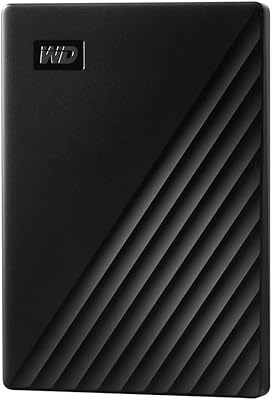
WD My Passport 1TB Portable External Hard Drive
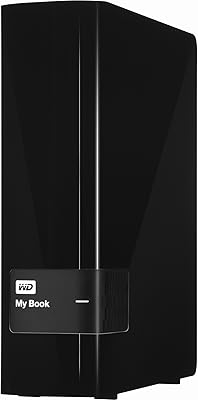
WD My Book 3TB Desktop External Hard Drive
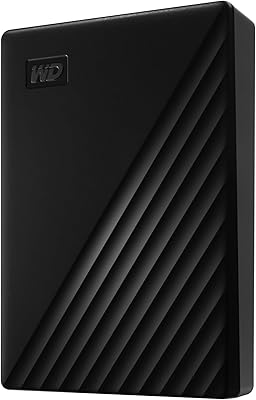
WD My Passport 6TB Portable External Hard Drive
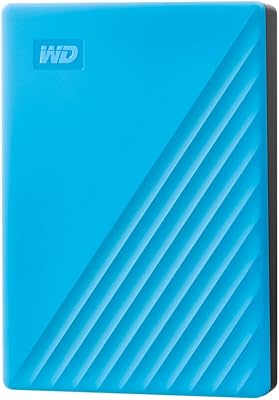
WD My Passport 4TB Portable External Hard Drive
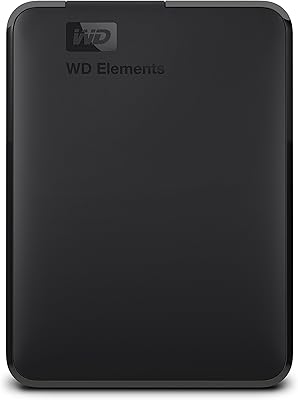
WD Elements Portable 3TB External Hard Drive
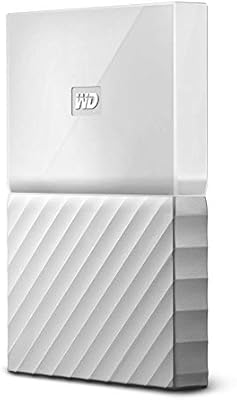
WD My Passport 2TB Portable Hard Drive
WD My Passport Essential 500 GB Portable External Hard Drive

WD Elements Desktop 3TB External Hard Drive
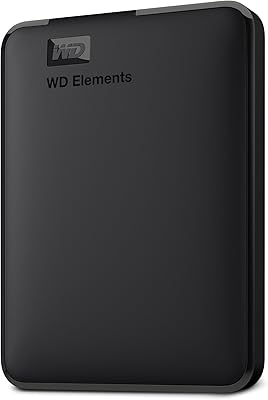
WD Elements Portable 2TB