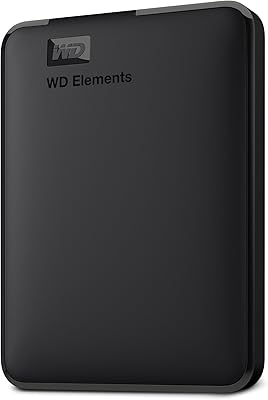
WD Elements 24TB Desktop External Hard Drive
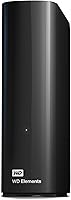
WD Elements 24TB Desktop External Hard Drive — image 1

WD Elements 24TB Desktop External Hard Drive — image 2

WD Elements 24TB Desktop External Hard Drive — image 3
WD Elements 24TB Desktop External Hard Drive — image 4
WD Elements 24TB Desktop External Hard Drive — image 5
WD Elements 24TB Desktop External Hard Drive — image 6
71%
29%

Overview

The WD Elements 24TB Desktop External Hard Drive sits at a capacity tier that most everyday users will never need — and that's precisely the point. This desktop drive is built for people who've burned through multiple smaller drives and are tired of juggling units. Western Digital has been making storage hardware for decades, and while that history doesn't guarantee perfection, it does mean you're not gambling on an unknown brand. Setup is genuinely plug-and-play — connect it, and your operating system recognizes it within seconds. Worth flagging upfront: this is a mechanical hard drive, not an SSD, so speed expectations should be calibrated accordingly before you buy.

Features & Benefits

At 24TB, this high-capacity hard drive can store tens of thousands of RAW photos, hundreds of hours of 4K footage, or essentially an entire home media library in one box. The USB 3.2 Gen 1 interface keeps large transfers moving at a reasonable pace; don't expect SSD-level throughput, but bulk file moves are handled without frustrating bottlenecks. The 7200 RPM spindle speed sits on the faster end of the desktop HDD range, which helps with day-to-day responsiveness. One practical note: this drive requires an AC power adapter to operate — it is not bus-powered, so plan your desk setup accordingly. Compatibility is broad across Windows, macOS, and most tablets with no driver installation needed.

Best For

The WD Elements 24TB is a natural fit for photographers and videographers who shoot in high resolution and need a local archive that won't fill up after a handful of projects. Home users consolidating years of family photos, music, and downloaded films across multiple devices will find the capacity genuinely useful rather than excessive. Small businesses wanting a reliable offline backup without ongoing cloud subscription costs are another solid use case. That said, if your primary concern is raw transfer speed — editing 8K footage directly off the drive, for instance — this mechanical drive won't keep up. It rewards users who prioritize capacity over performance and can live without SSD access speeds.

User Feedback

Across more than 560 ratings, this desktop drive holds a 4.3-star average — a score that reflects genuine satisfaction rather than just early enthusiasm. Buyers consistently praise the easy setup: plug it in, it appears, you start copying files. The capacity earns frequent mentions as a strong value proposition at this storage tier. On the critical side, some users note the drive produces audible noise at 7200 RPM — not disruptive for most environments, but worth knowing if your workspace is particularly quiet. A smaller number of reviewers raise long-term reliability concerns, which is a common thread in any spinning-disk discussion. No widespread early-failure pattern stands out, but treating this as one part of a broader backup strategy is always the sensible approach.

Pros

  • 24TB of storage handles even the most demanding media libraries without running out of headroom.
  • Plug-and-play setup works immediately on most systems — no software installation or configuration needed.
  • The 7200 RPM spindle speed delivers solid responsiveness for a desktop HDD, reducing wait times on large file operations.
  • USB 3.2 Gen 1 support keeps bulk transfers moving at a reasonable pace for a spinning-disk drive.
  • Compatible with Windows, macOS, and a wide range of devices without driver fuss.
  • WD is a well-established storage brand with a long track record in the consumer and prosumer market.
  • At this capacity tier, the cost-per-terabyte is competitive compared to cloud storage subscriptions over time.
  • Single-unit consolidation means fewer drives cluttering your desk or requiring separate power and cable management.
  • The 4.3-star average across hundreds of real buyers suggests consistent, reliable out-of-box performance.

Cons

  • Mechanical HDD speeds cannot match SSDs — do not expect fast direct-editing performance off this drive.
  • Requires an AC power adapter, meaning you need a free outlet and a fixed workspace to use it.
  • Audible operational noise at 7200 RPM may be distracting in quiet home offices or recording environments.
  • At 2.74 pounds and over 8 inches in length, this is a physically large unit that takes up desk real estate.
  • Long-term reliability, as with any spinning-disk drive, carries inherent risk compared to solid-state alternatives.
  • No built-in redundancy — if this single drive fails, all data is lost without a separate backup in place.
  • 24TB is overkill for most households, making it easy to overbuy capacity you may not use for years.
  • The drive ships formatted for Windows; Mac users will need to reformat it before use, which erases all data.
  • Some users have reported the power adapter connection feels less robust than the USB port itself.

Ratings

Our AI rating engine analyzed verified global buyer reviews for the WD Elements 24TB Desktop External Hard Drive, actively filtering out incentivized, duplicate, and bot-generated submissions to surface what real users actually experience. The scores below reflect an honest synthesis of both the strengths that earned this high-capacity hard drive its loyal following and the recurring frustrations that tempered enthusiasm for certain buyers. Nothing has been polished to flatter — the pain points are reflected just as transparently as the praise.

Storage Capacity
96%
Buyers who work with large media libraries consistently describe the 24TB ceiling as genuinely liberating — no more juggling multiple drives or deleting old projects to make room. Photographers archiving years of RAW shoots and videographers storing finished 4K productions repeatedly cite the headroom as the single biggest reason they chose this desktop drive.
A small but vocal segment of buyers found 24TB excessive for their actual needs and felt they had overbought for their use case. The sheer size of the capacity can also create a false sense of security, leading some users to skip setting up a secondary backup because the drive feels inexhaustible.
Value for Money
81%
19%
At this capacity tier, the cost-per-terabyte is genuinely competitive when weighed against comparable desktop HDDs or the cumulative cost of cloud storage subscriptions over several years. Users who needed mass local storage without ongoing fees found the one-time investment easy to justify after running the numbers.
The upfront cost is significant, and buyers who do not have an immediate need for anywhere near 24TB will feel the price more acutely. A handful of reviewers noted they could have met their needs at a lower cost with a smaller capacity drive, making the value proposition highly dependent on actual usage patterns.
Ease of Setup
93%
Windows users consistently describe the setup experience as effortless — plug in the USB and power cables, and the drive appears in File Explorer within seconds. Non-technical buyers, including older users and those new to external storage, specifically mentioned how reassuring it was not to need any software or technical knowledge to get started.
Mac users face an extra step that catches some off guard: the drive ships formatted for Windows, requiring a reformat in Disk Utility before it can be written to on macOS. While this is a standard industry practice, several Mac-focused reviewers felt the product packaging did not make this clearly enough upfront.
Transfer Speed
67%
33%
For bulk file moves — copying large photo archives, dropping finished video exports onto the drive, or migrating an old hard drive's contents — the USB 3.2 Gen 1 interface paired with 7200 RPM platters delivers speeds that most users find acceptable. Buyers using this drive as an archive or backup destination rather than a working drive reported no frustrations with throughput.
Users who expected SSD-like responsiveness were consistently disappointed, and this is probably the most common source of negative reviews. Editing video or accessing large files directly off the drive in real time exposes the mechanical speed ceiling in a way that becomes disruptive during professional workflows.
Build Quality
74%
26%
The enclosure feels solid for a consumer desktop drive, with enough weight and rigidity to suggest the internals are well-protected during stationary use. Most buyers reported no rattles, flex, or structural concerns after extended use on their desks.
The power adapter connection point on the back of the enclosure has drawn criticism from multiple reviewers who found it feels less secure than the USB port — a minor but persistent concern. The all-plastic exterior, while sturdy, does not convey the same premium feel that some buyers expect at this price point.
Noise Level
61%
39%
In busy home offices or environments with background noise, the operational hum of the 7200 RPM drive largely goes unnoticed and does not disrupt day-to-day work. Users running the drive in a dedicated storage or server closet found the noise level entirely irrelevant to their experience.
In quiet rooms, the audible hum and occasional seeking clicks of the spinning platters are clearly noticeable, and some buyers found it distracting during focused work or late-night sessions. This is not a defect but an inherent characteristic of 7200 RPM mechanical drives that several reviewers wished had been more prominently disclosed.
Compatibility
88%
The drive works across a wide range of devices — Windows PCs, Macs, laptops, and even select tablets — without requiring drivers or third-party software on most platforms. Users who needed to move the drive between a Windows desktop at work and a Mac at home found the cross-compatibility convenient after the initial reformat.
Tablet compatibility is limited in practice, as many tablets cannot supply enough USB power to keep a 3.5-inch drive active, and the drive's need for an AC adapter adds friction in mixed-device setups. A small number of buyers also encountered exFAT formatting quirks when accessing the drive across multiple operating systems simultaneously.
Reliability
77%
23%
The majority of long-term users report stable, consistent performance over months of regular use, with no unexpected disconnects, file corruption issues, or drive failures. WD's established track record in mechanical storage gives buyers a reasonable baseline of confidence that this high-capacity hard drive will perform as expected under normal conditions.
A visible minority of reviews reference early failure or DOA units, which, while not unusual for any mechanical drive at scale, is a legitimate concern when a single drive holds 24TB of irreplaceable data. This underscores why relying on this drive as a sole backup is inadvisable, regardless of brand reputation.
Portability
38%
62%
The matte black finish and relatively clean cable layout make it easy enough to relocate between rooms or to a different desk setup when needed, which some home users found convenient during occasional workspace reorganizations.
At 2.74 pounds, nearly nine inches long, and entirely dependent on a wall outlet for power, this drive is not portable in any practical sense of the word. Buyers who misread the product listing and expected something closer to a pocket-sized portable drive were among the most disappointed reviewers.
Power Requirements
55%
45%
The included AC adapter is standard and works reliably — users running the drive continuously for long work sessions or even 24/7 backup operations reported no heat issues or power-related failures under normal conditions.
Needing a dedicated wall outlet is a genuine inconvenience for buyers with limited desk power strips or those who wanted flexibility in placement. Several reviewers specifically flagged that the power brick adds cable clutter to an already wire-heavy desk setup, which felt at odds with the otherwise clean design of the enclosure.
Software & Ecosystem
58%
42%
The total absence of mandatory bloatware is genuinely appreciated — the drive works as a plain storage device without forcing users to install a backup suite or account-based software they did not ask for. Users who prefer managing their own backup routines found this hands-off approach refreshing.
Buyers who wanted integrated backup scheduling or cloud-sync features found this drive offers nothing beyond raw storage, which felt sparse at this price tier compared to some competing desktop drives that bundle useful utilities. There is no hardware encryption support or password protection built into the enclosure, which matters to small business users handling sensitive files.
Thermal Performance
71%
29%
Under sustained read and write workloads, most users report that the drive maintains a manageable surface temperature — warm to the touch but not alarmingly hot — suggesting the enclosure provides adequate passive airflow for its internals.
A small number of users running the drive continuously in warm rooms or enclosed spaces noted higher-than-expected temperatures, which prompted concerns about long-term platter health. The enclosure has no active cooling, so ambient environment plays a bigger role in thermal performance than buyers might anticipate.
Long-Term Durability
69%
31%
Users who have kept the drive running for over a year on archive or home server duty report stable performance with no degradation in read and write speeds or audible changes in drive behavior, which is a reassuring signal for long-term ownership.
As with all mechanical hard drives, the WD Elements 24TB is vulnerable to shock and vibration in ways that SSDs simply are not, and the marketing term shockproof should be interpreted conservatively. The statistical reality of HDD failure rates over a three-to-five year period means users should treat this drive as part of a redundant backup strategy rather than a permanent vault.

Suitable for:

The WD Elements 24TB Desktop External Hard Drive makes the most sense for people who have a genuine, ongoing need for massive local storage — not those who just like the idea of it. Photographers shooting in RAW, videographers working with 4K or higher resolution footage, and editors managing large project libraries will find that 24TB actually gets used rather than sitting mostly empty. Home users who want to consolidate years of accumulated media — photos, music, home videos, downloaded films — across multiple family devices into one reliable hub will also get real value here. Small businesses that want a straightforward offline backup solution without committing to monthly cloud storage fees are another strong fit, since this desktop drive offers a high volume of storage for a one-time cost. If your workflow simply demands more local space than typical consumer drives can offer, this high-capacity hard drive is a practical and well-established option to seriously consider.

Not suitable for:

The WD Elements 24TB Desktop External Hard Drive is not the right call if raw transfer speed is a priority in your workflow. Anyone planning to edit large files — 4K video, high-resolution photo sequences, or audio projects — directly off the drive will run into the inherent limitations of a mechanical HDD; no amount of USB 3.2 Gen 1 bandwidth fixes the fundamental throughput ceiling of spinning platters. This drive also requires a dedicated power outlet, which rules it out for anyone needing a truly portable, on-the-go storage solution. Users in very quiet environments may find the 7200 RPM operational noise noticeable and distracting over long sessions. Finally, buyers who only need a few terabytes of storage should look at smaller, less expensive options — paying for 24TB when you will realistically use 2TB is simply not a sensible trade-off.

Specifications

  • Storage Capacity: This desktop drive provides 24TB of raw storage capacity, suitable for large media archives, bulk backups, and extensive file collections.
  • Drive Type: It uses a mechanical hard disk drive (HDD) with spinning platters, which prioritizes high capacity over the access speeds offered by solid-state drives.
  • Rotational Speed: The internal platters spin at 7200 RPM, which is on the faster end for desktop HDDs and contributes to quicker file access compared to 5400 RPM alternatives.
  • Interface: The drive connects via USB 3.2 Gen 1, offering transfer speeds up to 5 Gbps, and remains fully backward compatible with USB 2.0 ports.
  • Form Factor: It uses a 3.5-inch internal drive configuration housed in an external enclosure, which is standard for desktop storage units at this capacity tier.
  • Power Supply: The drive requires an external AC power adapter to operate and cannot draw power from a USB port alone, making a nearby outlet mandatory.
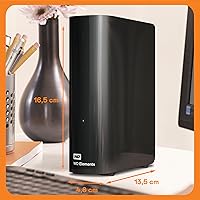
  • Dimensions: The unit measures 8.9 x 8.15 x 3.54 inches, making it a physically substantial device that occupies a notable footprint on a desk or shelf.
  • Weight: The WD Elements 24TB Desktop External Hard Drive weighs 2.74 pounds, typical for a desktop HDD enclosure at this storage capacity.
  • Compatibility: It works with Windows PCs, macOS computers, laptops, desktops, and select tablets without requiring additional drivers on most modern operating systems.
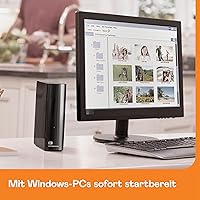
  • Setup: The drive is plug-and-play out of the box on Windows systems; macOS users will need to reformat it before use, which erases the factory formatting.
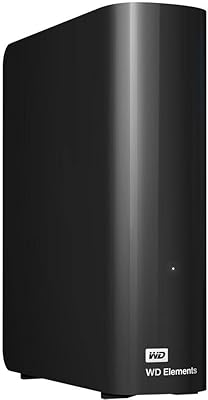
  • Color: The enclosure is finished in a matte black, which blends neutrally into most desktop setups without drawing visual attention.
  • Model Number: The official model designation is WDBWLG0240HBK-EESN, which can be used when referencing warranty support or manufacturer documentation.
  • Brand: The drive is manufactured by Western Digital (WD), a company with decades of history producing consumer and enterprise-grade storage hardware.
  • Transfer Protocol: Data transfer uses the USB protocol across both USB 2.0 and USB 3.0/3.2 Gen 1 standards, ensuring wide device compatibility without adapters in most cases.
  • Operating Systems: The drive is compatible with Windows 10 and later, and macOS 10.13 and later, covering the vast majority of current desktop and laptop environments.
  • Market Ranking: This high-capacity hard drive holds a Best Sellers Rank of approximately #908 in the External Hard Drives category on Amazon at time of review.
  • User Rating: Across 561 customer ratings, the drive holds an average score of 4.3 out of 5 stars, indicating broadly positive reception from verified buyers.

Related Reviews
WD 24TB My Book Desktop External Hard Drive
85%
95%
Storage Capacity
89%
Data Security
91%
Ease of Setup
87%
Build Quality
82%
Software Functionality
More
WD 20TB Elements Desktop External Hard Drive

86%
97%
Storage Capacity
91%
Ease of Setup
89%
Data Transfer Speed
88%
Build Quality
65%
Noise Levels
More
WD Elements Desktop 3TB External Hard Drive
76%
94%
Ease of Setup
91%
Storage Capacity
74%
Transfer Speed
82%
Build Quality & Durability
63%
Noise Level
More
WD 4TB Elements Portable External Hard Drive
87%
89%
Performance
94%
Portability/Size/Weight
95%
Ease of Setup
87%
Transfer Speed
92%
Value for Money
More
WD My Book 26TB External Hard Drive
73%
96%
Storage Capacity
91%
Setup & Compatibility
67%
Transfer Speed
88%
Hardware Encryption & Security
71%
Backup Software
More
WD Elements Portable 3TB External Hard Drive
75%
93%
Ease of Setup
91%
Storage Capacity
67%
Transfer Speed
88%
Portability & Form Factor
63%
Build Quality & Durability
More
WD 6TB Elements Portable External Hard Drive
88%
91%
Value for Money
94%
Ease of Use
87%
Transfer Speed
92%
Portability
90%
Reliability
More
WD My Book 18TB External Hard Drive
76%
93%
Storage Capacity & Value
67%
Transfer Speed & Performance
71%
Long-term Reliability
91%
Setup & Ease of Use
88%
Data Security & Encryption
More
WD Elements Portable 2TB
75%
96%
Ease of Setup
88%
Reliability & Longevity
93%
Portability & Form Factor
61%
Transfer Speed
84%
Value for Money
More
WD Elements Portable 5TB External Hard Drive
69%
93%
Value for Money
96%
Ease of Setup
91%
Storage Capacity
61%
Transfer Speed
89%
Portability & Size
More
WD My Book 16TB External Hard Drive
76%
96%
Storage Capacity
82%
Value for Money
91%
Setup & Ease of Use
84%
Build Quality
67%
Transfer Speed
More

FAQ

On Windows, it genuinely is plug-and-play — connect the USB and power cables, and the drive shows up in File Explorer within seconds. On a Mac, you will need to reformat it using Disk Utility first since it ships formatted for Windows. That reformatting process takes only a few minutes but does wipe the drive, so do it before you put anything on it.

It works with Macs, but not without a quick one-time setup step. The drive ships in NTFS format, which Macs can read but not write to natively. You will need to reformat it to exFAT or APFS using Disk Utility before using it for read and write access on macOS. After that, it works without any issues.

Honestly, for most editing workflows, you will want to copy footage to your internal SSD first and use this desktop drive for archiving or offloading completed projects. As a 7200 RPM mechanical drive, it transfers files at a reasonable speed for bulk moves, but it cannot match the sustained read speeds of an SSD when editing 4K or 8K footage directly. Think of it as a very large storage vault rather than a fast working drive.

Yes, it does produce audible sound — the 7200 RPM spinning platters create a low hum, and you may hear occasional clicking or seeking sounds when the drive is actively reading or writing data. In a typical home office with ambient noise, most people find it easy to tune out. In a very quiet room or recording environment, it could be more noticeable.

It requires an AC power adapter — there is no way to run this drive from USB bus power alone. The 3.5-inch drive format simply draws more power than a USB port can supply. Make sure you have a free outlet near your workstation before setting it up.

It is a substantial amount of storage. You could store roughly 4,800 hours of standard HD video, around 200 hours of 4K footage depending on bitrate, or several million high-resolution JPEG photos. For reference, if you shoot RAW files with a professional camera, you could store tens of thousands of them without worrying about space. Most home users will not fill this drive for years.

It is reliable for everyday use, but keeping it as your sole backup is risky. No single mechanical drive should be your only copy of important data — drives of any brand can fail without warning. A sensible approach is the 3-2-1 rule: three copies of your data, on two different media types, with one stored off-site or in the cloud. Use this high-capacity hard drive as one part of that strategy, not the whole thing.

Yes, it is backward compatible with USB 2.0. You will not get anywhere near the full transfer speeds the drive is capable of — USB 2.0 maxes out at around 480 Mbps versus USB 3.0's 5 Gbps — but it will function and transfer files without issues. If you are moving large amounts of data regularly, a USB 3.0 port will save you significant time.

In many cases, yes. Most modern smart TVs and media players with USB ports can read external hard drives formatted in exFAT or FAT32. However, you will also need to provide external power to the drive separately, since a TV's USB port will not power a 3.5-inch drive. Check your TV's manual for supported file formats and any drive size limitations before assuming full compatibility.

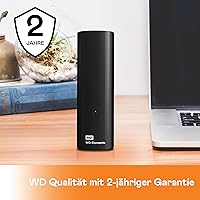
Western Digital typically covers the WD Elements desktop lineup with a 2-year limited warranty, though you should verify this directly with WD or the retailer at time of purchase as terms can vary by region. The warranty covers manufacturing defects but does not cover physical damage or data recovery. Registering your drive on the WD website after purchase can make any warranty claim process smoother.