Overview

The WAVLINK WL-ST334UA Dual-Bay USB 3.0 Hard Drive Docking Station is a no-frills, practical tool that has quietly held its ground in the market since 2015. It accepts both 2.5-inch and 3.5-inch SATA HDDs and SSDs, connects via USB 3.0 or USB-C, and requires absolutely no driver installation — plug it in and your drives show up. What makes this dual-bay dock stand out at its price point is the built-in offline cloning feature, which lets you duplicate one drive to another without touching a computer. That alone puts it in a different league from basic single-bay alternatives.

Features & Benefits

With UASP protocol support, the WAVLINK docking station pushes transfer speeds up to 6Gbps — a real step up from standard USB 3.0 throughput. The offline clone function works without a connected PC: insert the source drive in bay one and the target in bay two, hold the clone button, and the dock handles the rest at up to 60Mbps. Keep in mind the target drive must match or exceed the source capacity, or the clone simply will not run. Hot-swapping is fully supported, the dock drops into automatic sleep mode after 30 minutes idle, and the included 12V/3A adapter keeps even power-hungry 3.5-inch drives stable throughout long transfers.

Best For

This drive duplicator is a natural fit for anyone facing the classic upgrade situation — say, moving from a failing HDD to a new SSD without reinstalling an operating system from scratch. It works equally well for IT technicians who regularly pull and test multiple drives, or small offices needing occasional access to archived storage without the overhead of a full NAS. If your machine runs on Apple silicon, though, stop here — M1 and M2 Macs are not supported. For Intel Mac, Windows, and Linux users, this dual-bay dock covers the most common real-world storage tasks without unnecessary complexity.

User Feedback

Across thousands of verified ratings, the WAVLINK docking station holds a 4.4-star average, which is genuinely strong for hardware in this category. Buyers consistently praise the offline clone function as reliable for straightforward duplications, and many note the metal construction feels more substantial than the price suggests. On the critical side, some reviewers report that real-world clone speeds fall noticeably short of the 60Mbps ceiling — especially with certain drive brands or higher capacities — so avoid planning tight timelines around it. A recurring complaint involves the M1/M2 Mac incompatibility catching buyers off guard, making compatibility checks essential before purchasing. For value-focused users, the overall consensus skews clearly positive.

Pros

  • Offline drive cloning works without a connected computer, making SSD upgrades genuinely straightforward.
  • Plug-and-play setup on Windows and Linux requires zero driver installation or configuration steps.
  • UASP support delivers a meaningful speed improvement over standard USB 3.0 connections.
  • Handles both 2.5-inch and 3.5-inch SATA drives in the same unit without adapters.
  • Metal construction feels noticeably more solid than competing docks at a similar price.
  • Hot-swap support lets you cycle through drives without restarting or unplugging the dock.
  • The 12V/3A power adapter keeps even large desktop HDDs stable during long clone sessions.
  • Auto sleep mode after 30 minutes of inactivity reduces unnecessary heat and noise.
  • At its price tier, the dual-bay dock packs a feature set that typically costs more elsewhere.
  • A consistent 4.4-star average across thousands of global ratings reflects long-term buyer confidence.

Cons

  • Real-world clone speeds often fall short of the 60Mbps ceiling, especially with drives over 4TB.
  • M1 and M2 Mac users are completely unsupported, and the product listing undersells this limitation.
  • Clone operation instructions are poorly documented, leaving less experienced users guessing the correct button sequence.
  • The bundled USB cable is shorter than most users would want for a clean desk setup.
  • No on-screen indication or warning if the target drive is too small before a clone attempt begins.
  • Compatibility issues with certain high-capacity or enterprise-grade SATA drives have been reported by a minority of users.
  • The power adapter is bulkier than modern alternatives and adds unnecessary cable clutter.
  • Hot-swap behavior is inconsistent on some Linux configurations, occasionally requiring a manual remount.
  • Online cloning between two simultaneously connected drives is not supported — only offline, bay-to-bay duplication.
  • Documentation included in the box is minimal and does not cover troubleshooting common setup issues.

Ratings

Our AI rating system analyzed thousands of verified global reviews for the WAVLINK WL-ST334UA Dual-Bay USB 3.0 Hard Drive Docking Station, actively filtering out incentivized, duplicate, and bot-generated submissions to surface what real buyers actually experience. The scores below reflect both where this dual-bay dock genuinely delivers and where it falls short, so you can make an informed call before purchasing.

Offline Cloning Reliability
83%
The standalone clone function is the most praised feature by a wide margin. Users frequently report successfully duplicating aging laptop drives to new SSDs without touching a computer, which is exactly the kind of low-effort, high-stakes task this drive duplicator was built for.
A notable minority report that clone speed in practice lands well below the advertised ceiling, particularly with drives over 4TB. A small number of users encountered failed clones when drive capacity was mismatched, suggesting the dock does not always warn you before starting a doomed job.
Transfer Speed
74%
26%
With UASP enabled, most users on modern Windows and Linux machines notice a real improvement over a standard USB 3.0 connection, especially during large sequential file transfers. Copying a 500GB drive image across to a fresh SSD feels noticeably quicker than older non-UASP docks at this price range.
Real-world throughput rarely matches the 6Gbps spec sheet figure, and some users on USB 2.0 ports or older chipsets see significant speed drops. UASP support also depends on the host controller, so performance is less consistent than the marketing implies.
Build Quality
79%
21%
The metal construction is a genuine differentiator at this price tier. Buyers consistently note that the dock feels solid and planted on a desk, and the drive slots show no flex or wobble even when used with heavier 3.5-inch desktop drives inserted at an angle.
The plastic trim around the drive bays shows scuff marks with repeated use, and a handful of reviewers note the power button feels slightly loose over time. It is sturdy enough for home and light office use, but probably not for high-cycle workshop environments.
Ease of Setup
91%
Plug-and-play is not an overstatement here. On Windows 10 and most Linux distributions, inserting a drive and connecting the dock via USB is genuinely all it takes — no driver downloads, no installation wizard. IT technicians managing multiple machines particularly appreciate skipping that friction entirely.
The setup experience degrades slightly on older Windows versions and is unsupported entirely on M1 and M2 Macs, which frustrates Apple silicon users who buy without reading the fine print. The offline clone button sequence is also not clearly explained in the included documentation.
Mac Compatibility
38%
62%
For Intel-based Mac users running macOS, the dock works as a basic plug-and-play enclosure without any additional software, and drive access is generally reliable for everyday file transfers and read operations.
Apple silicon Macs — M1, M2, and beyond — are explicitly unsupported, and this limitation catches a surprising number of buyers off guard. Given how widely M1 MacBooks are now in circulation, this is a meaningful purchase risk that the product listing does not surface prominently enough.
Value for Money
88%
At its price point, the combination of dual-bay support, UASP transfer speeds, offline cloning, and metal construction is hard to match. Budget-conscious home users and small offices consistently rate this the best return they have found in the docking station category without stepping into more expensive enclosures.
You are paying for core functionality, not polish. Accessories like a cable long enough for comfortable desk routing are borderline adequate, and the power brick is bulkier than it needs to be. Buyers expecting premium packaging or a refined unboxing experience will be disappointed.
Drive Compatibility
77%
23%
Support for both 2.5-inch and 3.5-inch SATA drives in the same unit is practical for mixed-use scenarios. Most common consumer HDD and SSD brands drop straight in without any fuss, and the dock handles simultaneous dual-drive access reliably in everyday read and write tasks.
Occasional compatibility quirks surface with high-capacity drives above 8TB and certain enterprise-grade SATA SSDs. Users have also reported that some older or more unusual SATA variants do not initialize consistently, though these cases represent a clear minority of reported experiences.
Power Stability
82%
18%
The dedicated 12V/3A adapter delivers enough headroom for two power-hungry 3.5-inch desktop drives running simultaneously, which is a real concern cheaper docks get wrong. Users running long overnight clone jobs report the dock stays stable without unexpected power drops or drive disconnections mid-transfer.
The power adapter runs noticeably warm during sustained use, which makes some users nervous even if it rarely causes an actual failure. A longer power cable would also reduce desk cable clutter, particularly when the dock is used on deeper workbenches or server shelves.
Hot-Swap Support
81%
19%
Being able to swap drives without powering down the dock is a real time-saver for anyone who regularly cycles through a collection of backup or archive drives. IT users in particular cite this as a workflow benefit, avoiding the need to shut down and restart a dock session between drive checks.
Hot-swap behavior is not perfectly consistent across all operating systems. A few Linux users report occasional failure-to-mount events after a hot-swap, requiring a manual remount. Windows handles it more gracefully, but the experience is not completely uniform across all tested hardware configurations.
Sleep Mode & Power Efficiency
72%
28%
The automatic 30-minute sleep timer is a thoughtful addition for users who leave the dock connected but idle, reducing both noise and heat during long desktop sessions. Drive spin-down under sleep is quiet and does not interrupt the host system in most tested configurations.
The sleep mode occasionally causes the dock to take a few extra seconds to become responsive again after waking, which can be mildly disorienting if you are working quickly. A small number of users also report that certain drives do not wake cleanly and require a manual power cycle.
Clone Speed Performance
63%
37%
Under ideal conditions — same-brand drives, matched capacities, and a short transfer window — the cloning process completes faster than comparable tools in the same price bracket. For drives under 1TB, most users report finishing a full clone in under 30 minutes.
The 60Mbps clone speed is a ceiling, not a floor, and many users cloning larger or mixed-brand drives report sustained speeds noticeably lower. For 4TB or 8TB drives, real clone times can stretch to several hours, which few buyers anticipate based on the spec sheet alone.
Documentation & Instructions
51%
49%
The physical quick-start guide covers basic connection and access well enough for confident computer users to get running immediately. Most buyers who have set up a dock or external drive before will not need to consult anything beyond the diagram.
The clone operation procedure is poorly documented, and several reviewers note they had to search online forums to understand the button-press sequence correctly. Capacity matching requirements for cloning are not clearly communicated in the box, leading to avoidable failed attempts for less experienced users.
Cable & Accessory Quality
59%
41%
The included USB cable is functional and adequate for the primary connection task. Users who want to get started immediately without sourcing additional accessories will find everything they need in the box for a basic single-connection setup.
The bundled cable is shorter than most users would prefer for a tidy desk setup, and the power brick is physically large relative to modern adapters. These are minor complaints individually, but together they chip away at what should be a premium out-of-box experience.

Suitable for:

The WAVLINK WL-ST334UA Dual-Bay USB 3.0 Hard Drive Docking Station is a strong match for anyone who needs to clone or migrate drives without relying on specialized software or a running computer. Home users upgrading from an aging HDD to a new SSD will find the offline clone function particularly practical — insert both drives, press a button, and walk away. IT technicians and enthusiasts who regularly swap, test, or archive drives across multiple machines will also get real mileage out of the hot-swap support and plug-and-play setup. Small offices with a drawer full of old drives and no dedicated IT staff can use this dual-bay dock to access archived data on demand without investing in a full NAS setup. If you are running Windows or Intel-based macOS, or working in a Linux environment, the compatibility coverage is broad enough to cover most everyday storage workflows at a price that does not require budget approval.

Not suitable for:

Buyers who own an Apple silicon Mac — any machine running on M1, M2, or later chips — should stop here, because the WAVLINK WL-ST334UA Dual-Bay USB 3.0 Hard Drive Docking Station does not support those platforms at all. This is not a minor caveat; the dock simply will not function as a storage solution on those machines, and no firmware update or workaround changes that. Users expecting enterprise-grade cloning reliability for high-stakes data recovery work should also temper expectations — real-world clone speeds can fall well short of the advertised ceiling, especially with larger drives, and the documentation for the clone process is thin enough to trip up less experienced users. Anyone who needs to work with NVMe drives, non-SATA storage, or more than two bays at a time will need to look elsewhere. If your use case demands consistent, high-speed throughput around the clock in a professional data center context, this drive duplicator is not the right tool.

Specifications

  • Model Number: The exact model identifier for this unit is WL-ST334UA, manufactured by WAVLINK.
  • Interface: The dock connects to a host computer via USB 3.0 or USB-C and communicates with drives internally via SATA.
  • Drive Compatibility: Supports 2.5″ and 3.5″ SATA I, II, and III hard drives and solid-state drives simultaneously in both bays.
  • Max Drive Capacity: Each bay supports drives up to 16TB, allowing a combined maximum of 32TB across both slots.
  • Transfer Protocol: UASP (USB Attached SCSI Protocol) is supported, enabling data transfer speeds up to 6Gbps under compatible conditions.
  • Clone Speed: Offline cloning operates at speeds up to 60Mbps, though real-world performance may vary depending on drive brand and capacity.
  • Power Supply: The dock ships with a dedicated DC 12V/3A external power adapter to ensure stable delivery to large-format drives.
  • Dimensions: The unit measures 6.57″ in length, 4.92″ in width, and 5.2″ in height.
  • Weight: The dock weighs 11.6 ounces (approximately 330g) without drives or cables attached.
  • Material: The primary housing is constructed from metal, contributing to its above-average rigidity for its price category.
  • OS Support: Compatible with Windows XP through Windows 10, Intel-based Mac OS X, and Linux/Unix operating systems out of the box.
  • Driver Requirement: No drivers are required; the dock uses the standard USB Mass Storage class and is recognized automatically by supported operating systems.
  • Hot-Swap Support: Both drive bays support hot-swapping, allowing drives to be inserted or removed without powering down the dock.
  • Sleep Mode: The dock automatically enters a low-power sleep state after 30 minutes of continuous inactivity to reduce energy consumption.
  • Simultaneous Drives: A maximum of two drives can be installed and accessed at the same time, one per bay.
  • Date Available: This product was first made available for purchase in November 2015 and has remained in active production since.

Related Reviews

StarTech Dual-Bay USB 3.0 / eSATA to SATA Hard Drive Docking Station
87%
88%
Performance
91%
Build Quality
87%
Ease of Use
90%
Data Transfer Speed
84%
Reliability
More
Tccmebius USB 3.0 Hard Drive Docking Station
82%
91%
Setup & Installation
87%
Speed & Performance
72%
Build Quality & Durability
88%
Ease of Use
93%
Compatibility (Windows/Mac)
More
StarTech.com SDOCKU33BV USB 3.0 to SATA Hard Drive Docking Station
85%
88%
Performance
94%
Ease of Use
65%
Build Quality
90%
Data Transfer Speed
85%
Compatibility
More
Inateck SA02004 USB 3.0 Hard Drive Docking Station
76%
88%
Offline Clone Reliability
74%
Data Transfer Speed
92%
Setup & Ease of Use
63%
Build Quality & Materials
71%
RGB Lighting
More
Sabrent EC-DFLT USB 3.0 SATA Hard Drive Docking Station
77%
93%
Ease of Setup
88%
Drive Compatibility
76%
Transfer Speed
67%
Build Quality
71%
Power Delivery
More
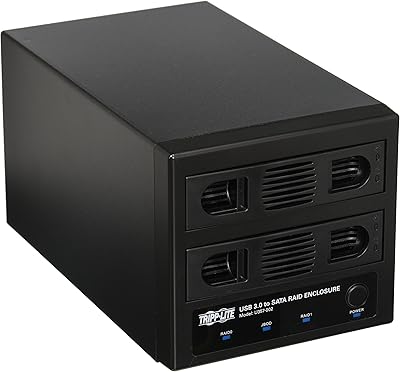
Tripp Lite U357-002 USB 3.0 Dual Bay External SATA Hard Drive RAID Enclosure
84%
88%
Performance & Speed
91%
Ease of Setup
84%
Cooling Efficiency
89%
RAID Functionality
83%
Build Quality
More
ikuai 3.5″ USB 3.0 Hard Drive Enclosure
80%
93%
Ease of Setup
71%
Build Quality
62%
Cable Quality & Reliability
88%
Drive Compatibility
74%
Data Transfer Speed
More
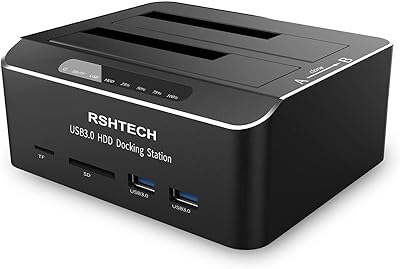
RSHTECH Dual Bay Hard Drive Docking Station 16TB
86%
88%
Performance
91%
Ease of Use
89%
Offline Cloning Function
85%
Build Quality
90%
Data Transfer Speed
More
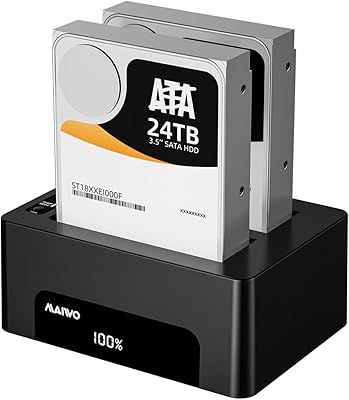
MAIWO Dual Bay Hard Drive Docking Station 48TB
83%
91%
Offline Cloning Feature
89%
Ease of Use & Installation
93%
Compatibility with SATA Drives
85%
Cloning Speed & Reliability
80%
Build Quality
More
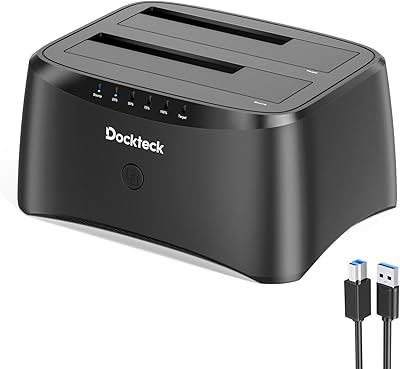
dockteck Dual Bay External Hard Drive Docking Station
84%
90%
Performance and Speed
88%
Ease of Use
85%
Build Quality
91%
Cloning Functionality
82%
Compatibility
More

FAQ

Unfortunately, no. The WAVLINK WL-ST334UA Dual-Bay USB 3.0 Hard Drive Docking Station is not compatible with Apple silicon Macs, which includes all M1 and M2 models. If you are on an Intel-based Mac, you are fine — but if you recently upgraded to a newer MacBook, this is a hard incompatibility worth confirming before purchasing.

Yes, that is exactly what the offline clone function is designed for. You insert the source drive into bay one and the target drive into bay two, then hold the clone button until the process begins. The dock handles the entire duplication independently, with no PC or software involvement required.

It needs to be equal in capacity or larger — not smaller. If your source drive is 500GB, a 500GB or 1TB target drive will work fine, but a 250GB target will not complete the clone. The dock does not always warn you before attempting a mismatched clone, so double-check capacities before starting.

It depends heavily on the drive size and the data involved. For drives under 1TB, most users finish within 20 to 35 minutes. Larger drives — 4TB and above — can take several hours, since real-world clone speed often falls short of the 60Mbps maximum listed in the specs. Plan accordingly if you are cloning a large hard drive overnight.

No software or drivers are needed at all. The dual-bay dock uses the standard USB Mass Storage class, so Windows, Linux, and Intel Mac systems recognize it automatically when plugged in. Just connect, insert a drive, and it should appear in your file explorer within seconds.

Yes, both drives are accessible simultaneously when connected to a computer. You can copy files between them, use one as a backup target and one as a source, or simply browse both independently — the dock presents each drive as a separate volume to your operating system.

No, this drive duplicator only supports SATA-based drives, both 2.5-inch and 3.5-inch form factors. NVMe SSDs use a different interface and physical connector, so they are not compatible with this dock. If you need NVMe support, you will need a different enclosure designed for that standard.

It is rated for up to 16TB per bay, and most users report no issues with common large-capacity drives. That said, a small number of buyers have flagged occasional compatibility quirks with certain high-capacity or enterprise-grade drives. For mainstream consumer HDDs from brands like Seagate or WD, you should be fine in the vast majority of cases.

Yes, the 12V/3A adapter provides enough power to run two 3.5-inch desktop drives simultaneously without issue. Larger drives draw more current at spin-up, and the dock's dedicated power supply is sized specifically to handle that load. The adapter does run warm during extended sessions, but this is within normal operating range.

Yes, hot-swapping is fully supported. You can remove one drive and insert another without powering the dock off, which is particularly handy if you are working through a stack of drives for backup or testing. On Windows this works reliably in most cases; on Linux, an occasional manual remount may be needed depending on your distribution and kernel version.