Overview

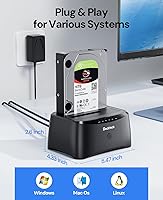
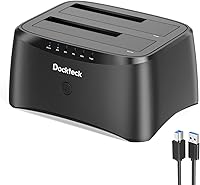
The dockteck Dual Bay Hard Drive Docking Station is a no-fuss, mid-range solution for anyone juggling multiple SATA drives at home or in a small office. Drop in a 2.5″ or 3.5″ HDD or SSD, connect the USB cable, and you're reading or writing within seconds — no driver installation required. The real differentiator at this price point is offline drive cloning: duplicating one drive to another with zero computer involvement. USB 3.0 tops out at 5 Gbps, which handles most backup and migration tasks comfortably, though it won't match pricier USB4 or NVMe-based docks. It runs across Windows, Mac, and Linux without any configuration headaches.
Features & Benefits

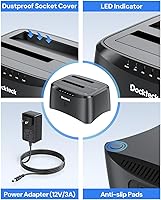
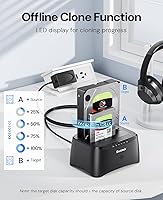
The offline clone function is where this docking station earns its keep. Load the source drive into bay A and your target into bay B — the destination must be equal to or larger in capacity — then hold the clone button until the LED starts flashing. The dock takes it from there, no computer needed. Outside of cloning, both bays operate independently, letting you access two drives simultaneously at up to 5 Gbps. A dust-proof cover plate protects unused bays between sessions, and the silicone base keeps the unit planted on your desk. At under 6 inches long, it won't crowd a tight workspace either.

Best For

This drive cloner hits a practical sweet spot for people who want straightforward drive management without paying for features they'll never touch. It's particularly well suited to migrating aging HDDs — pull the old drive, slot in a larger one, clone it over, done. Home lab users who regularly swap and test drives will appreciate how quickly bays load and release. Photographers and video editors archiving large files across multiple drives can pull from both bays at once. Small business owners running lean backup routines will find the workflow refreshingly uncomplicated. Less ideal for anyone needing USB4 throughput or NVMe support, but for SATA-based tasks, the dockteck dual-bay dock covers the bases well.

User Feedback

Holding a 4.4 out of 5 across 76 ratings, the docking station draws consistent praise for effortless plug-and-play setup — buyers regularly report their OS recognized it immediately with no configuration needed. The clone function gets positive marks, especially from users upgrading aging desktop drives. On the critical side, a handful of reviewers note that cloning large drives can run slow, and a few were caught off guard by the capacity-matching rule before reading the instructions. Build quality splits opinion: the ABS shell feels solid to some, plasticky to others. No major compatibility patterns stand out. The dominant thread in positive reviews is simple — it just works, reliably and without unnecessary complexity.

Pros

  • True plug-and-play setup — most users are up and running within minutes, no drivers needed.
  • Offline cloning works without a connected computer, which is a rare and genuinely useful feature at this price.
  • Supports both 2.5-inch and 3.5-inch SATA drives, covering the vast majority of consumer HDDs and SSDs.
  • Both bays operate independently, so you can access two drives at the same time without any conflicts.
  • The included power adapter, USB cable, and manual mean you have everything needed right out of the box.
  • Dust-proof cover plates protect idle bays, which matters if the dock sits on a desk for months between uses.
  • LED indicators make it easy to tell at a glance whether the dock is actively reading or writing.
  • Compatible with Windows, Mac, and Linux — no OS-specific setup required.
  • The compact footprint keeps desk clutter to a minimum without sacrificing functionality.
  • At its price tier, the value-to-feature ratio is hard to beat for straightforward SATA drive management.

Cons

  • USB 3.0 throughput can feel slow when cloning drives larger than 2TB — expect to wait several hours.
  • Clone direction is locked to A-to-B only; you cannot reverse it without physically swapping the drives.
  • The destination drive must be equal to or larger than the source, which can catch buyers off guard.
  • ABS plastic construction feels lightweight and somewhat hollow, which may reduce confidence in long-term durability.
  • No support for NVMe or M.2 drives limits usefulness as SSD adoption grows.
  • With only 76 ratings, the long-term reliability picture is still relatively thin compared to more established competitors.
  • No USB4 or Thunderbolt option exists in this product line for users who need higher bandwidth.
  • Clone progress is indicated only by LED flashing patterns, with no percentage or time estimate available.

Ratings

The scores below for the dockteck Dual Bay Hard Drive Docking Station were generated by our AI engine after systematically analyzing verified global buyer reviews, actively filtering out incentivized, bot-generated, and unverified feedback to surface genuine user sentiment. Every category reflects both the real strengths buyers praised and the friction points that pushed ratings down — nothing has been smoothed over or inflated. The result is an honest, data-grounded snapshot of how this drive cloner actually performs in everyday hands.
Ease of Setup
93%
The overwhelming majority of buyers describe a genuinely painless first experience — plug in the power adapter, connect the USB cable, and drives appear on the desktop within seconds. No driver downloads, no configuration menus, no format-specific headaches across Windows, Mac, or Linux.
A small number of users running older or less common Linux distributions reported the dock was not immediately recognized without some manual configuration. These cases appear to be edge scenarios rather than a systemic issue, but they do exist.
Offline Clone Function
88%
For users migrating from an aging desktop HDD to a new, larger drive, the one-button clone workflow is a real time-saver — no cloning software to install, no bootable USB drives to create. The process runs reliably in the background while the computer is free to do other things or turned off entirely.
Clone speed is entirely constrained by the USB 3.0 interface, which means large drives — anything above 2TB — can take several hours to complete. The one-directional limitation (A to B only) also trips up users who do not read the manual first and slot drives in the wrong order.
Drive Compatibility
86%
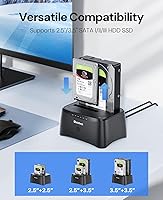
Supporting both 2.5-inch and 3.5-inch SATA drives in a single unit makes this dock genuinely versatile for users with mixed collections of old laptop drives and desktop HDDs sitting in a drawer. Most common consumer SATA drives from major manufacturers mount and read without issue.
Compatibility is strictly limited to SATA — NVMe and M.2 drives are entirely unsupported, which increasingly matters as more users migrate to modern SSDs. A handful of reviews flag occasional recognition failures with very high-capacity or older-generation drives, though these reports are not widespread.
Transfer Speed
71%
29%
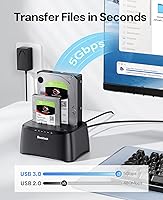
At 5 Gbps via USB 3.0, everyday file transfers — copying a 50GB photo archive, pulling files off a retired laptop drive — complete in a reasonable timeframe. For typical home-use backup workflows, the speed is rarely a practical bottleneck.
Power users moving large media libraries or archiving hundreds of gigabytes regularly will feel the USB 3.0 ceiling acutely, especially compared to USB4 or Thunderbolt-based docks available at higher price points. This is not a dock for anyone whose time is the primary constraint in their workflow.
Build Quality
67%
33%
The dock feels stable on a desk thanks to the silicone anti-skid base, and the dust-proof cover plates over unused bays are a thoughtful touch that prevents grime buildup between sessions — something cheaper docks often overlook entirely.
The ABS plastic shell is the most divisive aspect of the physical product. Several buyers describe it as feeling hollow or flimsy relative to docks in the same price range that use brushed aluminum. It functions fine, but it does not inspire long-term confidence in the same way a metal enclosure would.
Value for Money
91%
At its price tier, the combination of dual-bay access, broad SATA compatibility, and a working offline clone function is genuinely difficult to beat. Buyers consistently note they would have paid more for the feature set if they had found a competing product first.
The value proposition weakens for users who do not need offline cloning and only want a basic single-drive enclosure — paying for a feature you will never use is a real consideration. As NVMe drives become standard, the SATA-only limitation also erodes the long-term value story.
LED Indicators
74%
26%
The blue LED activity lights give a clear real-time signal of whether the dock is busy reading or writing, which is especially reassuring during a long clone session when you have no other way to confirm the process is still running.
There is no progress percentage, estimated time remaining, or error indication beyond the basic flash pattern — if a clone fails partway through, the LEDs offer no meaningful diagnostic information. Users cloning very large drives have to essentially trust the process and wait.
Noise & Heat
82%
18%
The dock itself produces no fan noise since it is entirely passive. Under normal access workloads, the unit stays cool to the touch, and 3.5-inch drives seated in the bays run at typical operating temperatures without any apparent thermal stress from the enclosure.
During extended clone operations lasting several hours, the drives themselves can run noticeably warm. The dock provides no active cooling and limited airflow around the bays, which is worth considering if you regularly run back-to-back clone jobs on high-capacity drives.
Cable & Accessory Quality
73%
27%
The included USB 3.0 cable is a sufficient length for most desk setups, and the 12V/3A power adapter is a necessary inclusion given that 3.5-inch drives require dedicated power that a USB port alone cannot supply. Everything you need to get started is in the box.
The included USB cable is functional but not premium — a few buyers replaced it with a higher-quality cable and reported marginally improved stability at peak transfer speeds. The power adapter is also a fixed-cable design with no spare, so losing it means sourcing a replacement.
Dust & Spill Protection
77%
23%
The sliding cover plates over empty bays are a practical feature that holds up well in real desk environments — after weeks of use, bays that were not in use stayed noticeably cleaner than they would on open-slot docks. It is a small detail that reflects considered design.
The cover plates are made of the same lightweight plastic as the shell and can feel a bit loose after repeated use. The dock has no ingress protection rating and is not suited for workshop or garage environments where dust or moisture exposure is heavier than a typical home office.
Portability
69%
31%
At under 9 ounces and with a footprint smaller than a paperback book, this drive cloner is easy to move between workstations or pack into a bag for occasional use at a secondary location. The separate power adapter is the main factor limiting true portability.
The external 12V power brick is a meaningful inconvenience if you want to move the dock regularly — it adds cable bulk and requires a power outlet, unlike bus-powered 2.5-inch enclosures. For a stationary desk setup this is a non-issue, but for on-the-go use it gets old quickly.
Documentation
71%
29%
The included instruction manual covers the offline clone workflow clearly enough for non-technical users to follow without confusion, which is important given how many buyers will encounter the feature for the first time. The clone capacity rule is stated plainly in the guide.
The manual is brief and does not cover troubleshooting scenarios like unrecognized drives or interrupted clone operations. Users who run into problems have to turn to Amazon Q&A or third-party forums, since there is no detailed support documentation available from the manufacturer online.
Long-Term Reliability
63%
37%
For a product available since mid-2024, early buyers report consistent day-to-day performance with no sudden failures or drive recognition issues emerging after months of regular use. The core functionality has held up within the review window available.
With only 76 ratings at the time of analysis, the long-term reliability picture is still developing — there is simply not enough data from extended use to draw firm conclusions. The ABS construction also raises reasonable questions about how the bay slots will hold up after hundreds of drive insertions over several years.

Suitable for:

The dockteck Dual Bay Hard Drive Docking Station is a genuinely practical pick for anyone who regularly works with SATA hard drives and wants a low-effort way to access, back up, or duplicate them. Home users upgrading to a larger drive will get the most out of the offline clone function — no cloning software to install, no boot drives to create, just two drives and a button press. IT hobbyists and home lab users who swap drives frequently will appreciate how quickly the bays load and how little friction is involved in day-to-day use. Photographers, videographers, and content creators managing large media archives across multiple drives can pull from both bays simultaneously without juggling USB adapters. Small business owners running simple, recurring backup routines will also find the workflow easy enough to hand off to non-technical staff.
Not suitable for:

If your work demands the fastest possible transfer speeds, the dockteck Dual Bay Hard Drive Docking Station will feel like a ceiling rather than a solution — USB 3.0 at 5 Gbps is functional, but USB4 and Thunderbolt docks at higher price points will move large files noticeably faster. Users working exclusively with NVMe or M.2 SSDs will find no compatibility here, as this dock is SATA-only. The offline clone workflow also has a hard constraint worth knowing upfront: cloning runs one direction only, from bay A to bay B, and the destination drive must match or exceed the source drive's capacity — there is no flexibility on that. Anyone expecting premium build materials may also be disappointed; the ABS plastic shell is lightweight and serviceable but does not feel heavy-duty. If you need to clone in both directions or manage more than two drives simultaneously, a more capable unit is worth the additional investment.
Specifications

  • Interface: Connects to a host computer via USB 3.0, supporting data transfer rates of up to 5 Gbps.
  • Drive Types: Compatible with both 2.5″ and 3.5″ SATA I, II, and III hard disk drives and solid-state drives.
  • Bay Count: Houses two drives simultaneously, with each bay operating independently during normal use.
  • Max Capacity: Supports individual drives up to 10 TB per bay, for a combined maximum of 20 TB.
  • Offline Clone: Built-in one-touch cloning duplicates a drive from bay A to bay B without any computer connection required.
  • OS Support: Works with Windows 7, 8, and 10, Mac OS X, and Linux without requiring additional drivers.
  • Power Supply: Powered by an included 12V/3A external power adapter, which is required for 3.5″ HDDs to spin up correctly.
  • Dimensions: The unit measures 5.47″ in length, 4.33″ in width, and 2.60″ in height.
  • Weight: The dock weighs 8 oz (0.5 lb) without drives installed, making it easy to move or reposition.
  • Material: The outer shell is constructed from ABS (Acrylonitrile Butadiene Styrene) plastic.
  • LED Indicators: Blue LED lights flash during active read and write operations, providing real-time status feedback.
  • Base Design: A silicone anti-skid pad on the underside keeps the unit stable on flat desk surfaces.
  • Dust Protection: Cover plates on each bay shield unused drive slots from dust accumulation between sessions.
  • In-Box Contents: Package includes the docking station, one 12V/3A power adapter, one USB 3.0 data cable, and a printed instruction manual.
  • Brand: Manufactured and sold by dockteck, a brand focused on USB connectivity and storage accessories.
  • BSR Rank: Ranked #51 in the Hard Drive Docking Stations category on Amazon at the time of review.
  • Release Date: This model was first made available for purchase in June 2024.
  • Model Identifier: The product is listed under ASIN B0CYLHHRWT and model designation 2 Bay Black.

Related Reviews
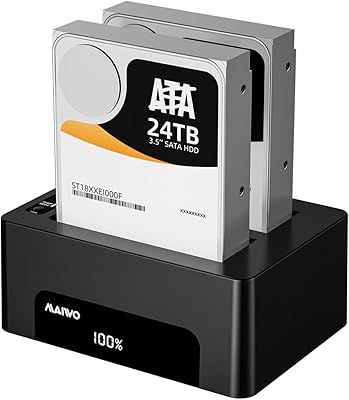
RSHTECH RSH-DS02 Dual Bay Hard Drive Dock
80%
88%
Offline Cloning Reliability
83%
Build Quality
76%
Transfer Speed
71%
Heat Management
62%
Large Drive Compatibility
More
MAIWO Dual-Bay Hard Drive Docking Station
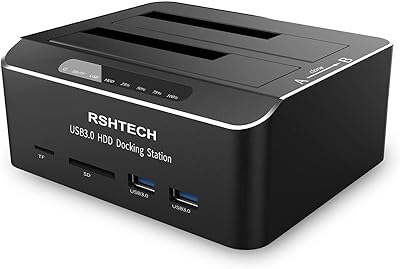
78%
88%
Offline Clone Reliability
91%
Value for Money
67%
Transfer Speed
83%
Drive Compatibility
93%
Ease of Setup
More
CineRAID CR-H212 Dual-Bay 2.5″ RAID Enclosure
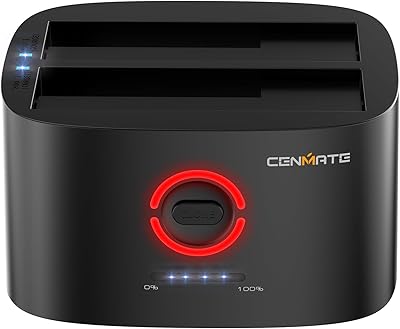
70%
83%
Build Quality
88%
RAID Setup Ease
86%
Compatibility
61%
Transfer Speed
47%
Heat Management
More
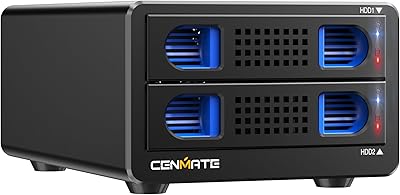
Cenmate 2-Bay Hard Drive Docking Station

76%
83%
Offline Clone Functionality
76%
Transfer Speed
79%
Drive Compatibility
88%
Value for Money
61%
Build Quality
More
StarTech SDOCK2U33EB Dual-Bay Hard Drive Docking Station

78%
83%
Hot-Swap Reliability
88%
Drive Compatibility
74%
Transfer Performance
76%
Build Quality
93%
Ease of Setup
More
WAVLINK WL-ST334UA Dual-Bay USB 3.0 Hard Drive Docking Station
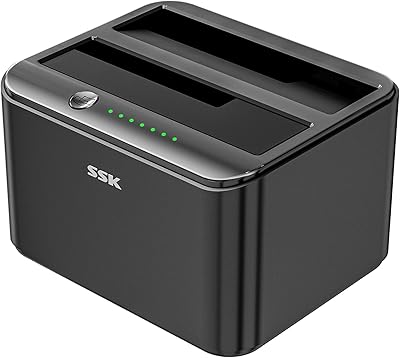
72%
83%
Offline Cloning Reliability
74%
Transfer Speed
79%
Build Quality
91%
Ease of Setup
38%
Mac Compatibility
More
SSK DK103 Dual Bay Hard Drive Dock
76%
84%
Offline Clone Reliability
88%
Build Quality
71%
Transfer Speed
79%
Thermal Management
91%
Ease of Use
More
ORICO DD18C3 Hard Drive Docking Station
74%
93%
Ease of Setup
78%
Transfer Speed
71%
Drive Compatibility
67%
Build Quality
61%
Auto-Sleep Behavior
More
Cenmate Dual Bay Hard Drive Enclosure
78%
83%
Build Quality
78%
Cooling Performance
76%
Transfer Speed
86%
Hot-Swap Functionality
91%
Ease of Installation
More
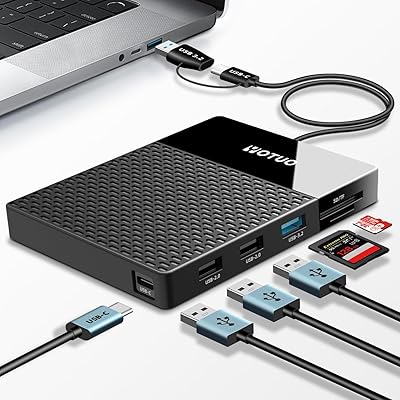
YOTUO 500GB USB-C Hub External Hard Drive
73%
81%
Value for Money
67%
Build Quality
52%
Transfer Speed
84%
Port Selection
91%
Setup & Ease of Use
More

FAQ

No, you do not. The docking station is plug-and-play on Windows 7, 8, and 10, Mac OS X, and Linux. Just connect it via USB, plug in the power adapter, and your OS should recognize the drives within seconds.

Yes, both bays operate independently and simultaneously. You can read from one drive while writing to another, or access files on both at the same time — they each show up as separate volumes on your computer.

Insert the source drive into bay A and the destination drive into bay B, then press and hold the clone button on the unit until the LED begins flashing. The dock handles the entire duplication process on its own — no computer, no software, no cables to your PC needed. Just make sure the drive in bay B has equal or greater capacity than the one in bay A, or the clone will not complete correctly.

It is one direction only — from bay A to bay B. If you want to clone in the other direction, you will need to physically swap the drives before starting.

Yes, 3.5-inch SATA drives are fully supported. Just make sure you are using the included 12V/3A power adapter, since 3.5-inch drives require more power than a USB port alone can provide.

No, it does not. This dock is designed exclusively for SATA-based drives in the 2.5-inch and 3.5-inch form factors. If you need NVMe or M.2 support, you will need a different enclosure or dock.

Clone time depends almost entirely on the size of the source drive. A 500 GB drive might complete in roughly 30 to 60 minutes, while a 4 TB drive could take several hours. The USB 3.0 interface is the main bottleneck here, so managing expectations on large drives is worthwhile.

Generally yes — the dock itself is USB-based and does not require drivers, so macOS recognizes it without issue. Keep in mind that drives formatted as NTFS will be read-only on a Mac by default unless you use third-party software, but that is an OS limitation, not a hardware one.

The blue LEDs flash when a drive is actively reading or writing data. When a drive is mounted but idle, the LED stays solid. During cloning, the LEDs indicate progress, though there is no percentage readout — just the flashing pattern to confirm the process is running.

It is serviceable for typical desktop use. The ABS shell is lightweight and will handle regular drive swapping without issue, but it is not built to the standard of heavier aluminum enclosures. If you are just using it on a desk at home or in an office, it holds up fine — just do not expect it to feel premium in hand.