Overview

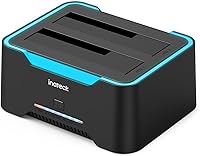
The Inateck SA02004 USB 3.0 Hard Drive Docking Station is a dual-bay dock that accepts both 2.5-inch and 3.5-inch SATA hard drives and SSDs, sitting comfortably in the mid-range of the market. What separates it from the flood of basic single-bay options is its offline clone capability — you can duplicate one drive to another without touching a computer. It has earned a solid reputation, sitting at #12 in its category with over 2,300 ratings averaging 4.5 stars. The compact plastic chassis includes an RGB light strip that some will appreciate and others will immediately switch off.
Features & Benefits

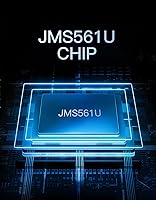
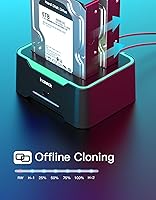
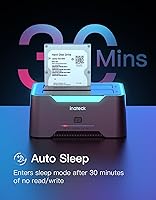
The JMS561U chipset at the heart of this docking station delivers USB 3.0 speeds up to 5Gbps, though real-world throughput will vary depending on your drives and the USB host controller in your machine — so manage expectations accordingly. The standout feature remains offline cloning: slot in a source and target drive, hold the clone button, and the Inateck dock handles the rest on its own. One practical detail worth knowing is that the source drive must be equal to or smaller in capacity than the target, a rule that catches plenty of users off guard. Auto sleep kicks in after 30 minutes of idle, which is a small but useful power-saving touch.

Best For

This dual-bay cloner is a natural fit for anyone who needs to migrate an aging hard drive to a larger replacement without pulling up a laptop. IT technicians will appreciate having a standalone clone tool on the bench that requires no software installation. Home users building or expanding a NAS, or anyone sitting on a pile of old 3.5-inch drives from a retired desktop, will find it equally useful for quick access and archiving. The Inateck dock also suits media collectors who regularly shuttle large video or photo libraries between drives. If you like seeing at a glance whether a drive is active, the blinking RGB indicator does serve a functional purpose beyond decoration.

User Feedback

Buyers consistently praise the plug-and-play setup and the reliability of the offline clone function — most report drives copied over without a hitch straight out of the box. On the flip side, a handful of reviewers mention the USB cable feels shorter than they would like, and a few find the RGB switch awkwardly positioned. Build quality draws mixed reactions; the plastic housing does its job but does not feel particularly rugged, which some find acceptable at this price and others do not. A recurring note is that auto-sleep can interrupt long transfers if a drive idles mid-process, so it is worth verifying that behavior before a critical backup. Transfer speeds generally hold up well for everyday workloads.

Pros

  • Standalone offline cloning works reliably without a PC, making drive migrations genuinely straightforward.
  • Accepts both 2.5-inch and 3.5-inch SATA drives in the same bay with no adapters needed.
  • Plug-and-play on Windows and Mac — no driver hunting, no setup friction.
  • Auto sleep after 30 minutes of idle helps reduce unnecessary drive wear during long sessions.
  • RGB blink during active transfers gives a passive, at-a-glance status indicator without opening software.
  • Compatible with a wide OS range, including older Windows versions still common in small business environments.
  • Supports drives up to 20TB per slot, keeping this docking station relevant for high-capacity modern drives.
  • Independent RGB switch lets users who prefer a clean desk kill the lights entirely.
  • Compact footprint means it does not compete for desk real estate with other equipment.
  • Strong value for the feature set — dual bays plus offline cloning at this price tier is a competitive combination.

Cons

  • The included USB cable is shorter than most users expect, often requiring an immediate replacement.
  • No on-device progress indicator or error alert during clone operations beyond a basic LED blink.
  • Plastic chassis feels lightweight and can flex slightly when inserting heavier 3.5-inch drives.
  • Auto sleep can interrupt long sequential transfers if a drive briefly idles mid-operation.
  • Real-world transfer speeds fall noticeably short of the advertised 5Gbps ceiling in most setups.
  • NVMe and PCIe SSDs are completely unsupported — SATA only, which limits future-proofing.
  • The power brick is bulky relative to the dock itself, adding desk clutter and complicating portability.
  • Clone source capacity must not exceed target capacity, a constraint the dock does not clearly communicate on-device.
  • RGB lighting cannot be customized in color or pattern, limiting its utility as a status indicator.
  • Build quality feels budget-tier in hand, which may be a concern for users planning frequent heavy use.

Ratings

Our AI-generated scores for the Inateck SA02004 USB 3.0 Hard Drive Docking Station were produced by analyzing thousands of verified buyer reviews from global markets, with spam, incentivized, and bot-generated submissions actively filtered out. The ratings below reflect the full picture — where this dual-bay cloner genuinely delivers and where real users ran into friction. Both the praise and the frustrations are represented proportionally.
Offline Clone Reliability
88%
Most users who bought this dock specifically for standalone cloning came away satisfied. Migrations from old desktop HDDs to larger replacement drives completed without errors in the majority of reported cases, and the button-hold process is intuitive enough that non-technical users rarely needed instructions.
A recurring edge case involves users attempting to clone a larger source drive onto a smaller target, which the dock cannot do and does not warn about loudly. This trips up enough buyers to be worth flagging before a time-sensitive migration.
Data Transfer Speed
74%
26%
For everyday file transfers — pulling archives off an old drive, staging backups — the USB 3.0 connection is more than adequate. Users moving large media collections reported solid throughput that kept waiting times reasonable on healthy drives.
Real-world speeds land noticeably below the 5Gbps ceiling, which is typical for USB 3.0 docks but still disappoints some buyers expecting peak numbers. Performance also varies depending on the host machine's USB controller, so results are inconsistent across different computers.
Setup & Ease of Use
92%
Plug-and-play behavior is one of the most praised aspects across reviews. On both Windows and Mac, the dock was recognized immediately without driver installation, and even less experienced users described getting a drive accessible within under a minute of unboxing.
The clone process itself, while simple, lacks any on-screen feedback — you rely entirely on the blinking RGB to know progress, which some users found nerve-wracking during a long copy operation with no percentage or time estimate available.
Build Quality & Materials
63%
37%
For the price tier, the dock holds drives securely and the slots feel properly tensioned — drives do not wobble or sit loose during transfers. The form factor is compact enough to keep on a work desk without dominating the space.
The plastic housing feels lightweight in a way that reads as budget rather than purposeful. Several reviewers noted the unit does not inspire confidence when inserting heavier 3.5-inch drives, and a few mentioned minor flex in the chassis under pressure.
RGB Lighting
71%
29%
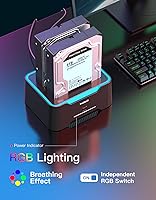
The breathing idle effect and active blink during transfers give users a passive, at-a-glance status indicator without needing to open any software. For bench setups or home offices where the dock is always visible, this is a genuinely useful at-a-glance signal.
A meaningful portion of buyers find the RGB unnecessary and slightly garish in a home or office environment. While there is an independent switch to disable it, some reviewers reported the switch placement is awkward and the lighting cannot be customized in any way.
Auto Sleep Function
67%
33%
For users who leave drives connected passively — running occasional backups or keeping an archive drive plugged in — the 30-minute auto sleep helps reduce unnecessary spin time and heat buildup, which is a practical benefit for drive longevity over months of use.
In active workflows, the auto sleep has been known to interrupt long sequential transfers if a drive briefly idles mid-process. A handful of reviewers found themselves having to manually wake the dock after pausing a large file operation, which adds friction.
Drive Compatibility
89%
Acceptance of both 2.5-inch and 3.5-inch SATA drives in the same bay without adapters is a genuine convenience. Users pulling drives from old laptops, desktops, and external enclosures found the dock handled a wide variety of hardware without issue.
Compatibility is limited to SATA — NVMe or PCIe-based SSDs are not supported, which is worth knowing upfront as more recent systems use those formats. A few users were surprised to find their newer SSDs were not recognized.
OS Compatibility
86%
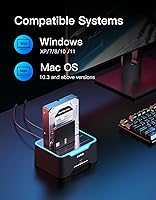
Support stretching back to Windows XP and macOS 10.3 means this dock works with older machines still used in small offices or home labs. Mac users in particular appreciated not having to hunt for drivers or deal with compatibility patches.
Linux users are not officially listed in the compatibility documentation, and while many reported it working fine, the lack of official support makes it a minor concern for those running Linux-based NAS setups or development machines.
Cable Quality & Length
58%
42%
The included USB cable is functional for a standard desk setup where the dock sits close to the machine, and the connection held stable in most reported use cases without dropout during transfers.
Cable length is a recurring complaint — multiple reviewers called it shorter than expected, creating awkward reach situations when the dock needs to sit next to a tower or on a separate surface. No extended cable is included, so users often need to source a replacement immediately.
Power Adapter
72%
28%
The external power brick delivers consistent voltage to spin up even larger 3.5-inch drives reliably, which is not a given on all budget-tier docks. Users running two 3.5-inch drives simultaneously did not report power-related failures or spin-up hesitation.
The power adapter adds a second cable to manage on the desk, and the brick itself is on the bulkier side. A few users traveling with the dock found the adapter inconvenient to pack, particularly compared to bus-powered alternatives for lighter-duty use.
Value for Money
83%
At its price point, the combination of dual bays, offline cloning, and broad drive compatibility is hard to replicate without spending more. For occasional use — annual backups, drive migrations, or IT bench work — the cost-per-use math works out very favorably.
For users needing daily heavy-duty transfers or a more premium tactile experience, the build and cable quality start to feel like compromises at this price. There are pricier options that justify the gap with sturdier construction and faster real-world throughput.
Indicator Feedback
76%
24%
The RGB blink behavior during active transfers gives an immediate visual cue that the dock is working, which is more intuitive than checking a file manager progress bar. Users doing clones especially appreciated knowing the process was running without a computer attached.
There is no differentiation between a slow transfer, an error state, and a healthy fast transfer — the blink pattern does not communicate enough granular information. Users who experienced a failed clone had no on-device indication that anything had gone wrong until they checked the target drive.
Thermal Management
69%
31%
During moderate workloads — transferring files for an hour or running a single clone operation — the dock and drives stayed at acceptable temperatures. The open-bay design allows airflow around drives, which helps compared to fully enclosed enclosures.
Under sustained dual-drive workloads or back-to-back clone operations, some users reported the dock getting noticeably warm to the touch. There is no active cooling, so heavy continuous use in warm environments is a scenario worth approaching with some caution.

Suitable for:

The Inateck SA02004 USB 3.0 Hard Drive Docking Station is a strong match for anyone who regularly works with legacy SATA storage and needs a reliable, no-fuss way to access, transfer, or duplicate drives without opening a case or launching cloning software. It is particularly well-suited to home users who have accumulated a drawer full of old 2.5-inch laptop drives and 3.5-inch desktop drives and want a single device that handles both form factors without adapters. IT technicians doing bench work will appreciate the standalone offline clone function — being able to hand a technician a dock and two drives and walk away is genuinely useful in small business and repair shop contexts. Media collectors and photographers who archive large libraries across multiple spinning drives will find the dual-bay access and auto sleep combination practical for longer archiving sessions. Users upgrading a NAS or swapping out a desktop boot drive to a larger unit will also find this docking station covers that migration cleanly, provided the source drive is equal to or smaller in capacity than the target.
Not suitable for:

The Inateck SA02004 USB 3.0 Hard Drive Docking Station is not the right tool for users who have already moved to NVMe or PCIe-based SSDs, since it only supports SATA drives and will not recognize modern M.2 NVMe storage at all. Anyone who needs sustained high-speed transfers as part of a daily professional workflow — video editors ingesting raw 4K footage, for instance — will likely find the real-world USB 3.0 throughput underwhelming compared to USB 3.2 Gen 2 or Thunderbolt-based alternatives. The plastic build is functional but not rugged, so users in demanding environments who need something that handles daily abuse or frequent travel should look at more heavily constructed enclosures. If you need detailed clone progress reporting or error alerts during an unattended backup operation, this dock offers no on-device feedback beyond an LED blink pattern, which may be insufficient for mission-critical data work. Finally, buyers hoping to use this dock with NVMe SSDs salvaged from recent laptops or desktops will need a different product entirely.
Specifications

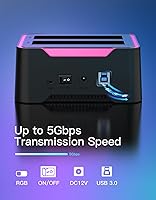
  • Interface: Connects via USB 3.0 and is fully backward compatible with USB 2.0 and USB 1.1 ports.
  • Chipset: Uses the JMS561U bridge chipset to manage data routing between the drives and the USB connection.
  • Transfer Rate: Maximum theoretical data transfer rate is 5Gbps; real-world speeds vary based on drive health and host USB controller.
  • Drive Bays: Features two independent bays capable of accepting drives simultaneously for transfer or offline cloning operations.
  • Form Factors: Compatible with both 2.5″ and 3.5″ SATA hard disk drives and solid-state drives without requiring any adapters.
  • Max Capacity: Supports individual drives with storage capacities of up to 20TB per bay.
  • Offline Clone: Supports PC-free drive duplication by holding the dedicated clone button, with no software or computer connection required.
  • Auto Sleep: Automatically spins down connected drives after 30 consecutive minutes of read/write inactivity to reduce power consumption and wear.
  • RGB Lighting: Includes an RGB light strip that displays a slow breathing effect at idle and blinks rapidly during active data transfers.
  • RGB Control: The RGB light strip has its own independent physical switch, allowing it to be turned off entirely without affecting dock operation.
  • OS Support: Compatible with Windows XP, 7, 8, 10, and 11, as well as macOS 10.3 and all later versions.
  • Dimensions: The dock measures 5.59 x 4.41 x 2.36 inches, making it compact enough for a crowded desk or IT workbench.
  • Weight: The unit weighs 10.1 ounces, keeping it light enough to reposition easily without anchoring it to the desk.
  • Power: Powered by an included external AC adapter rather than drawing bus power from the USB port, ensuring stable supply for 3.5″ drives.
  • Model Number: The official model identifier for this unit is SA02004-BK, with the BK suffix denoting the black colorway.
  • Color: Available in black with a matte plastic finish across the main chassis and bay housings.
  • Drive Protocol: Supports SATA drives only; NVMe, IDE, and PCIe-based storage devices are not compatible with this dock.
  • UASP Support: Supports USB Attached SCSI Protocol (UASP) for improved transfer efficiency on compatible host systems running Windows 8 and above or macOS.

Related Reviews

WAVLINK WL-ST334UA Dual-Bay USB 3.0 Hard Drive Docking Station
72%
83%
Offline Cloning Reliability
74%
Transfer Speed
79%
Build Quality
91%
Ease of Setup
38%
Mac Compatibility
More
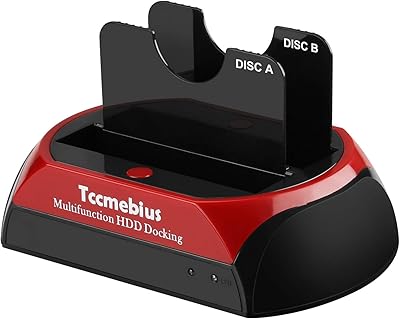
Tccmebius USB 3.0 Hard Drive Docking Station
82%
91%
Setup & Installation
87%
Speed & Performance
72%
Build Quality & Durability
88%
Ease of Use
93%
Compatibility (Windows/Mac)
More
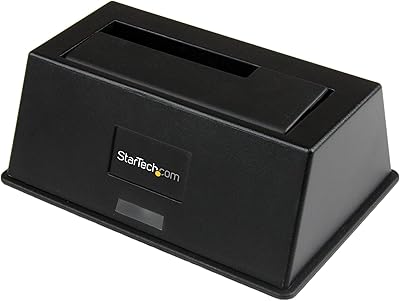
StarTech.com SDOCKU33BV USB 3.0 to SATA Hard Drive Docking Station
85%
88%
Performance
94%
Ease of Use
65%
Build Quality
90%
Data Transfer Speed
85%
Compatibility
More
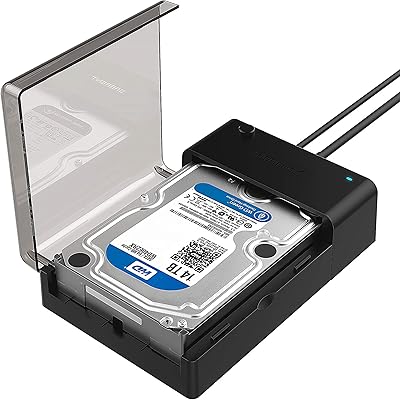
Sabrent EC-DFLT USB 3.0 SATA Hard Drive Docking Station
77%
93%
Ease of Setup
88%
Drive Compatibility
76%
Transfer Speed
67%
Build Quality
71%
Power Delivery
More
StarTech Dual-Bay USB 3.0 / eSATA to SATA Hard Drive Docking Station
87%
88%
Performance
91%
Build Quality
87%
Ease of Use
90%
Data Transfer Speed
84%
Reliability
More
Inateck FE3001 3.5-Inch USB 3.0 SATA Hard Drive Enclosure
85%
87%
Value for Money
91%
Data Transfer Speed
94%
Setup/Installation
88%
Build Quality
80%
Compatibility
More
ikuai 3.5″ USB 3.0 Hard Drive Enclosure
80%
93%
Ease of Setup
71%
Build Quality
62%
Cable Quality & Reliability
88%
Drive Compatibility
74%
Data Transfer Speed
More
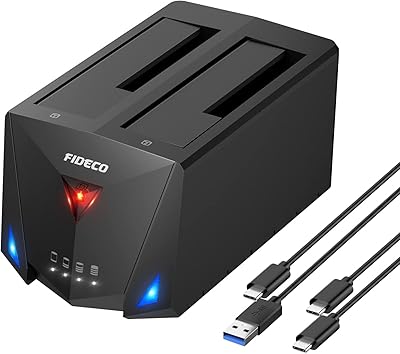
FIDECO YPZ220C Dual Bay USB 3.2 Gen 1 Hard Drive Docking Station
79%
88%
Offline Clone Functionality
79%
Transfer Speed
92%
Drive Compatibility
91%
Plug-and-Play Setup
63%
Build Quality
More
StarTech.com SDOCKU313 USB 3.1 to SATA Hard Drive Docking Station
88%
91%
Performance & Speed
95%
Ease of Use
87%
Build Quality
85%
Compatibility with Drives
89%
Transfer Efficiency with SSDs
More
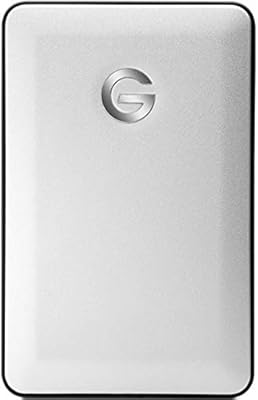
G-Technology G-DRIVE Mobile 1TB USB 3.0 Portable Hard Drive
86%
91%
Portability
87%
Data Transfer Speed
93%
Build Quality
89%
Ease of Use
60%
Windows Compatibility
More

FAQ

Yes, that is one of the main reasons people buy the Inateck SA02004 USB 3.0 Hard Drive Docking Station. You slot the source drive into bay one and the target drive into bay two, then hold the clone button until the process starts. No computer, no software — just the dock, the drives, and a power outlet.

Yes, and this is the detail that catches people off guard most often. The source drive capacity must be equal to or smaller than the target drive. If you try to clone a 2TB drive onto a 1TB drive, the operation will not complete successfully, even if the actual data on the source is well under 1TB.

It should, yes. The dock is compatible with macOS 10.3 and all later versions, which covers virtually every Mac currently in use. It shows up as a standard external drive on the desktop without any driver installation needed.

It serves a dual purpose. The breathing glow at idle is purely aesthetic, and plenty of users turn it off immediately using the dedicated switch. The rapid blink during active transfers is genuinely useful as a passive indicator that the dock is working, particularly during unattended clone operations where you have no progress bar to check.

It can, under certain conditions. The 30-minute timer is based on read/write activity, so if a large transfer pauses mid-process — which can happen with some file management tools — the dock may spin down before it resumes. For critical or very long operations, it is worth keeping an eye on progress rather than walking away entirely.

No. This dock is strictly SATA — it will not recognize NVMe or M.2 PCIe drives at all. If you pulled an SSD from a laptop made in the last few years, check whether it is SATA or NVMe before assuming this docking station will work with it.

Absolutely. Both drives show up as separate volumes on your computer when connected, so you can copy files between them, access each independently, or run transfers to one while browsing files on the other. Cloning is a separate dedicated mode that you activate manually.

Realistically, no. USB 3.0 at 5Gbps is the theoretical ceiling, and actual speeds are always lower once you account for protocol overhead, the drive's own read/write limits, and the USB controller in your computer. For spinning HDDs, which typically max out well below 200MB/s, the connection is never the bottleneck. For fast SSDs, you will likely saturate the drive before the USB ceiling becomes relevant.

No driver installation is required on modern versions of Windows or macOS. You plug it in, Windows or macOS recognizes it as a standard storage device, and the connected drives appear in your file explorer within a few seconds.

Yes, any standard USB 3.0 Type-A cable will work as a replacement. Keep in mind that very long USB cables can introduce signal degradation, so staying under 3 meters is a reasonable guideline for maintaining reliable transfer speeds. Most users who find the stock cable too short simply swap in a 1.5-meter or 2-meter USB 3.0 cable from their accessories drawer.