Overview

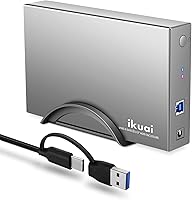
The ikuai 3.5″ USB 3.0 Hard Drive Enclosure is a practical, no-frills way to breathe new life into an old internal SATA drive, turning it into a plug-and-play external storage solution in minutes. Built around a space grey aluminum shell, it has a clean, compact presence on a desk or shelf without demanding much space. The included 2-in-1 cable handles both USB-A and USB-C ports, so there is no need for a separate adapter when switching between machines. It works across Windows, Mac, Linux, and even gaming consoles, and with support up to 20TB, this aluminum HDD case is a credible long-term storage option, not just a quick recycling fix.
Features & Benefits

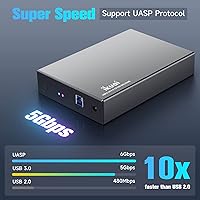
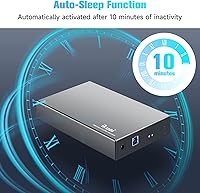
At the core of this drive enclosure is the ASM1153e chipset, which handles SATA-to-USB bridging reliably and adds UASP support for better sustained read and write speeds — though real-world throughput will naturally fall short of the 5Gbps theoretical ceiling. One genuinely useful addition is the auto-sleep function: after 10 minutes of inactivity, the drive spins down, reducing wear over time and cutting unnecessary power draw. The aluminum shell does a decent job of passive cooling during normal use, while the ABS inner tray keeps the drive from rattling around. A vertical stand is included, and the dual LED indicators — red for power, blue for activity — make it easy to tell at a glance what the drive is doing.

Best For

This aluminum HDD case makes the most sense for anyone pulling a spare drive out of an old desktop after an upgrade or a PC retirement. It is a natural fit for basic backup setups — plug it in, copy your files, unplug it — and the broad OS compatibility means it works on a Mac, a Linux box, or a Windows machine without installing drivers. Console gamers looking to add USB storage to an Xbox or PlayStation will also find it capable. It is not aimed at power users needing multi-drive arrays or enterprise-grade reliability, but for casual archive access or media storage on a tight budget, it covers the bases without overcomplicating things.

User Feedback

Buyers generally respond well to the ikuai enclosure, with most citing quick, hassle-free setup and reliable cross-platform detection as highlights. The 2-in-1 cable gets positive mentions for its convenience, particularly from users who switch regularly between USB-A and USB-C machines. On the critical side, a handful of reviewers flag concerns about long-term build quality — the aluminum looks good, but the overall construction feels budget-grade on close inspection. The cable has drawn occasional complaints about fit and durability over repeated use. The auto-sleep feature divides opinion too: some appreciate it for reducing drive wear, while others find the spin-up delay mildly frustrating mid-task. Overall sentiment sits in solidly positive territory.

Pros

  • Plug-and-play setup works on Windows, Mac, Linux, Xbox, and PlayStation with no driver installation required.
  • The 2-in-1 USB-A and USB-C cable removes the need for a separate adapter when switching host devices.
  • Auto-sleep after 10 minutes of inactivity reduces unnecessary drive spin time and helps preserve drive longevity.
  • Aluminum shell provides better passive heat dissipation than fully plastic enclosures at the same price tier.
  • Supports SATA drives up to 20TB, making it a viable long-term archive solution as storage needs grow.
  • UASP support delivers noticeably better sustained transfer speeds than older USB 3.0 enclosures without it.
  • Dual LED indicators make it easy to confirm at a glance whether the drive is powered and actively reading or writing.
  • The included vertical stand lets users reclaim desk space by orienting the enclosure upright alongside other peripherals.
  • S.M.A.R.T support allows users to monitor drive health using standard diagnostic tools.
  • Assembly takes only a few minutes and requires no special tools, making it accessible for non-technical users.

Cons

  • The bundled cable has shown signs of connector looseness and intermittent disconnects after repeated use over several months.
  • Build quality reveals budget origins on close inspection — seams and tolerances are not as tight as the aluminum exterior suggests.
  • The auto-sleep spin-up delay of two to four seconds can feel disruptive when accessing files unexpectedly, and it cannot be disabled.
  • At just 3.3 feet, the cable length is restrictive for setups where the enclosure sits away from the host machine.
  • Sustained heavy workloads cause the enclosure to run noticeably warm, which may concern users in warmer environments.
  • The power adapter adds cable clutter and may require a separate plug converter for buyers outside compatible regions.
  • Real-world transfer speeds fall well short of the 5Gbps headline figure — typical sustained throughput is closer to 100 to 150MB/s.
  • The vertical stand is lightweight and can tip when the cable pulls at an angle on smooth desk surfaces.
  • No spare screws, quick-start guide, or setup accessories are included in the box.
  • Users storing files on NTFS-formatted drives will need third-party software on macOS to enable full read and write access.

Ratings

The ikuai 3.5″ USB 3.0 Hard Drive Enclosure has been evaluated using AI analysis of verified global buyer reviews, with spam, bot-generated, and incentivized submissions actively filtered out to ensure the scores reflect genuine ownership experiences. Ratings span everything from day-to-day usability to long-term reliability, so both the strengths and the frustrations surface clearly. Shoppers looking for an honest picture before buying will find the scorecard below reflects what real users actually encounter — not a sanitized highlight reel.
Ease of Setup
93%
Most buyers report having a drive installed and recognized within a few minutes, often without consulting any instructions. The tool-free assembly and plug-and-play behavior across Windows, Mac, and Linux make it accessible even for users who have never installed a hard drive before.
A small number of users running older operating systems or non-standard USB hubs encountered initial detection hiccups that required a reboot or port swap to resolve. These cases are the exception rather than the rule, but they do come up with enough frequency to mention.
Build Quality
71%
29%
The aluminum outer shell gives the enclosure a more substantial look than most plastic rivals at the same price point, and it holds up reasonably well under normal desk use. The ABS inner tray does its job of keeping the drive snug without flex or rattling.
Handling it closely, the budget origins become apparent — seams are not perfectly flush, and the overall fit and finish falls short of enclosures that cost significantly more. A few buyers noted that the casing feels lighter and less rigid than the aluminum exterior implies.
Cable Quality & Reliability
62%
38%
The 2-in-1 USB-A and USB-C cable is a genuinely convenient inclusion, eliminating the need for a separate adapter when switching between host machines. Users who move the enclosure between a desktop USB-A port and a modern laptop with USB-C appreciate not carrying extra accessories.
The cable is the most consistently criticized component across user reviews. Repeated plugging and unplugging leads to looseness at the connector end for some buyers within a few months, and a handful reported intermittent disconnects traced back to the cable rather than the enclosure itself.
Drive Compatibility
88%
Support for SATA I, II, and III across both 2.5-inch and 3.5-inch form factors means users can drop in almost any spare drive from the last 15 years without compatibility concerns. Drives up to 20TB are recognized without partitioning tricks or firmware updates.
A few buyers testing with very old or non-standard SATA drives reported inconsistent detection, though this appears edge-case rather than systemic. There is also no support for NVMe or other non-SATA interfaces, which is worth noting if your spare drive is from a newer laptop.
Data Transfer Speed
74%
26%
With UASP enabled and a capable drive installed, users copying large media libraries or backup archives notice a tangible speed improvement over older USB 2.0 enclosures. For sequential transfers of big files, performance is solid and consistent in normal use.
Real-world throughput rarely approaches the 5Gbps theoretical ceiling — sustained speeds of 100 to 150MB/s are more typical, which is perfectly adequate for most tasks but may disappoint users expecting the headline figure. Random read and write performance is also limited by the USB 3.0 bottleneck rather than the drive itself.
Thermal Performance
76%
24%
The aluminum shell does provide measurable passive cooling compared to a fully plastic enclosure, and users running the drive for extended backup sessions generally report no thermal shutdowns or heat-related errors. Surface temperatures stay manageable during moderate workloads.
Under sustained, heavy workloads — such as multi-hour video transfers or continuous read operations — the enclosure does get noticeably warm to the touch. There is no active cooling, so users in warmer ambient environments or those pushing the drive hard for long periods should be aware of the thermal ceiling.
Auto-Sleep Function
79%
21%
The 10-minute inactivity timeout is a thoughtful feature for users who leave the enclosure connected but idle for extended periods, reducing unnecessary drive spin time and lowering power draw over the course of a week. Drive longevity benefits are real, particularly for archival use cases.
The spin-up delay after the drive wakes from sleep is noticeable — typically two to four seconds — which can feel disruptive when accessing files spontaneously. Some users who prefer constant availability have looked for ways to disable the function, only to find it is not configurable.
Cross-Platform Compatibility
91%
Detection across Windows, macOS, and mainstream Linux distributions is consistently reliable, and the enclosure works without installing any drivers on any of those platforms. Console users on Xbox and PlayStation also report straightforward recognition for media playback and storage expansion.
A small subset of Linux users on less common distributions encountered mounting quirks that required manual intervention. macOS users should also be aware that drives formatted as NTFS will need third-party software for full read and write access, which is a file system limitation rather than an enclosure flaw.
Value for Money
86%
At its price point, this aluminum HDD case offers a combination of broad compatibility, decent build, and thoughtful features — auto-sleep, UASP, dual LEDs, vertical stand — that would cost noticeably more from a better-known brand. For someone recycling a spare drive rather than buying new storage, the value equation is hard to argue with.
If you need an enclosure for daily heavy-duty use rather than occasional access, the cable durability concerns and build quality compromise the long-term value calculation. Spending a bit more on an enclosure from a more established manufacturer might be worthwhile for users who plan to rely on it heavily.
LED Indicators
83%
The dual LED setup — red for power status, blue for drive activity — gives a quick, unambiguous read on what the enclosure is doing at any given moment. Users keeping the enclosure in a home office setup find the activity light particularly useful for confirming a backup is actively running.
The LEDs are reasonably bright, which is a minor irritant for users who keep the enclosure near a monitor in a darkened room. There is no option to dim or disable them, so night-use scenarios in sensitive environments can be mildly distracting.
Orientation Flexibility
81%
19%
The included vertical stand is a small but practical inclusion that many competing budget enclosures skip entirely. Users with limited desk space appreciate being able to stand the unit upright alongside other peripherals rather than laying it flat and losing surface area.
The stand itself is lightweight and can feel a bit flimsy when the enclosure is nudged or the cable pulls at an angle. A stickier rubber base on the stand would improve stability meaningfully, particularly on smooth desk surfaces.
Power Adapter & Supply
77%
23%
The included 12V power adapter reliably spins up 3.5-inch drives, including higher-capacity models that need more current than a bus-powered solution could provide. Users putting large drives into the enclosure appreciate that power delivery is not an afterthought.
The power adapter adds a cord to manage, which some users find inconvenient when portability matters. A handful of international buyers also flagged that the included adapter may not match their local outlet format, requiring a separate plug converter.
Packaging & Accessories
72%
28%
The enclosure arrives well-protected, and the inclusion of both the vertical stand and the 2-in-1 cable means most users have everything they need out of the box. Packaging is straightforward without excessive plastic waste.
No screwdriver, spare screws, or quick-start guide are included, which is a minor gap for less experienced buyers. The cable is relatively short at 3.3 feet, and users positioning the enclosure away from the host machine may find themselves wishing for another foot of length.
Noise & Vibration
80%
20%
The enclosure itself introduces no audible noise — any sound comes from the drive inside, as expected. The ABS inner tray does a reasonable job of dampening vibration transmission to the desk surface during normal drive operation.
With particularly high-RPM or older drives that vibrate more noticeably, the lightweight aluminum shell can amplify resonance slightly. It is rarely loud enough to be disruptive, but users sensitive to ambient noise in quiet workspaces may notice it during heavy read and write cycles.

Suitable for:

The ikuai 3.5″ USB 3.0 Hard Drive Enclosure is a natural fit for anyone who has a spare internal SATA drive collecting dust after a PC upgrade or system retirement and wants a low-effort, low-cost way to put it back to work. Home users building a simple offline backup routine will find the plug-and-play setup across Windows, Mac, and Linux removes almost all friction from the process. The 2-in-1 cable is a genuine practical advantage for people who regularly move between a desktop and a modern laptop without wanting to carry adapters. Console gamers looking to expand Xbox or PlayStation storage via USB will also find it gets the job done without any complicated configuration. And for anyone maintaining a light media archive or a secondary cold-storage drive that gets accessed occasionally rather than daily, the auto-sleep function is a meaningful feature — it keeps the drive from spinning unnecessarily and extends its working life over time.
Not suitable for:

The ikuai 3.5″ USB 3.0 Hard Drive Enclosure is not the right tool for buyers who need an enclosure for sustained, heavy-duty daily workloads — the thermal headroom and build quality simply are not designed for that kind of use. Professionals or power users who need fast, consistent throughput for video editing, large database transfers, or continuous backup operations will likely find the real-world USB 3.0 speeds and the lack of active cooling limiting. Anyone who plans to plug and unplug the enclosure frequently should also note that the included cable has shown durability concerns over repeated use, which is a practical issue rather than a minor footnote. Users who need NVMe or PCIe-based drive support will need to look elsewhere entirely, as this enclosure is strictly SATA. If long-term build confidence and premium construction matter as much as price, there are more robust options available at a higher spend that will hold up better under regular, demanding use.
Specifications

  • Form Factor: Designed for 3.5-inch internal SATA hard drives and SSDs, with backward compatibility for 2.5-inch SATA drives using the same enclosure.
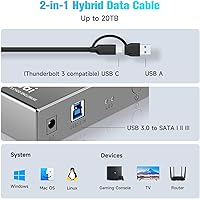
  • Interface: Connects to host devices via USB 3.0 or USB-C using a single included 2-in-1 detachable cable, eliminating the need for a separate adapter.
  • Chipset: Built on the ASM1153e bridge chipset, which provides stable SATA-to-USB conversion with UASP support for improved sustained transfer performance.
  • Max Capacity: Supports internal SATA hard drives and SSDs up to 20TB, making it suitable for high-capacity archive and backup configurations.
  • Transfer Rate: Rated up to 5Gbps over USB 3.0; real-world sustained throughput typically falls between 100 and 150MB/s depending on the drive and host port.
  • Shell Material: Outer casing is constructed from aluminum for passive heat dissipation and a more durable exterior finish compared to all-plastic alternatives.
  • Inner Tray: Internal drive cradle is made from ABS plastic, which cushions the drive against vibration and minor shocks during stationary use.
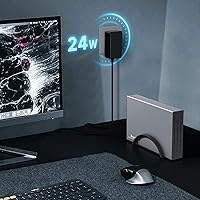
  • Power Supply: Powered by an included external AC adapter rated at 12V and 2A (24W), which provides sufficient current to spin up full-size 3.5-inch drives reliably.
  • Cable Length: The included detachable USB-A to USB-C 2-in-1 cable measures 3.3 feet (approximately 1 meter) in length.
  • LED Indicators: Two status LEDs are built into the front panel: red indicates power is active, and blue flashes to indicate drive read or write activity.
  • Auto-Sleep: The enclosure automatically enters a low-power sleep state after 10 consecutive minutes of drive inactivity to reduce wear and energy consumption.
  • Orientation: Can be used lying flat horizontally or standing upright vertically; a mounting stand for vertical use is included in the box.
  • OS Compatibility: Plug-and-play compatible with Windows, macOS, and mainstream Linux distributions without requiring any driver installation.
  • Platform Support: Also functions as external USB storage on Xbox and PlayStation gaming consoles for media playback and storage expansion.
  • UASP Support: UASP (USB Attached SCSI Protocol) is supported, enabling faster sustained read and write speeds compared to standard bulk-only transport mode.
  • S.M.A.R.T: S.M.A.R.T (Self-Monitoring, Analysis and Reporting Technology) pass-through is supported, allowing compatible diagnostic tools to monitor drive health.
  • Enclosure Weight: The enclosure itself weighs 0.55 kg; the complete package including accessories weighs approximately 1.21 pounds.
  • Package Dimensions: The retail packaging measures 7.91 x 4.69 x 3.5 inches, accommodating the enclosure, cable, power adapter, and vertical stand.
  • Color: Available in space grey, with the aluminum exterior providing a neutral, understated finish that suits most desk environments.
  • Drive Interface: Compatible with SATA I, SATA II, and SATA III drives, covering the full range of consumer desktop hard drives and solid-state drives produced over the past 15-plus years.

Related Reviews
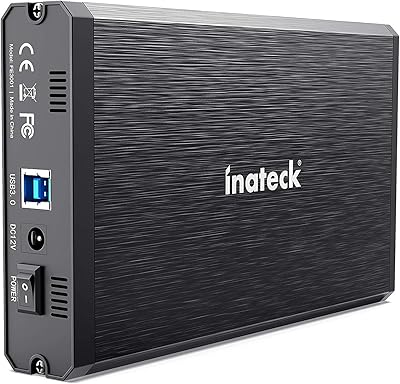
Inateck FE3001 3.5-Inch USB 3.0 SATA Hard Drive Enclosure
85%
87%
Value for Money
91%
Data Transfer Speed
94%
Setup/Installation
88%
Build Quality
80%
Compatibility
More
Vantec NexStar3 NST-380SU3-BK 3.5″ SATA to USB 3.0 & eSATA External Hard Drive Enclosure
85%
91%
Value for Money
89%
Build Quality
85%
Performance (Transfer Speed)
92%
Ease of Setup
90%
Compatibility (Windows/Mac OS)
More
ORICO 3.5″ External Hard Drive Enclosure SATA III to USB 3.1 Type C
84%
92%
Ease of Setup
90%
Data Transfer Speed
85%
Build Quality
88%
Compatibility with OS
87%
Shock Protection
More
IO CREST SY-ENC50119 USB 3.0 8-Bay SATA Hard Drive Enclosure
84%
92%
Ease of Setup
88%
Cooling Performance
85%
Build Quality
91%
Data Transfer Speed
93%
Tool-less Design
More
Tripp Lite U357-002 USB 3.0 Dual Bay External SATA Hard Drive RAID Enclosure
84%
88%
Performance & Speed
91%
Ease of Setup
84%
Cooling Efficiency
89%
RAID Functionality
83%
Build Quality
More
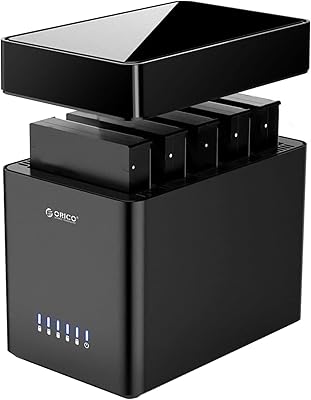
ORICO DS500U3 5-Bay 3.5″ HDD Enclosure
72%
93%
Ease of Setup
91%
Drive Installation & Swap
67%
Drive Detection Reliability
72%
Transfer Speed
74%
Cooling & Thermal Management
More
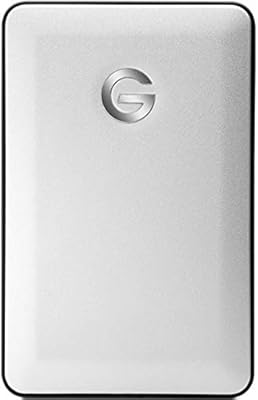
G-Technology G-DRIVE Mobile 1TB USB 3.0 Portable Hard Drive
86%
91%
Portability
87%
Data Transfer Speed
93%
Build Quality
89%
Ease of Use
60%
Windows Compatibility
More
WAVLINK WL-ST334UA Dual-Bay USB 3.0 Hard Drive Docking Station
72%
83%
Offline Cloning Reliability
74%
Transfer Speed
79%
Build Quality
91%
Ease of Setup
38%
Mac Compatibility
More
Tccmebius USB 3.0 Hard Drive Docking Station
82%
91%
Setup & Installation
87%
Speed & Performance
72%
Build Quality & Durability
88%
Ease of Use
93%
Compatibility (Windows/Mac)
More
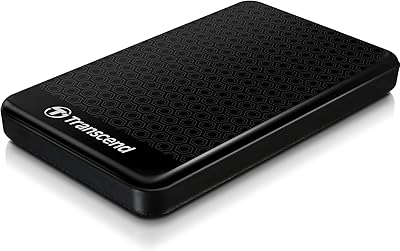
Transcend StoreJet 1TB USB 3.0 Hard Drive
87%
88%
Build Quality & Durability
83%
Data Transfer Speed
90%
Ease of Use
87%
Security Features (Encryption)
89%
Portability & Size
More

FAQ

It works with virtually any 3.5-inch internal SATA hard drive or SSD regardless of brand, as long as it uses a standard SATA I, II, or III interface. That covers nearly every consumer desktop drive made in the last 15 or so years, including drives from Seagate, Western Digital, Toshiba, and others. The only drives it will not support are NVMe or IDE-based models.

No drivers are needed on Windows, macOS, or mainstream Linux distributions. Just plug in the power adapter, connect the USB cable to your computer, and the drive should appear within a few seconds. Gaming consoles like Xbox and PlayStation also recognize it automatically.

Yes, the included cable has a USB-A connector on one end and a USB-C connector on the other, so you can plug the USB-C end directly into a modern laptop without any adapter. Both ends use the same cable — you just flip which end goes into the host device.

The 20TB figure reflects the maximum tested capacity, and users have reported successful recognition of high-capacity drives without any formatting workarounds. That said, drives above 2TB will need to be formatted as GPT rather than MBR to be fully accessible on most operating systems, which is a standard requirement unrelated to the enclosure itself.

After 10 minutes without any read or write activity, the enclosure spins the drive down into a low-power sleep state to reduce wear and save energy. When you access the drive again, it wakes up automatically, though there is typically a two-to-four second delay while it spins back up. Unfortunately, the sleep timeout is not user-configurable — you cannot adjust the interval or disable the feature through software.

Under normal use — occasional file transfers, periodic backups — the aluminum shell stays comfortably cool. During sustained heavy transfers lasting an hour or more, the surface does get noticeably warm but generally stays within safe operating range. If you are in a particularly warm room or plan on running the drive hard for long periods, make sure there is reasonable airflow around the enclosure.

Yes, it works with PlayStation 5 for media storage and playback via USB. However, it cannot be used as extended storage for PS5 games specifically, since Sony requires an internal M.2 NVMe SSD for that purpose. It is fine for storing and accessing media files or PS4 game backups from a PS5.

Unfortunately, cable looseness at the connector is one of the more commonly reported issues with this aluminum HDD case, particularly after repeated plugging and unplugging. If you experience intermittent disconnects, try a different USB cable with the same connector type before assuming the enclosure is faulty — many users have resolved the issue that way. Keeping a spare USB 3.0 Type-A or Type-C cable on hand is a practical precaution.

Absolutely — this is actually one of the most practical uses for this drive enclosure. As long as the hard drive itself is still functioning at a hardware level, plugging it into any computer via this enclosure will let you browse and copy files just like any external drive. If the drive has logical errors or file system corruption, you may need recovery software, but the enclosure will handle the physical connection reliably.

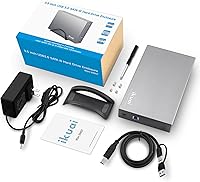
The box includes the enclosure, the 2-in-1 USB cable, the 12V power adapter, and the vertical stand — so most users will not need to buy anything extra. The one thing not included is a hard drive itself, which you supply. If you plan to use it with a Mac and your drive is NTFS-formatted, you will also need third-party software for full read and write access, though reading files on macOS works without it.