RSHTECH RSH-DS02 Dual Bay Hard Drive Dock
Overview
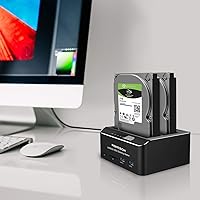
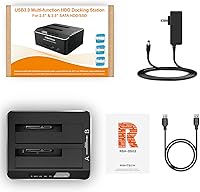
The RSHTECH RSH-DS02 Dual Bay Hard Drive Dock is a compact, aluminum-bodied docking station that handles both 2.5″ and 3.5″ SATA drives — HDDs and SSDs alike — without requiring any tools or driver installation. It arrived on the market in 2019 and has quietly built a respectable reputation, sitting at #62 in its category with a 4.3-star average across nearly 700 ratings. What sets this dual-bay dock apart from cheaper plastic alternatives is a combination of its offline cloning function, solid build quality, and a front panel that doubles as a card reader for SD and MicroSD cards. At its price point, it punches above its weight in terms of feature density.
Features & Benefits
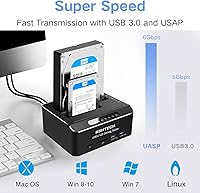
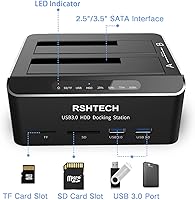
The standout capability here is the offline cloning feature — plug a source drive into slot A and a target drive into slot B, hold the clone button, and the dock copies everything without a computer in the loop. It is a genuine time-saver for anyone who duplicates drives regularly. Transfer speeds technically reach up to 6 Gbps thanks to UASP support, though real-world throughput will vary based on your drives and cable. The 36W power supply handles two large-capacity drives running simultaneously without hiccups, and an auto-sleep function kicks in after ten minutes of idle time. Two front USB 3.0 ports and a card reader round things out nicely.
Best For
This hard drive duplicator fits naturally into the workflow of IT professionals or home power users who clone drives on a semi-regular basis — think quarterly backups or full system migrations. Content creators juggling multiple HDDs full of raw footage will appreciate the tool-free setup and the ability to swap drives without ceremony. It is a solid pick for gamers expanding storage on a PS4, PS5, or Xbox console, since broad OS and hardware compatibility means fewer headaches out of the box. Small offices needing a no-fuss way to duplicate drives without dedicated IT support will find it capable enough, and anyone moving from an old HDD to a new SSD will value the one-button clone process.
User Feedback
Buyers who own the RSHTECH dock tend to highlight two things right away: the LED indicators make it easy to track cloning progress, and the process rarely requires consulting a manual. That said, the clone button needs a multi-second hold to activate, which catches people off guard the first time. The aluminum housing keeps temperatures lower than comparable plastic docks, but running two 3.5″ drives simultaneously for extended sessions does produce noticeable warmth — worth keeping in mind for heavy workloads. A small number of users have reported compatibility issues above 8TB, so verify drive support before committing. The bundled cable also draws occasional criticism for feeling a bit thin given the otherwise sturdy construction.
Pros
- Offline cloning works without a connected PC — a genuine advantage for quick, unattended drive duplication.
- Aluminum construction runs cooler and feels more durable than plastic docks at comparable prices.
- Tool-free, plug-and-play setup means most users are operational within a minute of unboxing.
- UASP support delivers meaningfully faster transfers when paired with modern SATA SSDs.
- Stable 36W power supply handles two drives simultaneously without dropouts or disconnects.
- Auto-sleep after ten minutes of idle protects drives and reduces energy draw during long workdays.
- Broad compatibility spans Windows, macOS, Linux, PS4, PS5, and Xbox consoles with no driver headaches.
- Front-panel SD and MicroSD card reader adds everyday utility without requiring a separate peripheral.
- Clear LED indicators remove all guesswork during cloning — you know exactly when the process finishes.
- Compact desk footprint makes it practical even in tight workspaces or small home office setups.
Cons
- The clone button requires a multi-second hold to activate, which routinely confuses first-time users.
- Bundled USB cable feels noticeably thin and cheap relative to the otherwise solid build quality.
- Running two 3.5-inch mechanical drives simultaneously for extended periods generates meaningful surface heat.
- Drives above 8TB have a documented compatibility risk that RSHTECH does not clearly disclose upfront.
- The card reader is too slow for professional 4K media offloading workflows.
- LED indicators are bright enough to be distracting in a dark room with no way to dim them.
- Auto-sleep can cause a short but frustrating delay when the host OS needs to re-recognize drives.
- Drive insertion requires adequate vertical clearance above the dock, limiting placement options on crowded desks.
Ratings
The RSHTECH RSH-DS02 Dual Bay Hard Drive Dock has been scored by our AI system after analyzing verified global buyer reviews, with spam, bot-generated, and incentivized feedback actively filtered out. Ratings reflect the full spectrum of real user experiences — from the features that consistently impress to the friction points that show up repeatedly across hundreds of purchases. Both strengths and legitimate frustrations are transparently baked into every score below.
Offline Cloning Reliability
Build Quality
Transfer Speed
Heat Management
Large Drive Compatibility
Ease of Setup
Power Stability
SD and MicroSD Card Reader
Front USB 3.0 Ports
Auto-Sleep Function
OS and Platform Compatibility
Value for Money
Physical Footprint
LED Indicators
Suitable for:
The RSHTECH RSH-DS02 Dual Bay Hard Drive Dock is purpose-built for anyone who clones or backs up drives on a regular basis and does not want to rely on a running computer to do it. IT technicians imaging workstations, small business owners archiving data, and home power users migrating from an aging HDD to a new SSD will all find the offline cloning workflow straightforward and reliable. Content creators with growing libraries of raw footage across multiple drives benefit from the tool-free swapping and stable 36W power delivery, which keeps two drives running cleanly during long transfer sessions. Gamers on PS4, PS5, or Xbox platforms looking to expand console storage externally will find broad compatibility without any complicated configuration. Even casual users who only need to clone a drive once — say, before a laptop repair or a system upgrade — get enough value from a single use to justify the investment at this price tier.
Not suitable for:
Buyers who primarily need access to drives larger than 8TB should approach the RSHTECH RSH-DS02 Dual Bay Hard Drive Dock with caution, as a consistent minority of users report recognition and cloning inconsistencies at that capacity range. If your workflow depends on high-speed card offloading from UHS-II or CFexpress media, the built-in card reader will likely become a bottleneck, and a dedicated reader would serve you better. Users who need more than two simultaneous drive bays — for example, running a small NAS array or managing a multi-disk RAID setup — will quickly outgrow what this dock offers. Those expecting true 6 Gbps speeds from mechanical hard drives will also be disappointed, as that ceiling only applies under ideal conditions with fast SATA SSDs. Finally, if all you need is basic plug-in drive access without cloning, there are simpler single-bay options at a lower price that cover that use case without the extra hardware overhead.
Specifications
- Brand & Model: Manufactured by RSHTECH under model number RSH-DS02.
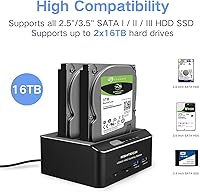
- Drive Compatibility: Supports 2.5″ and 3.5″ SATA I, II, and III hard disk drives and solid-state drives simultaneously.
- Max Capacity: Each drive bay supports individual drives up to 16TB in capacity.
- Data Transfer Rate: Achieves transfer speeds up to 6 Gbps when UASP mode is active; actual speeds depend on the connected drive and cable.
- Host Interface: Connects to a host computer via USB 3.0, with backward compatibility for USB 2.0 and USB 1.1 ports.
- Offline Clone: Supports PC-free drive duplication from slot A to slot B; the target drive must be equal to or larger than the source drive.
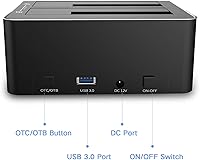
- Power Supply: Includes a 36W (12V/3A) external power adapter for stable, consistent power delivery to both drive bays.
- Card Reader: Integrated front-panel card reader accepts SD, MicroSD, and TF memory card formats.
- Front USB Ports: Two USB 3.0 Type-A ports are located on the front panel for connecting additional peripherals or flash drives.
- Auto-Sleep: Automatically enters a low-power sleep state after 10 minutes of drive inactivity to conserve energy and reduce drive wear.
- Body Material: Enclosure is constructed from aluminum, which aids passive heat dissipation compared to all-plastic alternatives.
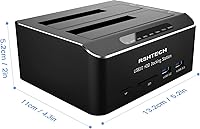
- Dimensions: Physical footprint measures 5.2″ in length, 4.3″ in width, and 2.0″ in height.
- Weight: Unit weighs 1.48 pounds (approximately 0.67 kg) without drives installed.
- OS Support: Compatible with Windows XP through Windows 11, macOS, Linux, PS4, PS4 Pro, PS5, Xbox 360, and Xbox One.
- Installation: Tool-free design requires no screws or brackets; drives are inserted directly into the open-top bays.
- Driver Requirement: No additional drivers or software are required; the dock operates as a plug-and-play device on all supported platforms.
- Max Supported Devices: Accommodates up to two storage drives simultaneously across its two independent bays.
- Date Available: First made available for purchase on August 19, 2019.
Related Reviews
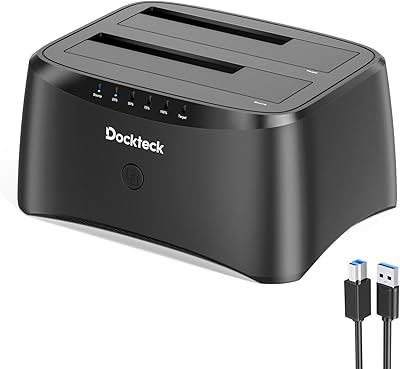
dockteck Dual Bay Hard Drive Docking Station
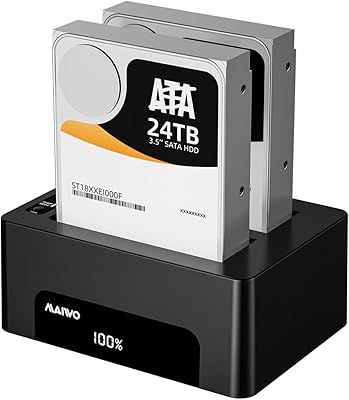
MAIWO Dual-Bay Hard Drive Docking Station
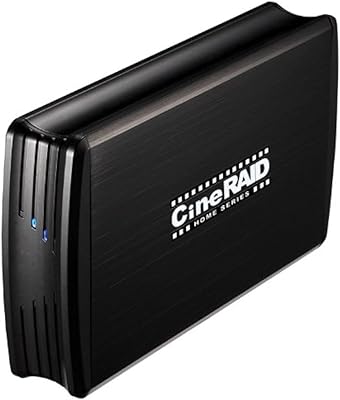
CineRAID CR-H212 Dual-Bay 2.5″ RAID Enclosure
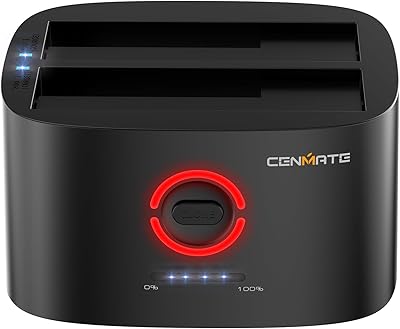
Cenmate 2-Bay Hard Drive Docking Station

StarTech SDOCK2U33EB Dual-Bay Hard Drive Docking Station

WAVLINK WL-ST334UA Dual-Bay USB 3.0 Hard Drive Docking Station
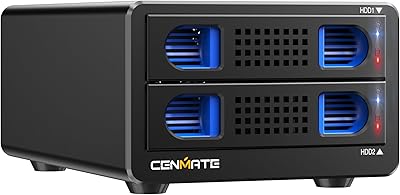
Cenmate Dual Bay Hard Drive Enclosure
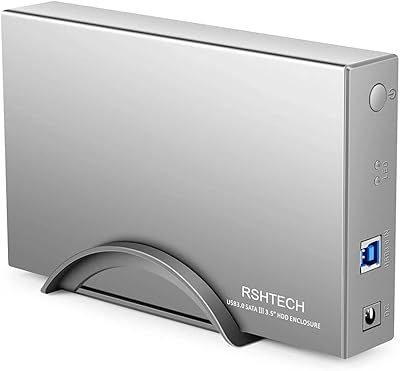
RSHTECH RSH-339 3.5-Inch Hard Drive Enclosure
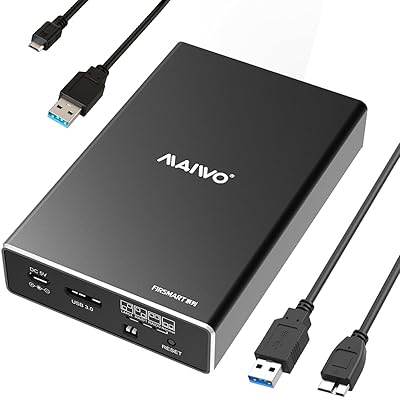
MAIWO K25272 Dual Bay Hard Drive RAID Enclosure 16TB