Sabrent EC-DFLT USB 3.0 SATA Hard Drive Docking Station
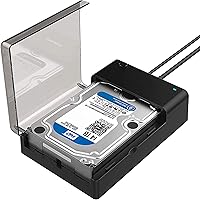
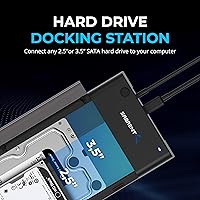
Sabrent EC-DFLT USB 3.0 SATA Hard Drive Docking Station — image 1
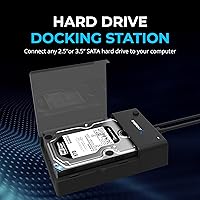
Sabrent EC-DFLT USB 3.0 SATA Hard Drive Docking Station — image 2
Sabrent EC-DFLT USB 3.0 SATA Hard Drive Docking Station — image 3
Sabrent EC-DFLT USB 3.0 SATA Hard Drive Docking Station — image 4
Sabrent EC-DFLT USB 3.0 SATA Hard Drive Docking Station — image 5
Sabrent EC-DFLT USB 3.0 SATA Hard Drive Docking Station — image 6
Sabrent EC-DFLT USB 3.0 SATA Hard Drive Docking Station — image 7
Sabrent EC-DFLT USB 3.0 SATA Hard Drive Docking Station — image 8
77%
23%

Overview

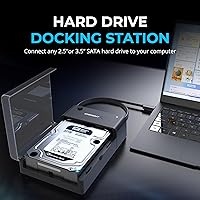
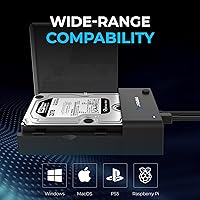
The Sabrent EC-DFLT USB 3.0 SATA Hard Drive Docking Station is the kind of no-nonsense tool that earns a permanent spot on a workbench without demanding much in return. It accepts both 2.5 and 3.5-inch SATA drives, and you simply drop a drive in — no screws, no adapters, no fuss. The lay-flat design keeps things low-profile on a crowded desk, which sounds minor until you have knocked over a vertical dock mid-transfer. Having been around since 2014 with tens of thousands of verified reviews, this docking station carries a track record that newer alternatives simply cannot match. Practical, compact, and refreshingly straightforward.

Features & Benefits

What sets the Sabrent dock apart from budget alternatives is not just specs on paper. UASP support can noticeably improve transfer speeds — but only when your computer's USB controller also supports it, so do not expect miracles if your system is older. The USB 3.0 connection handles bulk file moves comfortably, and the dock supports drives up to a very generous capacity ceiling, meaning it won't become obsolete quickly. One underrated inclusion is the bundled Acronis True Image software, which makes drive cloning accessible even for non-technical users. Worth noting: if you plan to use very large drives, check Sabrent's website for firmware updates before assuming full compatibility straight out of the box.

Best For

This drive dock really shines in situations where you need quick, temporary access to bare drives rather than permanent housing. IT folks doing data triage, home users migrating an old hard drive to a new SSD, or anyone pulling files off a spare drive a few times a month will all find solid value here. It is also a strong fit for occasional backup routines where a full enclosure feels like overkill. What it is not is a solution for running a drive around the clock — this is a dock, not a long-term enclosure. If you swap drives regularly and want something dependable without unnecessary complexity, this docking station fits the role well.

User Feedback

With tens of thousands of ratings and a strong overall score, the feedback on this drive dock tells a fairly consistent story. Most buyers praise how plug-and-play the experience is — connect it, drop in a drive, and it simply works. Broad drive compatibility gets mentioned frequently, and the bundled cloning software earns genuine appreciation from users who actually use it. On the critical side, some report that large 3.5-inch drives can occasionally struggle with power delivery, and a handful note that UASP speed gains did not materialize on older host machines. A few buyers feel the plastic build is modest, though most accept that at this price tier, the tradeoffs are reasonable.

Pros

  • Drop-in drive access with no tools, screws, or enclosures needed — ready to use in seconds.
  • Works with both 2.5-inch and 3.5-inch SATA drives, covering a wide range of old and new hardware.
  • Bundled Acronis True Image software makes HDD-to-SSD cloning genuinely accessible for non-technical users.
  • Lay-flat design keeps drives stable during transfers and fits neatly on a crowded workbench.
  • UASP support delivers real speed improvements on compatible modern systems.
  • Supports very high drive capacities, so it stays relevant as storage sizes keep growing.
  • Plug-and-play behavior on Windows means most users are up and running within a couple of minutes.
  • Strong long-term track record backed by one of the largest verified review pools in its category.
  • Compact and lightweight enough to toss in a laptop bag for field or office use.

Cons

  • Firmware update required for large-capacity drives — not automatic, and not flagged during setup.
  • Power delivery can struggle with high-capacity 3.5-inch drives, causing occasional recognition failures.
  • All-plastic build feels budget-grade and may show wear faster under frequent heavy use.
  • Drive slot has noticeable play, which feels less secure than expected, especially with lighter 2.5-inch drives.
  • UASP gains are completely absent on older host systems, making the feature irrelevant for many buyers.
  • No active or passive cooling means extended sessions with large drives can generate uncomfortable heat.
  • The Acronis license bundled in is a limited product-tied version, not a full-featured standalone subscription.
  • Cable quality is functional but stiff, and performs poorly when routed at sharp angles.
  • Single-bay design means working through multiple drives requires swapping one at a time, which slows batch jobs.
  • No visual or software indicator when the dock falls back from UASP to standard USB 3.0 mode.

Ratings

The scores below for the Sabrent EC-DFLT USB 3.0 SATA Hard Drive Docking Station were generated by our AI system after analyzing tens of thousands of verified global buyer reviews, with spam, incentivized, and bot-flagged submissions actively filtered out. Both the genuine strengths and the recurring frustrations are reflected honestly, so you get a clear picture of what this drive dock actually delivers in everyday use rather than a polished marketing summary.

Ease of Setup
93%
Buyers consistently describe the initial setup as taking under two minutes — plug the dock into a USB port, drop in a drive, and the system recognizes it almost immediately. This plug-and-play behavior holds up across a wide range of drive sizes and brands, which is exactly what most home users and IT techs need.
A small number of users on older Windows versions reported needing to manually assign a drive letter before the dock would appear in File Explorer, which caught them off guard. This is a minor OS-level issue, but it does interrupt the otherwise frictionless first experience.
Drive Compatibility
88%
The dock handles both 2.5-inch laptop drives and full-size 3.5-inch desktop drives without any adapters or tools, which makes it genuinely versatile for anyone managing a mix of old and new hardware. Reviewers frequently mention successfully accessing drives they had written off as inaccessible, including older HDDs and newer SSDs.
Compatibility with very high-capacity drives depends on having the latest firmware installed, and not all buyers realize this upfront. A handful of users reported that drives above a certain threshold were not recognized until they visited Sabrent's site and applied a firmware update, which adds an unexpected extra step.
Transfer Speed
76%
24%
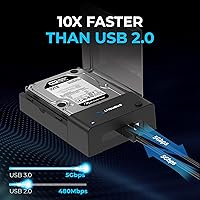
For bulk file moves — think pulling several hundred gigabytes off an old backup drive — the USB 3.0 connection performs respectably and noticeably outpaces older USB 2.0 docks. Users doing periodic large transfers report that the dock keeps up well without throttling or dropping connections mid-transfer.
UASP speed gains are real but conditional — your PC's USB controller also needs to support UASP, and many users on older systems see no improvement at all over standard USB 3.0 speeds. Reviewers who expected a dramatic speed jump without checking their system specs were often disappointed.
Build Quality
67%
33%
The dock feels solid enough for regular use on a workbench or desk, and the lay-flat orientation means it stays put during transfers rather than wobbling. Most buyers in the moderate-use category report no structural issues even after months of regular drive swapping.
The all-plastic construction feels noticeably light and budget-grade in hand, and a few users noted that the drive slot has some play to it, which raises concerns about long-term wear. For users who dock and undock drives dozens of times a week, the build may show fatigue faster than expected.
Power Delivery
71%
29%
For 2.5-inch SSDs and most standard HDDs, the dock powers drives reliably without any additional power management tricks. Many users running data recovery tasks on 2.5-inch drives report the dock handling continuous operation for extended sessions without issue.
High-capacity 3.5-inch drives — particularly 10TB and above — draw more power than smaller drives, and some users report intermittent recognition failures or unexpected disconnects under load. The bundled power adapter appears to be a limiting factor for these heavier drives, which is worth knowing before you commit.
Software Value
82%
18%
The inclusion of Acronis True Image cloning software is a genuinely useful addition that many buyers did not expect at this price point. Home users migrating from an old spinning hard drive to a new SSD especially appreciate having a guided, reliable cloning tool bundled in rather than hunting for third-party alternatives.
The Acronis license is a basic version tied to Sabrent products, not a full standalone license, so its feature set is more limited than what paid Acronis subscribers get. Users expecting the complete Acronis suite were occasionally frustrated to find some advanced backup features locked behind an upgrade paywall.
Lay-Flat Design
86%
The horizontal form factor is a practical design choice that keeps drives stable and reduces the vibration risk that upright vertical docks can introduce during operation. On a cluttered workbench, it also stacks neatly under other equipment and stays out of the way.
The lay-flat slot does not grip drives firmly, so if the dock gets nudged during a transfer there is a real risk of interruption. A few users noted that particularly thin or light 2.5-inch drives sit loosely in the slot, which feels less secure than the snug fit they expected.
Firmware Update Process
58%
42%
Sabrent does maintain and publish firmware updates on their website, which shows an ongoing commitment to extending the dock's compatibility with newer, larger drives over time. For users willing to spend five minutes updating before first use, the process is straightforward.
The fact that firmware updates are required at all — and are not applied automatically or prompted during setup — is a friction point that catches many buyers off guard. Users who purchased the dock specifically for a large-capacity drive and did not know about the firmware requirement faced a frustrating troubleshooting experience before ever transferring a single file.
UASP Performance
69%
31%
On modern systems with a UASP-capable USB 3.0 controller, the performance difference is measurable and appreciated by users who run regular large-volume backups or disk imaging tasks. The spec is genuine, and buyers with compatible hardware confirm it delivers a real-world improvement over non-UASP docks.
The reality is that UASP compatibility is inconsistent across systems, and the dock provides no feedback when it falls back to standard USB 3.0 mode. Users without UASP-capable controllers get no benefit from this feature, and some felt the spec was overstated given how rarely the conditions for it are actually met.
Value for Money
91%
At its price point, the dock delivers a combination of drive compatibility, bundled cloning software, and UASP support that is genuinely hard to fault. For buyers who just need reliable occasional access to bare drives without spending on a premium multi-bay unit, it hits the right balance.
The budget build quality is a real tradeoff for the low price, and power users who intend to run the dock heavily may find themselves replacing it sooner than they would like. If your use case demands durability over cost savings, spending more on a better-built alternative is worth considering.
Thermal Management
62%
38%
For short to medium-length transfer sessions, heat is not a meaningful issue — drives and the dock itself stay within comfortable operating temperatures. Casual users pulling files off drives for under an hour at a time are unlikely to ever notice any thermal limitations.
Extended sessions with large 3.5-inch drives can cause noticeable warmth to build up since the dock has no active or passive cooling beyond the open-air lay-flat design. A handful of users running prolonged disk imaging operations reported the drive getting warmer than they were comfortable with.
Cable & Port Quality
78%
22%
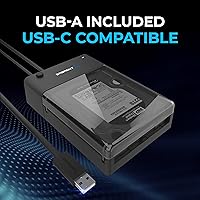
The USB 3.0 Type-A connection is standard and widely compatible, and the included cable is long enough for most desktop setups without needing an extension. Users appreciate not having to source a proprietary cable if the included one is eventually misplaced.
The included cable is functional but not premium — a few users reported it felt slightly stiff and reported marginal connection stability when the cable was routed at sharp angles. It works fine in a static setup, but it is not the kind of cable you would trust in a mobile or field-use scenario.
Long-Term Reliability
74%
26%
Given that this dock has been on the market since 2014 and still holds a strong aggregate rating across a very large number of reviews, it clearly holds up reasonably well for typical home and light professional use. Many verified buyers mention using the same unit for multiple years without functional issues.
Reports of failure tend to cluster around the dock's power circuitry and the drive slot mechanism after heavy use, suggesting the dock is built for occasional rather than daily intensive workloads. Users who run it continuously or swap drives many times daily are more likely to encounter premature wear.

Suitable for:

The Sabrent EC-DFLT USB 3.0 SATA Hard Drive Docking Station is a strong fit for anyone who needs quick, no-fuss access to bare drives on a semi-regular basis rather than a permanent storage solution. IT professionals doing field triage or bench diagnostics will appreciate how fast they can drop in a drive and start pulling data without hunting for screwdrivers or enclosure screws. Home users who have accumulated a pile of old laptop or desktop drives — and want to raid them for files or clone them onto a new SSD — will find this dock handles the job reliably and the bundled Acronis software makes the cloning process approachable even without a technical background. It also suits budget-conscious buyers who want single-bay docking without paying for multi-bay complexity they will rarely use. If your workflow involves occasional large backups, data recovery on older drives, or periodic archiving, this drive dock covers the bases without overcomplicating things.

Not suitable for:

The Sabrent EC-DFLT USB 3.0 SATA Hard Drive Docking Station is not the right tool for buyers who need a dock running continuously under heavy workloads. The plastic construction and basic power circuitry are built for occasional use, not the kind of daily intensive drive-swapping that a professional duplication lab or busy media production environment demands. Users planning to dock very large-capacity 3.5-inch drives should be aware upfront that a firmware update from Sabrent's website may be required before the dock recognizes those drives — it is not a complicated fix, but it is an extra step that can feel frustrating when you are in a hurry. Anyone expecting full UASP speed gains should first verify that their computer's USB controller actually supports the protocol, because on older systems the performance boost simply does not materialize. If you need multi-bay simultaneous access, ruggedized build quality, or Mac-native compatibility without any configuration, this drive dock is likely to leave you wanting more.

Specifications

  • Brand: Manufactured by SABRENT, a brand known for affordable USB and storage accessories.
  • Model Number: The unit carries the model designation EC-DFLT.
  • Interface: Connects to a host computer via a USB 3.0 Type-A port for broad system compatibility.
  • Protocol: Supports UASP (USB Attached SCSI Protocol) for improved transfer efficiency on compatible host systems.
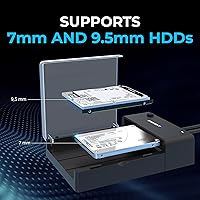
  • Drive Compatibility: Accepts both 2.5-inch and 3.5-inch SATA hard drives and solid-state drives without any tools or adapters.
  • Max Capacity: Supports drives up to 20TB in capacity, subject to firmware being up to date.
  • Transfer Rate: Rated for data transfer speeds up to 5 Gbps over the USB 3.0 connection.
  • Bay Count: Single-bay design accommodates one drive at a time.
  • Form Factor: Lay-flat horizontal orientation keeps the inserted drive stable and low-profile on a desk or workbench.
  • Dimensions: The unit measures 7.09″ in length, 4.8″ in width, and 1.6″ in height.
  • Weight: The dock weighs 7.5 ounces, making it light enough for portable workbench use.
  • Color: Available in black.
  • Compatible OS: Officially compatible with Windows operating systems; Mac compatibility may vary and is not officially listed.
  • Included Software: Comes with a free download code for Acronis True Image for Sabrent, a drive cloning and backup utility.
  • Firmware: Firmware updates are available on the Sabrent website and are required for full compatibility with high-capacity drives.
  • Power: Powered via an included external AC power adapter, which is necessary for powering larger 3.5-inch drives.
  • Cooling: No active fan or dedicated passive cooling system; relies on open-air exposure in the lay-flat design.
  • Warranty: Sabrent typically offers a limited warranty on this product; buyers should confirm current terms directly with Sabrent at time of purchase.

Related Reviews

WAVLINK WL-ST334UA Dual-Bay USB 3.0 Hard Drive Docking Station
72%
83%
Offline Cloning Reliability
74%
Transfer Speed
79%
Build Quality
91%
Ease of Setup
38%
Mac Compatibility
More
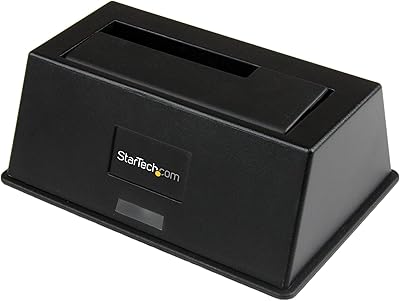
StarTech.com SDOCKU33BV USB 3.0 to SATA Hard Drive Docking Station
85%
88%
Performance
94%
Ease of Use
65%
Build Quality
90%
Data Transfer Speed
85%
Compatibility
More
Inateck SA02004 USB 3.0 Hard Drive Docking Station

76%
88%
Offline Clone Reliability
74%
Data Transfer Speed
92%
Setup & Ease of Use
63%
Build Quality & Materials
71%
RGB Lighting
More
StarTech Dual-Bay USB 3.0 / eSATA to SATA Hard Drive Docking Station
87%
88%
Performance
91%
Build Quality
87%
Ease of Use
90%
Data Transfer Speed
84%
Reliability
More
ikuai 3.5″ USB 3.0 Hard Drive Enclosure
80%
93%
Ease of Setup
71%
Build Quality
62%
Cable Quality & Reliability
88%
Drive Compatibility
74%
Data Transfer Speed
More
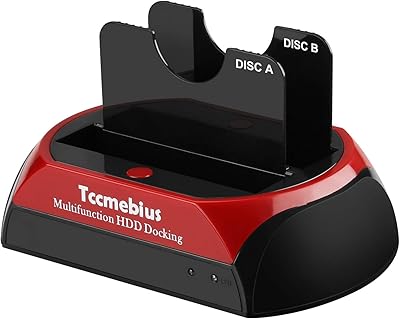
Tccmebius USB 3.0 Hard Drive Docking Station
82%
91%
Setup & Installation
87%
Speed & Performance
72%
Build Quality & Durability
88%
Ease of Use
93%
Compatibility (Windows/Mac)
More
StarTech.com SDOCKU313 USB 3.1 to SATA Hard Drive Docking Station
88%
91%
Performance & Speed
95%
Ease of Use
87%
Build Quality
85%
Compatibility with Drives
89%
Transfer Efficiency with SSDs
More
Inateck FE3001 3.5-Inch USB 3.0 SATA Hard Drive Enclosure
85%
87%
Value for Money
91%
Data Transfer Speed
94%
Setup/Installation
88%
Build Quality
80%
Compatibility
More
Vantec NexStar3 NST-380SU3-BK 3.5″ SATA to USB 3.0 & eSATA External Hard Drive Enclosure
85%
91%
Value for Money
89%
Build Quality
85%
Performance (Transfer Speed)
92%
Ease of Setup
90%
Compatibility (Windows/Mac OS)
More
Kingwin USB 3.0 to SATA EZ-Dock 2.5″/3.5″ SuperSpeed Dock
84%
91%
Ease of Use
94%
Setup Process
88%
Performance/Speed
85%
Build Quality
90%
Compatibility with Drives
More

FAQ

Yes, the dock accepts both 2.5-inch drives (the kind typically found in laptops) and 3.5-inch drives (standard desktop HDDs) without needing any adapter or additional hardware. You just slide the drive into the slot and connect the dock to your computer.

On most modern Windows systems, no driver installation is needed — the dock is recognized automatically when plugged in. A very small number of users on older Windows versions have needed to manually assign a drive letter through Disk Management before the drive showed up, but that is a quick fix rather than a true driver issue.

It should, but there is an important step to do first: check the Sabrent website and download the latest firmware update for the dock before using it with a very large drive. Without the updated firmware, some high-capacity drives may not be recognized, which has caught a number of buyers off guard.

UASP stands for USB Attached SCSI Protocol, and it is a more efficient way of handling data transfers over USB compared to the older BOT standard. The catch is that your computer's USB controller also needs to support UASP for you to see any improvement — if it does not, the dock simply falls back to standard USB 3.0 speeds. Buyers with modern systems tend to notice a real difference; those with older hardware often do not.

Yes, and the included Acronis True Image for Sabrent software is designed to make exactly that process straightforward. You would connect your old drive in the dock, have your new SSD either internally installed or connected separately, and let Acronis handle the cloning. It is a trimmed-down version of the full Acronis suite, but for basic cloning tasks it works well.

Officially, Sabrent lists Windows as the compatible OS. That said, many Mac users report it working fine for basic drive access since macOS handles USB storage natively. Where Mac users sometimes hit friction is with the Acronis software, which may not support macOS in this bundled version. If Mac compatibility is important to you, it is worth reaching out to Sabrent support to confirm before purchasing.

The dock comes with a dedicated AC power adapter specifically because 3.5-inch drives need more power than USB alone can supply. For most standard 3.5-inch drives, the included adapter is sufficient. However, some users running very high-capacity drives — especially during extended operation — have reported occasional instability, which suggests the power supply is operating near its limits with the most demanding drives.

You can run extended sessions with it, but the dock is really designed for occasional use rather than continuous 24/7 operation. For a multi-hour backup or cloning job it handles things reasonably well, though larger drives can get noticeably warm since there is no cooling mechanism. If you need something to run a drive non-stop over days or weeks, a purpose-built enclosure with better thermal management would be a smarter choice.

The included USB 3.0 cable is adequate for a typical desktop setup, giving you enough reach to connect to a tower or a laptop sitting nearby without needing an extension. It is functional but not particularly premium — if your setup requires routing the cable at tight angles or over a longer distance, picking up a higher-quality replacement cable is worth considering.

Yes, the dock has an LED activity indicator that lights up to confirm the unit is powered and will typically show drive activity during read and write operations. It is a basic single-indicator setup rather than a multi-color status display, but it gives you enough feedback to know when it is safe to remove a drive after a transfer completes.