Overview

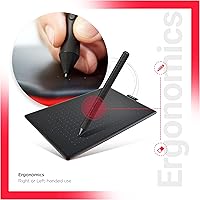
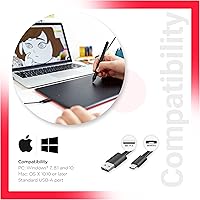
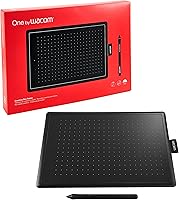
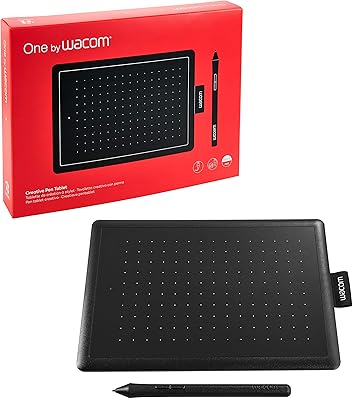
The Wacom One CTL-672 Medium Pen Tablet sits in a sweet spot for artists who've outgrown a starter tablet but aren't ready to invest in a display tablet. It's part of Wacom's One lineup, and the medium size gives it a meaningful leg up over its smaller sibling — more drawing room without the bulk of a professional-grade surface. This Wacom drawing tablet works across Windows 7 and later, macOS 10.10 and above, and even ChromeOS, which is rarer than you'd expect at this tier. It connects via a standard USB-A cable, keeping things stable with no pairing headaches.
Features & Benefits

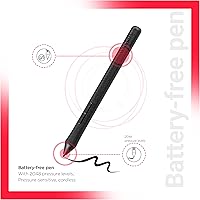
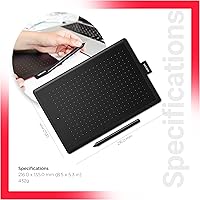
The pen is where this tablet earns its reputation. It's battery-free and cordless, which sounds minor until you've been interrupted mid-session by a dead stylus. With 2048 levels of pressure sensitivity, it handles everything from light pencil sketching to heavy ink strokes with enough nuance for most illustration and photo-editing work — though it's worth noting this isn't the ceiling available on the market. Setup requires a driver download, a small step that trips up some users but only takes a minute. The active area spans roughly 8.27 by 5.75 inches, and at around 250g, the One by Wacom medium is genuinely easy to carry anywhere.

Best For

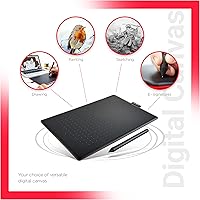
This pen tablet is a strong fit for illustration students and hobbyists who want a dependable upgrade without overspending. Photographers retouching in Photoshop or Lightroom will find the pressure-sensitive pen far more comfortable than a mouse for detailed work. ChromeOS users deserve a special mention — compatible drawing tablets at this price range are genuinely scarce, and this one supports the platform natively. If you move between workspaces or take your setup to class, the lightweight build and simple cable connection make that easy. It's not built for professionals needing tilt recognition, but for most creative workflows, it holds up well.

User Feedback

Owners consistently highlight driver stability and pen feel as standout strengths — the hardware behaves reliably across long sessions, and Wacom's software support tends to be more polished than budget competitors. That said, a few frustrations come up regularly. The pen has no tilt support, which matters to some artists but not most. Nibs do wear down with heavy use and replacements add a recurring cost. New users sometimes need time to adjust to absolute cursor mapping — the learning curve is real, though most settle in within a week. Against similarly priced Huion or XP-Pen options, buyers tend to choose this Wacom drawing tablet for brand trust over raw specs.

Pros

  • The battery-free pen never needs charging, so creative sessions never get cut short unexpectedly.
  • Driver stability is consistently praised — it just works across Windows, macOS, and ChromeOS without constant troubleshooting.
  • The medium active area gives enough drawing space for natural hand movement without crowding a desk.
  • At roughly 250g, this pen tablet is light enough to toss in a bag and carry anywhere.
  • Wired USB-A connectivity means zero pairing issues and a rock-solid, uninterrupted signal.
  • Broad OS support, especially ChromeOS compatibility, makes it one of the more versatile options at this tier.
  • 2048 pressure levels handle the full range of everyday illustration and photo-editing tasks comfortably.
  • Wacom's build quality tends to outlast cheaper alternatives, making it a dependable long-term investment.
  • Works out of the box with major creative apps like Photoshop, Clip Studio Paint, and similar tools.

Cons

  • No tilt support limits expressive brush techniques that more advanced artists depend on.
  • Pen nibs wear down with regular use and need periodic replacing, adding a small ongoing cost.
  • A driver download is required before first use, which can frustrate buyers expecting instant plug-and-play.
  • The wired connection, while reliable, means one more cable to manage on an already busy desk.
  • Absolute cursor mapping takes adjustment time for new users, and the learning curve catches some off guard.
  • No express keys or shortcut buttons on the tablet surface, unlike some competing models at a similar price.
  • Competing brands like Huion or XP-Pen offer higher pressure sensitivity at a comparable price point.
  • Pen nibs are proprietary, so replacements have to come from Wacom-approved sources rather than generic suppliers.

Ratings

The Wacom One CTL-672 Medium Pen Tablet scores below are generated by AI after analyzing thousands of verified global user reviews, with spam, bot activity, and incentivized feedback actively filtered out. Each score reflects the honest consensus of real buyers — students, photographers, illustrators, and hobbyists — across multiple platforms and regions. Both the strengths that keep users loyal to this pen tablet and the frustrations that push some toward competitors are transparently represented in every category.
Pen Feel & Responsiveness
88%
The battery-free stylus is consistently singled out as one of the most natural-feeling pens in this price tier. Artists who spend hours sketching report noticeably less hand fatigue compared to pens that require charging, and the responsiveness during fast gestural strokes holds up well without lag.
A small but vocal group of users note that the pen can feel slightly lighter than expected, which takes some adjustment coming from heavier styluses. There are occasional reports of the pen tip feeling less precise at the very edge of the active area.
Pressure Sensitivity
76%
24%
For everyday illustration workflows — character sketching, inking, and photo retouching — 2048 levels of pressure handles transitions between thin and thick lines with satisfying smoothness. Lightroom users in particular find it more than adequate for dodge and burn brushwork.
Compared to competing tablets offering 8192 levels at a similar price, the ceiling here is noticeably lower for artists doing highly nuanced linework. Professionals who depend on extremely subtle pressure gradients for fine detail work tend to find this a meaningful limitation over time.
Driver Stability
84%
Wacom's driver ecosystem is mature, and users across Windows, macOS, and ChromeOS report far fewer unexplained disconnects or pressure glitches than they experienced with budget brand alternatives. After initial setup, the tablet tends to just work across software updates without needing constant reinstallation.
The requirement to download and install a driver before first use catches some buyers off guard, especially those expecting plug-and-play functionality out of the box. A minority of users on older Windows versions report needing to manually roll back driver versions to resolve conflicts.
Build Quality & Durability
83%
The tablet body holds up well under daily use — users who have owned this pen tablet for two or more years consistently describe it as feeling as solid as when new. The surface texture resists scratches reasonably well and the USB cable connection point does not loosen with repeated plugging and unplugging.
The pen nibs are the clear weak point in long-term durability; regular users find they wear down within two to three months of daily sessions, adding a recurring replacement cost. A few buyers have also noted that the matte tablet surface does eventually develop a slight sheen in the most-used areas after extended wear.
Active Area & Drawing Space
79%
21%
The medium active area gives illustrators enough room to make sweeping arm movements without feeling boxed in, which is the main complaint users carry over from smaller tablets. Photographers editing on a single 1080p or 1440p monitor find the mapping feels natural and proportional.
Users running dual-monitor or ultrawide setups find the mapping ratio feels compressed, making precise cursor placement more difficult than it should be. A few artists who upgraded from a large-format tablet specifically mention that the medium area felt like a step backward for full-body arm drawing.
ChromeOS Compatibility
81%
19%
For Chromebook users, this is one of the few drawing tablets that actually delivers reliable native support, and the community of ChromeOS artists consistently highlights it as a genuine differentiator. Setup on Chrome is no more complicated than on Windows or macOS, which is a low bar that many competitors fail to clear.
Some advanced driver customization features available on Windows and macOS are not fully accessible on ChromeOS, which limits button remapping and pressure curve adjustments for more demanding users. Driver updates on ChromeOS have also lagged slightly behind the other platforms historically.
Software Compatibility
86%
Out of the box, the One by Wacom medium works reliably with the most popular creative applications — Photoshop, Clip Studio Paint, Krita, and Affinity Photo all recognize pressure input without extra configuration. This breadth of compatibility is something users actively praise when switching from lesser-known tablet brands that require workarounds.
A small number of users report that certain niche or older applications do not recognize the tablet without manual driver tweaks or third-party software bridges. Compatibility with some Android-based emulators is inconsistent and not officially supported.
Portability
91%
At around 250g, this Wacom drawing tablet slips into a laptop bag without adding meaningful weight, which students and freelancers who commute between home and studio appreciate significantly. The slim profile means it does not take up awkward space when stacked with other gear.
The attached USB cable, while short and tidy, does not detach from the tablet body, so travel with the cable wrapped is the only option — a minor but recurring annoyance for users who prefer modular setups. There is no carry case or protective sleeve included in the box.
Setup & Ease of Use
72%
28%
Once the driver is installed, configuration is clean and the Wacom Desktop Center application makes it straightforward to adjust sensitivity curves and map the tablet area. Most users describe the overall process as manageable even without technical experience.
The mandatory driver download before first use is a friction point that generates consistent negative feedback, particularly from buyers who expected an instant plug-and-play experience like a USB keyboard. New users also frequently underestimate the time needed to adjust to absolute cursor positioning, which affects early satisfaction.
Tilt & Advanced Input
41%
59%
For buyers who exclusively need pressure sensitivity and have no use for tilt-based brush dynamics, the absence of tilt support is genuinely irrelevant to their workflow, and those users rate this aspect neutrally or skip it entirely in their feedback.
The complete absence of tilt recognition is the single most cited technical limitation across user reviews, and it is a hard dealbreaker for artists who depend on it for realistic pencil shading, calligraphy brushes, or airbrush techniques. At this price point, several competitors do offer tilt support, making the omission harder to justify.
Value for Money
74%
26%
Buyers who prioritize driver reliability, Wacom's brand support, and long-term durability generally feel the price is fair given what they receive. The tablet does not cut corners on pen quality or build, and users tend to report owning it for longer without replacement than they expected.
Against Huion and XP-Pen tablets at a similar price, the spec sheet comparison is unfavorable — competitors often offer tilt support, more pressure levels, and express keys at the same or lower cost. Budget-conscious buyers who research alternatives before purchasing sometimes feel they are paying a Wacom brand premium rather than a performance premium.
Nib & Pen Maintenance
58%
42%
Replacement nibs are readily available through Wacom's official channels and the swap process is quick and tool-free, taking under a minute once users know the process. Standard nibs included in the box are adequate for getting started without immediate extra purchases.
Nibs wear down faster than many users anticipate, particularly on the textured tablet surface, and replacement sets are proprietary — incompatible with other brands, which locks users into Wacom's supply chain. The tablet ships with only a small number of spare nibs, which heavy users exhaust within weeks.
Connectivity Reliability
87%
The wired USB-A connection is consistently described as rock-solid — no Bluetooth dropouts, no wireless interference, and no latency spikes mid-session. For artists who need uninterrupted input during long drawing sessions, the wired approach genuinely delivers on its promise.
The non-detachable USB cable is the primary complaint in this category, as it cannot be replaced if damaged without voiding the setup or requiring aftermarket solutions. Users who prefer a clean, minimal desk also find the cable a persistent nuisance that wireless alternatives would eliminate.
Learning Curve
66%
34%
Most users who push through the initial adjustment period with absolute cursor mapping report that it becomes second nature within one to two weeks of regular use. Written guides and video tutorials from Wacom's community make the onboarding process considerably less isolating for new users.
The disconnect between hand position on the tablet and cursor position on screen is a genuine mental hurdle that frustrates a meaningful portion of first-time users, some of whom return the tablet before giving it a fair chance. Users migrating from a mouse-centric workflow consistently rate the early experience as more disorienting than they anticipated.

Suitable for:

The Wacom One CTL-672 Medium Pen Tablet is a smart choice for anyone sitting between beginner and professional on the digital art learning curve. Illustration students who've maxed out a small entry-level tablet will immediately notice the difference in drawing room and pen responsiveness. Photographers who spend hours retouching in Photoshop or Lightroom will find pressure-sensitive brushes far less taxing on the wrist than a traditional mouse, and the medium active area maps comfortably to most monitor sizes. ChromeOS users in particular have a surprisingly short list of compatible drawing tablets at this price range, making this one of the few practical options in that ecosystem. If you move between a home studio and a classroom or coffee shop, the lightweight build and simple USB cable setup make packing up and starting fresh genuinely painless.
Not suitable for:

Professional illustrators or concept artists who rely heavily on tilt sensitivity for shading and brush angle control will find this pen tablet limiting — tilt is simply not supported, and no workaround changes that. The Wacom One CTL-672 Medium Pen Tablet is also not a display tablet, so anyone expecting to draw directly on a screen needs to look at a different product category entirely. Users who strongly prefer wireless setups will find the wired USB connection a constant reminder of what they're missing. If you are already working at a professional level and need 8192 levels of pressure sensitivity for highly nuanced linework, the 2048-level pen here will feel like a step down. Budget-focused buyers who are comfortable with less-established brands may also find that competing tablets from Huion or XP-Pen offer more raw specifications per dollar, even if they trade off some of Wacom's polish and driver reliability.
Specifications

  • Active Area: The drawing surface measures 8.27 × 5.75 inches, providing a medium-sized workspace suitable for comfortable illustration and editing on most standard monitors.
  • Pressure Levels: The pen registers 2048 levels of pressure sensitivity, allowing for nuanced line weight and brush dynamics across a wide range of creative applications.
  • Pen Type: The included stylus is battery-free and cordless, eliminating the need to charge or replace batteries during use.
  • Tilt Support: The pen does not support tilt recognition, meaning brush angle cannot be adjusted based on how the stylus is held relative to the tablet surface.
  • Connectivity: The tablet connects to a host computer via a standard wired USB Type-A cable, providing a stable and interference-free connection.
  • Device Weight: The tablet body weighs approximately 250g, making it lightweight enough for daily transport between home, school, or studio.
  • Dimensions: Overall product dimensions are approximately 8.27 × 5.75 × 0.34 inches, keeping the footprint compact on a desk or in a bag.
  • Windows Support: The tablet is compatible with Windows 7 and all later versions of the Windows operating system.
  • macOS Support: Mac users require OS X 10.10 (Yosemite) or later to run the tablet driver and use the device.
  • ChromeOS Support: The tablet officially supports ChromeOS, making it one of the few drawing tablets at this tier to do so natively.
  • Driver Installation: A dedicated Wacom driver must be downloaded from the internet before first use; internet access is required during initial setup.
  • Model Number: The official model identifier for this tablet is CTL-672/K0-CX, used for driver downloads, warranty registration, and accessory sourcing.
  • Manufacturer: This tablet is designed and manufactured by Wacom, a company with over three decades of experience producing professional-grade pen input devices.
  • Release Date: The tablet was first made available in February 2018 and has not been discontinued by the manufacturer as of the latest available data.
  • Software Compatibility: The tablet works with major creative applications including Adobe Photoshop, Adobe Lightroom, Clip Studio Paint, and other pressure-sensitive software.
  • Pen Nibs: The stylus uses replaceable pen nibs that gradually wear down with regular use; replacement nibs are available separately through Wacom.

Related Reviews
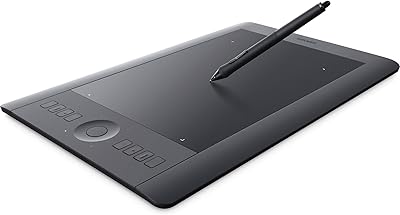
Wacom Intuos Pro Medium Pen Tablet
78%
93%
Pen Accuracy
91%
Pressure Sensitivity
88%
Build Quality
84%
Wireless Performance
86%
Express Keys & Touch Ring
More
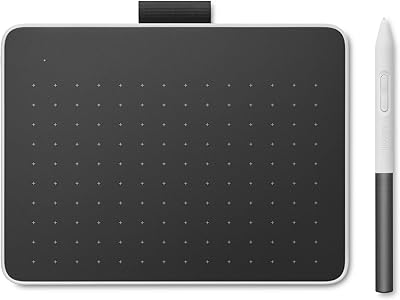
Wacom One Small Drawing Tablet
78%
84%
Pen Performance
88%
Surface Texture & Feel
66%
Bluetooth Connectivity
62%
Active Drawing Area
91%
Ease of Setup
More
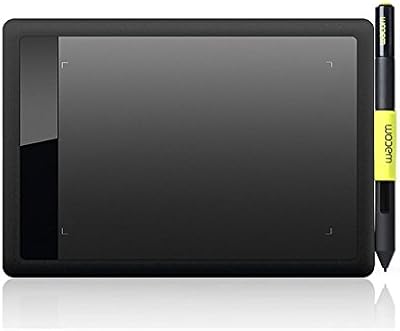
Wacom Bamboo Splash CTL471 Pen Tablet
74%
88%
Pen Feel & Responsiveness
61%
Active Area Size
91%
Ease of Setup
53%
OS & Software Compatibility
74%
Build Quality & Durability
More
Wacom One CTL-472 Small Pen Tablet
75%
88%
Pen Feel & Responsiveness
84%
Pressure Sensitivity
86%
Chromebook Compatibility
91%
Ease of Setup
62%
Active Area Size
More
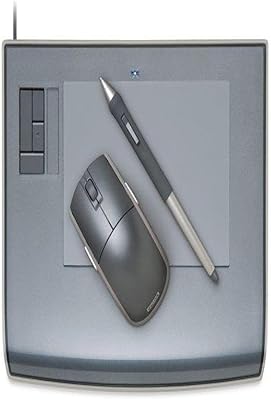
Wacom Intuos3 4 x 6-Inch Pen Tablet
85%
96%
Pressure Sensitivity
88%
Build Quality & Durability
85%
Size & Portability
90%
Ease of Use
89%
Software Compatibility
More
Wacom Bamboo CTH460 Pen and Touch Tablet
71%
83%
Pen Accuracy
57%
Touch Input
68%
Build Quality
81%
ExpressKeys Utility
61%
Active Area Size
More
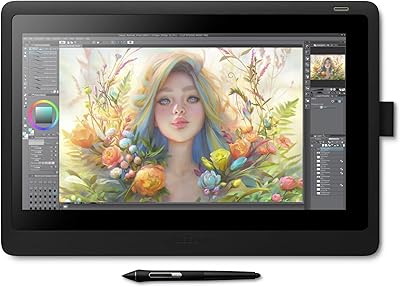
Wacom Cintiq 16 Pen Display Tablet
76%
94%
Pen Accuracy & Responsiveness
88%
Display Color Accuracy
83%
Anti-Glare Performance
86%
Pen Tilt Recognition
81%
Screen Size & Active Area
More
Wacom Movink 13 OLED Pen Display
79%
93%
Display Quality
91%
Pen Performance
88%
Portability & Build
89%
Color Accuracy
64%
Value for Money
More
XP-Pen Deco Pro Medium Graphics Tablet
78%
91%
Pen Performance
88%
Active Area Size
83%
Dual-Wheel Control
79%
Build Quality
61%
Driver & Setup Experience
More
XP-Pen Deco MW Wireless Drawing Tablet
79%
91%
Stylus Performance
83%
Wireless Reliability
94%
Value for Money
61%
Driver & Software Setup
79%
Build Quality
More

FAQ

Yes, you do need to download and install Wacom's driver before the tablet works properly. The driver is available from Wacom's official website and the process is straightforward, but you will need an internet connection. Without it, the pen input may not register correctly in your creative apps.

It does, which is actually one of this pen tablet's more underrated strengths. ChromeOS compatibility is officially supported, and at this price range, that narrows the field considerably. If you are a Chromebook user who needs a reliable drawing tablet, this is one of the few solid options available.

It is a great fit for someone who has already tried a small or basic tablet and wants more room and reliability. It might be slightly more than a complete newcomer needs, but it gives you room to grow without needing to upgrade again soon. The pen feel and driver stability make the learning experience less frustrating compared to cheaper alternatives.

The pen itself is completely cordless and requires no cable or battery — you just pick it up and draw. The tablet body, however, connects to your computer via a USB cable, so the tablet is wired even though the stylus is not.

Yes, both applications support this tablet natively through the Wacom driver. Pressure sensitivity works for brush size and opacity in Photoshop, and retouching tools in Lightroom respond well to pen input. It is a meaningful improvement over using a mouse for detailed editing work.

Nib lifespan depends on how often and how firmly you draw, but heavy users tend to notice wear within a few months. The nibs are replaceable and Wacom sells standard replacement nib sets, though they are proprietary and not interchangeable with other brands. It is worth keeping a spare set on hand if you draw daily.

No, tilt is not supported on this model. The pen only reads pressure — it cannot detect the angle at which the stylus is held. For most illustration and photo-editing workflows this is not a dealbreaker, but artists who rely on tilt for shading or calligraphy-style brushwork should factor that in before buying.

The main difference is the active drawing area. The smaller CTL-472 offers a more compact surface that some find cramped for detailed work, while this version gives you noticeably more room for natural hand movement. The pen and core technology are the same across both, so the choice really comes down to how much drawing space you want.

Huion and XP-Pen tablets at a similar price point often advertise higher pressure sensitivity — sometimes 8192 levels — and may include tilt support or more surface area. However, many users find that Wacom's driver reliability and pen feel make the day-to-day experience smoother and less troublesome. It comes down to whether you prioritize raw specifications or consistent performance and software support.

The biggest adjustment for most new users is getting used to absolute cursor mapping — your hand position on the tablet corresponds directly to a fixed location on screen, which feels unintuitive at first if you are used to a mouse. Most people find their rhythm within a few days of regular use. Starting with simple sketching exercises before jumping into complex projects helps a lot.

Where to Buy