Overview
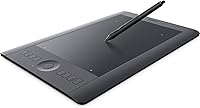
The Wacom Intuos Pro Medium Pen Tablet is a professional drawing tablet built for illustrators, designers, and photo editors who need reliable, precise input. Worth noting upfront: this is the older PTH651 model, not the current generation, so it tends to be available at a lower price point than Wacom's latest Pro lineup. That said, it still carries the brand's signature build quality — solid, slim, and refined. The medium active area fits comfortably on most desks without dominating your workspace, and the included wireless kit means you can cut the cord entirely, which is a genuine quality-of-life improvement for anyone tired of cable clutter.
Features & Benefits
What makes the Intuos Pro Medium stand out in daily use comes down to a few core strengths. The Pro Pen packs 2048 pressure levels in both tip and eraser, which means brushstrokes actually respond the way you intend — light feathering, hard edges, everything in between. Tilt recognition adds another layer of nuance for shading or calligraphy-style work. The 8 Express Keys and multi-function touch ring are where efficiency quietly compounds; once you map your most-used shortcuts, reaching for the keyboard becomes noticeably rare. The multi-touch surface lets you pinch to zoom or scroll, though it performs best during navigation rather than active drawing. Wireless battery life holds up well beyond a standard workday.
Best For
This drawing tablet makes most sense for intermediate to advanced creatives — illustrators, concept artists, and photo retouchers who have outgrown a basic tablet and need more precise control. If you spend meaningful time in Photoshop or Lightroom doing pressure-sensitive masking or detailed brushwork, the pen responsiveness will be immediately noticeable. It is also a practical choice for anyone wanting to work wirelessly and keep their desk tidy. Complete beginners might find it more tool than they need right now — driver setup and shortcut mapping do take some commitment. But for someone ready for a professional upgrade, the Intuos Pro Medium is a natural step up from entry-level gear.
User Feedback
Across buyer reviews, pen feel and accuracy come up most often as standout strengths — users frequently describe a natural drawing experience with minimal parallax, which is harder to find at this price tier than you might expect. The Express Keys earn consistent praise from power users who invest time configuring them. On the downside, the multi-touch surface divides opinion sharply: some find gesture-based navigation intuitive, while others disable it after finding accidental inputs too disruptive during focused work. Driver compatibility is a legitimate concern worth checking before purchase, particularly on recent macOS builds. On the positive side, the medium footprint consistently earns approval for striking a practical balance between workspace comfort and portability.
Pros
- Pen accuracy and near-zero parallax consistently earn top marks from working artists and retouchers.
- Both the pen tip and eraser are pressure-sensitive, giving you full control across 2048 levels in either direction.
- Tilt recognition adds subtle but meaningful nuance for shading, calligraphy, and brush-angle work.
- The wireless kit is included — no separate purchase needed to go cable-free.
- Battery life regularly holds up for a full workday and beyond in real-world wireless use.
- Eight customizable Express Keys dramatically cut keyboard dependency once properly configured.
- The slim, lightweight build makes the Intuos Pro Medium easy to reposition or pack for a studio change.
- Broad software compatibility spans Adobe Creative Cloud, Corel, and most professional creative applications.
- The multi-function touch ring adds a fast, tactile way to cycle through brush sizes or zoom levels.
- The medium active area hits a practical balance — detailed enough for precision work, compact enough for a typical desk.
Cons
- Driver compatibility with recent macOS and Windows versions can require extra troubleshooting.
- This is a legacy model, so long-term software support from Wacom is less certain than a current-generation device.
- Multi-touch gesture recognition frequently triggers accidentally during active drawing, frustrating enough that some users disable it entirely.
- Initial setup — driver installation, Express Key mapping, and touch calibration — takes a meaningful time investment.
- The surface texture wears down over extended use, eventually affecting the pen-drag feel.
- Replacement nibs and accessories are becoming harder to source as this model ages out of active production.
- No on-tablet display, which can feel limiting if you have ever tried a screen-integrated tablet.
- Wireless connection occasionally requires re-pairing after system updates or extended idle periods.
Ratings
The scores below for the Wacom Intuos Pro Medium Pen Tablet were generated by our AI after analyzing thousands of verified global user reviews, with spam, incentivized, and bot-driven submissions actively filtered out to ensure the results reflect genuine buyer experiences. We have weighted both the enthusiastic praise and the recurring frustrations equally, so what you see here is an honest cross-section of how this drawing tablet performs in real creative workflows — not a highlight reel.
Pen Accuracy
Pressure Sensitivity
Build Quality
Wireless Performance
Express Keys & Touch Ring
Multi-Touch Gestures
Driver & Software
Pen Tilt Recognition
Size & Portability
Compatibility
Value for Money
Setup Experience
Nib Durability
Battery Life
Suitable for:
The Wacom Intuos Pro Medium Pen Tablet is a strong match for intermediate to advanced creatives who depend on precise, pressure-sensitive input as part of their daily workflow. Digital illustrators and concept artists will immediately feel the difference that genuine pen nuance makes — the kind of stroke control you simply cannot get from a mouse or a budget tablet. Photo editors who spend hours in Lightroom or Photoshop doing detailed masking, dodging, or retouching work will also find the pressure-sensitive eraser and tilt recognition genuinely useful, not just a spec on paper. Anyone upgrading from a basic entry-level tablet will notice the build quality jump right away, and those who value a tidier workspace will appreciate that the wireless kit ships in the box. Creatives who have invested time learning software-specific keyboard shortcuts will get extra mileage from the eight programmable Express Keys and the multi-function touch ring.
Not suitable for:
The Wacom Intuos Pro Medium Pen Tablet is not the right starting point for someone who is brand new to digital art and still figuring out whether a drawing tablet is even right for them. The driver setup, shortcut mapping, and overall learning curve assume a user who already knows what they want from a professional tool. Buyers running the latest versions of macOS or Windows should verify driver compatibility before purchasing, as this is an older PTH651 model and occasional software friction on newer operating systems has been reported. If you need the absolute latest hardware features or want the peace of mind of a current-generation warranty, Wacom's newer Pro lineup is a more future-proof investment. The medium active area is practical for most desks, but artists who prefer working on a larger canvas and already own a spacious monitor setup may find themselves wishing for the extra drawing real estate of a large-format tablet.
Specifications
- Model Number: This tablet carries the official model designation PTH651, identifying it as part of Wacom's legacy Intuos Pro line.
- Active Area: The drawing surface measures 6.7 inches diagonally, providing a medium-sized workspace suited to detailed illustration and photo editing.
- Dimensions: The tablet body measures 14.9 x 9.9 x 0.5 inches, offering a slim, low-profile footprint on a standard desk.
- Weight: At 2.2 pounds, the tablet is light enough to reposition easily without feeling flimsy during extended drawing sessions.
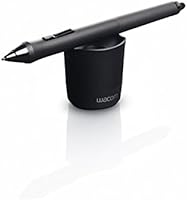
- Pressure Sensitivity: The bundled Pro Pen supports 2048 levels of pressure sensitivity in both the pen tip and the eraser end.
- Pen Tilt: The Pro Pen detects tilt angle, allowing brush strokes and shading effects to respond to the angle at which you hold the pen.
- Express Keys: Eight fully customizable Express Keys are built into the tablet body and can be mapped to application-specific shortcuts on a per-software basis.
- Touch Ring: A multi-function touch ring with four programmable modes allows fast cycling through brush sizes, zoom levels, or other assigned functions.
- Multi-Touch: The active surface supports multi-touch gestures including pinch-to-zoom, two-finger scroll, and rotate, which can also be disabled independently of pen input.
- Connectivity: The tablet connects via USB or wirelessly through Bluetooth Classic for PC and Mac, and Bluetooth LE for compatible mobile devices in paper mode.
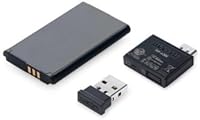
- Wireless Kit: A Bluetooth wireless accessory kit is included in the box, so no separate purchase is needed to use the tablet without a cable.
- Battery Life: Wacom rates wireless battery life at up to 26 hours on a full charge under typical usage conditions.
- USB Port: One USB 2.0 port is built into the tablet for wired connection or charging the internal wireless battery.
- OS Compatibility: The tablet officially supports Windows 7 or later (64-bit only) and macOS 10.10 or later, though driver compatibility with newer OS versions should be verified before purchase.
- Color: The tablet is available in black with a matte finish across both the body and the drawing surface.
- Power Source: One lithium-ion battery is built in and included; it charges via the USB connection when the wireless kit is in use.
- Software Support: The tablet is broadly compatible with professional creative applications including Adobe Photoshop, Illustrator, Lightroom, Corel Painter, and most other pressure-sensitive software.
Related Reviews
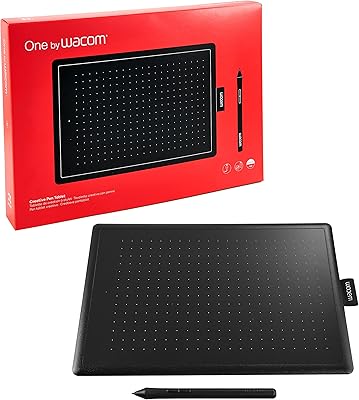
Wacom One CTL-672 Medium Pen Tablet
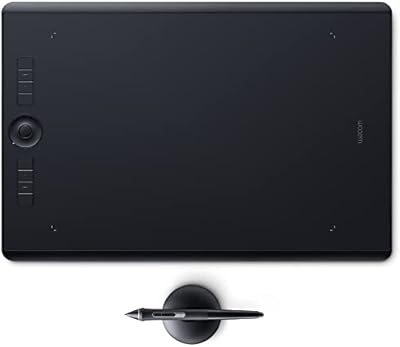
Wacom Intuos Pro Large Drawing Tablet
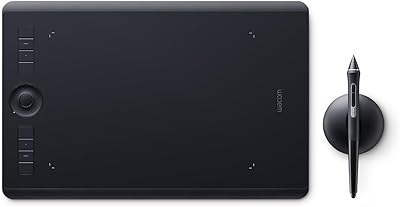
Wacom Intuos Pro Medium Pen Tablet
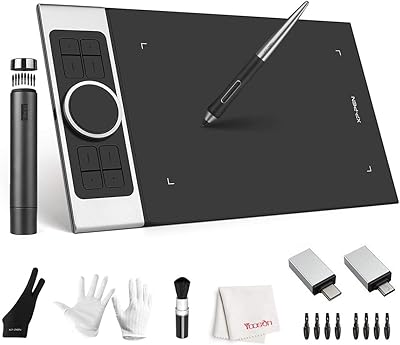
XP-Pen Deco Pro Medium Graphics Tablet
Wacom Cintiq Pro 17 Pen Display
Wacom Bamboo Splash CTL471 Pen Tablet
Wacom Intuos Small Bluetooth Graphics Tablet
Wacom Intuos3 PTZ431W Wide Format Pen Tablet
XP-Pen Artist Pro 14 Gen2 Pen Display