Overview

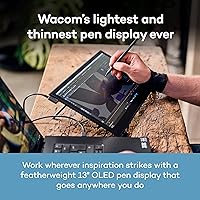
The Wacom Movink 13 OLED Pen Display arrived in early 2024 as the thinnest, lightest pen display Wacom has ever made — a clear signal the company is serious about serving creatives who work outside a fixed studio. Unlike the Cintiq line, it swaps LCD for OLED, which is a genuinely meaningful change for anyone doing color-critical work. One important thing to know upfront: this is a tethered display, not a standalone tablet — it requires a Mac or PC to function. That distinction matters when weighing your options. At its premium price point, Wacom's portable pen display competes in a narrow market where both portability and professional-grade output have to earn their keep.
Features & Benefits

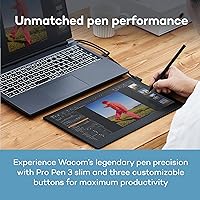
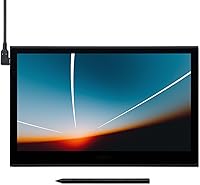
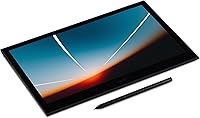
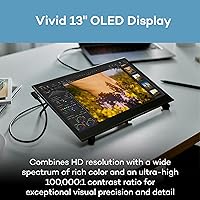
The 13.3-inch OLED panel is the headline here — 10-bit color with a 100,000:1 contrast ratio means shadows are genuinely deep and colors are vibrant in a way that LCD displays at this size simply cannot match. Hardware presets for Adobe RGB, DCI-P3, sRGB, and video-standard color spaces like Rec. 709 and Rec. 2020 make it practical for photographers and colorists, not just illustrators. The included Pro Pen 3 offers 8,192 pressure levels and three side switches, giving it a natural, responsive feel under the hand. At under a pound and just 4 to 6.6mm thick, the Movink 13 is genuinely portable. A single USB-C cable handles both power and display, which keeps the desk clean.

Best For

This OLED pen display is built for working professionals who need color accuracy they can actually trust away from the studio — think concept artists on location, photographers editing travel shoots on a laptop, or video colorists who move between projects. It also makes a lot of sense for anyone upgrading from an older Cintiq who wants the same Wacom pen quality in a form factor that won't anchor them to a desk. That said, if you're a hobbyist or just starting out, the price and the computer-dependency make this a hard sell. Budget-conscious buyers should look at Huion or XP-Pen alternatives first; the gap in pen feel is narrower than it used to be, and the savings are significant.

User Feedback

With roughly 97 ratings and a 4.5-star average, the Movink 13 has earned cautious praise — though that sample size is modest for a device at this price tier, so take the consensus with some reservation. Most buyers highlight OLED vibrancy and the pen's precision as standout strengths, and the slim build gets consistent appreciation from those who travel frequently. Where things get more nuanced is resolution — at 1920×1080 on a 13.3-inch screen, some artists working on fine detail find the pixel density underwhelming compared to competitors offering sharper panels. A handful of users also note that USB-C compatibility can be hit-or-miss depending on the host machine. Against lower-cost rivals from Huion or XP-Pen, the Wacom name commands loyalty, but the value debate remains very much alive.

Pros

  • The OLED display produces deep blacks and rich colors that genuinely change how color-critical work looks compared to typical LCD pen displays.
  • The Pro Pen 3 is accurate, pressure-responsive, and comfortable over long drawing sessions with no perceptible lag.
  • Weighing under a pound, the Movink 13 slips into a shoulder bag without adding meaningful bulk to a travel kit.
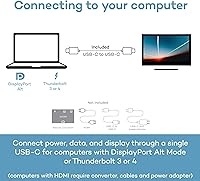
  • A single USB-C cable handles both power and display output, keeping desk setups clean and connection time minimal.
  • Hardware color space presets covering Adobe RGB, DCI-P3, and video standards make it immediately useful for photographers and colorists.
  • Pantone validation gives professionals confidence that output colors align with real-world print and production standards.
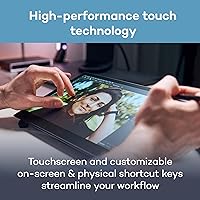
  • Multi-touch gestures work reliably for navigation tasks like zoom and canvas rotation in major creative applications.
  • Broad OS compatibility — including Android support — gives this display more platform flexibility than most professional pen displays.
  • Felt nibs included in the box add paper-like texture resistance that artists transitioning from physical sketchbooks tend to prefer immediately.
  • Wacom driver maturity means fewer surprises on macOS and a customization depth that serious professionals genuinely rely on.

Cons

  • At 1080p on a 13.3-inch screen, pixel density falls short for artists who work with fine linework or detailed typography at close range.
  • No carrying case or protective sleeve is included despite a price point that makes portable protection a reasonable expectation.
  • Only two physical ExpressKeys on the device means power users will likely need to buy a separate accessory to fill the shortcut gap.
  • USB-C compatibility issues on older or non-Thunderbolt laptops have caught enough buyers off guard to be a recurring complaint.
  • Palm rejection during touch input remains inconsistent enough that some users disable touch entirely while drawing.
  • Windows driver conflicts after OS updates are a known recurring issue that occasionally requires a full driver reinstall to resolve.
  • No built-in stand with angle adjustment means an ergonomic tilt requires sourcing and purchasing a third-party solution separately.
  • Felt nibs wear down faster than standard nibs, creating an ongoing replacement cost that buyers do not always anticipate.
  • Color management setup on Windows can involve ICC profile conflicts with certain creative applications that take time and knowledge to resolve.
  • The review sample size of roughly 97 ratings is modest for a premium device, meaning the overall score may shift as more long-term feedback accumulates.

Ratings

The Wacom Movink 13 OLED Pen Display has been scored by our AI system after analyzing verified buyer reviews from global markets, with spam, bot-generated, and incentivized feedback actively filtered out. Ratings across every category reflect both the genuine enthusiasm and the honest frustrations real users have reported — nothing is glossed over. Where this portable pen display impresses, the scores show it; where it falls short for certain buyers, that is reflected just as transparently.
Display Quality
93%
The OLED panel is the single most praised aspect of the Movink 13. Users consistently describe colors as noticeably richer and blacks as far deeper than anything they experienced on previous LCD-based pen displays — several artists mentioned it changed how they evaluate shadow and midtone relationships in their work.
A recurring frustration is the 1080p resolution on a 13.3-inch screen. For illustrators working with fine linework or intricate typography, the pixel density falls short of what some competing panels now offer, and a handful of users noted visible softness at close working distances.
Pen Performance
91%
The Pro Pen 3 draws near-universal praise for its natural, pressure-responsive feel. Artists moving from older Wacom hardware or from third-party brands frequently note the accuracy feels immediate and consistent — no jitter on slow curves, no lag on quick gestural strokes — which matters enormously during long illustration sessions.
A small number of users reported the three side switches feel slightly stiff out of the box and require a break-in period. The pen also has no eraser end, which is a conscious design choice but one that frustrates users who relied on that interaction habit with older Wacom models.
Portability & Build
88%
At under a pound and barely thicker than a few stacked credit cards at its slimmest point, this is genuinely the kind of display you can drop into a shoulder bag without thinking twice. Freelancers and students who commute between studios, classrooms, or client offices repeatedly call out the slim profile as a practical daily advantage.
The ultra-thin chassis, while impressive, does create some rigidity concerns for users who travel frequently. A few reviewers noted minor flex when pressing firmly at panel edges, and the lack of a bundled protective sleeve or case at this price point was a common complaint.
Color Accuracy
89%
Hardware presets for Adobe RGB, DCI-P3, sRGB, and professional video standards like Rec. 709 and Rec. 2020 make this display genuinely useful for photographers doing print prep and video colorists working on the move. Pantone validation adds a layer of confidence that the colors you see are the colors that will reproduce.
Some users found the color management setup process non-trivial, particularly on Windows where ICC profile conflicts with certain creative applications caused unexpected color shifts. The display performs best when users invest time in proper calibration workflows, which is not always obvious to first-time pen display owners.
Value for Money
64%
36%
For professional artists and designers who bill clients and rely on color-accurate output daily, the combination of OLED quality and Wacom pen precision represents a coherent premium investment. Those who made the switch from a heavier Cintiq setup often feel the portability gain alone justifies the cost.
The price is the single largest barrier in user feedback. Competitors from Huion and XP-Pen now offer pen displays with higher resolution panels at significantly lower price points, and the gap in pen feel has narrowed enough that many users openly question whether the Wacom premium is still as defensible as it once was.
Connectivity & Setup
74%
26%
The single USB-C cable approach — handling both display output and power — is something users working at minimalist desk setups genuinely appreciate. On compatible Thunderbolt 3 and 4 hosts, setup is fast and the connection stays stable through long working sessions.
USB-C compatibility varies enough across host machines that it caused real frustration for a noticeable share of buyers. Some users with older USB-C laptops lacking DisplayPort Alt Mode support found the display simply would not work without additional adapters, which Wacom does not include or clearly flag in the box.
Touch & Gesture Input
71%
29%
Multi-touch gestures for zooming, rotating, and panning feel natural once configured, and users who do a lot of navigation-heavy work — like scrolling through reference images or adjusting canvas orientation in Procreate or Clip Studio — found the touch layer a genuine workflow asset.
Palm rejection, while improved from earlier Wacom touch implementations, still draws criticism. Several users in longer reviews described disabling touch entirely while drawing to avoid accidental canvas shifts, which largely defeats the purpose of having it enabled during active work.
Software & Driver Stability
77%
23%
Wacom's driver ecosystem is the most mature in the pen display space, and users on macOS in particular report a stable, low-maintenance experience once the initial setup is complete. The Wacom Center app gives granular control over ExpressKeys and pen button mapping that professionals find genuinely useful.
Windows users occasionally report driver conflicts after OS updates, requiring a full reinstall to restore normal function — a known and longstanding Wacom pain point. A few users on ChromeOS found feature support thinner than advertised, with some customization options simply unavailable on that platform.
ExpressKeys & Shortcuts
66%
34%
Having just two physical ExpressKeys on the device itself keeps the hardware lean and uncluttered. Users who map them to their two most-used shortcuts — undo and brush size, for instance — find the placement intuitive once muscle memory sets in.
Two keys is sparse compared to the broader Wacom Cintiq line or competing displays that offer more hardware controls. Power users who rely on rapid shortcut cycling often end up pairing the Movink 13 with a separate Wacom ExpressKey Remote or external keyboard to fill the gap.
Anti-Glare Coating
82%
18%
The anti-glare glass strikes a balance that most users in varied lighting conditions — cafe tables near windows, studio setups with overhead fluorescents — described as practical and sufficient. It avoids the overly matte look that can make OLED displays appear washed out in some implementations.
Under very bright direct sunlight, reflections remain an issue despite the coating. A handful of users who frequently work outdoors noted that ambient glare in those conditions is still distracting enough to limit usability, and they wished for a more aggressive matte option.
Pen Nib & Texture Feel
79%
21%
The included felt nibs are a thoughtful inclusion — they provide a subtle drag on the glass surface that mimics paper texture better than standard nibs, and artists transitioning from physical sketchbooks tend to prefer them immediately. The nib holder storing spares in the pen's back end is a practical, appreciated detail.
The standard nib included alongside the felt options feels slightly slippery on the glass surface for users who prefer more tactile resistance. Felt nibs also wear down faster than standard ones, and replacement packs represent an ongoing cost some buyers did not anticipate.
Compatibility Breadth
76%
24%
Support across macOS, Windows, ChromeOS, and Android is broader than most pen displays in this category, making the Movink 13 a realistic option for users who split time across platforms. Android compatibility in particular opens up mobile workflows that most competing professional displays still do not support.
Android and ChromeOS support is functional but limited — driver features and pen customization available on Mac and Windows are not fully mirrored on those platforms. Users who bought the display expecting full feature parity across all listed operating systems were sometimes disappointed.
Unboxing & Included Accessories
69%
31%
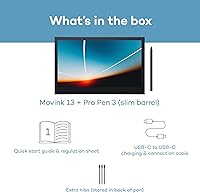
The package includes a nib remover, replacement nibs, and a USB-C cable alongside the pen, which covers the basics without excess packaging. Users appreciated that everything needed to get started is present without needing an immediate trip to buy adapters or accessories.
The absence of a carrying case or protective pouch is a glaring omission for a display that markets itself as portable. Given the price, buyers reasonably expect some form of travel protection, and multiple reviewers flagged having to purchase a third-party sleeve immediately after unboxing.
Long-Session Comfort
81%
19%
The light weight means wrist and arm fatigue from repositioning or angling the display during extended sessions is minimal compared to heavier pen displays. Artists who work three to five hours at a stretch in illustration or retouching workflows noted this as a meaningful physical comfort advantage.
The slim form factor means there is no built-in stand with angle adjustment — the Movink 13 ships flat, and users who want an ergonomic tilt need to source a third-party stand separately. Working at a flat angle for long periods is not comfortable, and this adds unexpected cost to the setup.

Suitable for:

The Wacom Movink 13 OLED Pen Display is built for working creatives who need professional-grade tools that travel with them — not just sit on a desk. Freelance illustrators and concept artists who move between studios, co-working spaces, and client meetings will find the combination of accurate pen input and vivid OLED color genuinely useful rather than merely impressive on paper. Photographers doing location-based retouching and video colorists who work across multiple sites benefit directly from the hardware color space presets, which remove the guesswork from color-critical output on the road. It also makes strong sense for designers upgrading from an older, heavier Cintiq setup who want the same trusted Wacom pen experience in a form factor that fits in a slim bag. If you already own a capable Mac or PC laptop and have been looking for a high-quality secondary display that doubles as a precision drawing surface, this is one of the most polished options currently available in its category.
Not suitable for:

If you are expecting a standalone drawing tablet that works without a computer, the Wacom Movink 13 OLED Pen Display will disappoint — it requires a host machine at all times and has no internal processor or operating system of its own. Hobbyists, students on tight budgets, or anyone just getting started with digital art will find the price difficult to justify when capable pen displays from Huion and XP-Pen exist at a fraction of the cost and the learning curve does not demand Wacom-level hardware. Artists who prioritize sharp pixel density for intricate linework or detailed typography may also find the 1080p resolution limiting at this screen size, especially given that some competing displays now offer higher-resolution panels in the same price range. Users with older laptops that lack USB-C DisplayPort Alt Mode or Thunderbolt support should verify compatibility before purchasing, as the single-cable connection is the only option and adapters are not included. Anyone who needs more than two hardware shortcut keys on the device itself will likely feel constrained and face additional accessory costs.
Specifications

  • Display Size: The active display area measures 13.3 inches diagonally, offering a comfortable working surface for illustration, photo editing, and color grading on the go.
  • Display Type: The panel uses OLED technology, delivering true blacks, vivid colors, and a contrast ratio of 100,000:1 that LCD-based pen displays cannot match.
  • Resolution: Native resolution is 1920×1080 (Full HD), which covers the screen at standard HD density suitable for most creative workflows.
  • Color Depth: The display supports 10-bit color, enabling the rendering of over one billion colors for accurate gradient reproduction in professional creative work.
  • Color Gamut Presets: Hardware-level presets are included for Adobe RGB, sRGB, DCI-P3, Rec. 709, Rec. 2020, and EBU color spaces, selectable directly without software calibration tools.
  • Pen Model: The included stylus is the Pro Pen 3, designed exclusively for this display, featuring 8,192 levels of pressure sensitivity and three programmable side switches.
  • Tilt Recognition: The Pro Pen 3 supports tilt recognition, allowing artists to vary stroke width and shading angle in applications that support this input, mimicking natural media behavior.
  • Pen Storage: Replacement nibs are stored inside the back end of the Pro Pen 3 itself, keeping spares accessible without requiring a separate case or pouch.
  • Weight: The display weighs 14.8 ounces (approximately 420g), making it one of the lightest professional pen displays currently available in its screen size category.
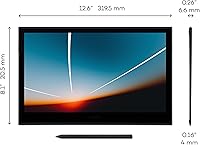
  • Thickness: The chassis measures between 4mm and 6.6mm thick depending on the point of measurement, making it comparable in profile to a premium tablet.
  • Dimensions: Overall device dimensions are 12.6 × 7.6 inches (approximately 320 × 193mm), sized to fit in most laptop sleeves designed for 13-inch notebooks.
  • Connectivity: The display connects via a single USB-C cable supporting DisplayPort Alt Mode and Thunderbolt 3 or 4, handling both video signal and power delivery simultaneously.
  • Touch Input: The screen supports multi-touch gestures including pinch-to-zoom, two-finger rotate, and swipe navigation, all of which are configurable or fully disableable through Wacom Center.
  • ExpressKeys: Two physical ExpressKeys are built into the device bezel, each fully remappable to any keyboard shortcut, modifier key, or application-specific function via Wacom Center software.
  • Compatible OS: The display is officially supported on macOS, Windows, ChromeOS, and Android, though full driver feature availability varies by platform.
  • Anti-Glare Glass: The screen is covered with etched anti-glare glass to reduce reflections in mixed or overhead lighting conditions without introducing excessive matte haze over the OLED panel.
  • Pantone Validation: The Movink 13 carries Pantone validation, confirming that its color output meets the standards required for print-production and brand-color-critical professional workflows.
  • In-Box Contents: The package includes the display unit, Pro Pen 3, a 1-meter USB-C cable, a nib holder with 3 replacement nibs (1 standard and 2 felt), a nib remover, and a quick start guide.
  • Manufacturer: The device is designed and manufactured by Wacom Technology Corporation, a company with over four decades of experience producing professional pen input hardware.
  • Release Date: The product was first made available in January 2024, positioning it as one of the most recent entries in Wacom's professional pen display lineup.

Related Reviews

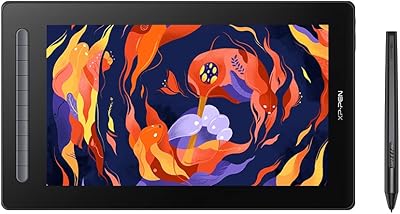
XP-Pen Artist 16 2nd Pen Display
86%
92%
Display Quality
85%
Stylus Performance
78%
Ease of Setup
88%
Build Quality
90%
Ergonomics/Comfort
More
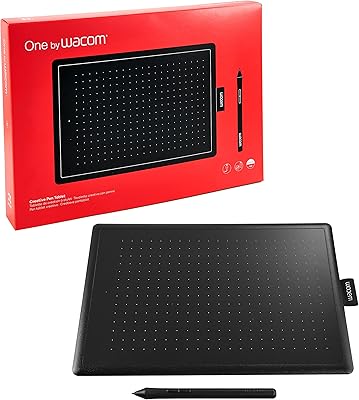
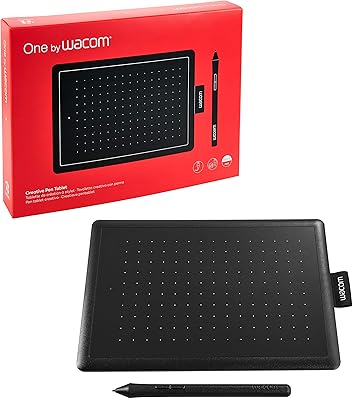
Wacom One by Wacom Medium Pen Tablet CTL-672
84%
92%
Value for Money
89%
Pen Performance (Pressure Sensitivity)
72%
Build Quality
94%
Ease of Setup
90%
Portability/Size
More
ASUS ProArt Display PA169CDV 15.6” 4K Pen Display
87%
94%
Color Accuracy
89%
Portability
90%
Touchscreen Responsiveness
85%
Build Quality
92%
Wacom Pen Precision
More
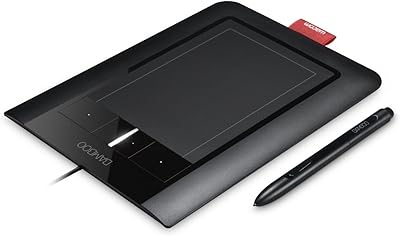
Wacom Bamboo Pen and Touch CTH460
85%
88%
Pen Sensitivity
85%
Touch Responsiveness
91%
Portability/Size
87%
Usability/Ergonomics
92%
Value for Money
More
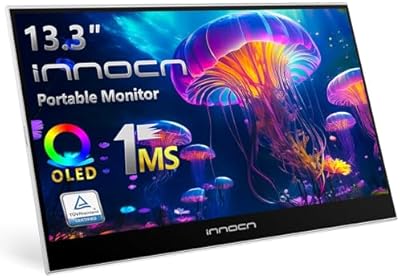
INNOCN 13K1F 13.3″ OLED Portable Monitor
76%
93%
Picture Quality
91%
Color Accuracy
89%
Portability
84%
Setup & Compatibility
88%
Value for Money
More
Wacom Bamboo Splash Pen Tablet CTL471
85%
91%
Value for Money
88%
Drawing Precision
85%
Usability & Comfort
90%
Pressure Sensitivity
87%
Portability
More
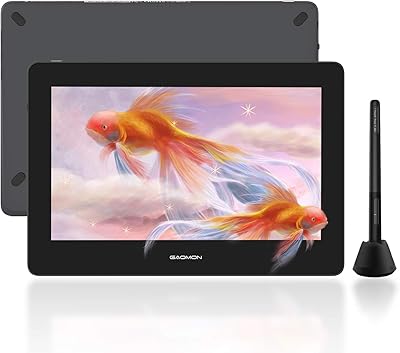
GAOMON PD1220 11.6-inch Pen Display
78%
86%
Display Clarity
89%
Full Lamination Quality
88%
Pen Performance
74%
Color Accuracy
83%
Build Quality & Durability
More
Wacom CTL-472/K1-C Pen Tab
85%
92%
Value for Money
88%
Performance & Responsiveness
90%
Pressure Sensitivity
85%
Portability & Size
89%
Compatibility (Chromebook)
More
Wacom Intuos3 4 x 6-Inch Pen Tablet
85%
96%
Pressure Sensitivity
88%
Build Quality & Durability
85%
Size & Portability
90%
Ease of Use
89%
Software Compatibility
More
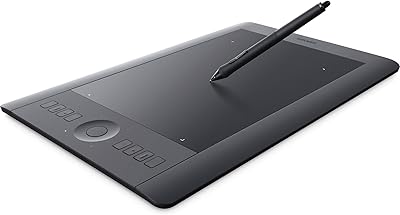
Wacom Intuos Pro Pen and Touch Tablet Medium (PTH651)
88%
94%
Performance
97%
Precision & Responsiveness
90%
Wireless Connectivity
89%
Customization Options
92%
Build Quality
More

FAQ

You always need a computer connected — the Wacom Movink 13 OLED Pen Display has no internal processor or operating system. It functions purely as a display and pen input surface that mirrors or extends your Mac, PC, Chromebook, or Android device. If you need something that works independently, you would need to look at standalone Android-based drawing tablets instead.
It depends on what your specific USB-C port supports. The Movink 13 requires USB-C with DisplayPort Alt Mode, Thunderbolt 3, or Thunderbolt 4 to transmit video. A USB-C port that only handles charging or data transfer will not work for display output. Check your laptop's spec sheet or manufacturer page to confirm your port supports one of those standards before purchasing.

It depends on your workflow. For most painting, concept art, and photo retouching, 1080p on a 13.3-inch screen is perfectly workable, especially given how vibrant the OLED panel makes everything look. Where it becomes noticeable is with very fine linework, small text, or intricate technical illustration — in those cases, some artists do find the pixel density limiting. It is worth considering if crisp detail at close viewing distance is central to your daily work.

The Pro Pen 3 feels responsive and accurate with very little observable lag. The glass surface is naturally smoother than paper, but the included felt nibs add a subtle drag that helps bridge that gap. Users who have used older Cintiq hardware generally find the pen feel familiar and slightly refined — not a dramatic change, but a natural evolution.

No — the Movink 13 is not compatible with iOS or iPadOS. It works with macOS, Windows, ChromeOS, and Android. If you use an Apple mobile device, this display will not connect or function with it.

Touch gestures are useful for navigating the canvas — zooming, rotating, and panning all work reliably. The one genuine issue is palm rejection during active drawing, which is imperfect enough that some users prefer to disable touch entirely while working with the pen and only re-enable it for navigation tasks. The good news is toggling it on and off is quick through Wacom Center or a mapped shortcut.

The Movink 13 ships without a built-in stand or an included external one. You will need to purchase a compatible stand separately if you want to work at an angle rather than flat on your desk. Wacom sells compatible accessories, and a number of third-party adjustable tablet stands work well with it — just factor that into your budget.

The hardware color space presets and Pantone validation give it a solid foundation out of the box, particularly for designers working in sRGB or Adobe RGB. For mission-critical print production, running a proper hardware calibration with a colorimeter is still best practice — the presets get you very close, but professional print workflows generally benefit from a calibrated ICC profile specific to your unit.

Standard replacement nib packs for Wacom Pro Pen 3 are widely available through Wacom directly and through most major electronics retailers. Felt nibs do wear faster than standard nibs — if you draw with heavy pressure for several hours a day, you could go through them noticeably faster than standard ones. It is worth keeping a spare pack on hand if felt is your preferred option.

The main practical differences come down to pen feel, software maturity, and display technology. Wacom's driver ecosystem is more stable across operating system updates, and many artists feel the pen response is still a step ahead of the competition in subtle ways. Competing brands at lower prices often offer higher resolution panels, which is a real advantage for certain workflows. If color accuracy and pen nuance are your priorities and the price fits, the Movink 13 holds its ground well. If resolution and value are the deciding factors, the alternatives deserve serious consideration.

Where to Buy