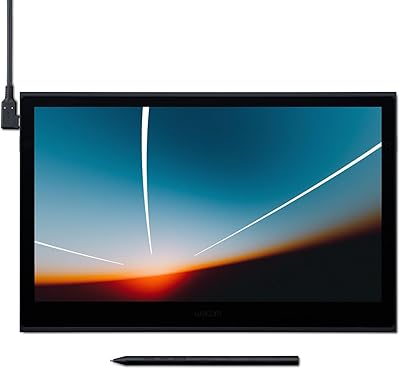
Wacom Cintiq 16 Pen Display Tablet
Overview
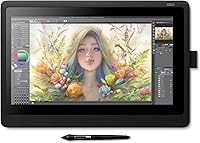
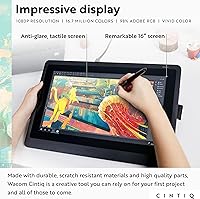
The Wacom Cintiq 16 Pen Display Tablet sits at a genuinely interesting spot in Wacom's lineup — serious enough for students and dedicated hobbyists, but not so loaded with features that it tips into professional territory. Its 15.4″ Full HD LCD screen comes treated with anti-glare glass, making it comfortable under studio lighting or near a window without fighting harsh reflections. Connectivity is wired only, handled through a single 3-in-1 cable, and there's no touch input or built-in ExpressKeys here. That's a deliberate trade-off that keeps this pen display focused and, compared to the Cintiq Pro line, considerably more approachable as an investment for creators stepping up their tools.
Features & Benefits
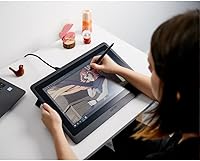
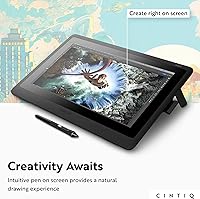
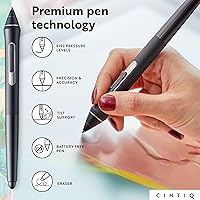
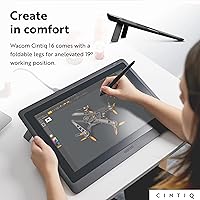
The Pro Pen 2 is where this Wacom display tablet truly distinguishes itself. With 8192 levels of pressure sensitivity and reliable tilt recognition, it responds to subtle shifts in hand angle and touch weight in a way that feels remarkably close to working with real media. The pen tracking is impressively responsive — no perceptible lag when laying down fast strokes or switching direction quickly. The 13.6×7.6-inch active area gives you real room to work, and the Full HD display holds its own with consistent brightness and solid color accuracy. For longer sessions, adjustable legs let you find a comfortable working angle rather than being stuck flat on the desk.
Best For
The Cintiq 16 makes the most sense for creators who have outgrown a screenless tablet and want the direct hand-eye coordination that only a display tablet can offer. Illustration students, concept artists, and graphic designers handling photo editing or layout work will find the pen performance and screen quality more than capable for serious output. Animators get a head start with a three-month trial of Clip Studio Paint EX included in the box. That said, this isn't the right pick for anyone who needs portability — it's a desk-bound setup. If display quality and pen precision matter more than shortcut keys, this pen display is a well-considered choice.
User Feedback
Reception among buyers has been strong, with most pointing to the natural drawing feel and display quality as the two things that won them over. Where things get more mixed is around practicality. The 3-in-1 cable, while functional, creates an unwieldy cord situation on tighter desks, and a number of Windows users have flagged that driver installation wasn't always straightforward out of the box — worth knowing before you commit. A smaller portion of reviewers wish this pen display had ExpressKeys or touch support, features reserved for pricier models. Still, the overall satisfaction is high, and repeat recommendations among artists are genuinely common.
Pros
- The Pro Pen 2 delivers pressure and tilt response that genuinely rivals far more expensive pen displays.
- Drawing directly on screen removes the hand-eye disconnect that frustrates users of screenless tablets.
- The anti-glare coating handles indoor lighting conditions without dulling the image quality.
- Full HD resolution keeps line detail crisp and text in creative software legible and sharp.
- Adjustable built-in legs let you dial in a comfortable working angle without buying a separate stand.
- The 13.6×7.6-inch active area gives illustrators real room to work without constantly panning the canvas.
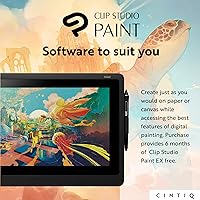
- Clip Studio Paint EX trial gives new buyers a capable creative app to start with immediately.
- Color reproduction is accurate enough for digital illustration and general design work without manual calibration.
- Wacom's driver ecosystem supports a wide range of professional creative software reliably on both Mac and Windows.
Cons
- The rigid 3-in-1 cable is awkward to manage and limits desk layout flexibility noticeably.
- No ExpressKeys means shortcuts require keyboard or software workarounds, slowing down experienced users.
- Windows driver installation can require multiple attempts and troubleshooting before the tablet functions correctly.
- Touch input is completely absent, which feels like an omission at this price tier.
- The built-in leg adjustment offers only a few fixed angles rather than a fully fluid articulating range.
- The included stand solution is basic — users wanting a more professional tilt setup face an added expense.
- Parallax is controlled but not eliminated, which can bother artists doing very tight precision linework.
- The plastic casing smudges easily and does not feel proportionate in quality to the overall cost.
- No wireless connectivity option exists, not even as an optional accessory for this model.
Ratings
The Wacom Cintiq 16 Pen Display Tablet has been rated by our AI system after analyzing thousands of verified global buyer reviews, with spam, bot-submitted, and incentivized feedback actively filtered out. Scores reflect the real distribution of satisfaction and frustration across a wide range of creative users — from illustration students to freelance designers — so both the genuine strengths and the honest trade-offs are represented here.
Pen Accuracy & Responsiveness
Display Color Accuracy
Anti-Glare Performance
Pen Tilt Recognition
Screen Size & Active Area
Build Quality & Durability
Ergonomics & Adjustability
Cable Management & Connectivity
Driver Stability & Software Setup
Parallax & Drawing Precision
Value for Money
Software Bundle
Compatibility & OS Support
Portability & Form Factor
Suitable for:
The Wacom Cintiq 16 Pen Display Tablet is a strong match for serious creative students and dedicated hobbyists who have outgrown a screenless tablet and want the immediacy of drawing directly on a display without committing to a professional-grade price point. Illustration and concept art students will find the Pro Pen 2 responsive enough to handle everything from quick gesture sketches to detailed character work, while the Full HD screen holds its own in a campus studio or home workspace. Freelance graphic designers who spend long hours in Photoshop or Illustrator will appreciate the generous active area and the ergonomic tilt options that make extended sessions more physically manageable. Animators get a practical head start with a Clip Studio Paint EX trial included, which pairs naturally with the pen's tilt and pressure capabilities. If you are a home studio creator who stays at a fixed desk, prioritizes pen feel above all else, and does not need touch input or shortcut keys baked into the hardware, this pen display fits that profile well.
Not suitable for:
Buyers who travel frequently or need a tablet they can pack into a bag and use at a coffee shop or client meeting will find the Wacom Cintiq 16 Pen Display Tablet a poor fit — the wired-only setup, external power requirement, and 16-inch footprint make it a desk-bound piece of equipment, full stop. Professionals doing color-critical print production or high-end photo retouching may also find the display's color gamut underwhelming compared to what the Cintiq Pro line or competing pro-grade monitors offer. Anyone expecting shortcut keys built into the tablet body will need to rethink their workflow, as the Cintiq 16 ships with zero ExpressKeys and no touch support — features that exist on pricier Wacom models and some rival brands at comparable prices. Windows users who are not comfortable troubleshooting driver issues should also approach with realistic expectations, as setup is not always plug-and-play. And if you are looking for a product that competes on hardware features per dollar spent, other display tablet brands offer more buttons, touch, and stand options for the same investment.
Specifications
- Screen Size: The display measures 15.4″ diagonally and uses a Full HD LCD panel with an anti-glare surface treatment.
- Resolution: Native screen resolution is 1920×1080 pixels, delivering clear detail for illustration, design, and animation work.
- Active Area: The drawable surface spans 13.6×7.6 inches, giving artists a generously sized workspace for detailed creative work.
- Pen Model: Included pen is the Wacom Pro Pen 2, a battery-free stylus with 8192 levels of pressure sensitivity and tilt recognition.
- Pressure Levels: The Pro Pen 2 registers 8192 distinct pressure levels, enabling nuanced variation in line weight and brush opacity.
- Tilt Recognition: The pen supports tilt recognition, allowing the stroke shape to respond to the angle at which the stylus is held.
- Touch Input: This model does not support touch input; all interaction is handled exclusively through the included pen.
- ExpressKeys: No ExpressKeys are present on the device; shortcut access requires use of a keyboard or software-based alternatives.
- Connectivity: The tablet connects via a wired 3-in-1 cable that combines USB, HDMI, and power into a single connector run.
- Power Supply: The unit is powered through an included AC adapter rated at 12V, 3A, 36W and requires a wall connection during use.
- Anti-Glare Glass: The screen is treated with an anti-glare glass coating to reduce reflections in bright studio and indoor environments.
- Adjustable Legs: Built-in foldable legs allow the tablet to be propped at multiple tilt angles for more ergonomic positioning.
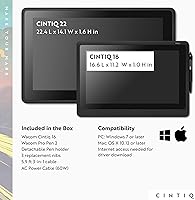
- Dimensions: The overall unit measures 16.6 inches long by 11.2 inches wide by approximately 1 inch at its thickest point.
- Weight: The tablet weighs 4.19 pounds, making it manageable for repositioning on a desk but not practical for travel.
- OS Compatibility: Compatible with Windows 7 and later (with the latest service pack) and macOS 10.12 Sierra and later versions.
- Included Accessories: The box includes the Pro Pen 2, a detachable pen holder, 3 replacement nibs, a nib remover, a 3-in-1 cable, power cable, and AC adapter.
- Software Bundle: Buyers receive a three-month trial of Clip Studio Paint EX, a full-featured illustration and animation application.
- Display Brightness: The LCD panel is designed to deliver uniform brightness across the screen surface, reducing hotspots or dark corner falloff.
- Model Number: The official Wacom model number for this configuration is DTK1660K0A, useful for driver downloads and support queries.
- Manufacturer: The device is designed and manufactured by Wacom Technology Corporation, a company with decades of specialization in pen input hardware.
Related Reviews
XP-Pen Artist 16 2nd Gen Pen Display
Wacom One CTL-672 Medium Pen Tablet
Wacom Bamboo Splash CTL471 Pen Tablet
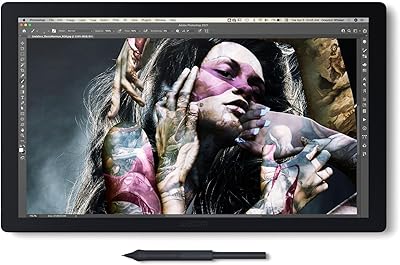
Wacom Cintiq Pro 17 Pen Display
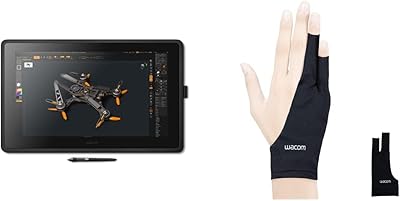
Wacom Cintiq 22 21.5-inch Pen Display
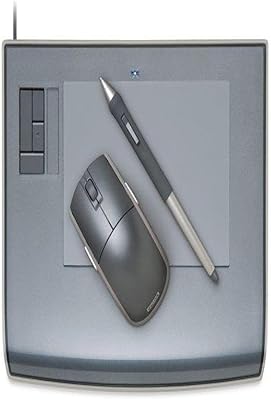
Wacom Intuos3 PTZ431W Wide Format Pen Tablet
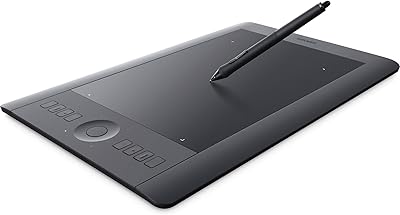
Wacom Intuos Pro Medium Pen Tablet

ASUS ProArt Display PA169CDV 15.6” 4K Pen Display
VEIKK Studio 16 15.6-inch Pen Display