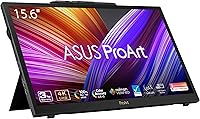
ASUS ProArt Display PA169CDV 15.6” 4K Pen Display








Overview
The ASUS ProArt Display PA169CDV 15.6” 4K Pen Display is a versatile, high-performance monitor designed specifically for creative professionals. This portable display combines a sharp 4K resolution with accurate color reproduction, making it an excellent choice for graphic designers, photographers, and digital artists. Equipped with Wacom EMR technology, it offers precise stylus input for a natural drawing experience. Its compact size and lightweight design make it ideal for professionals who need a mobile solution without compromising on performance.
Features & Benefits
This pen display boasts a stunning 4K UHD resolution (3840 x 2160) for incredibly sharp visuals, ensuring every detail is crisp and clear. The 10-point multitouch feature adds versatility, allowing seamless interaction with creative software. The built-in ASUS Dial streamlines workflows by offering programmable shortcuts. Additionally, dual kickstands provide adjustable viewing angles, and USB-C and HDMI connectivity ensure easy compatibility with a wide range of devices. Whether you’re working on detailed graphics or editing photos, this display delivers exceptional performance and usability.
Best For
This 4K monitor is perfect for graphic designers, digital artists, and photographers who require precise color accuracy for their work. Its portable nature also makes it a great fit for freelance professionals or those who need to work on the go. Creative individuals who prefer a pen display over a traditional monitor for tasks like drawing or editing will find the stylus input and screen resolution ideal. With its powerful features and compact size, this display is designed to enhance the productivity of professionals who demand the best from their tools.
User Feedback
Users consistently highlight the color accuracy of the ASUS ProArt Display, praising its vibrant and precise color reproduction, which is essential for professional-grade work. The portability and compact size also receive positive feedback, making it a favorite among freelancers and digital nomads. However, some users report minor stability issues with the stand, particularly on uneven surfaces. Despite this, the Wacom pen included with the display is widely appreciated for providing a smooth, natural drawing experience, which adds significant value for creative tasks.
Pros
- This pen display offers outstanding color accuracy, making it ideal for graphic designers and photographers working with precise visuals.
- The 4K UHD resolution delivers sharp and detailed images, perfect for high-quality design and editing tasks.
- Its portability is a major plus for freelancers and creatives who often work on the go or need a compact display for traveling.
- The Wacom EMR technology ensures a highly responsive and accurate drawing experience, which is appreciated by digital artists.
- The 10-point multitouch functionality enhances interaction with software, allowing for a smoother and more intuitive workflow.
- USB-C and HDMI ports make it compatible with a wide range of devices, adding to its versatility and ease of use.
Cons
- Some users report stability issues with the stand, especially when used on uneven surfaces.
- The 15.6-inch screen may feel cramped for those who are accustomed to larger displays for detailed work.
- While portable, the compact size might not be suitable for users who need a more expansive workspace for complex projects.
- The kickstand's adjustability is limited, which could make it uncomfortable for extended working sessions for some users.
- There are no wireless connectivity options, which could be a drawback for users who prefer a completely cable-free setup.
- The display's brightness may not be sufficient for outdoor or very bright environments.
Ratings
After analyzing verified user reviews from multiple platforms and languages worldwide, we’ve assessed the ASUS ProArt Display PA169CDV 15.6” 4K Pen Display based on real user feedback. Only high-quality, authentic reviews were considered, excluding spam, bot-incentivized, or off-topic comments. The scores reflect both strengths and minor pain points as shared by users, providing a balanced view of the product’s overall performance.
Color Accuracy
Portability
Touchscreen Responsiveness
Build Quality
Wacom Pen Precision
Display Resolution
Ease of Use
Connectivity Options
Stability of Stand
Setup and Installation
Value for Money
Customer Support
Suitable for:
The ASUS ProArt Display PA169CDV 15.6” 4K Pen Display is an excellent choice for creative professionals who require high precision in their work. Graphic designers, digital artists, and photographers will particularly benefit from its factory-calibrated color accuracy and 4K resolution, ensuring vibrant and true-to-life colors. Freelancers and mobile creatives who need a portable, lightweight monitor will also appreciate its compact design and versatile connectivity options. This device excels for users who prefer working with a pen display rather than a traditional monitor, offering a natural, responsive drawing experience thanks to the Wacom EMR pen. It’s also a great option for those on the move, as the display is both lightweight and easy to transport.
Not suitable for:
While this pen display offers great performance for professionals, it may not be the best fit for users who require a larger screen for intricate detail work. Its 15.6-inch size, while portable, could feel restrictive for those accustomed to larger displays. Additionally, users who need wireless connectivity options or multiple ports for simultaneous device connections might find the display lacking. Those working in environments where stability on uneven surfaces is crucial may also face challenges, as some reviews mentioned that the kickstand isn’t particularly stable in such conditions. Lastly, hobbyists or casual users who don’t require professional-level performance might find more budget-friendly alternatives better suited to their needs.
Specifications
- Display Size: The device features a 15.6-inch screen, providing ample space for detailed creative work.
- Resolution: It offers a 4K UHD resolution (3840 x 2160), delivering sharp and detailed visuals.
- Display Type: The display uses an IPS panel, known for its wide viewing angles and color consistency.
- Color Accuracy: The screen covers 100% of the sRGB color gamut and is Calman Verified for factory-calibrated color accuracy.
- Wacom EMR Technology: The built-in Wacom EMR technology ensures precise and responsive stylus input for drawing and design tasks.
- Touchscreen: The display supports 10-point multitouch, allowing versatile interaction with software and tools.
- Connectivity: USB-C and HDMI ports provide flexible connectivity with a variety of devices.
- Adjustable Stand: Dual adjustable kickstands allow for flexible viewing angles during use.
- Color Calibration: The device comes pre-calibrated from the factory with a Delta E of less than 2 for superior color accuracy.
- Weight: The display weighs just 2.36 pounds, making it lightweight and portable for on-the-go use.
- Dimensions: The device measures 14.57 x 0.47 x 9.33 inches, offering a compact and slim form factor.
- Power Supply: It operates via a USB-C power connection, making it convenient for use with most modern devices.
- Low Blue Light Certification: The display is TÜV Rheinland-certified for flicker-free performance and low blue light emission, reducing eye strain.
- Stylus Included: A Wacom EMR stylus is included, offering a natural drawing experience with high pressure sensitivity.
- Factory Calibration: The device is factory-calibrated for color accuracy and consistency right out of the box.
- Software Compatibility: It is compatible with major creative software like Photoshop, Illustrator, and other design tools.
- Operating System Support: This display supports both Windows and macOS, making it suitable for a wide range of creative professionals.
- Build Quality: The device features a solid build, designed for professional use in various environments.
Related Reviews
ASUS ProArt PA24US 24-inch 4K Professional Monitor
ASUS ProArt PA279CRV 27-inch 4K Monitor
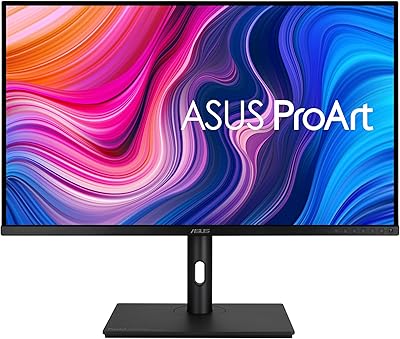
ASUS ProArt PA329CV 32-inch 4K Monitor
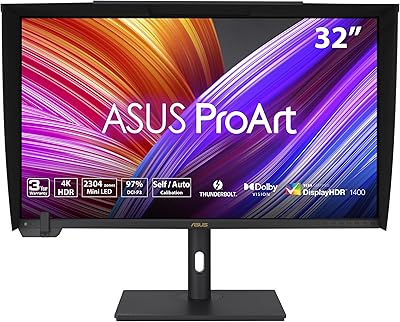
ASUS ProArt PA32UCXR 32-inch 4K Monitor

ViewSonic VX1655-4K-OLED 15.6-inch Portable OLED Monitor

ASUS VT168HR 15.6″ Touch Monitor
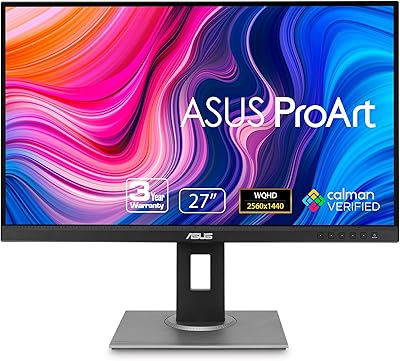
ASUS ProArt PA278QV 27-inch QHD Monitor
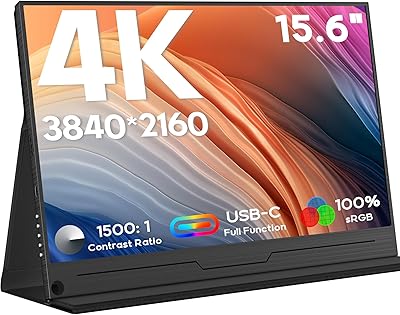
ZSCMALLS 15.6-inch 4K Portable Monitor

GAOMON PD1220 11.6-inch Pen Display