INNOCN 13K1F 13.3″ OLED Portable Monitor
INNOCN 13K1F 13.3″ OLED Portable Monitor — image 1
INNOCN 13K1F 13.3″ OLED Portable Monitor — image 2
INNOCN 13K1F 13.3″ OLED Portable Monitor — image 3
INNOCN 13K1F 13.3″ OLED Portable Monitor — image 4
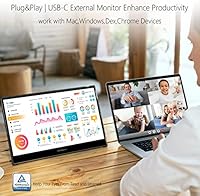
INNOCN 13K1F 13.3″ OLED Portable Monitor — image 5
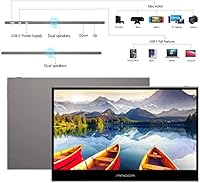
INNOCN 13K1F 13.3″ OLED Portable Monitor — image 6
INNOCN 13K1F 13.3″ OLED Portable Monitor — image 7
76%
24%

Overview

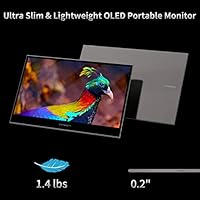
The INNOCN 13K1F 13.3″ OLED Portable Monitor enters a crowded category with one clear advantage: a genuine OLED panel at a price most competitors reserve for standard IPS screens. That distinction matters more than it might sound — OLED means true blacks, not just dark greys, and a visual richness that budget portable monitors rarely deliver. At 0.28 inches thin and just under 1.4 pounds, this travel monitor slips into a laptop bag without complaint. Setup is straightforward: plug in a USB-C cable and you are working within seconds, no drivers required. Worth noting upfront — there is no touch support, so this is purely a display, not an input device.

Features & Benefits

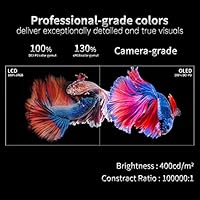
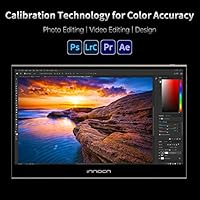
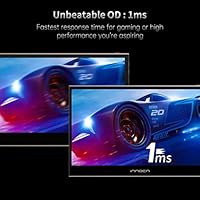
What separates this portable OLED display from cheaper alternatives comes down to what the OLED panel actually does to everyday content. Dark scenes in movies reveal shadow detail that IPS panels simply crush into grey, and color accuracy is backed by factory calibration across 100% DCI-P3 — which means photo and video editors are not constantly correcting for a skewed display. The 1ms response time keeps video playback and casual gaming clean without visible smearing. Both USB-C and Mini HDMI inputs are included, so connecting a laptop, phone, or console does not require hunting for adapters. The fully laminated screen also cuts down on reflections compared to monitors with an air gap between the glass and panel.

Best For

This travel monitor suits a fairly specific type of buyer, and it is worth being clear about that. Freelance photographers and video editors traveling with a laptop will get the most value from the color accuracy — this is a credible portable tool for checking edits in the field, not just a consumer-grade screen. Remote workers who need a lightweight second screen that packs flat will find it genuinely practical for cafe or co-working setups. Students moving between campus and home should appreciate how little space it demands in a bag. Console gamers can connect a Switch or PS5 for travel gaming sessions, though the refresh rate positions it squarely in casual territory, not competitive play.

User Feedback

Across nearly 500 ratings, this portable OLED display sits at 4.1 out of 5 stars — a solid score that reflects genuine satisfaction alongside a few honest reservations. The most recurring praise is how much richer the picture looks compared to IPS portable monitors at a similar price; buyers who have used both tend to notice the difference right away. On the downside, outdoor visibility is a real limitation — 400 nits handles indoor lighting comfortably but struggles against direct sunlight. The included stand is functional but basic, and some users find it less stable than they would like for extended desk use. A handful of buyers also report needing to rely on the Mini HDMI input when their laptop's USB-C port does not carry a video signal.

Pros

  • OLED panel delivers genuinely rich color and deep blacks that IPS portable monitors at this price cannot match.
  • Factory-calibrated 100% DCI-P3 coverage makes this portable OLED display credible for real color-critical work.
  • At under 1.4 pounds and 0.28 inches thin, it adds almost nothing to a travel bag.
  • Single USB-C cable powers and drives video simultaneously on compatible laptops — no power brick needed.
  • Mini HDMI input provides a reliable fallback when USB-C video output is not available.
  • Full lamination reduces glare and gives the screen a sharper, more premium look than air-gap alternatives.
  • Plug-and-play setup works without installing drivers on most modern operating systems.
  • Flicker-free and low blue light mode make extended work sessions noticeably more comfortable.
  • The INNOCN 13K1F connects to a wide range of devices including phones, consoles, and laptops without extra software.
  • 1ms response time keeps video playback and casual gaming clean without visible motion blur.

Cons

  • Brightness caps at 400 nits, which is insufficient for comfortable use in bright outdoor settings.
  • The bundled stand is basic and can feel unstable, especially on uneven surfaces or for all-day desk use.
  • No touch support limits flexibility compared to some competing portable displays in a similar price range.
  • Older laptops without full-function USB-C ports require an extra Mini HDMI cable and potentially an adapter.
  • At 13.3 inches, the screen size suits solo use only — sharing the display with a colleague side-by-side is awkward.
  • OLED panels can be susceptible to burn-in with static content left on screen for extended periods.
  • No integrated battery means it always needs a power source, either from the host device or a USB-C charger.
  • Color accuracy benefits are largely wasted on buyers who do not work with color-managed applications or profiles.

Ratings

The scores below for the INNOCN 13K1F 13.3″ OLED Portable Monitor were generated by our AI system after analyzing verified global buyer reviews, with spam, bot submissions, and incentivized feedback actively filtered out. Each category reflects the honest distribution of real user experiences — strengths and frustrations weighted equally — so you can make an informed decision without the noise.

Picture Quality
93%
The OLED panel is consistently the most praised aspect of this display. Buyers moving from IPS portable monitors report an immediate and obvious difference in color depth and black levels — particularly noticeable when editing photos or watching dark cinematic content on the road.
A small number of users note that the full visual benefit is harder to appreciate in brightly lit rooms, where the relatively modest brightness ceiling reduces the perceived contrast advantage. It is outstanding indoors, but the panel does not fully shine in every environment.
Color Accuracy
91%
Photographers and video editors consistently highlight the color reproduction as one of the strongest arguments for choosing this portable OLED display over cheaper alternatives. The factory calibration means colors land close to accurate out of the box without manual ICC profile adjustments.
Users working in strictly color-managed professional pipelines note that factory calibration is a starting point, not a substitute for a hardware calibrator. A small drift from ideal is still present, which matters at the very top end of color-critical workflows.
Portability
89%
At 1.39 pounds and under a third of an inch thick, this travel monitor fits into laptop sleeves and bags without adding meaningful weight. Commuters and frequent travelers consistently describe it as one of the easiest portable displays to carry daily without second-guessing the decision to pack it.
No protective case or sleeve is included in the box, which means the bare screen is at risk in a bag with other gear. Several buyers mention purchasing a third-party sleeve separately to make it genuinely travel-ready, which adds a small but real additional cost.
Setup & Compatibility
84%
For MacBook users and anyone with a modern USB-C laptop, the plug-and-play experience is genuinely effortless — one cable, no drivers, immediate display detection. The addition of Mini HDMI broadens compatibility to consoles and older laptops, which buyers appreciate as a practical backup.
Users with older laptops that have USB-C ports lacking video output run into confusion, since the port looks identical but will not drive the display. A clearer compatibility guide in the packaging would prevent some of the frustration reported by first-time buyers in this situation.
Value for Money
88%
An OLED panel at this price tier is genuinely unusual — most competing portable monitors in this range use IPS panels that cannot match the contrast or color performance. Buyers who compare specifications across the category consistently rate the INNOCN 13K1F as punching above its price point.
A handful of buyers feel the basic stand and missing carry case should be included at this price, particularly since some competing products bundle a smart cover at a similar cost. The core display value is strong, but the accessory package does not match the panel quality.
Brightness
61%
39%
Indoors and in typical office or home environments, 400 nits delivers a clean, watchable image without eye strain. The flicker-free panel and low blue light mode make extended work sessions noticeably more comfortable for users sensitive to screen fatigue.
Outdoor use or working near large bright windows exposes the brightness ceiling clearly — the image washes out in direct sunlight and becomes uncomfortable to use. This is a real-world limitation that affects a meaningful number of buyers who expected more versatility in varied lighting conditions.
Build Quality
74%
26%
The slim aluminum-feel chassis gives the monitor a premium first impression, and most buyers describe it as feeling solid for its weight class. The fully laminated screen surface adds to the perception of quality compared to portable monitors with visible air gaps.
The included stand is the most consistently criticized physical element — it functions, but feels noticeably cheaper than the monitor itself. Users expecting a stable, adjustable desk setup are often disappointed and resort to propping the display against other objects or buying a separate stand.
Gaming Performance
71%
29%
The 1ms OLED response time handles casual gaming cleanly — Nintendo Switch titles, indie games, and slower-paced console play all look sharp without visible ghosting or smearing. For travel gaming sessions, it does a solid job with the types of content most portable gamers actually play.
This is not a display for competitive or fast-action gaming. The refresh rate is standard, and the monitor was clearly not tuned for high-frame-rate content. Buyers who purchase it expecting a portable gaming monitor for titles that demand low latency and high refresh rates are likely to be underwhelmed.
Connectivity
82%
18%
Having both USB-C and Mini HDMI inputs on a monitor this thin is a practical advantage that real users notice. It means the same display can serve a USB-C laptop at a coffee shop and a PS5 in a hotel room without needing a separate device for each use case.
The Mini HDMI port requires a specific cable type that is not universally available in travel retail stores if one is forgotten. A standard HDMI port would have been more universally convenient, and a few buyers express mild frustration with the less common connector format.
Eye Comfort
79%
21%
Flicker-free operation and a low blue light mode are features that buyers who spend long hours in front of screens genuinely appreciate. Several reviewers specifically mention that extended editing or writing sessions feel less tiring compared to their previous portable IPS displays.
The lack of significant brightness adjustment headroom means that in darker rooms, getting the display to a truly comfortable low-brightness level can be tricky — some users find the minimum brightness setting still slightly too bright for late-night use in dark environments.
Screen Glare & Reflection
77%
23%
Full lamination is a meaningful upgrade over air-gap portable monitors, and buyers who have used both notice that reflections are less distracting in moderately lit rooms. The perceived sharpness also improves because there is no visible gap between the glass and the panel beneath.
The screen is still glossy, and in rooms with strong overhead lighting or windows behind the user, reflections remain visible. Buyers working in uncontrolled lighting environments — such as co-working spaces with overhead fluorescents — may find the reflections more distracting than expected.
Audio
38%
62%
The monitor does handle video signal passthrough cleanly, and audio output through connected devices works as expected when routed properly. For buyers who use external speakers or headphones via their laptop, this is not a practical issue.
There are no built-in speakers, which means sound output depends entirely on the connected device. Users who expected a self-contained portable workstation with integrated audio will need to rely on their laptop speakers or carry separate headphones, which limits the all-in-one appeal for some use cases.
Software & OSD
67%
33%
The on-screen display menu covers the essential adjustments — brightness, contrast, input switching — without unnecessary complexity. Buyers who just want to plug in and adjust basic settings find the interface functional and quick to navigate.
The OSD controls feel dated compared to more polished portable monitors, and some users report that navigating between settings requires more button presses than it should. There is no companion software for advanced color management, which limits fine-tuning options for professional users.
Packaging & Unboxing
72%
28%
The monitor arrives well-protected, and buyers generally report that it reaches them in perfect condition. The inclusion of both USB-C and Mini HDMI cables in the box means most users can connect immediately without sourcing extra cables.
Beyond the cables and basic stand, the accessory package feels thin for a display marketed toward creative professionals. No carrying pouch, no screen cloth, and no calibration report card — small omissions that competing monitors sometimes include and that would meaningfully improve the out-of-box experience.

Suitable for:

The INNOCN 13K1F 13.3″ OLED Portable Monitor is a strong match for anyone whose work or hobby depends on accurate color reproduction away from a fixed desk. Freelance photographers reviewing shoots on location, video editors needing a reliable reference display in a hotel room, or designers checking color work between client meetings will find the OLED panel genuinely useful rather than just a novelty. Remote workers who already carry a laptop and want a second screen without adding meaningful weight to their bag will appreciate how little this travel monitor asks of them physically. USB-C laptop users — MacBook owners in particular — benefit from the single-cable setup that requires zero configuration. Even casual console gamers traveling with a Switch or PS5 get a compact, decent-looking display that handles the job without any fuss.

Not suitable for:

Buyers expecting a do-everything portable display may run into frustrations that are worth understanding before purchasing. The INNOCN 13K1F 13.3″ OLED Portable Monitor is not designed for outdoor or high-ambient-light environments — 400 nits is workable indoors but gets uncomfortable quickly in direct sunlight or bright open spaces. Anyone hoping for touch input will need to look elsewhere, as this is strictly a passive display. The included stand does the minimum required but will disappoint users who want a stable, adjustable desk setup for hours of stationary work. Owners of older laptops without full-function USB-C ports may find themselves dependent on the Mini HDMI input, which adds a cable and an adapter to the equation. Competitive gamers should also steer clear — the refresh rate and panel tuning are not built for fast-paced titles where response consistency is critical.

Specifications

  • Screen Size: The display measures 13.3 inches diagonally, making it compact enough for travel without feeling too small for productivity work.
  • Panel Type: Uses a self-lit OLED panel, which produces true blacks and significantly higher contrast than IPS or TN alternatives at this size.
  • Resolution: Native resolution is 1920 x 1080 (Full HD 1080p) at a 16:9 aspect ratio.
  • Color Gamut: Covers 100% of the DCI-P3 color space, with factory color calibration applied before shipping.
  • Contrast Ratio: Rated at 100000:1 contrast ratio, a figure achievable with OLED due to its per-pixel light control rather than a backlight.
  • Brightness: Peak brightness is 400 nits, which is comfortable for indoor use but can feel limiting in very bright environments.
  • Response Time: Rated at 1ms response time, suitable for video playback and casual gaming without noticeable motion blur.
  • Connectivity: Includes one USB-C port for signal and power delivery, plus one Mini HDMI port for devices without USB-C video output.
  • USB Ports: The monitor has 2 USB ports in total, supporting both the USB-C and Mini HDMI input configurations.
  • Touch Support: This monitor does not support touch input; it functions exclusively as a passive display.
  • Thickness: The chassis measures just 0.28 inches thin, placing it among the slimmest portable monitors in its category.
  • Weight: The unit weighs 1.39 pounds, light enough to carry daily in a laptop bag without meaningful added burden.
  • Dimensions: Package dimensions are 14.76 x 10.35 x 1.97 inches, reflecting the slim form factor of the monitor and its packaging.
  • Screen Surface: Features a fully laminated flat screen, which reduces the air gap between glass and panel to minimize glare and improve clarity.
  • Eye Care: Incorporates flicker-free technology and a low blue light mode to reduce eye strain during extended use.
  • Input Voltage: Operates at 5V DC, meaning it can draw power directly from a laptop or USB-C power bank without a separate wall adapter.
  • Stand Included: Ships with a metal holder stand; functional for basic desk positioning but not height-adjustable or premium in build quality.
  • Driver Required: No driver installation is needed; the monitor is plug-and-play on most modern operating systems via USB-C or Mini HDMI.
  • Manufacturer: Made by Guangxi Century Innovation Display Electronics Co., Ltd, which markets consumer displays under the INNOCN brand.
  • Model Number: The official model identifier is 13K1F, which distinguishes this 13.3″ OLED variant within INNOCN's portable monitor lineup.

Related Reviews
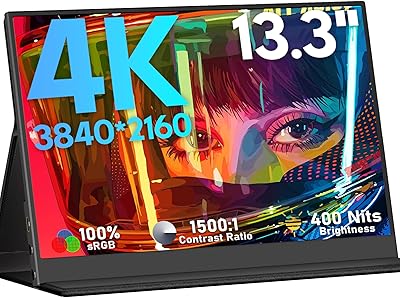
KEEPTIME 13.3″ 4K Portable Monitor
83%
94%
Display Quality
91%
Portability/Size/Weight
90%
Ease of Setup
86%
Build Quality
60%
Battery Life
More
Kenowa 13.3-inch Touchscreen Portable Monitor
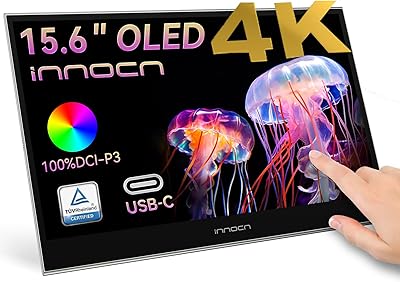
68%
86%
Value for Money
78%
Display Quality
71%
Privacy Screen Effectiveness
67%
Touchscreen Performance
88%
Portability
More
INNOCN 15.6″ Portable OLED Touch Monitor
84%
91%
Display Quality
88%
Portability
75%
Touchscreen Sensitivity
94%
Setup & Installation
89%
Device Compatibility
More
Visual Beat R13PMT101 13.3-inch Portable Touchscreen Monitor
85%
89%
Display Quality
92%
Portability & Weight
88%
Touchscreen Responsiveness
94%
Ease of Setup
85%
Brightness & Visibility
More
Trio 13.3″ Mobile Pixels Portable Laptop Monitor 2025 Version
87%
94%
Portability
88%
Ease of Use
90%
Compatibility
86%
Display Quality
92%
Setup & Installation
More
Mobile Pixels Duex Plus DS 13.3″ Portable Laptop Monitor
84%
88%
Display Quality
94%
Portability & Design
91%
Ease of Setup
85%
Compatibility with Devices
83%
Build Quality
More
ViewSonic VP16-OLED 15.6-inch Portable OLED Monitor

80%
93%
Display Quality
91%
Color Accuracy
88%
Portability
74%
USB-C Connectivity
81%
Build Quality
More
ViewSonic VX1655-4K-OLED 15.6-inch Portable OLED Monitor
77%
93%
Display Quality
91%
Portability
84%
USB-C Connectivity
88%
Build Quality
67%
Stand Stability
More
KRK GoAux 3
KRK GoAux 3
77%
83%
Sound Accuracy
91%
Portability
78%
Bluetooth Reliability
72%
Room Correction Performance
58%
Bass Response
More
OAKCHA 13.3″ Portable TV
84%
85%
Display Quality
88%
Battery Life
94%
Portability
90%
Connectivity Options
87%
Media Format Compatibility
More

FAQ

Yes, if your MacBook has a USB-C port that supports video output (which all modern MacBooks do), a single USB-C cable handles both power and display signal. You do not need to install anything — just plug in and it should be detected automatically within a few seconds.

You can connect both consoles, but you will need to use the Mini HDMI input rather than USB-C for console use. The Switch in docked mode and the PS5 both output via HDMI, so pick up a Mini HDMI to standard HDMI cable and you are set. Keep in mind this is not a high-refresh-rate gaming display, so it is best suited for casual or portable gaming sessions rather than competitive play.

For most buyers who care about picture quality, yes. OLED produces true blacks because each pixel turns off individually, which creates contrast that IPS simply cannot replicate with a backlight. If you are editing photos, watching films, or just want a more visually impressive screen, the difference is noticeable in everyday use — not just in spec sheets.

Not all USB-C ports carry a video signal — some are power-only or data-only. Check your laptop specs to confirm it supports DisplayPort Alt Mode over USB-C. If it does not, switch to the Mini HDMI input, which will work regardless of your USB-C configuration.

The chassis is slim and lightweight, which makes it easy to pack, but it is not ruggedized in any meaningful way. The screen will need a sleeve or case for protection in a bag. The stand is adequate for desk use but feels basic — if you travel frequently, consider a third-party monitor stand or sleeve with a built-in support flap.

The INNOCN 13K1F 13.3″ OLED Portable Monitor runs at 5V, which means a USB-C connection to a laptop or a USB-C power bank is enough to power it. You do not need to carry a separate wall adapter, which is one of its more practical travel advantages.

Indoors and in controlled lighting, 400 nits is perfectly comfortable. Near a sunny window or outside, it can look washed out and harder to read clearly. If you frequently work outdoors, you may want to look at a monitor with higher peak brightness.

Yes, as long as your device supports USB-C video output (also called DisplayPort Alt Mode). Many recent Android phones and iPads with USB-C support this natively. Older devices or those without video-capable USB-C ports will not work over USB-C, but there is no HDMI workaround from a phone without a separate adapter.

OLED panels in general carry a theoretical burn-in risk with prolonged static content — things like taskbars, logos, or HUD elements left on screen for many hours over time. In practice, for typical use patterns like productivity, video, and light gaming, burn-in is unlikely to be an issue. Avoid leaving a static image on screen for extended idle periods to be safe.

The monitor ships with a USB-C cable, a Mini HDMI cable, the metal holder stand, and documentation. There is no carrying case or protective sleeve included, so if you plan to travel with it regularly, purchasing a padded sleeve separately is a good idea.

Where to Buy