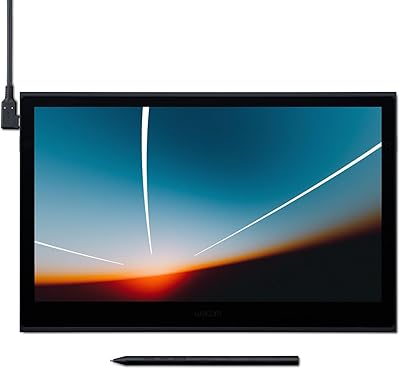
Wacom Intuos Small Bluetooth Graphics Tablet



Overview
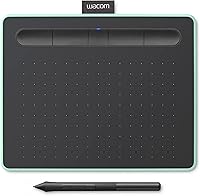
The Wacom Intuos Small Bluetooth Graphics Tablet sits in a sweet spot between budget sketching pads and serious professional tools — it is clearly built for learners, hobbyists, and educators rather than full-time illustrators. What sets it apart from similarly priced competitors is genuine wireless Bluetooth connectivity, which most wired-only rivals simply do not offer. The body is slim and light enough to toss in a laptop bag without a second thought, and the pistachio color option gives it a distinctive, understated look in a category dominated by plain black. Be clear-eyed going in, though: this is a capable entry-level tool, not a workstation replacement.
Features & Benefits
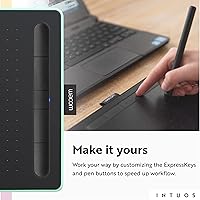
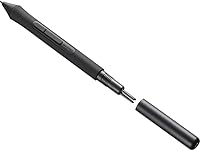
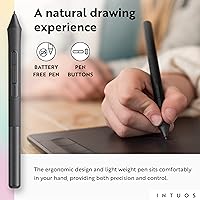
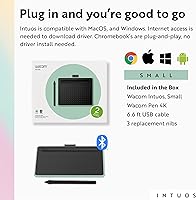
The pen is arguably the best argument for this compact drawing tablet over cheaper alternatives. Wacom's EMR battery-free technology means the stylus never needs charging — you pick it up and it just works, with 4096 levels of pressure sensitivity that respond naturally to light sketching and heavy strokes alike. Bluetooth keeps your desk tidy, and USB-A is right there if the battery runs low. The four customizable ExpressKeys are small but genuinely useful once mapped to your most-used shortcuts. It also runs without drama on Windows, Mac, Android, and Chromebook. Register the tablet and you unlock bundled creative software — worth doing, even if the registration flow feels a bit clunky.
Best For
If you are a student stepping into digital art or design for the first time, the Intuos Small is a strong starting point — reliable enough to grow into, affordable enough not to sting if your interests shift. Teachers who annotate slides or mark up PDFs during online lessons will appreciate the wireless annotation workflow it enables. Hobbyist illustrators and photo editors get solid Wacom pen performance without committing to a larger, pricier format. Chromebook users in particular often struggle to find tablets with clean driver support; this compact drawing tablet handles it well. It also slips easily into any laptop bag, making it a practical pick for remote workers and frequent travelers.
User Feedback
With over 35,000 ratings and a top spot in its category, the Intuos Small has clearly earned its reputation — but real buyer feedback is more nuanced than star averages suggest. Pen accuracy and pressure sensitivity come up again and again as genuine strengths, with many users saying it outperforms expectations at this price tier. Bluetooth pairing occasionally causes frustration on first setup, though most report it stabilizes quickly. The 7-inch active area divides opinion: portability fans love it, but detail-oriented illustrators find it cramped for complex work. Long-term durability holds up well, with many owners reporting years of consistent daily use — a reassuring sign for anyone weighing the investment.
Pros
- Battery-free EMR pen never needs charging and delivers a natural, paper-like drawing feel.
- 4096 pressure levels produce genuinely responsive stroke variation that outperforms most rivals in this price range.
- Bluetooth connectivity frees you from cable clutter during classroom sessions, remote work, or couch sketching.
- USB-A wired fallback means a dropped Bluetooth connection never completely halts your work.
- Weighing under 9 ounces, the Intuos Small slips into any laptop bag without adding noticeable bulk.
- Chromebook compatibility is among the cleanest in the entry-level tablet category — no workarounds needed.
- Four customizable ExpressKeys meaningfully speed up repetitive shortcuts once mapped to your workflow.
- Bundled creative software via registration adds real value for buyers who do not already own art applications.
- Long-term durability is well-documented, with many owners reporting reliable daily use over multiple years.
- Wide OS support across Windows, Mac, Android, and Chromebook reduces compatibility guesswork at purchase.
Cons
- Initial Bluetooth pairing is a known friction point, particularly on Windows and some Android devices.
- The 7-inch active area feels cramped for detailed illustration work involving complex compositions or fine linework.
- Surface texture wears down noticeably with heavy daily use, affecting the tactile feel over time.
- Unlocking bundled software requires a multi-step registration process that a notable share of buyers find unnecessarily confusing.
- ExpressKeys are small and closely spaced, making accidental presses common until muscle memory develops.
- Android support is inconsistent across devices — pressure sensitivity and tilt can behave unpredictably on non-flagship tablets.
- No protective sleeve or carry case is included, which is a genuine omission for a tablet marketed as portable.
- Full ExpressKey customization options are reduced on Chromebook compared to the Windows and Mac driver experience.
- Users who develop their skills quickly may find themselves needing a larger format within a year or two.
- Pen tip wear is gradual but real — replacement nibs are available yet represent an ongoing cost many buyers overlook.
Ratings
The scores below reflect an AI-driven analysis of verified global user reviews for the Wacom Intuos Small Bluetooth Graphics Tablet, with spam, bot activity, and incentivized feedback actively filtered out to ensure honest signal. Drawing from tens of thousands of real buyer experiences across multiple markets, these ratings capture where this compact drawing tablet genuinely excels and where it falls short. Both strengths and recurring frustrations are reflected transparently so you can make an informed decision.
Pen Accuracy & Pressure Sensitivity
Wireless Bluetooth Connectivity
Active Area Size
Build Quality & Durability
Portability & Form Factor
Driver & Software Compatibility
ExpressKeys Usability
Bundled Software Value
Battery-Free Pen Convenience
Setup & Out-of-Box Experience
Value for Money
Surface Texture & Drawing Feel
Compatibility with Chromebook
Suitable for:
The Wacom Intuos Small Bluetooth Graphics Tablet is a natural fit for students entering digital art or design programs who want a dependable, well-supported tool without a steep financial commitment. Teachers who annotate lesson slides, mark up PDFs, or run hybrid classrooms will find the wireless freedom genuinely useful — being untethered from a desk changes how naturally the tablet integrates into a teaching workflow. Hobbyist illustrators and photo editors who want real Wacom pen performance but have no need for a large format will feel at home here, as the pen accuracy and pressure sensitivity hold up well against tools at significantly higher price points. Chromebook users are a particularly strong match, since finding a drawing tablet with clean, hassle-free Chrome OS support is genuinely difficult in this category. Travelers and remote workers who need a creative tool that disappears into a laptop bag will also appreciate that the portability claim here is backed by real-world dimensions and weight rather than marketing copy.
Not suitable for:
If you are a professional illustrator or concept artist who depends on a large active area to work through detailed compositions without constant zooming, the Wacom Intuos Small Bluetooth Graphics Tablet will frustrate you — the 7-inch active area is a genuine constraint, not a minor footnote. Buyers expecting a totally smooth Bluetooth setup should also temper their expectations, as pairing hiccups on first connection are common enough to be a pattern rather than an isolated complaint. Users who already own professional creative software will find the bundled software incentive largely irrelevant, reducing one of the more compelling value arguments. Android users with non-flagship devices may encounter inconsistent pressure sensitivity or tilt behavior, making this a riskier choice if Android is your primary platform. Finally, anyone who tends to keep hardware for many years without upgrading should consider whether the smaller format will still suit their needs as their skills develop — a number of users report outgrowing this compact drawing tablet faster than anticipated.
Specifications
- Brand & Series: Manufactured by Wacom Technology Corporation under the Intuos S series, model CTL4100WLE0.
- Active Area: The drawing surface measures 7 inches diagonally, providing a compact workspace suited to portability-focused users.
- Dimensions: The tablet body measures 7.87 x 6.3 x 0.35 inches, making it slim enough to slide into most laptop sleeves.
- Weight: At 8.8 ounces, it is light enough to carry daily without adding meaningful bulk to a bag.
- Pen Technology: Uses Wacom's EMR (Electromagnetic Resonance) system, which means the stylus requires no battery or charging to operate.
- Pressure Sensitivity: The included pen registers 4096 levels of pressure sensitivity, enabling nuanced stroke variation from feather-light sketches to bold, heavy lines.
- Connectivity: Supports both Bluetooth wireless connection and wired USB-A, giving users a reliable fallback if the wireless signal is interrupted.
- ExpressKeys: Includes 4 physical shortcut buttons on the tablet body, each fully customizable via the Wacom driver software.
- Compatible OS: Officially supported on Windows, Mac OS, Android, and Chromebook, covering the vast majority of common user setups.
- Power Source: The tablet itself is powered by one included Lithium Ion battery for Bluetooth operation; the pen requires no power source.
- Color Options: Available in a Pistachio colorway, which stands out visually against the all-black aesthetic common in this product category.
- Bundled Software: Registering the tablet on Wacom's website unlocks access to a selection of third-party creative software applications at no additional cost.
- Pen Resolution: The tablet reads pen input at 4096 levels of resolution, consistent with professional-grade EMR pen display standards.
- USB Port: Includes one USB 2.0 port for wired connectivity, compatible with standard USB-A cables.
- Release Date: First made available on March 6, 2018, and has remained in active production with no discontinuation from the manufacturer.
- Market Rank: Holds the number one best-seller position in the Computer Graphics Tablets category on Amazon, based on sustained sales performance.
- Ratings Volume: Has accumulated over 35,000 verified ratings globally, with an average score of 4.5 out of 5 stars.
- Profile Thickness: At 0.35 inches thick, it is among the slimmest drawing tablets available in the entry-to-mid-range segment.
Related Reviews
Wacom One Small Drawing Tablet
Wacom Intuos Pro Large Drawing Tablet
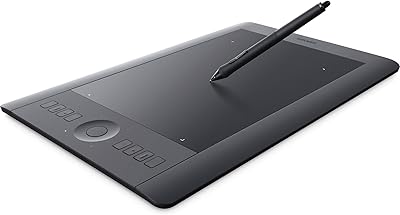
Wacom Intuos Pro Medium Pen Tablet
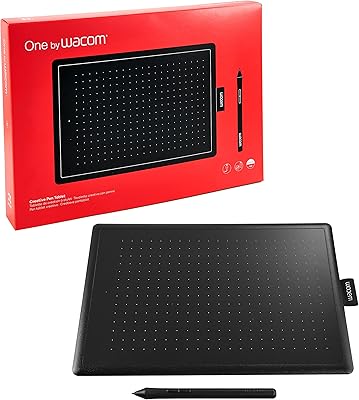
Wacom One CTL-672 Medium Pen Tablet
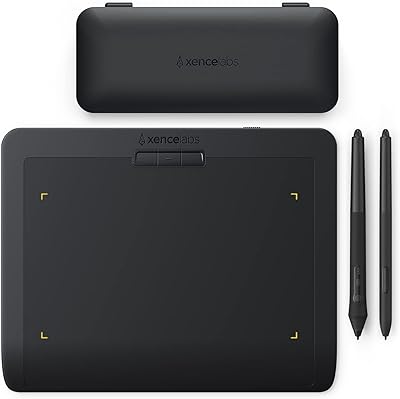
XENCELABS Pen Tablet Small Drawing Tablet
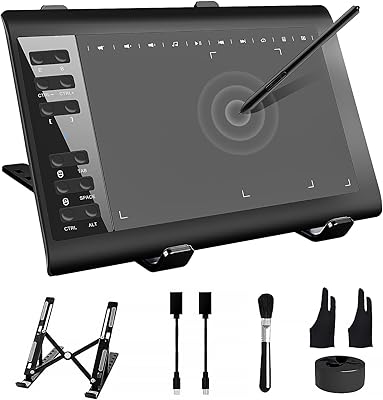
TeinenRon T1060 10x6 Inch Drawing Tablet
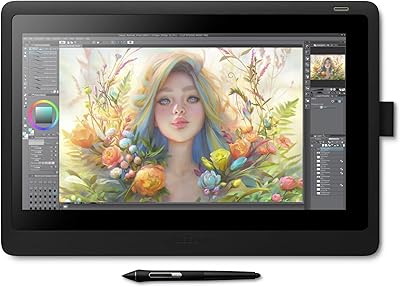
Wacom Cintiq 16 Pen Display Tablet
Bingxue Portable AM/FM Bluetooth Retro Radio
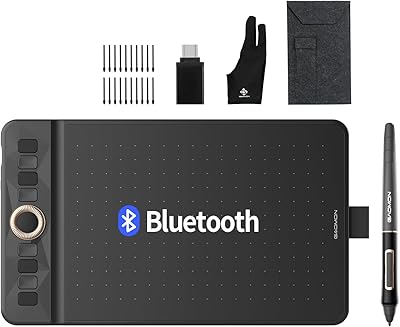
GAOMON WH851 8x5 Graphics Tablet