

Overview
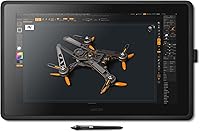
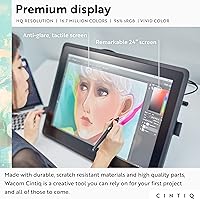
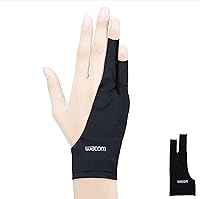
The Wacom Cintiq 22 21.5-inch Pen Display sits in a category most digital artists eventually aspire to: a large, screen-based workspace that puts your cursor and pen tip in the same physical plane. This is not an impulse purchase for weekend hobbyists — the price reflects Wacom's reputation as the professional creative standard. What separates this Wacom display from entry-level screenless tablets is the full HD screen, which makes working on detailed illustrations or layered compositions far less frustrating. Wacom also includes a two-finger artist glove made from recycled materials — a practical, quietly eco-conscious addition. It supports both Windows and macOS out of the box, with no OS favoritism in the setup experience.
Features & Benefits
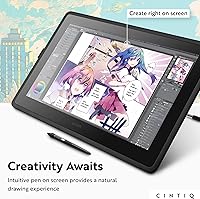
The Wacom Pro Pen 2 is the real draw here — 8192 levels of pressure sensitivity means the stylus responds to subtle shifts in hand pressure the way a quality brush or pencil would. Tilt response adds another layer of control, letting shading feel expressive rather than mechanical. Tracking is tight enough that lag is rarely a noticeable issue, which matters during fast, gestural strokes. The display holds up well: uniform brightness and color accuracy across the LCD panel make it a reliable surface for work destined for print or client review. The relaxed parallax keeps the pen tip feeling close to the cursor, and the two customizable buttons handle shortcuts without forcing you off the stylus mid-stroke.
Best For
The Cintiq 22 makes the most sense for illustrators or concept artists who have outgrown a screenless tablet and want to draw directly on their working surface. Freelance designers producing client-facing work will appreciate the color-consistent LCD output, which reduces guesswork between what you see on screen and how the final piece reproduces. Art students investing in a long-term setup will find this pen display holds its relevance well — Wacom's driver support across Windows and macOS tends to stay reliable across OS generations. Anyone already in the Wacom ecosystem will find the transition minimal. The USB connectivity keeps setup straightforward: plug in, calibrate once, and get to work.
User Feedback
Artists who use this Wacom display regularly tend to highlight the pen's natural feel as a standout strength — long drawing sessions rarely become battles with the hardware. The bundled glove earns genuine appreciation, with users frequently citing reduced hand fatigue over extended work periods. That said, a fair number of buyers note that 1080p at 21.5 inches is a noticeable trade-off against higher-resolution competitors at similar price points; fine detail work can feel constrained. Desk space is another honest caveat — this is a substantial piece of hardware that demands a stable, dedicated surface. The stand's limited angle range draws occasional criticism too. Buyers approaching this as a serious creative workstation tend to come away satisfied; those expecting casual tablet convenience sometimes find the investment misaligned with their actual needs.
Pros
- The Wacom Pro Pen 2 delivers 8192 levels of pressure sensitivity, making line control feel genuinely expressive and precise.
- Virtually lag-free tracking means fast, gestural strokes register accurately without the frustrating cursor delay found on cheaper displays.
- Tilt response adds natural shading capability that screenless tablets rarely replicate as convincingly.
- The relaxed parallax keeps the cursor close to the pen tip, which significantly reduces the spatial adjustment period for new users.
- Color accuracy on the LCD panel is reliable enough for professional client work and print preparation.
- Two customizable pen buttons let you map frequent shortcuts without breaking focus or reaching for a keyboard.
- The bundled artist glove reduces hand smudging and friction during long sessions — a genuinely practical inclusion.
- Works plug-and-play over USB on both Windows and macOS with minimal driver headaches reported by most users.
- Long-term driver support from Wacom means this pen display stays functional across OS updates without constant troubleshooting.
Cons
- The 1080p resolution feels underwhelming at 21.5 inches when compared to higher-DPI rivals at similar price points.
- The included stand offers very limited angle adjustments, which can create ergonomic strain during extended sessions.
- The physical footprint is large and demands a dedicated, stable desk surface — not ideal for compact workspaces.
- There is no built-in touch support, which some artists coming from competitor displays may find limiting.
- The Cintiq 22 requires a capable connected computer; there is no standalone functionality whatsoever.
- At this price tier, the lack of express keys on the display itself means more reliance on keyboard shortcuts or a separate accessory.
- The USB cable setup, while simple, can feel restrictive in terms of positioning flexibility compared to wireless alternatives.
- Buyers who later want a steeper or flatter tilt will likely need to invest in a third-party articulating arm separately.
Ratings
The scores below for the Wacom Cintiq 22 21.5-inch Pen Display were generated by our AI after analyzing thousands of verified buyer reviews from global markets, with spam, bot-submitted, and incentivized feedback actively filtered out. Each category reflects the honest distribution of real user experiences — strengths are credited where they are genuinely earned, and recurring pain points are weighted fairly rather than buried.
Pen Accuracy
Display Quality
Pen Responsiveness
Parallax
Build Quality
Ergonomics
Value for Money
Setup & Compatibility
Screen Glare & Coating
Included Accessories
Software Integration
Longevity & Durability
Desk Footprint
Suitable for:
The Wacom Cintiq 22 21.5-inch Pen Display is purpose-built for digital artists who have already outgrown the disconnect of drawing on a surface while watching a separate monitor. Illustrators and concept artists who spend long hours refining detailed work will feel the difference immediately — drawing directly on the screen changes how naturally creative decisions happen in real time. Freelance designers producing client-facing deliverables will appreciate the LCD's consistent color output, which reduces the gap between what you see while working and how the final piece looks in print or on screen. Art and design students investing in a setup they want to carry through their professional years will find this pen display holds its relevance well, thanks to Wacom's stable driver support on both Windows and macOS. Anyone already familiar with Wacom hardware will find the learning curve essentially flat.
Not suitable for:
The Wacom Cintiq 22 21.5-inch Pen Display is a significant investment, and buyers who sketch casually or occasionally will likely find it difficult to justify the cost against what they actually use it for. If your desk space is limited, this display demands a substantial, stable footprint — it is not something you can comfortably squeeze into a small or shared workspace. Users who prioritize pixel density for ultra-fine detail work should know that the 1920x1080 resolution across a 21.5-inch panel is noticeably softer than higher-DPI competitors available at comparable price points. The built-in stand also offers limited angle adjustment, which can become a real ergonomic frustration for artists who prefer a nearly flat or steeply angled drawing surface. Anyone hoping to use this as a portable or travel-friendly setup will find it falls well short of that use case.
Specifications
- Screen Size: The display measures 21.5 inches diagonally, providing a generous active drawing area suited to detailed illustration work.
- Resolution: The LCD panel outputs at 1920x1080 Full HD, delivering consistent pixel density across the entire screen surface.
- Display Type: An LCD panel with uniform backlighting ensures stable brightness and reliable color reproduction across a wide range of creative applications.
- Pen Model: The included Wacom Pro Pen 2 is a battery-free stylus designed for professional-grade input accuracy and long-term durability.
- Pressure Levels: The Pro Pen 2 supports 8192 levels of pressure sensitivity, enabling fine gradations in line weight and brush dynamics.
- Tilt Response: The pen detects tilt angle, allowing artists to replicate natural shading and brushstroke variation as they would with traditional media.
- Pen Buttons: Two programmable buttons on the pen barrel can be mapped to frequently used shortcuts, reducing keyboard dependency during active drawing.
- Parallax: A relaxed parallax design minimizes the visible offset between the pen tip and the on-screen cursor for more intuitive mark-making.
- Connectivity: The Cintiq 22 connects to a host computer via USB, with no wireless option; compatible cables and adapters are included in the box.
- OS Support: The display is fully compatible with both Windows and macOS operating systems, with driver software available from Wacom's official support site.
- Bundled Glove: A two-finger artist glove is included in the box to reduce hand friction on the screen surface and prevent smudging during long sessions.
- Glove Material: The glove is constructed from 90% recycled polyester and spandex, offering a balance of stretch, comfort, and durability.
- Glove Fit: The glove is one-size-fits-most and designed to work for both right- and left-handed users without modification.
- Color: The unit is finished in matte black, with a low-profile bezel design that keeps visual focus on the active screen area.
- Series: This display belongs to Wacom's Cintiq line, which is positioned as the company's professional creative display range for working artists and designers.
- Stand Included: A fixed-angle stand is included in the box, though its range of tilt adjustment is limited compared to aftermarket articulating arm solutions.
- Power: The display draws power through its USB connection to the host computer, eliminating the need for a separate power brick in most standard setups.
- First Available: This product was first listed for sale in October 2022, representing a current-generation entry in the Cintiq professional display lineup.
Related Reviews
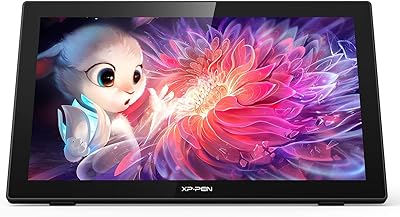
XP-Pen Artist 22 2nd Gen Pen Display
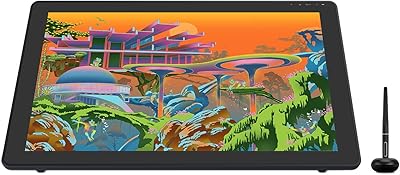
HUION Kamvas 22 Plus 21.5-inch Pen Display
HP 22-DG0024 21.5-inch All-in-One Desktop
HP All-in-One 22-dd0032 21.5″ Desktop
Pisichen HD-215TS 21.5-inch Touchscreen Monitor
ASUS VP229Q 21.5-inch IPS Monitor
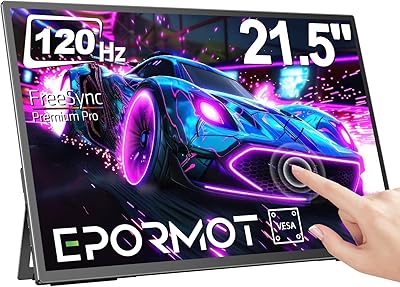
EPORMOT 21.5-inch Portable Touchscreen Monitor
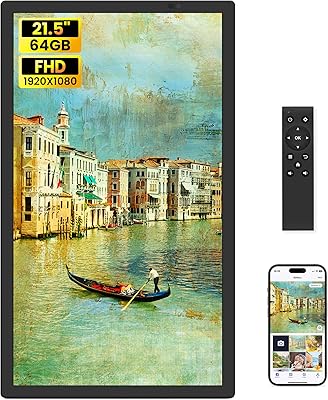
WONNIE 215KZ 21.5-Inch Digital Picture Frame
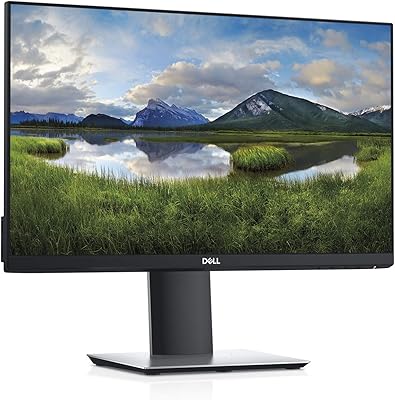
Dell P2219H 21.5-inch FHD Monitor