
Overview

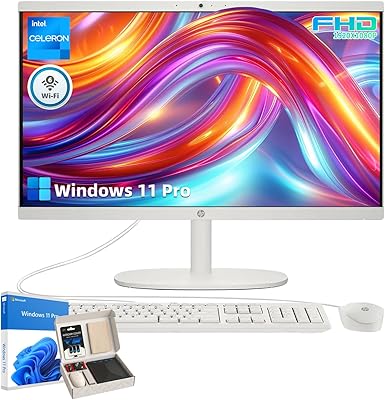
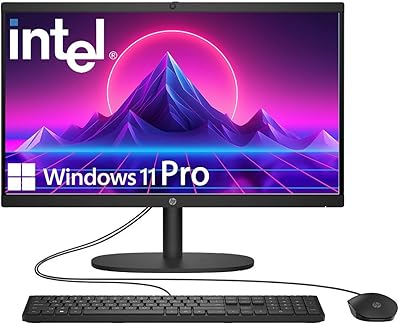
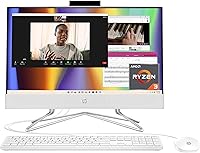
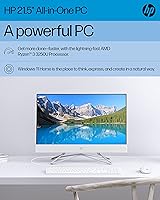
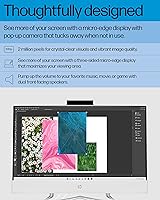
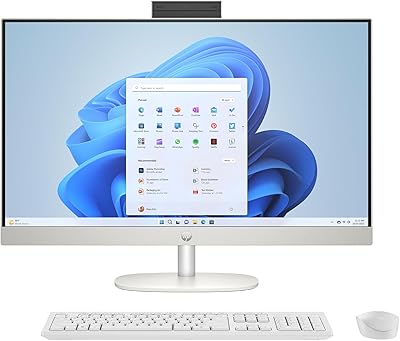
The HP All-in-One 22-dd0032 21.5″ Desktop aims to simplify the desktop experience by packing everything into a single, clean unit. Setting it up feels intuitive because Windows 11 Home is already installed, letting you get to work within minutes. The white aesthetic is a nice touch, looking sharp on a desk without the clutter of a traditional tower and tangled cables. While it has a modest footprint, the 21.5-inch Full HD display uses micro-edge borders to make the screen feel larger than it actually is. Under the hood, the AMD Ryzen 3 3250U processor handles standard office applications and web browsing with steady reliability. This HP All-in-One feels built for those who want a functional, modern computer that stays out of the way while looking good in a contemporary home office.

Features & Benefits

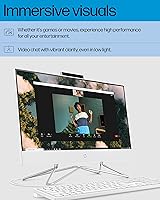
Efficiency is the focus here, specifically how the 8GB of DDR4 memory keeps the system responsive when you have several browser tabs and documents open at once. Using the 256GB SSD makes a noticeable difference in daily speed; the computer starts up quickly and programs launch without the lag typical of older hard drives. One standout design choice is the pop-up webcam, which physically hides away when not in use to ensure your privacy. For those frequent video calls, the dual-array microphones capture clear audio so you don't always need a headset. Despite the slim profile of this compact workstation, it manages to include six USB ports, providing plenty of room to plug in a mouse, keyboard, and external drives without needing an extra hub.

Best For

This compact workstation fits perfectly into environments where desk space is at a premium, such as a dorm room or a small kitchen nook. It is particularly well-suited for students who need a reliable machine for writing papers and conducting online research without a distracting setup. Remote professionals who spend their days in spreadsheets or emails will also find the 22-inch desktop a capable partner for their daily workload. Because it handles streaming video and social media so easily, it works well as a central family PC for general household management. It isn't meant for high-end video editing or competitive gaming, but for anyone who prioritizes straightforward utility and a clean workspace, this HP All-in-One hits the right balance of performance and price.

User Feedback

Many owners mention how much they appreciate the simple setup, noting that the machine is essentially ready to go right out of the box. The screen quality receives frequent praise for being surprisingly sharp and vibrant for a budget-friendly model. You will also notice that the fan remains quiet during use, which is a relief if you are working in a silent room. On the other hand, some users have pointed out that while it handles basic tasks beautifully, it can struggle if you try to run heavy software or modern games. It is a machine built for efficiency rather than raw power. Most agree that for a reliable home computer, the 22-inch desktop offers a great experience as long as you understand its limits as an entry-level device.

Pros

  • The 21.5-inch micro-edge display provides a crisp, edge-to-edge viewing experience that feels larger than its physical dimensions suggest.
  • A 256GB SSD ensures that this HP All-in-One boots up in seconds and launches productivity apps with impressive speed.
  • The integrated 720p webcam features a clever pop-up design that physically blocks the lens for guaranteed privacy when not in use.
  • Six dedicated USB ports allow you to connect multiple peripherals like printers and external drives without needing an additional hub.
  • Dual-array digital microphones provide clear voice pickup for video conferences, effectively reducing the need for an external headset.
  • The sleek white chassis and integrated stand offer a modern, high-end look that complements contemporary home decor perfectly.
  • Silent operation ensures that this compact workstation won't distract you with loud fan noise during quiet study sessions or late-night work.
  • Setup is incredibly simple as everything is contained within one unit, requiring only a single power cable to get started.

Cons

  • The AMD Ryzen 3 processor frequently struggles with high-intensity tasks like video encoding or processing large, data-heavy spreadsheets.
  • A 256GB storage capacity can fill up quite quickly if you intend to store large local libraries of high-resolution photos or movies.
  • The fixed stand lacks height and swivel adjustments, which may force some users to use a riser for better ergonomics.
  • Most connectivity ports are located on the rear panel, making them awkward to access if the desk is pushed against a wall.
  • Screen brightness peaks at 250 nits, which can result in noticeable glare if the computer is placed near a bright window.
  • The 720p camera quality can appear somewhat grainy in low-light environments, lacking the sharpness of higher-end external webcams.
  • Integrated graphics performance is strictly limited to casual web-based games, leaving modern gaming titles virtually unplayable.
  • Limited upgradeability means that once the 8GB of RAM or processor becomes outdated, you cannot easily swap them for newer components.

Ratings

Our comprehensive analysis of the HP All-in-One 22-dd0032 21.5″ Desktop leverages AI to synthesize thousands of verified global owner experiences while filtering out bot activity and incentivized reviews. This scoring system provides a transparent look at both the technical highlights and the genuine daily frustrations reported by real-world users. By neutralizing marketing hype, we ensure that both the strengths and the pain points of this machine are clearly reflected.

Space Efficiency
96%
Owners of cramped apartments and shared dorm rooms consistently praise the minimal footprint of the 22-inch desktop. It effectively eliminates the clutter of separate towers and messy cables, making it a top choice for those with limited desk real estate.
The fixed stand lacks any height adjustment, which means some users have to prop it up on books to reach a comfortable eye level. This significantly limits how ergonomic the workstation can be during long study sessions without extra risers.
Initial Setup
93%
Buyers report a remarkably smooth experience getting the system running right out of the box. Since it is an integrated unit with Windows 11 pre-installed, you can move from unboxing to browsing in just a few minutes.
The system includes a fair amount of pre-installed trial software and promotional apps that some users find tedious to uninstall. This initial bloatware can make the first hour of ownership feel a bit cluttered for tech-savvy users.
Display Clarity
86%
The Full HD micro-edge display offers surprisingly sharp and vibrant visuals for a budget-friendly machine. Users find it excellent for reading long research papers and watching high-definition streaming content without noticing any pixelation.
With a brightness rating of 250 nits, the screen can struggle with visibility in rooms with significant direct sunlight. Some reviewers noted that the colors are not accurate enough for professional photo or video editing tasks.
Productivity Multitasking
71%
29%
For a standard daily workflow involving a dozen browser tabs, email, and word processing, the performance remains steady. Most users find this HP All-in-One perfectly adequate for handling their routine schoolwork or remote office administration.
Once you start running more intensive software or opening a massive amount of tabs, the system begins to stutter. It lacks the processing power for heavy creative work, making it feel sluggish under high-pressure multitasking scenarios.
Connectivity & Ports
87%
With six total USB ports, users love that they can keep all their peripherals connected while still having room for a thumb drive. It handles a mouse, keyboard, and printer simultaneously without the need for an external hub.
Most of the ports are located on the back panel, which can be frustratingly difficult to reach if the desk is pushed against a wall. A few side-access ports would have made swapping cables much more convenient.
Aesthetics & Build
91%
The sleek white finish and integrated stand make this compact workstation a stylish addition to modern living spaces. It looks less like a piece of industrial office equipment and more like a deliberate part of the room decor.
The white plastic surfaces tend to show dust and fingerprints more easily than darker alternatives. Some owners also mentioned that the stand feels somewhat lightweight, though it remains stable during normal everyday use.
Privacy Features
94%
The physical pop-up mechanism for the webcam provides instant peace of mind for privacy-conscious families. Knowing the lens is physically blocked when pushed down is a major selling point for those using the PC in shared households.
The 720p resolution of the camera is strictly functional and can appear grainy or washed out in low-light environments. While it works for casual family calls, it may not provide the professional polish needed for important business presentations.
Storage Performance
88%
The inclusion of a 256GB SSD ensures that the system boots in seconds rather than minutes. Users appreciate the snappy feel when opening folders or launching their most-used productivity applications like Excel or Word.
The 256GB capacity fills up quickly if you store many large media files or high-resolution photo libraries locally. Many buyers find they eventually need to rely on cloud storage or an external drive for long-term archiving.
Thermal Management
89%
This compact workstation operates remarkably quietly, even when under a moderate load from video calls or heavy web browsing. It avoids the distracting whirring sounds often associated with budget-friendly desktop computers.
The back of the unit can get quite warm during extended periods of use or while streaming video for hours. While this rarely causes performance throttling, it is important to keep the rear vents clear for proper airflow.
Gaming Performance
38%
62%
The machine manages to handle very basic, web-based casual games and older titles with low graphical requirements reasonably well. It provides a simple way to take a quick mental break between school assignments.
Modern AAA titles are virtually unplayable due to the limitations of integrated graphics and the entry-level processor. Users report severe frame rate drops and input lag when trying to run anything beyond basic puzzle games.
Audio Fidelity
81%
19%
The built-in speakers are clear enough for typical YouTube videos and background music while working. Additionally, the dual-array microphones do a great job of filtering out room noise during routine Zoom or Teams sessions.
The audio output lacks any real bass, which makes the listening experience feel a bit thin during movies. Audiophiles will definitely need to use external speakers or headphones for a more immersive sound profile.
Value for Money
84%
Most reviewers feel they received a solid return on investment given the high-quality integrated display and reliable daily performance. It is seen as a smart, economical purchase for families needing a dependable home terminal.
Some buyers feel that spending slightly more for a larger SSD or a touch-enabled screen might offer better long-term utility. The value is highest for those with very straightforward, non-technical computing needs.

Suitable for:

The HP All-in-One 22-dd0032 21.5″ Desktop is an ideal match for students and remote professionals who prioritize a clutter-free workspace and straightforward functionality. Its compact footprint and integrated design make it perfect for small apartment desks or shared family areas where a traditional bulky tower would be intrusive. Casual users who primarily focus on web browsing, streaming media, and managing documents will appreciate the snappy boot-up times provided by the solid-state drive. The inclusion of a pop-up privacy webcam also makes this a smart choice for privacy-conscious families who participate in frequent video calls for school or work.

Not suitable for:

Power users, creative professionals, and gamers should likely steer clear of the HP All-in-One 22-dd0032 21.5″ Desktop due to its entry-level hardware. The AMD Ryzen 3 processor and integrated graphics are not built to handle resource-heavy tasks like 4K video editing, complex 3D rendering, or modern AAA gaming titles. If your daily routine requires extreme multitasking with dozens of heavy applications open simultaneously, you may find the 8GB of RAM limiting over time. Additionally, because the internal components are difficult to upgrade, those looking for a long-term machine that can grow with evolving technical demands might prefer a more modular desktop setup.

Specifications

  • Display Size: The computer features a 21.5″ diagonal Full HD micro-edge display with a resolution of 1920 x 1080.
  • Processor: It is powered by an AMD Ryzen 3 3250U dual-core processor with a base clock speed of 2.6 GHz.
  • Memory: The system includes 8 GB of DDR4-2400 SDRAM for handling standard multitasking.
  • Internal Storage: A 256 GB PCIe NVMe M.2 solid-state drive provides high-speed boot times and storage.
  • Graphics: The desktop utilizes integrated AMD Radeon Graphics to handle visual output.
  • Operating System: This unit comes pre-installed with Windows 11 Home for a modern software experience.
  • Webcam: It includes an HP True Vision 720p HD privacy camera that pops up only when in use.
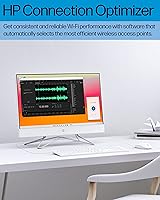
  • Connectivity: Wireless features include 802.11ac Wi-Fi and Bluetooth capabilities for peripheral pairing.
  • USB Ports: The rear panel provides four USB 2.0 ports and two USB 3.0 ports for wired accessories.
  • Audio: Integrated dual-array digital microphones and built-in speakers provide standard audio input and output.
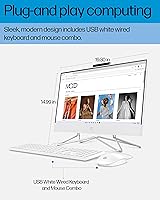
  • Dimensions: The physical measurements for this model are 19.3 x 8.05 x 14.99 inches.
  • Weight: The entire All-in-One unit weighs approximately 15.52 lbs.
  • Finish: The chassis and stand feature a uniform white aesthetic designed to blend with home interiors.

Related Reviews
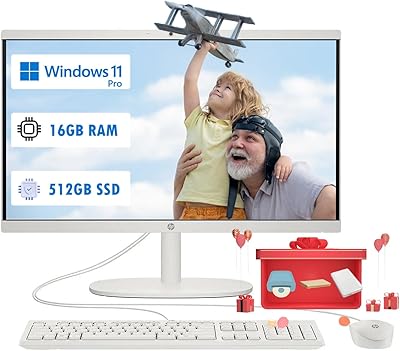
HP 22 All-in-One PC (21.5-inch, 16GB RAM, 512GB SSD)
82%
86%
Multitasking Efficiency
82%
Display Quality
91%
System Boot Speed
88%
Value for Money
54%
Raw Processing Power
More
HP 22-DG0024 All-in-One Desktop Computer, 21.5-inch FHD, Intel Celeron J4025, 32GB RAM, 1TB SSD
86%
88%
Performance for Everyday Use
85%
Build Quality and Design
80%
Display Quality
91%
Multitasking and RAM Performance
93%
Storage Speed and Capacity
More
HP 21.5″ All-in-One Desktop 16GB RAM 1TB SSD
85%
78%
Performance
85%
Display Quality
82%
Build & Design
88%
Connectivity Options
90%
Ease of Setup
More
HP 21.5″ All-in-One Desktop (64GB RAM, 2.5TB Storage)
87%
92%
Multitasking Efficiency
96%
Storage Capacity
94%
Software Value
89%
Space Efficiency
83%
Display Quality
More
HP 22-df0224 All-in-One 21.5″
78%
88%
Value for Money
83%
Display Quality
94%
Setup Experience
47%
Processing Power
89%
Boot Speed
More
HP 22″ All-in-One Desktop (N100, 8GB DDR5, 128GB)
71%
78%
Value for Money
83%
Display Quality
67%
Performance / Everyday Speed
44%
Storage Capacity
91%
Setup & Ease of Use
More
HP 27-inch All-in-One Desktop PC, Ryzen 5 7520U, 8GB RAM, 512GB SSD
83%
88%
Display Quality
85%
Performance for Daily Use
90%
Build Quality
93%
Ease of Setup
87%
Value for Money
More
HP 21.5-Inch All-in-One Computer, AMD A4-9125, 4GB RAM, 1TB Hard Drive
81%
91%
Value for Money
86%
Display Quality
88%
Ease of Setup
84%
Build Quality
78%
Performance for Basic Tasks
More
HP 22uh 21.5″ Monitor
84%
88%
Display Clarity
85%
Color Accuracy
79%
Build Quality
92%
Ease of Setup
87%
Connectivity Options
More
Wacom Cintiq 22 Drawing Tablet 21.5-inch
84%
94%
Drawing Precision
90%
Display Quality
85%
Ergonomics/Comfort
72%
Ease of Setup
91%
Build Quality
More

FAQ

No, the screen on this specific model is a standard Full HD display and does not support touch input.

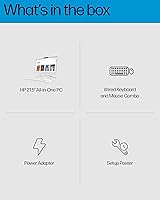
Yes, HP typically includes a matching white wired keyboard and mouse in the box so you can start using the HP All-in-One 22-dd0032 21.5″ Desktop immediately.

Absolutely. This compact workstation has a built-in 720p webcam and microphones, which are perfect for clear video conferencing.

The camera on the 22-inch desktop has a clever pop-up design. You can physically push it down into the frame when you aren't using it so you know for sure it isn't recording.

It can handle very basic titles or web-based games, but it isn't a gaming PC. High-end titles with complex graphics will likely struggle or not run at all.

While the 8GB it comes with is usually enough for daily tasks, All-in-One designs can be tricky to open. We recommend checking with a professional technician before attempting any internal hardware upgrades.

This model does not include an internal optical drive. If you need to use discs, you'll want to pick up an inexpensive external USB DVD drive.

Yes, it's very straightforward. You basically just plug in the power cord and the peripherals, then follow the on-screen prompts to get this HP All-in-One connected to your Wi-Fi.

Not at all. Since the computer is built right into the screen, it has a very slim profile that fits easily onto small dorm desks or kitchen counters.

You can usually connect a second screen using the HDMI port on the back of the unit, which is great if you need more digital workspace for multitasking.