Pisichen HD-215TS 21.5-inch Touchscreen Monitor




Overview
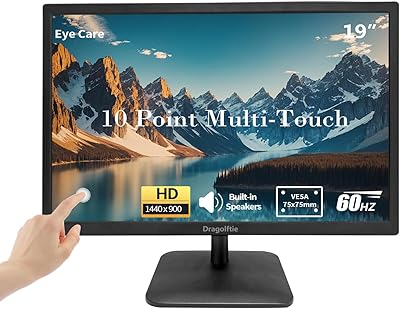
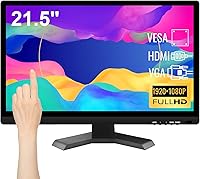
The Pisichen HD-215TS 21.5-inch Touchscreen Monitor comes from Shenzhen Konowa Electronics, a Chinese manufacturer that won't ring many bells for most shoppers — and that's worth acknowledging upfront. It targets home office workers, students, and casual gamers who want touch capability without a significant spend. The panel is TN, running at 1080p and 60Hz with 250 cd/㎡ brightness — nothing extraordinary, but functional for everyday tasks. Connectivity covers HDMI, VGA, and USB, and setup is genuinely plug-and-play with no driver installation required. It's also VESA 100×100mm compatible for wall or arm mounting, though the stand provides no height or tilt adjustment whatsoever.
Features & Benefits
The 10-point capacitive touch is where this budget touch monitor earns its keep — fingers and styluses are both recognized simultaneously, making light annotation and navigation feel natural rather than clunky. Text is crisp at 1080p, though the TN panel does show its limits: color accuracy drops noticeably when you shift your viewing angle, so photo editing is not this display's strong suit. Low blue light and anti-flicker modes help reduce fatigue during longer sessions. The dual 1.5W built-in speakers are adequate for a video call or background audio, but don't expect rich, full sound. At under an inch thick and just seven pounds, repositioning it on a desk is genuinely effortless.
Best For
This touchscreen monitor fits best where touch interaction and value matter more than color precision. Remote workers extending their desktop, students annotating lecture notes, and small businesses setting up a basic point-of-sale kiosk will find it handles those duties reliably. The combination of HDMI and VGA inputs is a genuine practical advantage — older hardware without HDMI connects without any adapters. Casual gamers wanting a secondary screen for a Switch or PS4 will also find it serviceable. VESA compatibility makes it practical for classrooms or reception desks. If adjustable ergonomics or IPS-quality color are priorities, look elsewhere — but for flexible secondary display use, it holds its own.
User Feedback
Buyers who have used the Pisichen 21.5-inch display tend to praise how straightforward the initial setup is — plug in the USB cable for touch, connect via HDMI, and it simply works. Touch response earns mostly positive remarks for everyday navigation, though some users report a slight lag during fast or complex gestures. Stand rigidity and the complete absence of tilt or height adjustment come up repeatedly as genuine frustrations, particularly for anyone needing a specific viewing angle. Speaker quality gets described generously as functional — adequate for system notifications, less satisfying for anything you actually want to listen to. Occasional build quality concerns appear, though most buyers seem reasonably content given the price tier.
Pros
- Plug-and-play setup works out of the box — no driver installation needed, which saves real time.
- 10-point capacitive touch responds well to both finger and stylus input for everyday navigation tasks.
- Having both HDMI and VGA ports means you can connect older and newer hardware without buying adapters.
- Full HD 1080p resolution keeps text and images sharp enough for office work, web browsing, and video.
- At seven pounds and under an inch thick, this budget touch monitor is easy to reposition or wall-mount.
- VESA 100×100mm support opens up arm and wall mounting options that add real workspace flexibility.
- Low blue light and anti-flicker modes provide a meaningful reduction in eye fatigue during longer sessions.
- Flexible display modes — extend, duplicate, second screen — work reliably with standard Windows setups.
- For kiosk or POS use, the simple touch interface and no-fuss connectivity are genuinely well-suited.
Cons
- The TN panel shows visible color shift and contrast drop when viewed from even moderate off-axis angles.
- No tilt or height adjustment on the stand is a frustrating limitation many buyers only discover after setup.
- Built-in speakers top out at 1.5W each — functional for system sounds, but not for real audio listening.
- Touch responsiveness can feel slightly laggy during fast or complex multi-finger gestures.
- The glossy screen surface picks up reflections in brighter rooms, which can strain your eyes over time.
- Brand and manufacturer support are relatively unknown quantities, making long-term reliability harder to assess.
- Touch functionality is confirmed only on Windows 7 and above — macOS and Linux compatibility is not guaranteed.
- Contrast ratio of 800:1 is average at best, resulting in blacks that look more grey than deep in dim environments.
- The power adapter is a proprietary DC connection rather than a more universally replaceable standard.
Ratings
The scores below for the Pisichen HD-215TS 21.5-inch Touchscreen Monitor were generated by AI after analyzing verified buyer reviews from multiple global markets, with spam, bot activity, and incentivized feedback actively filtered out. Both the genuine strengths and recurring frustrations are reflected without sugar-coating, giving you an honest picture of what real owners actually experience day to day.
Touch Responsiveness
Display Clarity
Viewing Angle
Setup & Plug-and-Play
Build Quality
Ergonomics & Adjustability
Speaker Quality
Connectivity Options
Brightness & Glare
Value for Money
Compatibility
Size & Footprint
Eye Comfort
Suitable for:
The Pisichen HD-215TS 21.5-inch Touchscreen Monitor is a practical pick for anyone who wants touch functionality without committing serious money to it. Remote workers who need a secondary display for multitasking, students who want to annotate notes or slides with a stylus, and small business owners setting up a basic kiosk or point-of-sale station will all find it fits those roles well. The plug-and-play setup — no drivers, just cable connections — makes it accessible even for less tech-savvy users. The inclusion of both HDMI and VGA inputs is a quiet but real advantage for offices or classrooms still running older hardware. Casual gamers who want a dedicated secondary screen for a Switch or PS4 without a large outlay will also get reasonable value here, and the VESA 100×100mm compatibility gives wall-mounting flexibility that most monitors at this price tier simply skip.
Not suitable for:
Buyers expecting IPS-grade color accuracy or wide-angle viewing should look elsewhere, because the Pisichen HD-215TS 21.5-inch Touchscreen Monitor uses a TN panel, and that comes with real trade-offs in color fidelity and noticeable shift when viewing from the side. Graphic designers, photographers, or anyone doing color-critical work will find it falls short of what they need. The stand offers zero height or tilt adjustment, which becomes a genuine ergonomic problem if your desk setup requires any flexibility in screen positioning. The built-in 1.5W speakers are barely adequate for notification sounds and light background audio — they are not a substitute for even a modest external speaker. Users hoping for a smooth experience on macOS or Linux should also be cautious, as the touch functionality is confirmed only for Windows 7 and above, and compatibility outside that ecosystem is uncertain.
Specifications
- Screen Size: The display measures 21.5 inches diagonally, offering a practical working area for productivity, secondary display use, or kiosk applications.
- Resolution: Native resolution is 1920×1080 (Full HD), providing sharp, clear text and images suitable for everyday office and media tasks.
- Panel Type: Uses a TN (Twisted Nematic) panel, which delivers fast response times but has known limitations in color accuracy and off-axis viewing compared to IPS panels.
- Brightness: Rated at 250 cd/㎡, which is adequate for standard indoor lighting conditions but may appear washed out in very bright or sunlit rooms.
- Contrast Ratio: Contrast is rated at 800:1, a typical figure for TN panels that results in blacks appearing more grey than deep in low-light environments.
- Refresh Rate: Runs at 60Hz, which is sufficient for office work, web browsing, and casual gaming but not suited for competitive or fast-paced gaming scenarios.
- Response Time: Panel response time is 5ms, acceptable for general use and light gaming without significant motion blur in typical day-to-day tasks.
- Viewing Angle: Manufacturer-stated viewing angle is 170°, though real-world color and contrast shift noticeably at angles beyond roughly 45° due to the TN panel technology.
- Touch Input: Supports 10-point capacitive multi-touch, compatible with both bare fingers and capacitive styluses simultaneously without requiring special drivers.
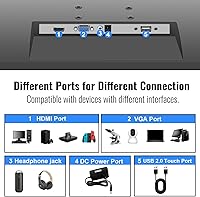
- Connectivity: Includes one HDMI port, one VGA port, one USB 2.0 port (required for touch functionality), and one DC power input port.
- Built-in Audio: Equipped with two 1.5W integrated speakers, suitable for low-level system audio, video calls, and background listening but not for high-quality audio playback.
- VESA Mounting: Features a 100×100mm VESA mounting pattern on the rear, compatible with standard monitor arms and wall-mount brackets.
- Power Supply: Powered via a DC 12V 3A external adapter included in the box; the monitor does not support USB-C power delivery.
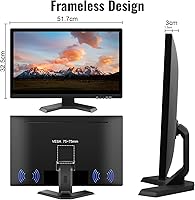
- Dimensions: Physical dimensions are 0.78 × 20.4 × 14.9 inches (depth × width × height), making it a slim and lightweight panel for its screen size.
- Weight: The monitor weighs 7 pounds, light enough to reposition on a desk or mount on a wall without assistance.
- Screen Surface: The display uses a glossy screen surface, which enhances color vibrancy but can produce distracting reflections in brightly lit environments.
- Ergonomic Adjust: The included stand provides no height, tilt, or swivel adjustment; repositioning requires either a VESA-compatible arm or manual propping.
- OS Compatibility: Touch functionality is officially supported on Windows 7 and above; compatibility with macOS or Linux has not been confirmed by the manufacturer.
Related Reviews
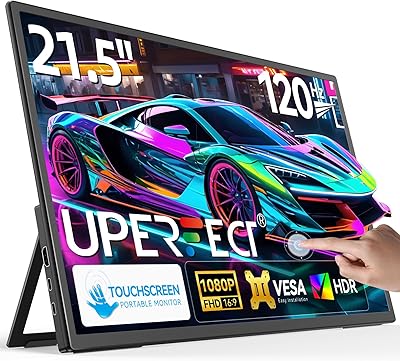
UPERFECT 21.5-inch 120Hz Touchscreen Portable Monitor
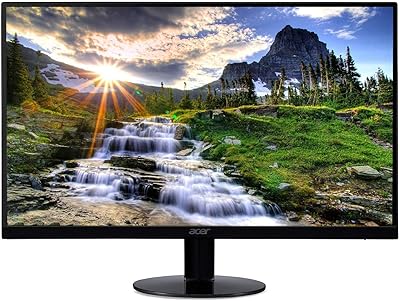
Acer SB220Q 21.5-inch IPS Monitor
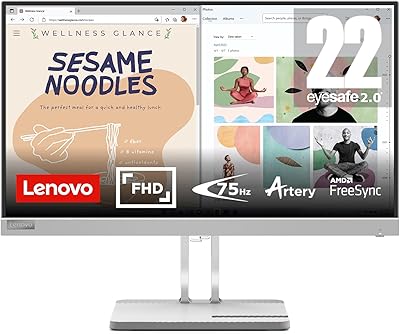
Lenovo L22e-40 21.5-inch Monitor
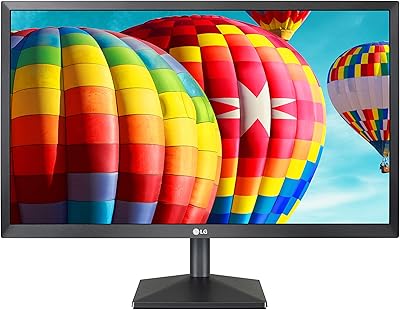
LG 22MK430H 22-inch FHD IPS Monitor
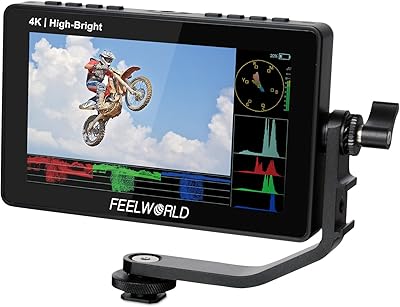
Feelworld F5 ProX 5.5″ Field Monitor
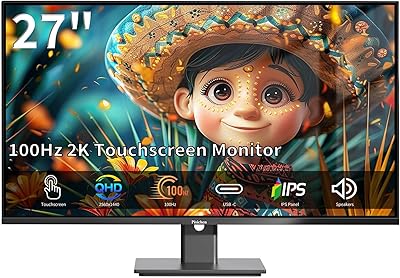
Pisichen 27-Inch 2K QHD Touchscreen Monitor
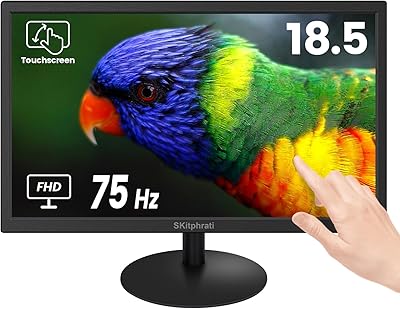
SKitphrati 18.5-Inch HD Touchscreen Monitor
ASUS VP229Q 21.5-inch IPS Monitor
ASUS VP228HE 21.5-inch Gaming Monitor