Overview

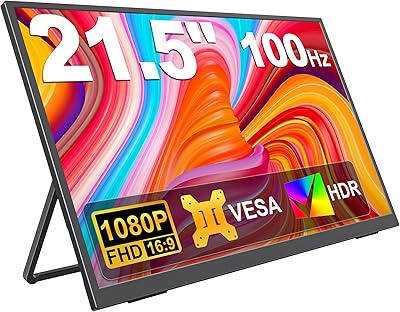
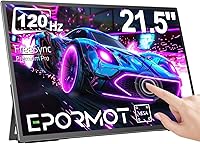
The EPORMOT 21.5-inch Portable Touchscreen Monitor occupies an interesting spot in the portable display market — big enough to function like a real workstation monitor, yet built to travel with you. That size is genuinely useful, but honest buyers should know: at nearly 20 inches wide and 2.69 pounds, this isn't something you slip into a standard laptop sleeve. EPORMOT focuses specifically on this niche of larger portable displays, and at its mid-range price point, buyers reasonably expect solid build quality, dependable connectivity, and a screen that holds up in real working conditions. If a compact 15-inch travel panel is what you need, this isn't your match.
Features & Benefits

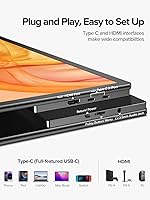
What makes this large portable monitor worth considering is the combination of a 120Hz refresh rate and a 10-point capacitive touchscreen on a screen this size. Scrolling through spreadsheets or annotating documents feels genuinely responsive — not sluggish like you might expect from a budget touch panel. The Full HD 1920×1080 resolution looks crisp for everyday tasks, though the glossy panel picks up glare in bright rooms, so a shaded workspace is where it works best. Connectivity is a strong suit: two USB-C 3.1 ports handle video and power, Mini HDMI covers older devices, and a 3.5mm jack keeps things quiet in shared spaces. The built-in kickstand adjusts fully, VESA compatibility lets it mount to a monitor arm, and a 3-year replacement warranty backs the whole package.

Best For

This travel-friendly second screen is genuinely well-suited to remote workers who regularly set up in hotel rooms, co-working spaces, or client offices — anywhere a traditional monitor isn't practical but a tiny 13-inch screen feels limiting. Designers and note-takers who prefer working directly on the display will appreciate the responsive touch layer on a canvas this spacious. It also makes a reasonable choice for casual gamers looking for a larger 120Hz display they can use with a console or mini PC without committing to a full desktop setup. That said, if you move frequently and prioritize low weight above everything else, the size and weight may give you pause.

User Feedback

Owners of the EPORMOT display tend to praise image clarity and the sheer screen size most — getting a full 21.5-inch picture in a portable form factor genuinely surprises people. The touch response and smooth scrolling at 120Hz earn consistent approval for productivity use. On the flip side, the weight and physical footprint come up regularly: at 2.69 pounds and nearly 20 inches wide, some buyers find it borders on too big to call truly portable. A few users have flagged that the kickstand needs to be used carefully on uneven surfaces, which aligns with the product's own safety guidance. Built-in speakers work for basic audio but won't replace proper headphones in noisy settings.

Pros

  • A 21.5-inch screen in a portable form factor delivers real desktop-level workspace on the road.
  • The 120Hz refresh rate makes everyday scrolling and touch interactions feel noticeably fluid.
  • 10-point capacitive touch response is accurate and consistent for annotation and navigation tasks.
  • Dual USB-C 3.1 ports plus Mini HDMI cover an unusually wide range of devices and setups.
  • The adjustable kickstand works from nearly flat to fully upright, adapting to desks, laps, and cramped hotel tables.
  • VESA compatibility lets you mount this large portable monitor on a monitor arm for a proper desk configuration.
  • Built-in speakers mean you can get audio without hunting for cables or accessories in a pinch.
  • A 3-year direct replacement warranty is meaningfully longer and simpler than what most competing portable monitors offer.
  • Full HD 1920×1080 resolution looks sharp and well-defined for documents, video calls, and media.
  • Broad device compatibility — phones, laptops, PCs, and gaming consoles — adds genuine flexibility.

Cons

  • At 2.69 pounds and nearly 20 inches wide, this is a stretch to call truly portable for daily commuters.
  • The glossy panel creates significant glare under bright lighting or near windows, limiting where you can comfortably work.
  • No included carry case or sleeve means you need to source your own protection for travel.
  • The kickstand requires a stable, flat surface — uneven desks or soft surfaces increase tipping risk at this screen size.
  • Built-in speaker quality is basic at best and won't satisfy anyone expecting clear or full-bodied audio.
  • At 350 nits brightness, outdoor use is largely impractical even in moderate sunlight.
  • Mini HDMI rather than full-size HDMI means most users will need an adapter they may not already own.
  • The size trade-off cuts both ways — too large for ultraportable use, not large enough to fully replace a desktop monitor for some workflows.

Ratings

The scores below for the EPORMOT 21.5-inch Portable Touchscreen Monitor were generated by our AI engine after analyzing verified global buyer reviews, actively filtering out incentivized, repeated, and bot-flagged submissions to surface what real users actually experience. Each category reflects the full spectrum of feedback — not just the highlights — so the strengths and genuine pain points are weighted honestly. Whether this display fits your workflow or falls short depends heavily on how you plan to use it, and these scores are designed to help you figure that out before you buy.

Screen Size & Workspace
88%
Users who made the switch from a 15-inch portable panel to this display consistently describe the difference as dramatic — having a full 21.5-inch canvas for side-by-side documents, spreadsheets, or design work makes remote setups feel far less compromised. For hotel room desks and co-working spaces, the extra real estate is widely praised.
A handful of buyers note that the size creates its own problem: the monitor doesn't fit neatly alongside a laptop in most bags, requiring a separate sleeve or carrying case. For anyone who moves frequently throughout the day, the footprint is simply too large to be genuinely convenient.
Image Clarity
83%
At Full HD 1920×1080 on a 21.5-inch panel, the pixel density is solid enough that text looks sharp and images render cleanly during video calls, document editing, and media playback. Multiple users specifically note that the display holds up well for color-sensitive design tasks at this price tier.
Some reviewers with experience on higher-resolution displays find the pixel density average rather than impressive, particularly when viewing fine text or detailed graphics up close. The gap becomes more apparent if you've been using a QHD or Retina screen as your primary display.
Touch Responsiveness
81%
19%
The 10-point capacitive touch layer receives consistent praise for accuracy during note-taking and on-screen annotation. Users running Windows 10 and 11 find the touch input recognized instantly without additional driver installation, which makes the initial setup experience noticeably smooth for a touch-enabled external display.
A portion of users report occasional lag or missed inputs during fast multi-finger gestures, particularly when the monitor is connected via Mini HDMI rather than USB-C. Touch functionality is also completely unavailable on macOS, which catches some buyers off guard despite being an Apple-side limitation.
Refresh Rate Experience
78%
22%
At 120Hz, everyday tasks like scrolling through long documents, switching between browser tabs, and navigating menus feel measurably more fluid compared to the 60Hz portable monitors this display competes against. Casual gamers using it with a laptop or mini PC appreciate the reduced judder during gameplay.
The 120Hz advantage is most visible during fast-moving content, and buyers using this primarily for static productivity work may find the upgrade less impactful than expected. Those coming from dedicated gaming monitors also note that without published response time specs, fast-action gaming still shows some trailing on moving objects.
Brightness & Glare
61%
39%
Indoors under normal office or hotel room lighting, 350 nits delivers a comfortable viewing experience with accurate-looking colors and enough brightness for most everyday tasks. Users who primarily work in dim or controlled lighting environments rarely raise brightness as a concern.
The glossy panel is a recurring complaint for anyone working near windows or in brightly lit offices — reflections are noticeable and can be genuinely distracting. Outdoor use in even moderate sunlight is largely impractical, and several buyers specifically wish the panel were matte-finished for more flexibility.
Connectivity
76%
24%
Having two full-featured USB-C 3.1 ports means users can power the monitor from one port while passing signal through from a second device, which is genuinely useful in multi-device setups. The addition of Mini HDMI allows connection to older laptops and gaming consoles that lack USB-C output.
Mini HDMI rather than standard HDMI requires an adapter most users don't already have, which is an avoidable inconvenience at this price point. A few buyers also report inconsistent USB-C power delivery behavior depending on the laptop and cable combination used, requiring some trial and error to achieve a stable single-cable setup.
Kickstand & Setup Flexibility
74%
26%
The 0-to-180-degree adjustable kickstand is appreciated for covering an unusually wide range of angles — from nearly flat for drawing tablet-style use to nearly vertical for eye-level viewing. Combined with VESA compatibility, the monitor genuinely adapts to both travel and desk environments without additional accessories.
At 21.5 inches, the kickstand is under more stress than it would be on a smaller display, and the manufacturer's own documentation warns against sharp downward tilts on uneven surfaces. A subset of users report the stand feels slightly less solid than expected for a screen this large, particularly when nudged accidentally.
Portability
58%
42%
The slim 0.55-inch depth keeps the monitor from feeling bulky when stored flat, and the 2.69-pound weight is manageable for short carries between a car and a meeting room or hotel. For users who primarily relocate between two fixed locations, the size and weight are workable.
Compared to 15-inch or 16-inch portable monitors, this display is considerably heavier and wider, and it will not fit in a standard laptop backpack without a dedicated compartment. Users who expected something close to the portability of smaller travel monitors frequently express disappointment once the product arrives.
Build Quality
79%
21%
The chassis feels solid and appropriately rigid for a display in this category, with minimal flex when pressing on the screen during touch input. Most buyers report that the unit arrives well-protected and shows no signs of assembly gaps or loose ports out of the box.
The glossy plastic bezel around the screen attracts fingerprints and scratches with regular handling, which is a minor but consistent irritation mentioned by frequent travelers. A few buyers also note the kickstand hinge feels adequate rather than premium, raising some questions about long-term durability under daily travel conditions.
Built-in Speakers
53%
47%
For basic use — following a video call, listening to a presentation, or watching background content in a quiet hotel room — the built-in speakers deliver clear enough voice reproduction to be functional. Having any audio output at all is appreciated by users who forgot their headphones or Bluetooth speaker.
Volume and bass are both limited, and the speakers sound thin during music or movie playback. In any environment with ambient noise — a cafe, open-plan office, or airplane — the speakers simply cannot compete, and the 3.5mm headphone jack becomes the only practical audio option.
Device Compatibility
77%
23%
The range of supported devices is genuinely wide — Android phones with DisplayPort support, Windows laptops, gaming consoles via Mini HDMI, and desktop PCs all connect without significant issues. Users who frequently switch between a work laptop and a personal device appreciate not needing to reconfigure inputs.
iPhone connectivity requires specific adapter combinations and works inconsistently depending on iOS version and cable quality. A small number of Android phone users also report that display output works intermittently, suggesting compatibility is not universal across all mobile devices despite broad general support.
Warranty & Support
86%
EPORMOT's three-year direct replacement policy stands out noticeably in a product category where one-year warranties and repair-based processes are the norm. Buyers who have had to contact support report reasonably prompt responses and straightforward replacement procedures for legitimate defects.
As a smaller brand, EPORMOT's support infrastructure is less established than major monitor manufacturers, and response times can vary. Users outside the US occasionally note uncertainty about whether the warranty applies equally in their region, so verifying terms before purchase is advisable for international buyers.
Value for Money
72%
28%
The combination of a 21.5-inch touchscreen, 120Hz refresh rate, VESA support, and a three-year warranty at this price point is hard to match in the portable monitor segment. Buyers who prioritize screen size and feature breadth over absolute portability generally feel the purchase is fair value.
Users who compare it against compact portable monitors at similar or lower prices find the value proposition less compelling, since those alternatives offer much easier travel use. A few buyers also feel the glossy panel and speaker quality don't quite match what the price suggests, particularly given competitors offering matte options.

Suitable for:

The EPORMOT 21.5-inch Portable Touchscreen Monitor is a strong match for remote workers and frequent business travelers who need a genuine full-size second screen on the road but can't justify lugging a traditional desktop monitor. If you regularly set up shop in hotel rooms, client offices, or co-working spaces, having a 21.5-inch display with a flexible kickstand and broad USB-C compatibility makes a real difference in daily productivity. Designers, annotators, and note-takers who prefer working directly on-screen will find the 10-point touch layer notably useful at this size — there's simply more room to work with than a typical 15-inch travel panel allows. The dual-use design also appeals to people who want a proper VESA-mounted desk monitor during the week and a packable display on weekends, covering both needs without buying two separate screens. Casual gamers who want a bigger 120Hz display for console or mobile gaming without committing to a permanent desk setup will also find this a practical and reasonably capable option.

Not suitable for:

Buyers who prioritize true ultraportability above all else should think carefully before purchasing the EPORMOT 21.5-inch Portable Touchscreen Monitor, because at 2.69 pounds and nearly 20 inches wide, it doesn't fit the definition of a lightweight travel companion that most people associate with portable monitors. If you're planning to carry this in a standard laptop bag alongside a 15-inch notebook, you'll quickly find that space and weight become real issues. The glossy panel, while delivering punchy colors in controlled lighting, is a genuine drawback in sunlit environments or brightly lit open offices — if you work primarily outdoors or near windows, expect frustrating glare. This is also not the right pick for serious gamers; the 120Hz refresh rate is a welcome feature, but the display lacks the response time specifications and color performance that dedicated gaming monitors offer at similar price points. Finally, buyers hoping for a premium audio experience should know the built-in speakers serve as a basic convenience, not a substitute for even entry-level external audio.

Specifications

  • Screen Size: The display measures 21.5 inches diagonally, making it one of the larger options in the portable monitor category.
  • Resolution: Native resolution is 1920×1080 pixels (Full HD), delivering a clean and detailed image for productivity, media, and casual gaming.
  • Refresh Rate: The panel runs at 120Hz, which produces noticeably smoother motion during scrolling, video playback, and light gaming compared to standard 60Hz displays.
  • Touchscreen: A 10-point capacitive touch layer supports simultaneous multi-finger gestures, making it responsive for annotation, navigation, and creative tasks.
  • Brightness: Peak brightness is rated at 350 nits, which is adequate for indoor use but can struggle under direct sunlight or in very bright rooms.
  • Panel Surface: The screen uses a glossy finish, which enhances color vibrancy in controlled lighting but reflects ambient light more noticeably than matte alternatives.
  • Aspect Ratio: The display uses a standard 16:9 widescreen aspect ratio, compatible with virtually all video content and operating system layouts.
  • Connectivity: The monitor includes two full-featured USB-C 3.1 ports, one Mini HDMI port, and a 3.5mm headphone jack for flexible device and audio connections.
  • VESA Mount: A 4×4 mm VESA pattern on the rear panel allows the monitor to be mounted on compatible monitor arms and wall brackets.
  • Kickstand: The integrated kickstand adjusts continuously from 0 to 180 degrees, letting users set the viewing angle for desk, lap, or table use without accessories.
  • Weight: The unit weighs 2.69 pounds, which is manageable but on the heavier end for a travel-oriented portable display at this size.
  • Dimensions: Physical dimensions are 0.55 × 19.49 × 11.22 inches, giving the monitor a slim profile despite its large screen footprint.
  • Built-in Audio: Integrated speakers are included for basic audio playback, suitable for calls and background media without requiring external speakers.
  • USB Ports: The monitor includes a total of two USB ports, both USB-C 3.1, supporting both video signal input and power delivery.
  • Warranty: EPORMOT covers this monitor with a 3-year limited warranty that provides direct unit replacement for qualifying quality-related defects, with no repair process required.
  • Brand & Model: Manufactured by EPORMOT under model number 21502, this unit was first listed in mid-2024.

Related Reviews

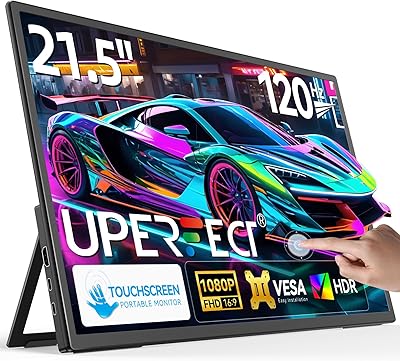
UPERFECT 21.5-inch 120Hz Touchscreen Portable Monitor
75%
88%
Screen Size Impact
84%
Refresh Rate Performance
71%
Touchscreen Responsiveness
46%
Portability & Weight
79%
Image & Color Quality
More
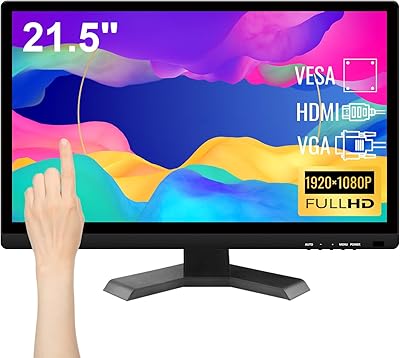
Pisichen HD-215TS 21.5-inch Touchscreen Monitor
69%
74%
Touch Responsiveness
79%
Display Clarity
51%
Viewing Angle
88%
Setup & Plug-and-Play
62%
Build Quality
More
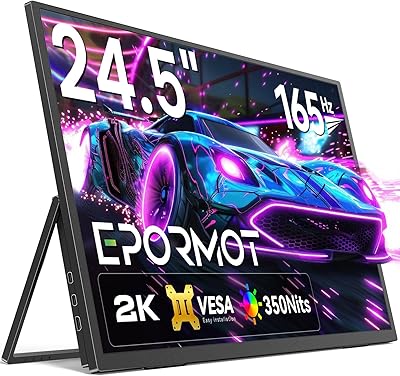
EPORMOT 24.5″ 165Hz 2K Portable Monitor
79%
88%
Image Quality
91%
Refresh Rate & Smoothness
62%
Portability
86%
Kickstand & Ergonomics
79%
Build Quality
More
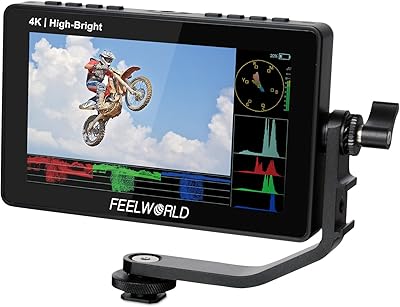
Feelworld F5 ProX 5.5″ Field Monitor
78%
91%
Screen Brightness
83%
Image Clarity & Resolution
86%
Monitoring Tools
67%
Touchscreen Responsiveness
58%
Build Quality & Durability
More
KEEPTIME 21.5″ Portable Monitor
85%
89%
Display Quality
91%
Portability & Design
88%
Gaming Performance
78%
Connectivity & Compatibility
84%
Setup & Installation
More
ASUS VP229Q 21.5-inch IPS Monitor
76%
83%
Image Quality
88%
Viewing Angles
86%
Eye Comfort & Fatigue Reduction
74%
Refresh Rate & Smoothness
87%
Connectivity & Port Variety
More
Upperizon U185C 18.5″ Portable Monitor
75%
91%
Screen Size & Impact
84%
Image Quality
82%
Refresh Rate & Motion
58%
USB-C Compatibility
79%
Included Magnetic Cover
More
CUIUIC 18.5″ Portable Monitor
74%
83%
Display Quality
88%
Screen Size & Real Estate
58%
Portability & Weight
61%
USB-C Connectivity
72%
Build Quality & Materials
More
Lrtzcbi 14-inch Portable Touchscreen Monitor

74%
88%
Value for Money
79%
Image Quality
72%
Touch Responsiveness
91%
Portability
58%
Kickstand Stability
More
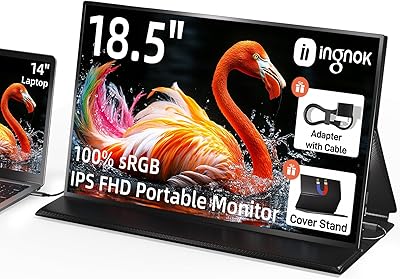
Ingnok 18.5-inch FHD Portable Monitor
72%
83%
Value for Money
91%
Setup & Ease of Use
78%
Display Quality
61%
Brightness
59%
Build Quality
More

FAQ

In most cases, yes — if your laptop supports USB-C video output with enough power delivery, a single cable can handle both signal and power. That said, results vary by laptop and cable quality, so it's worth having a dedicated USB-C power adapter handy as a backup, especially when the screen's brightness is turned up.

Touch functionality works natively on Windows 10 and Windows 11 without any additional drivers. On macOS, the display works fine as a standard external monitor, but touch input is not supported by Apple's operating system for external displays — that's an Apple limitation, not a hardware flaw.

It can be an inconvenience if you're expecting a full-size HDMI connection. Mini HDMI to HDMI adapters are inexpensive and widely available, but it is an extra item to carry. If you're connecting via USB-C, the HDMI port becomes less relevant for most users.

The kickstand holds up reasonably well on flat, stable surfaces, but the monitor's own documentation flags this concern — at 21.5 inches, a sharp downward tilt does put more stress on the stand than a smaller display would. Keep it on a solid desk, position it at or near eye level, and avoid pushing it into steep downward angles.

Yes, but with conditions. Android phones that support USB-C DisplayPort Alt Mode can connect directly via USB-C. For iPhone, you'd need a compatible USB-C to USB-C connection on newer models, or a Lightning adapter for older ones. Not every phone supports external display output, so it's worth checking your specific device's specs before purchasing.

The big trade-off is size versus true portability. Smaller 15-inch or 16-inch portable monitors are noticeably easier to slip into a laptop bag and weigh significantly less. This display gives you a much larger working area, which is great in a hotel room or co-working space, but it requires a dedicated bag or sleeve and takes up considerably more space. It's a better fit for people who set up in one place for a few hours rather than those constantly moving between locations throughout the day.

Yes, the rear of the display includes a standard VESA mounting pattern, so it's compatible with most monitor arms that support the 4×4 mm VESA specification. This is genuinely useful if you want to use it as a proper second monitor at a fixed workstation and then unplug it for travel when needed.

They're functional for calls in a quiet room — voices come through clearly enough to follow a conversation. Don't expect strong bass or volume for music or movie watching. In a louder environment like a coffee shop, they'll struggle, and a headphone connected to the 3.5mm jack is the better option in those situations.

EPORMOT's warranty covers quality-related defects for three years from purchase, and the stated policy is direct replacement rather than sending the unit off for repair. That's a more consumer-friendly approach than many portable monitor brands offer, though you should keep your proof of purchase accessible and verify the specific terms with EPORMOT's support team for your region.

Realistically, no — not in direct sunlight or bright outdoor conditions. At 350 nits with a glossy panel, glare becomes a real problem outside. In a shaded outdoor spot or a dim cafe it can work, but this display is best suited to indoor environments where you have some control over the lighting around it.