Overview

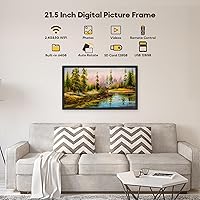
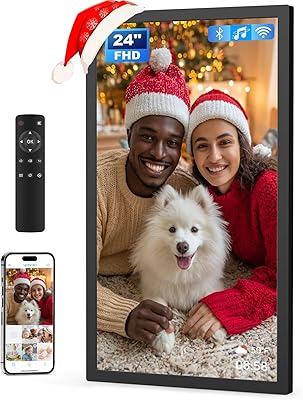
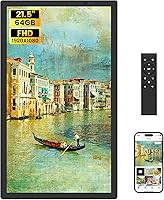
The WONNIE 215KZ 21.5-Inch Digital Picture Frame enters a crowded market with a meaningful size advantage — at 21.5 inches, it's noticeably larger than the 10- to 15-inch frames that dominate most households. The display is an IPS panel running at full 1920x1080 resolution, which means photos look sharp and colors stay accurate even when viewed from an angle. It operates under the combined Uhale/WONNIE brand, and the companion app shares the Uhale name, so don't be confused if you see both referenced. Launched in early 2024, it has collected nearly 1,000 ratings averaging 4.6 stars — a solid start for a relatively new entrant.
Features & Benefits

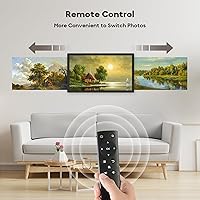
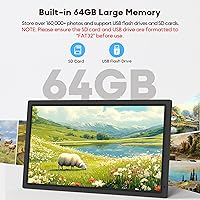
The built-in 64GB storage is a real differentiator — you can load tens of thousands of photos without worrying about an SD card — though external drives work most reliably at 32GB, even though the 21.5-inch Uhale frame advertises USB/SD support up to 128GB. Keep that in mind before inserting a larger card. The Uhale app makes remote sharing remarkably practical: anyone with the app can push photos or short videos to the frame from anywhere, no cable required. Physical controls are not an afterthought, either — the included remote handles everyday navigation without requiring anyone to open their phone. Sleep scheduling and adjustable brightness round out a thoughtfully functional feature set.

Best For

This large WiFi photo frame is a natural fit for a few specific situations. It works best as a living room or kitchen centerpiece where family members — near or far — can keep a shared photo gallery cycling through the day. Grandparents and elderly users get particular value here: the remote and a simple app mean they rarely need help after the initial setup. Small business owners have found creative uses, too — restaurant menu boards, hotel lobbies, office break rooms cycling team photos. Just set expectations on size: at over 8 pounds and more than 20 inches wide, this is firmly a stay-in-place display, not something you'll move around.

User Feedback

With nearly 1,000 reviews and a 4.6-star average, buyer sentiment skews strongly positive, and the praise follows predictable patterns: crisp image quality, how easy the app is to set up, and the emotional payoff of gifting it to a parent or grandparent who immediately lights up. That gifting angle comes up repeatedly, and it's one of the more compelling real-world signals for this kind of frame. The critical feedback is worth noting, though. A handful of users report inconsistent app connectivity — specifically around keeping the frame reliably linked after network changes. The storage discrepancy between what's advertised and what actually works reliably also surfaces in lower-rated reviews. Neither issue appears universal, but both are consistent enough to factor into your decision.

Pros

  • At 21.5 inches with full 1080p IPS resolution, photos look genuinely impressive on a living room shelf or sideboard.
  • The Uhale app makes remote photo sharing fast and practical — no cables, no USB drives, no technical effort.
  • 64GB of built-in storage means most users will never need an external card at all.
  • The included remote control is a thoughtful addition, especially valued by elderly users managing the frame independently.
  • Dual-band WiFi keeps the connection stable on both 2.4GHz and 5GHz home networks.
  • Sleep scheduling lets you automate display hours so the screen isn't burning unnecessarily overnight.
  • Desktop stand and wall-mount compatibility provide real flexibility across different room setups.
  • Unlimited USB and SD video playback makes this large WiFi photo frame genuinely versatile beyond still photos.
  • A 4.6-star average across nearly 1,000 reviews is a strong confidence signal for a product launched in 2024.
  • The one-year replacement policy and stated 24-hour support response add meaningful post-purchase reassurance.

Cons

  • External storage reliability caps at 32GB despite the listing advertising USB and SD support up to 128GB.
  • App-connected sharing requires an account and stable WiFi — network changes can trigger frustrating re-linking issues.
  • Video uploads via the app are hard-capped at 120 seconds, which is limiting for longer family recordings.
  • At over 8 pounds, the WONNIE 215KZ 21.5-Inch Digital Picture Frame is not practical to move or reposition once placed.

  • No touch screen means all on-frame navigation runs through the remote, which can feel restrictive for hands-on users.
  • RAW image formats are unsupported, so anyone who shoots RAW must convert files before transferring them.
  • The Uhale and WONNIE brand overlap is never explained on the listing, which creates unnecessary confusion at setup.
  • The large physical footprint demands a sturdy surface or properly anchored wall mount — a small nightstand won't cut it.
  • The gap between the advertised and practically reliable storage capacity is a known friction point that surfaces repeatedly in lower-rated reviews.

Ratings

Our AI scoring for the WONNIE 215KZ 21.5-Inch Digital Picture Frame was built by processing hundreds of verified global buyer reviews, with bot submissions, incentivized ratings, and spam accounts systematically filtered before any score was calculated. Each category reflects the honest spread of real-world experiences — including the friction points that lower-rated reviewers kept returning to. The result is a grounded breakdown designed to help you weigh what actually matters for your specific situation, not just what the marketing copy highlights.

Display Quality
91%
The IPS panel at 1920x1080 draws consistent praise for how photographs actually look in a real home environment — colors stay accurate and portraits look sharp even from across the room. The 178-degree viewing angle is a practical advantage when the frame sits on a shelf in a busy kitchen or open-plan living area.
A handful of buyers reported subtle backlight unevenness at maximum brightness, particularly visible in darker scenes or when the frame displays solid-color backgrounds. It is a minor issue for a product at this price tier, but the panel does not quite match the uniformity of premium commercial displays.
Screen Size & Presence
93%
At 21.5 inches, this frame creates a genuinely commanding presence in a room — reviewers who upgraded from smaller 10 to 15-inch models consistently describe it as a step up that changes how prominently memories are displayed in daily life. It earns its footprint in a living room or dining area without looking out of place.
The sheer size is a double-edged characteristic. At 8.58 pounds and over 20 inches wide, it demands a sturdy shelf or a properly anchored wall mount — a couple of buyers noted it felt heavier than expected out of the box, and it is completely impractical as a portable or bedroom-side frame.
WiFi & App Performance
72%
28%
When the Uhale app works smoothly, the remote sharing experience genuinely impresses users — pushing a batch of photos from a smartphone to the frame in another city takes seconds and requires no technical effort from whoever receives them. Dual-band support means it works with modern 5GHz networks rather than relying solely on congested 2.4GHz bands.
App connectivity is the most frequently cited frustration in critical reviews. Some users report the frame loses its WiFi pairing after router changes or firmware updates and requires full re-setup, which becomes a real problem when the frame was gifted to someone who lives far away and lacks technical confidence.
Ease of Initial Setup
83%
Most buyers describe the initial setup as manageable within 10 to 15 minutes, and the on-screen instructions are clear enough that less tech-savvy users can get through it without outside help. Creating a Uhale account and pairing the frame to WiFi follows a logical sequence that mirrors familiar smart device setup flows.
The requirement to create a Uhale account before WiFi sharing works is a sticking point for buyers who expected a more plug-and-play experience. A few reviewers also noted that permission prompts on iOS or Android are easy to dismiss accidentally, causing confusion when photo sharing fails silently afterward.
Storage & File Compatibility
63%
37%
The 64GB of internal storage is generous and practically eliminates the need for external media in most home scenarios — loading a lifetime of family photos onto the internal memory and never touching an SD card is a fully realistic option. The supported image formats cover nearly everything people shoot on a modern smartphone.
The gap between advertised external storage support and actual reliable performance is the most misleading aspect of the product. The listing references USB and SD support up to 128GB, but the manufacturer recommends 32GB for consistent results — and buyers who inserted larger drives report unreliable behavior that required reformatting or replacing the drive entirely.
Remote Control Usability
86%
The included infrared remote is one of the more thoughtful inclusions in this category, and reviewers who purchased the frame for elderly parents specifically call it out as the reason the gift worked so well long-term. Adjusting brightness, changing slideshow settings, or skipping photos requires no app interaction whatsoever.
The remote does not work reliably at sharp angles or long distances in larger rooms where the frame may be wall-mounted at one end. A couple of reviewers noted the remote has no backlight, making it harder to use in dim conditions — a small but consistent quality-of-life gap for evening use.
Build Quality & Design
78%
22%
The frame has a clean, minimal aesthetic that blends into home interiors without drawing attention to itself as a tech device. The slim 0.99-inch depth keeps it looking contemporary rather than bulky on a wall, and reviewers describe the overall construction as solid enough for permanent fixed placement.
Some buyers feel the plastic housing does not fully justify the mid-to-premium price point when compared to frames with metal or wood-effect bezels in the same category. The included desktop stand feels functional rather than premium, and a few users noted it wobbles slightly on surfaces that are not perfectly level.
Mounting Versatility
81%
19%
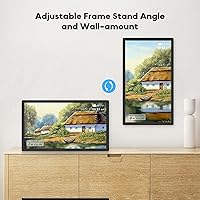
Having both a desktop stand and wall-mount compatibility in a single product gives buyers real flexibility — reviewers in smaller apartments appreciate being able to choose based on available space, and the adjustable stand angle is useful for aligning the display to seated eye level at a dining table or kitchen counter.
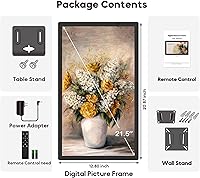
The wall-mount bracket is not included in the box, which means buyers who want a wall installation need to purchase hardware separately and account for the 8.58-pound weight when selecting appropriate anchors. This is a straightforward step for experienced DIYers but an unexpected extra cost for buyers who assumed wall hardware was bundled.
Video Playback
67%
33%
For USB and SD card playback, video performance is solid — MP4 files of family events and vacation recordings display at full resolution with no duration restrictions, and the frame handles them without the lag or stuttering that cheaper alternatives sometimes produce. This makes it a practical choice for households wanting more than a static slideshow.
The 120-second cap on app-uploaded videos catches many buyers off guard after purchase. Anyone wanting to share a full birthday recording or a longer family video through the app will hit that ceiling almost immediately, and the only practical workaround is loading footage directly via a physical USB drive or SD card.
Gifting Experience
94%
The gifting scenario generates some of the most enthusiastic and emotionally resonant feedback for this large WiFi photo frame. Reviewers repeatedly describe the moment an elderly parent or grandparent received it — pre-loaded with family photos — as producing genuine reactions that far exceeded expectations for a tech gift, with the 21.5-inch size amplifying the impact noticeably.
The gifting experience works best when someone technically capable handles the initial setup on behalf of the recipient. Buyers who shipped the frame directly to an elderly relative without pre-configuring it report a considerably less smooth experience, since the WiFi setup and account creation steps require more patience than most first-time users have on their own.
Value for Money
74%
26%
The combination of a 21.5-inch IPS screen, 64GB built-in storage, dual-band WiFi, and companion app at this price tier is genuinely competitive. Buyers who compare it against other large-format frames in the same range tend to rate the hardware side of the value proposition favorably, especially given the screen size advantage.
The storage contradiction and app connectivity issues make the value argument harder to defend at full price. A buyer who encounters the 32GB USB limitation or needs to troubleshoot app re-pairing will justifiably feel those are problems that should not exist on a product at this price point, and the one-year warranty does not fully offset that concern.
After-Sales Support
77%
23%
The stated 24-hour response commitment from the WONNIE support team earns positive mentions from buyers who reached out for connectivity troubleshooting help. The one-year replacement policy is also a reassuring backstop for a product where hardware failures can occur without obvious physical causes.
Support quality appears inconsistent based on reviewer accounts — responses are not always technically detailed, and some buyers report receiving generic troubleshooting steps rather than targeted solutions. International buyers occasionally note language and timezone friction that makes the 24-hour response promise feel aspirational rather than reliably delivered.
Sleep & Scheduling
84%
The ability to program the frame to turn on and off automatically at set times is a practical feature that buyers with consistent routines genuinely appreciate. Several reviewers describe setting it to wake with the household each morning and switch off at bedtime, which reduces unnecessary screen hours without requiring any daily manual input.
The scheduling settings require navigating through a menu system that some users find non-intuitive on first use, particularly without a clear printed quick-start guide. A small number of reviewers report that scheduled wake times occasionally drift after power outages, requiring a manual reset of both the clock and the programmed schedule.
External Storage Reliability
58%
42%
When used within the manufacturer-recommended 32GB ceiling and correctly formatted to FAT32, USB drives and SD cards function reliably for both photo slideshows and unlimited-length video playback. Buyers who respect the practical limit and use mainstream storage brands consistently report no issues with file loading or playback stability.
Reliability problems with larger drives are documented frequently enough in buyer feedback to represent a genuine purchasing risk. Users who inserted 64GB or 128GB drives — fully within what the product listing implies is supported — reported anything from partial file recognition to complete non-detection, requiring reformatting or swapping to a smaller capacity device.

Suitable for:

The WONNIE 215KZ 21.5-Inch Digital Picture Frame is purpose-built for households where display presence matters more than portability. Families spread across different cities will find the app-based sharing especially practical — a daughter in another state can push a batch of birthday photos to her parents' living room without anyone fiddling with cables or memory cards. It's also a strong pick for anyone buying a gift for elderly relatives who might struggle with smaller screens or complicated interfaces; the included remote means they rarely need to touch a smartphone after the initial setup. Light commercial buyers — a restaurant wanting a rotating menu board, a small office cycling through team photos — will appreciate the screen size and flexible wall-mount option without paying commercial-display prices. Anyone upgrading from a compact 10-inch frame will notice a genuine difference in how commanding the 21.5-inch Uhale frame feels on a shelf or sideboard.
Not suitable for:

Buyers who need reliable support for large external drives should think carefully before purchasing, since this digital picture frame's external storage works most consistently at 32GB despite the listing suggesting USB and SD support up to 128GB. If your household WiFi is inconsistent or you frequently move devices between networks, the app-based remote sharing can become more frustrating than useful, as some owners have reported connectivity issues following network changes. The WONNIE 215KZ 21.5-Inch Digital Picture Frame is also a poor fit for anyone who wants to reposition it between rooms regularly — at over 8 pounds and nearly 21 inches wide, it's genuinely heavy and awkward to move once placed. Buyers expecting touch-screen control will be disappointed, since navigation is remote-only throughout. Finally, anyone who shoots in RAW format or needs to share videos longer than two minutes through the app will quickly hit hard format and duration restrictions that the listing only partially discloses.
Specifications

  • Screen Size: The IPS display measures 21.5 inches diagonally, placing it among the largest consumer-oriented digital picture frames on the market.
  • Display Type: IPS panel technology delivers consistent color accuracy and contrast across the full 178-degree horizontal and vertical viewing range.
  • Resolution: Native resolution is 1920x1080 Full HD, suitable for displaying detailed photographs and standard MP4 video with clarity.
  • Viewing Angle: The panel maintains accurate color and brightness up to 178 degrees from center, so the image looks correct from almost any seated position in a room.
  • Built-in Storage: 64GB of internal flash memory is included from the factory, with manufacturer-stated capacity for approximately 50,000 standard-resolution photographs.
  • External Storage: USB flash drives and SD cards are supported with a manufacturer-recommended maximum of 32GB per device formatted to FAT32, despite the listing referencing support up to 128GB.
  • WiFi: Dual-band 802.11 WiFi covers both 2.4GHz and 5GHz bands for compatibility with a wide range of home routers and network configurations.
  • Companion App: The Uhale app is required for WiFi-based remote photo and video sharing and is freely available on both iOS and Android platforms.
  • App Video Limit: Videos uploaded through the Uhale app are capped at 120 seconds per clip; videos loaded directly via USB or SD card carry no duration restriction.
  • Image Formats: Supported still image formats are JPG, JPEG, BMP, and PNG; RAW formats are not supported natively.
  • Video Format: MP4 is the only natively supported video format for both USB and SD card playback and app-based uploads.
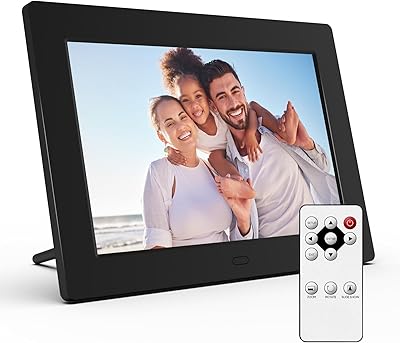
  • Remote Control: An infrared remote control is included in the box and handles all primary navigation, settings adjustments, and playback controls.
  • Mounting Options: An adjustable desktop stand is included; the frame is also compatible with standard third-party wall-mount brackets for fixed installation.
  • Dimensions: The physical frame measures 20.8 x 12.7 x 0.99 inches, with a depth under one inch when mounted flat.
  • Weight: The unit weighs 8.58 pounds, which requires a sturdy shelf surface or properly load-rated wall anchors for safe placement.
  • Warranty: WONNIE provides a one-year replacement policy with a stated 24-hour response time from their after-sales support team.
  • Market Rank: The frame holds a Best Sellers Rank of #20 in the Digital Picture Frames category on Amazon, based on data from the review period.
  • Release Date: The frame became publicly available for purchase in March 2024.

Related Reviews
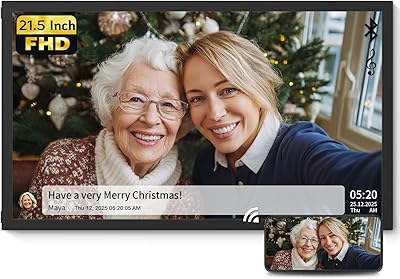
NexFoto 21.5-inch WiFi Digital Picture Frame
72%
88%
Display Quality
61%
WiFi & Connectivity
58%
App Experience
63%
Ease of Setup
74%
Build Quality
More
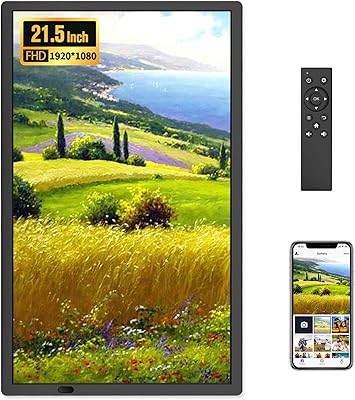
FANGOR 21.5″ 64GB WiFi Digital Picture Frame
80%
93%
Display Quality
91%
Screen Size Impact
78%
App Experience
84%
Ease of Setup
61%
Remote Control Usability
More
eco4life 7-Inch Digital Picture Frame
76%
93%
Ease of Setup
88%
Value for Money
71%
Display Quality
62%
Build Quality
66%
Remote Control
More
Skylight Digital Picture Frame 15-inch
84%
91%
Ease of Setup
88%
Display Quality
74%
Wi-Fi Connectivity
85%
Design & Build Quality
89%
User Interface
More
Canupdog BOLYDOOM 16-Inch Digital Picture Frame
77%
83%
Display Quality
78%
Ease of Setup
67%
App Performance
88%
Storage & Capacity
71%
Build Quality
More
Arktronic 24-inch Digital Picture Frame
83%
91%
Display Quality
87%
Ease of Use
88%
Storage Capacity
85%
WiFi Connectivity
83%
Build Quality
More
Jaihonda 10 Inch Digital Picture Frame
80%
90%
Display Quality
88%
Ease of Use
84%
Value for Money
75%
Build Quality
94%
Setup & Installation
More
Atatat Digital Picture Frame 10-inch
84%
90%
Display Quality
85%
Ease of Setup
88%
Slideshow Functionality
80%
Build Quality
83%
Remote Control Usability
More
KODAK 8-Inch Digital Picture Frame

78%
93%
Ease of Setup
84%
Display Quality
88%
Simplicity & Usability
61%
Remote Control
89%
Auto On/Off Timer
More
FLYAMAPIRIT DPF808 8-inch Digital Picture Frame
70%
91%
Ease of Setup
78%
Display Quality
72%
Motion Sensor
58%
Build Quality
83%
Value for Money
More

FAQ

Most users get through it in under 10 minutes. You download the Uhale app, create an account, plug in the frame, and follow the on-screen pairing steps. The dual-band WiFi means you can connect to either a 2.4GHz or 5GHz network depending on which band your router broadcasts. The most common hiccup is forgetting to grant the app the necessary permissions on your phone, so watch for that prompt.

Yes. The frame supports unlimited user connections through the Uhale app, so you can invite as many family members as you want. Each person installs the app and gets access once you add them. It works well for families where several people in different locations all want to contribute to the same slideshow.

Absolutely. WiFi only powers the remote sharing side of things. If your internet drops, the frame keeps running its slideshow from whatever is stored in its internal memory or loaded from a USB drive or SD card. The 64GB built-in storage is more than enough to keep photos cycling for years without relying on a network connection at all.

Go with 32GB or smaller, formatted to FAT32 before you plug it in. The product listing mentions support for drives up to 128GB, but the manufacturer's own guidance recommends 32GB for consistent performance, and buyer feedback confirms that larger drives can be unreliable. It is a frustrating inconsistency in how the product is marketed, but 32GB is the practical ceiling worth trusting.

It is genuinely one of the stronger options for that use case. Once the frame is set up and connected to WiFi, your parent only needs the included remote to browse photos, pause the slideshow, or adjust the brightness. You and other family members can push new photos from anywhere through the app without involving your parent at all. The large screen size also makes images much easier to see from across a room.

You will need to reconnect the frame to the new network by going through the WiFi pairing steps again in the Uhale app. It is a straightforward process, but it does require someone to be physically near the frame and have access to the app. This is worth planning for if you are setting up the frame remotely for a family member — walk them through it in advance or schedule a visit.

Yes, and they depend on how you load the video. Videos sent through the Uhale app are hard-capped at 120 seconds per clip. Videos loaded from a USB drive or SD card have no length restriction whatsoever. If you want to share longer home videos or vacation recordings, USB is the more practical route.

Both options work. The frame includes a desktop stand with adjustable angle, and it is also compatible with standard wall-mount brackets sold separately. Just take the weight seriously — this large WiFi photo frame comes in at 8.58 pounds, so you will want proper anchors rated for that load, especially in drywall. Once it is up, it makes a strong visual statement in a living room or hallway.

No, there is no touch screen on this model. All navigation happens through the included remote control. For most buyers that is not a drawback — particularly for elderly users, the remote is often easier to manage than tapping a screen. If touch control is essential to you, you will need to look at a different model.

For light commercial use, it works well. The 21.5-inch Uhale frame is big enough to serve as a menu display or a rotating photo board in a small office or hotel lobby, and the sleep scheduling feature lets you automate display hours to match business hours. That said, it is a consumer-grade device — if you need multiple linked displays, centralized content management, or commercial-level reliability in a high-traffic environment, a dedicated commercial display would serve you better over the long run.