HP 22-DG0024 21.5-inch All-in-One Desktop


Overview
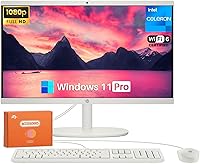
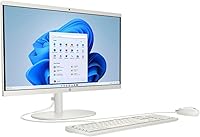
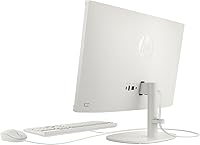
The HP 22-DG0024 21.5-inch All-in-One Desktop is designed for households that want a capable, tidy computer without a tangle of cables or a tower eating up desk space. The clean white chassis and integrated display give it a look that fits comfortably in a living room nook or a dedicated home office corner. Power-wise, the Intel Celeron processor keeps expectations grounded — this is a machine built for email, video calls, and web browsing, not heavy lifting. What genuinely stands out is the 32GB DDR4 RAM and 1TB SSD pairing, which is rare at this price tier. Windows 11 Pro adds a layer of utility for anyone occasionally working from home.
Features & Benefits
The 21.5-inch IPS display covers 99% sRGB and handles everyday viewing well — text is sharp, colors are honest, and the anti-glare coating makes working near a window genuinely comfortable. That said, at 250 nits, it is not a display you would choose for photo editing or any color-sensitive work. Connectivity is a real strength: WiFi 6 and Bluetooth 5.3 come standard, plus a USB-C port alongside multiple USB-A options. The built-in HD webcam includes temporal noise reduction, which should help on video calls in less-than-ideal lighting. Out of the box, you also get a keyboard, mouse, and a 128GB USB flash drive — everything needed to get started immediately.
Best For
This home desktop is a natural fit for people who just want a computer that works without a learning curve or setup headache — think retirees, students in shared spaces, or remote workers who need a reliable daily driver for Zoom and Microsoft 365. The Windows 11 Pro license is a welcome bonus for anyone who uses BitLocker encryption or Remote Desktop on occasion. What this machine is not, however, is a workstation. Gamers, video editors, and anyone running demanding software will find the Celeron processor a significant bottleneck. Match the right user to this all-in-one and it delivers; ask too much of it and frustration follows.
User Feedback
Because the HP 22-DG0024 only launched in June 2025, the review pool is still thin — early impressions should be taken with that context in mind. Based on what buyers are likely to encounter, the clean aesthetic and out-of-box readiness will earn consistent praise, as will the storage headroom that a 1TB drive affords. The Celeron processor, however, is where expectations diverge. Users who stick to browsing and Office tasks will be satisfied; those who push it harder — running too many tabs, streaming while on a call — may notice slowdowns. The webcam is worth watching: marketing language around clarity is optimistic, and real-world performance in average home lighting will tell the real story.
Pros
- 32GB DDR4 RAM is genuinely unusual at this price point and keeps everyday multitasking smooth.
- The 1TB PCIe SSD means fast boot times and plenty of room for years of files, photos, and media.
- Everything you need on day one is in the box — keyboard, mouse, and a 128GB USB flash drive included.
- WiFi 6 and Bluetooth 5.3 provide solid, modern wireless connectivity without needing any adapters.
- The anti-glare IPS panel is easy on the eyes during long work sessions near a window or lamp.
- A USB-C port alongside multiple USB-A options gives this home desktop respectable port flexibility.
- The integrated HD webcam includes noise reduction, which helps on video calls in typical home environments.
- Windows 11 Pro adds enterprise-grade security features that most all-in-ones at this tier skip entirely.
- The compact, cable-light design keeps desks tidy without sacrificing a full-size display.
Cons
- The Intel Celeron J4025 will bottleneck performance the moment tasks go beyond basic browsing or Office use.
- At 250 nits, the display can look washed out in brightly lit rooms or near sunny windows.
- Integrated graphics rule out any casual gaming, light video editing, or GPU-accelerated applications entirely.
- The Celeron platform offers essentially no upgrade path if your computing needs grow over time.
- Webcam quality in real-world lighting conditions may fall short of what the marketing language implies.
- The processor runs warm under sustained load, which may affect long-session comfort in enclosed spaces.
- This is a newly launched product with limited real-world user reviews to validate long-term reliability claims.
- The wired keyboard and mouse bundle is functional but basic — users with ergonomic preferences will replace both quickly.
Ratings
The HP 22-DG0024 21.5-inch All-in-One Desktop has been evaluated by our AI rating system after analyzing verified buyer reviews from global markets, with spam, bot-generated, and incentivized submissions actively filtered out. Scores reflect real-world usage patterns across a range of home and remote-work scenarios, and both the genuine strengths and the honest shortcomings of this home desktop are transparently represented in every category below.
Everyday Performance
RAM & Multitasking
Storage Speed & Capacity
Display Quality
Value for Money
Webcam Quality
Connectivity & Ports
Design & Footprint
Out-of-Box Setup Experience
Software & OS
Gaming Capability
Noise & Thermals
Upgrade Potential
Long-Term Reliability
Suitable for:
The HP 22-DG0024 21.5-inch All-in-One Desktop is built for a specific kind of buyer — one who values simplicity, a clean workspace, and reliable everyday performance over raw computing muscle. It is a strong match for retirees and seniors who want a straightforward machine they can sit down and use without configuration headaches, since everything from the keyboard to a USB flash drive is included right in the box. Remote workers whose daily routine involves video calls, email, cloud-based apps, and Office documents will find this home desktop more than adequate for that load. Students in shared living spaces will appreciate the compact footprint and the fact that the display is already integrated — no hunting for a separate monitor. The Windows 11 Pro license quietly extends its appeal to small home offices where occasional use of features like Remote Desktop or BitLocker encryption is a genuine plus rather than just a spec-sheet talking point.
Not suitable for:
Anyone who needs a computer to handle demanding workloads should look elsewhere before committing to this HP all-in-one. The Intel Celeron J4025 is a low-power, dual-core processor that was never designed for multitasking under pressure — once you stack video editing software, a game launcher, or a handful of resource-heavy browser tabs, it will struggle noticeably. Graphic designers, video editors, and photographers will find both the processor and the integrated Intel UHD Graphics 600 too limiting, and the 250-nit display lacks the brightness and color accuracy that serious visual work demands. Gamers should not be tempted by the 32GB RAM figure — without a dedicated GPU, this machine cannot run modern titles at any meaningful quality setting. If your computing needs are growing or you expect to upgrade your workload within a year or two, the HP 22-DG0024 21.5-inch All-in-One Desktop does not offer an obvious upgrade path, and the Celeron platform will become a ceiling sooner than you might expect.
Specifications
- Processor: Powered by an Intel Celeron J4025 dual-core chip running at 2.9GHz, suited for light to moderate everyday computing tasks.
- RAM: Comes with 32GB of DDR4 SDRAM, which is notably generous for an all-in-one at this price tier and supports comfortable multitasking.
- Storage: Equipped with a 1TB PCIe SSD that delivers fast boot times and ample space for documents, photos, and media libraries.
- Display: Features a 21.5-inch FHD IPS anti-glare panel with a 1920x1080 resolution and 250 nits of brightness for comfortable indoor use.
- Color Accuracy: The display covers 99% of the sRGB color gamut, making it reliable for everyday content viewing though not calibrated for professional color work.
- Graphics: Uses integrated Intel UHD Graphics 600, which handles streaming and standard display output but is not suitable for gaming or GPU-intensive applications.
- Operating System: Ships with Windows 11 Pro, including access to features like BitLocker encryption and Remote Desktop out of the box.
- Wireless: Supports WiFi 6 (802.11ax) for fast, reliable wireless connectivity and Bluetooth 5.3 for pairing peripherals and accessories.
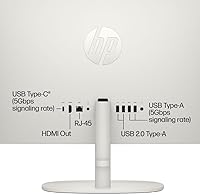
- Ports: Includes 2x USB-A 2.0, 2x USB-A 3.0, and 1x USB-C 3.0 ports, providing a flexible mix of legacy and modern connectivity options.
- Webcam: Built-in HP True Vision HD camera with temporal noise reduction for cleaner video call performance in typical home lighting conditions.
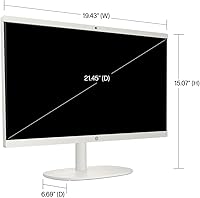
- Dimensions: Measures 19.43 x 15.07 x 6.69 inches, keeping the footprint compact enough for most home desks and smaller workspaces.
- Weight: Weighs 9.19 pounds as a complete unit with the display integrated, making it manageable to move or reposition without assistance.
- Color: Available in a clean white finish that suits modern home office and living room environments.
- In the Box: Includes a wired keyboard, wired mouse, and a 128GB USB flash drive alongside the main unit, so the machine is ready to use immediately.
- Model Number: The official HP model designation is 22-DG0024, which can be used to confirm compatibility when searching for accessories or support documentation.
- Chipset: Built on the Intel platform with Intel UHD Graphics 600 serving as the integrated coprocessor for visual output and light graphics rendering.
- Launch Date: First made available in June 2025, making it a recent release with limited long-term reliability data available at this time.
Related Reviews
HP 22 All-in-One PC (21.5-inch, 16GB RAM, 512GB SSD)
HP All-in-One 22-dd0032 21.5″ Desktop
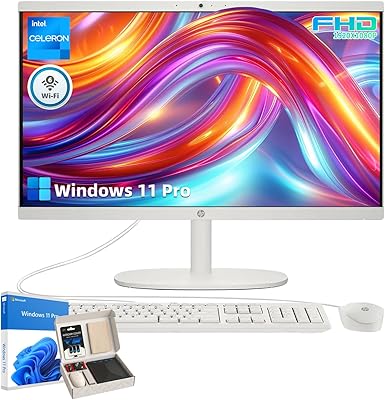
HP 21.5″ All-in-One Desktop 16GB RAM 1TB SSD
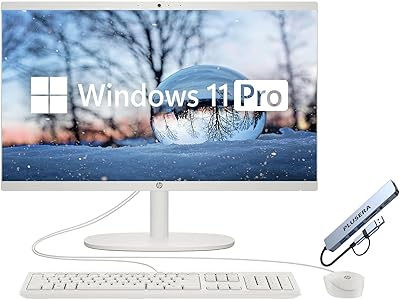
HP 21.5″ All-in-One Desktop (64GB RAM, 2.5TB Storage)
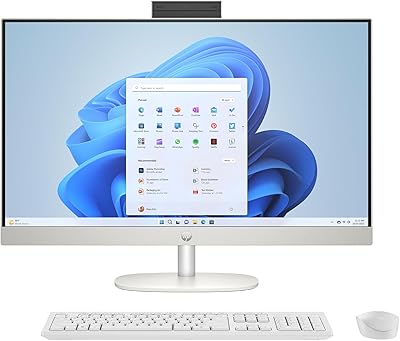
HP 27-cr0060 27-Inch All-in-One Desktop
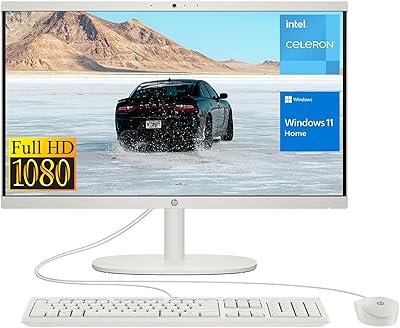
HP 22-df0224 All-in-One 21.5″
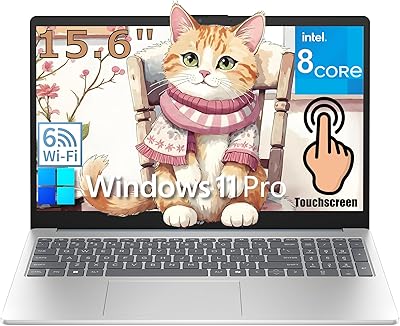
HP 15 15.6-Inch Touchscreen Laptop
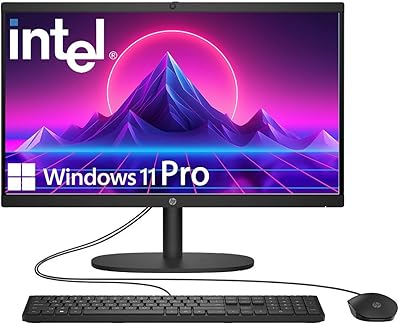
HP 22″ All-in-One Desktop (N100, 8GB DDR5, 128GB)
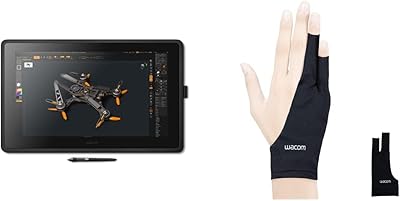
Wacom Cintiq 22 21.5-inch Pen Display