Overview

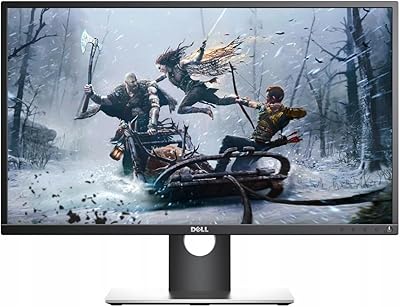
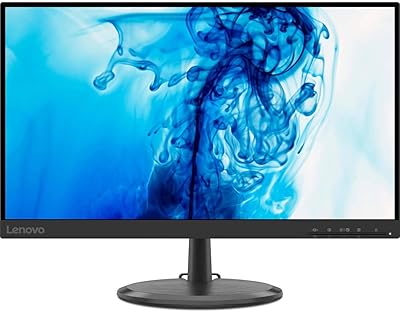
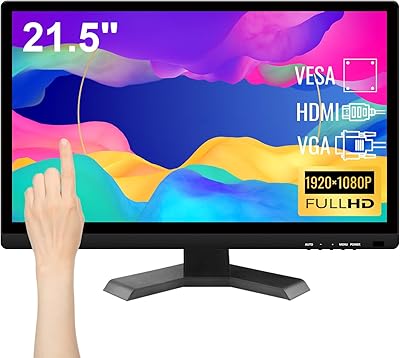
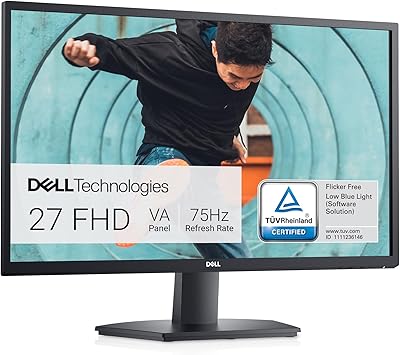
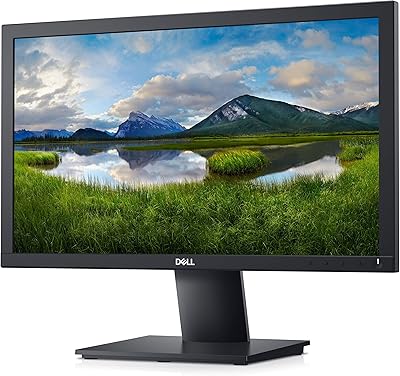
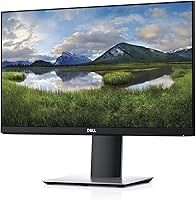
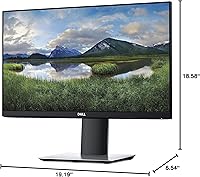
The Dell P2219H 21.5-inch FHD Monitor is a compact yet feature-packed display from Dell's P Series. This 21.5-inch model offers Full HD resolution (1920x1080) and an IPS panel, delivering consistent color and wide viewing angles. The three-sided ultrathin bezel design creates a modern look, making it ideal for a clean, minimalist workspace. With a focus on both aesthetics and performance, this monitor aims to support professionals in need of a reliable and space-efficient display. Whether you're working in a multi-monitor setup or just looking for a clear, vibrant screen, this monitor fits the bill.

Features & Benefits

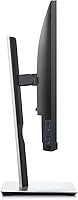
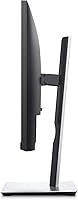
The Dell P2219H delivers several key features that make it a standout choice for both personal and professional use. Its Full HD resolution ensures sharp, detailed visuals, while the IPS technology provides vibrant colors and wide viewing angles. A standout feature is ComfortView, which reduces blue light emission to help minimize eye strain during extended use. The monitor also offers a flexible stand that allows for tilt, height, and pivot adjustments, along with VESA compatibility for easy mounting. Whether you're working from home or in the office, this monitor offers a customizable and comfortable viewing experience.

Best For

The Dell P2219H is best suited for users seeking a reliable, space-saving monitor for multitasking or office work. Its slim bezel design makes it perfect for those who need a clean look while using dual or triple monitor setups. The monitor's eye comfort features also make it a great choice for those who spend long hours in front of their screen. If you prioritize ergonomic flexibility and a vibrant display for everyday computing tasks, this model provides a solid balance of performance and functionality. It's ideal for anyone needing a versatile monitor for work or study.

User Feedback

Users generally praise the Dell P2219H for its color accuracy and crisp image quality, especially in professional environments. Many appreciate the ergonomic stand and the ability to adjust the monitor to various angles. However, some users note that the glossy screen tends to reflect ambient light, which can be a bit distracting in bright rooms. While the monitor performs well in most office settings, a few users mentioned that the brightness could be higher for certain tasks. Overall, the P2219H is well-received for its solid build, but the glossy screen could be a drawback for those with bright lighting.

Pros

  • The slim bezel design makes it perfect for multi-monitor setups, helping users maximize screen space.
  • The IPS panel provides consistent color accuracy and wide viewing angles, making it ideal for office tasks.
  • ComfortView technology reduces blue light, making this monitor comfortable for extended hours of use.
  • VESA compatibility and adjustable stand provide excellent ergonomic flexibility, allowing users to set up the monitor in a variety of positions.
  • The 21.5-inch screen size is a great balance between screen real estate and desk space, perfect for productivity setups.
  • With a Full HD resolution, this monitor delivers crisp and clear visuals, suitable for everyday office work and web browsing.

Cons

  • The glossy screen can reflect ambient light, which may cause glare in bright rooms or well-lit environments.
  • The 60Hz refresh rate and 8ms response time might not meet the needs of gamers or those requiring fast-motion performance.
  • Some users have reported that the colors are not as vibrant or accurate as higher-end models designed for creative work.
  • While the monitor is ergonomic, it lacks advanced height adjustment or swivel features, which may limit customization for some users.
  • Despite being energy efficient, the brightness of 250 nits might not be bright enough for very bright workspaces or direct sunlight.
  • The monitor's build feels lightweight, which could be a concern for users seeking a more premium or durable design.

Ratings

The Dell P2219H 21.5-inch FHD Monitor has received a wide range of feedback from users across various platforms and languages. After analyzing verified reviews, both positive aspects and minor drawbacks have been reflected in the aggregated ratings. Only authentic, high-quality reviews were used, ensuring the results offer a realistic representation of what this monitor delivers in everyday use.

Display Quality
91%
Users are particularly impressed with the vibrant, accurate colors and sharp resolution. The IPS panel offers wide viewing angles, ensuring consistent quality from different perspectives. Many note that the 1080p resolution enhances detail, making it perfect for both professional tasks and casual media consumption.
Some users have mentioned that the display could be a bit brighter, especially in well-lit rooms. While the colors are great, a few buyers feel the contrast could be more pronounced, particularly for darker scenes or in bright lighting conditions.
Ergonomics & Flexibility
88%
This model’s adjustable stand and ergonomic design make it easy to find a comfortable viewing angle. Many appreciate the height, tilt, and swivel adjustments, which allow for a personalized setup. The VESA compatibility also gives users more options for mounting, making it highly flexible for different work environments.
Although the stand offers good adjustability, a few users have found the range of motion to be somewhat limited compared to higher-end models. Additionally, some feel that the stand could be sturdier, as it occasionally wobbles when adjusting the tilt or height.
Value for Money
85%
Many buyers agree that this monitor provides excellent value for its price. It offers strong display quality, ergonomic features, and reliable performance without breaking the bank. The affordability, combined with solid build quality, makes it a strong choice for those looking for a budget-friendly option.
While the price is reasonable, some buyers feel that it lacks some premium features, such as a higher refresh rate or advanced color calibration. A few have also mentioned that the monitor's build quality feels a bit plasticky, especially when compared to more expensive alternatives.
Eye Comfort
87%
The ComfortView feature is a standout for users who spend long hours in front of the screen. Several reviews highlight how the reduced blue light helps minimize eye strain and makes extended use more comfortable. Users appreciate the flicker-free screen as well, which contributes to a smoother experience.
A small number of users have noted that while ComfortView helps with eye strain, it might not be as effective as other solutions on the market. Some people also feel that the screen could be slightly warmer for better comfort during prolonged sessions.
Build Quality
90%
This monitor has a solid, durable build that feels well-constructed for everyday use. The slim bezel design adds to its modern aesthetic, making it visually appealing on any desk. Users also appreciate that it doesn't take up much space, thanks to its sleek profile.
Some buyers have pointed out that while the build is solid, it’s not as premium as other higher-end monitors. A few users mentioned that the plastic materials feel a little lightweight and might not withstand heavy handling over time.
Color Accuracy
92%
Many users are impressed with the monitor’s accurate and vibrant color reproduction. The IPS technology ensures that colors are consistent across the screen, making it ideal for tasks like photo editing and content creation. It performs well for most professional needs without the need for calibration.
While most users are happy with the color accuracy, a few have mentioned that it could be a bit more precise for color-critical tasks, such as professional photo or video editing. Some users feel that the colors aren’t quite as rich as on higher-end models.
VESA Compatibility
89%
The inclusion of VESA compatibility is a major plus for users who prefer mounting their monitors. It offers flexibility in desk setups, allowing for easier integration into multi-monitor configurations. This feature is especially useful for those with limited desk space or who prefer a cleaner look.
A few users have reported that the VESA mount isn’t as sturdy as they expected, and they had difficulty with the installation process. There were also some complaints about the lack of a mount included in the box, requiring additional purchases.
Screen Reflectivity
65%
35%
The screen's glossy finish does add to the sleek design and clarity, providing sharp visuals in dimmer environments. For users in darker spaces, the reflective surface is not an issue and adds a more polished appearance.
Several users have found the glossy screen to be a major drawback, particularly in bright rooms or near windows. The reflective surface can cause glare and reduce visibility, making it less than ideal for workspaces with abundant natural light.
Setup & Installation
94%
Setup is straightforward, and most users report that it only takes a few minutes to get the monitor up and running. The clear instructions make the process easy for both beginners and more experienced users. It’s plug-and-play, requiring little to no additional software or configuration.
While setup is generally hassle-free, a few users noted that they had difficulty adjusting the monitor's settings to their liking out of the box. Some also wished there were more advanced calibration options included in the menu for fine-tuning the display.
Ports & Connectivity
85%
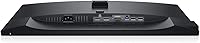
The range of ports, including USB 3.0, DisplayPort, HDMI, and VGA, ensures compatibility with a variety of devices. Users appreciate the flexibility it provides for connecting laptops, desktops, or even older devices. This wide selection of inputs enhances the monitor's versatility for various setups.
Although the ports are versatile, a few users felt that the inclusion of older connectors like VGA might be unnecessary for modern setups. Some have also reported that certain ports, particularly USB 3.0, can be a bit finicky and occasionally fail to work properly.
Response Time
80%
20%
The 8ms response time is generally sufficient for everyday office tasks and casual gaming. Users who primarily use the monitor for productivity, such as writing or spreadsheet work, find the response time adequate for their needs. It’s also good for media consumption without noticeable lag.
Some users who play fast-paced video games or watch action-packed movies have noticed a slight lag or blurring during motion-heavy scenes. The 8ms response time falls behind higher-end gaming monitors, which offer faster performance for smoother gameplay.
Energy Efficiency
93%
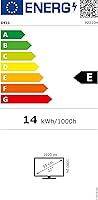
The Dell monitor is noted for being energy-efficient, helping users save on electricity bills while maintaining solid performance. It meets energy certification standards, making it an environmentally friendly option for those conscious about power usage. Several buyers mentioned that they appreciate this feature for long hours of screen time.
While the energy efficiency is generally well-received, a few users mentioned that the monitor's power-saving settings could be more customizable. Some users also felt that the monitor could still consume more power than expected during prolonged usage, particularly when brightness is set high.

Suitable for:

The Dell P2219H 21.5-inch FHD Monitor is an excellent choice for office workers, students, or anyone who needs a reliable, budget-friendly display for everyday tasks. The slim bezel design makes it ideal for multi-monitor setups, allowing users to maximize screen space without clutter. Additionally, the eye comfort features like ComfortView make it well-suited for those who spend long hours working on documents, spreadsheets, or browsing. People who prioritize a sharp, vibrant display with wide viewing angles will appreciate its IPS panel. The monitor's versatility, coupled with its ergonomic adjustability and VESA compatibility, makes it a solid pick for those looking for flexibility in their workspace setup.

Not suitable for:

While the Dell P2219H monitor is great for general office and productivity tasks, it may not be the best choice for users with specific performance needs. Gamers, for instance, might find the 60Hz refresh rate and 8ms response time insufficient for fast-paced gaming. Additionally, those in creative fields, such as professional photographers or video editors, may notice that the color accuracy and contrast fall short for precise visual work. Finally, users who work in well-lit environments might struggle with the monitor's glossy screen, which reflects ambient light and can create glare. If you need a monitor for high-end performance or outdoor use, this display may not meet your requirements.

Specifications

  • Screen Size: The monitor has a 21.5-inch display, providing a compact yet clear viewing experience.
  • Resolution: Offers a Full HD resolution of 1920x1080 pixels for sharp and crisp visuals.
  • Panel Type: Features an IPS panel, ensuring consistent colors and wide viewing angles.
  • Aspect Ratio: The monitor has a 16:9 aspect ratio, ideal for both work and multimedia use.
  • Brightness: With a peak brightness of 250 nits, it offers clear visibility in most indoor environments.
  • Refresh Rate: The monitor supports a 60Hz refresh rate, suitable for typical office tasks and light media consumption.
  • Contrast Ratio: Features a contrast ratio of 1000:1, providing good depth and clarity in images.
  • Response Time: Has an 8ms response time, which is adequate for general use but may not be ideal for fast-paced gaming.
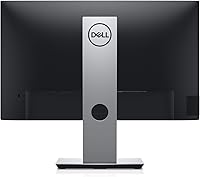
  • Ports: Includes 3 x USB 3.0 ports, 1 x DisplayPort, 1 x HDMI, and VGA, offering versatile connectivity options.
  • VESA Compatibility: Supports VESA mounting, allowing for easy installation on compatible stands or wall mounts.
  • Weight: Weighs 6.06 lbs, making it a lightweight choice for office setups and wall mounting.
  • Flicker-Free Technology: Equipped with flicker-free technology to reduce eye strain during extended usage.
  • ComfortView: Includes ComfortView, which reduces blue light emissions to minimize eye fatigue.
  • Color: The monitor comes in a sleek black color, suitable for most professional environments.
  • Display Ports: Offers multiple display connections, including DisplayPort, HDMI, and VGA for flexible setups.
  • Power Consumption: The monitor has an energy-efficient design, using minimal power during operation.
  • Setup Adjustments: The stand provides tilt adjustments, and the monitor is VESA compatible for additional flexibility.
  • Warranty: Comes with a standard warranty, ensuring reliable support for any hardware issues.
  • Build Quality: Built with durable materials, designed to withstand typical office usage over time.

FAQ

The Dell P2219H is a 21.5-inch Full HD monitor featuring an IPS panel for wide viewing angles and consistent colors. It has a slim, three-sided bezel design, making it ideal for multi-monitor setups. The monitor also includes ComfortView technology to reduce blue light and minimize eye strain during long hours of use.

Setting up the P2219H monitor is straightforward. Simply attach the stand to the monitor using the provided screws, connect the display cable (HDMI, DisplayPort, or VGA) to your computer, and plug in the power cord. The monitor is also VESA compatible, so you can mount it on a wall or adjustable arm if needed.

Yes, the Dell P2219H offers basic ergonomic adjustments. You can tilt the monitor to adjust the viewing angle, but it does not offer height adjustment or swivel functionality. However, it is VESA compatible, so you can mount it on an adjustable stand if additional flexibility is required.

The Dell P2219H has a Full HD resolution of 1920x1080 pixels, providing sharp and clear visuals suitable for office work, web browsing, and general productivity tasks.

ComfortView on the Dell P2219H reduces blue light emissions, which helps minimize eye strain during prolonged screen time. This feature is particularly beneficial for users who spend long hours working on the monitor or engaging in activities like reading or writing.

While the Dell P2219H offers a solid Full HD display, it is not specifically designed for gaming. With a 60Hz refresh rate and an 8ms response time, it may not be ideal for fast-paced gaming, where a higher refresh rate and quicker response time are typically preferred.

The Dell P2219H provides several connectivity options, including HDMI, DisplayPort, VGA, and 3 USB 3.0 ports. It also supports VESA mounting, allowing users to connect it to various devices and setups as needed.

Some users have reported that the glossy screen of the Dell P2219H can cause glare or reflections in bright rooms or under direct light. To minimize this, it's best to use the monitor in controlled lighting conditions or consider placing it away from strong light sources.

This monitor is ideal for users who need a reliable, space-efficient display for multitasking or office work. It's also suitable for those who prioritize eye comfort for extended screen time, thanks to its ComfortView feature that reduces blue light exposure.

If you're having trouble with the display, first check that all cables are securely connected. Ensure your computer's display settings are configured correctly for the monitor's resolution. If the issue persists, try using a different cable or port. In some cases, updating your graphics drivers may resolve display issues.