Overview

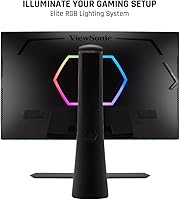
The ViewSonic XG320U 32-Inch 4K Gaming Monitor sits at a point in the market where very few displays manage to pull off both high resolution and a genuinely fast refresh rate without obvious compromise. Running a 32-inch IPS panel at 4K and up to 150Hz puts it in rare company, and that combination alone makes it worth a serious look for PC and console gamers who refuse to choose between sharp visuals and fluid motion. Beyond the screen itself, the XG320U ships with a surprisingly capable ergonomic stand and a port selection broad enough to handle multiple devices without a dock. That kind of practical build quality matters more than it sounds.

Features & Benefits

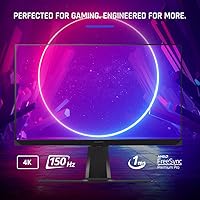
The 150Hz refresh rate — achieved by overclocking the panel's native 144Hz — translates to noticeably smoother motion in fast-paced titles, though you will need a capable GPU to consistently feed 4K at that speed. The 1ms MPRT spec refers to motion blur reduction time via backlight strobing, not traditional input lag, so keep that distinction in mind. FreeSync Premium Pro handles variable refresh sync across the full range, and the combination genuinely reduces tearing without adding obvious latency. On the color side, 10-bit depth and wide coverage across both sRGB and Adobe RGB make this ViewSonic panel more than capable for photo editing and design work alongside gaming.

Best For

This 32-inch 4K display hits its stride with PC gamers who want a single monitor capable of handling competitive play and content creation without compromise. Console players on PS5 or Xbox Series X will appreciate the HDMI 2.1 port, which supports 4K at high frame rates natively. If you split your time between Lightroom and late-night gaming sessions, the XG320U's color accuracy makes it one of the more sensible all-rounders at this size. The built-in USB hub and variety of inputs also make it a solid anchor for multi-device desks. And for anyone who spends long hours in front of a screen, the adjustable stand is a genuine practical benefit.

User Feedback

Across roughly 175 ratings, this ViewSonic panel holds a 4.0-star average — respectable, but not without caveats. Buyers consistently praise the image quality and color accuracy, and several note that the build feels solid for the price. The criticisms are also fairly consistent: the on-screen display menu is clunky to navigate, and despite the DisplayHDR 600 badge, the 400-nit peak brightness leaves some users wanting more punch in truly dark rooms. A handful of buyers also report that the backlight strobing mode causes eye discomfort after extended sessions. Creative professionals who also game tend to rate it higher than pure framerate-focused gamers, who may find the 4K GPU demands a harder sell at this tier.

Pros

  • Combining 4K resolution with a 150Hz refresh rate on a single IPS panel is still a relatively rare and practical achievement at this size.
  • HDMI 2.1 support makes the XG320U a legitimate option for next-gen console gamers who want full bandwidth at 4K.
  • The IPS panel delivers accurate, consistent color across wide viewing angles without the washed-out look of cheaper VA alternatives.
  • 99% Adobe RGB coverage means creative professionals get genuinely usable color accuracy for photo and video work.
  • FreeSync Premium Pro keeps gameplay tear-free across the full refresh range without introducing noticeable latency.
  • The ergonomic stand offers real tilt, swivel, and height adjustment, which is not a given at this screen size.
  • A built-in USB hub with multiple ports reduces desk clutter for users juggling several peripherals or devices.
  • The matte screen surface handles ambient light well, making it practical in brighter room conditions without aggressive glare.
  • Build quality is consistently praised by owners, with the chassis feeling solid and well-finished for the price tier.
  • At 32 inches, the 4K pixel density hits a sweet spot — sharp enough to look crisp without requiring display scaling on most systems.

Cons

  • The 400-nit peak brightness falls short of what most buyers expect from a monitor carrying an HDR 600 badge.
  • HDR performance in practice is underwhelming compared to Mini-LED or OLED panels in a comparable price bracket.
  • The on-screen display menu is difficult to navigate, with a button layout that feels outdated relative to competing monitors.
  • Reaching the full 150Hz at 4K demands a top-tier GPU, which adds significant real cost beyond the monitor itself.
  • The overclocked 150Hz mode may exhibit stability issues for some users, with occasional instability reported at the ceiling refresh rate.
  • PureXP backlight strobing, while effective for motion clarity, causes noticeable eye discomfort for a subset of users during longer sessions.
  • At 22 pounds, this 32-inch 4K display is heavy enough that repositioning it on a desk is a minor but real inconvenience.
  • Pure framerate-focused gamers may find competing 1440p displays offer better value if 4K resolution is not a priority for them.

Ratings

The scores below reflect an AI-driven analysis of verified global user reviews for the ViewSonic XG320U 32-Inch 4K Gaming Monitor, with spam, bot activity, and incentivized feedback actively filtered out before scoring. Each category is weighted against real-world usage patterns reported by confirmed buyers, so both the strengths and the genuine frustrations are represented without sugarcoating.

Image Quality
88%
Owners consistently describe the picture as crisp and detailed in a way that smaller or lower-resolution panels simply cannot match. The IPS panel renders colors with depth and consistency that holds up whether you are deep in an open-world RPG or color-grading photos at your desk.
A small group of users noticed minor IPS glow in darker corner regions during night gaming sessions, which is fairly typical of large IPS panels but still worth flagging for buyers who game frequently in dark rooms.
Color Accuracy
91%
The combination of 10-bit depth and near-complete sRGB and Adobe RGB coverage earns consistent praise from creative professionals who use the XG320U as their primary work display. Photographers and video editors in particular report that colors translate reliably between this screen and their final output without heavy calibration work.
Out of the box, some users find the default color profile slightly warm and prefer to spend time in the OSD adjusting settings — a minor but real friction point given how unintuitive that menu is to navigate.
Gaming Performance
84%
At 150Hz with FreeSync Premium Pro active, gameplay in supported titles feels fluid and responsive, with tearing effectively eliminated across the variable refresh range. Console players connecting a PS5 via HDMI 2.1 also report a noticeably smoother experience compared to older 60Hz or 4K/30Hz setups.
Reaching the full 150Hz at 4K demands serious GPU firepower, and buyers without a top-tier card may find themselves capping at lower frame rates that undercut the panel's main strength. The overclocked 150Hz ceiling also showed occasional instability for a handful of users running extended stress tests.
HDR Performance
58%
42%
The DisplayHDR 600 certification does provide a step up over entry-level HDR monitors, and users playing HDR-enabled titles notice improved shadow detail and a wider contrast range compared to SDR viewing on the same content.
The 400-nit peak brightness is the real limiting factor here — it falls noticeably short of the punchy, specular highlights that OLED or Mini-LED panels produce, and several buyers felt the HDR badge set expectations the panel cannot fully meet. For buyers whose primary interest is cinematic HDR, this is a meaningful disappointment.
Motion Clarity
76%
24%
PureXP backlight strobing does a solid job reducing perceived blur in fast-paced shooters and racing titles, making objects in motion look sharper than the panel would manage with strobing disabled. Users who came from 60Hz displays tend to describe the improvement as immediately noticeable.
A recurring complaint across reviews is that the strobing mode causes eye fatigue and headaches during sessions longer than an hour or two for users who are sensitive to flickering. It is effective but not universally comfortable, and there is no gradual intensity control to find a middle ground.
Build Quality
86%
The physical construction of this 32-inch 4K display draws consistent praise, with buyers noting that the chassis and stand feel substantial and well-engineered rather than hollow or plasticky. The matte finish on the rear panel also holds up well to regular handling without picking up visible scuffs.
At 22 pounds fully assembled, moving or repositioning the monitor is more of a two-handed job than users expect, and the weight occasionally comes up as a frustration for buyers who frequently reconfigure their desk setup.
Ergonomics
83%
The stand covers tilt, swivel, and height adjustment with enough range that most users land on a comfortable position without needing a third-party arm. Tall users in particular appreciated the height ceiling, which is more generous than some competing stands at this screen size.
There is no portrait pivot rotation, which is a minor omission for users who occasionally rotate large monitors for coding or document work. The stand adjustment mechanisms also feel slightly stiff out of the box before they loosen up with regular use.
Connectivity
89%
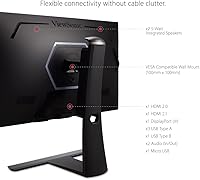
Having both HDMI 2.1 and HDMI 2.0 inputs alongside DisplayPort means this ViewSonic panel can simultaneously serve a gaming PC, a current-gen console, and a secondary device without any cable swapping. The integrated USB hub with eight total ports is genuinely useful for desk setups that run multiple peripherals.
The Micro USB input is a niche inclusion that most buyers will never use, and a USB-C with DisplayPort Alt Mode would have been far more practical for users connecting modern laptops. A few buyers also noted that USB hub throughput on the 2.0 ports feels limited for transferring large files.
OSD Usability
41%
59%
The OSD does cover all the settings a user would reasonably need, including detailed color calibration options and individual control over features like PureXP and FreeSync, giving power users access to meaningful customization.
The physical button navigation is widely criticized as slow, unintuitive, and frustrating compared to competitors using joystick or dial controls. Switching between color profiles or adjusting brightness mid-session feels like an exercise in patience, and this is one of the most consistent complaints across all review segments.
Setup Experience
77%
23%
Most buyers report that physical assembly of the stand and initial display setup is straightforward, with the panel connecting to a PC or console and producing a usable image in under fifteen minutes. The included cable selection covers the basics for getting started.
Dialing in the optimal picture settings takes longer than it should given the OSD limitations, and new users who want to calibrate color profiles or enable FreeSync correctly may need to consult the manual or online guides to navigate the menu system efficiently.
Value for Money
72%
28%
For buyers who genuinely need both 4K resolution and a high refresh rate on a single IPS panel with wide color coverage, the XG320U sits in a relatively small field of competitors and offers a reasonable feature set for the tier. Creative professionals who also game tend to feel the pricing is justified given the dual-use capability.
Pure gamers who care more about frame rate than resolution, or buyers whose GPUs cannot realistically hit 4K at high refresh rates, may find better value in a 1440p alternative at a lower price point. The underwhelming HDR and dated OSD also make the overall package feel less complete than the price implies.
Glare & Reflection Control
81%
19%
The matte anti-glare coating handles diffuse ambient light well, and users working near windows or in moderately lit rooms report far fewer distracting reflections than they experienced on glossy panels. This makes the display practical in a wider range of room setups.
In very bright environments with direct overhead lighting, the matte coating can introduce a slightly hazy quality to the image that reduces perceived contrast compared to a glossy surface. It is a known trade-off of matte coatings, but worth knowing before buying.
Console Compatibility
85%
The HDMI 2.1 port performs reliably with both PS5 and Xbox Series X at 4K, and buyers using this panel as a dedicated console gaming display report smooth, artifact-free output once the console HDR and resolution settings are configured correctly.
The monitor lacks automatic input switching, so users juggling a console and a PC need to manually cycle inputs through the OSD each time they switch devices — a minor but recurring annoyance for multi-source setups.
Eye Comfort
67%
33%
In standard use without backlight strobing enabled, the IPS panel and matte surface are comfortable for extended work and gaming sessions, and flicker-sensitive users who leave PureXP disabled generally report no unusual fatigue.
Enabling PureXP motion clarity mode introduces a level of flickering that a meaningful percentage of buyers find genuinely uncomfortable after prolonged use, and there is no partial or low-intensity strobing option to reduce the effect. This limits the usability of one of the panel’s headline features for a notable portion of buyers.

Suitable for:

The ViewSonic XG320U 32-Inch 4K Gaming Monitor is built for buyers who want one display that handles everything without cutting corners in either direction. PC gamers who have already invested in a high-end GPU — something in the RTX 4080 tier or equivalent — will get the most out of the 4K resolution and 150Hz refresh rate working together, rather than sacrificing one for the other. Console players on PS5 or Xbox Series X will find the HDMI 2.1 port a meaningful asset, since it allows full 4K output without the bandwidth bottlenecks of older connections. The wide color coverage across both sRGB and Adobe RGB also makes this a genuinely capable display for photographers, video editors, or designers who want to stop paying for a separate color-accurate monitor. Anyone managing a multi-device desk setup will appreciate the built-in USB hub and the range of input options, which reduce cable clutter without needing a separate dock.
Not suitable for:

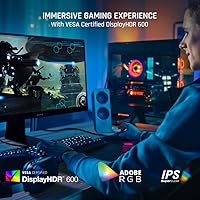
The ViewSonic XG320U 32-Inch 4K Gaming Monitor is a harder sell for buyers whose primary focus is raw competitive gaming at the highest possible frame rates, since pushing 4K to 150Hz consistently requires substantial GPU headroom that many mid-range systems simply cannot deliver. Gamers on a tighter hardware budget who pair their monitor with a mid-tier card may find themselves dropping to 1440p or lower resolution to hit those frame rates, which undercuts the panel's main appeal. The 400-nit peak brightness, despite the DisplayHDR 600 certification, is unlikely to satisfy anyone expecting a dramatic HDR experience comparable to OLED or Mini-LED displays in a similar price range. Users who are sensitive to backlight strobing should also be cautious, since PureXP motion clarity mode has caused eye strain for some buyers in extended sessions. And if navigating on-screen menus is something you do frequently — for color profile switching or input changes — the OSD interface on this panel is genuinely frustrating compared to competitors with joystick controls or companion apps.
Specifications

  • Panel Type: The display uses an IPS (In-Plane Switching) panel, which provides consistent color accuracy and wide viewing angles compared to TN or VA alternatives.
  • Screen Size: The active display area measures 32 inches diagonally, offering a large viewing surface well-suited to both gaming and productivity tasks.
  • Resolution: Native resolution is 3840x2160 pixels (4K UHD), delivering a pixel density that keeps text and fine image detail sharp at typical desktop viewing distances.
  • Refresh Rate: The panel runs at up to 150Hz, achieved by overclocking the native 144Hz panel, giving smoother motion in fast-paced content when the GPU can keep up.
  • Response Time: The rated 1ms response time refers to MPRT (Moving Picture Response Time), a backlight strobing measurement rather than traditional gray-to-gray pixel transition speed.
  • HDR Support: The monitor carries VESA DisplayHDR 600 certification, indicating it meets a defined HDR standard, though actual peak brightness tops out at 400 nits.
  • Peak Brightness: Maximum brightness is 400 nits, which is adequate for SDR content and moderate HDR, but falls below the level needed for truly impactful HDR highlights.
  • Color Depth: The panel supports 10-bit color depth, allowing it to display over one billion colors for smoother gradients and more precise image reproduction.
  • Color Coverage: Color gamut coverage is rated at 99% sRGB and 99% Adobe RGB, making it capable of accurate output for both digital content and print-oriented creative work.
  • Adaptive Sync: FreeSync Premium Pro support enables variable refresh rate synchronization across the full refresh range, reducing screen tearing and stutter during gameplay.
  • Ports: Connectivity includes one HDMI 2.1 port, one HDMI 2.0 port, one DisplayPort input, USB-A ports, and a Micro USB input for additional flexibility.
  • USB Hub: The integrated USB hub provides four USB 2.0 ports and four USB 3.0 ports, allowing peripheral connections directly through the monitor.
  • Ergonomics: The stand supports tilt, swivel, and height adjustment, giving users a meaningful range of positioning options for long sessions at the desk.
  • Screen Surface: The matte anti-glare coating diffuses reflections from ambient light sources, reducing eye strain in moderately lit room environments.
  • Aspect Ratio: The display uses a standard 16:9 widescreen aspect ratio, which is compatible with the vast majority of gaming, streaming, and productivity content.
  • Dimensions: With the stand attached, the monitor measures approximately 10.4 x 28.6 x 23.7 inches (D x W x H), requiring a desk depth of at least 12 inches for stable placement.
  • Weight: The fully assembled unit weighs 22.2 pounds, which is on the heavier side for a 32-inch display and worth considering if desk mobility matters.
  • Motion Clarity: PureXP backlight strobing technology reduces perceived motion blur during fast-moving scenes, though it may cause discomfort for users sensitive to flickering.

Related Reviews

ViewSonic VP3256-4K 32-inch 4K IPS Monitor

80%
93%
Color Accuracy
89%
Panel Clarity & Sharpness
88%
Build Quality & Stand
79%
USB-C Connectivity
86%
Ergonomics & Comfort
More
ViewSonic VX3267U-4K 32-inch 4K IPS Monitor

74%
91%
Image Sharpness
83%
USB-C Functionality
76%
Color Accuracy
54%
HDR Performance
47%
Stand & Ergonomics
More
ViewSonic VP3268A-4K 32-inch 4K Monitor
79%
93%
Color Accuracy
91%
Out-of-Box Calibration
88%
Build Quality
86%
Ergonomics & Stand
89%
Connectivity
More
ViewSonic VX3276-4K-MHD 32-inch 4K Monitor

76%
91%
Image Clarity & Sharpness
74%
Color Accuracy
86%
Contrast & Black Levels
61%
HDR Performance
58%
Refresh Rate & Motion Handling
More
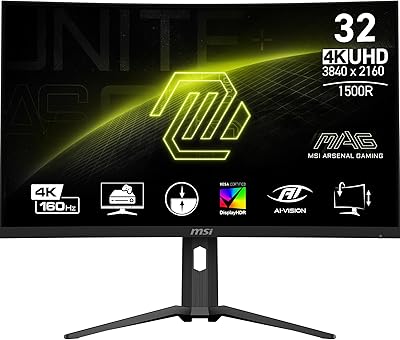
MSI MAG321CUP 32-inch 4K Gaming Monitor
76%
88%
Image Quality
83%
Refresh Rate Performance
86%
Value for Money
91%
Console Compatibility
74%
Motion Clarity
More
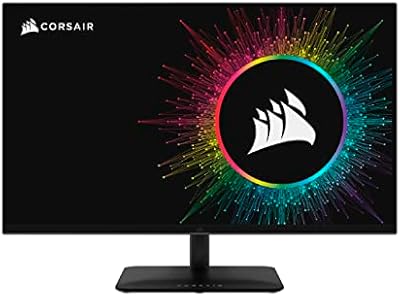
Corsair XENEON 32UHD144-A 32-inch Gaming Monitor
82%
91%
Color Accuracy
88%
Refresh Rate Performance
67%
HDR Quality
93%
Connectivity & Port Selection
58%
Stand & Ergonomics
More
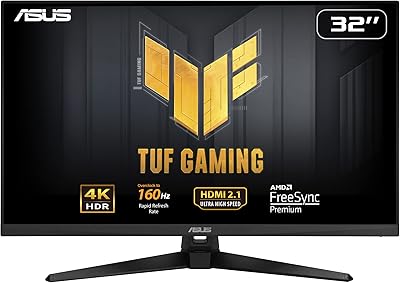
ASUS TUF Gaming VG32UQA1A 32-inch Gaming Monitor
74%
88%
Image Clarity
83%
Refresh Rate Performance
91%
Console Compatibility
54%
HDR Quality
84%
Motion Handling
More
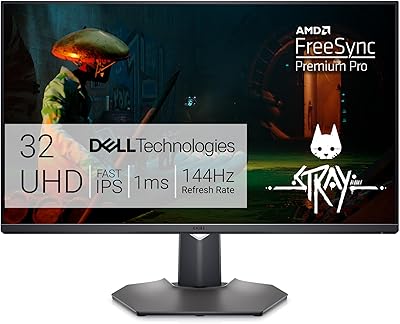
Dell G3223Q 32-inch 4K UHD Gaming Monitor
85%
92%
Display Quality
90%
Gaming Performance (144Hz, 1ms)
88%
Ergonomics & Comfort
85%
Build Quality & Design
75%
Connectivity & Ports
More
Samsung Odyssey G70B 32-inch 4K Gaming Monitor
70%
84%
Image Quality
47%
HDR Performance
76%
Gaming Performance
53%
Panel Consistency
71%
Samsung Gaming Hub
More
LG 32GQ750-B 32-inch 4K Gaming Monitor
77%
91%
Image Clarity
86%
Refresh Rate & Smoothness
88%
HDMI 2.1 Compatibility
83%
Contrast & Black Levels
67%
Motion Clarity
More

FAQ

Yes, but you will need a very capable GPU to do it consistently in demanding games. A DisplayPort cable connected to something like an RTX 4080 or RX 7900 XTX is realistically what you need to push 4K at that refresh rate in modern titles. In lighter games or older titles, mid-range cards can get there more easily.

Yes, the HDMI 2.1 port on the XG320U supports the bandwidth needed for 4K at 120Hz from a PS5 or Xbox Series X. Just make sure you are using a certified HDMI 2.1 cable, not an older one that may bottleneck the connection.

Honest answer: the HDR experience is decent but not spectacular. The DisplayHDR 600 certification means the panel meets a defined standard, but the 400-nit peak brightness means you will not get the punchy highlights you see on OLED or Mini-LED displays. It is better than no HDR, but if HDR performance is your top priority, you may want to compare it against higher-brightness alternatives before committing.

The 1ms figure refers to MPRT, which is Moving Picture Response Time — a measure of how long a pixel is visible per frame under backlight strobing, not the actual pixel transition speed. It sounds faster than it is in the traditional sense. Gray-to-gray response time on IPS panels is typically higher, though for most gaming scenarios you are unlikely to notice any meaningful ghosting.

This monitor is certified for FreeSync Premium Pro, which is AMD’s adaptive sync standard. It does not carry official G-Sync certification, but many NVIDIA GPUs support FreeSync monitors through G-Sync Compatible mode. Performance in that mode is generally good, though you may not get the full range of features that a native G-Sync panel would provide.

It varies from person to person. Some users find PureXP motion clarity mode works well for short bursts of fast gameplay, but a noticeable number of owners report headaches or eye strain when it is left on for extended periods. If you are sensitive to flickering displays, it is worth testing this mode carefully before committing to using it regularly.

This is one of the more common complaints about the XG320U. The OSD is controlled via physical buttons rather than a joystick or dial, which makes navigating menus slower and less intuitive than on competing monitors. Color profile switching and input changes in particular can feel tedious. It works, but it is not a strong point of the design.

The stand is actually one of the better aspects of this panel. It covers tilt, swivel, and height adjustment with enough range to get a comfortable position for most users. If you have a specific ergonomic setup or want to free up desk space, a VESA-compatible arm is always an option since the panel supports standard VESA mounting.

It holds up well for creative work. The 99% Adobe RGB coverage and 10-bit color depth mean color accuracy is genuinely solid for photo editing, retouching, and design tasks. If you split your time between gaming and creative applications, this 32-inch 4K display is one of the more practical all-rounders available at this size without needing to buy separate monitors.

The XG320U competes in a segment where LG, Samsung, and ASUS also have strong options. Its main advantages are the broad color coverage and the HDMI 2.1 port, which some competitors still omit at this tier. The main weaknesses — OSD usability and modest real-world HDR brightness — are worth benchmarking against alternatives if those factors matter to your workflow.

Where to Buy