Overview

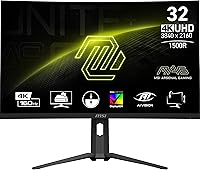
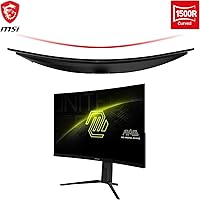
The MSI MAG321CUP 32-inch 4K Gaming Monitor sits in an interesting spot — mid-range pricing, but specs that used to cost considerably more. The defining character here is the 1500R curved VA panel, which wraps your peripheral vision in a way flat monitors simply don't. Launched in April 2024, it's still relatively new, so long-term reliability data is thin. Early buyer sentiment averages 4.1 out of 5 from 88 ratings — encouraging, but not yet a large enough sample to be definitive. One thing to be clear about upfront: this is a desktop gaming upgrade, not a tool for professional color work.

Features & Benefits

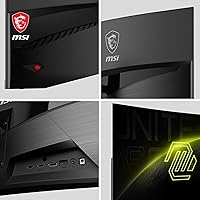
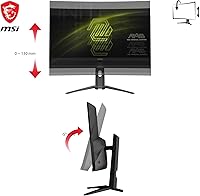
The headline combination on the MAG321CUP is 4K at 160Hz — a pairing that's genuinely uncommon at this price point. Before getting excited, though, be realistic: driving 3840×2160 at full refresh demands a powerful GPU, so budget GPU owners will likely run lower resolutions or refresh rates in practice. The 1ms response time is MPRT, not GtG — a meaningful distinction VA panel buyers should understand. Adaptive Sync covers both AMD and Nvidia cards, which is a welcome flexibility. The Console Mode is a real draw, supporting 120Hz at FHD and WQHD for PS5 and Xbox Series X users. The narrow bezel design keeps things clean, and the stand offers tilt and height adjustment — though no swivel or pivot.

Best For

This curved 4K monitor is a strong match for PC gamers who want a genuine high-refresh experience without reaching into flagship territory — provided they have the GPU to back it up. Console players with a PS5 or Xbox Series X will also find it compelling; the large curved screen is a meaningful upgrade over a standard desktop monitor without crossing into TV territory. Sim racers and strategy game fans get particular mileage from the 1500R curvature and detail-rich resolution. That said, skip it if color accuracy is a priority — VA panels aren't the right tool for photo editing or professional creative work.

User Feedback

Early buyers of this MSI gaming display are generally positive, with picture quality and vibrancy drawing the most consistent praise — not surprising for a curved VA panel at this screen size. A recurring practical note from buyers is that some GPU configurations fall short of driving the full 160Hz at 4K, which can feel like leaving performance on the table. Backlight bleed is worth watching — a common VA trade-off that some units show more than others. The console compatibility gets warm mentions. On the downside, a few users flag the stand's limited range of motion as a minor frustration. With only 88 reviews, trends are early and the picture could shift.

Pros

  • 4K at 160Hz is a genuinely rare combination at this price point, offering strong value for the spec.
  • The 1500R curve adds real immersion for sim, strategy, and open-world gaming.
  • Adaptive Sync covers both AMD and Nvidia GPUs, making it broadly compatible across rigs.
  • Console Mode at 120Hz for PS5 and Xbox Series X is a practical and uncommon feature for a desktop monitor.
  • The narrow bezel design keeps the desk looking clean and works well in multi-monitor arrangements.
  • Anti-glare coating handles ambient light reasonably well without washing out colors.
  • VESA mount support gives flexibility for buyers who prefer an arm over the included stand.
  • Early user ratings skew positive, particularly around color vibrancy and overall picture quality.
  • Height and tilt adjustability covers the basics for ergonomic positioning at a standard desk.

Cons

  • Driving 4K at 160Hz demands a high-end GPU — budget or mid-range card owners will likely underutilize the panel.
  • VA panels are prone to backlight bleed, and some units show this more visibly than others.
  • The 1ms response time is MPRT, not GtG — actual pixel transition speed may be slower than the spec implies.
  • No swivel or pivot on the stand limits flexibility for users with non-standard desk setups.
  • Only 88 ratings at time of writing — not enough real-world data to confidently assess long-term durability.
  • VA viewing angles are narrower than IPS, which can cause color shift when viewing from off-center positions.
  • At nearly 20 pounds, the monitor is on the heavier side and requires a sturdy desk surface or a rated arm.
  • No built-in USB hub is a minor but real convenience miss for users with cable-heavy setups.

Ratings

The scores below reflect AI-driven analysis of verified global buyer reviews for the MSI MAG321CUP 32-inch 4K Gaming Monitor, with spam, bot-generated, and incentivized feedback actively filtered out before scoring. Each category is evaluated on real purchase experiences, covering both what buyers praised and the friction points that surfaced in honest feedback. The results are transparent — strengths and shortcomings are weighted equally so you can make a fully informed decision.

Image Quality
88%
Buyers consistently describe the picture as punchy and immersive, with VA-panel depth giving dark scenes a richness that flat IPS monitors at this price rarely match. Gaming in detailed open-world environments at 4K resolution draws particular praise — textures look noticeably crisper than on a 1440p display.
Off-axis color accuracy drops as expected from a VA panel, so viewers sitting at wider angles notice a shift in tone and brightness. It is not a concern for solo gaming sessions, but it becomes relevant in side-by-side viewing setups.
Refresh Rate Performance
83%
The 160Hz ceiling is a genuine differentiator in this price range, and users with capable rigs report buttery-smooth motion in fast-paced titles. Even at 1440p, where more GPUs can sustain high frame rates, the high refresh rate delivers a tangible improvement over 60Hz or 144Hz monitors.
The catch is GPU dependency — buyers with mid-range cards frequently report being unable to reach 160Hz at native 4K in demanding titles, which narrows the audience who actually benefits from the top spec. This gap between advertised and achievable performance frustrates some buyers post-purchase.
Value for Money
86%
For a curved 4K display with a 160Hz refresh rate and console compatibility, the price point sits well below flagship alternatives with similar headline specs. Buyers upgrading from older 1080p monitors in particular feel they are getting substantially more than they paid for.
The value calculation shifts if you factor in the GPU investment required to fully exploit the panel. Buyers who purchase this monitor and then realize their existing card cannot sustain 4K at high refresh rates end up feeling the real cost is higher than the monitor price alone.
Console Compatibility
91%
The Console Mode supporting 120Hz for PS5 and Xbox Series X is one of the most praised features in early feedback. Gamers who use both a PC and a console from the same desk find the flexibility genuinely useful, avoiding the need for a separate TV setup.
Setup requires manually enabling Console Mode through the OSD menu, which some buyers find non-intuitive without reading the manual first. HDMI cable version limitations can also prevent users from hitting peak console performance if they rely on the included cable.
Motion Clarity
74%
26%
At high frame rates, motion in racing games and action titles looks clean and fluid enough for most gaming styles. The Adaptive Sync implementation keeps tearing under control across both AMD and Nvidia GPUs, which real-world users find reliable during extended sessions.
The 1ms MPRT rating is achievable only with backlight strobing active, and some users notice brightness reduction or flickering in that mode. At standard settings without strobing, VA ghosting on fast transitions — particularly in dark scenes — is a real and documented complaint.
Build Quality
77%
23%
The overall construction feels solid and the narrow bezel design gives it a premium look that holds up well on a desk. The panel housing has good rigidity and does not feel hollow or plasticky despite its mid-range pricing.
The stand is the weakest link in the build — a segment of early buyers report noticeable flex and minor wobble on desks with vibration. It functions adequately for stationary use but does not inspire confidence the way the panel itself does.
Ergonomics
62%
38%
Height and tilt adjustability cover the fundamentals for most sitting desk configurations, and the adjustments move smoothly without requiring tools. For users with a standard desk-and-chair setup, the range is enough to find a comfortable position.
The absence of swivel and pivot is a real limitation — users who prefer to rotate the monitor for different tasks or share the display with someone nearby have no native way to reposition it horizontally. VESA compatibility partially offsets this, but only for buyers willing to invest in a monitor arm.
Backlight Bleed
58%
42%
Units with minimal bleed get strong approval in gaming scenarios where dark areas dominate the screen, particularly in horror and atmospheric titles where deep blacks matter most. Some buyers report very clean uniformity out of the box with no visible bleed in normal use.
Backlight bleed is inconsistent unit to unit, and a meaningful share of early reviewers mention visible glow in the corners during dark or black scenes. This is a known VA panel characteristic rather than a defect specific to this model, but it affects perceived image quality enough to warrant caution.
Setup & Connectivity
79%
21%
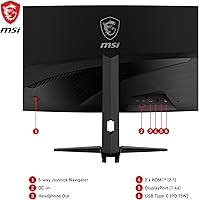
The physical setup is straightforward — the stand attaches without tools and the monitor is ready to use quickly. Having both HDMI and DisplayPort covers the most common connection scenarios for both PC and console users simultaneously.
Port selection is functional but not generous; users with multiple sources to switch between or who want USB passthrough will find the connectivity options lean. Cable management on the stand is also limited, which can look cluttered on tidier desk setups.
OSD & Menu Controls
67%
33%
The on-screen display covers all expected adjustments including brightness, contrast, refresh rate switching, and Console Mode activation. For users who set it up once and leave it alone, the menus are accessible enough.
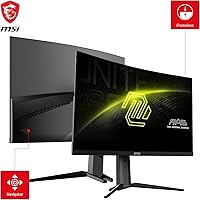
Navigating the OSD to enable features like Console Mode or fine-tune color settings is not particularly intuitive, and a few buyers mention needing the manual to locate specific options. The button placement on the rear of the monitor also makes blind adjustments fiddly.
Anti-Glare Coating
81%
19%
The matte coating handles overhead lighting and window glare competently, which buyers in bright home office environments appreciate. Unlike glossy panels, it keeps the image usable in rooms without full light control.
The coating introduces a slight texture to the image that some users — particularly those coming from glossy IPS displays — find mildly diffusing on fine text. It is a minor complaint but worth noting for anyone doing significant amounts of reading or document work.
Curvature & Immersion
85%
The 1500R curve is aggressive enough to genuinely wrap the peripheral vision during racing sims, flight titles, and expansive RPGs in ways that flat panels at this size cannot replicate. Users who game from around 60 to 80 centimeters away find the sweet spot comfortable and engaging.
At very close viewing distances below 50 centimeters, the curvature can feel excessive and distort straight lines near the screen edges. Buyers using the monitor in a tight desk space may find the immersion effect tips into discomfort rather than comfort.
Color Accuracy
61%
39%
Out of the box, colors look vivid and well-saturated for gaming, and casual media consumption looks pleasing without requiring manual calibration. The VA panel delivers strong contrast that makes colors appear richer than measured accuracy figures might suggest.
Measured color accuracy falls short of what photographers, video editors, or colorists need — the panel was not designed or calibrated for that use case. Buyers expecting IPS-level color fidelity will be disappointed, and the wide color temperature variance across the screen at angles is a practical limitation.
Packaging & Unboxing
72%
28%
The monitor arrives well-protected with foam inserts that cushion the panel adequately for standard shipping. Most buyers report the unit arriving undamaged and ready to use.
The included accessories are minimal — cable selection in the box does not always cover the bandwidth needed for maximum refresh rate, meaning some users need to source a higher-spec cable separately before getting the full experience.

Suitable for:

The MSI MAG321CUP 32-inch 4K Gaming Monitor is a strong fit for PC gamers who want to step into 4K high-refresh gaming without paying flagship-tier prices, provided they already own a capable modern GPU. The 1500R curved VA panel makes it particularly rewarding for immersive single-player genres — sim racing, open-world games, and real-time strategy titles all benefit from the wrap-around field of view and the extra detail that 4K resolution delivers at this screen size. Console players with a PS5 or Xbox Series X will find the dedicated Console Mode a genuine perk, offering a large curved desktop display that punches well above a standard monitor without the bulk and input lag concerns of a TV. It also makes sense as a first major upgrade for anyone still on a 1080p or 1440p flat panel — the jump in perceived image quality is substantial and immediately noticeable.

Not suitable for:

The MSI MAG321CUP 32-inch 4K Gaming Monitor is not the right choice for anyone whose work depends on color accuracy. VA panels carry well-known limitations in color volume and consistency, and this display is not calibrated or positioned for photo editing, video grading, or any professional creative workflow where accurate color reproduction is non-negotiable. Buyers with mid-range or older GPUs should also think carefully — running 4K at 160Hz is GPU-intensive, and without a card that can genuinely sustain that workload, a meaningful portion of the spec sheet goes unused. The stand's limited ergonomic range, covering only tilt and height with no swivel or pivot, makes it a poor pick for users who need flexible positioning for shared workspaces or unconventional desk setups. Anyone researching with long-term reliability as a top priority may also want to wait — with fewer than 100 ratings and a launch date of April 2024, the track record simply isn't deep enough yet to draw firm conclusions.

Specifications

  • Panel Type: This monitor uses a VA (Vertical Alignment) panel, which delivers deep contrast and rich color saturation compared to IPS, though with narrower off-axis viewing angles.
  • Resolution: The native resolution is 3840×2160 (4K UHD), providing approximately 140 pixels per inch on the 31.5″ screen for sharp, detail-dense imagery.
  • Refresh Rate: The maximum refresh rate is 160Hz, achievable at full 4K resolution when paired with a sufficiently powerful discrete GPU.
  • Response Time: The rated response time is 1ms MPRT (Moving Picture Response Time), which is a motion-blur reduction metric and not the same as GtG pixel transition speed.
  • Screen Size: The viewable screen diagonal measures 31.5 inches, marketed as a 32-inch class display.
  • Curvature: The panel features a 1500R curvature radius, meaning the screen curves to match the natural arc of human vision at roughly 1.5 meters viewing distance.
  • Aspect Ratio: The display uses a standard 16:9 widescreen aspect ratio, compatible with all major gaming platforms and content formats.
  • Screen Surface: The anti-glare matte coating diffuses ambient light to reduce reflections, making the display more usable in brighter room environments.
  • Sync Technology: Adaptive Sync is supported and is certified compatible with both AMD FreeSync and Nvidia G-Sync Compatible systems, covering a wide range of GPU brands.
  • Connectivity: The monitor includes HDMI and DisplayPort inputs; buyers should verify cable versions supported to ensure full 4K 160Hz bandwidth is available.
  • Console Mode: A dedicated Console Mode allows next-gen consoles such as the PS5 and Xbox Series X/S to run at 120Hz in FHD or WQHD resolution.
  • Bezel Design: The MAG321CUP features a narrow frameless bezel on three sides, reducing visual interruption and making it suitable for side-by-side multi-monitor configurations.
  • Stand Adjustments: The included stand supports tilt and height adjustment only; swivel and portrait-mode pivot are not available with the factory stand.
  • VESA Compatibility: The monitor supports VESA mount patterns, allowing it to be removed from its stand and mounted on a compatible third-party monitor arm or wall bracket.
  • Weight: The monitor with stand weighs 19.89 pounds (approximately 9 kg), which requires a sturdy desk surface or a weight-rated monitor arm if wall or arm mounting.
  • Dimensions: With the stand attached, the unit measures approximately 28×21×10.52 inches (W×H×D), requiring meaningful desk depth clearance for stable placement.
  • Availability Date: The MAG321CUP became available on Amazon in April 2024, making it a relatively recent release with a still-developing long-term user feedback profile.

Related Reviews
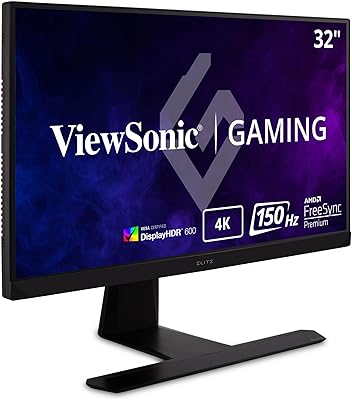
ASUS TUF Gaming VG32UQA1A 32-inch Gaming Monitor
74%
88%
Image Clarity
83%
Refresh Rate Performance
91%
Console Compatibility
54%
HDR Quality
84%
Motion Handling
More
ViewSonic XG320U 32-Inch 4K Gaming Monitor
77%
88%
Image Quality
91%
Color Accuracy
84%
Gaming Performance
58%
HDR Performance
76%
Motion Clarity
More
Corsair XENEON 32UHD144-A 32-inch Gaming Monitor
82%
91%
Color Accuracy
88%
Refresh Rate Performance
67%
HDR Quality
93%
Connectivity & Port Selection
58%
Stand & Ergonomics
More
Dell G3223Q 32-inch 4K UHD Gaming Monitor
85%
92%
Display Quality
90%
Gaming Performance (144Hz, 1ms)
88%
Ergonomics & Comfort
85%
Build Quality & Design
75%
Connectivity & Ports
More
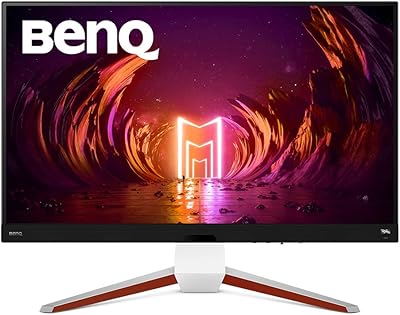
BenQ EX3210U 32-inch 4K Gaming Monitor
78%
93%
Image Quality
89%
Color Accuracy
88%
Gaming Performance
67%
HDR Performance
86%
Build Quality
More
Samsung Odyssey G70B 32-inch 4K Gaming Monitor
70%
84%
Image Quality
47%
HDR Performance
76%
Gaming Performance
53%
Panel Consistency
71%
Samsung Gaming Hub
More
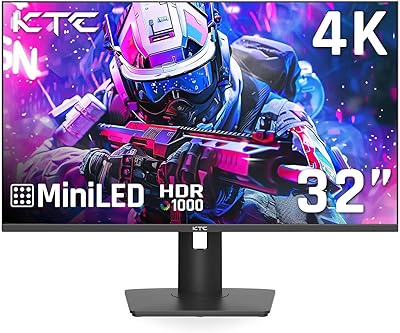
KTC M32P10 32-inch 4K Mini LED Monitor
70%
78%
HDR Performance
82%
Color Accuracy
76%
Gaming Performance
86%
Connectivity
63%
Build Quality
More
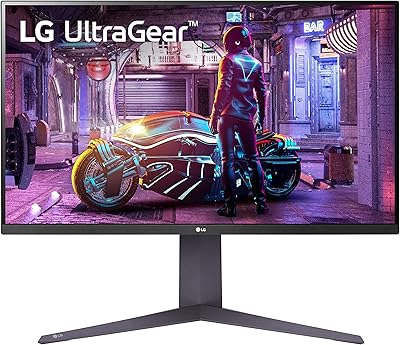
LG 32GQ750-B 32-inch 4K Gaming Monitor
77%
91%
Image Clarity
86%
Refresh Rate & Smoothness
88%
HDMI 2.1 Compatibility
83%
Contrast & Black Levels
67%
Motion Clarity
More
ASUS ROG Swift PG32UCDM 32-inch OLED Monitor
82%
96%
Image Quality
93%
Motion Performance
94%
Color Accuracy
78%
HDR Performance
74%
Burn-In Risk & Longevity
More
ASUS ROG Swift PG32UQ 32-inch Gaming Monitor
67%
83%
Image Quality
54%
HDR Performance
78%
Refresh Rate & Smoothness
81%
Console Compatibility
41%
Panel Uniformity
More

FAQ

Yes, and this is worth thinking through carefully before buying. Pushing 3840×2160 at 160Hz is demanding — you realistically need a current-generation high-end GPU like an RTX 4080 or RX 7900 XT to sustain that in most games. Mid-range cards can still use the monitor at lower refresh rates or resolutions, but you won't be unlocking the full spec without serious hardware behind it.

Yes, and it works well with both. The built-in Console Mode is designed specifically to support 120Hz gameplay at FHD and WQHD resolutions for next-gen consoles. Just connect via HDMI and enable Console Mode in the OSD settings. Note that true 4K 120Hz from consoles depends on your HDMI port version and console output settings.

MPRT (Moving Picture Response Time) measures how long a pixel appears to stay visible during motion, often achieved through backlight strobing. GtG (Gray-to-Gray) measures the actual time a pixel takes to change from one color to another. VA panels like this one typically have slower GtG times than IPS panels, so the 1ms figure here reflects motion clarity under strobing conditions, not raw pixel transition speed. For most gaming use cases it performs fine, but competitive FPS players sensitive to ghosting should keep this in mind.

It supports G-Sync Compatible, which means Nvidia has validated it for use with G-Sync technology even though it is not a native G-Sync module display. In practice, you get tear-free variable refresh performance with supported Nvidia GPUs, though a small number of G-Sync Exclusive features available on certified G-Sync hardware may not apply.

VA panels as a category are more prone to backlight bleed than IPS, and this display is no exception to that general rule. Some units show it more than others — it tends to be most noticeable on dark scenes with high ambient contrast. If you buy one and notice significant bleed, most retailers allow exchanges within a return window since it can vary unit to unit.

Yes, the monitor is VESA mount compatible, so you can remove the factory stand and attach it to any arm or wall mount that supports the correct VESA hole pattern. Just make sure your arm is rated for at least 20 pounds given the monitor's weight.

The 1500R curve is fairly aggressive and feels very immersive for gaming, but for productivity it is largely a matter of personal taste. Document work and spreadsheets are generally fine, but if you frequently use the monitor for reading long-form content or working in apps with straight grid layouts, some users find heavy curvature mildly disorienting at first. Most people adapt quickly.

The stand is functional and supports the monitor adequately for typical desktop use, but a small number of early buyers have noted it is not the most rigid stand in its class. If you plan to use it near equipment that causes desk vibration, or if you simply prefer a very solid feel, swapping to a quality monitor arm is a reasonable upgrade.

It is not well suited for color-critical work. VA panels have inherent limitations in color volume consistency and viewing angle accuracy, and this display is not factory calibrated for professional color workflows. For casual photo browsing it is perfectly fine, but if accurate color reproduction is a professional requirement, an IPS or OLED display would be a more appropriate choice.

MSI typically includes at least a basic cable in the box, but it is worth checking the included accessories list at time of purchase and verifying the cable versions support the bandwidth needed for 4K at 160Hz. If the included cables do not support the full spec, a high-speed DisplayPort 1.4 cable purchased separately will handle it reliably.

Where to Buy