Overview

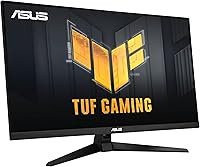
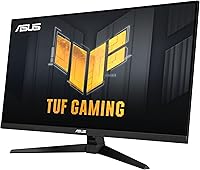
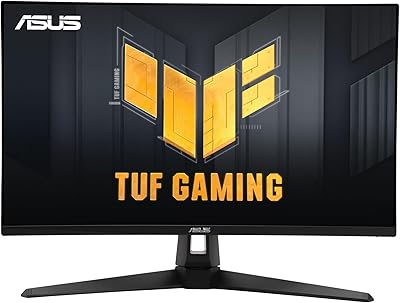
The ASUS TUF Gaming VG32UQA1A 32-inch Gaming Monitor sits in an interesting position — large enough to feel cinematic at a desk, yet priced where most serious gamers can realistically consider it. At 31.5 inches with a 4K UHD panel, the pixel density hits a comfortable sweet spot: sharp without demanding an absurdly powerful GPU to drive it. The matte screen coating is a practical win for anyone gaming in a room with windows or overhead lighting. Released in early 2023, it was designed with both PC and next-gen console users in mind. A bundled 3-month Adobe Creative Cloud subscription comes along, though for most buyers, that is a small bonus rather than a deciding factor.
Features & Benefits

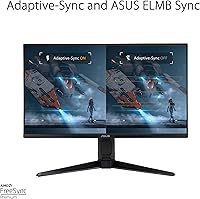
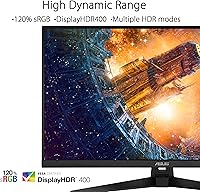
The headline specs here are genuinely useful, not just marketing checkboxes. Push it to its 160Hz overclock and fast games feel noticeably smoother than the standard 144Hz monitors that flood this price range. What sets it apart from many competitors is ELMB Sync — the ability to run motion blur reduction and variable refresh rate simultaneously, rather than forcing you to choose one. The HDMI 2.1 port is a standout for console players: it delivers true 4K at 120Hz from a PS5 or Xbox Series X without the color compression that plagues older connections. DisplayHDR 400 adds some contrast punch in supported content, but do not expect high-end HDR results — it is an entry-level certification, and the difference is subtle.

Best For

This 32-inch 4K display makes the most sense for two distinct types of buyers. PC gamers who have been running a 1080p or 1440p setup and want an upgrade that is immediately obvious will find 4K at this size genuinely satisfying. Console players buying specifically for PS5 or Xbox Series X compatibility will appreciate native HDMI 2.1 support, which removes the compromises tied to older connections. It also works reasonably well as a dual-purpose screen for light photo or video editing alongside gaming, given the 120% sRGB coverage. Anyone sensitive to glare in a bright or mixed-light room will find the matte finish a quiet but consistent advantage over glossy alternatives.

User Feedback

Sitting at 4.3 stars across over 200 ratings, the VG32UQA1A earns its score without being universally loved. The most common praise centers on image clarity and the general sense that buyers got solid performance for what they spent. Console users in particular seem pleased with how the display handles next-gen input. The criticisms are more pointed: a number of reviewers note the HDR experience falls short of expectations — DisplayHDR 400 is a floor, not a ceiling, and some buyers clearly expected more impact. A handful of reviews flag backlight bleed or minor color uniformity issues straight out of the box. Stand ergonomics receive mixed feedback, with some users wishing for a wider height adjustment range.

Pros

  • True HDMI 2.1 support delivers native 4K at 120Hz from PS5 and Xbox Series X with no color compression.
  • The 160Hz overclock gives a real-world smoothness advantage over standard 144Hz competitors in this category.
  • ELMB Sync lets you run blur reduction and variable refresh rate at the same time, which most monitors in this range cannot do.
  • FreeSync Premium keeps frame delivery consistent whether you are pushing 60 or 160 frames per second.
  • At 31.5 inches, the 4K resolution translates to a noticeably sharp image without requiring an extreme viewing distance.
  • The matte coating handles ambient light well, reducing glare without the color washout some anti-glare coatings introduce.
  • 120% sRGB coverage is respectable for occasional creative tasks beyond gaming.
  • Built-in speakers are a practical convenience for a clean desk setup, even if they are not audiophile quality.
  • Buyers consistently praise the clarity and overall visual quality relative to what they paid.

Cons

  • DisplayHDR 400 is the lowest HDR certification tier — the contrast improvement over SDR is subtle at best.
  • Some units arrive with noticeable backlight bleed, particularly in dark-room gaming conditions.
  • Color uniformity issues have been flagged by a portion of verified buyers, suggesting some panel variation.
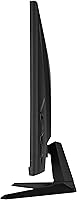
  • The stand offers limited ergonomic adjustment, which can be frustrating for users who need precise height or tilt control.
  • Driving 4K at 160Hz requires significant GPU headroom — buyers with mid-range cards may rarely hit the top refresh rate.
  • The monitor was released in 2023, and newer competitors at similar prices have begun closing the feature gap.
  • HDR10 support without advanced local dimming means bright highlights and deep blacks are not truly independent.
  • At over 16 pounds, repositioning or mounting the display requires more effort than lighter alternatives.

Ratings

The scores below for the ASUS TUF Gaming VG32UQA1A 32-inch Gaming Monitor were produced by our AI review engine after analyzing verified global buyer feedback, with spam, incentivized reviews, and bot activity actively filtered out. Each category reflects real ownership experiences — from day-one setup through months of daily use — with both consistent praise and recurring frustrations weighted transparently into every score.
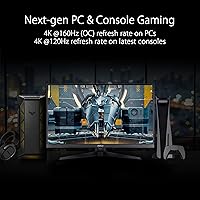
Image Clarity
88%
At 31.5 inches, 4K resolution delivers a pixel density that buyers consistently describe as a genuine step up from 1440p setups. Text is sharp, game environments look detailed, and the overall sharpness holds up well at normal desk distances without needing to sit unusually close.
Some buyers note that pixel-level sharpness can expose subtle color uniformity variations across the panel, particularly in flat-colored or dark scenes. This is unit-dependent but comes up often enough in verified feedback to flag.
Refresh Rate Performance
83%
The jump to 160Hz via overclock is noticeable in fast-paced games — mouse movement feels more connected and competitive titles like shooters benefit from the smoother output. Most buyers found the overclock stable without dropped frames or artifacting during extended sessions.
Reaching 160fps at native 4K requires a top-tier GPU, and many buyers report spending most of their time well below the ceiling. For mid-range PC users, the advertised ceiling is rarely the real-world experience in demanding titles.
Console Compatibility
91%
The HDMI 2.1 port is the standout for PS5 and Xbox Series X owners — native 4K at 120Hz with full 4:4:4 color comes through without the chroma subsampling workarounds older monitors require. Console users in particular rated this aspect highly, with many calling it the primary reason they chose this display.
The HDMI 2.1 port is singular, so users connecting both a console and a PC simultaneously need to manage input switching manually or invest in a switch. It is a minor inconvenience but worth knowing before purchase.
HDR Quality
54%
46%
HDR10 support does provide a measurable improvement in bright highlights and shadow separation in compatible games compared to SDR, and some buyers appreciated the added depth in cinematic sequences. For casual HDR use, it clears a basic threshold.
DisplayHDR 400 is the lowest rung of HDR certification, and buyers who expected a dramatic visual transformation were regularly disappointed. Without local dimming, black levels do not meaningfully deepen in HDR mode, and several reviewers recommend simply leaving it off for most content.
Motion Handling
84%
The combination of FreeSync Premium and ELMB Sync working simultaneously addresses one of the more frustrating compromises in gaming monitors — you no longer have to sacrifice blur reduction to get tear-free output. Fast panning in open-world games and high-speed competitive play both benefit from this.
ELMB Sync performs best when frame rates are high and stable, so users on mid-range hardware may not see the full benefit. At lower frame rates, some residual ghosting is still visible, particularly on high-contrast moving edges.
Color Accuracy
72%
28%
The 120% sRGB coverage produces vibrant, saturated colors that make gaming visuals pop, and casual photo editing tasks hold up reasonably well without extensive manual calibration. For a monitor marketed primarily at gamers, the color output is above average.
Out-of-box calibration is inconsistent across units, and buyers doing color-sensitive work often needed to run their own calibration pass to get accurate results. The lack of factory-measured ICC profiles or wide DCI-P3 coverage limits serious creative use.
Build Quality
76%
24%
The chassis has a solid, sturdy feel that matches ASUS's TUF branding — there is minimal flex in the panel, and the overall construction feels durable enough for a permanent desk setup. Buyers generally found the physical build reassuring for the price point.
The stand base is functional but not impressive, and the plastics used feel noticeably less premium than the panel itself. A few buyers flagged minor cosmetic issues on delivery, though structural defects were rare.
Stand Ergonomics
61%
39%
The included stand provides a stable base with basic tilt adjustment that is sufficient for users who happen to sit at the right height for the default position. Setup is straightforward and does not require tools beyond what is included.
Height adjustment range is frequently cited as too narrow, and there is no pivot or landscape-to-portrait rotation. For users who spend long hours at a desk or share the monitor between users of different heights, the stand limitations push many toward a separate monitor arm.
Glare Resistance
81%
19%
The matte anti-glare coating handles overhead lighting and window reflections noticeably better than glossy panels, making this a practical choice for living rooms or home offices without blackout curtains. Buyers in bright environments specifically praised this aspect.
The coating introduces a very slight diffusion effect that reduces the perceived sharpness and vibrancy compared to glossy equivalents, which some buyers coming from high-gloss screens found mildly disappointing at first.
Built-in Speakers
47%
53%
Having integrated speakers removes the need for external audio in basic setups, and for background music or occasional video calls, they are adequate. Buyers appreciated the option existing at all in a monitor at this tier.
Audio quality is thin and lacks bass, which is typical for slim panel speakers. Virtually no buyers use them as a primary audio source for gaming, and most recommend even entry-level desktop speakers or headphones as an immediate replacement.
Setup & Connectivity
78%
22%
Initial setup is simple and well-documented, with the on-screen display menu being accessible enough for most users to navigate without consulting a manual. Port placement is reasonable for cable management behind the stand.
The single HDMI 2.1 port limits simultaneous multi-device connections, and buyers hoping to switch between a console and PC frequently noted the awkwardness of cable swapping. A second HDMI 2.1 port would have resolved this entirely.
Value for Money
79%
21%
At its price point, this 32-inch 4K display competes strongly on paper — HDMI 2.1, 160Hz overclocked, and ELMB Sync together represent a feature set that would have cost considerably more in earlier product generations. Buyers upgrading from aging 1080p monitors found the jump substantial.
As the 2023 release ages, newer competitors have emerged at similar prices with improved HDR tiers or better panel uniformity. Buyers comparing options today may find the value proposition slightly less decisive than it was at launch.
Out-of-Box Calibration
66%
34%
For typical gaming use, the default color temperature and brightness settings are usable without any adjustments, and many buyers simply plugged it in and were satisfied immediately. The out-of-box gamma is reasonable for most display environments.
Buyers with calibration equipment found measurable deviations from target values, and a portion of verified reviews noted that units varied enough in factory settings to warrant manual correction. Consistency between units appears to be a quality control weak point.

Suitable for:

The ASUS TUF Gaming VG32UQA1A 32-inch Gaming Monitor is a strong match for gamers who want a meaningful upgrade from 1080p or 1440p without stepping into OLED or Mini-LED territory on price. If you play on a PS5 or Xbox Series X and have been frustrated by older monitors limiting your output to 4K 60Hz, the native HDMI 2.1 connection here solves that cleanly. PC gamers running mid-to-high-end hardware who want a large 4K canvas for both competitive and single-player titles will find the 160Hz ceiling and simultaneous motion blur reduction genuinely useful. The matte panel also makes this a comfortable pick for anyone gaming in a living room or home office where light control is imperfect. And if you occasionally do light photo editing or color-sensitive work on the side, the 120% sRGB coverage is enough to make this a credible dual-purpose screen.

Not suitable for:

Buyers who have been spoiled by OLED contrast or premium Mini-LED local dimming should temper their expectations before considering the VG32UQA1A — the DisplayHDR 400 certification is entry-level, and the HDR experience reflects that. If high dynamic range is a core reason you are upgrading, this monitor will likely disappoint compared to higher-tier options in a similar size bracket. Content creators doing professional color grading or print work will also find the color accuracy insufficient for serious production use. Those who need a highly adjustable ergonomic stand for long work sessions may find the range limiting, based on consistent buyer feedback. Anyone already running a fast 1440p display with a capable GPU may also find the jump to 4K at this refresh rate less impactful than expected, depending on their hardware.

Specifications

  • Screen Size: The viewable display area measures 31.5 inches diagonally.
  • Resolution: Native resolution is 3840 x 2160 pixels, delivering full 4K UHD clarity.
  • Refresh Rate: The panel runs at 144Hz natively and can be overclocked to 160Hz through the monitor's on-screen display settings.
  • Response Time: Rated at 1ms, which helps reduce trailing artifacts during fast motion in games.
  • Panel Surface: A matte anti-glare coating reduces reflections from ambient light sources without significantly dulling image vibrancy.
  • HDR Support: Certified to DisplayHDR 400 and supports the HDR10 format, providing a baseline improvement in contrast for compatible content.
  • Color Coverage: Covers 120% of the sRGB color space, offering above-average color saturation for a gaming-focused display.
  • Sync Technology: Supports AMD FreeSync Premium and ASUS ELMB Sync, allowing variable refresh rate and motion blur reduction to operate simultaneously.
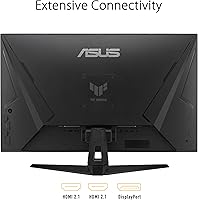
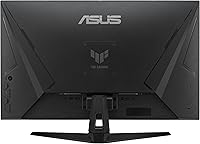
  • Connectivity: Includes one HDMI 2.1 port for 4K 120Hz console input, along with additional display inputs for PC connectivity.
  • Aspect Ratio: Standard 16:9 widescreen aspect ratio.
  • Built-in Audio: The monitor includes integrated speakers, offering a basic audio solution without requiring external hardware.
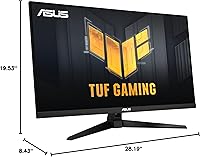
  • Dimensions: Assembled with stand, the monitor measures approximately 28.19 x 8.43 x 19.53 inches (L x W x H).
  • Weight: Complete unit with stand weighs 16.53 pounds.
  • VESA Mounting: The display is compatible with standard VESA wall or arm mounting for users who prefer not to use the included stand.
  • Release Date: This monitor was first made available in April 2023.
  • Manufacturer: Designed and produced by ASUS under its TUF Gaming product line, model number VG32UQA1A.

Related Reviews
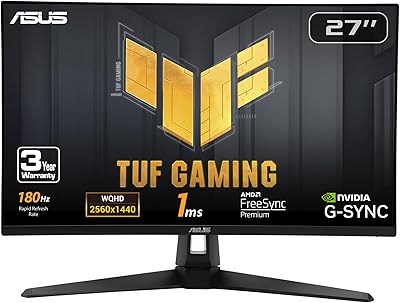
ASUS TUF Gaming VG277Q1A 27″ Gaming Monitor
78%
93%
Refresh Rate Performance
88%
Motion Clarity & Response Time
91%
Adaptive Sync & Tear-Free Gaming
74%
Out-of-Box Color Quality
82%
Shadow Boost & Dark Scene Visibility
More
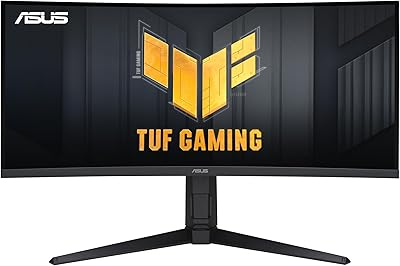
ASUS VG27AQ3A 27-inch QHD Gaming Monitor
76%
91%
Image Sharpness & Clarity
88%
Refresh Rate Performance
86%
Motion Clarity & ELMB Sync
83%
Color Accuracy & Coverage
54%
HDR Performance
More
ASUS TUF Gaming VG28UQL1A 28-inch Gaming Monitor
78%
91%
Image Clarity
88%
Motion Performance
93%
Console Compatibility
83%
Color Accuracy
58%
HDR Performance
More
ASUS VG249QE5A 24-inch Gaming Monitor
76%
88%
Image Quality
91%
Refresh Rate Performance
86%
Motion Clarity
93%
Value for Money
47%
Ergonomics & Stand
More
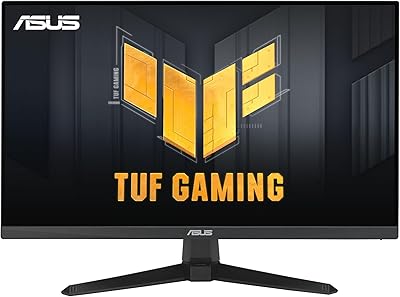
ASUS TUF VG34VQL1B 34-inch Curved Gaming Monitor
78%
83%
Image Quality
89%
Refresh Rate & Smoothness
78%
Response Time & Motion Clarity
81%
Adaptive Sync Performance
54%
HDR Performance
More
ASUS VG27VH1B 27-inch Curved Gaming Monitor
78%
93%
Refresh Rate Performance
88%
Motion Clarity & Response Time
91%
Adaptive Sync & Tear-Free Output
67%
Image Sharpness & Resolution
62%
Color Accuracy & Calibration
More
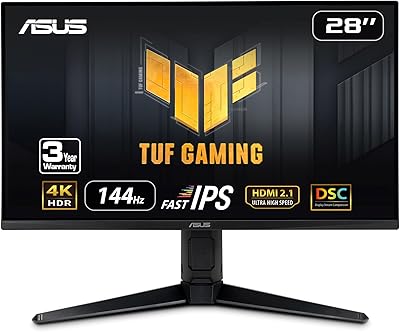
ASUS TUF Gaming VG279Q3R 27-inch 1080p Monitor
84%
91%
Gaming Performance
88%
Visual Quality
83%
Ergonomics & Comfort
87%
Color Accuracy
82%
Build Quality
More
ASUS TUF Gaming VG24VQER 24-inch Curved Monitor
78%
91%
Motion Clarity
88%
Refresh Rate Value
83%
Panel Contrast & Blacks
67%
Color Accuracy
84%
Build Quality
More
ASUS TUF Gaming VG27WQ3B 27-inch Gaming Monitor
80%
88%
Image Quality
93%
Refresh Rate & Smoothness
91%
Response Time & Motion Clarity
84%
Curved Panel Experience
82%
Color Accuracy & Vibrancy
More
ASUS TUF Gaming VG259Q3A 25-inch 1080p 180Hz Monitor
87%
94%
Performance
90%
Display Quality
85%
Ease of Setup
88%
Build Quality
93%
Gaming Experience
More

FAQ

Yes, and this is one of the stronger selling points of the VG32UQA1A. The HDMI 2.1 port supports 4K at 120Hz with full 4:4:4 chroma, meaning you are not losing color detail the way older HDMI 2.0 connections force you to. Just make sure you are plugging your console into the correct HDMI 2.1 port specifically, as not all ports on the monitor share the same specification.

Honestly, the HDR effect is modest. DisplayHDR 400 is the entry-level certification tier, and without advanced local dimming, the improvement over a well-calibrated SDR image is subtle rather than dramatic. It can add a bit of punch to highlights in supported games, but if premium HDR visuals are your main goal, you would need to spend more on a higher-certified panel.

For casual or hobbyist photo editing, the 120% sRGB coverage is reasonable and will serve you well enough. However, professional colorists or anyone working to strict print or web color standards should look for a display with broader DCI-P3 coverage and factory color calibration. This 32-inch 4K display is primarily optimized for gaming, and the color accuracy reflects that priority.

ELMB Sync is ASUS's implementation of backlight strobing that can run at the same time as variable refresh rate, rather than forcing you to disable one to use the other. In practice, it reduces the perceived blur on fast-moving objects in games where your frame rate is high enough to take advantage. Whether you notice it depends on how sensitive you are to motion clarity, but it is a genuine technical advantage over monitors that make you choose between the two modes.

The stand is functional but limited. Several buyers have noted that the height adjustment range is narrower than expected, which can be an issue if you need precise ergonomic positioning for long sessions. If you plan to use this as a primary work and gaming display for hours at a time, budgeting for a third-party arm is a reasonable consideration.

It ships with factory default settings that are adequate for most users, but not precision-calibrated. A handful of buyers have reported minor color uniformity variations between units, which is not unusual at this price point. Running a basic calibration pass using free software and a colorimeter — or even adjusting brightness, contrast, and color temperature manually — can noticeably improve accuracy if you care about it.

Reaching 160Hz at native 4K resolution in demanding modern games requires a high-end GPU, something in the tier of an RTX 4070 or above. On a mid-range card, you will likely spend most of your time well below 160fps in heavier titles, though competitive or less demanding games are more achievable. That said, FreeSync Premium keeps the experience smooth even when frame rates fluctuate, so you are not stuck staring at tearing just because you are not maxing the refresh rate.

It varies by unit. Some buyers report no noticeable bleed at all, while others have flagged visible light leakage around corners, particularly in dark scenes or when watching content with large black areas. This is a known characteristic of many VA panels at this price range, and whether it bothers you depends heavily on your gaming environment and sensitivity to it. Viewing in a fully dark room tends to make it more apparent.

The coating is moderate rather than aggressive, so most users do not find it objectionable. It does a solid job cutting glare without introducing the heavy crystalline grain you sometimes see on cheaper anti-glare treatments. If you are coming from a glossy screen you may notice a slight reduction in perceived pop, but for a gaming monitor in a mixed-light room, it is generally the right trade-off.

The VG32UQA1A does include built-in speakers for basic audio output, but the connectivity spec does not include an onboard USB hub. For audio routing flexibility, you would need to connect headphones through your PC or use a separate DAC or audio interface rather than relying on the monitor itself.

Where to Buy