Corsair XENEON 32UHD144-A 32-inch Gaming Monitor


Overview
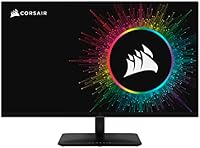
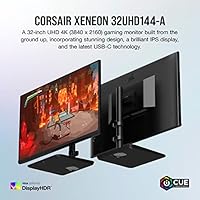
The Corsair XENEON 32UHD144-A 32-inch Gaming Monitor sits in a competitive but specific corner of the market — 32-inch 4K panels that refuse to compromise on refresh rate. Corsair built its reputation on keyboards, mice, and memory, and that same attention to build quality shows up here. What makes this display worth considering is the combination of UHD resolution and a 144Hz ceiling, which most 4K monitors still cap at 60Hz. The DisplayHDR600 certification puts it meaningfully above bargain HDR screens, though it stops short of the OLED-level contrast that purists chase. For buyers torn between a dedicated gaming monitor and a creator display, this Corsair display makes a legitimate case for doing both well.
Features & Benefits
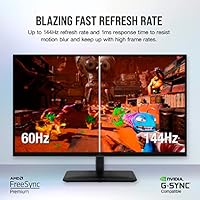
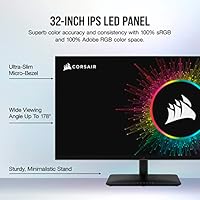
The IPS panel is the foundation everything else builds on. At 178° viewing angles, colors stay accurate whether you are sitting dead center or slightly off to the side — a real advantage in creative work where a shifted hue can mean a ruined export. The 1ms response time keeps fast gameplay clean, and paired with AMD FreeSync Premium, screen tearing becomes a non-issue for most AMD GPU owners. Quantum Dot technology pushes the color gamut to full sRGB and Adobe RGB coverage, which genuinely matters for photo editors, not just as a marketing footnote. The HDMI 2.1 port handles 4K at 144Hz without compromise, and the USB-C 3.1 connection is a practical addition for anyone running a laptop at their desk.
Best For
This 32-inch 4K panel makes the most sense for PC gamers running a current-generation GPU — think RTX 40-series or RX 7000-series cards. 4K at 144Hz is demanding, and buyers coming from budget hardware will want to check their system specs before committing. Console players with a PS5 or Xbox Series X will appreciate the HDMI 2.1 connection, which supports full resolution without bottlenecking the signal. Content creators who need accurate color day-to-day will find the wide gamut useful for real editing work, not just occasional use. It also suits anyone consolidating a gaming and work setup into one display — the XENEON monitor handles both without obvious trade-offs in either direction.
User Feedback
Buyers tend to praise the out-of-box color accuracy — most report not needing significant calibration before using it for creative work, which says something. Brightness is another common highlight, with the panel holding up well in brightly lit rooms. Where feedback gets more mixed is around GPU demands: some buyers underestimated how hard it is to consistently reach 144Hz at 4K in modern titles, which is a system limitation, not a flaw in the XENEON monitor. The stand gets occasional criticism for limited adjustability. HDR performance draws split opinions — it is a visible improvement over HDR-off, but falls short of truly immersive. On value, most buyers consider it fair for a dual-purpose 4K display, though direct comparisons with competing panels do come up.
Pros
- Out-of-box color accuracy is strong enough for creative work without manual calibration for most users.
- The IPS panel holds consistent color even at wide viewing angles, which matters in shared workspaces.
- 144Hz at 4K is a meaningful real-world advantage for gamers with hardware capable of driving it.
- HDMI 2.1 support gives PS5 and Xbox Series X owners a direct path to full-resolution, high-refresh gameplay.
- The USB-C 3.1 port lets laptop users run a clean, single-cable desk setup without a separate dock.
- Quantum Dot technology produces vivid, accurate colors across both sRGB and Adobe RGB workflows.
- AMD FreeSync Premium keeps gameplay smooth without screen tearing across a wide range of frame rates.
- DisplayHDR600 certification delivers a noticeable HDR improvement over standard SDR panels in supported content.
- The ultra-slim micro-bezel gives the display a clean, modern look that suits professional desk setups.
- This 32-inch 4K panel covers both gaming and creative workloads without requiring two separate monitors.
Cons
- Reaching 144Hz at 4K in demanding modern titles requires a top-tier GPU — budget or mid-range cards will fall short.
- HDR performance, while certified, does not match OLED or Mini-LED panels in contrast depth or peak brightness.
- The stand offers limited ergonomic adjustment options, which can be frustrating for users with specific positioning needs.
- At this price point, buyers are paying for the dual-use value proposition — pure gamers may find better frame rates elsewhere for less.
- No built-in speakers means additional desktop audio hardware is required for a complete setup.
- The 20.9-pound weight makes repositioning or mounting adjustments more cumbersome than lighter alternatives.
- Nvidia GPU owners lose some sync feature benefits, since FreeSync Premium is optimized for AMD cards.
- The high pixel density at 32 inches can require display scaling adjustments on some operating systems and applications.
Ratings
The scores below reflect an AI-driven analysis of verified global buyer reviews for the Corsair XENEON 32UHD144-A 32-inch Gaming Monitor, with spam, bot-generated, and incentivized feedback actively filtered out before scoring. Each category captures what real owners consistently praised or complained about after extended daily use — not just first impressions. Both the strengths and the friction points are represented honestly, so you can make a purchase decision with a clear picture of what to expect.
Color Accuracy
Refresh Rate Performance
HDR Quality
Connectivity & Port Selection
Stand & Ergonomics
Panel Brightness
Build Quality
Value for Money
Gaming Performance
Creative Workflow Suitability
Console Compatibility
Laptop & USB-C Usability
Out-of-Box Setup Experience
Motion Clarity
Suitable for:
The Corsair XENEON 32UHD144-A 32-inch Gaming Monitor is built for buyers who refuse to choose between competitive gaming performance and professional-grade color accuracy. It makes the most sense for PC gamers running a current-generation GPU — an RTX 40-series or RX 7000-series card — who want to actually use 144Hz at 4K rather than just own it on paper. Content creators who need reliable Adobe RGB coverage for photo editing or video color grading will find the Quantum Dot IPS panel genuinely useful in a daily workflow, not just as an occasional bonus. Console players with a PS5 or Xbox Series X also have a strong case here, since HDMI 2.1 delivers full 4K without any signal bottlenecking. Anyone consolidating a gaming and work setup into a single display will appreciate that this Corsair display does not force obvious compromises in either direction — the color accuracy holds up for serious editing, and the refresh rate holds up for fast gameplay.
Not suitable for:
The Corsair XENEON 32UHD144-A 32-inch Gaming Monitor is a poor fit for anyone whose GPU is a generation or two behind, because consistently reaching high frame rates at 4K requires significant graphics horsepower that mid-range or older cards simply cannot deliver. Buyers seeking true HDR with deep blacks and high peak brightness will also find this display underwhelming — DisplayHDR600 is a real step above entry-level certification, but it does not approach the contrast or brightness ceiling of OLED or Mini-LED panels. If you primarily play fast-paced competitive titles like first-person shooters and prioritize the absolute highest frame rates above all else, a 1080p or 1440p monitor at 240Hz or higher will serve that specific use case better at a lower price. The stand has drawn criticism for limited ergonomic adjustability, so buyers with strict height or tilt requirements may find the physical setup frustrating. Budget-conscious shoppers will also find sharper value elsewhere — this is a premium purchase that rewards users who can fully take advantage of its full specification set.
Specifications
- Panel Type: The display uses an IPS LED panel, which provides consistent color reproduction and wide viewing angles compared to TN or VA alternatives.
- Screen Size: The visible screen measures 32 inches diagonally, offering generous desktop real estate for both gaming layouts and multi-window creative workflows.
- Resolution: Native resolution is 3840 x 2160 pixels (4K UHD), delivering sharp detail and high pixel density across the 32-inch surface.
- Refresh Rate: The panel supports a maximum refresh rate of 144Hz, allowing smooth motion in fast-paced games when paired with a capable GPU.
- Response Time: Rated at 1ms response time, which helps reduce ghosting and motion blur during rapid on-screen movement.
- HDR Certification: Certified to DisplayHDR600 standard, meaning the panel can sustain a peak brightness suitable for a noticeable HDR effect in supported content.
- Color Gamut: Covers 100% of the sRGB color space and 100% of the Adobe RGB color space, making it well-suited for professional photo and video color work.
- Display Technology: Quantum Dot technology is layered over the IPS panel to extend color volume and improve saturation across the full gamut.
- Viewing Angles: Horizontal and vertical viewing angles reach 178°, ensuring minimal color shift when viewed from off-center positions.
- Sync Technology: Supports AMD FreeSync Premium and the broader Adaptive Sync standard to reduce screen tearing across compatible AMD and select other GPU configurations.
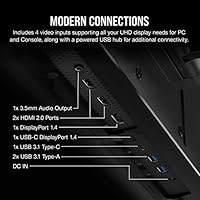
- Connectivity: Includes one HDMI 2.1 port, one DisplayPort 1.4 port, and one USB-C 3.1 port for flexible connection to PCs, laptops, and current-generation consoles.
- Aspect Ratio: Standard 16:9 widescreen aspect ratio, compatible with virtually all gaming, streaming, and productivity content without letterboxing.
- Bezel Design: Features an ultra-slim micro-bezel on three sides, reducing visual distraction and making it cleaner in multi-monitor arrangements.
- Dimensions: With the stand attached, the monitor measures approximately 28.82 x 23.9 x 12.46 inches (W x H x D).
- Weight: The complete unit with stand weighs 20.9 pounds, which is typical for a 32-inch display but worth noting for VESA mount planning.
- VESA Compatibility: The monitor supports VESA mounting, allowing users to replace the included stand with a third-party arm for improved ergonomic positioning.
- Brand & Series: Manufactured by Corsair under the XENEON monitor lineup, model designation RDD0021, first made available in May 2023.
Related Reviews
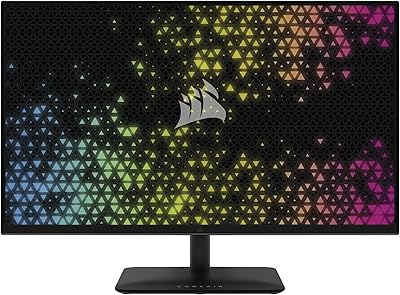
Corsair XENEON 315QHD165 32-inch Gaming Monitor
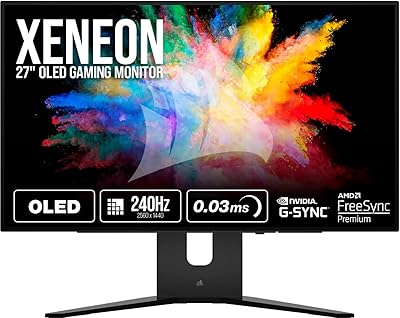
Corsair XENEON 27QHD240 27-inch OLED Gaming Monitor

KOORUI G3221SC 32″ Curved QHD Gaming Monitor
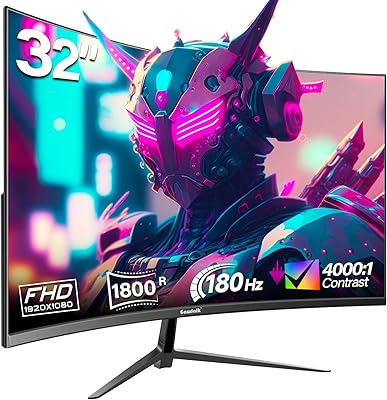
Gawfolk GF320D 32-inch Curved Gaming Monitor

AOC C32G2 32″ Curved Gaming Monitor

KTC H32S17C 32-inch Curved Gaming Monitor
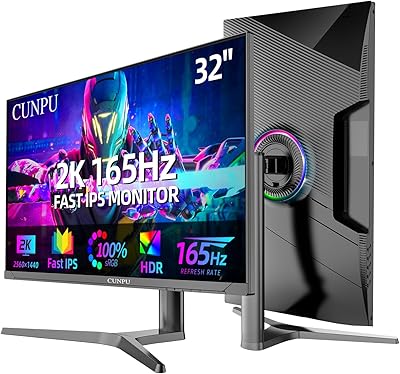
CUNPU 32-Inch Gaming Monitor QHD 165Hz

Samsung S39C 32-Inch Curved Gaming Monitor
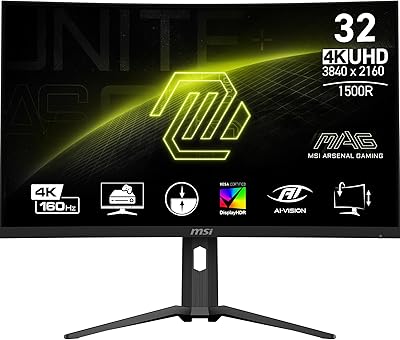
MSI MAG321CUP 32-inch 4K Gaming Monitor
