Overview

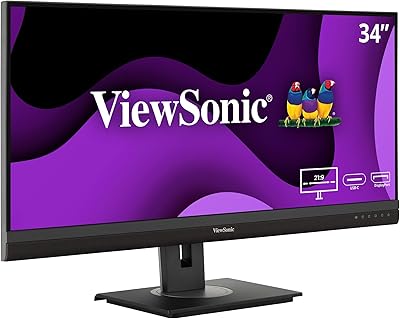
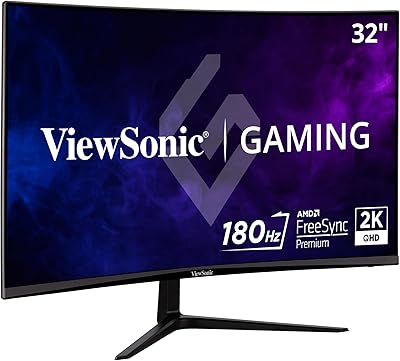
The ViewSonic VX3418-2K 34-Inch Ultrawide Gaming Monitor sits comfortably in the mid-range of a crowded ultrawide market, targeting PC gamers who want genuine screen real estate without stretching their budget to flagship territory. Switching from a typical 27-inch 16:9 display to a 21:9 panel is a bigger shift than the numbers suggest — wider peripheral vision in games, more breathing room across productivity tasks, and a format that genuinely changes how you work and play. ViewSonic has spent years building a reputation as a dependable mid-tier monitor maker, and the VX3418-2K reflects exactly that: solid fundamentals, honest pricing, and a handful of real-world trade-offs worth knowing before you commit.
Features & Benefits

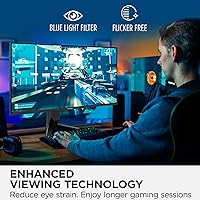
The 3440x1440 WQHD resolution is where this 34-inch gaming display makes its first strong impression — at 34 inches, pixel density stays sharp enough for detailed game visuals and comfortable text without demanding 4K-level GPU power. The 165Hz refresh rate keeps motion fluid, though the advertised 1ms spec deserves some unpacking: it measures MPRT (backlight-strobe response time), not actual gray-to-gray pixel transitions, so real-world motion clarity is good but not exceptional. FreeSync Premium handles adaptive sync well for AMD GPU owners; Nvidia users should verify current G-Sync compatibility before assuming it works automatically. The flicker-free panel and blue light filter are practical additions for long-session comfort.

Best For

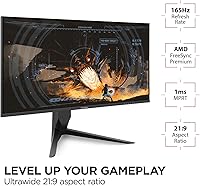
PC gamers making the jump from a standard 27-inch setup will feel the payoff almost immediately — wider immersion in open-world titles, more room in competitive games, and a workspace that genuinely feels larger. Light multitaskers benefit too: running a browser alongside a document, or managing a video timeline without constant scrolling, is exactly where the 21:9 format shines. Budget-conscious buyers who prioritize screen size and refresh rate over premium panel technology will find the VX3418-2K hard to argue with at this price point. Console players, though, should check their platform's ultrawide support carefully — PS5 and Xbox Series X have notably limited 21:9 game compatibility.

User Feedback

Across nearly 6,000 ratings and a 4.4-star average, buyer sentiment skews clearly positive. Recurring praise covers quick setup, solid out-of-box color accuracy, and a strong sense of value given how much screen you're getting. On the critical side, several users flag the stand's limited height adjustment, which is a genuine frustration for a panel this size. Some buyers report minor backlight bleed in corners, and the absence of USB-C connectivity is a recurring missed opportunity. A few Nvidia GPU users have noted compatibility nuances with FreeSync, and Mac owners flag occasional multi-device switching quirks. Mixed motion clarity reviews tend to align directly with the MPRT versus real-world response time gap discussed above.

Pros

  • The 34-inch 21:9 format delivers noticeably wider immersion than a standard 27-inch widescreen.
  • 3440x1440 resolution keeps visuals sharp without demanding a high-end GPU to drive it comfortably.
  • 165Hz refresh rate makes fast-paced games feel genuinely smooth and responsive during extended play.
  • FreeSync Premium adaptive sync effectively eliminates screen tearing for AMD GPU users.
  • Matte anti-glare panel reduces room reflections without washing out contrast in well-lit spaces.
  • Flicker-free panel and blue light filter make long gaming or work sessions noticeably easier on the eyes.
  • Out-of-box color accuracy is solid, with most buyers reporting minimal setup required before use.
  • Dual HDMI inputs allow easy switching between a PC and a secondary source.
  • Nearly 6,000 ratings averaging 4.4 out of 5 reflect consistently broad buyer satisfaction.
  • Price-to-screen-size ratio is difficult to match among ultrawide monitors at this resolution tier.

Cons

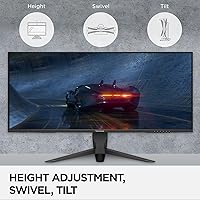
  • The included stand has no height adjustment, a real ergonomic limitation for a panel this large.
  • The 1ms spec is MPRT, not gray-to-gray, so real-world motion clarity is decent but not class-leading.
  • No USB-C input rules out convenient single-cable connectivity for most modern laptops.
  • Some units show minor backlight bleed, most noticeable during dark scenes in games or film.
  • G-Sync compatibility with Nvidia GPUs is not guaranteed and should be confirmed before purchasing.
  • Console users will find limited 21:9 ultrawide game support on PS5 and Xbox Series X.
  • Built-in game preset modes offer only modest visual differences and may feel underwhelming to enthusiasts.
  • Mac users have reported occasional quirks when switching between multiple connected devices.
  • No factory calibration data is included, which matters for buyers doing any color-sensitive creative work.

Ratings

The scores below were generated by our AI review engine after analyzing thousands of verified global purchases of the ViewSonic VX3418-2K 34-Inch Ultrawide Gaming Monitor, with algorithmic filtering applied to remove incentivized, bot-generated, and outlier feedback. Each category score reflects the honest balance of real buyer experiences — strengths and frustrations alike — so you can make a genuinely informed decision before purchasing.

Value for Money
89%
The overwhelming consensus across verified buyers is that the VX3418-2K punches above its price tier for screen size and refresh rate combined. Gamers and productivity users frequently compare it favorably to more expensive ultrawides and conclude they got more than they expected for what they paid.
A small subset of buyers feel the value proposition weakens once they account for the cost of a third-party monitor arm to compensate for the stand's limitations. Those expecting a USB-C input or factory calibration at this price will also feel the gap.
Display Quality
82%
18%
The 3440x1440 resolution at 34 inches hits a sweet spot that most buyers find genuinely sharp in everyday use — text rendering is crisp, game environments look detailed, and the extra width makes desktop layouts feel significantly more spacious than a standard 16:9 panel.
Some buyers coming from IPS panels find the color vibrancy slightly more muted due to the MVA panel characteristics. Backlight bleed in darker scenes is a recurring complaint, with a meaningful number of units showing corner glow that becomes distracting during late-night gaming.
Gaming Performance
81%
19%
At 165Hz, fast-paced titles like first-person shooters and racing games feel noticeably smoother compared to a standard 60Hz or even 144Hz monitor. The ultrawide format adds genuine peripheral immersion in open-world and story-driven games that most users describe as hard to give up once experienced.
The response time marketing creates some confusion: buyers expecting IPS-level pixel snap based on the 1ms claim may feel slightly let down in high-speed competitive play. The panel is solid for most gaming scenarios but does not match the motion clarity of dedicated TN or fast IPS gaming panels.
Ergonomics & Stand
49%
51%
The stand is stable and does not wobble under normal desk conditions, which at least provides a solid foundation. Assembly is straightforward and most users have the monitor ready in under ten minutes without needing instructions.
The absence of height adjustment is the single most consistently flagged complaint across buyer feedback, and it is a legitimate ergonomic shortcoming for a panel this size. Users who sit for long sessions report neck and shoulder strain without the help of a separately purchased monitor arm, which adds to the effective cost of ownership.
Adaptive Sync Performance
77%
23%
For AMD Radeon GPU users, FreeSync Premium works reliably and delivers a noticeably tear-free gaming experience across a wide range of frame rates. The sync range is broad enough that even when frame rates dip during demanding scenes, stuttering stays largely in check.
Nvidia GPU owners face a less predictable experience — while many report smooth operation, G-Sync compatibility is not officially certified and some users encounter minor sync anomalies or need to enable the feature manually through the Nvidia control panel. It works for most, but the uncertainty is real.
Color Accuracy
76%
24%
Out of the box, most buyers are pleasantly surprised by how usable the colors look without any manual calibration. Everyday tasks like web browsing, streaming, and casual photo editing look natural and well-balanced on the default settings.
Color professionals and anyone doing print-referenced design work will find the gamut coverage and factory consistency lacking compared to purpose-built creative displays. Unit-to-unit color variance has also been noted, meaning two buyers can have noticeably different out-of-box experiences.
Motion Clarity
67%
33%
For casual and mid-level competitive gaming, the perceived motion is smooth and satisfying, particularly when FreeSync is active and frame rates stay above 100fps. Most non-enthusiast buyers are perfectly happy with the motion handling in everyday use.
The 1ms MPRT figure overstates practical clarity: at lower frame rates or in scenes with heavy motion, some ghosting and trailing artifacts are visible on close inspection. Buyers who have used premium fast-IPS or OLED panels will notice the difference clearly.
Connectivity
62%
38%
Having two HDMI ports is genuinely useful for users who want to connect a desktop PC alongside a console or a second laptop without unplugging cables. DisplayPort handles the full 165Hz bandwidth cleanly, which is what most PC gamers will rely on daily.
The absence of USB-C is a real limitation for MacBook and modern laptop users who expect single-cable connectivity at this display size and price. There are also no USB hub ports on the monitor itself, which means no convenient peripheral passthrough.
Eye Comfort
84%
The flicker-free backlight makes a tangible difference for buyers who spend four or more hours daily in front of the screen, with several users specifically noting less end-of-day eye fatigue compared to their previous monitors. The matte panel also helps in mixed office lighting.
The Blue Light Filter mode shifts white balance noticeably warm, and some users find the strongest settings too yellow for accurate color perception. It works, but users who need both eye comfort and color accuracy simultaneously will need to find a compromise setting.
Brightness & Contrast
74%
26%
The 3000:1 static contrast ratio is a genuine strength of the MVA panel technology, producing noticeably deeper blacks than IPS displays at similar price points. Dark gaming environments and cinematic content benefit clearly from the improved shadow depth.
At 300 cd/m² typical brightness, the panel can feel underwhelming in well-lit rooms or near windows. It is not an HDR-capable display in any meaningful sense, and buyers hoping for vivid highlight detail in HDR content will be disappointed by the output ceiling.
Setup & Installation
88%
Buyers consistently report that unboxing and getting the VX3418-2K running takes under fifteen minutes, with clear stand assembly and intuitive cable routing. Most Windows PC users described their displays as detected and configured automatically with no driver installation needed.
Mac users and multi-device switchers occasionally report the monitor not waking correctly after a sleep cycle, requiring a manual input switch or cable reconnect. It is a minor inconvenience but comes up often enough to be worth flagging for affected users.
OSD & Controls
63%
37%
The on-screen display covers all the essential settings including brightness, contrast, color temperature, and game preset switching. Once you learn the button layout, making adjustments is manageable for most users.
The physical joystick or button navigation feels dated compared to monitors with more intuitive OSD interfaces, and several buyers describe navigating to specific settings as cumbersome. The game preset modes themselves are functional but offer only modest real-world visual differences.
Productivity Use
83%
The horizontal canvas that the 21:9 format opens up is immediately appreciated by users who work across multiple applications simultaneously. Running a code editor alongside a browser, or a spreadsheet alongside a video call, feels natural and genuinely reduces window management friction.
Application support for ultrawide layouts is still inconsistent — certain productivity tools, older enterprise software, and some video conferencing platforms do not scale correctly across the full 3440-pixel width. Buyers working in specialized software should verify ultrawide compatibility before committing.
Build Quality
73%
27%
The overall construction feels appropriately solid for a mid-range monitor, with a slim bezel design that keeps the panel looking clean on a desk. Most buyers report no structural concerns after months of use, and the matte finish resists fingerprints reasonably well.
The plastics used in the chassis feel noticeably budget-grade on close inspection, and a few buyers have reported minor creaking around the panel edges. It is not a premium-feeling build, and at this size, the value-focused materials are more apparent than they would be on a smaller display.
Speaker Quality
41%
59%
The built-in speakers are present and functional, which is enough for occasional system sounds, video calls at low volume, or casual background audio when headphones are inconvenient. Having them built in avoids the need for a dedicated audio solution in very light use scenarios.
The 2-watt output is thin, flat, and lacking in any meaningful bass or stereo separation — virtually every buyer who relies on audio for gaming, music, or media will want external speakers or a headset. These speakers are a checkbox feature rather than a genuine audio solution.

Suitable for:

The ViewSonic VX3418-2K 34-Inch Ultrawide Gaming Monitor is a strong fit for PC gamers who are ready to step beyond a standard 16:9 display but aren't willing to pay flagship prices for a curved OLED panel. The 21:9 format and WQHD resolution make a real, tangible difference in open-world and story-driven titles, where the extra peripheral width adds genuine depth to the experience. It also works well as a dual-purpose productivity display — anyone who regularly juggles spreadsheets, code editors, video timelines, or side-by-side browser windows will immediately appreciate that extra horizontal workspace. The 165Hz refresh rate keeps it competitive for fast-paced gaming, and AMD GPU owners in particular get the full benefit of FreeSync Premium. Budget-conscious buyers who have been considering an ultrawide for a while but held off due to pricing will find this a realistic, well-rounded entry point.
Not suitable for:

There are a few specific buyers for whom the ViewSonic VX3418-2K 34-Inch Ultrawide Gaming Monitor is likely the wrong call. Console players planning to connect a PS5 or Xbox Series X should be cautious — ultrawide 21:9 support on current-generation consoles is inconsistent, and many titles simply output with black bars rather than utilizing the full width of the screen. Creative professionals doing color-critical work such as photo retouching, print design, or video grading would be better served by a panel with a wider color gamut and factory calibration. The included stand offers no height adjustment, which becomes a genuine comfort issue over long sessions and may require a separate monitor arm investment. Users who depend on USB-C for single-cable laptop connectivity will also find that option missing here, and Nvidia GPU owners should verify G-Sync compatibility before assuming it works out of the box.
Specifications

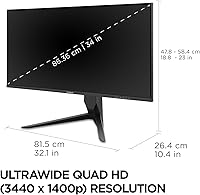
  • Screen Size: The panel measures 34 inches diagonally, providing substantially more horizontal workspace than a conventional 27-inch display.
  • Aspect Ratio: The 21:9 ultrawide format delivers noticeably wider horizontal coverage compared to the standard 16:9 found on most desktop monitors.
  • Resolution: Native resolution is 3440x1440 WQHD, offering sharp image detail without requiring the GPU headroom demanded by 4K panels.
  • Refresh Rate: The panel runs at up to 165Hz, enabling smooth motion in fast-paced games when connected via DisplayPort.
  • Response Time: The advertised 1ms figure is an MPRT (Moving Picture Response Time) measurement, which reflects backlight strobe behavior rather than true gray-to-gray pixel transition speed.
  • Panel Type: The VX3418-2K uses an MVA (Multi-domain Vertical Alignment) panel, which balances contrast depth with wider viewing angles compared to older TN technology.
  • Panel Surface: A matte anti-glare coating reduces reflections from ambient lighting, making the screen usable in moderately lit rooms without significant washout.
  • Adaptive Sync: FreeSync Premium support provides adaptive refresh rate synchronization, which targets tear-free gameplay primarily for AMD Radeon GPU users.
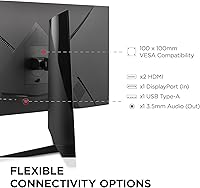
  • Inputs: Connectivity includes two HDMI 2.0 ports and one DisplayPort 1.4, allowing connection of a PC alongside a secondary source such as a console or laptop.
  • Brightness: Typical brightness output is rated at 300 cd/m², suitable for indoor use under controlled lighting but not designed for HDR highlights or high-ambient-light environments.
  • Contrast Ratio: The static contrast ratio is rated at 3000:1, a figure consistent with MVA panel technology that results in noticeably deeper blacks than IPS alternatives at this price.
  • Eye Care: Flicker-Free backlight technology and a Blue Light Filter mode are included to reduce eye strain during extended viewing or work sessions.
  • Game Presets: The OSD includes pre-configured visual modes optimized for FPS, RTS, and MOBA genres, each adjusting brightness, contrast, and color balance for that game category.
  • VESA Mount: The monitor is VESA 100x100mm compatible, meaning it can be removed from the included stand and mounted on a third-party monitor arm or wall bracket.
  • Dimensions: With the stand attached, the unit measures 32.06″ wide, 23″ tall, and 10.4″ deep.
  • Weight: The full assembly weighs 15.6 pounds, which is typical for a 34-inch ultrawide and should be factored in when selecting a monitor arm with adequate weight capacity.
  • Built-in Audio: Two integrated 2-watt speakers are included for basic system audio, though their output is modest and most users will prefer external speakers or headphones.
  • Release Date: The VX3418-2K was first made available in July 2024, placing it among ViewSonic's more recent mid-range ultrawide releases.

Related Reviews

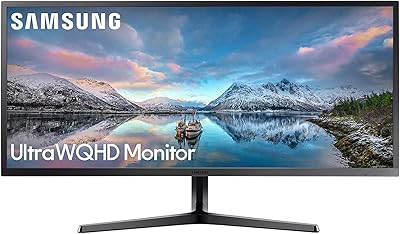
Samsung 34-Inch SJ55W Ultrawide Monitor
77%
88%
Picture Quality
91%
Contrast & Blacks
86%
Resolution & Sharpness
67%
Refresh Rate & Gaming Smoothness
93%
Ultrawide Productivity
More
Westinghouse 34-Inch Curved Ultrawide Gaming Monitor
72%
84%
Value for Money
78%
Image Quality
81%
Refresh Rate & Motion
82%
Adaptive Sync
83%
Curve & Immersion
More
Raywego Q34DB45-1 34-inch Curved Gaming Monitor
72%
88%
Value for Money
84%
Gaming Performance
74%
Image Quality
51%
HDR Performance
67%
Build Quality
More
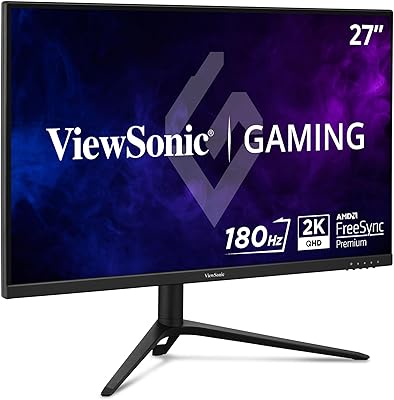
ViewSonic VX2728J-2K 27-Inch Gaming Monitor
86%
89%
Gaming Performance
93%
Display Quality
86%
Ergonomics and Adjustability
82%
Setup and Installation
78%
Build Quality
More
Gawfolk GF340H 34-inch Ultrawide Monitor
72%
84%
Value for Money
88%
Screen Real Estate
71%
Image Quality
78%
Color Accuracy
76%
Refresh Rate & Motion
More
ViewSonic VG3456A 34-Inch Ultrawide QHD IPS Monitor
86%
91%
Display Quality
88%
Ergonomics and Comfort
90%
Connectivity and Ports
85%
Ease of Setup
89%
Performance for Content Creation
More
ViewSonic VX3218C-2K 32-inch Curved Gaming Monitor
77%
88%
Value for Money
91%
Gaming Performance
78%
Image Quality
71%
Build Quality
54%
Ergonomics
More
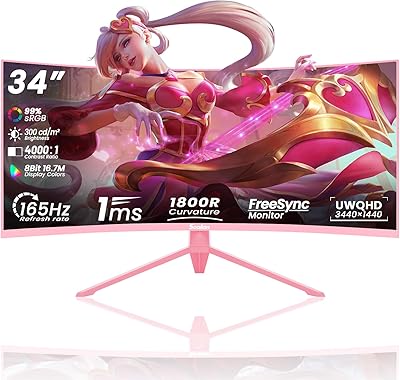
Sealan Q34P4D-1 34-inch Ultrawide Curved Gaming Monitor
69%
83%
Value for Money
79%
Gaming Performance
71%
Picture Quality
58%
Build Quality
72%
Color Accuracy
More
Alienware AW3425DWM 34-inch Curved Gaming Monitor
82%
91%
Image Clarity & Sharpness
89%
Refresh Rate & Motion Performance
93%
Ultrawide Immersion
84%
Color Accuracy & Vibrancy
62%
HDR Performance
More
ViewSonic XG2431 24-Inch Gaming Monitor
86%
92%
Gaming Performance
88%
Display Quality
93%
Response Time
85%
Ergonomics and Comfort
89%
Visual Clarity
More

FAQ

FreeSync Premium is officially designed for AMD Radeon graphics cards, but many Nvidia GPUs support adaptive sync over DisplayPort through their own compatibility layer. That said, Nvidia does not formally certify every FreeSync monitor, so it is worth checking Nvidia's published G-Sync compatible list before assuming it will work with your specific card. Most modern Nvidia cards will handle it without issues, but verification is worth the two minutes it takes.

It is accurate in a specific and important sense: that 1ms figure is an MPRT measurement, which describes how quickly the backlight strobes to reduce perceived blur rather than how fast individual pixels actually change color. The real gray-to-gray transition time is higher. For most gamers, the practical motion performance is quite good, but if you are comparing this directly to a monitor advertised with a 1ms GtG spec, they are not measuring the same thing.

You can connect either console using HDMI, and the image will display correctly. The complication is ultrawide game support: most PS5 and Xbox Series X titles output in 16:9, so you will typically see black bars on the left and right sides of the screen rather than a full-width image. A handful of titles do support 21:9, but it is the exception, not the rule for current-gen consoles.

Unfortunately, the included stand does not offer height adjustment, which is one of the more commonly mentioned frustrations from buyers given the size of the panel. You can tilt it slightly, but that is the extent of the ergonomic range. If monitor height matters to your setup, a third-party VESA arm (100x100mm pattern) is a straightforward solution.

No, the ViewSonic VX3418-2K 34-Inch Ultrawide Gaming Monitor does not include a USB-C input. If single-cable laptop connectivity is important to you, this is a genuine gap in the feature set. You would need to connect via HDMI or DisplayPort using a compatible adapter instead.
Backlight bleed is a known variable with VA panels, and the VX3418-2K is no exception. Some units show minimal bleed that is only visible in pitch-dark rooms; others have more noticeable patches, particularly in corners. It tends to be most obvious during dark cinematic scenes or horror game environments. There is some unit-to-unit variation, so it is not universal, but it is worth being aware of before purchasing.

Yes, and this is honestly one of the stronger use cases for it. The extra horizontal real estate at 3440x1440 makes a tangible difference for anyone who works across multiple windows, manages timelines, reviews documents side by side, or writes code with a reference panel open. The matte screen also helps in typical office lighting. It is not a color-calibrated professional display, but for general productivity it performs well above its price.

It will work with a Mac using a compatible adapter or cable — typically USB-C to DisplayPort for newer MacBooks. Most users report the connection works fine for display output. Where some friction can appear is with multi-device switching or waking the display from sleep, which a few Mac users have flagged. It is not a dealbreaker, but it is worth knowing if you frequently switch between devices.

They are more functional than pure gimmick, but only slightly. The FPS preset, for example, increases brightness and sharpens contrast to help with visibility in darker scenes. In practice, most experienced users will dial in their own OSD settings and rarely revisit the presets. If you are new to monitor calibration, they provide a reasonable starting point; if you prefer manual control, you will likely ignore them after the first week.

ViewSonic typically backs their monitors with a three-year warranty in most regions, which is solid coverage for this product category. Their support reputation is generally reliable for straightforward warranty claims. It is always worth registering your monitor on their website after purchase to ensure your coverage is on file, and confirming the specific warranty terms for your country at the time of purchase.

Where to Buy