Overview

The Sealan Q34P4D-1 34-inch Ultrawide Curved Gaming Monitor is a newcomer making a surprisingly confident push into a market dominated by brands with years of reputation behind them. Sealan isn't a household name, and that's worth acknowledging upfront — but the specs and price point tell an interesting story. The 1500R curved panel spans a wide 21:9 field of view, which genuinely reduces the need to scan your head side to side during long sessions. A matte screen surface keeps reflections in check whether you're gaming at night or working near a window. For a display that launched in April 2025, its traction on Amazon is hard to ignore.
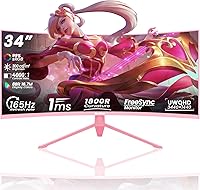
Features & Benefits

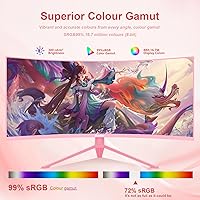
Push to DisplayPort for the full experience — that's where the 165Hz refresh rate kicks in, making motion in fast shooters and racing titles look noticeably smoother than what most budget panels can offer. Via HDMI, the refresh rate drops, so pairing this display with a GPU over DisplayPort 1.4 is the smarter call. The 1ms response time keeps ghosting largely out of the picture, and AMD FreeSync handles frame synchronization cleanly when output dips or fluctuates. Color coverage hits 99% sRGB with 8-bit depth, solid for casual creative work. HDR400 is on board, though treat it as a mild enhancement rather than a dramatic visual upgrade — it is entry-level HDR by industry standards.

Best For

This ultrawide curved monitor makes the most sense for budget-conscious gamers who want the wide-canvas feel without spending flagship money. Single-player games — especially open-world, simulation, or story-driven titles — benefit the most from that expansive 21:9 aspect ratio. It is also a practical choice for home office setups looking to consolidate a two-monitor arrangement into one wide display, reducing desktop clutter. Casual content creators who need reliable color representation without requiring professional-grade accuracy will find the sRGB coverage adequate. VESA compatibility is a genuine plus for anyone short on desk depth. Hardcore competitive players and color-critical professionals, however, will likely want to look at more established options.

User Feedback

Early buyers of this 34-inch Sealan display generally highlight easy setup and pleasant out-of-box colors, with several noting it held its own against pricier ultrawide alternatives at first glance. That said, a recurring concern centers on stand stability — some users feel it wobbles more than expected given the panel size and weight. A handful of reviewers flagged that real-world brightness falls a bit short of the advertised spec, and HDR performance is underwhelming in practice. Opinions on Sealan's customer service are mixed, which matters for a brand still building its track record. The 2-year warranty is reassuring on paper, but response times appear inconsistent based on early accounts.

Pros

  • The 21:9 curved panel creates a genuinely immersive viewing angle that flat monitors at this size cannot replicate.
  • At 165Hz over DisplayPort, motion clarity in fast-paced games is smooth and competitive for the price tier.
  • AMD FreeSync keeps gameplay tear-free even when frame rates fluctuate during demanding scenes.
  • Dual HDMI and dual DisplayPort inputs make switching between a PC, console, and laptop refreshingly hassle-free.
  • Out-of-box colors impress early buyers, with 99% sRGB coverage delivering vibrant, natural-looking visuals.
  • The matte screen surface handles ambient light well, reducing eye strain during long work or gaming sessions.
  • VESA 100x100mm support gives wall-mounting flexibility that genuinely expands placement options for tight desks.
  • At this price point, replacing a dual-monitor setup with this ultrawide curved monitor saves money and desk clutter.
  • A 2-year warranty offers a reasonable safety net for a budget-tier display from a newer brand.
  • The 1ms response time keeps ghosting minimal, a noticeable advantage when playing action-heavy or fast-moving titles.

Cons

  • Sealan has a short market history, making long-term durability and consistent customer support harder to verify.
  • The stand has drawn criticism for wobbling under minor desk vibrations, which can be distracting during use.
  • Real-world brightness falls short of the 300 cd/m² specification in some units, dulling the image in bright rooms.
  • HDR400 performance is underwhelming in practice — it is entry-level certification and should not drive a purchase decision.
  • The full 165Hz refresh rate is locked to DisplayPort only; HDMI users will operate at a noticeably lower rate.
  • Some buyers report backlight bleed along panel edges, a common concern at this price tier but worth factoring in.
  • Customer support response times are inconsistent, raising questions about warranty reliability if issues arise post-purchase.
  • As a brand-new 2025 release, there is limited long-term user data to confirm how the panel holds up over years of use.

Ratings

The scores below are generated by AI after analyzing verified user reviews from buyers worldwide, with spam, bot-driven, and incentivized feedback actively filtered out to ensure honest representation. The Sealan Q34P4D-1 34-inch Ultrawide Curved Gaming Monitor earns a genuinely mixed-but-promising profile — strong where its specs punch above its price tier, and more vulnerable where brand maturity and physical build quality are concerned. Both the highlights and the friction points are reflected transparently so you can make a fully informed call.

Value for Money
83%
For buyers stepping into ultrawide territory on a budget, the price-to-feature ratio is difficult to argue with. A 34-inch UWQHD curved panel with 165Hz, FreeSync, and four video inputs at this cost undercuts most established-brand equivalents by a meaningful margin, and users consistently acknowledge that.
Some buyers feel the savings become less obvious once they factor in potential stand replacement costs or the added effort of managing warranty claims with a newer brand that lacks the service infrastructure of more established competitors.
Gaming Performance
79%
21%
In fast-paced and immersive gaming sessions, the 165Hz refresh rate over DisplayPort and 1ms response time deliver smooth, responsive motion that holds up well against pricier alternatives. FreeSync integration keeps tearing largely out of the picture when paired with a compatible AMD GPU.
The 165Hz ceiling is only reachable via DisplayPort — HDMI users are stuck at lower rates, which frustrates buyers who assumed the full spec applied universally. This misalignment between advertised performance and port-specific limitations is a recurring complaint in user feedback.
Picture Quality
71%
29%
Out of the box, colors look vibrant and well-balanced for a budget panel. The 99% sRGB coverage means most games and casual photo work render with enough accuracy to satisfy users who are not working to professional color standards.
Real-world brightness falls noticeably short of the 300 cd/m² specification in a number of units, leaving the image looking flat in bright rooms. HDR400 adds little visible impact in practice, and buyers expecting dramatic HDR contrast are consistently disappointed.
Build Quality
58%
42%
The monitor's screen bezel and back panel have a clean enough finish that most users are satisfied at first glance, and the overall footprint looks solid in photos and on the desk at initial setup.
Stand stability is a recurring pain point — the base wobbles with minor desk movement or keyboard impacts, which is distracting during long sessions. Several buyers noted that the physical construction feels noticeably lightweight relative to the panel size, which raises questions about long-term durability.
Color Accuracy
72%
28%
The 99% sRGB coverage with 8-bit color depth produces pleasing, natural-looking colors for gaming and general multimedia consumption. Users working on casual creative projects — photo albums, light design work — find the output more than adequate for non-critical tasks.
Factory calibration varies between units, and some buyers report a blue or cool tint that requires manual adjustment through the OSD to correct. Without a factory calibration report, color-critical workflows are a risk on any individual unit.
Screen Uniformity
61%
39%
In typical gaming and productivity lighting conditions, the matte panel keeps the viewing experience consistent enough that most users do not notice uniformity issues during regular use. Darker games and content play well across the central portion of the screen.
Backlight bleed along the panel edges is a recurring complaint, particularly in dark-room gaming scenarios or when displaying solid dark backgrounds. This is a known trade-off at this price tier but remains a genuine frustration for users who primarily play dark or atmospheric titles.
Refresh Rate & Smoothness
77%
23%
At 165Hz through DisplayPort, motion in fast shooters and driving simulators looks genuinely smooth — a real step up from 60Hz or even 144Hz panels for players who have made the jump before and know what to look for.
The port dependency for peak refresh rate creates confusion and disappointment for users who connect via HDMI and find the experience underwhelming. The listing does not make this distinction obvious enough, and too many buyers only discover the limitation after setup.
Connectivity
84%
Having two HDMI 2.0 and two DisplayPort 1.4 inputs in a single monitor at this price is genuinely useful for multi-device households. Switching between a gaming PC, a work laptop, and a console without unplugging cables is a small but daily convenience that buyers appreciate.
There are no built-in USB hub ports, which some users in this screen-size category expect, and the audio output is a basic 3.5mm jack with no built-in speakers. For an all-in-one desk solution, these omissions add up.
Setup & Installation
81%
19%
The majority of buyers describe setup as fast and uncomplicated — the stand clicks together without tools, input detection is automatic, and the OSD navigation is straightforward enough that most users have the display running within fifteen minutes of opening the box.
The included documentation is minimal, and first-time ultrawide owners occasionally struggle to configure the correct refresh rate through Windows display settings. A clearer quick-start guide addressing the DisplayPort-only 165Hz limitation would prevent a lot of early frustration.
Ergonomics & Adjustability
47%
53%
The VESA 100x100mm compatibility is a genuine saving grace — users who invest in a monitor arm gain full tilt, height, and swivel control, which transforms the ergonomic profile of this display entirely.
The included stand offers very limited adjustment, with no height change and minimal tilt range, which forces many users to prop the monitor on books or a riser to reach a comfortable eye level. For a 34-inch panel that buyers plan to use for hours daily, this is a significant oversight.
Curvature & Immersion
82%
18%
The 1500R curve hits a comfortable sweet spot for a 34-inch panel — immersive enough to draw you into wide open game environments without feeling distorted or unusually aggressive at close viewing distances. Single-player RPG and simulation fans in particular praise the sense of peripheral depth.
At very close viewing distances, some users find the curvature slightly exaggerated for productivity tasks like reading long documents or working with spreadsheets, where a flatter panel can feel more natural for sustained text-focused work.
Eye Comfort
74%
26%
The matte coating meaningfully reduces glare from overhead lighting and windows, and users working long shifts report less reflective fatigue compared to glossy alternatives in the same price range. The wide panel also reduces the need to turn the head during extended sessions.
Without confirmed flicker-free certification or detailed low blue light filter specs from Sealan, users sensitive to eye strain have some uncertainty. A handful of buyers reported mild headaches after prolonged use, though this varied widely across individuals and lighting setups.
Customer Support
44%
56%
The 2-year warranty represents a reasonable coverage period for a budget display, and Sealan does have a stated process for handling defects and missing accessories, which is more than some budget brands offer at this tier.
Real-world support experiences are inconsistent — response times vary significantly, and some buyers report slow or unhelpful replies when pursuing warranty claims. For a brand this new, the lack of established service infrastructure is a legitimate risk that buyers should factor into their decision.
Matte Coating Quality
76%
24%
The anti-glare matte finish handles mixed-lighting environments well, making this a practical option for home offices with windows or shared spaces where lighting is not fully controlled. Users transitioning from glossy panels consistently prefer the reduced distraction.
In very dark room conditions, some users notice a slight graininess or haze from the matte layer that can soften fine image detail. This is a common trade-off with matte coatings but is more perceptible on dark backgrounds than on bright, colorful gaming content.
Long-Term Reliability
51%
49%
For buyers within the warranty period, the combination of a 2-year coverage promise and the generally positive early reception from initial adopters provides modest confidence that most units perform reliably in the short term.
The brand launched in April 2025, meaning there is simply no meaningful long-term reliability data yet. Users buying this budget ultrawide panel are early adopters in a very real sense, and the risk of undocumented aging issues with the panel or electronics cannot be fully assessed at this stage.

Suitable for:

The Sealan Q34P4D-1 34-inch Ultrawide Curved Gaming Monitor is a strong fit for gamers and home users who want to step into the ultrawide experience without committing to a premium price tag. If your gaming library leans toward immersive single-player titles — open-world adventures, racing simulators, or story-driven RPGs — the wide 21:9 field of view genuinely adds to the sense of presence in a way a standard 16:9 display simply cannot match. Home office workers tired of managing two separate monitors will find the 3440x1440 resolution provides enough horizontal real estate to run side-by-side applications comfortably. The matte coating makes it practical in rooms with windows or mixed lighting, and the VESA compatibility gives wall-mounting enthusiasts a clean, desk-space-saving option. Casual creators who need respectable color coverage for photo editing or light design work, without the cost of a professional-grade panel, will also find this budget ultrawide panel punches reasonably above its weight.

Not suitable for:

Buyers who prioritize brand reliability and long-term support history should approach this 34-inch Sealan display with measured expectations — Sealan is a new entrant with a limited track record, and warranty service responsiveness appears inconsistent based on early user accounts. Competitive multiplayer gamers who demand the absolute highest refresh rates should note that 165Hz is only achievable over DisplayPort; HDMI connections run at lower rates, which matters if your setup relies on HDMI. The HDR400 certification sounds appealing on paper, but in practice it delivers only a modest visual step up — anyone expecting the deep contrast of a high-end HDR display will be disappointed. Professional photographers, video editors, or designers who need factory-calibrated color accuracy and wide color gamut coverage beyond sRGB should look elsewhere. Finally, buyers who prefer a sturdy, premium-feeling physical build may find the stand and chassis quality consistent with the price tier rather than above it.

Specifications

  • Screen Size: The panel measures 34 inches diagonally, providing a wide viewing area suited to both gaming and productivity use.
  • Resolution: Native resolution is 3440x1440 (UWQHD), delivering sharp detail across the full 21:9 aspect ratio.
  • Panel Curvature: The 1500R curvature radius wraps the screen gently around the viewer's field of vision to reduce edge distortion and head movement.
  • Refresh Rate: Maximum refresh rate is 165Hz when connected via DisplayPort 1.4; HDMI connections operate at a lower refresh rate.
  • Response Time: Rated at 1ms response time, which helps minimize ghosting and trailing artifacts during fast-moving on-screen content.
  • HDR Support: HDR400 certification is included, representing an entry-level HDR standard with a peak brightness threshold of 400 cd/m².
  • Brightness: Typical brightness is rated at 300 cd/m², suitable for moderately lit rooms but may appear dim in very bright environments.
  • Color Gamut: Covers 99% of the sRGB color space with 8-bit color depth, providing accurate and consistent color for general gaming and casual creative tasks.
  • Screen Surface: The matte anti-glare coating diffuses reflections from ambient light sources, reducing eye strain during extended use.
  • Aspect Ratio: The 21:9 widescreen aspect ratio (2.39:1) expands horizontal screen space compared to standard 16:9 monitors of the same diagonal size.
  • Connectivity: Includes 2x HDMI 2.0, 2x DisplayPort 1.4, and 1x 3.5mm audio output for flexible multi-device connectivity.
  • Sync Technology: AMD FreeSync support allows compatible AMD GPUs to synchronize frame output with the display's refresh rate, reducing screen tearing.
  • VESA Compatibility: Supports standard 100x100mm VESA wall mounting, allowing the monitor to be removed from its stand and mounted on an arm or wall bracket.
  • Dimensions: The monitor measures 23.62 x 3.54 x 16.14 inches with the stand attached, requiring adequate desk depth for stable placement.
  • Weight: Total unit weight is 15.02 pounds, which is typical for a 34-inch curved panel of this class.
  • Warranty: Sealan provides a 2-year limited warranty covering manufacturing defects, damage, malfunctions, and missing accessories.
  • Brand & Model: Manufactured by Sealan under model number Q34P4D-1, released to the market in April 2025.

Related Reviews

Westinghouse 34-Inch Curved Ultrawide Gaming Monitor
72%
84%
Value for Money
78%
Image Quality
81%
Refresh Rate & Motion
82%
Adaptive Sync
83%
Curve & Immersion
More
Raywego Q34DB45-1 34-inch Curved Gaming Monitor

72%
88%
Value for Money
84%
Gaming Performance
74%
Image Quality
51%
HDR Performance
67%
Build Quality
More
Alienware AW3425DWM 34-inch Curved Gaming Monitor

82%
91%
Image Clarity & Sharpness
89%
Refresh Rate & Motion Performance
93%
Ultrawide Immersion
84%
Color Accuracy & Vibrancy
62%
HDR Performance
More
Sealan 27-inch Curved Gaming Monitor

82%
85%
Display Quality
90%
Ease of Setup
91%
Value for Money
87%
Performance in Gaming
83%
Color Accuracy
More
Sealan 24-Inch Curved Gaming Monitor
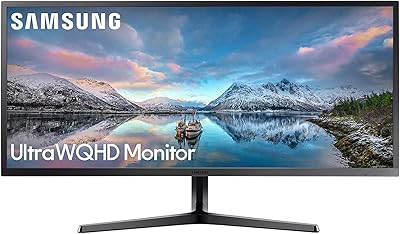
86%
92%
Gaming Performance
88%
Visual Quality
91%
Refresh Rate Smoothness
85%
Design & Build
87%
Eye Care Features
More
Gawfolk GF340H 34-inch Ultrawide Monitor
72%
84%
Value for Money
88%
Screen Real Estate
71%
Image Quality
78%
Color Accuracy
76%
Refresh Rate & Motion
More
Dell S3422DWG 34-inch Curved Gaming Monitor
83%
88%
Image Quality
84%
Refresh Rate & Smoothness
93%
Curvature & Immersion
54%
HDR Performance
91%
Build Quality & Design
More
Great voell Q34DB45 34-inch Curved Gaming Monitor
70%
84%
Value for Money
88%
Screen Size & Immersion
79%
Gaming Performance
72%
Image Quality
86%
Productivity & Multitasking
More
Xiaomi 34-inch Curved Gaming Monitor G34WQi
84%
94%
Display Quality
91%
Gaming Performance
88%
Color Accuracy
82%
Build Quality
89%
Value for Money
More
Samsung 34-Inch SJ55W Ultrawide Monitor
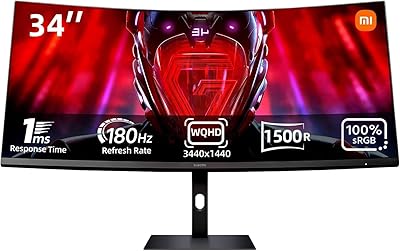
77%
88%
Picture Quality
91%
Contrast & Blacks
86%
Resolution & Sharpness
67%
Refresh Rate & Gaming Smoothness
93%
Ultrawide Productivity
More

FAQ

Yes — you will need to use a DisplayPort 1.4 cable connected to a compatible GPU to reach 165Hz. If you connect via HDMI, the refresh rate will be lower, so it is worth double-checking your graphics card outputs before assuming you will get the full speed out of the box.

It will connect via HDMI 2.0, which is supported, but keep in mind that current-gen consoles typically output at 60Hz or 120Hz and do not support ultrawide 21:9 resolution natively. Most games will display with black bars on the sides, so this display is better suited to PC gaming than console use.

Honestly, HDR400 is the entry point of HDR certification, so do not expect the dramatic contrast you would see on a high-end OLED or Mini LED display. It adds a mild brightness boost in supported content, but it is not a headline feature here. If HDR performance is a priority for you, this budget ultrawide panel is not the right choice.

Yes, the monitor supports 100x100mm VESA mounting, which is a widely used standard. Most monitor arms and wall mounts in this size range will be compatible, and removing the stand frees up desk space considerably.

It will work with NVIDIA GPUs for display purposes, but AMD FreeSync is the supported adaptive sync technology. NVIDIA cards do support FreeSync monitors through their G-Sync Compatible program on many models, though compatibility is not guaranteed across all NVIDIA GPUs — it is worth checking NVIDIA's compatibility list for your specific card.

The product listing does not specify tilt or height adjustment beyond the standard base configuration. If ergonomic positioning is important to your setup, using a VESA-compatible monitor arm is likely the more flexible solution here.

The 3440x1440 resolution spread across 34 inches gives a pixel density that is reasonable but not ultra-sharp — text is clear enough for productivity tasks, though users coming from a higher pixel density screen may notice a slight difference. The matte coating also helps reduce reflections that can make reading on glossy panels uncomfortable.

Sealan advertises a 2-year warranty and encourages buyers to contact them directly for issues involving damage, defects, or missing accessories. That said, early buyer feedback suggests support response times can vary, so it is worth keeping purchase documentation and reaching out through the official channel promptly if an issue arises.

When watching 16:9 content on an ultrawide display, you will typically see black bars on either side unless the player stretches the image — which most people prefer to avoid. The curvature itself does not add visible distortion; the 1500R curve is relatively gentle and looks natural at normal viewing distances.

It is a reasonable option for that use case. The wide 21:9 canvas gives you enough room to comfortably run two windows side by side, and the single-screen setup reduces cable clutter and the gap between two panels. For general productivity, spreadsheets, and browser-heavy workflows, this 34-inch Sealan display works well as a single-screen solution.