Overview

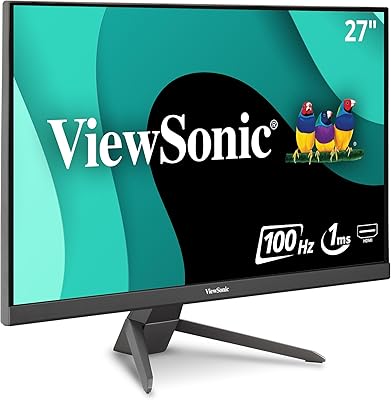
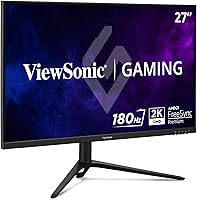
The ViewSonic VX2728J-2K 27-inch Gaming Monitor lands in that crowded middle ground where shoppers want real performance without paying premium-monitor prices. It's built around a 27-inch QHD IPS panel, so you get sharp 2560x1440 detail along with the wider viewing angles IPS panels are known for. Under the hood, ViewSonic paired that resolution with a 180Hz refresh rate and a 0.5ms MPRT response time, which is a notably aggressive spec sheet for this price tier. ViewSonic itself isn't a newcomer here either; it's been making monitors for years, and that experience shows in the fit and finish. With a 4.3 out of 5 rating from a few hundred buyers, early sentiment leans solidly positive, suggesting most people who bought it walked away satisfied with what they got for their money.
Features & Benefits

Where this gaming monitor really earns its keep is in motion handling. That 180Hz refresh rate, combined with a 0.5ms MPRT response time, noticeably cuts down on blur during fast camera swings or quick flicks in competitive shooters. Throw in FreeSync Premium plus G-Sync compatibility, and you get tear-free gameplay across both AMD and Nvidia graphics cards, which is a nice bit of flexibility for mixed households. The IPS panel also means colors stay consistent even when you're not staring dead-center at the screen, a real upgrade if you're coming from an older VA display. HDR10 support adds a bit more punch to compatible content, while the matte coating keeps reflections from bright windows or overhead lights from becoming a distraction during long sessions.

Best For

This 27-inch display makes the most sense for gamers stepping up from an aging 1080p, 60Hz setup who want noticeably sharper detail and smoother motion without jumping straight to high-end pricing. Shooter and racing fans in particular should appreciate the faster pixel response, since those genres punish any hint of blur or smearing during quick reactions. It's also a solid pick if you've been priced out of true high-refresh 1440p gaming, since this gaming monitor hits that sweet spot for a budget-friendly cost. The fully adjustable stand is worth mentioning too; anyone dealing with an awkward desk setup, multiple monitor heights, or shared workspace will appreciate being able to tilt, swivel, and raise it as needed. For casual HDR viewing alongside everyday browsing, it handles double duty reasonably well.

User Feedback

Looking at the broader picture, this ViewSonic monitor holds a 4.3 out of 5 average across a meaningful number of reviews, which points to a generally happy customer base rather than a fluke rating. Value for money keeps coming up as a recurring theme, with buyers feeling like they got more performance than the price tag suggested they would. Motion smoothness draws consistent praise too, which lines up with what the spec sheet promises on paper. On the flip side, a few common gripes tend to surface around brightness and contrast falling short of what some HDR marketing implies, which isn't unusual for monitors at this cost. Stand sturdiness and the limited port selection also come up occasionally as minor annoyances worth knowing about before buying.

Pros

  • 180Hz refresh rate noticeably cuts down on motion blur during fast-paced gameplay
  • 0.5ms response time helps minimize ghosting when the action gets hectic
  • Works smoothly with both AMD and Nvidia cards thanks to FreeSync Premium and G-Sync support
  • IPS panel gives more consistent color and wider viewing angles than typical budget VA screens
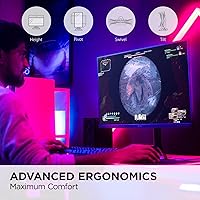
  • Fully adjustable stand makes it easy to tilt, swivel, and raise to a comfortable height
  • Matte coating keeps glare from windows or overhead lighting from becoming distracting
  • Buyers consistently mention strong value for what they paid
  • The ViewSonic VX2728J-2K 27-inch Gaming Monitor carries a solid 4.3 out of 5 rating from real buyers
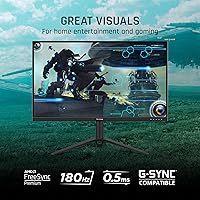
  • HDR10 support adds a bit of extra depth for compatible content
  • Sharp 1440p resolution feels like a clear upgrade from older 1080p displays

Cons

  • HDR brightness and contrast can fall short of what some marketing implies
  • Port selection may feel limiting for buyers planning elaborate multi-device setups
  • Stand build quality is occasionally flagged as a weak point by reviewers
  • Not aimed at color-critical work like photo or video editing
  • Lacks the deep contrast levels found on higher-end OLED alternatives
  • Some buyers may want additional connectivity options not included here
  • HDR performance is more of a minor bonus than a standout feature at this price
  • Viewing experience in very bright rooms still depends heavily on placement despite the matte coating

Ratings

After analyzing verified user reviews from around the world, our AI rating model breaks down exactly how the ViewSonic VX2728J-2K 27-inch Gaming Monitor performs across the categories that matter most to real buyers. Spam, bot activity, and incentivized reviews are filtered out before scoring, leaving only genuine usage patterns. The scorecards below reflect both the standout strengths and the honest pain points that surfaced repeatedly across feedback.
Motion Smoothness & Refresh Rate
91%
Gamers consistently note that the 180Hz refresh rate makes fast camera pans in shooters and racing titles feel noticeably fluid compared to older 60Hz or 75Hz setups. During quick reaction moments, motion stays clean rather than choppy.
A handful of users mention that the benefit becomes less obvious below 100 frames per second, since hitting true 180Hz consistently requires a fairly capable graphics card. Casual gamers on older rigs may not see the full advantage.
Response Time & Ghosting
88%
The 0.5ms MPRT rating holds up well in practice, with reviewers reporting minimal smearing during fast-paced firefights or quick directional changes in competitive play. Trailing artifacts that plague slower panels are largely absent here.
A small number of users note slight overshoot or faint ghosting in very dark scenes, which is a common trade-off on budget-tier IPS panels. It is rarely distracting but noticeable to detail-focused testers.
Resolution & Sharpness
89%
The jump to 1440p from 1080p is frequently described as immediately noticeable, with sharper text and more detailed in-game environments during everyday desk use. Buyers upgrading from older monitors often call this the most rewarding change.
At 27 inches, some users wish for a slightly higher pixel density for ultra-fine detail work, though this is a minor nitpick rather than a real drawback. It remains a non-issue for typical gaming sessions.
Adaptive Sync Compatibility
92%
Support for both FreeSync Premium and G-Sync compatibility means buyers switching between AMD and Nvidia cards over the years rarely run into tearing or stutter. Mixed-household gaming setups benefit especially well from this flexibility.
A few users on older or budget graphics cards report occasional flickering when frame rates dip below the sync range. This is more a limitation of adaptive sync technology generally than a monitor-specific flaw.
Value for Money
93%
Buyers repeatedly highlight getting a 180Hz, 1440p IPS display with adaptive sync for noticeably less than premium competitors charge. For budget-conscious gamers building or upgrading a rig, this ratio of features to cost is the standout selling point.
A few reviewers feel the matching accessories and bundled extras feel a bit sparse compared to pricier alternatives. It is a minor complaint that rarely outweighs the overall savings.
Color Accuracy & Viewing Angles
84%
The IPS panel delivers consistent color from off-center seating positions, which users appreciate during couch co-op sessions or when sharing the screen casually with a friend. Colors stay vibrant rather than washing out at an angle.
Out-of-box calibration leans slightly cool or oversaturated for some units, according to a portion of reviewers, requiring manual adjustment for color-sensitive tasks. It is not factory-tuned for professional editing work.
HDR Performance
58%
42%
HDR10 support adds a welcome bump in contrast for compatible movies and games, giving highlights a bit more pop during evening viewing sessions. It is a nice extra for casual content consumption.
As with many budget monitors in this category, peak brightness and contrast fall noticeably short of true HDR experiences found on higher-end displays. Several users describe the effect as subtle rather than transformative.
Build Quality
76%
24%
The overall chassis feels solid for the price bracket, with thin bezels giving it a clean, modern look on a desk. Most buyers report no issues with panel uniformity out of the box.
Some reviewers mention the plastic used on the rear housing feels a bit lighter-duty than pricier monitors. It does not detract from function but is noticeable to detail-oriented buyers.
Stand & Ergonomics
71%
29%
The tilt, swivel, rotate, and height-adjustable stand gets consistent praise for making it easy to dial in a comfortable viewing position, especially for taller users or multi-monitor desks.
Stand sturdiness is one of the more commonly scrutinized aspects among buyers, with a portion reporting minor wobble during enthusiastic desk bumps or keyboard typing. It is functional but not the most rock-solid in its class.
Port Selection & Connectivity
62%
38%
HDMI and DisplayPort inputs cover the basics for connecting a gaming PC, laptop, or console without issue, and most buyers report straightforward plug-and-play setup.
Several reviewers wish for additional ports, such as extra HDMI inputs or USB pass-through, especially when juggling multiple devices on one desk. The limited selection can mean extra cable swapping.
Glare Reduction & Screen Coating
85%
The matte anti-glare coating earns solid marks from users gaming near windows or under overhead lighting, with reflections staying minimal during daytime sessions.
A small number of users note a slight graininess typical of matte coatings, which can be marginally noticeable on bright white backgrounds. It is a common trade-off rather than a unique flaw.
Brightness & Contrast
55%
45%
For typical indoor lighting and evening gaming, brightness levels are described as adequate and comfortable on the eyes during extended sessions.
Several reviewers note the panel struggles in very bright rooms or under direct sunlight, and contrast in darker scenes falls short of deeper, more premium panels. This tracks with expectations for the price point.

Suitable for:

The ViewSonic VX2728J-2K 27-inch Gaming Monitor makes the most sense for someone upgrading from an older 1080p, 60Hz screen who wants a meaningful jump in both sharpness and motion smoothness without spending premium-monitor money. Competitive gamers who play shooters, racing titles, or other fast-reaction genres will likely feel the difference immediately, since the high refresh rate and quick response time directly reduce blur during fast movement. It's also a good fit for anyone using a mixed-brand setup, since FreeSync Premium and G-Sync compatibility mean it plays nicely with both AMD and Nvidia graphics cards. Buyers who care about desk ergonomics will appreciate the fully adjustable stand, especially in shared or multi-monitor workspaces. Casual viewers who want occasional HDR content on the side, alongside daily gaming, will get reasonable extra value out of it too. Overall, it suits practical buyers chasing performance per dollar rather than flashy extras.
Not suitable for:

That said, this gaming monitor probably is not the right call for buyers chasing flagship-level HDR brightness or deep, OLED-style contrast, since budget-tier HDR support here is more of a mild bonus than a true selling point. Anyone planning to build a multi-monitor array with extensive port flexibility might find the available HDMI and DisplayPort connections a bit limiting depending on their setup. Professional colorists, photo editors, or video editors who need factory-calibrated color accuracy should also look elsewhere, as this display is tuned primarily for gaming responsiveness rather than precision work. Buyers who have had past frustrations with monitor stand stability may want to inspect that area closely, since it is one of the more commonly scrutinized aspects on monitors in this price range. If you need the absolute best picture quality money can buy, the ViewSonic VX2728J-2K 27-inch Gaming Monitor is not designed to compete at that level.
Specifications

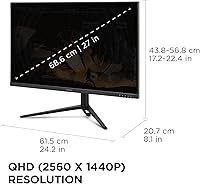
  • Screen Size: The panel measures 27 inches diagonally, which is a comfortable size for most desk setups.
  • Panel Type: It uses an IPS panel, which delivers wider viewing angles and more consistent color than typical VA alternatives.
  • Resolution: Native resolution is 2560x1440 (QHD), offering noticeably sharper detail than standard 1080p displays.
  • Refresh Rate: The display supports a 180Hz refresh rate for smoother motion during fast-paced gameplay.
  • Response Time: Response time is rated at 0.5ms MPRT, which helps reduce ghosting during quick on-screen movement.
  • Adaptive Sync: The monitor supports FreeSync Premium and is compatible with NVIDIA G-Sync for tear-free gameplay.
  • HDR Support: HDR10 is supported, adding extra contrast and depth when viewing compatible content.
  • Aspect Ratio: The screen has a standard 16:9 aspect ratio.
  • Screen Surface: A matte anti-glare coating helps reduce reflections in bright rooms.
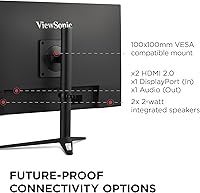
  • Connectivity: Inputs include HDMI and DisplayPort for connecting laptops, PCs, and other compatible devices.
  • Stand Adjustability: The included stand supports tilt, swivel, rotation, and height adjustment.
  • Bezel Design: The monitor features thin bezels along the edges of the screen.
  • Weight: The monitor weighs 10.4 pounds.
  • Dimensions: Overall product dimensions are 8.1 x 24.2 x 22.36 inches.
  • Color: The monitor is finished in black.
  • Power Input: The unit operates on a 12-volt power supply.
  • Brand: This monitor is manufactured by ViewSonic.

Related Reviews
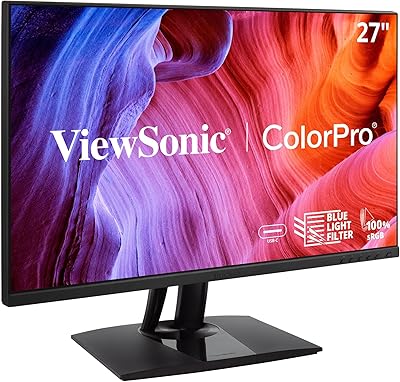
ViewSonic VP2756-2K 27-inch QHD IPS Monitor
81%
93%
Color Accuracy
88%
Panel Sharpness
91%
USB-C Connectivity
54%
Refresh Rate
86%
Ergonomics
More
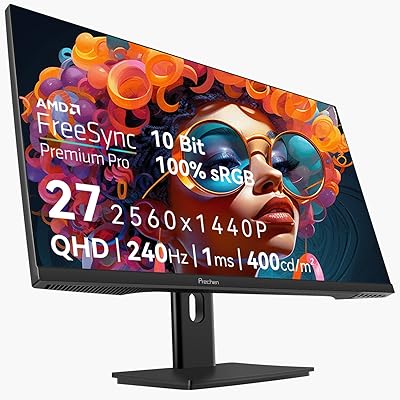
Prechen HD-270 27-inch QHD Gaming Monitor
72%
88%
Value for Money
81%
Image Quality
83%
Refresh Rate Performance
84%
Adaptive Sync
79%
Response Time
More
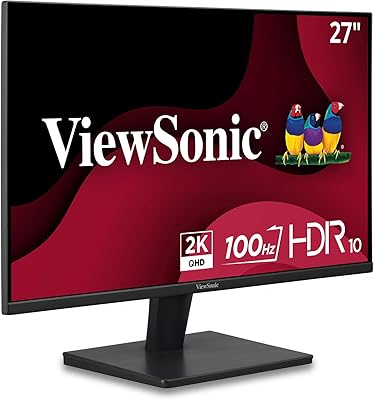
ViewSonic VS2725-2K 27-inch QHD Monitor
80%
91%
Image Sharpness
93%
Value for Money
82%
Refresh Rate & Smoothness
78%
Variable Refresh Rate
86%
Eye Comfort
More
ViewSonic VG2748A-2K 27-inch QHD Monitor
78%
88%
Image Clarity
91%
Ergonomic Stand
74%
Smart Wellness Features
86%
Eye Comfort
83%
Connectivity
More
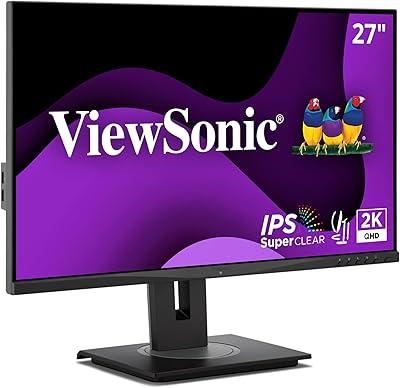
ViewSonic VX2767-MHD 27-inch Gaming Monitor
82%
92%
Gaming Performance
88%
Display Quality
91%
Value for Money
85%
Build Quality
87%
Eye Comfort Features
More
BenQ MOBIUZ EX271Q 27-inch Gaming Monitor
79%
88%
Color Accuracy
91%
Refresh Rate & Motion
93%
Connectivity & Versatility
86%
KVM Functionality
54%
HDR Performance
More
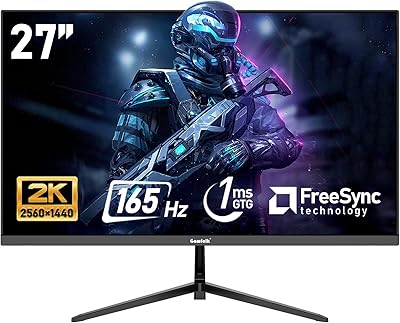
GTek Q2740P 27-inch 240Hz Gaming Monitor
76%
88%
Image Clarity
79%
Color Accuracy
91%
Refresh Rate Performance
74%
Response Time
67%
Build Quality
More
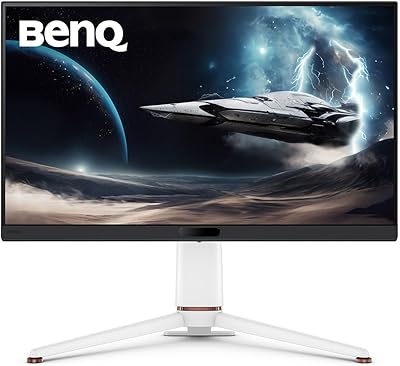
Gawfolk GF270L 27-inch QHD Gaming Monitor
74%
88%
Image Clarity
83%
Gaming Performance
74%
Color Accuracy
79%
Motion Handling
81%
Refresh Rate & Sync
More
ViewSonic VX2767U-2K 27-inch 1440p IPS Monitor
74%
83%
Image Quality
88%
USB-C Connectivity
79%
Value for Money
51%
Stand & Ergonomics
82%
Eye Comfort
More
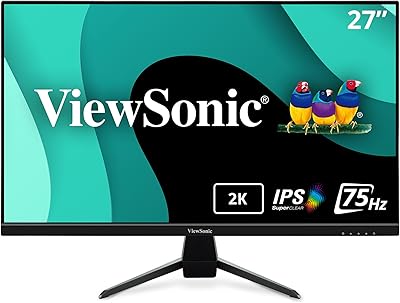
ViewSonic VA2715-2K-MHD 27-inch QHD Monitor
78%
88%
Image Sharpness
91%
Value for Money
84%
Eye Comfort
79%
Refresh Rate & Motion
82%
Glare Resistance
More

FAQ

Yes, the 180Hz refresh rate combined with a 0.5ms MPRT response time makes this gaming monitor well suited to shooters, racing games, and other fast-reaction titles. Motion stays noticeably smoother than on standard 60Hz or 75Hz displays. If competitive performance is your priority, this is one of its strongest areas.

Yes. It supports FreeSync Premium for AMD cards and is also compatible with Nvidia G-Sync, so you should get smooth, tear-free gameplay regardless of which brand you use. You don't need to worry about switching graphics cards down the line either.

It supports HDR10, which adds some extra contrast and color depth to compatible content. That said, budget-friendly monitors like this one typically don't reach the brightness levels of premium HDR displays, so think of it as a nice bonus rather than a flagship HDR experience.

Most monitors in this category include standard VESA mounting holes on the back, allowing compatibility with third-party monitor arms, though it's worth double-checking the exact pattern against your specific mount before buying. The included stand itself already offers tilt, swivel, rotation, and height adjustment if you'd rather skip a separate mount.

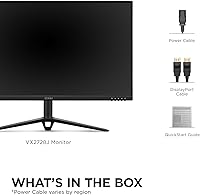
Specific included accessories can vary by retailer and packaging batch, so it's best to check the listing or box contents directly. At minimum, you'll want an HDMI or DisplayPort cable on hand to connect it to your PC or laptop.

Stand quality is one of the more commonly scrutinized aspects among buyers of monitors in this price range, so experiences can vary somewhat. Most users find it stable enough for everyday use, but if a rock-solid stand is a top priority, it's worth setting expectations accordingly for a monitor at this price point.

MPRT stands for moving picture response time, and it measures how quickly pixels can change, which directly affects motion blur. A 0.5ms MPRT rating means fast-moving scenes, like quick turns in a shooter, should look noticeably crisper with less smearing.

Generally, yes. Text and details appear sharper, and you get more screen real estate to work with. The jump from 1080p to 1440p is one of the more noticeable upgrades you can make, especially on a 27-inch display like this one.

Absolutely. The IPS panel gives you consistent color and wide viewing angles, which makes it perfectly comfortable for browsing, documents, or video calls between gaming sessions. It's a versatile, everyday display rather than something locked into gaming-only use.

Based on buyer feedback, value for the price seems to be one of its strongest selling points, with a 4.3 out of 5 average rating supporting that sentiment. You're getting a 180Hz, 1440p IPS panel with adaptive sync support at a price well below many premium alternatives, which is hard to beat if you're working with a tighter budget.