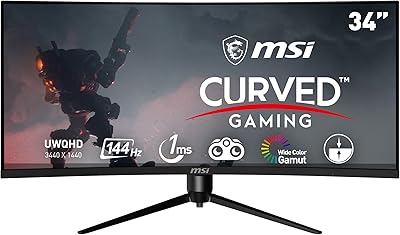
Alienware AW3425DWM 34-inch Curved Gaming Monitor


Overview
The Alienware AW3425DWM 34-inch Curved Gaming Monitor arrived in early 2025 as a serious ultrawide contender for gamers who want genuine immersion without crossing into flagship price territory. The 34-inch 1500R curved panel pulls your peripheral vision into the action in a way flat monitors simply can't replicate — open-world games especially benefit from this. Aesthetically, it carries Alienware's signature angular design and fits naturally into a dark gaming setup. Worth being upfront about: this isn't an OLED and it isn't 4K. What it is, though, is a well-rounded display with genuine gaming credentials at a price that doesn't take weeks to justify.
Features & Benefits
The AW3425DWM hits 180Hz with 1ms response, a combination that makes fast-paced shooters and racing titles feel noticeably tighter than 60 or 144Hz panels. AMD FreeSync Premium and VESA AdaptiveSync mean tear-free gaming whether you're on a Radeon or GeForce card. The WQHD 2560x1440 resolution across a 21:9 panel is a genuine sweet spot — sharper than 1080p without punishing mid-range GPUs the way 4K does, though demanding titles will still need some settings management on modest hardware. DCI-P3 95% coverage delivers vivid colors, while DisplayHDR 400 adds some dynamic range — just don't expect the contrast depth of a higher-tier HDR panel. The matte surface handles bright rooms well, trading a touch of richness for practical glare resistance.
Best For
This curved gaming monitor is an obvious fit for PC gamers who spend long hours in open-world, racing, or simulation titles — genres where ultrawide's extra horizontal real estate genuinely reshapes how a game feels to play. It doubles well as a productivity display; WQHD resolution across 34 inches handles side-by-side windows without feeling cramped. Console players aren't an afterthought either, thanks to a dedicated console mode that simplifies input switching and optimizes display settings without manual fiddling. The hardware-based low blue light is legitimately useful for extended sessions rather than just a spec-sheet checkbox. For buyers who want Alienware panel quality without committing to OLED pricing, this Alienware ultrawide lands in a compelling middle ground.
User Feedback
With over 1,200 ratings averaging 4.5 stars, the AW3425DWM has earned a genuinely strong reputation. Buyers consistently highlight build quality and image sharpness as standout strengths, with many noting that gameplay feels smoother than their previous display right out of the box. Assembly and initial setup draw positive comments too — most users report being satisfied with default calibration and not needing to dig deep into settings. On the critical side, some reviewers flag the brightness ceiling as a drawback in well-lit rooms, and HDR performance gets predictably mixed reactions given its entry-level certification. Stand adjustability comes up occasionally as a minor gripe. Compared to rivals at a similar price, most buyers rate this Alienware ultrawide as strong value.
Pros
- The 1500R curve across 34 inches creates a level of peripheral immersion that flat panels simply cannot match in open-world and sim titles.
- 180Hz refresh rate with 1ms response makes fast gameplay feel noticeably tighter and more responsive than 144Hz displays.
- WQHD resolution hits a practical sweet spot — sharper than 1080p without the GPU demands of driving a 4K ultrawide.
- AMD FreeSync Premium and VESA AdaptiveSync work reliably on both AMD and Nvidia GPU setups without extra configuration.
- DCI-P3 95% color coverage produces rich, well-saturated visuals that hold up well in games and casual creative work.
- Hardware-based low blue light preserves color accuracy during long sessions, unlike software filters that push everything warm.
- The matte screen surface handles ambient room lighting well, keeping the image readable without distracting reflections.
- Build quality is consistently praised — the chassis feels solid and the Alienware aesthetic integrates naturally into a gaming setup.
- Out-of-box calibration satisfies most users immediately, with setup described as quick and requiring no tools.
- The dedicated console mode simplifies multi-device management for players using both PC and current-gen consoles.
Cons
- DisplayHDR 400 delivers only entry-level HDR — no local dimming means black levels in dark scenes are mediocre at best.
- Peak brightness falls short in well-lit or sunlit rooms, limiting daytime usability compared to brighter competing panels.
- The stand's height and tilt adjustment range is narrower than several competitors, frustrating users with non-standard desk setups.
- No USB-C with power delivery makes single-cable laptop connectivity impossible, a real gap for hybrid home-office users.
- Most current-gen consoles do not output natively at 21:9, so the ultrawide advantage largely disappears in console gaming.
- Many competitive multiplayer titles restrict or do not support 21:9 aspect ratio, reducing the format's value for esports-focused buyers.
- Driving WQHD ultrawide resolution at high settings in demanding titles requires a capable GPU — mid-range cards will need to compromise.
- The physical OSD button layout at the rear of the panel takes time to learn and is less intuitive than competitor dial or joystick controls.
- The matte coating softens color vibrancy noticeably compared to glossy panels, which will disappoint buyers prioritizing visual pop.
- Included cable selection is minimal, which can create connectivity friction depending on your GPU output options.
Ratings
The Alienware AW3425DWM 34-inch Curved Gaming Monitor has been scored by our AI system after analyzing thousands of verified global buyer reviews, with spam, bot-generated, and incentivized submissions actively filtered out before any scoring was applied. Ratings span both what buyers genuinely love and where real frustrations surfaced, so you get an honest picture rather than a polished highlight reel. Strengths and pain points are weighted equally, giving you a balanced view to make a confident purchase decision.
Image Clarity & Sharpness
Refresh Rate & Motion Performance
Ultrawide Immersion
Color Accuracy & Vibrancy
HDR Performance
Build Quality & Sturdiness
Stand & Ergonomics
Adaptive Sync & Compatibility
Eye Comfort for Long Sessions
Console Gaming Experience
Setup & Out-of-Box Experience
Productivity & Dual-Use Performance
Value for Money
Brightness & Visibility
Suitable for:
The Alienware AW3425DWM 34-inch Curved Gaming Monitor is built for PC gamers who spend serious time in immersive single-player genres — open-world RPGs, racing sims, and flight or space simulators are where the 1500R curve and 21:9 aspect ratio genuinely change how a game feels, not just how it looks. If you regularly log multi-hour sessions, the hardware-based low blue light is a practical feature rather than marketing padding, and the 180Hz refresh rate will be immediately noticeable if you're coming from a 60 or 144Hz panel. It also works well as a dual-purpose display for people who need a capable productivity screen during work hours and a gaming monitor at night — WQHD ultrawide handles side-by-side multitasking better than most single flat monitors. Console players who want a dedicated console mode for cleaner input management will find it accommodating, even if the full ultrawide benefit is limited on current-gen consoles. Buyers who want Alienware's build quality and design pedigree without committing to OLED-tier pricing will find this Alienware ultrawide sits at a realistic and defensible price point for what it delivers.
Not suitable for:
The Alienware AW3425DWM 34-inch Curved Gaming Monitor is not the right choice for buyers whose primary concern is HDR quality — DisplayHDR 400 is the entry level of the spec, and without local dimming, dark scenes lack the contrast depth that makes HDR genuinely impactful. Competitive esports players focused exclusively on fast-twitch shooters may also find that the ultrawide format works against them, since many ranked multiplayer titles either restrict 21:9 output or are simply not optimized for it. Buyers pairing this with a mid-range GPU should go in with realistic expectations — pushing WQHD resolution across a 34-inch ultrawide in demanding titles will require settings compromises that a 1080p monitor would not. Anyone who needs USB-C connectivity with power delivery for a single-cable laptop setup will find the port selection limiting. And if you're coming from a glossy or OLED panel and prioritize color pop and vibrant saturation above all else, the matte coating and IPS panel of this curved gaming monitor will likely feel like a step back rather than a step forward.
Specifications
- Screen Size: The panel measures 34 inches diagonally, providing an expansive ultrawide viewing area suited to immersive gaming and multitasking.
- Resolution: Native resolution is 2560x1440 (WQHD) at a 21:9 ultrawide aspect ratio, delivering noticeably sharper detail than 1080p without the GPU demands of 4K.
- Refresh Rate: The panel supports a maximum refresh rate of 180Hz, enabling significantly smoother motion in fast-paced games compared to standard 60 or 144Hz displays.
- Response Time: Gray-to-gray response time is rated at 1ms, reducing motion blur and ghosting during rapid on-screen movement in action and competitive titles.
- Panel Curve: The display uses a 1500R curvature radius, meaning the screen wraps noticeably around the viewer's field of vision to enhance peripheral immersion.
- Sync Technology: AMD FreeSync Premium and VESA AdaptiveSync are both supported, providing tear-free variable refresh rate performance on compatible AMD and Nvidia GPU setups.
- Color Coverage: The panel covers 95% of the DCI-P3 color gamut, producing rich, accurate color reproduction suited to gaming, media consumption, and light creative work.
- HDR Certification: VESA DisplayHDR 400 certification is included, representing entry-level HDR support with enhanced brightness in highlighted areas but without local dimming capability.
- Screen Surface: The panel uses a matte anti-glare coating that reduces reflections in ambient light conditions, trading some color vibrancy compared to glossy alternatives.
- Blue Light Filter: A hardware-based low blue light solution is built into the display, reducing eye strain during extended sessions without the color shift caused by software-based filters.
- Console Mode: A dedicated console mode is included to optimize display settings and simplify input management when connecting current-generation gaming consoles.
- Dimensions: The monitor measures 31.71 x 9.13 x 21.84 inches (length x depth x height) with the stand attached, requiring a desk with adequate depth to accommodate the curved profile.
- Weight: The assembled unit weighs 6.57 pounds, making it relatively manageable to position and reposition despite its 34-inch panel size.
- Aspect Ratio: The 21:9 ultrawide aspect ratio provides approximately 33% more horizontal screen space than a standard 16:9 monitor of similar height.
- VESA Mounting: The monitor is VESA mount compatible, allowing buyers to replace the included stand with a third-party monitor arm for greater ergonomic flexibility.
- Brand & Manufacturer: The AW3425DWM is manufactured by Dell under the Alienware sub-brand, which is positioned as Dell's premium gaming hardware division.
- Availability: The monitor first became available in March 2025, making it a recent release with an actively growing base of verified buyer reviews.
- Input Voltage: The display is rated for 240 volts AC input, and buyers in regions with different voltage standards should verify regional compatibility before purchasing.
Related Reviews
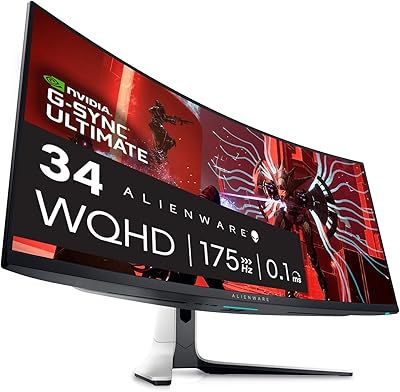
Alienware AW3423DW 34-inch QD-OLED Gaming Monitor
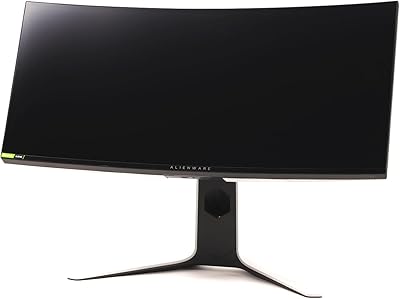
Alienware AW3420DW 34-Inch Curved Gaming Monitor
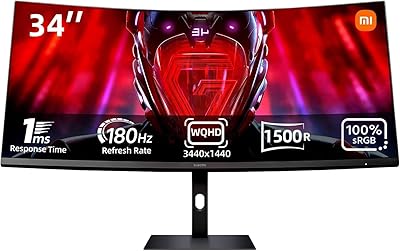
Xiaomi 34-inch Curved Gaming Monitor G34WQi

Westinghouse 34-Inch Curved Ultrawide Gaming Monitor

Raywego Q34DB45-1 34-inch Curved Gaming Monitor
Great voell Q34DB45 34-inch Curved Gaming Monitor
Dell S3422DWG 34-inch Curved Gaming Monitor
ASUS TUF VG34VQL1B 34-inch Curved Gaming Monitor
SANSUI ES-G34C5 34-inch Curved Gaming Monitor