Overview

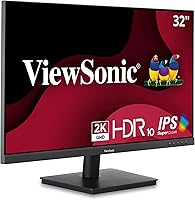
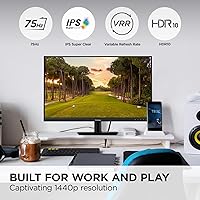
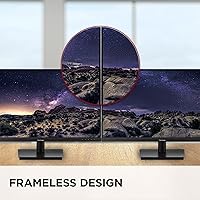
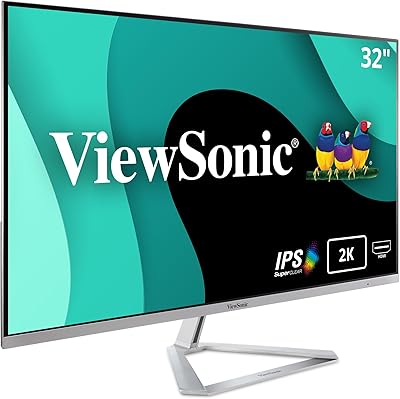
The ViewSonic VS3225-2K 32-inch QHD IPS Monitor arrived in late 2024 as a practical, no-nonsense option for anyone who wants a large, sharp screen without stretching their budget. At 32 inches with a 2560x1440 resolution, it offers noticeably more screen real estate than a typical 1080p display, and the IPS panel keeps colors honest from most viewing angles. The frameless edge-to-edge design looks clean on any desk, and the matte coating cuts down on reflections in typical office lighting. With 75Hz and Variable Refresh Rate support, it handles everyday tasks and casual use reliably. At 15 lbs, it sits comfortably on most standard desks without dominating the space.
Features & Benefits

Where the VS3225-2K earns its keep is in the quality of its panel. At this price range, many monitors default to TN panels that look washed out from any angle — this ViewSonic monitor sidesteps that issue with noticeably better color accuracy and wider horizontal viewing. Variable Refresh Rate keeps things smooth during video or light gaming without requiring a high-end graphics card. The thin-bezel construction makes it an easy candidate for a dual-monitor arrangement. Connectivity covers HDMI and DisplayPort inputs, and the matte anti-glare coating proves genuinely useful when afternoon sunlight hits your workspace. Flicker-Free and Blue Light Filter features round out a thoughtful set of daily-use considerations.

Best For

This 32-inch QHD display is a natural fit for remote workers and students who spend most of their day reading, writing, or juggling multiple windows. The jump from 1080p to 1440p at this screen size is real and visible — text is sharper, spreadsheets feel less cramped, and browser tabs are easier to parse at a glance. Casual gamers will find it adequate for relaxed play, though competitive players who depend on high frame rates should look elsewhere. The consistent thin bezels make it a solid candidate for pairing with a second monitor, and both Mac and PC users get straightforward plug-and-play access through the dual inputs.

User Feedback

Across its reviews, the VS3225-2K has built a strong reputation for image clarity and value. Buyers frequently mention that colors look rich straight out of the box, and many note that prolonged daily use feels comfortable — the eye-care features appear to make a tangible difference for people logging long hours. Setup earns consistent praise for being quick and fuss-free. On the downside, the stand offers tilt adjustment only; there is no height or swivel range, which frustrates users who prioritize ergonomic flexibility. A handful of reviewers also flag that 75Hz limits its ceiling for anything beyond casual gaming. For the intended audience, though, the 4.6-star average feels genuinely well-earned.

Pros

  • Sharp 1440p resolution makes text, spreadsheets, and detailed work noticeably clearer than a typical 1080p display.
  • The IPS panel holds accurate colors and wide viewing angles that budget TN monitors simply cannot match.
  • Variable Refresh Rate keeps video and casual gaming smooth without requiring a high-end graphics card.
  • Built-in Flicker-Free and Blue Light Filter features reduce eye fatigue during long daily sessions.
  • Thin bezels make this 32-inch QHD display an easy, clean-looking choice for a dual-monitor arrangement.
  • Both HDMI and DisplayPort inputs mean most laptops, desktops, and Macs connect without extra adapters.
  • The matte anti-glare coating is practical and effective in office environments with overhead or window lighting.
  • Setup is quick and straightforward — most buyers report being up and running within minutes of unboxing.
  • A 4.6-star rating across a solid number of verified reviews points to consistently positive real-world experiences.
  • At its price point, the VS3225-2K delivers panel quality that outpunches most direct competitors.

Cons

  • The stand only tilts — no height adjustment or swivel means ergonomic positioning requires an aftermarket VESA arm.
  • 75Hz refresh rate is a firm ceiling, making it unsuitable for fast-paced or competitive gaming.
  • No USB-C input limits single-cable connectivity options for modern ultrabook and MacBook users.
  • Lacks any credible HDR support, so HDR content will not look meaningfully better than on a standard display.
  • No built-in speakers, which adds a small but real cost for buyers who do not already own external audio.
  • Color accuracy, while good for the price, falls short of the calibrated precision needed for professional photo or video work.
  • At 15 lbs, it is not the lightest panel in its size class — moving or repositioning it takes some effort.
  • The power brick is external on some units, which can add minor cable clutter behind the desk.

Ratings

Our AI has analyzed verified global buyer reviews for the ViewSonic VS3225-2K 32-inch QHD IPS Monitor, actively filtering out incentivized, duplicate, and bot-generated feedback to surface what real users actually experience day to day. The scores below reflect both the genuine strengths that keep buyers satisfied and the honest pain points that surface repeatedly across independent reviews. Nothing is glossed over — where the VS3225-2K earns praise, the scores show it; where it falls short, that is reflected too.

Image Clarity
88%
Reviewers working from home consistently note that 1440p at 32 inches makes a visible, practical difference — text in documents is sharper, spreadsheet columns are easier to read, and browser tabs feel less cramped. Users upgrading from 1080p panels describe the clarity improvement as immediately obvious.
A small number of users feel that without factory calibration out of the box, colors require some manual adjustment to look their best. The panel does not approach the precision needed for professional photo retouching or color grading work.
Color Accuracy
81%
19%
The IPS panel draws consistent praise for delivering natural, well-balanced colors straight out of the box — a meaningful step above the washed-out look that TN panels produce at similar price points. For everyday tasks like web browsing, document work, and casual video watching, most users find the color rendition satisfying.
Color-critical users doing photo editing or graphic design work note that the panel lacks wide gamut coverage and does not hit sRGB 100% accurately without calibration hardware. It is honest everyday color, not studio-grade accuracy.
Eye Comfort
86%
Long-hour users — remote workers, students, writers — repeatedly credit the Flicker-Free technology and Blue Light Filter for reducing end-of-day eye fatigue in a way they did not experience with previous monitors. The matte coating also helps by cutting the harshest reflections in overhead-lit rooms.
The blue light filter at higher intensity settings introduces a visible warm tint that bothers some users during color-sensitive tasks. A few reviewers note they prefer to leave it at a lower setting or turn it off during daytime use.
Build & Design
83%
The frameless thin-bezel construction looks noticeably cleaner and more modern than the chunky plastic borders common on budget monitors. Users setting up dual-monitor arrangements particularly appreciate how consistent and minimal the edges look when two panels sit side by side.
The plastic build materials, while neat in appearance, do not feel especially premium to the touch. A handful of buyers mention minor flex in the back panel when adjusting the tilt, which is not a functional issue but is noticeable.
Stand & Ergonomics
51%
49%
The included stand is stable enough for static desk setups and handles the display weight without wobbling. For users who simply place it on a desk and do not move it, it gets the job done without fuss.
Tilt-only adjustment is the most frequently cited frustration across reviews. Users who sit in varied positions throughout the day, use standing desks, or share the monitor across different height preferences find the lack of height and swivel adjustment a genuine daily inconvenience. A VESA arm solves it, but that is an added cost and effort.
Connectivity
78%
22%
Having both HDMI and DisplayPort on hand means most users can connect their existing setup without hunting for adapters — desktop PC users, laptop users, and Mac owners all find a compatible port ready to go. The plug-and-play experience draws consistent praise for being fast and driver-free.
The absence of a USB-C input is a recurring complaint, particularly from MacBook and ultrabook users who prefer a single-cable solution. There are also no USB hub ports on the monitor itself, which limits desk cable management options for users with multiple peripherals.
Refresh Rate & Gaming
67%
33%
For casual gaming — RPGs, strategy titles, slower-paced adventures — the combination of 75Hz and Variable Refresh Rate delivers a smooth, tear-free experience that is genuinely enjoyable without demanding a high-end GPU. The IPS panel also makes colors in games look richer than what TN-based gaming monitors at this price typically offer.
Competitive gamers are not the audience here, and the 75Hz ceiling makes that clear. Users who moved from 144Hz or higher monitors report feeling the difference immediately. The refresh rate is adequate but sets a firm upper boundary on gaming performance.
Value for Money
91%
Across hundreds of reviews, the dominant theme is that this 32-inch QHD display delivers a level of image quality and screen size that buyers did not expect at this price point. The IPS panel, eye-care features, and clean design together create a package that consistently surprises users who expected compromise.
A few buyers feel the stand limitation and missing USB-C connectivity are corners that should not have been cut at this price. When factoring in the likely cost of an aftermarket monitor arm for proper ergonomics, the overall value equation becomes slightly less compelling.
Setup Experience
92%
Unboxing and setup earn some of the most consistently positive comments across all reviews. Most buyers report attaching the stand, plugging in a cable, and having a working display within a few minutes — no driver installation, no complicated menus to navigate before getting a picture.
The on-screen display menu, while functional, is not the most intuitive to navigate for users who want to fine-tune settings like contrast, color temperature, or blue light levels beyond the defaults. The button placement on the back edge can require some hunting during initial configuration.
Anti-Glare Performance
79%
21%
The matte coating handles typical indoor lighting — overhead office lights, nearby windows during the day — better than a glossy panel would. Users in home offices with mixed lighting report a noticeably more comfortable viewing experience compared to glossy-screen alternatives they used previously.
Under very bright direct light or in front of a sunny window, the coating reduces but does not eliminate reflections. A small number of users also note that the matte texture slightly softens perceived sharpness compared to a glossy panel, which is a standard trade-off for this type of coating.
Multi-Monitor Compatibility
84%
The thin, consistent bezels make the VS3225-2K a practical candidate for side-by-side dual setups. Users pairing two of these panels — or mixing it with another thin-bezel monitor — report that the visual gap between screens feels minimal and non-distracting during work.
Without height adjustment on the stock stand, achieving perfectly level alignment between two monitors can require additional effort or accessories. The tilt-only stand makes consistent positioning across a dual-monitor setup more trial-and-error than it should be.
HDR & Brightness
53%
47%
For standard dynamic range content — which covers the vast majority of everyday web browsing, office documents, and streaming — the panel's brightness is adequate for typical indoor environments, and most users find it comfortable for long sessions.
There is no credible HDR support here, so HDR-enabled games and content do not receive any meaningful dynamic range boost. Peak brightness is also not particularly high, meaning the display can feel dim in very bright rooms or when compared side by side with HDR-capable monitors.
Mac Compatibility
82%
18%
Mac users report a smooth experience connecting via DisplayPort or HDMI, with the monitor recognized immediately and scaling options available through macOS System Settings. The lack of any required driver installation makes it as straightforward as Apple's own displays for basic connectivity.
Without USB-C or Thunderbolt support, Mac users on newer MacBook models need a separate adapter or dock to connect, which adds a minor friction point. Color profiles may also require some manual adjustment in macOS to match the display's actual output accurately.

Suitable for:

The ViewSonic VS3225-2K 32-inch QHD IPS Monitor is a strong match for anyone who spends the bulk of their day in front of a screen and wants a meaningful upgrade from 1080p without paying flagship prices. Remote workers will appreciate the generous screen size for multitasking — having documents, emails, and a browser open side by side feels comfortable rather than cramped. Students handling research, writing, or light photo editing get genuinely sharp text and accurate-enough colors to work confidently. If you are building a dual-monitor setup on a budget, the thin bezels make the pairing look polished and consistent. Mac and PC users alike can connect without hunting for adapters, since both HDMI and DisplayPort inputs are covered out of the box. Anyone who logs long hours will also benefit from the built-in eye-care features, which have a real and noticeable effect over extended sessions.
Not suitable for:

The ViewSonic VS3225-2K 32-inch QHD IPS Monitor is not the right tool for competitive gamers — 75Hz is a hard ceiling, and players who rely on fast reaction times or high frame rates in shooters and battle royale titles will feel the limitation quickly. The stand only tilts, offering no height adjustment or swivel, which is a genuine frustration for users who care about proper ergonomic positioning; pairing it with an aftermarket VESA arm adds cost and complexity. Color-critical professionals such as photographers or video editors who need factory-calibrated accuracy and wide color gamut coverage should look at purpose-built creative monitors instead. It is also not ideal for very bright or HDR-heavy content, as the panel does not carry any meaningful HDR certification. Buyers expecting a USB-C input for single-cable laptop connectivity will need to look elsewhere, as that option is absent here.
Specifications

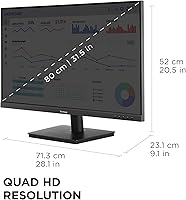
  • Screen Size: The panel measures 32 inches diagonally, providing ample workspace for multitasking and side-by-side application use.
  • Resolution: Native resolution is 2560x1440 (QHD / 1440p), delivering noticeably sharper detail than a standard 1080p display at this screen size.
  • Panel Type: Uses an IPS (In-Plane Switching) panel, which offers wider viewing angles and more accurate color reproduction than TN alternatives.
  • Refresh Rate: Maximum refresh rate is 75Hz, suitable for everyday computing, media consumption, and casual gaming.
  • Variable Refresh Rate: Supports Variable Refresh Rate technology to reduce screen tearing and stuttering during video playback and light gaming.
  • Screen Surface: Matte anti-glare coating minimizes reflections from ambient light sources such as overhead lighting and nearby windows.
  • Aspect Ratio: Standard 16:9 widescreen aspect ratio, compatible with virtually all modern content formats and operating systems.
  • Bezel Design: Frameless edge-to-edge thin-bezel construction on three sides enables a cleaner look and simpler multi-monitor arrangements.
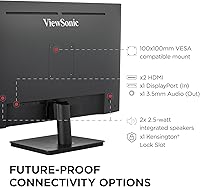
  • Connectivity: Includes one HDMI input and one DisplayPort input, supporting connection to a wide range of laptops, desktops, and Mac computers.
  • Eye Care: Flicker-Free technology and a built-in Blue Light Filter are included to reduce eye fatigue during extended viewing sessions.
  • Dimensions: The monitor measures 9.1 x 28.1 x 20.5 inches (depth x width x height) with the stand attached.
  • Weight: Total weight with stand is 15 lbs, making it manageable for single-person desk setup or repositioning.
  • Stand Adjustment: The included stand supports tilt adjustment only; height, swivel, and pivot adjustments are not available on the stock stand.
  • VESA Compatibility: The display supports standard VESA mounting, allowing use with aftermarket monitor arms or wall mounts if ergonomic flexibility is needed.
  • Color: Available in black with a clean, understated finish that suits most home office and professional desk environments.
  • Voltage: Operates at 28V, and the power supply is rated for standard household current in most regions.
  • Compatibility: Plug-and-play compatible with Windows PCs, Mac computers, and most modern laptops that feature HDMI or DisplayPort outputs.
  • Release Date: The VS3225-2K was first made available in September 2024, positioning it as a current-generation budget QHD offering.
  • Warranty: ViewSonic typically backs its monitors with a 3-year limited warranty; buyers should confirm current warranty terms directly with ViewSonic at time of purchase.
  • HDR Support: This monitor does not carry a meaningful HDR certification, so HDR-flagged content will not render with expanded dynamic range or peak brightness.

Related Reviews
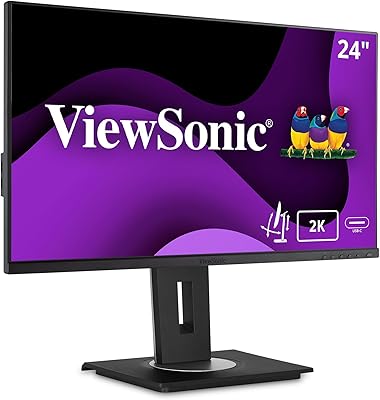
ViewSonic VG2455-2K 24-Inch QHD IPS Monitor
86%
92%
Display Quality
89%
Ergonomics & Adjustability
90%
USB-C Connectivity
86%
Value for Money
75%
Build Quality & Stability
More
ViewSonic VG2756A-2K 27-inch QHD IPS Docking Monitor
88%
90%
Display Quality
92%
Ergonomics and Comfort
88%
Connectivity and Ports
85%
Ease of Setup
89%
Build Quality
More
KTC H32T13 32-Inch QHD IPS Monitor
78%
86%
Image Quality
79%
Color Accuracy
82%
Refresh Rate & Smoothness
51%
HDR Performance
44%
Ergonomics & Adjustability
More
ViewSonic VS2725-2K 27-inch QHD Monitor
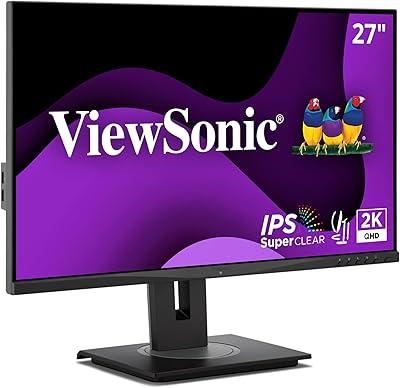
80%
91%
Image Sharpness
93%
Value for Money
82%
Refresh Rate & Smoothness
78%
Variable Refresh Rate
86%
Eye Comfort
More
ViewSonic VX3276-2K-MHD 32-Inch Monitor
85%
92%
Display Quality
89%
Design and Aesthetics
77%
Build Quality
88%
Ease of Setup
94%
Flicker-Free and Eye Comfort
More
ViewSonic VG2748A-2K 27-Inch QHD Monitor
85%
93%
Display Quality
90%
Ergonomics/Comfort
89%
Connectivity Options
85%
Ease of Setup
87%
Value for Money
More
ViewSonic VG3456A 34-Inch Ultrawide QHD IPS Monitor
86%
91%
Display Quality
88%
Ergonomics and Comfort
90%
Connectivity and Ports
85%
Ease of Setup
89%
Performance for Content Creation
More
LG 32U631A-B 32-inch QHD Monitor
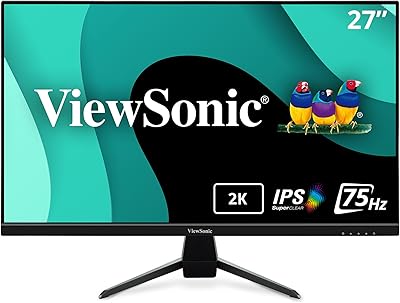
80%
91%
Image Clarity & Sharpness
88%
Color Accuracy & Vibrancy
54%
Stand & Ergonomics
73%
USB-C Connectivity
82%
Refresh Rate & Motion Performance
More
ViewSonic VX2767U-2K 27-inch 1440p IPS Monitor
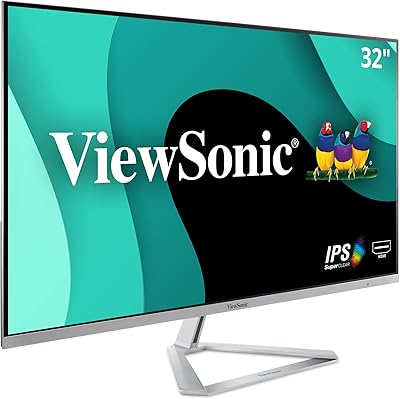
74%
83%
Image Quality
88%
USB-C Connectivity
79%
Value for Money
51%
Stand & Ergonomics
82%
Eye Comfort
More
ViewSonic VX3276-MHD 32-inch 1080p IPS Monitor
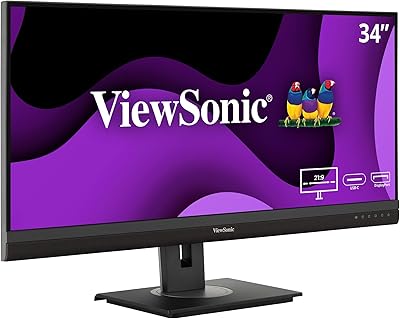
73%
88%
Value for Money
76%
Display Quality
61%
Sharpness & Pixel Density
83%
Eye Comfort & Ergonomics
58%
Stand & Build Quality
More

FAQ

Yes, the VS3225-2K connects to MacBooks via HDMI or DisplayPort, and macOS recognizes it without requiring any additional drivers. If your MacBook only has USB-C ports, you will need a USB-C to HDMI or USB-C to DisplayPort adapter, which is not included.

Unfortunately, no. The stock stand only tilts forward and backward. There is no height, swivel, or pivot adjustment built in. If proper ergonomic positioning matters to you, investing in a VESA-compatible monitor arm is a practical solution, since the display does support standard VESA mounting.

It depends on the type of gaming. For casual play — indie titles, strategy games, RPGs, or slower-paced games — the 75Hz refresh rate and Variable Refresh Rate support work well and the image looks sharp. If you play fast-paced competitive shooters or battle royale games where high frame rates make a real difference, you will likely want a 144Hz or higher display instead.

The monitor supports Variable Refresh Rate, which is compatible with AMD FreeSync. It is not certified for NVIDIA G-Sync, though some NVIDIA GPUs may still work with it in G-Sync Compatible mode — results can vary depending on your specific GPU and driver version.

At 32 inches, yes — the difference is genuinely noticeable. Text looks sharper, fine details in images and video are cleaner, and you have meaningfully more screen real estate for multitasking. The jump is more impactful at this screen size than it would be on a smaller display.

No, this ViewSonic monitor does not include built-in speakers. You will need external speakers or headphones for audio output.

No, the VS3225-2K does not include a USB-C port. Connectivity is limited to HDMI and DisplayPort. If you rely on a single USB-C cable for both video and power delivery, you will need to look at a different monitor or use a dock or adapter.

Quite well for everyday use. The anti-glare matte coating diffuses reflections effectively, so you are not battling a mirror effect in a typical office or living space. It is not perfect in direct harsh sunlight, but for standard indoor environments with overhead lighting or nearby windows, it performs better than a glossy panel would.

Not at all. Most buyers report attaching the stand, connecting a cable, and powering it on within minutes. The on-screen menu for adjusting brightness, contrast, and the blue light filter is straightforward to navigate.

ViewSonic's Blue Light Filter works through the on-screen display menu and offers different intensity levels. At lower settings the color shift is minimal and most users find it comfortable. At maximum strength, there is a warmer, slightly yellow tint — but most people using it for eye comfort during evening work settle somewhere in the middle without noticing much color distortion.

Where to Buy