Overview

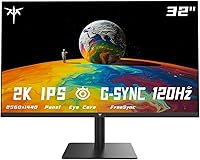
The KTC H32T13 32-Inch QHD IPS Monitor arrived in late 2024 as a serious contender in the budget-conscious large-format monitor space. At 32 inches with a QHD resolution and an IPS panel, it brings genuinely wide viewing angles and solid color accuracy to a price tier where VA panels still dominate. The three-sided frameless design makes it easy to pair with a second screen without a distracting gap between them. Just know going in: this is a strong everyday display, not a tool for professional color grading or print work. For home office users and casual gamers, the value proposition is hard to argue with.

Features & Benefits

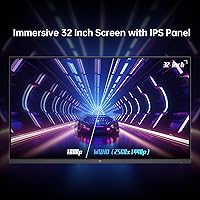
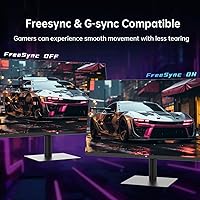
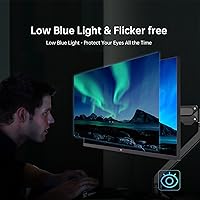
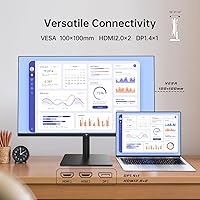
Jumping from 1080p to 2560x1440 on a 32-inch screen makes a real, visible difference — text sharpens noticeably, spreadsheets get easier to scan, and you gain usable workspace without scaling tricks. The 100Hz refresh rate, pushable to 120Hz, won't satisfy hardcore competitive gamers chasing 144Hz, but it's a meaningful step up from a standard 60Hz office panel. Both G-Sync and FreeSync are supported, handy if you mix GPU brands or hook up a console alongside a PC. The 109% sRGB coverage handles streaming and casual photo editing without issue — just don't treat it as a professional color tool. Dual HDMI 2.0 ports plus a DisplayPort 1.4 input let you keep multiple sources connected without cable swapping, and the built-in flicker-free and low blue light modes help during long workdays.

Best For

This 32-inch QHD display hits a sweet spot for a specific kind of buyer. Remote workers and students who spend hours reading documents or juggling multiple windows will immediately appreciate the extra screen real estate and text clarity that QHD delivers at this size. Casual gamers who mostly play story-driven or single-player titles will find the refresh rate and adaptive sync more than adequate. The thin bezel and VESA mount support make the H32T13 a natural fit for dual-monitor builds or wall-mounted workstation setups. And if you're moving up from an older 1080p monitor, the jump in sharpness here is genuinely noticeable — you don't need to spend significantly more to feel the difference.

User Feedback

Buyers generally land on the positive side, with image quality out of the box drawing the most consistent praise — colors look accurate enough for everyday use without much calibration needed. The build feels solid for the price, and most people find setup quick and painless. Where complaints stack up is predictable: the stand only tilts, offering no height adjustment or swivel, which genuinely limits ergonomic flexibility at a desk. There are also no built-in speakers, so external audio is a must. HDR is present but don't expect it to transform the picture — at this brightness level, the improvement is modest at best. The 100-to-120Hz step-up earns positive mentions from buyers coming off 60Hz panels, though it rarely becomes the standout talking point.

Pros

  • QHD resolution on a 32-inch IPS panel delivers a sharp, spacious image that is a clear step up from 1080p.
  • Wide IPS viewing angles mean colors stay consistent even when you are not sitting perfectly centered.
  • Dual HDMI 2.0 ports plus DisplayPort 1.4 let you keep a PC and console connected at the same time without swapping cables.
  • G-Sync and FreeSync support works across both major GPU brands, reducing screen tearing without extra configuration.
  • The three-sided frameless bezel makes side-by-side dual-monitor setups look clean and cohesive.
  • Flicker-free and low blue light modes are genuinely useful for reducing eye strain during long work or study sessions.
  • VESA 100x100mm compatibility gives you flexible mounting options for arm mounts or wall installations.
  • Out-of-box color accuracy is good enough for everyday use without needing manual calibration.
  • Build quality feels solid and setup is straightforward — most buyers report being up and running within minutes.
  • At its price point, the feature-to-cost ratio is difficult to match among similarly sized IPS panels.

Cons

  • The stand only tilts; there is no height adjustment, swivel, or pivot, which limits ergonomic flexibility at the desk.
  • No built-in speakers means you must have external audio — an easy oversight if you are replacing a monitor that had them.
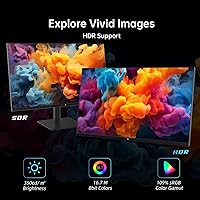
  • HDR support exists on paper but the real-world impact is modest, with brightness that cannot produce convincing HDR highlights.
  • At 32 inches, the 2560x1440 resolution produces a slightly lower pixel density than the same resolution on a 27-inch screen, which some users notice.
  • The 7ms response time is adequate for casual gaming but may produce visible ghosting in fast-paced competitive titles.
  • KTC is a lesser-known brand, and long-term reliability data is limited given the monitor only launched in late 2024.
  • No USB hub ports on the display means one fewer convenience feature compared to some rivals in this price range.
  • The headphone jack is the only audio output — no optical or dedicated audio passthrough for more complex desk setups.

Ratings

The scores below for the KTC H32T13 32-Inch QHD IPS Monitor were generated by our AI system after analyzing verified global buyer reviews, actively filtering out incentivized, bot-generated, and repeated low-effort submissions to ensure the data reflects genuine experience. Both the strengths that make this 32-inch QHD display worth considering and the frustrations that real owners hit in daily use are reflected transparently in every category. No score has been inflated to flatter — if something consistently let buyers down, that is exactly what the number shows.

Image Quality
86%
Most buyers are genuinely impressed by how sharp and vivid the panel looks straight out of the box, particularly those upgrading from older 1080p screens. The IPS technology keeps colors consistent whether you are sitting dead center or off to the side, which matters when sharing your screen or working in a wide desk setup.
At 32 inches, the pixel density is slightly lower than the same QHD resolution on a 27-inch panel, and a small number of users find the image looks marginally softer than expected up close. Those coming from high-end color-accurate displays may also notice the IPS glow in darker scenes.
Color Accuracy
79%
21%
For everyday tasks — streaming video, browsing, and casual photo editing — the 109% sRGB coverage produces rich, natural-looking colors that require little to no manual calibration out of the box. Hobbyist photographers in particular report that skin tones and landscape colors look pleasing and true-to-life in normal working conditions.
Professionals who rely on certified color accuracy for print or video production will find this display falls short of what a factory-calibrated or wide-gamut panel can offer. Color uniformity across the full panel surface is also not perfectly consistent, with some units showing subtle shifts toward the edges.
Refresh Rate & Smoothness
82%
18%
Buyers switching from 60Hz monitors consistently call out the jump to 100-120Hz as one of the most satisfying parts of ownership — scrolling through documents, browsing, and casual gaming all feel noticeably more fluid. The adaptive sync support ensures that screen tearing stays out of the picture regardless of whether you are running an AMD or NVIDIA GPU.
For competitive gamers accustomed to 144Hz or higher, the 120Hz ceiling can feel like a compromise rather than a feature. A few users also report needing to dig into the OSD settings to unlock the full 120Hz mode, which is not immediately obvious on first setup.
HDR Performance
51%
49%
HDR is technically present and enabling it does produce marginally better highlight rendering in compatible content compared to leaving it off entirely. For users who have never experienced a premium HDR display, the improvement in bright scenes can feel mildly satisfying.
At 350 cd/m² brightness, this KTC monitor simply cannot produce the luminance levels needed for convincing HDR. Buyers who purchase specifically for HDR gaming or streaming are frequently let down, and several reviewers recommend leaving HDR disabled to avoid blown-out whites in SDR content.
Ergonomics & Adjustability
44%
56%
The stand is stable and the tilt range of -5° to +15° covers the basic needs of users whose desk height naturally places the screen near eye level. VESA compatibility at least gives buyers a straightforward upgrade path to a monitor arm if the fixed height becomes a problem.
The tilt-only stand is the most consistently criticized aspect of ownership — no height adjustment, no swivel, no pivot. Taller users, those with standing desks, or anyone sharing the monitor regularly find the ergonomic limitations genuinely frustrating in daily use.
Build Quality
77%
23%
The chassis feels solid for the price bracket, with minimal flex in the panel and a stand base that does not wobble during normal desk use. Most buyers report that the monitor arrives well-packaged and looks more premium in person than the price might suggest.
The plastic finish on the rear housing attracts fingerprints easily and does not feel as refined as monitors from more established brands. A handful of users noted minor cosmetic inconsistencies around the bezel edges, though functional issues were rarely reported.
Connectivity
88%
Having two HDMI 2.0 ports alongside a DisplayPort 1.4 input is a genuinely practical setup that lets most users keep a PC, a laptop, and a console all plugged in simultaneously. Switching inputs through the OSD is straightforward, and buyers with multi-device desks appreciate not having to reach behind the monitor constantly.
The absence of a USB hub is a missed opportunity that competing monitors at this price sometimes include. There is also no USB-C input, which increasingly matters for users who want to connect a modern laptop with a single cable.
Eye Comfort
83%
The flicker-free backlight is a hardware-level feature that buyers who work long office hours genuinely appreciate, reducing the subtle eye strain that PWM-based displays can cause over time. The low blue light mode is easy to toggle on for evening use, and several reviewers mention fewer headaches after long sessions compared to their previous displays.
The low blue light filter noticeably warms the color temperature when active, which some users find acceptable for evening browsing but distracting for any work that requires color judgment. There is no granular software control over the filter intensity — it is essentially on or off.
Bezel & Aesthetics
81%
19%
The three-sided frameless design is a standout visual feature that makes the H32T13 look sharp on any desk, and it is particularly appreciated by users building symmetric dual-monitor setups where the gap between screens stays thin. The overall profile is slim and modern without being flashy.
The bottom chin is noticeably thicker than the other three sides, which some buyers find aesthetically inconsistent when viewing the display straight on. It does not affect functionality, but buyers who scrutinize the design up close will notice it.
Setup & Ease of Use
89%
Assembly is tool-free and takes most people under ten minutes — the stand snaps together cleanly and cable routing is intuitive. Buyers with no prior monitor setup experience consistently report having the display running without needing to consult the manual.
The OSD button placement on the rear of the panel is not immediately obvious, and first-time users spend a few minutes locating them. The menu navigation itself is functional but not as polished as some rivals, with a couple of layers of settings that could be better organized.
Gaming Performance
74%
26%
For single-player, story-driven, and strategy games, the combination of QHD resolution, 120Hz support, and adaptive sync creates a comfortable and visually impressive experience that punches above the price. The large screen size adds genuine immersion for open-world titles.
The 7ms response time shows its limits in fast-paced competitive titles, where some users report faint ghosting behind fast-moving objects. Serious FPS or fighting game players will likely find the overall gaming spec sheet insufficient compared to purpose-built gaming monitors at similar prices.
Value for Money
91%
When you stack up the panel size, resolution, IPS technology, multi-input connectivity, and adaptive sync support, this 32-inch QHD display delivers a feature combination that is genuinely hard to match at its price tier. Buyers who researched comparable options frequently note they could not find a better-equipped IPS panel at this screen size for the same outlay.
The value story weakens slightly when you factor in the cost of adding a monitor arm to compensate for the inadequate stand and external speakers to replace the absent built-in audio — both of which push the real-world spend higher than the sticker price suggests.
Multi-Monitor Compatibility
85%
The thin bezel on three sides makes this KTC monitor one of the cleaner choices for side-by-side dual setups, and the VESA mounting means arm alignment is easy. Users who have paired it with a second H32T13 or a similarly framed display report a cohesive, professional-looking workstation.
Because only the top and sides are truly frameless, the bottom border introduces a visible asymmetry in stacked vertical dual-monitor configurations. Buyers planning a stacked layout should factor that in before committing.

Suitable for:

The KTC H32T13 32-Inch QHD IPS Monitor is a strong match for remote workers, students, and home office users who spend long hours in front of a screen and want noticeably sharper text and more workspace than a 1080p display offers. The 32-inch IPS panel is particularly well-suited for people who multitask across multiple windows, since the combination of size and resolution means you rarely feel cramped. Casual gamers who play at a relaxed pace — think RPGs, strategy titles, or open-world games — will get genuinely smooth visuals from the 100-120Hz range and adaptive sync without paying a premium for high-refresh competitive specs. Creative hobbyists who edit photos or watch a lot of content will appreciate the decent color coverage for the price, especially compared to budget VA alternatives. Anyone building a dual-monitor workstation will also find the thin-bezel design and VESA compatibility practical assets that make the whole setup look and function cleanly.

Not suitable for:

The KTC H32T13 32-Inch QHD IPS Monitor has real limitations that make it the wrong choice for certain buyers, and it is worth being direct about them. Competitive gamers who need 144Hz or higher for fast-paced titles like first-person shooters will find the 120Hz ceiling underwhelming compared to monitors purpose-built for that use case. Professional photographers, videographers, or designers who require factory-calibrated color accuracy or wide color gamut coverage beyond sRGB — such as DCI-P3 for video work — should look at higher-tier panels, since this display is not engineered for that level of precision. The HDR label is technically present but functionally modest given the 350 cd/m² brightness ceiling, so buyers expecting dramatic HDR contrast from streaming or gaming will likely be disappointed. Finally, anyone who needs ergonomic flexibility — height adjustment, pivot, or swivel — should know the stand only tilts, which is a genuine daily frustration if you share a desk or have specific posture needs.

Specifications

  • Panel Type: The display uses an IPS (In-Plane Switching) panel, which provides consistent colors and wide viewing angles compared to VA or TN alternatives.
  • Screen Size: The viewable screen area measures 31.5 inches diagonally, marketed as a 32-inch class display.
  • Resolution: Native resolution is 2560x1440 pixels (QHD), delivering noticeably sharper images than a standard 1080p display at the same screen size.
  • Refresh Rate: The panel runs at 100Hz by default and can be pushed to 120Hz, offering smoother motion than a standard 60Hz display.
  • Response Time: Rated at 7ms grey-to-grey, which is adequate for everyday use and casual gaming but not optimized for fast competitive play.
  • Brightness: Peak brightness is rated at 350 cd/m², suitable for indoor use in controlled lighting conditions.
  • Contrast Ratio: The native contrast ratio is 1000:1, which is typical for IPS panels and produces solid everyday image quality.
  • Color Gamut: Covers 109% of the sRGB color space, providing good color saturation for content consumption and light creative work.
  • HDR Support: The monitor carries HDR support, though performance is limited by its brightness ceiling and should not be compared to dedicated HDR displays.
  • Connectivity: Input options include two HDMI 2.0 ports, one DisplayPort 1.4, and a 3.5mm headphone jack; no USB hub is included.
  • Adaptive Sync: Compatible with both AMD FreeSync and NVIDIA G-Sync, reducing screen tearing across a wide range of GPU configurations.
  • Eye Care: Incorporates flicker-free backlight technology and a low blue light mode to reduce eye fatigue during extended sessions.
  • Bezel Design: Features a three-sided frameless bezel design, minimizing the border on the top and both sides for cleaner multi-monitor arrangements.
  • Stand Adjustment: The included stand supports tilt adjustment only, ranging from -5° to +15°; height, swivel, and pivot adjustments are not available.
  • VESA Mount: The rear panel is VESA 100x100mm compatible, allowing use with standard monitor arms or wall-mount brackets.
  • Dimensions: With the stand attached, the monitor measures approximately 32.48 inches wide, 21.2 inches tall, and 5.31 inches deep.
  • Weight: The full unit including stand weighs 18.96 pounds, which is typical for a 32-inch display in this category.
  • Speakers: No built-in speakers are included; audio output is available only through the 3.5mm headphone jack.

Related Reviews
KTC 24-inch QHD IPS 100Hz Monitor
85%
92%
Display Quality
88%
Ease of Setup
91%
Color Accuracy
89%
Gaming Performance
94%
Eye Comfort Features
More
LG 32U631A-B 32-inch QHD Monitor
80%
91%
Image Clarity & Sharpness
88%
Color Accuracy & Vibrancy
54%
Stand & Ergonomics
73%
USB-C Connectivity
82%
Refresh Rate & Motion Performance
More
KTC H27T13 27-inch QHD IPS Monitor
75%
88%
Image Clarity & Sharpness
83%
Color Accuracy & Vibrancy
91%
Value for Money
79%
Eye Comfort & Anti-Blue Light
74%
Refresh Rate & Smoothness
More
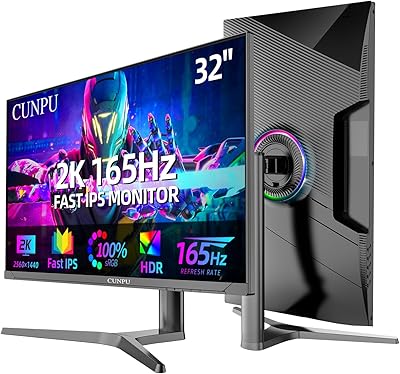
CUNPU 32-Inch Gaming Monitor QHD 165Hz

86%
93%
Display Quality
91%
Gaming Performance
85%
Build Quality
88%
Ergonomics and Adjustability
90%
Ease of Setup
More
KTC H32S17C 32-inch Curved Gaming Monitor
72%
91%
Value for Money
84%
Gaming Performance
76%
Picture Quality
52%
HDR Experience
67%
Color Accuracy
More
KTC H32S25E 32-Inch 240Hz Curved Gaming Monitor
88%
93%
Gaming Performance
88%
Visual Quality
94%
Refresh Rate & Response Time
82%
Ergonomics/Adjustability
91%
Setup & Installation
More
ViewSonic VA3209M 32-inch FHD IPS Monitor
75%
91%
Value for Money
93%
Screen Size & Real Estate
78%
Image Quality & Color Accuracy
58%
Pixel Density & Sharpness
86%
Eye Comfort & Fatigue Reduction
More
Gigastone LM-32FA51 32-inch IPS LED Monitor
84%
90%
Value for Money
88%
Display Quality
85%
Build Quality
91%
Ease of Setup
92%
Viewing Angle
More
KTC H24T7 24-inch Gaming Monitor QHD 180Hz
87%
94%
Gaming Performance
89%
Display Quality
91%
Ergonomics & Adjustability
86%
Color Accuracy
88%
Build Quality
More
Samsung Odyssey G50D 32-inch QHD Gaming Monitor
78%
91%
Gaming Performance
88%
Image Sharpness & Clarity
83%
Color Accuracy & Vibrancy
79%
Panel Uniformity & Viewing Angles
58%
HDR Performance
More

FAQ

It genuinely supports 120Hz, but you need to enable it manually through the monitor's on-screen display menu and make sure your cable and GPU output support it — DisplayPort 1.4 is your best bet for hitting that ceiling reliably. Over HDMI 2.0, QHD at 120Hz may not be available depending on your graphics card, so check your system specs before assuming it will work automatically.

Yes, and this is actually one of the more practical features of the H32T13. With two HDMI 2.0 ports and a DisplayPort input, you can keep a PC on DisplayPort and two consoles on HDMI simultaneously, then switch between them using the input selector in the menu. No need to unplug and replug anything.

Honest answer: it is closer to a checkbox at this price point. The 350 cd/m² brightness cap means the monitor physically cannot produce the highlight punch that makes HDR look dramatic on premium panels. It is not harmful to leave on, but do not expect a transformative difference from what you see with HDR off.

The flicker-free backlight makes a real difference over time, since traditional PWM flickering is a known contributor to headache and eye strain. The low blue light mode shifts the color temperature warmer, which many people find easier on the eyes in the evening. Whether it is enough depends on your sensitivity, but these are genuine hardware-level features rather than just software filters.

Yes, you can mix it with other monitors in a multi-monitor setup regardless of resolution or aspect ratio — your operating system handles the difference. The thin bezel helps reduce the visual gap between screens, though there will still be a small physical border between panels.

The included stand is sturdy and works fine if your desk height naturally puts the screen at eye level. The problem is that it only tilts — no height adjustment, no swivel — so if the fixed height does not suit your posture, you will want a VESA arm fairly quickly. The 100x100mm VESA pattern is standard and compatible with most affordable arms.

For casual photo editing — processing vacation shots, Instagram content, or general retouching — the 109% sRGB coverage and IPS color consistency are genuinely solid. If you are doing professional work that requires DCI-P3 coverage or factory calibration, this display is not in that category, but for hobbyist use it is a reasonable choice.

The OSD on this KTC monitor is fairly standard — navigated through physical buttons on the rear of the panel. Most buyers find the layout intuitive enough, though it takes a few minutes to locate the refresh rate and adaptive sync settings the first time. Nothing unusual compared to monitors in this class.

IPS glow in the corners is a normal characteristic of IPS technology and this 32-inch QHD display is not exempt from it. In normal daylight viewing conditions it is barely noticeable, but in a dark room watching dark content you may see some glow in the corners. The degree varies unit to unit, which is worth keeping in mind.

You should expect the panel, the stand base and neck (which attach without tools), a power adapter, one HDMI cable, and a basic quick-start guide. A DisplayPort cable is typically not included, so if you plan to use DP for the higher refresh rate, have one ready before setup day.

Where to Buy