Overview

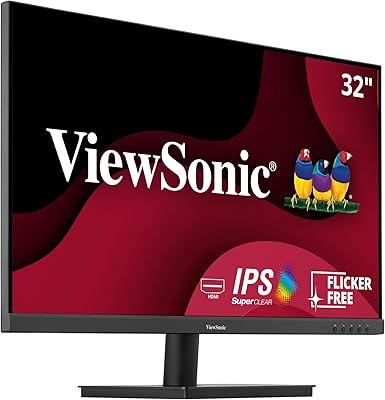
The ViewSonic VX3276-MHD 32-inch 1080p IPS Monitor has held its ground in a crowded market for years now, and that staying power says something real about what it delivers. At this price tier, getting a full 32 inches of IPS screen is genuinely rare, and most buyers are here for exactly that — more desk real estate without breaking the bank. One honest caveat worth addressing upfront: 1080p across 32 inches means a lower pixel density than you'd get on a smaller screen, so if you sit close, text and images may look slightly softer. That said, for general home and office use, the thin-bezel design keeps things looking clean, and the long sales track record reflects consistent buyer satisfaction.

Features & Benefits

What actually makes this ViewSonic display worth a closer look is how the specs translate day-to-day. The IPS panel brings wide viewing angles that hold color consistency whether you're sitting straight-on or glancing from the side — something TN panels simply can't match at this price. The 75Hz refresh rate won't impress hardcore gamers, but it noticeably smooths out everyday scrolling compared to a standard 60Hz screen. Comfort-focused touches like Flicker-Free technology and a built-in Blue Light Filter matter more than buyers often expect — especially after a six-hour work session. Throw in HDMI, DisplayPort, and VGA inputs plus Screen Split capability, and this is a monitor that plays well with virtually any setup you've already got.

Best For

The VX3276-MHD makes the most sense for people who need a large everyday display without paying a premium for 4K or high-refresh-rate features they don't actually use. Remote workers and students logging long hours will appreciate the eye-comfort features most — the Blue Light Filter isn't just a checkbox, it's something you notice by end of day. Casual gamers wanting a bigger screen for console or light PC gaming will find the 75Hz panel totally serviceable. It also works well as a multi-device hub, since the range of inputs means you can keep a laptop, a desktop, and an older device all within cable reach. Where it doesn't fit: anyone doing precision color grading or professional design work should look elsewhere.

User Feedback

Across thousands of reviews, the pattern is pretty consistent: buyers are genuinely happy with how much screen they're getting for the price, and setup gets mentioned repeatedly as straightforward and fast. The slim bezel earns specific praise from people running dual-monitor configurations — it makes the gap between screens feel minimal. On the flip side, two complaints come up regularly. First, the stand is functional but not especially sturdy; there's no height adjustment, and it wobbles more than some would like. Second, the absence of built-in speakers catches people off guard, particularly those coming from all-in-one setups. Long-term owners who've had this 32-inch IPS monitor for a year or more tend to report solid reliability with no significant panel degradation over time.

Pros

  • 32 inches of IPS screen at this price point is genuinely hard to beat in its category.
  • The IPS panel delivers consistent color and wide viewing angles that budget TN monitors cannot match.
  • Flicker-Free and Blue Light Filter features make a noticeable difference during long daily sessions.
  • Three input types — HDMI, DisplayPort, and VGA — keep this ViewSonic display compatible with almost any device you own.
  • 75Hz refresh rate provides smoother everyday scrolling compared to standard 60Hz panels.
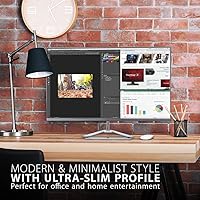
  • The slim bezel design looks clean on its own and works especially well in dual-monitor setups.
  • Five built-in view presets let you optimize quickly for work, gaming, or movie watching without manual calibration.
  • Long-term owners consistently report strong reliability with no significant panel degradation over time.
  • Out-of-box setup takes under ten minutes with no tools and no confusing assembly steps.
  • Anti-glare coating handles indirect and ambient light well in typical home office conditions.

Cons

  • At 32 inches with 1080p, pixel density is low enough that close-up text can look noticeably soft.
  • The stand has no height adjustment and wobbles more than expected — a VESA arm is almost a necessity.
  • No built-in speakers, which regularly surprises buyers coming from all-in-one setups or televisions.
  • The on-screen display menu is clunky to navigate, with small unlabeled buttons that are easy to mispress.
  • No adaptive sync support means screen tearing is possible during graphically demanding games.
  • Color accuracy is not sufficient for professional photo or video editing work.
  • Peak brightness falls short in very bright rooms or when natural light hits the screen directly.
  • Cable selection in the box is minimal, and you may need to source your own video cable separately.
  • No USB hub means your desk cable management gets no help from the monitor itself.
  • Warranty support experiences from users are inconsistent, with some reporting slow resolution times.

Ratings

The ViewSonic VX3276-MHD 32-inch 1080p IPS Monitor has accumulated thousands of verified purchase reviews worldwide, and the scores below reflect what real buyers actually experienced — not marketing claims. Our AI rating system analyzed global user feedback while actively filtering out incentivized, bot-generated, and spam reviews, so both the genuine strengths and the honest shortcomings are represented here. The result is a balanced picture of where this 32-inch IPS monitor earns its reputation and where it falls short of expectations.
Value for Money
88%
For buyers who want a large IPS screen without committing to a high-end budget, the pricing on this ViewSonic display consistently earns respect. Reviewers repeatedly note that getting 32 inches of IPS real estate at this tier feels like a genuine win, especially compared to what similarly priced TN or VA panels offer in terms of color consistency.
A small but vocal group of buyers feel the value calculation shifts if you factor in the cost of an aftermarket monitor arm — since the included stand limits ergonomic flexibility. Those who expected more from the on-screen display controls also felt the overall package could be more complete.
Display Quality
76%
24%
Colors come out of the box looking natural and balanced, which matters for buyers who don't want to spend time calibrating. The IPS panel handles mixed-use content well — whether it's spreadsheets during the day or a movie in the evening — and the anti-glare coating does a decent job in moderately lit rooms.
At 32 inches with a 1080p resolution, pixel density sits around 69 PPI, which is noticeably lower than smaller 1080p screens. Buyers who sit close — within two feet — often report that text edges look slightly soft, and fine UI details are less crisp than they expected when coming from a 24-inch or 27-inch 1080p display.
Sharpness & Pixel Density
61%
39%
For users who sit at a normal desk distance of 2.5 to 3 feet, the sharpness is generally acceptable for web browsing, document work, and video consumption. Buyers using this display primarily for casual content rather than fine-detail work report little frustration once they adjust their seating distance.
This is the category that generates the most polarized feedback. Buyers coming from smaller or higher-resolution monitors frequently describe the image as looking slightly washed out or low-resolution, particularly when reading small text. It is a real and measurable limitation that ViewSonic does not obscure, but it catches some buyers off guard.
Eye Comfort & Ergonomics
83%
The Flicker-Free technology and Blue Light Filter are not just checkbox features here — long-session users working six to eight hours a day consistently mention reduced eye strain compared to older monitors they replaced. Students and remote workers specifically call out these features as a deciding factor in their purchase.
The ergonomic adjustability of the stand is where comfort takes a hit. There is no height adjustment and only a modest tilt range, which means buyers who need precise positioning end up purchasing a separate VESA arm. For those who don't want that added cost, the fixed height may not suit every desk or chair combination.
Stand & Build Quality
58%
42%
The monitor panel itself feels solid, and the black-and-silver finish looks clean on most desk setups. Assembly is straightforward — most buyers report having it up and running in under ten minutes without needing to refer to the manual.
The stand is a recurring pain point. Multiple reviewers describe it as wobbly, with some noting that even minor desk vibrations cause the screen to shake slightly. The lack of height adjustment and swivel capability is frequently cited as a significant limitation for buyers who care about proper ergonomic positioning.
Connectivity & Input Options
87%
Having HDMI, DisplayPort, and VGA on a single monitor at this price point makes it genuinely versatile. Buyers juggling a work laptop, a personal PC, and an older device appreciate not having to swap cables constantly, and the Screen Split feature adds real utility for dual-source productivity setups.
There is no USB hub built into the monitor, which some buyers expected at this size. A small number of users also noted that the input switching process through the on-screen menu feels slower and less intuitive than it should be, particularly when toggling between sources frequently throughout the day.
Color Accuracy
73%
27%
Out-of-the-box color is pleasant and reasonably balanced for general use — content creators doing casual editing, teachers building presentations, and remote workers on video calls all report satisfactory results without touching the settings. The IPS panel avoids the washed-out look that frustrates buyers on budget TN monitors.
For professional photo editing or color-graded video work, the panel falls short. The color gamut coverage is not wide enough for sRGB-critical tasks, and calibration tools reveal noticeable deviations in shadow and highlight rendering. This is not the right display for anyone whose workflow depends on accurate color reproduction.
Refresh Rate & Motion Handling
71%
29%
The step up from 60Hz to 75Hz is subtle but real during everyday desktop use — scrolling through long documents and web pages feels slightly smoother, and casual gamers playing slower-paced or indie titles notice a cleaner experience than they had on older 60Hz panels.
Competitive or fast-paced gamers will find 75Hz limiting quickly. There is no adaptive sync support, which means screen tearing is possible during graphically demanding games. Buyers who initially thought 75Hz would be enough for their gaming habits sometimes find themselves wanting more within a few months.
Viewing Angles
84%
The IPS panel delivers on its core promise here. Colors and brightness remain consistent when viewing from off-axis angles, which matters in shared workspaces or when presenting content to someone sitting beside you. Buyers who switched from TN panels frequently highlight this improvement specifically.
At extreme angles — beyond about 60 degrees — there is some brightness falloff and a slight color shift, though this is typical of IPS technology at this price tier. It is rarely a practical problem in real-world use, but buyers expecting VA-level off-axis performance may be slightly disappointed.
Brightness & Glare Control
74%
26%
The anti-glare matte coating handles indirect light sources well, making it usable near windows without aggressive reflections washing out the image. Buyers working in home offices with natural side lighting report fewer issues than they expected, which is a genuine everyday win.
Peak brightness is adequate but not impressive. In very brightly lit rooms or when direct sunlight hits the desk, the display can feel dim, and boosting brightness to maximum introduces a slightly uneven backlight in the lower corners that a few observant buyers have flagged in reviews.
Preset Modes & OSD Usability
66%
34%
The five view presets — Game, Movie, Web, Text, and Mono — give buyers a quick way to optimize the display for different tasks without digging into manual settings. The Text and Movie modes in particular receive positive mentions from users who switch between work and entertainment throughout the day.
The on-screen display menu itself is clunky to navigate. The physical buttons are small and poorly labeled, making it easy to accidentally change settings instead of confirming them. Several buyers describe the OSD layout as unnecessarily confusing for what should be a simple adjustment process.
Audio
31%
69%
There is nothing meaningful to praise here from a hardware standpoint, as the monitor has no built-in speakers. Buyers who already own external speakers or headphones are entirely unaffected and do not consider it a negative at all.
The absence of built-in speakers is the single most frequently mentioned missing feature in negative reviews. Buyers coming from televisions or all-in-one computers are caught off guard, and those setting up a minimalist desk find themselves needing to source separate audio hardware they had not budgeted for.
Setup & Out-of-Box Experience
89%
Unboxing and assembly take under ten minutes for the vast majority of buyers, with no tools required and clear physical alignment guides for attaching the stand. The monitor arrives with display settings that are usable immediately, requiring little or no adjustment for typical home and office environments.
The included cable selection is minimal — some buyers receive only one video cable, which can be inconvenient if their primary connection type is not covered. The documentation is also thin, and buyers who want to understand the full scope of the OSD features are largely left to figure things out through trial and error.
Long-Term Reliability
82%
18%
Buyers who have owned this ViewSonic display for one to three years consistently report that it holds up well, with no significant panel degradation, color shift, or backlight issues appearing over time. The brand's service reputation in this product category also earns occasional positive mentions in longer reviews.
A small percentage of buyers report dead pixels or backlight bleed appearing within the first few months, though this is not an outsized complaint relative to comparable monitors in the category. Warranty support experiences are mixed, with some buyers reporting smooth resolutions and others describing slower-than-expected response times from customer service.

Suitable for:

The ViewSonic VX3276-MHD 32-inch 1080p IPS Monitor is a strong fit for anyone who wants a large, comfortable screen for daily work or study without paying a premium for specs they won't actually use. Remote workers who spend six or more hours at a desk will benefit most — the Flicker-Free panel and Blue Light Filter make a real difference over long sessions in ways that cheaper monitors don't address. Students working across multiple documents or browser tabs get genuine breathing room with 32 inches of horizontal space, and the Screen Split feature means you can run two input sources side by side without a second monitor. Budget-conscious home office builders who are weighing a bigger screen against a sharper one will generally find the size advantage more useful day-to-day. Casual gamers connecting a console or a mid-range PC will also find this ViewSonic display a comfortable upgrade from smaller screens, especially for slower-paced or story-driven games where raw refresh rate matters less than immersion.
Not suitable for:

The ViewSonic VX3276-MHD 32-inch 1080p IPS Monitor is not the right call for buyers whose work depends on precise image quality or pixel-level sharpness. Photographers, video editors, and graphic designers who need accurate color reproduction and a wide color gamut will quickly run into the panel's limitations — it is simply not built for that kind of critical work. Anyone planning to use this as a dedicated gaming monitor for competitive or fast-paced titles should also look elsewhere, since the 75Hz refresh rate and lack of adaptive sync support are real constraints in that context. Buyers who sit close to their screen — within two feet or so — will notice that 1080p across 32 inches produces softer-looking text and UI elements, which can become genuinely frustrating during long reading sessions. Finally, if you need a monitor that works out of the box with no extra accessories and proper ergonomic positioning, the rigid stand without height adjustment may be a dealbreaker — expect to budget for a VESA arm if that matters to you.
Specifications

  • Screen Size: The panel measures 32 inches diagonally, providing a wide viewing area suited to multitasking and media consumption at typical desk distances.
  • Panel Type: Uses an IPS (In-Plane Switching) panel, which delivers consistent color reproduction and wide viewing angles compared to TN or VA alternatives.
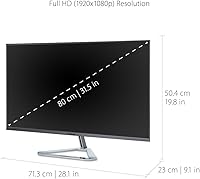
  • Resolution: Native resolution is 1920x1080 (Full HD), which translates to a pixel density of approximately 69 PPI at 32 inches.
  • Refresh Rate: Runs at a native 75Hz refresh rate, offering a modest but noticeable improvement over standard 60Hz displays during everyday use.
  • Aspect Ratio: Features a standard 16:9 widescreen aspect ratio, compatible with virtually all modern video formats, operating systems, and productivity applications.
  • Screen Surface: The panel uses a matte anti-glare coating that reduces reflections from ambient and indirect light sources in typical office or home environments.
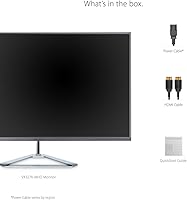
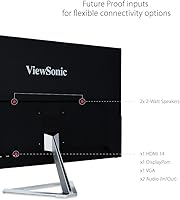
  • Video Inputs: Equipped with one HDMI port, one DisplayPort input, and one VGA port, covering a broad range of both modern and legacy devices.
  • Screen Split: Supports Screen Split functionality, allowing two separate input sources to be displayed simultaneously in a divided layout without additional hardware.
  • View Presets: Includes five factory-set display modes — Game, Movie, Web, Text, and Mono — selectable directly from the on-screen display menu.
  • Eye Care: Incorporates ViewSonic FlickerFree technology and a built-in Blue Light Filter to reduce eye fatigue during extended viewing sessions.
  • VESA Mount: The monitor is VESA mount compatible, allowing the included stand to be replaced with a third-party monitor arm for improved ergonomic positioning.
  • Dimensions: With the stand attached, the monitor measures approximately 28.1 inches wide, 19.8 inches tall, and 9.1 inches deep.
  • Weight: The full unit including the stand weighs 13.64 pounds, making it manageable for a single person to position and reposition on a desk.
  • Color Finish: Available in a Black and Silver color combination, with a slim-bezel design around the panel that suits both single and multi-monitor desk setups.
  • Power Input: Operates on a standard 120V AC power supply, compatible with North American outlets without any adapter requirement.
  • Speakers: The VX3276-MHD does not include built-in speakers; external audio output requires a separate speaker or headphone setup connected to the source device.
  • Stand Adjustability: The included stand supports tilt adjustment only, with no height, swivel, or pivot adjustment available without switching to an aftermarket VESA arm.
  • Release Date: The monitor was first made available in December 2017 and remains in active production with no discontinuation announced by the manufacturer.

Related Reviews
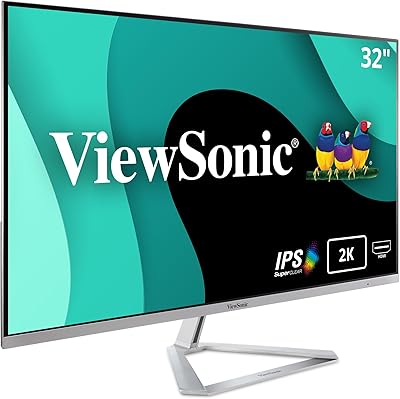
ViewSonic VX3276-2K-MHD 32-Inch Monitor
85%
92%
Display Quality
89%
Design and Aesthetics
77%
Build Quality
88%
Ease of Setup
94%
Flicker-Free and Eye Comfort
More
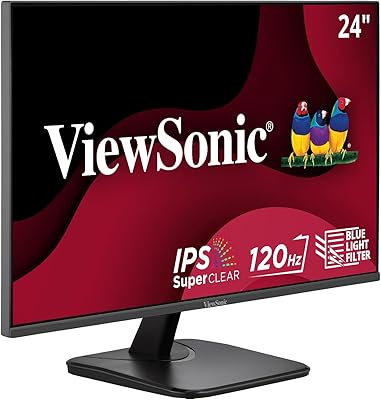
ViewSonic VA2456A-MHD 24-inch IPS Monitor
77%
83%
Image Quality
78%
Refresh Rate Performance
89%
Eye Comfort & Fatigue Reduction
91%
Value for Money
54%
Stand & Ergonomics
More
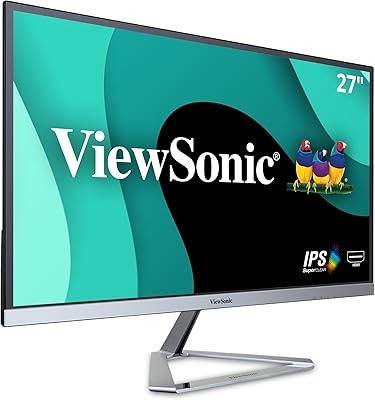
ViewSonic VA2756A-MHD 27 Inch IPS 1080p Monitor
86%
92%
Display Quality
90%
Value for Money
88%
Gaming Performance
80%
Ergonomics & Comfort
83%
Build Quality
More
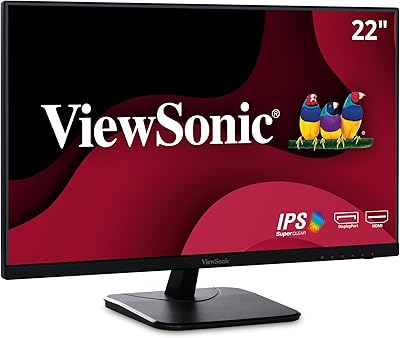
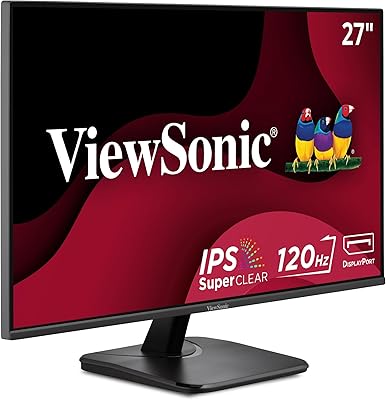
ViewSonic VA2256-MHD 22-inch IPS 1080p Monitor
85%
89%
Value for Money
93%
Display Quality
88%
Ease of Setup
91%
Eye Comfort
85%
Connectivity Options
More
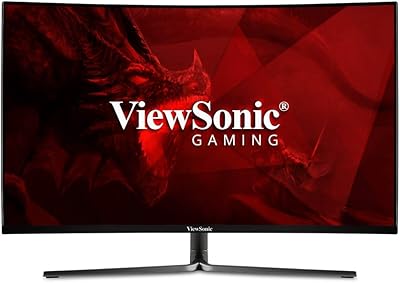
ViewSonic VX3276-4K-MHD 32-inch 4K Monitor
76%
91%
Image Clarity & Sharpness
74%
Color Accuracy
86%
Contrast & Black Levels
61%
HDR Performance
58%
Refresh Rate & Motion Handling
More
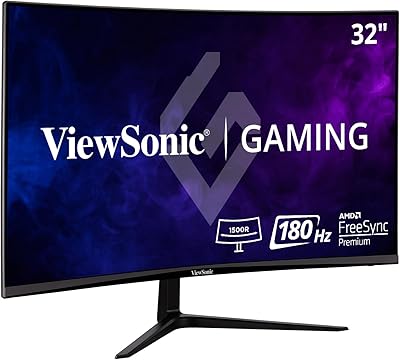
ViewSonic VX3258-PC-MHD 32-inch Curved 1080p Gaming Monitor
82%
91%
Gaming Performance
84%
Visual Quality
95%
Refresh Rate & Response Time
80%
Build Quality
70%
Ergonomics & Adjustability
More
ViewSonic VX3218-PC-MHD 32-Inch Curved 1080p Gaming Monitor
84%
88%
Performance for Gaming
84%
Visual Quality
92%
Value for Money
80%
Build Quality
85%
Eye Care Features
More
ViewSonic VP2468a 24-Inch IPS 1080p Monitor
84%
94%
Color Accuracy
88%
Ergonomics & Comfort
91%
Connectivity Options
89%
Value for Money
78%
Ease of Setup
More
ViewSonic VX2276-SMHD 22-Inch 1080p IPS Monitor
83%
92%
Value for Money
88%
Display Quality
85%
Design & Build Quality
90%
Ease of Setup
84%
Eye Care Features
More
ViewSonic VS2747-H 27-inch IPS Monitor
75%
91%
Value for Money
86%
Image Quality
88%
Eye Comfort
79%
Refresh Rate & Smoothness
71%
Build Quality
More

FAQ

This is the question most buyers wrestle with, and the honest answer is: it depends on how close you sit. At a typical desk distance of about 2.5 to 3 feet, most people find it perfectly acceptable for everyday tasks. If you sit closer than that or if you do a lot of small-text reading, you will notice the lower pixel density — roughly 69 PPI — and it can look softer than you might expect coming from a smaller 1080p monitor.

Yes, this ViewSonic display connects to Macs without any issues. You can use the HDMI port directly on older MacBooks or Macs with HDMI out, and a USB-C to DisplayPort or HDMI adapter will work for newer MacBook models. Color calibration out of the box is generally satisfactory for general use on macOS.

You can, and it works fine for casual console gaming. The HDMI input is compatible with both PS5 and Xbox Series consoles, though you will be limited to 1080p at 75Hz — neither console will push the display beyond its native capabilities. If you are a competitive gamer who cares about high frame rates or VRR support, this is not the right match.

It simply was not included in the design, which is common among monitors in this category that prioritize display quality and connectivity over audio. You will need external speakers or a headset connected to your PC, laptop, or console. This catches buyers off guard more often than you would expect, so it is worth planning for before your setup is complete.

Yes, the monitor is VESA compatible, so you can remove the included stand and mount it on any standard VESA arm. This is actually something a lot of buyers end up doing, since the built-in stand offers only tilt adjustment and no height control. An arm will give you far more flexibility and generally makes the desk feel cleaner too.

It is a hardware-level feature built into the panel, not a software overlay like Night Mode on Windows or macOS. You can activate it through the on-screen display menu and adjust the intensity. The effect is real — it noticeably warms the color temperature of the screen — and long-session users frequently mention it as a genuine comfort improvement, not just a marketing feature.

Yes, the Screen Split feature allows you to display two input sources simultaneously. You can run, for example, a laptop feed alongside a desktop PC on the same screen without switching inputs manually. It is not the most refined implementation — navigating to it through the OSD takes some patience — but it works reliably once you find it.

It is real but not catastrophic. The stand is stable enough that it will not move on its own, but if you type firmly or knock your desk, the screen does visibly wobble for a second or two. For most users it becomes background noise, but if you share a desk surface with others or work in a high-vibration environment, it is worth considering a monitor arm as an upgrade.

The included cable selection is minimal — typically one video cable, though the specific type can vary by retailer or production batch. Do not assume you will get both HDMI and DisplayPort cables. Check your source device's outputs before the monitor arrives so you are not caught waiting on a cable delivery before you can use it.

For rooms with indirect natural light or windows on the side, it performs well and keeps reflections manageable. If you have a window directly behind you or facing the screen, you may still see some haze on darker content. It is a standard matte coating — effective in most home office conditions, but not a blackout solution for very bright environments.

Where to Buy