ViewSonic VG2756A-2K 27-inch Docking Monitor




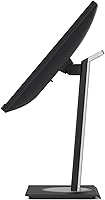

Overview
The ViewSonic VG2756A-2K 27-inch Docking Monitor is ViewSonic's answer to a cluttered desk problem that a lot of hybrid workers know well. Instead of juggling a laptop charger, a USB hub, and an Ethernet adapter, you plug in one USB-C cable and you're done. ViewSonic has spent years building monitors for business environments, and that practical focus shows here. The 27-inch QHD IPS panel is sharp and pleasant to work on all day, though it's worth being upfront: this is a productivity-first display. If you're a gamer or a photo editor chasing accurate colors and high frame rates, this docking monitor simply isn't aimed at you.
Features & Benefits
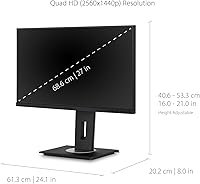
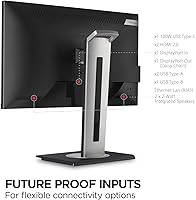
The headline feature is 100W USB-C power delivery — most laptops will charge fully while connected, no separate brick needed. Pair that with the built-in RJ45 Ethernet port, and your desk suddenly runs on a single cable to the laptop. The QHD 2560x1440 IPS panel makes a real, everyday difference if you work with text; spreadsheet rows and document fonts look noticeably crisper than on a standard 1080p screen. For anyone building a dual-monitor setup, the DisplayPort daisy chain lets you drive a second screen off one GPU output, which is a practical advantage. The stand covers full tilt, swivel, pivot, and height adjustment, and flicker-free backlighting with a blue light filter helps during long work days.
Best For
This docking monitor is most at home on the desk of a remote or hybrid worker who plugs in a laptop every morning and values not wrestling with cables. It suits professionals in finance, legal, or writing — anyone who spends the day reading dense text will notice the step up in sharpness from QHD. Those with limited desk space benefit too, since eliminating a separate hub or dock actually clears meaningful room. The VG2756A-2K works with both Mac and Windows machines, though USB-C compatibility can vary by laptop model, so double-checking your device's power delivery spec before purchasing is a smart move. Anyone planning a dual-monitor daisy chain on a single GPU output will find it a practical fit as well.
User Feedback
With a 4.5-star average across around 100 ratings, the VG2756A-2K earns generally strong marks, though the sample is still relatively modest. Buyers consistently highlight the clean desk result — one cable in, laptop charged, Ethernet live, display on — as exactly what they wanted. The IPS image quality also gets regular praise for day-to-day office use. On the other side, some users found that 60Hz felt limiting once they started wanting smoother scrolling or tried the display for casual gaming. A few note that USB-C charging performance varies by laptop, so results aren't universal. Most buyers seem to feel the built-in docking features genuinely replace a standalone hub, which makes the price feel justified rather than steep.
Pros
- A single USB-C cable handles video, data, Ethernet, and up to 100W laptop charging simultaneously.
- The built-in RJ45 Ethernet port removes the need for a separate network adapter entirely.
- QHD 2560x1440 resolution makes text noticeably crisper and easier to read for long work sessions.
- The ergonomic stand covers tilt, swivel, pivot, and height adjustment — most buyers find it genuinely flexible.
- DisplayPort daisy chaining lets you drive two monitors from a single laptop video output.
- Matte anti-glare coating handles bright room lighting without producing distracting reflections.
- Flicker-free backlighting and a blue light filter make a real difference during full workdays.
- The quick-release stand with a carrying handle is a thoughtful touch for shared or hybrid office spaces.
- Compatible with both Mac and Windows laptops, covering the most common workplace setups.
- The VG2756A-2K earns broadly positive buyer feedback, with connectivity reliability cited as a consistent strength.
Cons
- The 60Hz refresh rate is a firm ceiling — noticeable if you switch from a higher-refresh display.
- USB-C power delivery performance varies by laptop model; full 100W charging is not guaranteed on every machine.
- At 23 pounds, this docking monitor is heavy and not easy to reposition once set up.
- Color accuracy is adequate for office tasks but falls short for photo editing or color-critical creative work.
- The rating base of roughly 100 reviews is still relatively small, so long-term reliability data is limited.
- No built-in speakers, which is a minor but real inconvenience given the all-in-one connectivity pitch.
- The desk footprint is large; users with compact workspaces may find it tighter than expected.
- 60Hz combined with a productivity focus means this ViewSonic display offers little future-proofing if your needs shift toward gaming or multimedia.
Ratings
Our AI scoring system analyzed verified global buyer reviews for the ViewSonic VG2756A-2K 27-inch Docking Monitor, actively filtering out incentivized, bot-generated, and low-signal feedback to surface what real users actually experience day to day. The scores below reflect both the genuine strengths that keep buyers satisfied and the recurring pain points that prospective buyers deserve to know upfront.
USB-C Docking Functionality
Display Sharpness
Cable Management & Desk Setup
Ergonomics & Stand Quality
Refresh Rate & Motion
Built-in Ethernet Performance
Image Color Accuracy
Daisy Chain Capability
Eye Comfort Over Long Hours
Build Quality & Materials
Value for Money
Setup & Out-of-Box Experience
Cross-Platform Compatibility
Matte Screen Performance
Suitable for:
The ViewSonic VG2756A-2K 27-inch Docking Monitor is purpose-built for remote and hybrid workers who are tired of plugging in three or four cables every morning just to get their laptop running at a desk. If your daily workflow involves a lot of reading, writing, spreadsheets, or video calls, the QHD IPS panel gives you noticeably sharper text than a typical 1080p screen without asking you to spend significantly more. It particularly shines for professionals in fields like finance, law, or content writing, where spending six or eight hours a day staring at dense text is the norm. Anyone trying to keep their desk tidy will appreciate routing power, Ethernet, and video through a single USB-C cable rather than managing a separate hub. The DisplayPort daisy chain capability also makes it a smart pick for anyone wanting to run two monitors off a laptop with only one video output, since no additional GPU port is required.
Not suitable for:
The ViewSonic VG2756A-2K 27-inch Docking Monitor caps out at 60Hz, which is a genuine limitation worth naming clearly: if you game even casually, or you find yourself bothered by less fluid scrolling after using a higher-refresh display, you will likely feel the ceiling here. Photographers, video editors, or designers who need accurate, calibrated color output should also look elsewhere, as this is a productivity panel rather than a color-critical one. The USB-C docking features are well-implemented for most mainstream laptops, but compatibility is not universal — older machines or those with limited USB-C power negotiation may not charge at the full 100W rate, so checking your laptop's spec sheet beforehand is not optional advice. At 23 pounds, this is not a lightweight display you will want to reposition often, and the desk footprint is substantial. Buyers on a tight budget who only need basic display connectivity would likely be better served by a standard QHD monitor paired with a cheaper hub.
Specifications
- Screen Size: The display measures 27 inches diagonally with a 16:9 aspect ratio.
- Resolution: Native resolution is QHD 2560x1440, delivering approximately 109 pixels per inch for sharp text and detail.
- Panel Type: Uses an IPS (In-Plane Switching) panel, providing consistent colors and wide viewing angles from most seated positions.
- Refresh Rate: The panel runs at a fixed 60Hz, suited for productivity tasks but not optimized for fast-motion gaming or video.
- Screen Surface: Matte anti-glare coating reduces reflections from windows and overhead lighting in typical office environments.
- USB-C Power: Delivers up to 100W of power delivery over a single USB-C cable, sufficient to charge most modern laptops while in use.
- Network Port: Includes a built-in RJ45 Gigabit Ethernet port that routes a wired network connection directly through the monitor to the connected laptop.
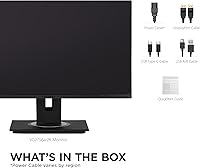
- Video Inputs: Connectivity includes USB-C, HDMI, DisplayPort In, and DisplayPort Out, with the DP Out enabling daisy chaining to a second monitor.
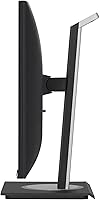
- Ergonomics: The stand supports 40-degree tilt, left-right swivel, 90-degree pivot (portrait mode), and height adjustment for full posture customization.
- Eye Care: Flicker-free backlighting and a built-in blue light filter are included to reduce eye fatigue during extended work sessions.
- Stand Design: Features a quick-release mechanism and an integrated carrying handle, which simplifies transport between office locations.
- Dimensions: The assembled unit measures approximately 8 x 20.99 x 24.1 inches (D x W x H) including the stand.
- Weight: The complete unit weighs 23 pounds, making it a stationary setup rather than one you will reposition frequently.
- Compatibility: Works with Windows PCs and Apple Mac laptops that support USB-C DisplayPort Alt Mode or standard HDMI and DisplayPort connections.
- Color: Available in a matte black finish consistent with most professional and corporate desk setups.
- Release Date: This monitor was first made available in June 2023, placing it in the current generation of business docking displays.
- VESA Support: The stand is removable and the panel supports standard VESA mounting, allowing use with third-party monitor arms or wall mounts.
- Speakers: The VG2756A-2K does not include built-in speakers, so external audio output via the connected laptop or a separate speaker is required.
Related Reviews
ViewSonic VP2756-2K 27-inch QHD IPS Monitor
ViewSonic VG2748A-2K 27-inch QHD Monitor
ViewSonic VX2728J-2K 27-inch Gaming Monitor
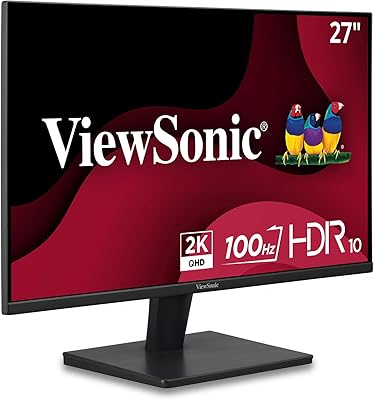
ViewSonic VS2725-2K 27-inch QHD Monitor
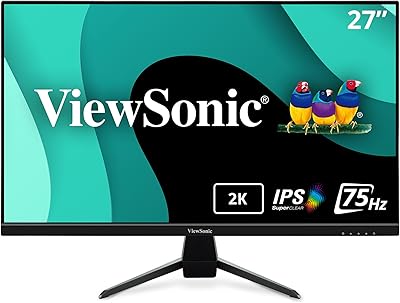
ViewSonic VX2767U-2K 27-inch 1440p IPS Monitor
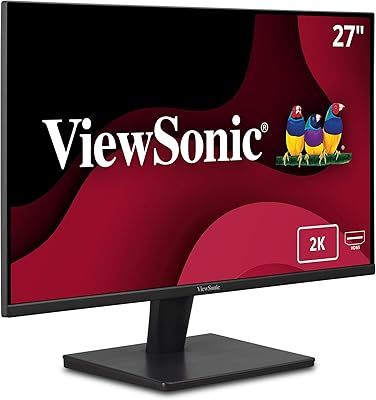
ViewSonic VA2715-2K-MHD 27-inch QHD Monitor
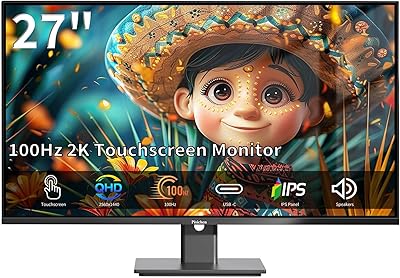
Pisichen 27-Inch 2K QHD Touchscreen Monitor
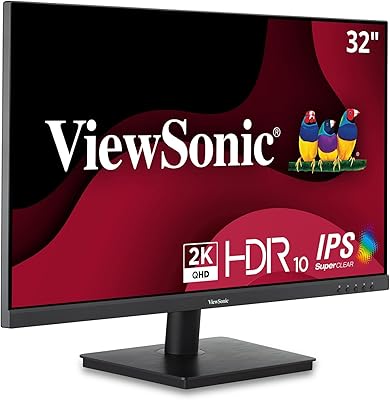
ViewSonic VS3225-2K 32-inch QHD IPS Monitor
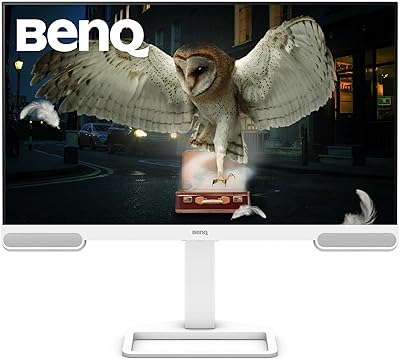
BenQ EW2790Q 27-inch QHD Monitor
