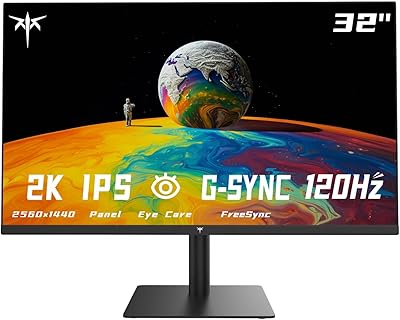
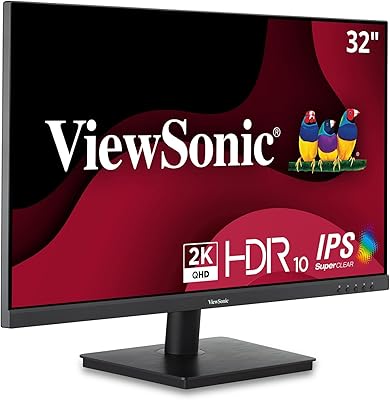
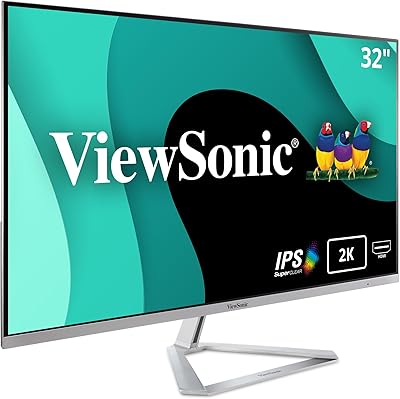
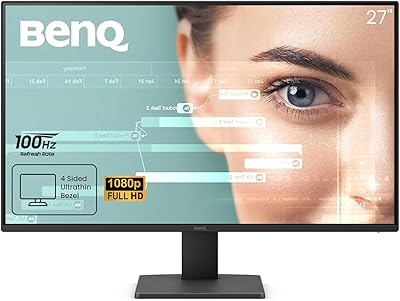
Overview

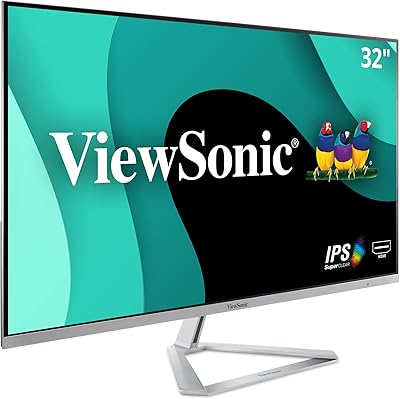
The ViewSonic VA3209M 32-inch FHD IPS Monitor landed in mid-2023 and has quietly built a solid reputation among budget-conscious buyers looking for a large screen without a steep price. At this price tier, getting a 32-inch IPS panel is genuinely unusual — most monitors this size steer you toward VA panels with inferior viewing angles. The IPS technology here delivers consistent color and decent off-axis viewing whether you're sitting front-on or slightly to the side. One honest caveat worth knowing upfront: 1080p spread across 32 inches means lower pixel density than on a smaller display, so text and fine detail won't look as crisp up close.

Features & Benefits

This budget IPS display packs a solid feature set for everyday use. The 75Hz refresh rate won't impress competitive gamers, but it's a meaningful step up from 60Hz for general desktop work and casual play. Flicker-Free technology paired with a Blue Light Filter makes a real difference if you're logging eight or more hours in front of a screen — eyes genuinely feel less fatigued by end of day. The anti-glare coating handles moderate ambient light well enough for a typical home office. Preset modes like Text and Web add practical value for document-heavy workflows. VRR reduces screen tearing without requiring a high-end GPU, and both HDMI and VGA inputs ensure older devices stay supported.

Best For

The VA3209M is a natural fit for remote workers and students who want as much screen space as possible without paying for a premium panel. If you're jumping from a 24-inch monitor, the extra real estate genuinely changes how you work — more breathing room for spreadsheets, split-screen multitasking, and side-by-side windows. Long-session productivity is where this monitor earns its keep, especially given the eye care features. It also suits light gamers who play slower-paced or older titles and don't need refresh rates beyond 75Hz. One practical bonus: VGA connectivity makes this one of the few modern monitors that pairs cleanly with older office machines lacking HDMI outputs.

User Feedback

With over 900 ratings and a 4.6-star average, this 32-inch ViewSonic monitor has earned its standing. Buyers consistently praise the screen-to-price ratio, noting it outperforms expectations for the category, and color accuracy draws regular compliments for an IPS panel at this level. Setup is frequently described as quick and painless. On the downside, some users sitting close to the screen notice that 1080p at this size looks softer than expected — that is a legitimate trade-off, not a defect. The tilt-only stand is a recurring frustration, with many wishing for height adjustment options. Isolated dead pixel reports do appear, but they don't represent a consistent quality control pattern across the broad review base.

Pros

  • A 32-inch IPS screen at this price tier is genuinely hard to find from a reputable brand.
  • IPS panel delivers consistent, natural colors and wide viewing angles straight out of the box.
  • Flicker-Free backlighting and a Blue Light Filter meaningfully reduce eye fatigue during long work sessions.
  • The large screen makes multitasking — split windows, side-by-side documents — noticeably easier.
  • Anti-glare coating handles typical home office lighting without requiring constant display repositioning.
  • Both HDMI and VGA inputs make this budget IPS display compatible with a wide range of older and newer devices.
  • Setup is fast and painless, with most buyers reporting a working display within minutes of unboxing.
  • Thin bezels on three sides give the VA3209M a cleaner, more modern look than its price suggests.
  • Preset modes like Text and Web provide a tangible improvement for reading-heavy workflows.
  • Over 900 verified ratings and a strong average score reflect consistent real-world satisfaction.

Cons

  • Text and fine detail look noticeably soft when sitting at a typical close desk distance.
  • The tilt-only stand has no height or swivel adjustment, limiting ergonomic flexibility.
  • No DisplayPort or USB-C input means compatibility with newer devices will narrow over time.
  • Only two input ports makes switching between multiple connected devices genuinely inconvenient.
  • Published response time specs are absent, and fast-motion content can show visible ghosting.
  • The Blue Light Filter shifts color temperature noticeably and cannot be fine-tuned.
  • Budget plastic construction on the rear panel and stand feels inconsistent with the screen quality.
  • Dead pixel reports appear with enough regularity in buyer feedback to be worth noting as a risk.
  • Game and Movie presets apply heavy-handed processing that most users end up switching away from.
  • Darker scenes in films and games lack depth due to average contrast performance typical of IPS panels.

Ratings

The ViewSonic VA3209M 32-inch FHD IPS Monitor earns a strong overall standing based on AI analysis of verified global buyer reviews, with spam, bot activity, and incentivized feedback actively filtered out before scoring. Across hundreds of real-world accounts from home office workers, students, and casual gamers, both the genuine strengths and the recurring frustrations are reflected honestly in each category below. No score has been softened to flatter the product — what you see is what buyers actually experienced.

Value for Money
91%
Buyers consistently point to the sheer screen size at this price as something difficult to match elsewhere. Getting a 32-inch IPS panel without climbing into a noticeably higher price bracket is the single most praised aspect across the review base — many users say it felt like a deal the moment they unboxed it.
A handful of buyers who compared it against similarly priced VA-panel alternatives felt the resolution trade-off slightly dulled the value case. If pixel sharpness matters more than screen size to a particular buyer, the value equation shifts.
Screen Size & Real Estate
93%
Users upgrading from 24-inch displays repeatedly describe the jump to 32 inches as immediately transformative for multitasking — side-by-side windows, spreadsheets with many columns, and reference documents open alongside work all become noticeably easier to manage without constant alt-tabbing.
A minority of buyers placed the monitor on smaller desks and found the physical footprint more demanding than expected. At just over 28 inches wide, it can crowd a compact workspace, and the tilt-only stand limits how much you can compensate for positioning.
Image Quality & Color Accuracy
78%
22%
For a budget IPS panel, color reproduction earns genuine praise. Buyers using it for photo browsing, casual video editing reference, and everyday streaming consistently note that colors look natural and consistent — not washed out the way cheaper TN panels tend to look straight out of the box.
It is not a color-accurate display by professional standards, and buyers who tried to use it for serious photo or video work noticed limitations quickly. Contrast depth is average for IPS, so dark scenes in movies or games lack the punch you would get from a VA panel.
Pixel Density & Sharpness
58%
42%
For media consumption at normal viewing distances — say, leaning back from a couch-style setup or watching content from across a room — the resolution holds up fine and the large screen size compensates for the lower pixel density in an enjoyable way.
This is the most cited disappointment in the review base, and it deserves a direct assessment: 1080p across 32 inches produces noticeably soft text and UI elements for anyone sitting 60 to 70 centimeters away at a desk. Small fonts, fine lines in spreadsheets, and browser text require more squinting than on a 24-inch 1080p display.
Eye Comfort & Fatigue Reduction
86%
The combination of Flicker-Free backlighting and the Blue Light Filter gets called out repeatedly by buyers who work eight-plus hour days. Multiple users with a history of headaches from extended screen time specifically mentioned that this monitor reduced the problem — not eliminated, but meaningfully improved compared to prior displays.
The Blue Light Filter modes do shift the color temperature in a way some buyers found too warm or yellowish for accurate daytime work. It is either on or off, with no fine-grained tuning available through the on-screen menu, which frustrated users who wanted a middle ground.
Refresh Rate & Motion Handling
67%
33%
At 75Hz, the display is a clear step up from 60Hz for everyday desktop use — scrolling through long documents and web pages feels marginally smoother. For casual gaming in slower-paced genres like strategy, simulation, or older action titles, it handles motion without obvious issues.
Buyers who primarily game and expected a capable gaming monitor were disappointed. 75Hz is entry-level by modern gaming standards, and fast-paced competitive titles expose the ceiling quickly. Response time is not officially published, and some users noticed ghosting in high-motion scenes.
Variable Refresh Rate (VRR)
71%
29%
For buyers with mid-range or budget GPUs, the VRR support does reduce screen tearing in a noticeable way without requiring any expensive hardware upgrade. Users pairing it with integrated graphics or older discrete cards appreciated the improvement in general smoothness.
VRR implementation here is basic — it is not certified FreeSync Premium or G-Sync Compatible, and the effective range is narrow. Heavy gaming use at the refresh rate ceiling exposed inconsistencies that more capable VRR implementations would handle better.
Anti-Glare Coating
74%
26%
Buyers in home office environments with windows or overhead lighting found the anti-glare surface functional and better than expected for the price tier. It handles indirect and diffuse ambient light reasonably well, letting most people work without needing to reposition the monitor constantly.
In rooms with direct sunlight or bright light sources positioned behind the user, the coating shows its limits. The surface adds a slight matte haze to the image that some buyers found dulled the picture quality compared to glossy alternatives, particularly for video content.
Preset Viewing Modes
69%
31%
The Text and Web presets are legitimately useful for document-heavy work — buyers report Text mode in particular produces a noticeably cleaner, sharper-feeling image for reading and writing, even if the underlying resolution has not changed. The Mono mode earned niche appreciation from users who share a screen with colorblind colleagues.
Game and Movie presets struck several buyers as over-processed, with Game mode pushing saturation to an artificial level and Movie mode darkening shadows too aggressively. Most experienced users end up settling on a manually adjusted Custom mode rather than relying on the presets.
Connectivity & Input Options
82%
18%
Having both HDMI and VGA inputs on a modern monitor is a quietly significant feature that the review base appreciates more than you might expect. Buyers with older laptops, desktop towers from the mid-2010s, or shared office equipment that lacks HDMI noted it saved them from needing an adapter or a separate purchase.
The connectivity is limited to just two inputs, which becomes a friction point for users who run multiple devices — switching cables manually when toggling between a laptop and a desktop is a minor but recurring complaint. No DisplayPort or USB-C means it won't age particularly well for newer devices.
Stand & Ergonomics
44%
56%
The stand is sturdy enough that the monitor does not wobble or shift during use, and the tilt adjustment — though limited — is sufficient for basic angle correction when the desk height is already comfortable. Assembly is quick and does not require tools.
No height adjustment is the most consistent hardware complaint across the review base. Buyers who are taller than average, use a standing desk, or want to raise the monitor above a laptop found themselves improvising with books or monitor risers. No swivel or pivot functionality further limits flexibility for shared workstations.
Build Quality & Materials
72%
28%
The overall build feels appropriate for the price — it is not flimsy, and the thin bezels on three sides give it a more modern look than monitors at this price typically offered a few years ago. Buyers who set up multiple units for home or small office use noted consistent build quality across units.
The back panel and stand are visibly budget plastic, and the matte black finish picks up fingerprints and dust easily. A few buyers mentioned the display housing flexes slightly when adjusting tilt, which, while not structurally concerning, does not inspire premium confidence.
Setup & Out-of-Box Experience
88%
Setup receives consistent praise across the review base — buyers describe unpacking and having a working display within five to ten minutes without consulting a manual. The on-screen display menu is straightforward to navigate, and the default color settings were acceptable to most users without requiring immediate calibration.
The included cable selection is minimal, and a small number of buyers were surprised to find that a required cable for their setup was not in the box. The on-screen menu button placement on the back-bottom edge is also awkward to locate by feel, especially in low-light conditions.
Reliability & Quality Control
76%
24%
The broad majority of buyers report zero hardware issues after months of use. The panel holds up well under extended daily operation, and there are no widespread patterns suggesting systematic reliability problems — which is meaningful given the volume of ratings this product has accumulated.
Dead pixel reports do appear in the review base, and while they are not statistically dominant, they are present with enough regularity to be a legitimate concern for buyers who are particular about display uniformity. ViewSonic's warranty process receives mixed feedback, with some users reporting smooth resolution and others describing delays.

Suitable for:

The ViewSonic VA3209M 32-inch FHD IPS Monitor is a strong pick for remote workers and students who spend long hours at a desk and want the productivity boost that comes with a genuinely large screen — without the financial commitment of a premium display. If you are coming from a 24-inch monitor and feel constantly cramped while juggling browser tabs, documents, and communication tools, the jump in screen real estate here will make a noticeable day-to-day difference. The IPS panel means colors stay consistent when you glance at the screen from an angle, which matters in shared workspaces or when a colleague pulls up a chair beside you. The built-in eye comfort features are a real draw for anyone who regularly finishes a workday with tired, strained eyes. It also suits light gamers who play strategy games, RPGs, or older titles where smooth, high-frame-rate action is not the priority — the monitor handles casual gaming without fuss. Finally, if you are working with an older PC or laptop that still outputs via VGA, this is one of the few current monitors that won't force you into an adapter purchase.

Not suitable for:

The ViewSonic VA3209M 32-inch FHD IPS Monitor is not the right choice for buyers who sit close to their display and care deeply about text sharpness — spreading 1080p across 32 inches produces a noticeably lower pixel density than a smaller screen at the same resolution, and fine text, detailed spreadsheets, or small UI elements will look softer than expected at a typical desk distance. Graphic designers, photo editors, or anyone who needs reliable color accuracy for professional output should look elsewhere, as this is a value-tier IPS panel, not a factory-calibrated display. Competitive gamers who care about fast refresh rates and low response times will find the performance ceiling frustrating — this monitor simply was not built for that use case. People who need a height-adjustable or fully ergonomic setup will likely need to budget for a separate monitor arm, since the stand only tilts and offers no vertical movement. If you regularly switch between multiple input sources, the two-port limit and manual cable swapping will become a genuine daily annoyance.

Specifications

  • Screen Size: The display measures 32 inches diagonally, providing a large viewing area well-suited for multitasking and media consumption.
  • Panel Type: Uses an IPS (In-Plane Switching) panel, which delivers consistent color reproduction and wide viewing angles compared to TN or VA alternatives.
  • Resolution: Native resolution is 1920x1080 (Full HD), which produces a pixel density that is adequate at normal viewing distances but noticeably softer up close on a 32″ screen.
  • Refresh Rate: Supports a maximum refresh rate of 75Hz, providing moderately smoother motion than a standard 60Hz display for everyday use.
  • Aspect Ratio: Standard 16:9 widescreen aspect ratio, compatible with virtually all modern content formats and operating systems.
  • Variable Refresh Rate: Supports Variable Refresh Rate (VRR) technology to reduce screen tearing and stuttering when paired with a compatible GPU.
  • Eye Care: Equipped with Flicker-Free backlighting and a Blue Light Filter to reduce eye strain during extended screen sessions.
  • Screen Surface: Anti-glare hard coating rated at 3H provides scratch resistance and diffuses ambient light to minimize distracting reflections.
  • Connectivity: Offers one HDMI port and one VGA port, supporting both modern and legacy device connections without requiring an adapter for older hardware.
  • Preset Modes: Five built-in picture presets — Game, Movie, Web, Text, and Mono — allow quick adjustments for different content types via the on-screen display menu.
  • Stand Adjustment: The included stand supports tilt adjustment only; height, swivel, and pivot adjustments are not available without a third-party VESA mount.
  • VESA Compatibility: The monitor is VESA mount compatible, allowing users to replace the stock stand with an aftermarket arm for improved ergonomic positioning.
  • Dimensions: The assembled unit measures approximately 28.1″ wide, 20.5″ tall, and 9.1″ deep, making it a physically demanding fit for compact desks.
  • Weight: The complete unit weighs approximately 16.1 pounds (roughly 7.3 kg), which is typical for a 32-inch panel with an attached stand.
  • Input Voltage: Operates at 12 volts DC via an external power adapter, which is standard for monitors in this size and price category.
  • Color: Available in matte black finish with a plastic housing, consistent with the design language of most monitors in this segment.
  • Response Time: An official response time specification is not published by ViewSonic for this model; real-world performance is appropriate for casual use but unverified for fast-action gaming.
  • Date Released: First made available in July 2023, giving this monitor a proven track record of over a year of consumer use and verified buyer feedback.

Related Reviews
ViewSonic VX3276-MHD 32-inch 1080p IPS Monitor

73%
88%
Value for Money
76%
Display Quality
61%
Sharpness & Pixel Density
83%
Eye Comfort & Ergonomics
58%
Stand & Build Quality
More
ViewSonic VP3268A-4K 32-inch 4K UHD IPS Monitor
86%
94%
Color Accuracy
88%
Ergonomics/Comfort
91%
Build Quality
83%
HDR Performance
85%
Connectivity Options
More
ViewSonic VG2448A 24-Inch IPS Monitor
84%
88%
Value for Money
91%
Display Quality
85%
Ergonomics and Comfort
87%
Connectivity Options
90%
Ease of Setup
More
ViewSonic VS3225-2K 32-inch QHD IPS Monitor
78%
88%
Image Clarity
81%
Color Accuracy
86%
Eye Comfort
83%
Build & Design
51%
Stand & Ergonomics
More
KTC H32T13 32-Inch QHD IPS Monitor

78%
86%
Image Quality
79%
Color Accuracy
82%
Refresh Rate & Smoothness
51%
HDR Performance
44%
Ergonomics & Adjustability
More
HP 524sf 24-inch FHD IPS Monitor
85%
88%
Display Quality
91%
Value for Money
85%
Build Quality
94%
Ease of Setup
87%
Eye Care Features
More
ViewSonic VX3276-2K-MHD 32-Inch Monitor
85%
92%
Display Quality
89%
Design and Aesthetics
77%
Build Quality
88%
Ease of Setup
94%
Flicker-Free and Eye Comfort
More
ReHisk 24 Inch FHD IPS Gaming Monitor
83%
88%
Value for Money
90%
Display Quality
87%
Gaming Performance
84%
Ease of Setup
82%
Eye Care Features
More
Acer SB272 27-Inch FHD IPS Monitor
84%
92%
Value for Money
88%
Display Quality
86%
Gaming Performance (FreeSync)
84%
Ergonomics & Tilt Adjustability
85%
Design & Build Quality
More
BenQ GW2791 27-inch FHD IPS Monitor

84%
89%
Display Quality
91%
Eye-Care Features
85%
Design & Build
88%
Ease of Setup
90%
Color Accuracy
More

FAQ

This is the most important question to answer honestly before buying. At typical desk distances — around 60 to 80 centimeters — 1080p on a 32-inch panel does look softer than on a smaller screen at the same resolution. Text edges are less crisp, and small UI elements require a bit more focus. If you sit further back, use large font sizes, or primarily watch video content, it is manageable. But if you work with dense spreadsheets or small text all day at close range, the pixel density may frustrate you.

Yes, the VA3209M includes a VGA input alongside HDMI, which is increasingly rare on newer monitors. You can plug a VGA cable directly in without needing a dongle or adapter. Keep in mind that VGA is an analog connection, so image quality may not be as sharp as through HDMI, but for general office use it is perfectly functional.

It does, as long as your Mac has an HDMI output or you use an adapter to convert from USB-C or Thunderbolt to HDMI. Most modern MacBooks with a USB-C port work fine with a USB-C to HDMI cable. The monitor does not natively support DisplayPort or USB-C, so a direct cable connection without an adapter is only possible if your Mac has an HDMI port.

It is a hardware-level setting controlled through the monitor's on-screen display menu, so it works regardless of what operating system or software you are running. When activated, it shifts the display to a warmer color temperature by reducing blue light output from the backlight. The trade-off is that colors will look noticeably warmer and less accurate, which is worth accepting for late-night use but less ideal during the day when color accuracy matters.

The stock stand only offers tilt adjustment — there is no height, swivel, or pivot movement built in. If ergonomics are important to you, the monitor does support VESA mounting, meaning you can swap out the stand for an aftermarket monitor arm that gives you full height and angle control. A lot of buyers end up going this route, and it makes a significant difference for long work sessions.

It handles casual gaming comfortably — strategy games, RPGs, simulation titles, and older action games all run fine. The 75Hz refresh rate and basic VRR support reduce tearing without needing a high-end graphics card. Where it falls short is competitive or fast-paced gaming: the refresh rate ceiling is low by modern standards, and the unpublished response time means you may notice ghosting in high-motion scenes. If gaming is your primary use case, a purpose-built gaming monitor would serve you better.

At just over 28 inches wide and about 20 inches tall, it needs a reasonably spacious desk. On a typical 47-inch wide desk, it fits without issue, but on smaller student desks or corner-cut setups it can feel crowded, especially once you add a keyboard and other peripherals. It is worth measuring your available desk width before ordering, particularly if you plan to use it alongside a secondary monitor or a laptop.

It ships with default settings that most everyday users find acceptable out of the box — colors are reasonably neutral for an IPS panel at this price, and brightness is set to a usable level. It is not factory calibrated in any professional sense, and if you care about color accuracy for design or photo work, you would want to run a calibration routine. For general productivity and media use, the defaults are fine with maybe a small brightness adjustment to personal preference.

The packaging typically includes a power cable and a basic HDMI cable, but buyers should verify the contents at purchase since bundled accessories can vary. A VGA cable is generally not included despite the VGA port being present, so if VGA is your intended connection, plan to have a cable on hand. It is always worth checking the current listing details, as bundle contents occasionally change.

ViewSonic offers a limited warranty on this monitor, though the exact terms and duration are worth confirming directly with ViewSonic or the retailer at time of purchase. Dead pixel reports do appear in the buyer review base — not as a dominant pattern, but with enough regularity to be a realistic risk. ViewSonic's dead pixel policy follows a threshold approach, meaning a single dead pixel may not qualify for a replacement under standard warranty terms, so it is worth reviewing their policy before purchasing if display uniformity is a priority for you.

Where to Buy