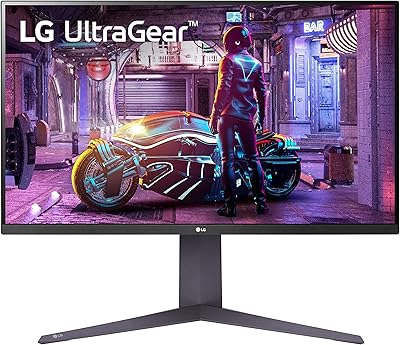
LG 32U631A-B 32-inch QHD Monitor
Overview
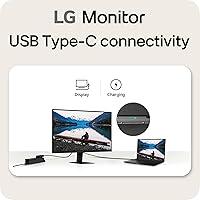
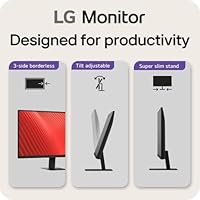
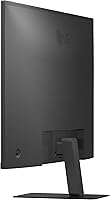
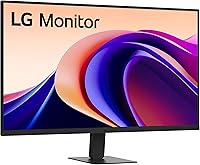
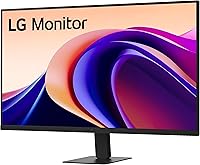
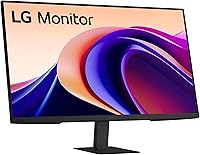
The LG 32U631A-B 32-inch QHD Monitor arrived in early 2025 and has quickly built a solid reputation as a capable mid-range display that handles both office work and casual gaming without demanding a premium price. The slim stand and nearly borderless design on three sides keep the desk looking clean — a genuine plus in tighter workspaces. This is not a 4K panel, and it won't satisfy serious competitive gamers chasing triple-digit refresh rates. That's fine, because it was never trying to be. Laptop users will also appreciate the USB-C port, which handles display output and light charging duties through a single cable.
Features & Benefits
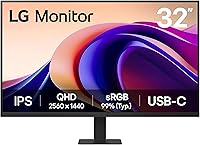
At 1440p resolution on a 31.5-inch screen, the sharpness jump from a typical 1080p setup is immediately noticeable — text looks crisper, icons have cleaner edges, and there's simply more usable space when juggling multiple windows. The IPS panel handles colors well out of the box, covering nearly the full sRGB spectrum, and HDR10 adds subtle depth to movies and compatible games. Motion handling is solid for the price: 100Hz keeps scrolling and video smooth, with a response time quick enough that everyday gaming feels responsive. The Reader Mode is a thoughtful touch for anyone spending long hours at their desk, reducing blue light without making the image look unnaturally tinted.
Best For
This LG QHD monitor is a natural fit for remote workers and students who want a large, sharp screen without the cost and complexity of a 4K setup. It also works well for casual gamers who play titles where fluid visuals matter more than raw speed. Creative hobbyists — photographers doing light editing, designers working with web assets — will find the color accuracy more than adequate for non-professional work. Laptop users looking to simplify their desk will find the USB-C connection a practical bonus, though keep in mind the 15W power delivery suits lighter machines best. Anyone upgrading from 1080p will feel the improvement immediately.
User Feedback
With nearly 3,000 ratings and a 4.5-star average, the 32U631A-B has clearly resonated with buyers. People consistently highlight image clarity and out-of-the-box color quality, and most agree the build feels solid relative to the price bracket. That said, the feedback is not universally glowing. The stand is a recurring complaint — it tilts but offers no height adjustment or pivot, so anyone prioritizing ergonomics will likely need an aftermarket arm. The USB-C power delivery is also flagged as underwhelming for power-hungry laptops; it is convenient, not a substitute for a proper charger. A small number of users note backlight uniformity inconsistencies, a known trait of IPS panels in this price range.
Pros
- Sharp 1440p resolution makes a night-and-day difference for anyone upgrading from a 1080p screen.
- The IPS panel delivers vibrant, accurate colors right out of the box with no manual calibration needed.
- At 32 inches, the screen provides genuine multitasking room without feeling overwhelming on a standard desk.
- USB-C connectivity lets laptop users connect and lightly charge through a single cable.
- The nearly borderless design on three sides looks clean and works well in dual-monitor setups.
- Reader Mode meaningfully reduces eye strain during long work sessions without making colors look unnatural.
- The matte screen surface handles ambient light and glare well in typical indoor environments.
- 100Hz refresh rate keeps everyday gaming, video, and fast scrolling smooth and comfortable.
- Nearly 3,000 buyer ratings with a 4.5-star average reflects broad, sustained satisfaction across different use cases.
- Build quality feels sturdy and consistent with what buyers expect from LG at this market tier.
Cons
- The stand offers tilt only — no height adjustment, swivel, or pivot, which is a real ergonomic limitation.
- Many buyers end up spending extra on a monitor arm just to get the screen to a comfortable working height.
- USB-C power delivery tops out at 15W, which will not keep up with power-hungry laptops under load.
- There is no DisplayPort input, which some desktop PC users specifically prefer over HDMI.
- No built-in USB hub means no downstream ports for keyboards, mice, or other peripherals.
- A small number of users report minor backlight uniformity inconsistencies, a known trade-off with IPS panels.
- Peak brightness is moderate, making the HDR effect less dramatic than higher-end displays produce.
- No Adaptive Sync support means screen tearing can appear in graphically intensive PC games without VSync.
- Pixel density at 32 inches and 1440p is slightly lower than a 27-inch 1440p panel, noticeable at close range.
- The on-screen menu system feels dated and takes some patience to navigate when adjusting picture settings.
Ratings
The LG 32U631A-B 32-inch QHD Monitor scores were determined by our AI system after analyzing thousands of verified global buyer reviews, actively filtering out incentivized, duplicate, and bot-generated submissions to ensure the data reflects genuine hands-on experience. This 32-inch LG panel earns strong marks in several key areas, but the ratings also transparently surface the frustrations real users encountered — from stand limitations to USB-C charging constraints — so you can make a fully informed decision.
Image Clarity & Sharpness
Color Accuracy & Vibrancy
Stand & Ergonomics
USB-C Connectivity
Refresh Rate & Motion Performance
Eye Comfort & Reader Mode
Build Quality & Design
Setup & Out-of-Box Experience
Value for Money
Multitasking & Screen Real Estate
HDR Performance
Connectivity Options
Glare & Ambient Light Handling
Gaming Responsiveness
Suitable for:
The LG 32U631A-B 32-inch QHD Monitor is a strong match for remote workers and students who spend long hours at a desk and want a noticeably sharper, more spacious screen than a typical 1080p setup without jumping to the cost and complexity of 4K. If your daily routine involves juggling multiple browser tabs, documents, or communication tools side by side, the extra screen real estate makes a real difference in how organized and comfortable your workspace feels. Laptop users who want to simplify their setup will appreciate the USB-C port — plug in one cable and you have both display output and light charging handled, which keeps the desk tidy. Casual gamers who play story-driven titles, RPGs, or racing games will find the 100Hz refresh rate more than adequate for a smooth, enjoyable experience. Creative hobbyists doing photo editing, graphic design for web, or video work for personal projects will also be well served by the color accuracy, which is genuinely good for a monitor in this price bracket. The Reader Mode and matte screen surface make this a particularly comfortable choice for anyone prone to eye fatigue during extended sessions.
Not suitable for:
The LG 32U631A-B 32-inch QHD Monitor has real limitations that certain buyers should take seriously before purchasing. Competitive gamers who play fast-paced multiplayer titles and are accustomed to 144Hz or higher refresh rates will likely feel the ceiling here — the motion performance is solid for casual use but falls short of what dedicated gaming monitors offer. The stand is also a meaningful drawback for ergonomics-conscious buyers: it only tilts, with no height adjustment or pivot, which means anyone who needs to raise or reposition the screen will be budgeting for an aftermarket monitor arm on top of the purchase price. Users who regularly charge power-hungry laptops through USB-C should know upfront that 15W is a convenience feature, not a replacement for a proper charger — under sustained load, some laptops will still drain. Professional photographers, video colorists, or designers who require factory-certified color accuracy and wide color volume beyond sRGB will find this panel limiting for serious client work. Finally, buyers who specifically want DisplayPort connectivity or a built-in USB hub for peripheral management will need to look elsewhere, as the port selection on this monitor is minimal.
Specifications
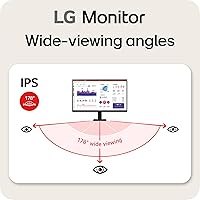
- Panel Type: The display uses an IPS (In-Plane Switching) panel, which provides consistent color and brightness when viewed from wide angles — a key advantage over TN panels for shared viewing or off-center seating.
- Screen Size: The viewable screen area measures 31.5 inches diagonally, offering a spacious working surface well suited to side-by-side multitasking or immersive media consumption.
- Resolution: Native resolution is 2560x1440 (QHD), delivering noticeably sharper text and finer image detail than a standard 1080p display at the same screen size.
- Refresh Rate: The panel supports a maximum refresh rate of 100Hz, which produces smoother motion in video content and casual gaming compared to conventional 60Hz monitors.
- Response Time: The GTG (gray-to-gray) response time is rated at 5ms, keeping motion blur to a manageable level for everyday gaming and fast-scrolling productivity work.
- HDR Support: The monitor supports HDR10, the baseline high dynamic range standard, which can enhance contrast and color depth in compatible games and streaming content.
- Color Gamut: The panel covers up to 99% of the sRGB color space, providing accurate and vibrant color reproduction suitable for hobbyist creative work, photo viewing, and general media use.
- Connectivity: Input options include one HDMI port and one USB Type-C port, covering connection to desktop PCs via HDMI and single-cable laptop use via USB-C.
- USB-C Power Delivery: The USB Type-C port supports up to 15W of power delivery, sufficient to trickle-charge lightweight laptops and ultrabooks during use but not designed for high-wattage devices.
- Blue Light Filter: Reader Mode is a built-in software preset that reduces blue light emission from the screen, intended to lower eye fatigue during extended reading or work sessions.
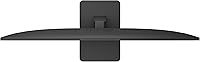
- Bezel Design: The monitor features a virtually borderless design on three sides, with a narrow bezel that minimizes visual interruption and is particularly practical in dual-monitor configurations.
- Aspect Ratio: The screen uses a standard 16:9 widescreen aspect ratio, compatible with virtually all modern content formats, operating systems, and productivity layouts.
- Screen Surface: The display has a matte anti-glare coating that diffuses ambient light and reduces reflections, making it more comfortable to use in mixed-lighting environments.
- Dimensions: With the stand attached, the monitor measures approximately 28.12 inches wide, 20.18 inches tall, and 9.25 inches deep, fitting comfortably on most standard desks.
- Weight: The full unit including stand weighs 14.3 pounds, making it manageable for a single person to set up or reposition without assistance.
- Color & Finish: The monitor is finished in black with a clean, understated aesthetic that blends with most desk setups and peripherals without drawing visual attention.
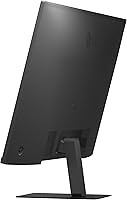
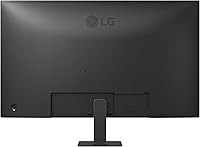
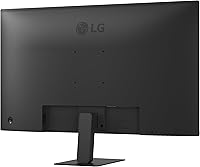
- Stand Adjustability: The included stand supports tilt adjustment only — it does not offer height adjustment, swivel, or pivot, which limits ergonomic flexibility without an aftermarket VESA arm.
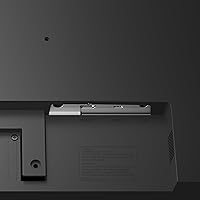
- VESA Compatibility: The monitor is VESA mount compatible, allowing users who need greater positioning flexibility to attach a third-party monitor arm in place of the included stand.
- Voltage: The monitor is rated for 240V operation, and compatibility with local power standards should be confirmed before use outside of the intended region.
- Release Date: This model was first made available in January 2025, making it a relatively recent release with a growing base of verified real-world user feedback.
Related Reviews
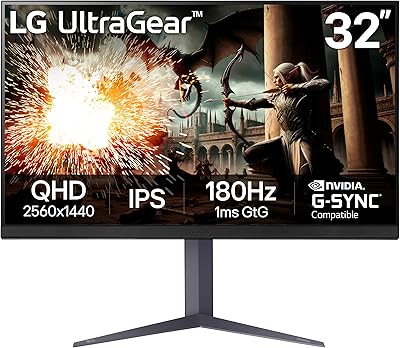
LG UltraGear 32″ QHD Gaming Monitor
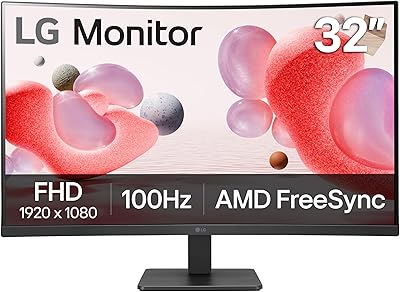
LG 32MR50C-B 32-Inch Curved Monitor
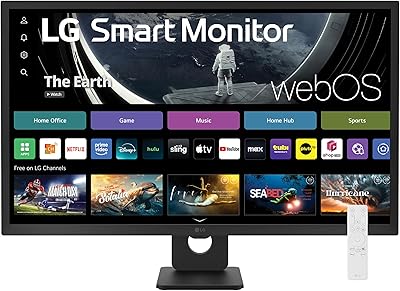
LG 32SR50F-B 32-inch Smart Monitor
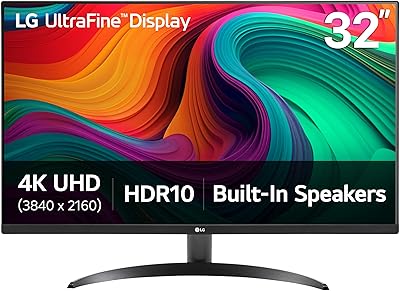
LG 32UR500K-B 32-inch 4K UHD Monitor
LG 34WQ73A-B 34-Inch UltraWide QHD Monitor
LG 27GP850-B 27-Inch QHD Gaming Monitor
LG 27GN800-B 27-inch QHD Gaming Monitor
LG 27GR83Q-B 27-inch QHD Gaming Monitor
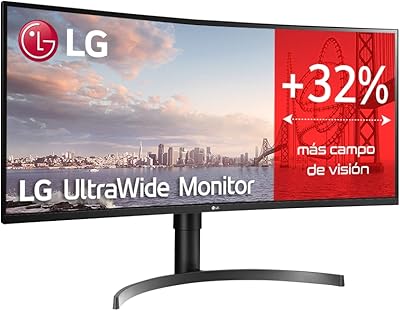
LG 35WN65C-B 35-inch Curved UltraWide QHD Monitor