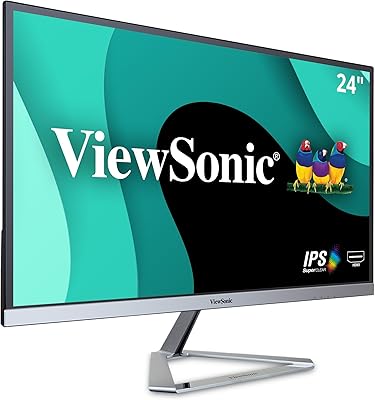
ViewSonic VG2455-2K 24-inch QHD IPS Monitor


Overview
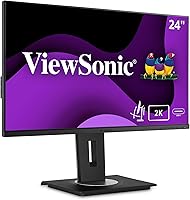
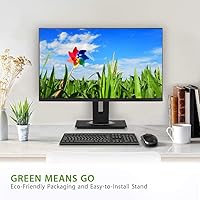
The ViewSonic VG2455-2K 24-inch QHD IPS Monitor has been around since late 2018, and that longevity says something — this is a monitor that earned its place in offices and home workspaces through consistent, practical performance rather than flashy marketing. At 24 inches, the screen size is a deliberate choice: sharp enough at 1440p to make text and fine details noticeably crisper than 1080p, yet compact enough to fit most desk setups without sacrifice. Productivity-focused professionals are the intended audience here, not videographers or competitive gamers. Think of the VG2455-2K as a proven daily workhorse — one that balances display quality with ergonomic flexibility in a package that does not ask you to compromise much.
Features & Benefits
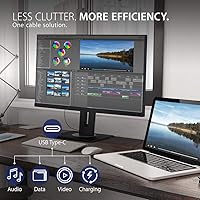
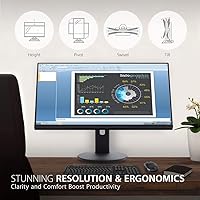
The jump from 1080p to 1440p on a 24-inch IPS panel is more noticeable than people expect — text gets genuinely sharper, spreadsheet rows become easier to distinguish, and dense UI layouts breathe a little more. But what really sets this ViewSonic monitor apart for desk setups is the USB-C single-cable connection: plug a compatible laptop in, and you get video output, data transfer, and 60W charging all through one wire. No separate power brick sitting on the desk. The ergonomic stand handles tilt, swivel, pivot, and height — covering most body types and desk heights. A flicker-free backlight and built-in blue light filter round out the comfort story for anyone logging eight-plus hours a day.
Best For
This 24-inch QHD display is a strong fit for remote professionals and office workers who want sharper text without the complexity of a 4K setup. If you are running a MacBook or a USB-C laptop, the single-cable docking capability alone makes the VG2455-2K worth a serious look — it cuts desk clutter considerably. Developers and writers who keep multiple windows open simultaneously will appreciate the extra resolution. It is also a natural choice for anyone upgrading from a 1080p screen who wants a real, perceptible improvement without jumping to an ultrawide format. The quick-release stand with a carrying handle makes it practical for shared workspaces or anyone who rearranges their setup often.
User Feedback
Buyers have responded positively to this ViewSonic monitor over a large volume of reviews, and the praise concentrates in a few consistent areas: build quality feels solid, the ergonomic stand earns specific appreciation from people who sit at a desk all day, and assembly tends to go smoothly without frustration. The USB-C feature comes up repeatedly — many buyers chose the VG2455-2K specifically because cheaper alternatives lacked it. Criticism exists too. A portion of users note that color accuracy will not satisfy anyone doing serious creative work, and the inclusion of a VGA port strikes some as an odd holdover. Long-term reliability reports are largely encouraging, though a small number mention backlight consistency concerns after extended use.
Pros
- Sharp 1440p resolution makes a noticeable difference for text clarity compared to standard 1080p office monitors.
- USB-C single-cable connection handles video, data, and 60W laptop charging simultaneously — a real desk-clutter reducer.
- The ergonomic stand covers tilt, swivel, pivot, and height, accommodating a wide range of body types and desk setups.
- Flicker-free backlight helps reduce eye fatigue during long work sessions in a way that is easy to take for granted until you go back to a cheaper panel.
- Port selection is genuinely broad — USB-C, HDMI, DisplayPort, VGA, and a USB hub cover nearly every device scenario.
- Matte screen surface handles ambient light well and avoids the reflections that glossy panels struggle with in bright rooms.
- Quick-release stand with a carrying handle makes repositioning or transporting the monitor practical.
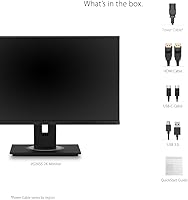
- Setup and assembly draw consistent praise for being straightforward and fast.
- Build quality feels solid for the price tier, with buyers reporting good long-term reliability in most cases.
- VESA compatibility gives you the option to wall-mount or use a third-party arm if the stand does not suit your space.
Cons
- Color accuracy is adequate for office work but falls short of what creative professionals need for reliable color-critical tasks.
- The VGA port feels out of place on a monitor at this price point and adds nothing for most modern users.
- At roughly 14 lbs, the monitor is heavier than some competitors, which makes repositioning without the handle more awkward.
- A small number of long-term users report backlight consistency issues after extended ownership — not widespread, but worth noting.
- The 100Hz refresh rate is a minor improvement over 60Hz, but buyers hoping for a smooth gaming experience will be disappointed.
- No built-in speakers means you will need external audio solutions, which adds to desk setup complexity.
- Buyers with larger desk setups or multi-monitor ambitions may find the 24-inch screen size limiting over time.
- The monitor does not support adaptive sync technologies, which rules it out for users who care about smooth frame delivery in games.
Ratings
The scores below reflect an AI-driven analysis of verified global buyer reviews for the ViewSonic VG2455-2K 24-inch QHD IPS Monitor, with spam, bot-generated, and incentivized feedback actively filtered out before scoring. Each category is assessed on real-world usage patterns drawn from professionals, remote workers, and everyday users — not manufacturer claims. Both the genuine strengths and the recurring frustrations buyers have reported are reflected transparently in every score.
Display Sharpness
Color Accuracy
USB-C Connectivity
Ergonomics & Adjustability
Build Quality
Port Selection
Eye Comfort
Setup & Assembly
Refresh Rate & Motion
Matte Screen Finish
Value for Money
Long-term Reliability
Stand Portability
Suitable for:
The ViewSonic VG2455-2K 24-inch QHD IPS Monitor is purpose-built for professionals who spend most of their day in front of a screen and need that screen to be both comfortable and genuinely useful. If you work from home and run a USB-C laptop — a MacBook, a Dell XPS, or similar — the single-cable setup is a legitimate quality-of-life improvement: one cable handles your display, your peripherals, and keeps your laptop battery topped up, all without a dongle pile or a separate charger occupying desk space. Developers and analysts who keep browsers, terminals, and documentation open side by side will feel the benefit of 1440p resolution immediately — there is simply more usable space on screen compared to a 1080p panel of the same size, and text stays sharp at normal viewing distances. The ergonomic stand is a genuine asset for anyone who adjusts their monitor position throughout the day or shares a workspace with a colleague of a different height. It also suits buyers who are upgrading from an older 1080p display and want a meaningful, visible improvement without the cost or GPU demands of a 4K setup.
Not suitable for:
The VG2455-2K is not the right choice for everyone, and it is worth being direct about where it falls short. Color professionals — photographers, video editors, or graphic designers who rely on accurate, consistent color reproduction — will find this panel competent but not calibrated to the standard their work demands; a proper wide-gamut or factory-calibrated display would serve them better. Competitive gamers looking for high refresh rates will also want to look elsewhere: while the 100Hz rate is a modest step above 60Hz office monitors, response times and adaptive sync support are not the headline story here. Anyone expecting a large-format display will find 24 inches limiting if they are used to working across 27 inches or wider. The inclusion of a VGA port, while useful for connecting legacy hardware, signals that this monitor was designed with broad compatibility in mind rather than cutting-edge display technology — buyers who want the absolute latest panel specs at this price point have newer options to consider. Finally, at its weight, this is not a monitor you will reposition casually without the stand's carrying handle.
Specifications
- Screen Size: The display measures 24 inches diagonally, striking a practical balance between workspace footprint and usable screen area.
- Panel Type: An IPS (In-Plane Switching) panel is used, providing consistent colors and wide viewing angles suitable for office and productivity use.
- Resolution: Native resolution is QHD 2560x1440, delivering noticeably sharper text and UI detail than a standard 1080p display at this screen size.
- Refresh Rate: The panel supports up to 100Hz, offering modestly smoother motion than typical 60Hz office monitors.
- Aspect Ratio: Standard 16:9 widescreen aspect ratio, compatible with virtually all modern operating systems and applications without scaling issues.
- Screen Surface: A matte anti-glare coating reduces reflections from ambient light sources, making it more comfortable in bright office environments.
- USB-C Power: The USB-C port supports up to 60W Power Delivery, allowing compatible laptops to charge while receiving video and data through a single cable.
- Connectivity: Port options include USB-C, HDMI, DisplayPort, VGA, and a built-in USB hub, covering a wide range of modern and legacy devices.
- Ergonomics: The stand supports tilt (up to 40 degrees), swivel, pivot (portrait rotation), and height adjustment to accommodate diverse desk setups and user preferences.
- Stand Design: A quick-release mechanism allows the stand to be attached and detached without tools, and a built-in carrying handle aids portability.
- VESA Support: The monitor is VESA mount compatible, enabling use with third-party monitor arms or wall mounts for more flexible positioning.
- Eye Care: Flicker-free backlight technology and a built-in blue light filter are included to help reduce eye strain during extended viewing sessions.
- Bezel Design: Thin bezels on three sides of the panel keep the overall footprint compact and support cleaner multi-monitor arrangements.
- Weight: The assembled unit weighs approximately 14 lbs (around 6.4 kg), which is typical for a monitor of this size and stand type.
- Dimensions: Overall product dimensions are approximately 21.2″ wide, 16″ tall, and 8″ deep with the stand attached.
- Color Gamut: The IPS panel covers a standard sRGB color gamut, adequate for everyday productivity tasks but not calibrated for professional color-critical work.
- Release Date: The VG2455-2K was first made available in late 2018 and has remained in active production since, with no discontinuation announced.
- Warranty: ViewSonic typically backs this monitor with a 3-year limited warranty covering defects in materials and workmanship, though buyers should verify current terms at purchase.
Related Reviews
ViewSonic VG2756A-2K 27-inch Docking Monitor
ViewSonic VG2455 24-inch Monitor

ViewSonic VG2448A 24-inch IPS Monitor
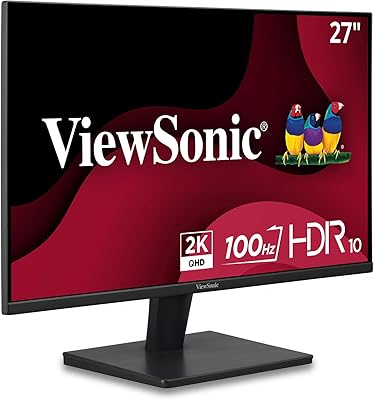
ViewSonic VS2725-2K 27-inch QHD Monitor

ViewSonic VP2468a 24-Inch IPS Monitor
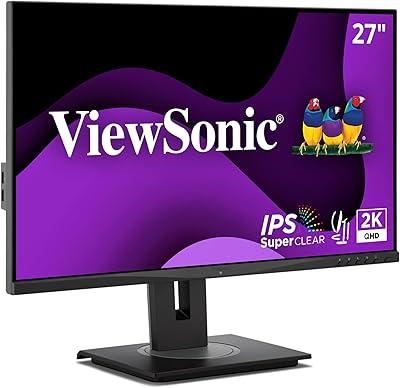
ViewSonic VG2748A-2K 27-inch QHD Monitor
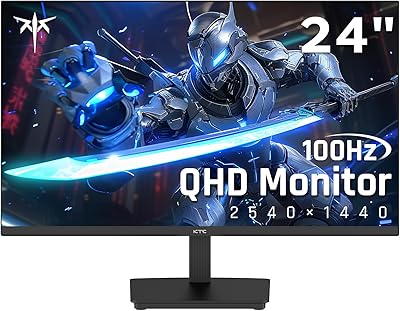
KTC H24T27 24-inch QHD Gaming Monitor
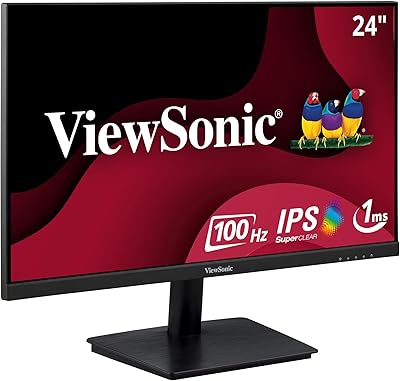
ViewSonic VA2409M 24-inch IPS Monitor
ViewSonic VA2456A-MHD 24-inch IPS Monitor