
Overview

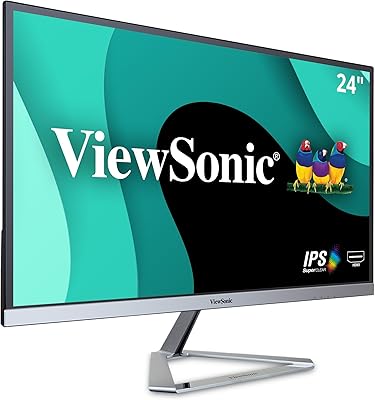
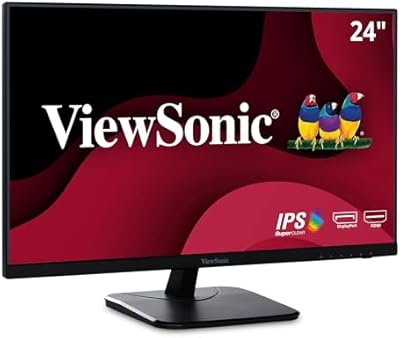
The ViewSonic VP2468a 24-Inch IPS Monitor sits in a specific, well-defined lane: built for professionals who care deeply about color accuracy, not for gamers chasing high refresh rates. Competing against prosumer displays from Dell and BenQ at a similar price, this ViewSonic display differentiates itself through factory-calibrated color and Pantone validation — credentials you rarely see at this tier without paying significantly more. Physically, it is understated: a matte black frame with thin bezels and a solid ergonomic stand that communicates substance over style. Set your expectations accordingly — this is a connectivity-rich, color-faithful workhorse, not a multimedia showpiece.

Features & Benefits

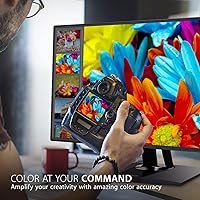
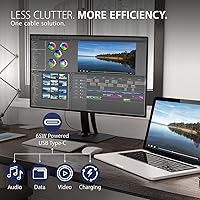
What makes the VP2468a genuinely useful for color-sensitive work is the breadth of its panel coverage. It handles 100% sRGB and Rec. 709 — the broadcast video standard — alongside EBU, SMPTE-C, and DICOM-SIM. Coverage claims are common, though; what sets this color-accurate monitor apart is the Delta E under 2 factory calibration, backed by a printed calibration report included in the box. That report is verifiable proof, not a marketing checkbox. On the connectivity side, a single 65W USB-C cable handles video, data, and laptop charging simultaneously, while the built-in RJ45 port delivers wired Ethernet directly through the monitor. The full-range ergonomic stand — tilt, swivel, pivot, and height — rounds out a thoughtfully practical package.

Best For

This ViewSonic display is a strong fit for graphic designers, photographers, and video editors who want reliable, pre-verified color output without running their own calibration workflow. The Rec. 709 and Pantone-matched color coverage makes it especially relevant for anyone working in broadcast or print production. Remote workers will appreciate the single-cable USB-C setup — one connection from a MacBook or Windows laptop delivers video, network, and power together. DisplayPort daisy-chaining makes it practical for dual-monitor setups without consuming an extra GPU output. One firm caveat: the 60Hz refresh rate rules it out entirely for gaming, competitive or otherwise.

User Feedback

Across roughly 280 ratings, the VP2468a holds a 4.3-star average — a score that reflects real satisfaction tempered by a few consistent gripes. Buyers frequently praise the out-of-box accuracy and the build quality of the stand, with home-office users calling out USB-C convenience as a practical daily win. The recurring criticism centers squarely on resolution: at this price, several buyers feel 1080p is a harder sell against 1440p alternatives in the same category. A handful flag the OSD menu as less intuitive than expected. Those upgrading from uncalibrated consumer monitors tend to be impressed; buyers arriving from other professional displays hold it to a stricter standard and are more divided on whether the value proposition holds.

Pros

  • Factory calibration report included in the box gives photographers and designers immediate, documented color confidence.
  • Pantone validation is a rare credential at this price tier, meaningful for print-focused professionals.
  • A single 65W USB-C cable connects, charges, and transfers data from a laptop simultaneously.
  • Built-in RJ45 Ethernet lets connected laptops share a wired network connection without a separate dock.
  • Full ergonomic range — tilt, swivel, pivot, and height — makes it adaptable to almost any workstation setup.
  • DisplayPort daisy-chaining supports a second monitor without consuming an additional GPU output.
  • 100% sRGB and Rec. 709 coverage makes this color-accurate monitor genuinely reliable for broadcast and digital media work.
  • Matte anti-glare surface handles ambient light well in typical office environments.
  • Flicker-Free panel technology reduces eye fatigue during long working sessions without overstated health claims.
  • Build quality is consistently praised by buyers, with the stand feeling solid and well-engineered.

Cons

  • Full HD 1080p resolution is increasingly hard to justify at this price when 1440p alternatives exist in the same category.
  • No HDR support limits appeal for anyone working with modern high-dynamic-range content or streaming workflows.
  • 60Hz refresh rate makes this display completely unsuitable for gaming of any kind.
  • The OSD menu has been flagged by multiple users as confusing and less intuitive than competing displays.
  • At roughly 12.5 pounds, the overall assembly is on the heavier side and not ideal for frequent repositioning.
  • Buyers upgrading from other calibrated professional monitors may find the performance improvement modest at best.
  • USB-A ports are USB 2.0 only, which feels dated for a display positioned at the prosumer level.
  • No HDR and the older panel design mean this display has not aged as gracefully as newer rivals launched since 2022.

Ratings

The ViewSonic VP2468a 24-Inch IPS Monitor earns an overall positive reception among professional and prosumer buyers, and the scores below reflect our AI-driven analysis of verified global user reviews — with spam, incentivized feedback, and bot activity filtered out before scoring. Each category captures what real users consistently praised or criticized over time, with no attempt to smooth over the rougher edges. Both the strengths that make this display a genuine tool for color-critical work and the trade-offs that give thoughtful buyers pause are reflected transparently here.

Color Accuracy
93%
For photographers and video editors, the out-of-box color fidelity is the single most praised quality of this display. The factory calibration holds up in real use — users report that colors match across projects and between print and screen with a consistency that typically requires a dedicated colorimeter to achieve on cheaper panels.
A small but vocal group of buyers with reference-grade calibration equipment noted minor unit-to-unit variation that occasionally pushed Delta E readings slightly above the stated threshold. For most workflows this is inconsequential, but perfectionists running their own post-purchase calibration may find marginal room for adjustment.
Connectivity
89%
The single-cable USB-C workflow is repeatedly called out as a daily quality-of-life win — laptop users, particularly those with MacBooks and USB-C Windows ultrabooks, love eliminating the adapter sprawl. The addition of built-in Ethernet through RJ45 makes this display function as a lightweight dock without the dock price tag.
The USB-A ports are USB 2.0 only, which feels noticeably dated for a display at this tier and frustrates users trying to connect fast storage or modern peripherals. Buyers expecting USB 3.0 speeds for file transfers will need an external hub.
Resolution & Pixel Density
61%
39%
At 24 inches, 1080p is not visibly rough for general creative work, and users coming from aging TN or VA panels report a clear improvement in sharpness and color uniformity. For tasks like photo retouching at normal viewing distances, the resolution is workable and rarely described as distracting.
This is the most consistent complaint in the review pool: at this price point, 1440p has become the expected baseline, and a meaningful number of buyers feel the pixel density shortchanges the otherwise professional feature set. Multi-window workflows — especially with dense text or small UI elements — expose the limitations most clearly.
Build Quality
86%
The stand and chassis feel substantially built for a monitor in this class, and users frequently describe a sense of solidity when adjusting positioning. Thin bezels contribute to a clean desk presence that holds up well after extended daily use without signs of flex or creak.
A handful of reviewers noted minor wobble when bumping the desk or typing aggressively, which is occasionally distracting in shared workspaces. The matte black plastic, while functional, is not particularly premium-feeling against rivals like the Dell UltraSharp lineup at similar pricing.
Ergonomics
91%
Full tilt, swivel, pivot, and height adjustment is available and the mechanics feel smooth in practice — users working long days across different posture positions appreciate being able to reconfigure without tools. Portrait mode pivot in particular is praised by developers and writers who use vertical document layouts regularly.
Initial stand assembly can feel fiddly, with a few buyers noting that locking mechanisms require more force than expected. Those who prefer a monitor arm setup will need to verify their arms weight rating, as the panel is heavier than typical consumer displays.
Factory Calibration
88%
The printed calibration report included in the box is a genuine differentiator that buyers consistently mention as a trust-builder — it makes the color accuracy claim tangible rather than abstract. Creative professionals who cannot afford calibration hardware appreciate having a documented starting baseline from day one.
The calibration report reflects the displays state at time of manufacture, and a small number of technically oriented buyers pointed out that panel performance can drift gradually over time without recalibration. There is no bundled software or hardware colorimeter to perform ongoing recalibration.
Value for Money
67%
33%
For buyers whose work genuinely demands Pantone validation, Rec. 709 coverage, and verified Delta E accuracy, the pricing is defensible — those certifications on a competing display often cost meaningfully more. Home-office users who also benefit from the USB-C dock-like functionality get added value beyond the panel itself.
Buyers who do not specifically need certified color accuracy are paying a premium that is hard to rationalize when 1440p IPS displays with solid sRGB coverage exist at lower prices. The value equation tilts negative quickly for general office users who will never use DICOM-SIM or broadcast color modes.
Eye Comfort
78%
22%
The Flicker-Free backlight is consistent and well-implemented — users who are sensitive to PWM flicker from budget displays report noticeably less eye fatigue after long sessions. The matte surface also reduces glare-induced squinting in brighter office environments.
The Blue Light Filter mode shifts white balance enough to be distracting for color work, so practically it is only usable during non-critical tasks or evening browsing. Users expecting a seamless low-blue-light mode that does not compromise accuracy will be disappointed.
OSD & Controls
58%
42%
The monitors on-screen display covers a wide range of professional color mode presets, and experienced monitor users who take the time to explore the menu find the depth of control genuinely useful for switching between color spaces.
Multiple reviewers describe the OSD navigation as counterintuitive, particularly for first-time ViewSonic users. Button placement on the rear of the panel combined with a non-obvious menu hierarchy means that basic adjustments take longer than they should, and there is no joystick control to streamline navigation.
Display Uniformity
81%
19%
Across a broad sample of reviews, panel uniformity is generally praised — users conducting gradient tests and solid-color background checks report minimal clouding or hotspots across most of the screen area. IPS glow is present but described as typical for the panel type rather than excessive.
A small percentage of buyers received units with visible backlight bleed in corners, which is more noticeable on dark content or when working in dimmed rooms. This appears to be a unit-to-unit variance issue rather than a systemic flaw, but it is worth noting for dark-room creatives.
Setup Experience
74%
26%
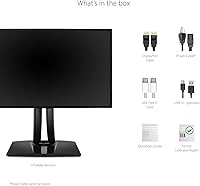
Most buyers report a straightforward unboxing and assembly process, with the stand attaching securely and display drivers installing without conflict on both Windows and macOS. The inclusion of multiple cable types in the box reduces day-one friction for most connection scenarios.
A subset of users encountered initial confusion around color mode selection and getting the USB-C connection recognized correctly on certain laptop models. ViewSonics documentation is functional but sparse, leaving some buyers to troubleshoot independently before finding the right settings.
Multi-Monitor Support
83%
DisplayPort daisy-chaining is a practical and well-received feature for users building dual-display productivity setups — it removes the need for a second GPU output or a separate hub, which simplifies both cable routing and hardware requirements noticeably.
Daisy-chain compatibility is dependent on the source devices DisplayPort version support, and a small number of users with older laptops found the feature non-functional without realizing the hardware limitation upfront. Clearer documentation from ViewSonic on compatibility requirements would prevent this frustration.
Gaming Suitability
21%
79%
The IPS panel does produce accurate, color-rich visuals that make single-player narrative games look good at 1080p, and users who game casually on the side report no complaints about image quality during less competitive sessions.
At 60Hz with no variable refresh rate support and no HDR, this display is wholly unsuitable for any form of gaming beyond the most casual use. Response time is not marketed as optimized for fast motion, and competitive or action-heavy gaming on this panel will feel immediately limiting to anyone accustomed to a proper gaming monitor.
Mac Compatibility
87%
macOS users consistently report a smooth plug-and-play experience over USB-C, with the display recognized correctly and color profiles aligning well with macOS color management workflows. MacBook Pro users particularly appreciate the 65W charging keeping pace with typical workloads.
A small group of users on older Intel Macs noted occasional handshake delays when waking from sleep, requiring a cable reseat. Apple Silicon compatibility is broadly confirmed, but edge cases around specific macOS versions and display resolution scaling exist and are worth verifying before purchase.

Suitable for:

The ViewSonic VP2468a 24-Inch IPS Monitor is purpose-built for professionals whose work lives or dies by color accuracy — graphic designers, photographers, and video editors who need a display they can trust without running their own calibration every week. The included factory calibration report is a genuine differentiator: it gives buyers documented, verifiable proof of Delta E under 2 accuracy right out of the box, which matters on a real production deadline. Broadcast and print creatives who work within Rec. 709 or Pantone-matched workflows will find this display speaks their language natively. Remote workers and home-office users with a USB-C laptop will appreciate how a single cable handles video, charging, and data simultaneously, while the built-in Ethernet port adds wired connectivity through the monitor itself. For anyone setting up a dual-monitor workstation, the DisplayPort daisy-chain support is a practical bonus that keeps cable management clean.

Not suitable for:

The ViewSonic VP2468a 24-Inch IPS Monitor is a poor fit for buyers whose priorities sit outside color accuracy and professional connectivity. Its 60Hz refresh rate is a firm disqualifier for anyone who games — casual or competitive — and there is no HDR support, which limits its appeal for multimedia consumption or modern content workflows that demand wide dynamic range. Buyers shopping at this price tier expecting a resolution bump will likely feel shortchanged: at a point in the market where 1440p panels are increasingly common, sticking with 1080p on a 24-inch display is a trade-off that not everyone will accept. If your work does not depend on verified, calibrated color — say, you are a developer, writer, or general office user — the premium this display commands over a standard IPS monitor is difficult to justify. Those upgrading from another professional-grade display with their own calibration workflow may also find the value proposition less compelling than buyers arriving from a typical consumer screen.

Specifications

  • Panel Type: The display uses an IPS (In-Plane Switching) panel, which delivers consistent color and wide viewing angles compared to TN alternatives.
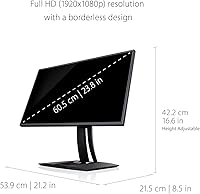
  • Screen Size: The physical screen measures 24 inches diagonally, with a usable viewable area of 23.8 inches.
  • Resolution: Native resolution is 1920x1080 (Full HD), with a standard 16:9 aspect ratio.
  • Refresh Rate: The panel runs at a fixed 60Hz refresh rate, suited for productivity and creative work but not for gaming.
  • Color Coverage: Covers 100% sRGB, Rec. 709, EBU, SMPTE-C, and DICOM-SIM color spaces for broad professional workflow compatibility.
  • Color Accuracy: Factory-calibrated to Delta E under 2, with an individual calibration report included in the box as verification.
  • Pantone Validated: The display carries official Pantone Validation, confirming its ability to reproduce Pantone Matching System colors with fidelity.
  • HDR Support: This monitor does not support HDR content; it is designed for color-accurate SDR workflows.
  • Surface: The screen uses a matte anti-glare coating to reduce reflections in typical office and studio lighting conditions.
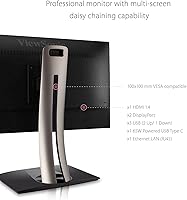
  • Connectivity: Ports include USB-C (65W Power Delivery), HDMI, DisplayPort (daisy-chain enabled), RJ45 Ethernet, and three USB-A 2.0 ports.
  • Ergonomics: The stand supports full tilt, swivel, pivot (portrait mode), and height adjustment for flexible workstation positioning.
  • Dimensions: Assembled unit measures 8.5 x 21.2 x 16.6 inches (depth x width x height) with the stand attached.
  • Weight: The complete unit with stand weighs 12.5 pounds, which is typical for a professional 24-inch display with a robust stand.
  • Power: The monitor operates on a 12V DC input and does not require an external brick — power is handled via the included adapter.
  • USB-C Charging: The single USB-C port delivers up to 65W of Power Delivery, enough to charge most ultrabooks and mid-range laptops at full speed.
  • Daisy Chaining: DisplayPort output supports daisy-chaining a second compatible monitor, allowing dual-display setups from a single GPU output.
  • Eye Care: Flicker-Free backlight technology and a software Blue Light Filter mode are included to reduce visual fatigue during extended sessions.
  • VESA Mount: The display is VESA mount compatible, allowing the stand to be replaced with a third-party arm or wall bracket if preferred.

Related Reviews

ViewSonic VG2448A 24-inch IPS Monitor
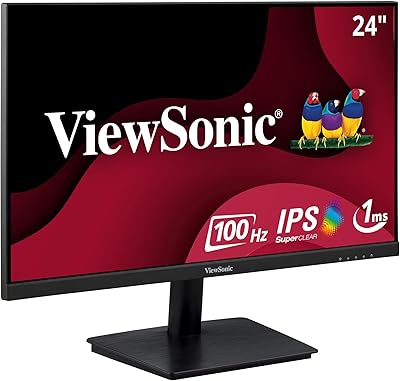
83%
93%
Ergonomic Adjustability
88%
Eye Comfort
86%
Connectivity & Port Selection
74%
Image Quality
81%
Build Quality
More
ViewSonic VA2409M 24-inch IPS Monitor
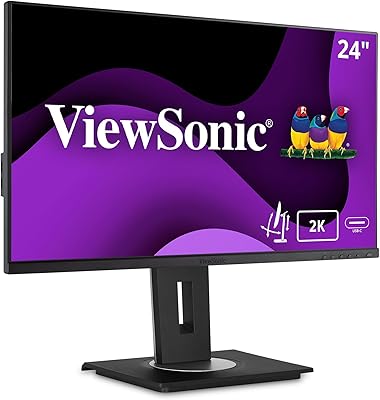
80%
88%
Image Quality
93%
Value for Money
91%
Eye Comfort
79%
Refresh Rate & Smoothness
48%
Stand & Ergonomics
More
ViewSonic VA2456A-MHD 24-inch IPS Monitor
77%
83%
Image Quality
78%
Refresh Rate Performance
89%
Eye Comfort & Fatigue Reduction
91%
Value for Money
54%
Stand & Ergonomics
More
ViewSonic VG2455-2K 24-inch QHD IPS Monitor
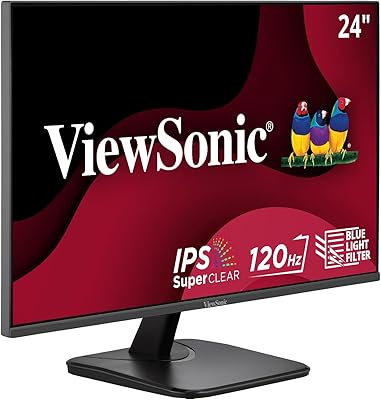
82%
88%
Display Sharpness
67%
Color Accuracy
93%
USB-C Connectivity
91%
Ergonomics & Adjustability
86%
Build Quality
More
ViewSonic VX2476-SMHD 24-inch IPS Monitor
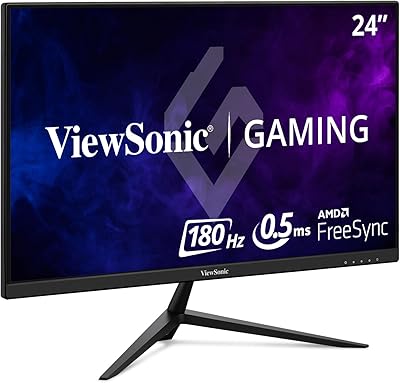
77%
84%
Color Accuracy
88%
Eye Comfort
76%
Gaming Performance
71%
Build Quality
52%
Ergonomics & Adjustability
More
ViewSonic VX2428A 24-inch Gaming Monitor
77%
88%
Gaming Performance
79%
Image Quality
91%
Refresh Rate & Smoothness
86%
Response Time
83%
Eye Comfort
More
ViewSonic VG2455 24-inch Monitor
83%
91%
Ergonomic Comfort
88%
Display Quality
94%
USB-C Connectivity
89%
Eye Care Features
75%
Build Quality
More
ViewSonic VG2456A 24-inch IPS Monitor
79%
92%
USB-C Docking Functionality
89%
Connectivity Range
86%
Ergonomics & Stand
63%
Display Sharpness
83%
Eye Comfort
More
ViewSonic VA2416C 24-inch Curved Monitor
79%
83%
Image Quality
79%
Refresh Rate & Smoothness
86%
Eye Comfort & Fatigue
77%
Curvature & Immersion
51%
Stand & Ergonomics
More
ViewSonic VS2447M 24-Inch FHD Monitor
74%
93%
Value for Money
81%
Image Clarity
88%
Eye Comfort
79%
Refresh Rate & Smoothness
76%
Adaptive Sync (FreeSync)
More

FAQ

It genuinely ships with a printed calibration report specific to your unit, not a generic document. The report shows measured Delta E values confirming the display left the factory within the stated accuracy range. For photographers or designers who need confidence without buying their own colorimeter, that physical report is a meaningful starting point.

Yes, and this is one of the more practical things about the VP2468a. A single USB-C cable carries the video signal, passes data, and charges your MacBook at up to 65W simultaneously. That covers most MacBook Air and MacBook Pro models at an adequate charging rate, though some higher-wattage Pro configurations may charge more slowly under load.

This is the most common hesitation buyers raise, and it is a fair one. At 24 inches, 1080p is usable and not visibly pixelated for most work, but if you spend significant time in dense text environments or want future-proofing, 1440p panels in the same price range are worth comparing. The trade-off with this display is that you are paying for verified color accuracy, not pixel density — if calibrated color is your actual priority, the resolution is a reasonable compromise.

Yes, it passes a wired network connection through to whichever device is connected via USB-C. It essentially works like a dock in that regard — your laptop gets wired Ethernet through the monitor without needing a separate adapter or dongle. This is especially convenient for home-office setups where Wi-Fi reliability matters.

The stand supports full pivot rotation to portrait orientation, so yes. It works well for long-form documents, code editors, or reading vertical content. Just ensure your GPU and operating system are set to rotate the display output to match before physically rotating the panel.

Both target similar buyers, but they take different approaches. The ViewSonic VP2468a 24-Inch IPS Monitor emphasizes factory-certified color accuracy with a calibration report and Pantone validation, whereas the Dell UltraSharp line leans on resolution — the U2422D offers 1440p. If color certification matters more than pixel count for your workflow, this ViewSonic display holds its own; if you want sharper real estate for multi-window work, the Dell may suit you better.

The stand is generally considered solid, and most buyers report no meaningful wobble during normal use. A small number of users have mentioned minor flex when directly nudging the display, but this is not a common complaint at scale. If stability is critical, the VESA compatibility means you can always swap in a third-party monitor arm.

Yes, the USB-C connection works with standard USB-C DisplayPort Alt Mode, which is supported by most modern Windows ultrabooks regardless of whether they have full Thunderbolt. Check that your laptop supports DisplayPort over USB-C — most do, but budget laptops with USB-C that is charging-only would need an HDMI or DisplayPort cable instead.

The Blue Light Filter shifts the color temperature warmer to reduce short-wavelength light output, which some people find easier on the eyes during evening work. It does alter the display’s white balance noticeably, so it is not something you would want active during color-critical work. Think of it as an optional comfort mode, not a professional color tool.

DICOM-SIM (Digital Imaging and Communications in Medicine Simulation) is a preset that calibrates the display to approximate how grayscale medical imaging appears on certified diagnostic monitors. For most buyers — designers, photographers, video editors — it is not relevant to their work. If you are in a clinical or medical imaging adjacent field and occasionally review imaging data on a personal workstation, it is a useful bonus, but it is not a reason to choose this display over alternatives for non-medical use.

Where to Buy