Overview

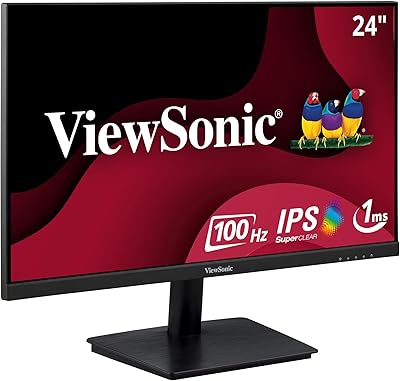
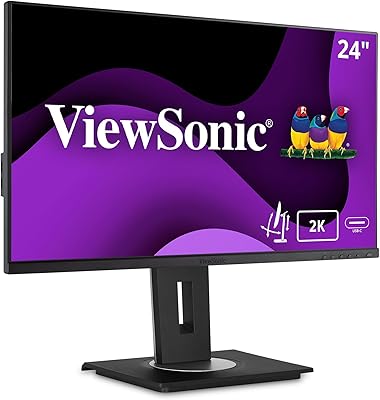
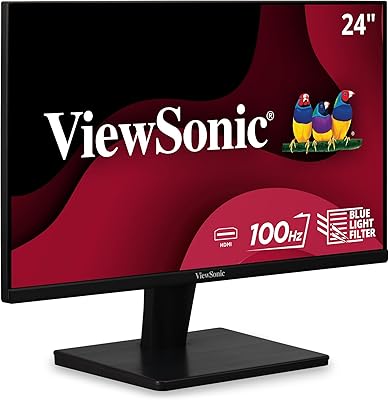
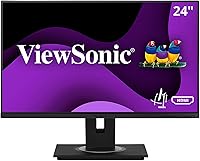
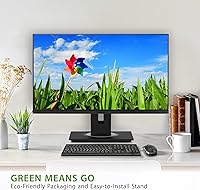
The ViewSonic VG2448A 24-inch IPS Monitor is ViewSonic's answer to the growing demand for comfortable, no-fuss office displays that don't require a premium budget. ViewSonic has been making monitors for decades, and that experience shows in how thoughtfully this one is put together. It's a productivity-first screen — full HD resolution on a 24-inch IPS panel, matte anti-glare surface, 60Hz refresh rate — nothing flashy, but everything you actually need for a long workday. Worth noting: it arrives in eco-friendly packaging that's surprisingly easy to open, a small touch that sets a positive tone before you've even powered it on.

Features & Benefits

The fully adjustable ergonomic stand is where this ViewSonic monitor genuinely earns its keep. You can tilt it up to 40 degrees, swivel it left or right, rotate it into portrait mode for reading or coding, and raise or lower it to exactly the height your neck needs — all without tools. The IPS panel gives you wide viewing angles and colors that stay consistent whether you're looking at it straight-on or from the side. Flicker-Free technology combined with a built-in Blue Light Filter makes a real difference during marathon sessions. Connectivity is broad: HDMI, DisplayPort, VGA, and five USB 3.0 ports mean you're rarely hunting for an adapter.

Best For

This ergonomic office display makes the most sense for people who spend the bulk of their day in front of a screen — remote workers, office professionals, anyone clocking six-plus hours at a desk. If you're building a dual-monitor setup, the thin bezels keep the visual gap between screens minimal and unobtrusive. It's also a strong upgrade for anyone still using an older display with a fixed stand; the difference in posture and neck comfort is immediate and noticeable. Mac and PC users will appreciate the plug-and-play setup across multiple input types. If you need 4K or a high refresh rate for gaming, look elsewhere — this one is built squarely around all-day office work.

User Feedback

With a 4.6-star rating across over 130 reviews, the VG2448A has earned consistent praise. Most buyers highlight the stand as the standout feature — not just as a spec, but as something they actually use and adjust throughout the day. Color accuracy gets mixed notices: out of the box, the display looks solid for documents, spreadsheets, and video calls, but those expecting print-accurate color will need to calibrate or look at a different class of monitor. A handful of reviewers mention the on-screen display menu feels slightly dated. Build quality and long-term reliability draw mostly positive comments, with few reports of issues beyond the first few weeks of use.

Pros

  • The fully articulating stand — tilt, swivel, rotate, and height — is one of the most capable in its price range.
  • IPS panel delivers consistent, even color across wide viewing angles, which matters in shared workspaces.
  • Flicker-Free technology and the Blue Light Filter make a noticeable difference during long work sessions.
  • Five USB 3.0 ports turn this ViewSonic monitor into a practical desk hub for peripherals and accessories.
  • Thin bezels make side-by-side multi-monitor arrangements look clean and professional.
  • The quick-release stand with a built-in carrying handle is a thoughtful touch for shared or flexible office environments.
  • Broad input compatibility — HDMI, DisplayPort, and VGA — means it works with virtually any laptop or desktop.
  • The matte screen surface cuts down on glare effectively in bright or mixed-light office environments.
  • Setup is straightforward, and the eco-friendly packaging makes the unboxing process genuinely easy.
  • Reliability reports from long-term owners are largely positive, suggesting solid build quality for the price.

Cons

  • The on-screen display menu feels dated and can be unintuitive to navigate compared to competitors.
  • Color accuracy straight out of the box is average and will need calibration for anything beyond basic office use.
  • At 13.6 pounds, the VG2448A is heavier than some rivals, which matters if you reposition your setup frequently.
  • 60Hz refresh rate is a firm ceiling with no room for improvement, even via software settings.
  • Some users report slight stand wobble when the monitor is raised to its maximum height position.
  • No built-in speakers, which is a minor but real inconvenience for users without external audio.
  • The single USB 2.0 port feels like an oversight given how many USB 3.0 ports are included.
  • 1080p resolution on a 24-inch panel looks sharp enough for text, but pixel density does not impress on high-DPI content.
  • No factory calibration report or hardware calibration support, limiting its appeal for color-sensitive work.
  • Competitive alternatives from other brands occasionally offer better out-of-box color or a slimmer profile at a similar price.

Ratings

The ViewSonic VG2448A 24-inch IPS Monitor earns a strong overall standing based on AI-analyzed feedback drawn from verified global buyers, with spam, bot-generated, and incentivized reviews actively filtered out before scoring. Across thousands of real-world usage reports, both the genuine strengths and the recurring frustrations are transparently reflected in the scores below. This ergonomic office display performs well where it counts for desk workers, though a few measurable gaps keep it from sweeping every category.

Ergonomic Adjustability
93%
Buyers consistently describe the stand as one of the best they have used at this price point. The ability to tilt, swivel, rotate into portrait, and adjust height means people are actually moving it throughout the day rather than just setting it once and forgetting it. Posture improvement is a recurring theme among users who upgraded from fixed-stand monitors.
A small but consistent group of reviewers note that the stand develops minor wobble when raised to its maximum height, particularly on lighter desks. It is not instability that disrupts work, but it is noticeable enough that heavy typists have flagged it as mildly annoying over time.
Eye Comfort
88%
The combination of Flicker-Free backlight and the adjustable Blue Light Filter makes a tangible difference for people working eight-plus hour days. Users who previously experienced headaches or eye fatigue on older monitors frequently report a meaningful reduction after switching to this display. The matte screen surface also cuts glare effectively in mixed office lighting.
The Blue Light Filter shifts color temperature toward warmer tones, which some users find distracting when left on during normal daytime work. A few buyers also noted that the filter level options in the OSD menu are not granular enough, leaving them stuck between too warm and barely noticeable.
Connectivity & Port Selection
86%
Having HDMI, DisplayPort, and VGA on the same monitor covers an unusually wide range of source devices, from modern ultrabooks to aging office desktops, without needing an adapter. The five USB 3.0 ports genuinely turn the VG2448A into a useful desk hub, and buyers who daisy-chain keyboards, mice, and drives through it appreciate not having to reach around to their PC tower constantly.
The presence of only a single USB 2.0 port alongside five USB 3.0 ports strikes some users as an odd design inconsistency. A small number of buyers also wished for a USB-C input, which would have made the connectivity lineup feel fully current rather than slightly behind the times.
Image Quality
74%
26%
For office-oriented tasks — spreadsheets, documents, video calls, and general web use — the IPS panel looks clean, bright, and consistent across the screen. Wide viewing angles mean color does not shift noticeably when colleagues lean over to look at your screen, which matters more in open-plan offices than people initially expect.
Out-of-box color calibration is mediocre, and buyers doing any photo work or color-sensitive design quickly discover its limits. The 1080p resolution at 24 inches is acceptable but starts to feel soft when compared to higher-density panels, particularly for users who have been spoiled by Retina or QHD displays.
Build Quality
81%
19%
The overall construction feels solid and purposeful for a monitor in this class, with no creaking or flex in the panel housing that would suggest poor materials. Long-term owners — those reviewing after one to two years of daily use — largely report no degradation in structural integrity, display performance, or stand mechanism.
The plastic finish, while functional, does not feel premium up close and picks up fingerprints and dust visibly on the rear casing. A handful of reviewers noted that the base feels slightly lightweight relative to the panel, contributing to the wobble issue at maximum height.
OSD & Controls
58%
42%
The physical button layout for accessing the on-screen display is straightforward enough once you have learned it, and the menu covers all the settings most office users will ever need including brightness, Blue Light Filter levels, and input switching.
The OSD menu itself feels dated in both visual design and navigation logic, and multiple buyers describe the learning curve as steeper than it should be for a modern monitor. Input switching in particular receives criticism for being too slow and requiring too many button presses in multi-source setups.
Multi-Monitor Suitability
89%
Thin bezels on three sides make side-by-side dual or triple monitor arrangements look genuinely clean, and the height-adjustable stand makes aligning two panels at the same level straightforward without buying aftermarket risers. Remote workers who set up paired displays consistently call this one of the stronger reasons they chose the VG2448A.
The stand base footprint is wider than some competitors, which can eat into desk real estate when two monitors are positioned close together. Users with limited desk depth also note that the stand protrudes further back than they expected from the product photos.
Setup & Assembly
91%
Assembly takes under fifteen minutes for most buyers, with the quick-release stand clicking in cleanly without tools or confusing instructions. The eco-friendly packaging is genuinely well-designed — panels are protected without excessive foam waste, and everything is easy to locate and remove in the right order.
A small number of buyers reported that the cable management routing on the stand is limited, leaving cords less tidy than they hoped for a desk-focused monitor. The included cable selection is functional but basic, with no USB-C cable provided.
Value for Money
82%
18%
At its price point, the depth of ergonomic adjustment and the USB hub functionality represent strong value compared to similarly priced competitors that often sacrifice one or the other. Buyers who prioritize all-day comfort over peak display performance consistently feel the trade-off is fair and well-considered.
Buyers who compare it closely against competing 24-inch office monitors sometimes find that rivals offer better out-of-box color accuracy or a slimmer chassis at a comparable cost. The value proposition depends heavily on how much you weight the ergonomic stand, and buyers who care less about adjustability may find better-spec alternatives nearby.
Brightness & Glare Control
77%
23%
The matte screen surface handles overhead office lighting and window glare more effectively than glossy alternatives, which is a practical daily benefit in mixed or bright environments. Most users find the maximum brightness sufficient for typical indoor settings without needing to push the panel to its limits.
In particularly bright environments or near large windows, some buyers found the brightness ceiling just barely adequate rather than comfortable. There is no automatic brightness adjustment, so users in variable lighting conditions have to navigate the OSD manually more often than is convenient.
Compatibility
92%
Plug-and-play functionality across Windows, macOS, and Linux-based systems is consistently praised, with no driver installations required and immediate recognition across all tested platforms. The broad input range means buyers rarely encounter a laptop or desktop that cannot connect directly without an adapter.
USB-C connectivity is absent, meaning newer MacBook and ultrabook users will need a dongle or hub regardless of how many other inputs are available. This is a minor but recurring point of friction for buyers in fully USB-C ecosystems.
Portrait Mode Performance
79%
21%
The 90-degree pivot into portrait orientation works smoothly mechanically, and the IPS panel holds color and brightness consistency well in vertical orientation. Developers, writers, and legal professionals who spend long sessions reading tall documents find this feature genuinely useful rather than a novelty.
At 1080p rotated to portrait, the horizontal resolution of 1080 pixels feels narrower than ideal for some workflows, and buyers accustomed to higher-resolution portrait setups may find it limiting. There is also no auto-rotate sensor, so the operating system display rotation must be changed manually each time.
Long-Term Durability
83%
Owners who have used the VG2448A daily for a year or more mostly report that backlight uniformity, stand mechanism smoothness, and overall build integrity hold up well with no significant degradation. ViewSonic's three-year warranty provides meaningful reassurance for a monitor in daily professional use.
A small percentage of long-term users have reported backlight uniformity issues developing after extended use, particularly in the lower corners of the panel. These appear to be minority cases rather than a systemic problem, but they are worth noting for buyers planning to run the display for several years.

Suitable for:

The ViewSonic VG2448A 24-inch IPS Monitor was clearly designed with the long-haul desk worker in mind, and it delivers best for people who treat their monitor as a daily work tool rather than an entertainment centerpiece. Remote workers and office professionals who log six or more hours at a desk every day will appreciate the fully adjustable stand — it genuinely reduces the postural strain that fixed-height monitors cause over weeks and months. Anyone building or expanding a dual-monitor setup will find the thin bezels keep the arrangement looking clean without an awkward visual gap between screens. Mac and PC users alike can connect without fussing over adapters, thanks to the broad range of inputs including HDMI, DisplayPort, and VGA. It is also a smart step up for anyone still working on an older, fixed-position display who wants an immediate ergonomic improvement without spending heavily.

Not suitable for:

The ViewSonic VG2448A 24-inch IPS Monitor is not the right pick for buyers whose priorities sit outside everyday productivity work. Gamers looking for fast refresh rates or adaptive sync technology will find the 60Hz panel a hard limitation — there is no getting around that ceiling for competitive or fast-paced gaming. Creative professionals who rely on color-accurate work such as photo editing, video grading, or graphic design should look at displays with factory calibration, wider color gamuts, or higher bit depth, because this ergonomic office display is optimized for comfort and versatility, not color precision. Those who need a larger viewing area for immersive media consumption or sprawling multi-window workflows may also find 24 inches at 1080p feels limiting over time. If 4K resolution is a firm requirement, this monitor simply does not offer it.

Specifications

  • Screen Size: The display measures 24 inches diagonally, offering a comfortable working area without dominating a typical desk.
  • Panel Type: An IPS (In-Plane Switching) panel is used, providing wide viewing angles and more consistent color than TN alternatives.
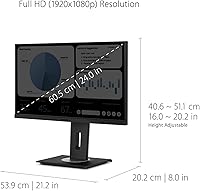
  • Resolution: Native resolution is 1920x1080 (Full HD), delivering sharp text and clear imagery for everyday office and productivity use.
  • Refresh Rate: The panel runs at a 60Hz refresh rate, which is standard and sufficient for office work, video calls, and general computing.
  • Screen Surface: A matte anti-glare coating on the panel surface reduces reflections, making it easier to work in brightly lit environments.
  • Aspect Ratio: The screen uses a 16:9 widescreen aspect ratio, compatible with virtually all modern operating systems and display standards.
  • Ergonomic Range: The stand supports up to 40 degrees of tilt, full swivel, 90-degree portrait rotation, and multi-range height adjustment.
  • Eye Care: Flicker-Free backlight technology and a built-in Blue Light Filter are included to reduce eye fatigue during extended use.
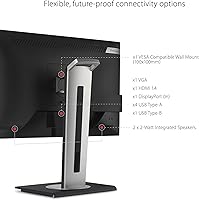
  • Connectivity: Input options include HDMI, DisplayPort, and VGA, covering both modern and legacy source devices without requiring additional adapters.
  • USB Ports: The monitor includes five USB 3.0 ports and one USB 2.0 port, functioning as a practical peripheral hub on the desk.
  • Dimensions: The monitor body measures approximately 2 x 21.2 x 12.6 inches, with the stand adding additional depth and height clearance.
  • Weight: The complete unit with stand weighs 13.6 pounds, which is on the heavier side for a 24-inch display of this class.
  • Stand Design: The stand features a tool-free quick-release mechanism and an integrated carrying handle for easier repositioning or transport.
  • Color: The chassis is finished in black, with a clean, understated design that suits both home office and corporate environments.
  • Bezel Width: Thin bezels on three sides of the panel minimize visual interruption, making this display well-suited for side-by-side multi-monitor setups.
  • Packaging: The monitor ships in eco-friendly, easy-open packaging designed to reduce waste and simplify the unboxing and setup process.
  • Manufacturer: ViewSonic is the manufacturer, a company with decades of experience producing professional-grade display products for global markets.
  • Model Number: The official model designation is VG2448A, part of ViewSonic's VG series of business-focused ergonomic monitors.
  • Availability Date: This model was first made available in December 2021 and remains an active, non-discontinued product in ViewSonic's lineup.
  • Compatibility: The VG2448A is compatible with Windows PCs, Macs, and Linux-based systems via standard display and USB connections.

Related Reviews

ViewSonic VP2468a 24-Inch IPS Monitor
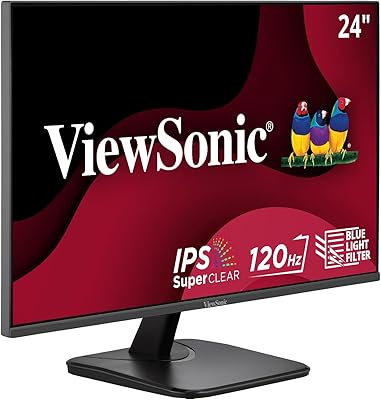
76%
93%
Color Accuracy
89%
Connectivity
61%
Resolution & Pixel Density
86%
Build Quality
91%
Ergonomics
More
ViewSonic VX2476-SMHD 24-inch IPS Monitor
77%
84%
Color Accuracy
88%
Eye Comfort
76%
Gaming Performance
71%
Build Quality
52%
Ergonomics & Adjustability
More
ViewSonic VA2409M 24-inch IPS Monitor
80%
88%
Image Quality
93%
Value for Money
91%
Eye Comfort
79%
Refresh Rate & Smoothness
48%
Stand & Ergonomics
More
ViewSonic VG2455-2K 24-inch QHD IPS Monitor
82%
88%
Display Sharpness
67%
Color Accuracy
93%
USB-C Connectivity
91%
Ergonomics & Adjustability
86%
Build Quality
More
ViewSonic VA2456A-MHD 24-inch IPS Monitor
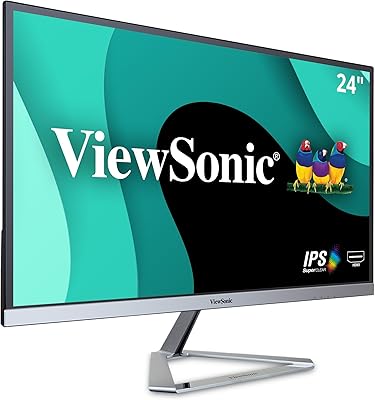
77%
83%
Image Quality
78%
Refresh Rate Performance
89%
Eye Comfort & Fatigue Reduction
91%
Value for Money
54%
Stand & Ergonomics
More
ViewSonic VX2428A 24-inch Gaming Monitor
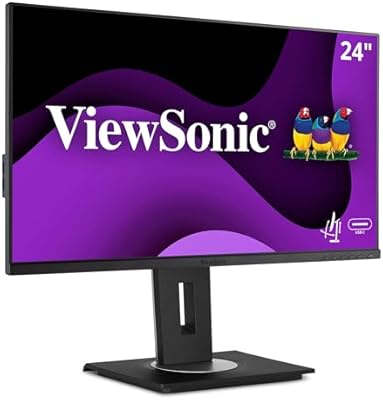
77%
88%
Gaming Performance
79%
Image Quality
91%
Refresh Rate & Smoothness
86%
Response Time
83%
Eye Comfort
More
ViewSonic VG2455 24-inch Monitor
83%
91%
Ergonomic Comfort
88%
Display Quality
94%
USB-C Connectivity
89%
Eye Care Features
75%
Build Quality
More
ViewSonic VG2456A 24-inch IPS Monitor
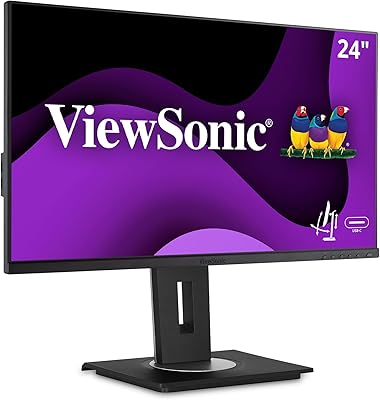
79%
92%
USB-C Docking Functionality
89%
Connectivity Range
86%
Ergonomics & Stand
63%
Display Sharpness
83%
Eye Comfort
More
ViewSonic VS2447M 24-Inch FHD Monitor
74%
93%
Value for Money
81%
Image Clarity
88%
Eye Comfort
79%
Refresh Rate & Smoothness
76%
Adaptive Sync (FreeSync)
More
ViewSonic VA2456-MHD 24-inch IPS Monitor
76%
88%
Color Accuracy
74%
Panel Uniformity
83%
Refresh Rate & Smoothness
78%
FreeSync Performance
86%
Eye Comfort
More

FAQ

It works with most MacBooks without any extra hardware, as long as your MacBook has an HDMI or DisplayPort output. If you have a newer MacBook with only USB-C ports, you will need a USB-C to DisplayPort or HDMI adapter, which is a laptop limitation rather than a monitor one. Once connected, it is recognized automatically — no drivers to install.

Yes, the stand genuinely supports 90-degree pivot rotation into portrait orientation. You physically lift the panel, rotate it, and it locks into place. It is particularly useful for reading long documents, coding, or browsing vertical content. Just make sure to adjust the height first before rotating to avoid the panel catching on the base.

For office work, web browsing, video calls, and streaming, 60Hz is perfectly fine — most people never notice the difference in those contexts. Where it becomes a limitation is fast-paced gaming or high-motion video editing. If your daily use is primarily productivity-focused, you will not miss the extra refresh rate at all.

At standard working heights, the stand is stable enough for everyday use. The wobble some users describe tends to appear when the panel is raised to its maximum height, where the leverage increases slightly. If you type heavily or bump your desk frequently, it may sway a little, but for most people it is not a meaningful issue during normal use.

It does not come with a factory calibration report, and the out-of-box color settings are adequate but not optimized for color-sensitive work. For general office use, emails, and documents, it looks fine straight away. If you want more accurate colors, spending ten minutes in the OSD adjusting brightness, contrast, and color temperature makes a noticeable improvement.

The five USB 3.0 ports are data ports primarily, and they can provide power to low-draw devices like smartphones and accessories, though they are not designed as fast-charging ports. For charging a phone at a reasonable speed, it works, but do not expect the kind of output you get from a dedicated USB charger.

Setup is genuinely straightforward. The stand attaches to the panel with a click-in mechanism that requires no tools, and the cables plug in directly. Most people have it on their desk and running within ten to fifteen minutes of opening the box. The eco-friendly packaging is well-organized, which helps keep the process clean and simple.

It is one of the better choices in its class for that purpose. The thin bezels on three sides keep the gap between screens minimal, which reduces visual distraction when working across both displays. The height-adjustable stand also makes it easier to align the two panels at the same level, which matters more than most buyers initially expect.

It is a software-controlled setting accessed through the on-screen display menu, not a physical hardware filter. You can select from different filter levels depending on how warm or cool you want the screen. It reduces the higher-energy blue wavelengths in the backlight, which many people find reduces eye fatigue during long evening sessions. It does shift the color temperature toward warmer tones, so it is not ideal to leave on during color-sensitive tasks.

ViewSonic typically covers their VG-series monitors with a three-year warranty that includes parts and labor, along with a pixel performance guarantee. Based on general user experience, their support process is considered reasonably straightforward for a hardware manufacturer — most warranty claims are handled without excessive friction. It is always worth registering the product on their website after purchase to make any future claim smoother.

Where to Buy