Overview

The ViewSonic VX2476-SMHD 24-inch IPS Monitor has been quietly earning its place on desks since 2016, and the fact that it still ranks competitively says a lot about how well ViewSonic calibrated this one. It sits in the mid-range tier — not trying to be a color-grading workstation display, not cutting corners to hit rock-bottom pricing. The ultra-thin bezels are a genuine standout, especially if you're building a dual-monitor setup where a chunky frame would break visual continuity. ViewSonic has a solid track record in this segment, and this display reflects that: dependable, well-rounded, and consistently recommended by people who want a reliable screen that does its job without fuss.

Features & Benefits

The IPS panel is the core reason this monitor stays relevant. Colors look accurate and consistent whether you're sitting directly in front of it or viewing from a slight angle, which matters when sharing a screen or working from awkward positions. The 100Hz refresh rate paired with AMD FreeSync makes a real difference for casual gaming — motion feels noticeably smoother and tearing is largely a non-issue. For anyone logging long hours at a desk, the Flicker-Free technology and built-in Blue Light Filter genuinely reduce end-of-day eye fatigue. Add HDMI, DisplayPort, and VGA inputs alongside VESA mount support, and this is a monitor that slots into almost any existing setup without requiring extra adapters.

Best For

This 24-inch IPS monitor is a straightforward recommendation for home office workers who prioritize eye comfort over flashy specs. If you spend five or six hours a day in front of a screen, the flicker-free performance and blue light filter are things you'll actually notice. Light gamers will appreciate the FreeSync and 100Hz combination — it handles fast-paced titles well enough for casual play. Students setting up a first workstation and anyone wanting a clean dual-monitor arrangement will find the slim bezels particularly appealing. It works with Macs, PCs, and most laptops right out of the box, which cuts down on setup friction considerably.

User Feedback

With over 2,200 ratings and a score sitting firmly above 4.5 stars, the VX2476-SMHD has built a strong reputation through sheer volume of satisfied buyers. People consistently highlight color accuracy out of the box and the slim profile — you rarely need to dig into settings to get a decent-looking picture. That said, the stand draws regular criticism: it offers only basic tilt, no height adjustment, and feels slightly wobbly to some users. The absence of a USB hub is a small but noticeable omission. Long-term owners, though, tend to report that backlight consistency holds up well over time, with few complaints about premature failure or meaningful color shift after extended use.

Pros

  • IPS panel delivers accurate, consistent colors without needing manual calibration for everyday use.
  • 100Hz refresh rate and AMD FreeSync make casual gaming noticeably smoother than standard 60Hz displays.
  • Flicker-free backlight and blue light filter genuinely reduce eye fatigue during long work or study sessions.
  • Ultra-thin bezels make this 24-inch IPS monitor an excellent choice for side-by-side dual-monitor setups.
  • HDMI, DisplayPort, and VGA inputs cover virtually every device you might want to connect.
  • VESA 75x75mm compatibility lets you swap out the basic stand for a monitor arm with ease.
  • Anti-glare coating handles reflections well in brightly lit rooms without washing out the image.
  • Multiple built-in presets let you quickly optimize the picture for gaming, reading, or video without digging through menus.
  • Strong long-term reliability reported by owners, with backlight consistency holding up well over extended use.
  • ViewSonic's established reputation in this segment means reasonable warranty support and parts availability.

Cons

  • The included stand offers only basic tilt — no height, swivel, or pivot adjustment whatsoever.
  • Stand feels slightly wobbly to some users, which can be distracting in a shared or active workspace.
  • No built-in USB hub means extra cables and a separate hub if your desk has multiple peripherals.
  • 1080p resolution can look noticeably soft on a 24-inch screen when compared to modern 1440p alternatives.
  • OSD button placement and navigation feel dated and require a short learning curve to use efficiently.
  • No built-in speakers, which is a minor inconvenience if you prefer an all-in-one audio and display setup.
  • The 100Hz ceiling limits appeal for competitive gamers who would benefit from 144Hz or faster panels.
  • Color gamut coverage is adequate but falls short for anyone doing color-critical creative or print work.

Ratings

The scores below for the ViewSonic VX2476-SMHD 24-inch IPS Monitor were generated by our AI system after analyzing thousands of verified global user reviews, with spam, bot-generated submissions, and incentivized feedback actively filtered out. Each category reflects the honest distribution of buyer sentiment — where this display earns genuine praise and where real frustrations consistently surface. The result is a transparent, balanced picture of how this monitor actually performs in everyday hands.

Color Accuracy
84%
Most buyers report that colors look noticeably better out of the box than they expected from a monitor in this tier. The IPS panel handles skin tones and gradients well for everyday content, and users switching from older TN panels frequently describe the difference as immediately obvious.
Professionals doing color-sensitive work will notice the limitations fairly quickly — the color gamut falls short of sRGB coverage targets that creative workflows demand. A handful of users also reported slight color shift when viewing from steeper off-axis angles, though this was a minority experience.
Eye Comfort
88%
Long-session users — remote workers, students, writers — consistently highlight the flicker-free backlight as a genuine difference-maker during marathon screen days. The blue light filter draws particular appreciation from people who use this display into the evening and want to wind down without eye strain.
The blue light filter introduces a warm color cast at higher intensity settings, which some users find distracting for design or photo work. A small number of buyers also noted that the OSD controls for adjusting filter strength are not especially intuitive to navigate.
Gaming Performance
76%
24%
The 100Hz refresh rate paired with AMD FreeSync delivers a noticeably smoother experience compared to the 60Hz monitors many buyers are upgrading from. Casual and mid-level gamers playing titles like racing games, RPGs, and shooters at moderate frame rates report that tearing is largely a non-issue.
Competitive gamers who have used 144Hz or 165Hz panels will feel the ceiling of 100Hz as a real constraint. The 1080p resolution is also starting to feel limiting for users whose GPUs can comfortably push higher resolutions, and the response time is adequate but not class-leading for fast-paced action.
Build Quality
71%
29%
The slim bezel design looks genuinely premium for the price point, and the overall chassis feels solid enough for desk use. Buyers who have owned this monitor for two or more years frequently note that it holds up well with no warping, discoloration, or structural degradation.
The stand is the most criticized element of the physical build — multiple users describe noticeable wobble when typing nearby, and the plastic feels noticeably cheaper than the monitor panel itself. For a display that has been on the market since 2016, the stand design has remained a persistent weak point without revision.
Ergonomics & Adjustability
52%
48%
The VESA 75x75mm mounting pattern is a saving grace here — buyers who pair this display with a third-party monitor arm can achieve full ergonomic flexibility, and the swap is straightforward. For users who plan from the start to use an arm, the limited stand becomes a non-issue.
Out of the box, the stand offers only basic tilt adjustment with no height, swivel, or pivot. This is one of the most frequently mentioned frustrations across user reviews, particularly from taller users or those with specific posture requirements who expected more flexibility at this price tier.
Value for Money
87%
For buyers who need a reliable everyday display with eye comfort features, decent gaming chops, and multi-monitor bezel aesthetics, the VX2476-SMHD consistently earns strong marks as a sensible purchase. Long-term owners who have gotten three or four years out of it frequently express satisfaction with the overall investment.
The value calculus has shifted somewhat as the market has matured — buyers today can find 1440p monitors at comparable prices, which makes the 1080p ceiling feel less justified than it did at launch. Those who prioritize resolution over eye care features may find newer alternatives more compelling dollar-for-dollar.
Bezel Design
91%
The ultra-thin three-sided bezel is one of the most consistently praised design elements, especially among buyers who run two or three of these side by side. The visual gap between panels in a multi-monitor setup is genuinely narrow, and several users specifically purchased a second unit just to match the aesthetic.
The bottom bezel is noticeably thicker than the other three sides, which creates a slight asymmetry that some users find mildly bothersome up close. It's a minor cosmetic point, but buyers expecting a fully uniform frameless look may notice it.
Connectivity
83%
The combination of HDMI, DisplayPort, and VGA covers a wide range of devices without requiring adapters — a practical advantage for users who swap between a gaming PC, a work laptop, and an older secondary machine. Mac users with a USB-C adapter find the DisplayPort connection particularly reliable.
The absence of a USB hub is a recurring complaint for users who want to consolidate cable management at the monitor. With only three video inputs and no peripheral ports, the connectivity story covers the basics well but doesn't offer anything beyond the minimum expected at this level.
Display Brightness
74%
26%
For indoor use in normally lit offices and bedrooms, brightness levels are comfortable and adjustable enough that most users settle into their preferred setting quickly. The anti-glare coating helps maintain readability in moderately bright conditions without needing to max out the backlight.
In brightly sunlit rooms or near large windows, several users report that the display struggles to compete with ambient light even at maximum brightness. This is an environment-specific issue rather than a dealbreaker, but buyers in sun-heavy workspaces should factor it in.
Viewing Presets
68%
32%
The five built-in presets give non-technical users a fast way to switch the display's character without manual calibration — Text mode in particular gets positive mentions from readers and writers who appreciate its restrained, easy-on-the-eyes rendering.
Power users who prefer fine-grained manual control tend to ignore the presets entirely, finding them too blunt for nuanced adjustment. The Game preset draws mixed feedback, with some buyers finding it over-sharpened and others appreciating the contrast boost it provides.
Setup & Installation
89%
Assembly is consistently described as hassle-free — the stand clicks into the base without tools, and the monitor is ready within minutes of unboxing. Cross-platform plug-and-play performance is solid, with both Windows and macOS systems recognizing the display immediately in most cases.
A small number of buyers reported needing to manually configure resolution or refresh rate in their display settings to unlock 100Hz, as some systems defaulted to 60Hz on first connection. The included documentation is minimal, which can leave less technical users briefly uncertain about optimal setup.
Long-Term Durability
82%
18%
The volume of reviews from multi-year owners is telling — buyers who purchased this 24-inch IPS monitor in 2018 or 2019 frequently return to note that backlight consistency has held up well and that they have not experienced dead pixels or significant color drift over time.
A small but notable cluster of users reported backlight bleed that became more apparent in darker scenes over extended ownership. While not universal, it is enough of a pattern to suggest some unit-to-unit variance in panel quality control.
OSD & Controls
61%
39%
The on-screen display covers all the expected adjustment options — brightness, contrast, color temperature, and preset switching are all accessible. For users who configure their settings once and never touch them again, the OSD is rarely a point of friction.
The physical buttons used to navigate the OSD are positioned on the back-right edge of the monitor, making them awkward to locate by feel without looking. Multiple users describe the menu navigation as unintuitive, and the button layout draws consistent criticism for feeling dated compared to joystick-style controls found on competing displays.
Anti-Glare Coating
78%
22%
The matte anti-glare surface handles indirect light and overhead office lighting well, preventing the mirror-like reflections that can make glossy panels unusable in certain environments. Users in open-plan offices appreciate that they can maintain a clear view even with ceiling lights nearby.
The coating introduces a subtle graininess to the image that is most noticeable against solid light-colored backgrounds, such as white documents or bright web pages. It's a known trade-off with matte panels, but buyers coming from glossy laptop screens may find the texture adjustment takes some time.

Suitable for:

The ViewSonic VX2476-SMHD 24-inch IPS Monitor is a strong fit for home office workers who log long hours at a desk and want a display that won't leave their eyes burning by late afternoon — the flicker-free backlight and blue light filter are practical features here, not just checkbox items. Students setting up their first real workstation will find it covers all the bases without demanding a steep investment. Casual gamers who want smoother-than-average motion and tear-free gameplay through FreeSync will get a meaningful upgrade over a basic 60Hz screen without needing to chase higher resolutions they may not actually need. It's also a genuinely smart pick for anyone building or expanding a dual-monitor setup, since the ultra-thin bezels keep the gap between screens tight and visually clean. Broad input support across HDMI, DisplayPort, and VGA means it adapts to whatever device you already own, whether that's a MacBook, a gaming PC, or an older desktop.

Not suitable for:

If you're a serious gamer or creative professional, the VX2476-SMHD is likely to feel like a compromise fairly quickly. Competitive gamers chasing high frame rates will bump into the 1080p and 100Hz ceiling — monitors with 144Hz or higher refresh rates at 1440p are readily available and worth the step up for that use case. Graphic designers, video editors, or photographers who need precise color reproduction and wide color gamut coverage should look at displays with factory calibration and higher Delta E ratings. The stand is a real ergonomic weak point: it offers only basic tilt with no height adjustment, which becomes a daily frustration if you're particular about monitor positioning or have a non-standard desk setup. Anyone who relies on a USB hub built into their display to reduce cable clutter will need to factor in an external hub as an additional purchase.

Specifications

  • Panel Type: This monitor uses an IPS (In-Plane Switching) panel, which provides consistent color accuracy and wide viewing angles compared to TN alternatives.
  • Screen Size: The active display area measures 24 inches diagonally, making it a practical size for both single and dual-monitor desk setups.
  • Resolution: Native resolution is 1920x1080 (Full HD), delivering a pixel density suitable for everyday productivity, media, and casual gaming at this screen size.
  • Refresh Rate: The panel supports a maximum refresh rate of 100Hz, offering smoother motion than standard 60Hz monitors for gaming and fast-scrolling tasks.
  • Adaptive Sync: AMD FreeSync support dynamically matches the monitor's refresh rate to the GPU output, reducing screen tearing without requiring V-Sync.
  • Aspect Ratio: The display uses a standard 16:9 widescreen aspect ratio, compatible with the vast majority of content formats and applications.
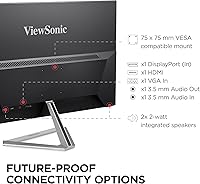
  • Inputs: Connectivity includes one HDMI port, one DisplayPort, and one VGA port, covering modern digital sources and legacy analog connections.
  • VESA Mount: The monitor is VESA compatible at a 75x75mm pattern, allowing it to be mounted on most standard monitor arms or wall brackets.
  • Eye Care: ViewSonic's Flicker-Free technology eliminates backlight flicker at all brightness levels, and a built-in Blue Light Filter reduces high-energy light emission during extended use.
  • Surface Coating: The screen features an anti-glare coating with a 3H hard coating rating, reducing reflections in bright environments while providing scratch resistance.
  • Viewing Presets: Five built-in display presets — Game, Movie, Web, Text, and Mono — allow quick optimization of color and contrast settings for different content types.
  • Dimensions: With the stand attached, the monitor measures 21.3″ wide, 15.7″ tall, and 8.2″ deep.
  • Weight: The complete unit with stand weighs 6.53 pounds, light enough for easy repositioning on a desk without assistance.
  • Color Finish: The monitor ships in a Black and Silver colorway with ultra-thin bezels on three sides for a modern, low-profile appearance.
  • Power Input: The display operates on AC power with a voltage rating of up to 240V, making it compatible with standard outlets across most regions.
  • Brand & Model: Manufactured by ViewSonic under the VX series lineup, model number VX2476-SMHD, first released in June 2016 and confirmed as not discontinued.

Related Reviews

ViewSonic VG2448A 24-inch IPS Monitor

83%
93%
Ergonomic Adjustability
88%
Eye Comfort
86%
Connectivity & Port Selection
74%
Image Quality
81%
Build Quality
More
ViewSonic VP2468a 24-Inch IPS Monitor
76%
93%
Color Accuracy
89%
Connectivity
61%
Resolution & Pixel Density
86%
Build Quality
91%
Ergonomics
More
ViewSonic VX2776-SMHD 27-inch 1080p IPS Monitor
84%
92%
Display Quality
88%
Gaming Performance
90%
Ease of Setup
91%
Design & Aesthetics
89%
Eye Comfort
More
ViewSonic VA2409M 24-inch IPS Monitor
80%
88%
Image Quality
93%
Value for Money
91%
Eye Comfort
79%
Refresh Rate & Smoothness
48%
Stand & Ergonomics
More
ViewSonic VA2456A-MHD 24-inch IPS Monitor
77%
83%
Image Quality
78%
Refresh Rate Performance
89%
Eye Comfort & Fatigue Reduction
91%
Value for Money
54%
Stand & Ergonomics
More
ViewSonic VX2276-SMHD 22-Inch 1080p IPS Monitor
83%
92%
Value for Money
88%
Display Quality
85%
Design & Build Quality
90%
Ease of Setup
84%
Eye Care Features
More
ViewSonic VG2455-2K 24-inch QHD IPS Monitor
82%
88%
Display Sharpness
67%
Color Accuracy
93%
USB-C Connectivity
91%
Ergonomics & Adjustability
86%
Build Quality
More
ViewSonic VX2428A 24-inch Gaming Monitor
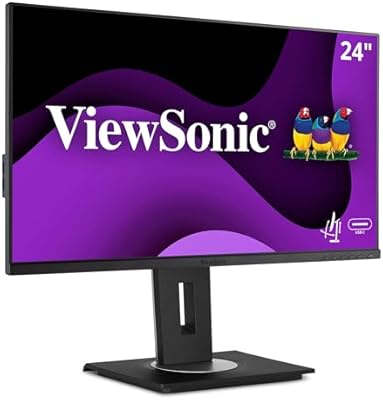
77%
88%
Gaming Performance
79%
Image Quality
91%
Refresh Rate & Smoothness
86%
Response Time
83%
Eye Comfort
More
ViewSonic VG2455 24-inch Monitor
83%
91%
Ergonomic Comfort
88%
Display Quality
94%
USB-C Connectivity
89%
Eye Care Features
75%
Build Quality
More
ViewSonic VG2456A 24-inch IPS Monitor
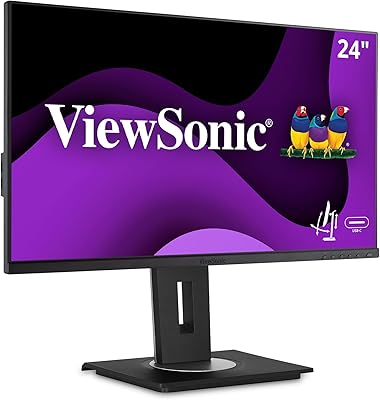
79%
92%
USB-C Docking Functionality
89%
Connectivity Range
86%
Ergonomics & Stand
63%
Display Sharpness
83%
Eye Comfort
More

FAQ

Yes, it connects easily to any Mac with a DisplayPort or HDMI output. If your Mac only has USB-C or Thunderbolt 3 ports, a standard USB-C to DisplayPort or HDMI adapter will do the job. No special drivers are needed — the display is recognized automatically by macOS.

It's primarily a gaming feature, designed to prevent the tearing and stuttering that can happen when your GPU's frame output doesn't sync with the monitor's refresh cycle. For everyday tasks like browsing and document editing, you won't notice a difference whether it's enabled or not, but it won't cause any problems leaving it on.

The included stand only offers tilt adjustment — typically around -5 to +20 degrees. There's no height, swivel, or pivot adjustment built in. If ergonomics matter to you, the VESA 75x75mm mounting pattern means you can replace the stand with a third-party monitor arm that offers full range of motion.

It handles well, thanks to its anti-glare coating. It won't completely neutralize a window directly behind you, but in most normally lit home office or study environments, reflections are manageable and the image stays readable.

The blue light filter does shift the color temperature toward warmer tones, which some users find slightly yellow at higher filter settings. Most people set it to a moderate level and find the warmth barely noticeable after a few minutes. If color accuracy matters for your work, you can disable it when needed and switch it on in the evening.

It works for casual editing where precision isn't critical, but it isn't a professional color-grading display. The color gamut coverage and factory calibration are not at the level that serious photographers or graphic designers typically need. For that kind of work, a monitor with a wider color gamut and hardware calibration support would be a better fit.

No, this ViewSonic display does not include built-in speakers. You'll need external speakers or headphones connected through your computer or a separate audio device.

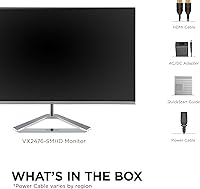
ViewSonic typically includes one DisplayPort cable and one power cable in the box, though the exact bundle can vary slightly by region and retailer. It's worth checking the specific listing, as an HDMI cable is not always included and you may need to supply your own depending on your setup.

At 24 inches, 1080p sits at roughly 92 pixels per inch, which is comfortable for everyday use when you're sitting at a normal desk distance. Text is crisp, and images look clean during general use. If you sit very close or come from a high-resolution laptop screen, you may notice the difference, but most users find it perfectly adequate for productivity and casual gaming.

Setup is straightforward — the stand clicks into the base without tools, and the monitor powers on and is recognized by most systems immediately. Swapping to a monitor arm is equally simple: remove four screws from the stand attachment point, and the standard 75x75mm VESA pattern accepts any compatible arm. The whole process takes under ten minutes.

Where to Buy