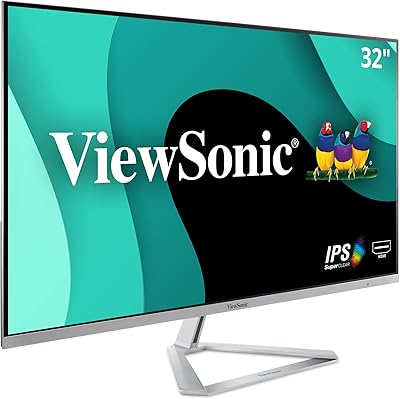
ViewSonic VA2456A-MHD 24-inch IPS Monitor


Overview
The ViewSonic VA2456A-MHD 24-inch IPS Monitor sits in a practical sweet spot: a no-frills display that punches above its weight for home office use and everyday computing. At this price tier, finding a 120Hz refresh rate is genuinely uncommon, and it makes a real difference in how fluid daily tasks — scrolling, video playback, light gaming — actually feel. The thin bezels keep things tidy on a crowded desk, and the matte screen finish handles ambient light well enough that you won't be constantly repositioning yourself. This isn't a monitor built for color professionals or serious competitive gaming. It's a reliable daily workhorse with connectivity broad enough to cover almost any setup you throw at it.
Features & Benefits
The IPS panel is where this ViewSonic monitor earns its keep. Unlike TN screens that shift color noticeably when viewed off-center, the SuperClear IPS technology keeps whites white and colors consistent whether you're seated directly in front or glancing from the side. The 120Hz refresh rate — rare at this price — makes scrolling through documents or web pages feel noticeably smoother than on a typical 60Hz panel. Long sessions are addressed too: Flicker-Free technology combined with a built-in Blue Light Filter genuinely reduces that familiar end-of-day eye fatigue. The VA2456A-MHD also includes five display presets, so switching from a spreadsheet to a movie requires just a few button presses. With HDMI, DisplayPort, and VGA all on board, connecting older or newer devices is straightforward.
Best For
This 24-inch IPS display is a natural fit for remote workers and students who spend the bulk of their day staring at a screen — the eye care features aren't just a checkbox here, they make a tangible difference over long sessions. Casual gamers will appreciate the 120Hz refresh without needing to spend significantly more on a dedicated gaming monitor. If you're coming from an older setup that still uses VGA, the triple-input design means you won't need to hunt for adapters. The slim bezels and compact footprint make it easy to fit into tighter workspaces. Mac and PC users alike should find it plug-and-play ready. Where it's less suited: power users juggling many windows may find 1080p limiting at this size.
User Feedback
With a 4.6-star average across more than 400 ratings, the VA2456A-MHD earns consistent praise. Buyers frequently highlight out-of-box image quality — many note that colors look accurate and pleasant without needing to adjust any settings. Setup is reportedly quick and uncomplicated, which matters for people who just want a monitor that works. On the critical side, a notable number of users wish the stand offered more flexibility; tilt is available, but height adjustment is not. A few buyers also mention that peak brightness is adequate but underwhelming in sun-lit rooms. Resolution occasionally becomes a sticking point for those coming from 1440p panels, though most 1080p users find it perfectly sharp. Overall, buyer satisfaction is high for a monitor at this price point.
Pros
- IPS panel delivers accurate, consistent colors without the washed-out angles you get from budget TN alternatives.
- 120Hz refresh rate makes everyday scrolling and video noticeably smoother — a rare feature at this price tier.
- Flicker-Free and Blue Light Filter combination genuinely reduces eye fatigue during long work or study sessions.
- Supports HDMI, DisplayPort, and VGA simultaneously, covering both modern and legacy device setups without adapters.
- Matte screen coating handles overhead lighting and window glare better than glossy budget panels.
- Out-of-box color balance is well-regarded — most users do not need to adjust settings before daily use.
- Compact base and thin bezels make it easy to fit into smaller desks or multi-monitor arrangements.
- Setup takes under ten minutes, and both Mac and PC users report immediate plug-and-play recognition.
- Five display presets let you shift between work, movie, and gaming modes quickly without diving into menus.
- Strong 4.6-star average across hundreds of real-world buyers reflects consistently high satisfaction for the price.
Cons
- No height adjustment on the stand — tilt is the only ergonomic option, which frustrates taller users.
- Peak brightness struggles in sun-facing rooms or brightly lit open-plan workspaces during daylight hours.
- No USB hub means no desk-level port access for peripherals or device charging.
- IPS panel shows mild ghosting in fast, dark gaming scenes — noticeable to anyone coming from a faster TN or OLED display.
- No adaptive sync support limits gaming smoothness despite the 120Hz refresh rate.
- 1080p resolution at 24 inches is workable but feels limiting for users running multiple windows or detailed applications side by side.
- Physical OSD buttons are positioned on the back edge and are awkward to locate without looking.
- Included cable bundle is minimal — buyers needing a specific cable type will likely need to source one separately.
- Contrast ratio falls short of VA panels, making darker scenes look flat rather than deep.
- Plastic build quality feels lightweight in hand and may feel less premium than photos suggest.
Ratings
The ViewSonic VA2456A-MHD 24-inch IPS Monitor earns a strong overall standing based on AI-driven analysis of verified global buyer reviews, with spam, bot activity, and incentivized feedback actively filtered out before scoring. Across hundreds of real-world accounts — from home office workers to students to casual gamers — both the genuine strengths and the honest frustrations are reflected in the scores below. No category has been softened or inflated; what you see is a transparent picture of how this display actually performs in everyday hands.
Image Quality
Refresh Rate Performance
Eye Comfort & Fatigue Reduction
Value for Money
Stand & Ergonomics
Build Quality & Design
Connectivity & Compatibility
Brightness & Visibility
Color Accuracy Out of Box
Display Presets & OSD Usability
Resolution & Sharpness
Setup & Installation
Motion Clarity & Response
Packaging & Unboxing Experience
Suitable for:
The ViewSonic VA2456A-MHD 24-inch IPS Monitor is a strong match for anyone who spends the bulk of their day in front of a screen and needs a reliable, comfortable display without a premium price tag. Remote workers, students, and home office users will find the eye care features genuinely useful — not just a spec bullet, but a real quality-of-life improvement over long sessions. Casual gamers who want smoother motion than a standard 60Hz panel provides will get a meaningful upgrade here without needing to justify a higher spend. If you are still running a machine with a VGA output alongside a newer laptop with HDMI or DisplayPort, the triple-input design means this display covers both without adapters or compromise. The compact footprint and clean thin-bezel aesthetic also make it a natural fit for tighter desk setups where every inch of workspace matters.
Not suitable for:
There are real limitations here that certain buyers should weigh carefully before purchasing. The ViewSonic VA2456A-MHD 24-inch IPS Monitor does not offer height adjustment or swivel on its stand, which is a genuine ergonomic drawback for taller users or those building a dual-monitor arrangement — budget for a monitor arm if ergonomics matter to you. Serious or competitive gamers will find the lack of adaptive sync support (such as FreeSync or G-Sync) a notable gap, since the 120Hz panel alone does not eliminate screen tearing in demanding titles. Graphic designers, photographers, or anyone doing color-critical work will likely find the factory calibration and color gamut coverage insufficient for professional output. Users coming from 1440p or higher-resolution displays should also be prepared for a visible step down in sharpness, particularly when working with fine text, dense spreadsheets, or detailed design files across a large workspace.
Specifications
- Screen Size: The display measures 24 inches diagonally, offering a comfortable viewing area suited to standard home and office desk distances.
- Resolution: Native resolution is 1920x1080 (Full HD), delivering a pixel density appropriate for sharp, clear imagery at 24 inches.
- Panel Type: Uses an IPS (In-Plane Switching) panel, which provides consistent color accuracy and wide viewing angles compared to TN alternatives.
- Refresh Rate: The panel supports a maximum refresh rate of 120Hz, enabling smoother motion in both everyday tasks and casual gaming.
- Aspect Ratio: Standard 16:9 widescreen aspect ratio, compatible with virtually all modern operating systems, media formats, and applications.
- Screen Surface: Matte anti-glare coating reduces reflections from overhead lighting and windows, improving comfort in mixed-lighting environments.
- Inputs: Connectivity includes one HDMI port, one DisplayPort input, and one VGA port, supporting both modern and legacy source devices.
- Eye Care: Flicker-Free backlighting and a built-in Blue Light Filter work together to reduce visual fatigue during extended screen sessions.
- Display Presets: Five built-in view modes — Game, Movie, Web, Text, and Mono — allow quick adjustments to suit different content types.
- Dimensions: The monitor measures 7.8 x 21.2 x 15.4 inches (depth x width x height) with the stand attached.
- Weight: Total weight with stand is 6.8 pounds, making it straightforward to reposition or mount on a third-party arm.
- Color: Available in a matte black finish that blends cleanly into most home office and professional desk environments.
- Bezel Design: Thin bezels on three sides reduce visual distraction and allow for cleaner side-by-side dual-monitor configurations.
- Brand & Model: Manufactured by ViewSonic under the model designation VA2456A-MHD, first made available in December 2024.
- Ergonomic Range: Stand supports tilt adjustment only; height adjustment, swivel, and pivot are not available on the stock stand.
- Amazon Rating: Holds a 4.6 out of 5 star average rating based on over 420 verified buyer reviews at time of publication.
Related Reviews

ViewSonic VG2448A 24-inch IPS Monitor
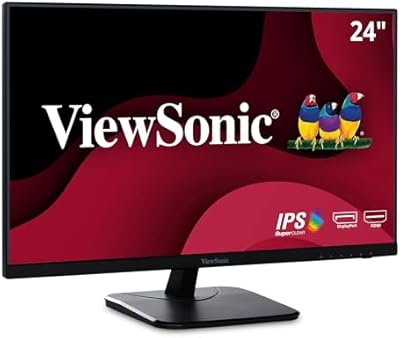
ViewSonic VA2456-MHD 24-inch IPS Monitor

ViewSonic VP2468a 24-Inch IPS Monitor
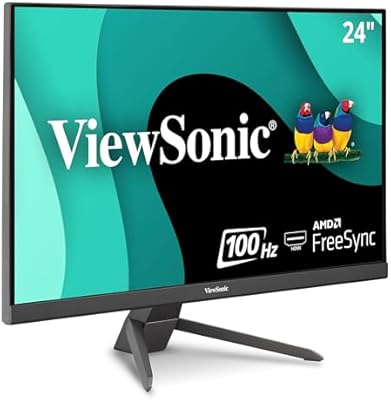
ViewSonic VX2467-MHD 24-inch Gaming Monitor
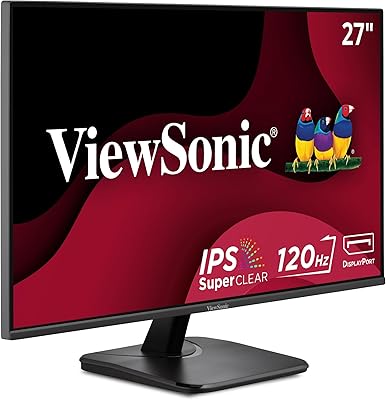
ViewSonic VA2756A-MHD 27-inch IPS Monitor
ViewSonic VX2476-SMHD 24-inch IPS Monitor
ViewSonic VA2409M 24-inch IPS Monitor
ViewSonic VG2455-2K 24-inch QHD IPS Monitor
ViewSonic VA2256-MHD 22-inch IPS 1080p Monitor