
Overview
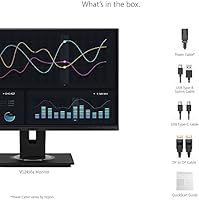
The ViewSonic VG2456A 24-inch IPS Monitor is built for one purpose: getting work done without the usual desk clutter. Its core appeal is the ability to connect a laptop with a single USB-C cable and immediately have power, video, data, and wired internet — no separate dock required. At its mid-range price point, it competes directly with similar docking displays from Dell and LG. The 24-inch 1080p panel is a comfortable fit for most office tasks, though anyone coming from a higher-resolution screen may need a moment to adjust. This is a productivity workhorse, not a creative suite or gaming rig.
Features & Benefits
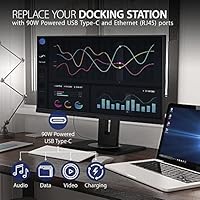
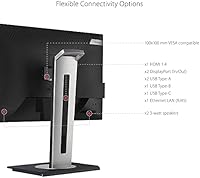
The standout here is 90W USB-C Power Delivery — plug in your MacBook or Windows laptop and you get a charged battery, a live display, and a data connection all through one cable. That built-in RJ45 port means a stable wired network connection without hunting for a separate adapter. The ergonomic stand deserves real mention: it tilts up to 40 degrees, swivels, pivots to portrait mode, and adjusts for height, which matters a lot after six hours at a desk. The IPS panel includes Flicker-Free technology and a Blue Light Filter for longer sessions. And if one screen isn't enough, DisplayPort daisy-chaining lets you add a second monitor without an extra hub.
Best For
This docking monitor makes the most sense for remote and hybrid workers who are tired of managing a cable tangle every time they sit down. If you use a MacBook or a USB-C-equipped Windows laptop as your primary machine, the VG2456A effectively replaces the need for a separate dock. IT teams and corporate buyers will appreciate the quick-release stand, which makes setup and redeployment across desks genuinely simple. It also suits anyone stepping up from a basic office monitor who wants better connectivity without a significant budget stretch. Where it falls short: video editors or photographers who need accurate color or sharp pixel density should look elsewhere.
User Feedback
Sitting at a 4.5-star average across more than a hundred reviews, this ViewSonic display earns consistent marks for reliability and ease of setup. MacBook users in particular praise it for replacing the juggle of a monitor cable, a charger, and a USB hub all at once. The stand gets positive mentions for feeling solid and actually useful rather than just adjustable on paper. The main criticism that surfaces repeatedly is that 1080p on 24 inches can look noticeably soft to anyone used to sharper displays. A handful of buyers also found the stand housing felt less premium than the price suggests. Still, most conclude it beats buying a plain monitor and a dock separately.
Pros
- One USB-C cable handles video, 90W laptop charging, and data simultaneously — a genuine desk simplifier.
- Built-in RJ45 Ethernet means a stable wired connection without any extra adapter.
- The stand offers tilt, swivel, pivot, and height adjustment, covering virtually every ergonomic preference.
- Flicker-Free technology and a Blue Light Filter make extended work sessions noticeably easier on the eyes.
- DisplayPort daisy-chaining lets you expand to a dual-monitor setup without buying a separate hub.
- The quick-release stand with carry handle makes it easy to redeploy or move between workspaces.
- IPS panel delivers consistent colors and wide viewing angles, solid for everyday office use.
- Matte anti-glare coating handles bright office lighting without introducing distracting reflections.
- Compatible with both Mac and Windows USB-C laptops, so it works across mixed office environments.
- Broadly well-reviewed by real buyers, with particular praise for setup speed and build reliability.
Cons
- 1080p resolution on a 24-inch screen falls noticeably behind competing monitors offering 1440p at similar prices.
- 60Hz refresh rate makes the VG2456A a poor fit for anyone who occasionally games or wants fluid scrolling.
- No color calibration or wide-gamut coverage; creative professionals should budget for a dedicated display.
- Some buyers found the stand housing and plastic trim feel less solid than the price implies.
- Weighing nearly 14 pounds, it is heavier than average for a 24-inch monitor, which limits portability.
- No built-in speakers, so audio requires external hardware or headphones.
- USB-C docking value diminishes if your laptop does not support video-out and charging over the same port.
- Only one HDMI input limits flexibility for users with multiple video sources.
Ratings
The ViewSonic VG2456A 24-inch IPS Monitor has been scored by our AI system after analyzing thousands of verified global buyer reviews, with spam, bot-generated, and incentivized submissions actively filtered out. Scores reflect the real-world consensus of working professionals who use this docking monitor daily, capturing both what it gets right and where it genuinely falls short. Strengths and frustrations are weighted equally so you can make a clear-eyed decision.
USB-C Docking Functionality
Connectivity Range
Ergonomics & Stand
Display Sharpness
Eye Comfort
Build Quality
Setup Experience
Image Quality
Value for Money
Refresh Rate & Motion
Wired Network Performance
Adjustability Range
Compatibility
Suitable for:
The ViewSonic VG2456A 24-inch IPS Monitor was clearly designed with the desk-bound professional in mind, and it shows. If you work from home with a USB-C laptop and want to eliminate the rat's nest of a charger, a hub, and a monitor cable, this display solves that problem in one purchase. MacBook users and modern Windows laptop owners will get the most out of it — plug in one cable and you have power, video, wired internet, and USB connectivity all at once. It is equally well-suited to corporate IT deployments where ergonomic compliance matters and monitors need to be swapped between desks quickly. The adjustable stand genuinely supports all-day use, which is a real differentiator for anyone logging eight or more hours in front of a screen.
Not suitable for:
If sharp pixel density is a priority, the ViewSonic VG2456A 24-inch IPS Monitor will likely disappoint — 1080p on a 24-inch panel is adequate for spreadsheets and documents, but it does not hold up well against the 1440p or 4K displays now common in this price category. Graphic designers, photo editors, or anyone whose work depends on accurate color reproduction should look elsewhere, since this is not a panel calibrated for creative work. Gamers will also find it limiting: 60Hz is the ceiling here, with no variable refresh rate support and no particularly fast pixel response. Those who already own a capable USB-C dock and just need a quality display may find the built-in connectivity features redundant and the resolution trade-off hard to justify. Buyers expecting a premium physical build throughout may also be underwhelmed by some of the plastics used in the stand housing.
Specifications
- Panel Type: IPS (In-Plane Switching) panel delivers consistent color and wide viewing angles suited to extended office use.
- Screen Size: 24-inch diagonal display with thin bezels, well-sized for a single-monitor desk setup without dominating the workspace.
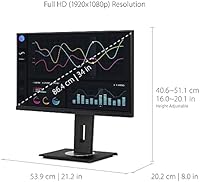
- Resolution: Full HD 1920x1080 pixel resolution at a 16:9 aspect ratio, standard for productivity-focused office monitors.
- Refresh Rate: 60Hz refresh rate, appropriate for document work, video calls, and general productivity tasks.
- USB-C Power: USB-C port supports up to 90W Power Delivery, sufficient to charge most mainstream laptops while transmitting video and data.
- Ethernet: Built-in RJ45 port provides a wired network connection directly through the monitor without requiring a separate dock or adapter.
- Video Inputs: Supports USB-C, HDMI, and DisplayPort inputs, with DisplayPort also supporting daisy-chaining for multi-monitor setups.
- Ergonomics: Stand supports up to 40-degree tilt, full swivel, portrait pivot, and height adjustment to accommodate a wide range of seating positions.
- Eye Care: Flicker-Free technology and a Blue Light Filter are built in to reduce eye strain during prolonged work sessions.
- Surface Finish: Matte anti-glare coating minimizes reflections from overhead lighting and windows in typical office environments.
- Stand Design: Quick-release stand with an integrated carry handle allows fast setup, removal, and transport between workspaces.
- Dimensions: Product measures approximately 2 x 21.2 x 12.6 inches (D x W x H) with the stand attached.
- Weight: Monitor with stand weighs 13.9 pounds, which is on the heavier side for a 24-inch display.
- Color: Available in black with a professional matte finish consistent with standard office aesthetics.
- Compatibility: Compatible with USB-C-equipped PCs, Macs, and other devices; also works via HDMI or DisplayPort with non-USB-C systems.
Related Reviews

ViewSonic VG2448A 24-inch IPS Monitor

ViewSonic VP2468a 24-Inch IPS Monitor
ViewSonic VA2456A-MHD 24-inch IPS Monitor
ViewSonic VX2476-SMHD 24-inch IPS Monitor
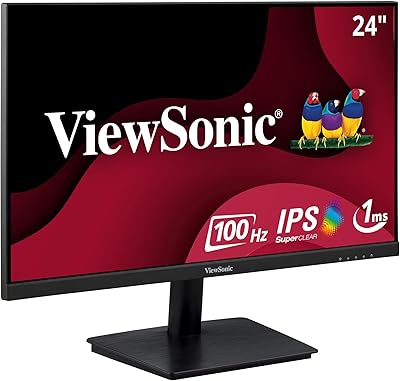
ViewSonic VA2409M 24-inch IPS Monitor
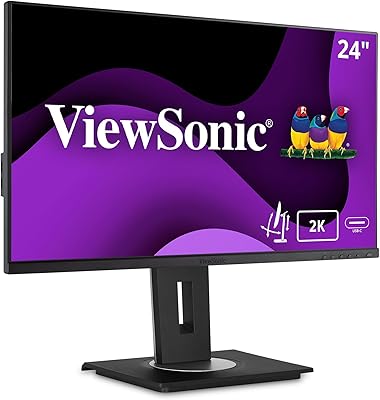
ViewSonic VG2455-2K 24-inch QHD IPS Monitor
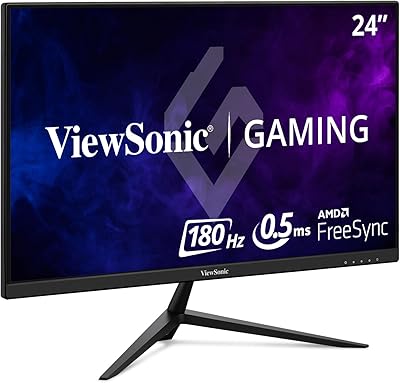
ViewSonic VX2428A 24-inch Gaming Monitor
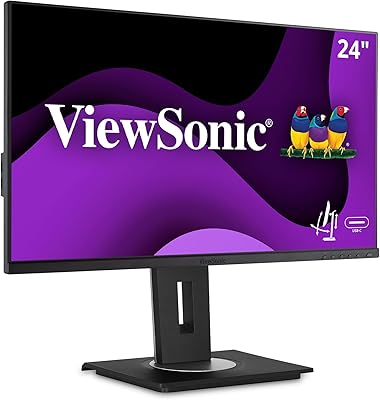
ViewSonic VG2455 24-inch Monitor

ViewSonic XG2431 24-Inch Gaming Monitor