Overview

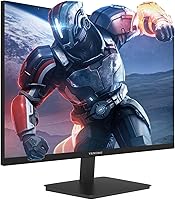
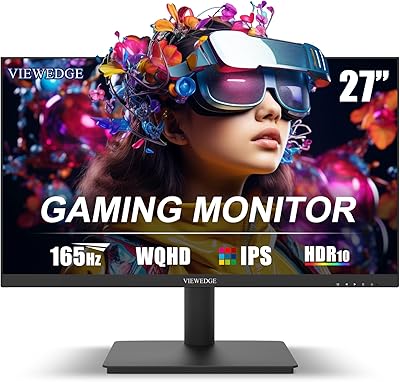
The Viewedge CS27FM 27-inch Gaming Monitor entered a crowded budget display market in late 2024, and it makes a reasonable case for itself right away. Most monitors at this price point cut costs by using a TN panel — this one goes IPS, which means better colors and wider viewing angles out of the box. Viewedge claims over a decade of manufacturing experience, which offers some reassurance, though the brand remains relatively unknown in Western markets. One thing worth stating plainly: running full HD resolution on a 27-inch screen means pixel density is lower than ideal. It's not a dealbreaker, but it's worth knowing before you buy.
Features & Benefits

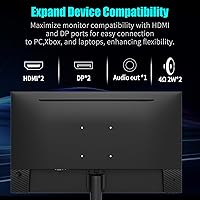
The headline spec here is the refresh rate — running at 240Hz makes motion noticeably smoother in fast-paced games like shooters or racing titles, and the near-instantaneous response time helps reduce ghosting during quick camera movements. The IPS panel delivers wide viewing angles and covers a solid portion of the sRGB color spectrum, making it usable for casual photo browsing or streaming, not just gaming. HDR10 is listed, but at 1080p it produces modest improvements rather than dramatic contrast — don't expect the experience you would get on a premium display. Dual HDMI and DisplayPort inputs are genuinely useful for switching between a PC and a console without unplugging cables.

Best For

This 27-inch gaming monitor sits in a sweet spot for a specific type of buyer. If you're coming from a basic 60Hz screen and want a meaningful performance jump without spending heavily, the high refresh rate here will feel like a real upgrade. First-time monitor buyers and students will appreciate the dual-input flexibility — plug in a laptop and a gaming PC without juggling adapters. Wall-mount support makes it workable even on a cramped desk. It's also a solid pick for anyone who games on a console alongside a PC, provided you're comfortable choosing 1080p over a sharper 1440p panel.

User Feedback

Buyers who've spent time with the Viewedge CS27FM tend to agree on one thing: for the price, the motion smoothness at 240Hz is hard to argue with, and that earns consistent praise. Where things get mixed is build quality — the stand feels lightweight and offers limited adjustability, which bothers users during longer sessions. The built-in speakers are functional at best; they handle system sounds but won't satisfy anyone who cares about audio. A recurring note in reviews is that pixel sharpness looks softer than expected up close on a 27-inch 1080p screen. Colors tend to be acceptable right out of the box, though several buyers found a brief calibration made a noticeable difference.

Pros

  • A 240Hz refresh rate at this price is genuinely rare and makes fast-paced games feel noticeably smoother.
  • IPS panel choice means colors and viewing angles are far better than most budget TN competitors.
  • Four video inputs give real flexibility for users juggling a PC and a gaming console on one desk.
  • FreeSync support reduces screen tearing without requiring any extra hardware or software setup.
  • The flicker-free backlight makes long gaming or work sessions easier on the eyes over time.
  • Wall-mount compatibility is a practical bonus for small desks where stand footprint is a problem.
  • Out-of-box color accuracy is reasonable for casual use, requiring only minor adjustments for most buyers.
  • The blue light filter is a useful comfort feature for evening use, especially for students.
  • A glossy screen surface helps colors pop in dim or controlled-lighting environments.

Cons

  • Pixel density at 1080p on a 27-inch screen looks noticeably softer than a 1440p panel of the same size.
  • The stand is lightweight and offers minimal height or tilt adjustment, which can cause ergonomic issues.
  • Built-in speakers are barely adequate — expect thin audio that is fine for alerts but poor for music or games.
  • HDR10 at this brightness level produces subtle results; the difference versus SDR is easy to miss.
  • Viewedge is a relatively unfamiliar brand in Western markets, making long-term support harder to predict.
  • The glossy screen surface causes reflections in bright rooms or near windows, which can be distracting.
  • No USB hub or KVM functionality limits desk convenience for multi-device users.
  • VESA wall-mount accessories are not included, adding to the effective cost if mounting is your plan.
  • The listed product weight appears to be a data error, making it harder to plan shipping or mounting loads accurately.

Ratings

Our AI rating engine analyzed verified global buyer reviews for the Viewedge CS27FM 27-inch Gaming Monitor, actively filtering out incentivized, bot-generated, and repeat submissions to surface what real users consistently experience. The scores below reflect an honest cross-section of feedback — covering everything buyers praised enthusiastically and the friction points that came up repeatedly. Both sides are represented without softening.

Refresh Rate Performance
91%
The jump to 240Hz is the single most praised aspect of this display, and buyers who came from slower panels consistently describe the difference as immediately obvious. In fast shooters and racing games, motion tracking feels markedly cleaner, and the FreeSync integration helps maintain that smoothness even when frame rates dip.
A handful of users noted that without a capable GPU pushing high frame counts, the high refresh rate sits largely unused — and at 1080p some mid-range cards still struggle in demanding titles. A small number of buyers also reported needing to manually confirm the full refresh rate was active in their display settings after first setup.
Panel & Image Quality
76%
24%
Choosing an IPS panel at this price tier earns consistent goodwill from buyers who know what TN alternatives look like. Colors appear more natural and consistent across the screen, and users watching content or gaming from slightly off-center positions report far less washout than they experienced on previous budget displays.
The glossy surface creates noticeable reflections in rooms with windows or overhead lighting, which several users flagged as a daily annoyance. A few buyers also noted mild IPS glow in dark corners during night gaming sessions, which is a known characteristic of the panel type rather than a defect.
Resolution & Sharpness
61%
39%
For gaming at typical desk distances, the 1080p resolution looks clean enough, and buyers primarily using this display for fast-paced titles rather than close-up desktop work tend to be satisfied with the overall clarity. Text in games and UI elements reads well when you are seated at a normal distance.
This is where the most consistent criticism lands — buyers who also use the monitor for productivity, reading, or detailed creative work frequently comment that text and fine detail look noticeably soft on a 27-inch panel at this resolution. Several reviewers explicitly mention they would have chosen a smaller screen or a higher resolution panel in hindsight.
Color Accuracy
74%
26%
Out of the box, colors land in a place that most casual users find pleasing without needing to open any menus. The slightly extended color coverage beyond standard sRGB gives multimedia content a bit more vibrancy, and buyers using this display for streaming or light photo browsing generally report satisfaction.
Buyers with a background in color-critical work noted that factory calibration leaves some inaccuracy that becomes apparent in side-by-side comparisons. A portion of reviewers mentioned spending time tweaking brightness and color temperature settings before the image felt right for their use case.
HDR Experience
52%
48%
HDR10 support does produce a marginal improvement in scenes with high contrast — some buyers noticed slightly better highlight detail in supported game titles and streaming content when enabling it. For users who had no prior HDR experience, the feature was seen as a welcome addition.
The consensus is clear: HDR here is a checkbox feature rather than a meaningful upgrade. Buyers who switched between HDR and standard modes in back-to-back testing found the difference subtle at best, and several described it as barely perceptible. Peak brightness limitations at this price tier mean the HDR effect simply cannot deliver what the specification implies.
Input & Connectivity
88%
Four video inputs on a budget display is genuinely unusual and earns strong praise from multi-device users. Buyers running a gaming PC alongside a console especially appreciate being able to leave both plugged in simultaneously and switch inputs without cable swapping, which came up repeatedly as a practical daily convenience.
The monitor lacks a USB hub, which some users flagged as a missed opportunity for a cleaner desk setup. Input switching through the on-screen menu was described by a few buyers as slower or less intuitive than they would prefer, particularly when switching quickly between a PC and a console mid-session.
Build Quality & Stand
58%
42%
The overall footprint of the monitor is manageable for smaller desks, and the bezel around the screen is slim enough that buyers found it unobtrusive during gaming. VESA compatibility is a genuine asset for users who want to move the stand out of the equation entirely.
The stand is the most frequently criticized physical aspect — buyers describe it as lightweight, with limited adjustment that makes dialing in the right viewing height genuinely frustrating. Several users went straight to a monitor arm after noticing the stand wobbled noticeably when typing or adjusting cables nearby.
Audio Quality
43%
57%
The built-in speakers handle system notification sounds and quiet background audio without requiring any external device, which is a minor convenience for buyers in temporary setups or those not yet ready to invest in speakers. The audio output jack at least makes it easy to connect headphones.
Almost universally, buyers who tested the built-in speakers for gaming or media found them inadequate — thin sound, minimal bass, and low maximum volume are the dominant complaints. Most reviewers explicitly recommend budgeting for even a basic headset or desktop speaker rather than relying on the onboard audio.
Eye Comfort & Fatigue
81%
19%
The flicker-free backlight earns genuine appreciation from buyers who work or game for extended periods, with several noting their eyes felt less strained than on previous displays after multi-hour sessions. The blue light filter is easy to access through the menu and makes evening use more comfortable.
A minority of buyers found the blue light filter introduced a warm color shift that they preferred to leave disabled, particularly during color-sensitive tasks. The glossy panel also contributes to fatigue in bright environments since users end up squinting against reflections rather than the content itself.
Setup & Ease of Use
79%
21%
Most buyers report the monitor is straightforward to assemble and get running — stand attachment is simple, and the included DisplayPort cable means you can be up and running without hunting for accessories. The on-screen menu is functional enough for basic adjustments.
The on-screen display navigation received mixed reviews for intuitiveness, and a portion of buyers noted they had to confirm the refresh rate was properly set in both the monitor menu and their operating system display settings to avoid running at a lower rate by default. The manual provides limited guidance on this.
Value for Money
83%
Buyers who contextualize this display correctly — as a budget IPS gaming monitor rather than a premium display — consistently rate the value proposition positively. Getting 240Hz with FreeSync, four video inputs, and an IPS panel at this price point is difficult to match in the current market.
Buyers who expected a premium experience based on the spec sheet alone were occasionally disappointed, particularly around the stand quality and speaker performance. The value equation holds up well only when expectations are calibrated to the price tier.
Gaming Responsiveness
87%
Buyers focused on competitive gaming consistently highlight how much smoother fast-paced gameplay feels compared to their previous 60Hz or 144Hz displays. Input lag is described as low in practice, and FreeSync integration keeps tearing well under control during frame rate fluctuations.
A small number of buyers noticed minor ghosting artifacts in particularly demanding dark scenes, which is not uncommon at the 1ms rating applied here. Users pushing extreme frame rates in highly competitive environments occasionally reported that achieving the full benefit required careful in-game and driver settings adjustments.
Brand Reliability
63%
37%
Viewedge's stated manufacturing history offers some baseline reassurance, and early buyers report no widespread hardware failure patterns within the initial months of use. The after-sales support commitment mentioned by the brand was viewed positively by buyers who needed assistance.
As a brand with limited Western market presence, buyers noted difficulty finding community troubleshooting resources or third-party reviews to cross-reference before purchasing. Long-term durability data is simply unavailable for a product launched in late 2024, which adds an element of uncertainty for risk-averse buyers.
Wall Mount Usability
77%
23%
VESA compatibility is consistently appreciated by buyers working with limited desk space, and users who paired the monitor with an aftermarket arm reported significantly better ergonomics and a cleaner setup than the stock stand provides. The monitor's physical dimensions make it manageable to mount solo.
The absence of included mounting hardware is a minor friction point, particularly for first-time buyers who assumed everything needed was in the box. Users who attempted to reuse an older VESA arm from a different monitor occasionally encountered compatibility questions around the specific hole pattern spacing.

Suitable for:

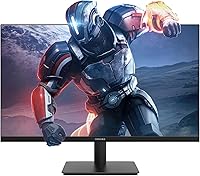
The Viewedge CS27FM 27-inch Gaming Monitor is a strong match for budget-conscious PC gamers who have been stuck on a slow 60Hz display and want a meaningful upgrade without stretching their finances. Students setting up a first desk, or younger gamers getting their initial dedicated gaming setup, will find the combination of high refresh rate and an IPS panel genuinely impressive at this price tier. The four input ports — two HDMI and two DisplayPort — make it an easy pick for anyone running a PC and a console side by side, since you can switch between devices without touching a cable. Those who work at a desk for long hours and game in the evenings will also appreciate the flicker-free backlight and blue light reduction, which are practical comfort features rather than gimmicks. If wall mounting is part of your desk plan, the VESA compatibility adds flexibility that cheaper monitors sometimes skip.
Not suitable for:

Buyers who care deeply about image sharpness should approach this budget 240Hz display with realistic expectations — running a 1080p signal on a 27-inch panel produces a noticeably softer picture than what a 1440p screen of the same size would deliver, and that gap becomes apparent during everyday desktop use, not just gaming. The Viewedge CS27FM 27-inch Gaming Monitor is also not the right call for creative professionals who need accurate, calibrated color output for photo editing or video grading; the color coverage is decent for this category, but it is not a production-grade tool. HDR10 support sounds compelling on paper, but at this resolution and brightness level it delivers very modest improvements — anyone expecting vivid HDR contrast from streaming or gaming will likely be underwhelmed. The lightweight stand offers limited ergonomic adjustment, so users who need height or swivel control for comfort should budget separately for a monitor arm. Finally, buyers who rely on built-in speakers as their primary audio solution will find the onboard sound underwhelming for anything beyond system notifications.

Specifications

  • Screen Size: The display measures 27 inches diagonally, offering a wide viewing area suited to both gaming and general desktop use.
  • Resolution: Native resolution is 1920x1080 (Full HD), which delivers a standard 1080p image across the full panel.
  • Panel Type: An IPS panel is used, providing consistent color reproduction and wide viewing angles compared to TN alternatives at this price tier.
  • Refresh Rate: The display runs at up to 240Hz, allowing significantly smoother motion rendering than standard 60Hz or 144Hz monitors.
  • Response Time: Rated at 1ms response time, which helps minimize ghosting and motion blur during fast-moving game sequences.
  • Color Coverage: Color gamut coverage reaches 110% of the sRGB standard, providing slightly richer saturation than a typical sRGB-only display.
  • HDR Support: HDR10 is supported, offering a modest improvement in highlight and shadow detail compared to standard dynamic range output.
  • Viewing Angle: The IPS panel supports near-full viewing angles both horizontally and vertically, maintaining accurate color when viewed off-axis.
  • Video Inputs: Connectivity includes two HDMI ports and two DisplayPort inputs, enabling connection of multiple devices simultaneously.
  • Audio Output: A 3.5mm audio output jack is included alongside built-in speakers, allowing connection of headphones or external speakers.
  • Eye Care: The monitor incorporates a flicker-free backlight and a blue light reduction filter to reduce eye fatigue during extended use.
  • Sync Technology: AMD FreeSync is supported, which synchronizes the display refresh rate with compatible GPU output to reduce screen tearing.
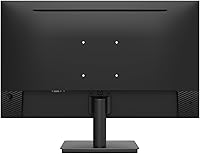
  • Wall Mount: VESA wall-mount compatibility is built in, though the mounting hardware itself is not included in the box.
  • Aspect Ratio: The panel uses a standard 16:9 widescreen aspect ratio, compatible with virtually all modern gaming and media content.
  • Screen Surface: The panel has a glossy surface finish, which enhances color vibrancy but may produce reflections in brightly lit rooms.
  • Dimensions: The assembled monitor (with stand) measures approximately 21.3 inches wide, 16 inches tall, and 6.8 inches deep.
  • Availability: The monitor was first listed for sale in November 2024, making it a recent addition to the budget gaming monitor segment.
  • Manufacturer: Produced by Viewedge, a brand that claims over a decade of experience in monitor manufacturing.

Related Reviews
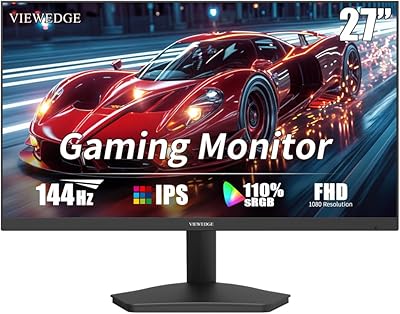
Viewedge 27-inch Curved Gaming Monitor CS27FHUS
84%
92%
Gaming Performance
89%
Display Quality
82%
Build Quality
91%
Ease of Setup
88%
Immersion & Comfort
More
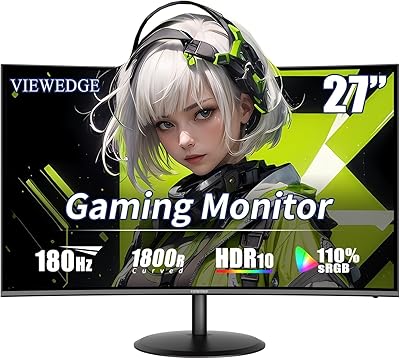
Viewedge 27-Inch FHD 144Hz Gaming Monitor
71%
88%
Value for Money
83%
Image Quality
86%
Refresh Rate Performance
81%
Eye Comfort
44%
Stand & Ergonomics
More
Viewedge CS27QK 27-inch Gaming Monitor

75%
88%
Value for Money
86%
Image Sharpness
83%
Refresh Rate Performance
81%
Color Vibrancy
74%
Motion Clarity
More
Skytech Gaming Moonshadow 27-inch Curved Gaming Monitor
83%
88%
Image Quality
91%
Refresh Rate Performance
86%
Adaptive-Sync
83%
VA Panel Contrast
84%
Stand & Ergonomics
More
Raywego Z270B13 27-inch Gaming Monitor
70%
88%
Value for Money
83%
Picture Quality
84%
Refresh Rate Performance
62%
Build Quality
81%
Eye Comfort
More
Viewedge CS27QT 27-inch QHD Monitor

75%
88%
Image Clarity
83%
Color Accuracy
93%
Value for Money
71%
Gaming Performance
79%
Eye Comfort
More
Amazon Basics 27-inch 1080p Gaming Monitor
76%
88%
Value for Money
79%
Display Quality
91%
Refresh Rate Performance
86%
Response Time
67%
Build Quality
More
memzuoix 27-inch QHD 165Hz Gaming Monitor
70%
88%
Image Clarity
84%
Refresh Rate Performance
91%
Value for Money
82%
Adaptive Sync (FreeSync/G-Sync)
77%
Color Accuracy
More
Viewedge USC2412FDA-P 24-inch FHD 144Hz Gaming Monitor
71%
83%
Value for Money
79%
Gaming Performance
76%
Image Quality
81%
Eye Comfort
63%
Build Quality
More
Sealan 27-inch Curved Gaming Monitor
82%
85%
Display Quality
90%
Ease of Setup
91%
Value for Money
87%
Performance in Gaming
83%
Color Accuracy
More

FAQ

Yes, to take full advantage of the high refresh rate, your graphics card needs to push enough frames per second to match it. The good news is that because this monitor runs at 1080p rather than a higher resolution, most mid-range GPUs can reach high frame rates in less demanding titles. In heavier games, FreeSync will help keep things smooth even when your frame rate fluctuates below the panel maximum.

It depends on your expectations and how close you sit. At typical desk distances of two feet or more, most people find it perfectly usable. That said, text and fine details are noticeably softer compared to a 1440p panel of the same size, so if you do a lot of reading or detailed work on screen, that difference can become distracting over time.

Yes, both consoles connect via HDMI, and this budget 240Hz display has two HDMI ports, so you could even keep a console and a PC plugged in at the same time. Keep in mind that current-generation consoles max out at 120Hz for supported titles, so you won't be using the full 240Hz capability from a console source.

Honestly, the HDR effect here is subtle rather than dramatic. At 1080p and with the brightness levels typical of a display in this category, you'll notice a slight improvement in highlight detail, but it's nothing like the HDR experience on a high-end TV or premium monitor. It's a nice extra feature, not a headline selling point.

Yes, a DisplayPort cable is included, which is a thoughtful touch since many monitors in this price range ship with only an HDMI cable or nothing at all. HDMI cables are not listed as included, so if you need one, plan to source it separately.

The built-in speakers are adequate for system sounds and background audio, but most users find them thin and lacking in bass. If audio quality matters to you at all — for games, music, or videos — a basic pair of headphones or a small desktop speaker will make a significant difference. The 3.5mm audio output makes it easy to connect either.

The stand offers limited ergonomic adjustment — basic tilt is typically available, but height adjustment is not a feature at this price tier. If you need precise positioning for comfort, a third-party monitor arm is a practical investment, and the VESA mounting pattern on the back makes that straightforward.

FreeSync is primarily designed for AMD GPUs, but Nvidia's G-Sync Compatible program allows many FreeSync monitors to work with Nvidia cards as well, though the results can vary by monitor model. It's worth checking whether this specific display is on Nvidia's verified compatibility list before assuming full G-Sync Compatible support.

The monitor has a standard VESA mounting pattern on the back, so it works with any compatible wall arm or bracket. The monitor itself is straightforward to attach once you have the hardware. Just keep in mind that the mounting kit is not included in the box, so you will need to purchase a VESA-compatible arm or wall bracket separately.

On most monitors with this feature, including the Viewedge CS27FM, the blue light filter is controlled through the on-screen display menu rather than being permanently active. You can typically choose from different intensity levels depending on your preference, or switch it off entirely during tasks where accurate color rendering matters more than eye comfort.