
Overview

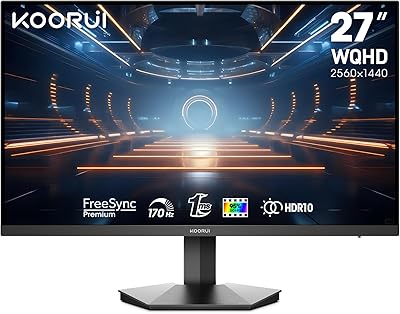
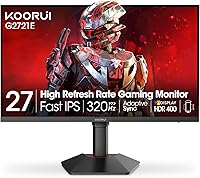
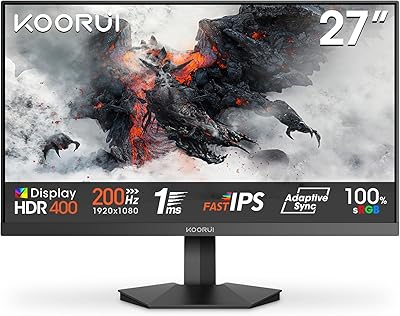
The KOORUI G2721E 27-inch Gaming Monitor landed in mid-2025 as a genuine mid-range contender that manages to offer a 320Hz refresh rate at QHD resolution — a combination that remains uncommon at this price point. Most monitors asking similar money either top out at 1080p or pair higher resolutions with slower IPS panels. This one does neither. The Fast IPS panel keeps colors accurate and viewing angles wide, while the ergonomic stand — with full height, swivel, tilt, and pivot range — adds real physical comfort that budget displays rarely bother with. Just be clear on expectations: this KOORUI monitor is built for competitive gamers and versatile creators, not studio-grade color work.

Features & Benefits

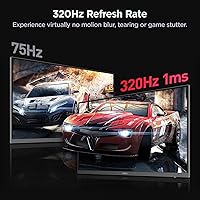
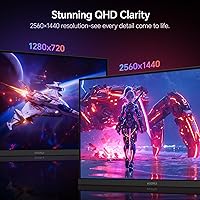
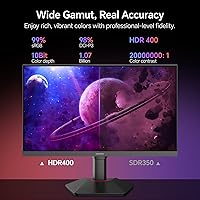
The headlining spec here is the 320Hz at QHD, and it matters more than it might sound. Most high-refresh panels settle for 1080p to hit those frame rates, so getting 2560x1440 with genuine speed is a real advantage for players who want sharper imagery without sacrificing responsiveness. The 1ms response time is quoted GTG — the more favorable measurement — so real-world behavior is strong but worth understanding before buying. Color coverage at 98% DCI-P3 makes this 27-inch gaming display genuinely useful for streaming and thumbnail work. The HDR400 badge is honest entry-level HDR, better than none, but don't expect deep contrast from it. For the full 320Hz experience, DisplayPort 1.4 is essential; HDMI 2.0 cannot carry that bandwidth at QHD, which console users must factor in.

Best For

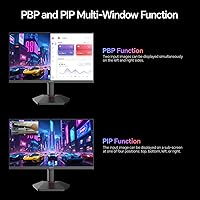
The G2721E makes the most sense for competitive PC gamers — specifically those coming off a 144Hz or 60Hz 1080p setup who want a meaningful upgrade without stepping into ultrawide or OLED price territory. FPS and esports players benefit most from the 320Hz refresh; the perceptual difference from 144Hz is real in fast-paced titles. Content creators and streamers will appreciate the color accuracy without needing a dedicated pro display. The PIP/PBP feature makes this KOORUI monitor a practical option for anyone running a PC and console simultaneously. Home office users who game in the evenings will also find it adapts well, though those sensitive to glare in bright rooms should note the glossy screen surface.

User Feedback

Early response to this 27-inch gaming display has been encouraging, with a 4.4-star average across its initial months on the market. The product is still accumulating reviews following its July 2025 launch, so the sample size is growing. Buyers consistently highlight motion clarity at 320Hz as the standout experience, alongside praise for color vibrancy and stand flexibility. On the downside, some users note that HDR performance falls short of dramatic — an honest limitation at this certification level, not a surprise. A handful of console buyers flagged the HDMI bandwidth ceiling as an unexpected post-purchase discovery. OSD navigation and initial setup are generally described as straightforward. Strong value relative to competing displays at a similar price point is a theme that runs through much of the feedback.

Pros

  • 320Hz at QHD is a rare combination at this price point, giving competitive players both speed and image clarity.
  • The Fast IPS panel produces wide viewing angles and accurate colors without the sluggishness of standard IPS at high refresh rates.
  • 98% DCI-P3 coverage is well above average for a gaming monitor in this segment, making it useful for light creative work.
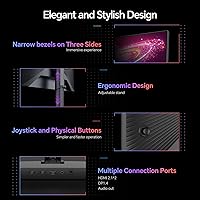
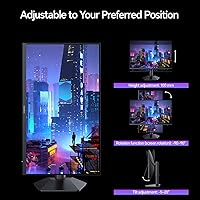
  • The ergonomic stand offers height, swivel, tilt, and pivot adjustments, which most comparably priced monitors skip entirely.
  • Adaptive Sync support reduces screen tearing across a wide range of frame rates without requiring a specific GPU brand.
  • PIP and PBP modes let you run two input sources simultaneously, a genuinely practical feature for multi-device setups.
  • VESA 75x75mm compatibility makes it easy to mount on a third-party arm without buying an adapter.
  • Early buyers consistently rate value for money as a highlight, with the 4.4-star average holding steady since launch.
  • Setup and OSD navigation are reported as straightforward, with no steep learning curve out of the box.

Cons

  • HDMI 2.0 cannot deliver 320Hz at QHD, so console users are locked out of the monitor's top refresh rate.
  • HDR400 certification is entry-level and produces noticeably limited contrast improvements compared to proper HDR implementations.
  • The glossy screen surface picks up ambient reflections easily, making placement near windows or bright lights a real concern.
  • The 1ms response time is measured GTG, which is the more favorable metric; real-world pixel transitions may vary slightly.
  • As a brand launched into a crowded market, long-term firmware support and warranty service track records are still unproven.
  • At 14.74 pounds, the monitor is not particularly heavy, but the stand footprint is sizable and may crowd smaller desks.
  • The 350 cd/m² brightness ceiling is adequate for most indoor conditions but may feel limiting in very bright environments.

Ratings

The scores below were generated by AI after analyzing verified global user reviews for the KOORUI G2721E 27-inch Gaming Monitor, with automated filtering applied to remove incentivized, bot-generated, and duplicate submissions. Both the genuine strengths and the recurring frustrations buyers have reported are transparently reflected in each category score. This is an honest, balanced assessment — not a promotional summary.

Refresh Rate Performance
93%
Buyers who play fast-paced shooters consistently describe the 320Hz experience as a clear step up from their previous 144Hz or 165Hz setups, with motion feeling noticeably tighter during quick camera sweeps and aim tracking. At QHD resolution, achieving this refresh rate on a Fast IPS panel is genuinely uncommon at this price tier.
Reaching 320Hz requires DisplayPort 1.4 and a high-end GPU — users with mid-range graphics cards report being unable to sustain the frame rates needed to make the headline spec meaningful in demanding titles.
Image Clarity & Resolution
88%
The QHD 2560x1440 output at 27 inches hits a pixel density that most buyers describe as immediately sharper than their previous 1080p displays, with finer texture detail visible in open-world games and cleaner text during work use. The improvement is consistently called out as one of the most satisfying aspects of the upgrade.
A small number of users accustomed to 4K panels find QHD a middle ground that does not fully satisfy either camp, and at 27 inches some buyers feel the resolution advantage over 1080p is less dramatic than expected from spec sheets alone.
Color Accuracy
84%
The 98% DCI-P3 coverage produces rich, saturated visuals that buyers regularly praise for making games and streaming content look vivid without appearing oversaturated. Streamers and part-time thumbnail designers report the color output as comfortably beyond what they expected from a gaming-oriented panel.
The panel ships without a factory calibration report, so out-of-the-box accuracy varies between units and color-critical professionals report needing to run their own profiling to trust the output for client work.
Motion Handling
81%
19%
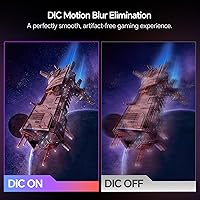
At 320Hz the ghosting and trailing that plague slower IPS panels become almost imperceptible, and most buyers report clean, crisp motion even during the most hectic in-game moments. The Fast IPS technology here clearly outperforms standard IPS panels in this specific use case.
The 1ms spec is measured GTG, and users who are sensitive to inverse ghosting note that aggressive overdrive settings in the OSD can introduce subtle bright halos around moving objects, requiring some manual tuning to find the right balance.
HDR Quality
52%
48%
HDR400 certification does provide a modest brightness boost and slightly expanded luminance range compared to SDR-only monitors, and buyers who have never used any HDR display before tend to find the difference noticeable in bright scene highlights.
Experienced users who come from monitors with higher HDR tiers consistently describe the HDR400 implementation as underwhelming, noting that contrast improvements are marginal and local dimming is absent, making dark scenes look flat rather than dramatic.
Ergonomics & Stand
89%
The full range of height, swivel, tilt, and pivot adjustments is frequently called out as a genuine differentiator by buyers who have owned cheaper monitors with fixed or tilt-only stands. The ability to rotate to portrait mode adds practical versatility for coding or reading workflows.
A few taller users report that even at maximum height extension the panel sits lower than their ideal eye level when paired with deeper keyboards, suggesting the height range, while better than average, may not cover every desk configuration.
Connectivity
67%
33%
Having both HDMI and DisplayPort available covers most setups, and the audio output jack is appreciated by buyers who route sound through desktop speakers rather than a headset. The port layout is described as accessible and clearly labeled.
The absence of HDMI 2.1 is a meaningful limitation — console users on PlayStation 5 or Xbox Series X discover after purchase that they cannot reach the high refresh rates the monitor advertises, and there is no USB hub or additional port variety for peripheral management.
Build Quality
78%
22%
The chassis feels solid and the stand assembly is frequently praised as tool-free and intuitive, with minimal wobble once locked in place. For a monitor at this price point the overall material quality reads as above-average rather than budget-grade.
The plastic finish on the rear panel and stand arm attracts fingerprints easily, and a handful of buyers report minor cosmetic inconsistencies around panel edges that are visible up close, suggesting quality control is not perfectly uniform across production runs.
Screen Surface
63%
37%
The glossy finish gives colors a punchy, high-contrast appearance that buyers in controlled lighting environments consistently prefer over matte alternatives, describing the image as more vivid and immersive during evening gaming sessions.
In offices or rooms with overhead lighting or nearby windows, the glossy surface becomes a genuine distraction — multiple users note that the reflections are intense enough to require repositioning the monitor or adding a dedicated light source behind the screen.
Value for Money
91%
Across all feedback categories, value is the single most frequently mentioned positive theme — buyers consistently express surprise at the combination of 320Hz, QHD, Fast IPS, and a full ergonomic stand available at this price point without compromise on any one core feature.
A few buyers who stretched their budget to reach this tier note that the HDR limitations and HDMI 2.0 ceiling feel like corners were cut to hit the price target, and feel those constraints should be more prominently communicated before purchase.
Setup Experience
82%
18%
Most buyers complete assembly and initial driver configuration in under twenty minutes, with the joystick-based OSD navigation frequently praised as intuitive compared to monitors using multi-button navigation clusters. First-time monitor builders find the process approachable.
Some users report that enabling 320Hz requires manually adjusting the refresh rate in Windows display settings after connecting via DisplayPort, as the monitor does not always default to its maximum refresh rate automatically — a small friction point that could catch new buyers off guard.
Adaptive Sync
79%
21%
The Adaptive Sync implementation works reliably across both AMD and Nvidia cards according to buyer reports, effectively eliminating screen tearing across a wide frame rate range without requiring G-Sync Ultimate certification at a higher price premium.
A small number of Nvidia users report needing to enable G-Sync Compatible mode manually through the driver settings rather than having it activate automatically, and one or two buyers note occasional flicker at very low frame rates near the bottom of the sync range.
Brightness & Visibility
71%
29%
At 350 cd/m² the panel is bright enough for comfortable use in typical living room or bedroom gaming setups, and buyers in normally lit spaces report no eye strain during extended sessions at moderate brightness levels.
Users in sun-lit rooms or those accustomed to higher-brightness monitors find the ceiling limiting, particularly when the glossy screen compounds the issue by reflecting ambient light rather than pushing through it. HDR modes do not compensate meaningfully for the baseline brightness cap.
OSD & Controls
77%
23%
The on-screen display menu is organized logically and covers all the key adjustments — refresh rate, overdrive, picture modes, and input selection — without burying important settings under multiple sub-menus the way some competitors do.
A minority of users find the joystick sensitivity a little aggressive, occasionally overshooting menu options during navigation, and the text used in the OSD is reported as small and slightly difficult to read at typical desktop viewing distances.

Suitable for:

The KOORUI G2721E 27-inch Gaming Monitor is a strong fit for PC gamers who play competitively and want the perceptual smoothness of 320Hz without sacrificing resolution down to 1080p. If you are currently on a 60Hz or 144Hz monitor and play fast-paced titles like first-person shooters or racing games, the jump in motion clarity here is genuinely noticeable and worth the investment. Streamers and part-time content creators will also get solid value from the 98% DCI-P3 color coverage — it is accurate enough for thumbnail work and on-screen presentation without requiring a dedicated creative display. The fully adjustable stand makes it practical for long sessions, whether you prefer sitting upright or reclining at an angle, and the VESA compatibility means it slots into existing arm setups without friction. Dual-input users running a PC and a console side by side will find the PIP/PBP mode a genuinely useful feature for monitoring both sources at once.

Not suitable for:

Buyers who rely on console gaming as their primary platform should think carefully before committing to the KOORUI G2721E 27-inch Gaming Monitor, because HDMI 2.0 cannot carry 320Hz at QHD — reaching the top refresh rate requires DisplayPort 1.4 and a capable PC graphics card. If your GPU cannot sustain high frame rates at 1440p in the titles you play, much of the display's headline advantage goes unused. Professional photographers, video editors, and color-critical designers should look elsewhere; the G2721E is not factory-calibrated and HDR400 is entry-level certification that will not satisfy anyone accustomed to true high-dynamic-range contrast. The glossy screen surface can also be a real problem in bright or naturally lit rooms, where reflections become distracting during extended use. Finally, buyers who prioritize ultra-thin bezels or a premium aesthetic finish may find the build more functional than refined.

Specifications

  • Screen Size: The display measures 27 inches diagonally, offering a comfortable viewing area suited for both desktop gaming and productivity work.
  • Resolution: Native resolution is 2560x1440 pixels (QHD), delivering noticeably sharper detail than 1080p at typical desktop viewing distances.
  • Panel Type: The Fast IPS panel provides wide viewing angles and accurate color reproduction while maintaining the high refresh rates competitive gaming demands.
  • Refresh Rate: Maximum refresh rate reaches 320Hz, requiring a DisplayPort 1.4 connection and a capable GPU to achieve at QHD resolution.
  • Response Time: Rated at 1ms GTG (gray-to-gray), which represents the fastest pixel transition measurement and minimizes visible ghosting in motion-heavy content.
  • Color Gamut: Covers 98% of the DCI-P3 color space, providing rich, accurate color output suitable for streaming, content creation, and general media consumption.
  • HDR Support: Certified HDR400, meaning it meets the baseline DisplayHDR standard with a 400 nit peak brightness threshold, offering modest dynamic range improvement over SDR.
  • Brightness: Typical brightness is rated at 350 cd/m², adequate for most indoor environments but not intended for use in direct sunlight or very bright rooms.
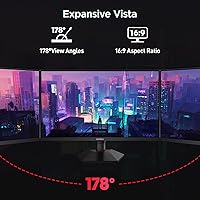
  • Aspect Ratio: Standard 16:9 widescreen aspect ratio, compatible with all major gaming platforms, operating systems, and video content formats without letterboxing.
  • Screen Surface: The panel uses a glossy screen surface, which enhances color vibrancy but can produce noticeable reflections in brightly lit environments.
  • Connectivity: Ports include one HDMI 2.0, one DisplayPort 1.4, and one 3.5mm audio output jack for connecting headphones or external speakers.
  • Adaptive Sync: Supports Adaptive Sync technology to reduce screen tearing and stuttering across a broad range of frame rates on compatible graphics cards.
  • VESA Mounting: The monitor supports 75x75mm VESA mounting, allowing it to be attached to most third-party monitor arms and wall mounts.
  • Stand Adjustments: The included stand supports height adjustment, swivel, tilt, and pivot (portrait mode rotation), covering the full range of ergonomic positioning needs.
  • Multi-Display Modes: PIP (Picture-in-Picture) and PBP (Picture-by-Picture) modes allow two input sources to be displayed simultaneously on a single screen.
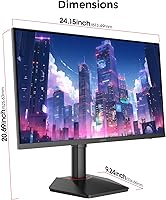
  • Dimensions: With the stand attached, the monitor measures 21.34 x 9.02 x 16.85 inches, requiring a reasonably deep desk surface for stable placement.
  • Weight: The complete unit including stand weighs 14.74 pounds, which is typical for a 27-inch monitor in this category and easy to reposition.
  • Model Number: The official model designation is G2721E, manufactured and sold under the KOORUI brand, with the product first listed in July 2025.

Related Reviews
KOORUI G2711P 27″ Gaming Monitor
79%
93%
Refresh Rate Performance
88%
Panel Color Quality
91%
Motion Clarity
89%
Value for Money
61%
Resolution & Sharpness
More
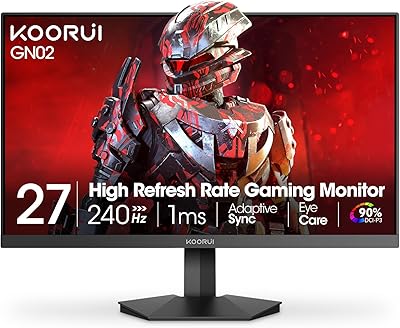
KOORUI GN02 27-inch 240Hz Gaming Monitor

87%
91%
Gaming Performance
89%
Display Quality
88%
Color Accuracy
93%
Response Time
85%
Ergonomics and Design
More
Skytech Gaming Moonshadow 27-inch Curved Gaming Monitor

83%
88%
Image Quality
91%
Refresh Rate Performance
86%
Adaptive-Sync
83%
VA Panel Contrast
84%
Stand & Ergonomics
More
Raywego Z270B13 27-inch Gaming Monitor
70%
88%
Value for Money
83%
Picture Quality
84%
Refresh Rate Performance
62%
Build Quality
81%
Eye Comfort
More
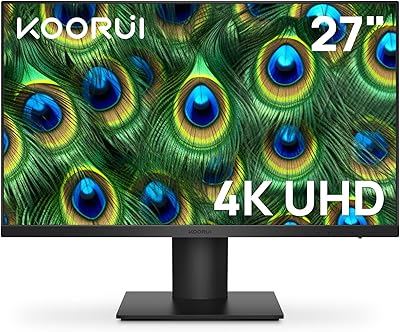
KOORUI N07 27-inch 4K IPS Monitor
76%
93%
Image Sharpness
89%
Color Accuracy
88%
Color Gamut Coverage
91%
Value for Money
82%
Eye Comfort
More
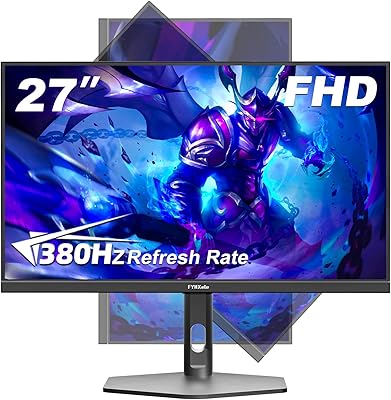
FYHXele 27-inch 380Hz Gaming Monitor
87%
91%
Display Quality
94%
Gaming Performance
88%
Build Quality
85%
Ergonomics & Adjustability
90%
Ease of Setup
More
KOORUI G3221SC 32″ Curved QHD Gaming Monitor
69%
83%
Picture Quality
81%
Gaming Performance
86%
Value for Money
41%
HDR Performance
67%
Color Accuracy
More
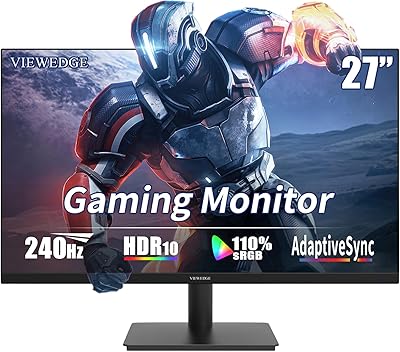
Viewedge CS27FM 27-inch Gaming Monitor
72%
91%
Refresh Rate Performance
76%
Panel & Image Quality
61%
Resolution & Sharpness
74%
Color Accuracy
52%
HDR Experience
More
Sealan 27-inch Curved Gaming Monitor
82%
85%
Display Quality
90%
Ease of Setup
91%
Value for Money
87%
Performance in Gaming
83%
Color Accuracy
More
KOORUI 27E3Q 27-inch QHD Gaming Monitor
76%
88%
Value for Money
83%
Image Quality
76%
Refresh Rate Performance
91%
Stand & Ergonomics
47%
HDR Performance
More

FAQ

You can reach 320Hz, but only over DisplayPort 1.4 and only with a PC graphics card capable of pushing that many frames at 2560x1440. HDMI 2.0 does not have the bandwidth to carry that combination, so if you connect via HDMI you will be limited to a lower refresh rate. Make sure your GPU and cable are both up to the task before expecting the full 320Hz experience.

Partially. Current consoles output over HDMI, and the KOORUI G2721E 27-inch Gaming Monitor only has HDMI 2.0, not HDMI 2.1. That means console users are capped at lower refresh rates — typically 60Hz or 120Hz depending on the title and console settings. You will still get QHD output, but the 320Hz headliner is strictly a PC-via-DisplayPort feature.

It depends on your expectations. HDR400 is the entry-level tier of DisplayHDR certification, so do not expect the dramatic contrast jumps you would see on an OLED or a high-end mini-LED panel. That said, enabling HDR in supported games and video content does produce a modest improvement in brightness range compared to standard SDR. Think of it as a nice bonus rather than a core selling point.

Very noticeable on two fronts. The jump from 1080p to QHD at 27 inches is immediately apparent — text is sharper, textures look cleaner, and the overall image feels more refined. The smoothness increase from 144Hz to 320Hz is more subtle but real, especially in fast-paced games where edge clarity during motion matters. Most users coming from that baseline notice and appreciate both differences.

The stand is genuinely well-specced for a monitor at this price. Having height, tilt, swivel, and pivot all available means you can dial in your exact viewing position rather than stacking books under the base. The pivot to portrait mode is a useful bonus if you ever want a vertical layout for coding or reading. If you already own a monitor arm, the 75x75mm VESA support means you can ditch the stand entirely.

In a dimly lit or controlled lighting environment, the glossy finish makes colors look punchy and vibrant. However, in a room with windows or overhead lights behind you, reflections can become genuinely distracting. If your desk faces a window or sits under bright lighting, a matte-screen alternative might be worth considering. Blackout curtains or repositioning the monitor can also solve the problem without switching displays.

The 1ms figure is measured GTG, which captures the fastest pixel transition on the panel. Most real-world transitions take slightly longer, but in practice ghosting is minimal at 320Hz on a Fast IPS panel. You are unlikely to see noticeable trailing in normal gaming conditions. Some users sensitive to inverse ghosting may want to experiment with the overdrive settings in the OSD.

Setup is generally described as straightforward — the stand clicks together without tools, and the OSD navigation uses a joystick or button cluster that most users find intuitive within a few minutes. Getting the most out of the display does involve a bit of time in the settings menu to tune brightness, color mode, and refresh rate, but nothing unusually complex compared to competing monitors.

For casual or semi-professional work it is capable, and 98% DCI-P3 is genuinely good coverage for a gaming monitor. However, the panel is not factory calibrated, meaning out-of-the-box accuracy will vary and there is no included calibration report. Serious photographers or designers who need verified color accuracy for client deliverables should look at purpose-built creative displays. For streaming graphics, social thumbnails, and on-screen proofing, the G2721E is more than adequate.

With the stand, the monitor occupies 21.34 inches of width and sits about 16.85 inches tall, with the base extending roughly 9 inches in depth. That footprint is fairly typical for a 27-inch monitor but worth measuring against your available desk space before purchasing, especially if you run a dual-monitor setup or have a shallow desk. If space is tight, mounting on a VESA arm can free up significant room.