Viewedge USC2412FDA-P 24-inch FHD 144Hz Gaming Monitor

Viewedge USC2412FDA-P 24-inch FHD 144Hz Gaming Monitor — image 1
Viewedge USC2412FDA-P 24-inch FHD 144Hz Gaming Monitor — image 2
Viewedge USC2412FDA-P 24-inch FHD 144Hz Gaming Monitor — image 3
Viewedge USC2412FDA-P 24-inch FHD 144Hz Gaming Monitor — image 4
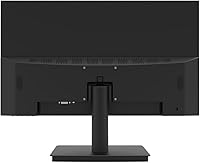
Viewedge USC2412FDA-P 24-inch FHD 144Hz Gaming Monitor — image 5
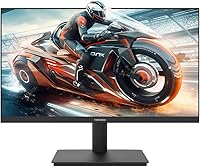
Viewedge USC2412FDA-P 24-inch FHD 144Hz Gaming Monitor — image 6
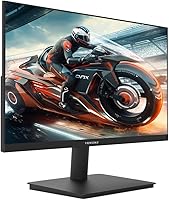
Viewedge USC2412FDA-P 24-inch FHD 144Hz Gaming Monitor — image 7
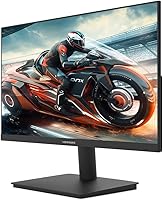
Viewedge USC2412FDA-P 24-inch FHD 144Hz Gaming Monitor — image 8
Viewedge USC2412FDA-P 24-inch FHD 144Hz Gaming Monitor — image 9
71%
29%

Overview

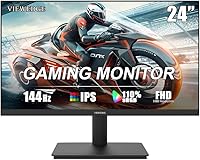
The Viewedge USC2412FDA-P 24-inch FHD 144Hz Gaming Monitor is a budget-oriented IPS display from Viewedge, a manufacturer that claims over a decade of production experience, though the brand remains relatively niche in Western markets. Launched in April 2025, this Viewedge monitor has already carved out a respectable #387 ranking in Computer Monitors on Amazon — a notable early result in a fiercely competitive category. The glossy IPS panel renders 1080p content with punchy, vibrant colors, making it usable well beyond gaming, from spreadsheets to streaming. Think of it as a sensible alternative to better-known names like AOC or ViewSonic when the budget is tight but performance still matters.

Features & Benefits

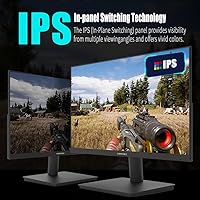
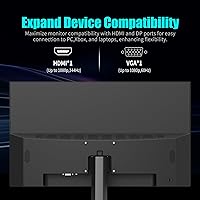
The 24-inch gaming display runs at 144Hz with 1ms response, which translates to noticeably smoother motion compared to standard 60Hz panels — something anyone who has played a fast shooter or action game will appreciate immediately. The IPS panel covers 110% sRGB and maintains consistent color from wide viewing angles, so the image does not shift when you move your head or share the screen. A flicker-free backlight combined with a built-in blue-light filter makes long sessions more comfortable. Connectivity is practical: HDMI and VGA ports handle both modern and older devices, a cable is included, and VESA wall-mount compatibility gives you real desk-space flexibility.

Best For

This budget IPS monitor is a strong fit for first-time 144Hz buyers — people stepping up from a 60Hz screen who want to feel the difference without a hefty investment. Students and remote workers running dual-monitor setups will find the 24-inch size and lightweight build easy to position anywhere. The VGA port is a quiet but real advantage for anyone still using older laptops or desktop GPUs that lack multiple modern outputs. If you have a compact desk and prefer mounting over a stand, the VESA support makes this display a practical pick. It is not designed for professionals chasing color-critical work.

User Feedback

Because this Viewedge monitor only hit the market in April 2025, the review pool is still thin — worth keeping in mind before reading too much into aggregate ratings. Early buyers generally report that out-of-box color accuracy is pleasantly above expectations for the price, and setup is straightforward. On the downside, a few users flag mild backlight bleed along the edges, which is common among budget IPS panels and not specific to this display. Stand rigidity draws mixed opinions — adequate but not particularly sturdy. The included HDMI cable has drawn little complaint, and Viewedge's customer support is described as responsive by those who have needed it.

Pros

  • 144Hz refresh rate makes motion in fast games noticeably smoother compared to standard 60Hz displays.
  • IPS panel technology provides consistent color and wide viewing angles that budget TN panels simply cannot match.
  • At this price point, getting a 1ms response time alongside an IPS panel is a genuinely good value combination.
  • The included HDMI cable means you can plug in and get going straight out of the box.
  • VESA wall-mount support gives you real flexibility in positioning, especially useful for smaller desks.
  • Both HDMI and VGA ports make this Viewedge monitor compatible with a wider range of devices than most rivals at this tier.
  • The blue-light filter and flicker-free backlight are practical additions for anyone spending long hours in front of a screen.
  • At 8.8 pounds, the display is light enough to reposition or mount without needing a second pair of hands.
  • Early buyers report that out-of-box colors are better than expected for the price, requiring minimal adjustment.
  • Viewedge customer support has been described by early users as accessible and responsive when issues arise.

Cons

  • The brand is largely unknown in Western markets, which makes long-term support and warranty reliability harder to predict.
  • Review volume is very limited given the April 2025 launch date, so it is too early to assess long-term durability with confidence.
  • Backlight bleed along screen edges has been flagged by some early buyers, particularly noticeable in dark-room use.
  • Stand stability is average at best — wobble under minor desk movement is a recurring complaint in early feedback.
  • No height adjustment or pivot is mentioned, limiting ergonomic customization for the built-in stand.
  • VESA mount accessories are not included, adding an overlooked extra cost for anyone planning to wall-mount the display.
  • The glossy screen surface picks up reflections in bright rooms, which can be genuinely distracting during long sessions.
  • 1080p resolution at 24 inches is a reasonable match, but buyers looking to future-proof for 1440p are out of luck here.
  • No mention of adaptive sync support such as FreeSync or G-Sync, which is a real omission at a gaming-focused price point.
  • With only one HDMI port, switching between two HDMI devices requires manual cable swapping.

Ratings

The scores below for the Viewedge USC2412FDA-P 24-inch FHD 144Hz Gaming Monitor were generated by our AI rating engine after analyzing verified purchase reviews from buyers worldwide, with spam, bot activity, and incentivized feedback actively filtered out before scoring. Because this monitor launched in April 2025, the review pool is still growing — scores will sharpen over time, but the current data already reveals clear patterns in both what buyers appreciate and where frustrations appear. Both strengths and trade-offs are reflected transparently, so you get an honest picture before committing.

Value for Money
83%
For buyers on a strict budget, getting a 144Hz IPS panel with 1ms response at this price point is genuinely hard to beat. Early owners consistently note that the display outperforms what its price tag would suggest, especially when compared to similarly priced TN-panel alternatives that sacrifice color quality for speed.
A few buyers feel the lack of adaptive sync support and limited port selection slightly undercut the value case when competing options from AOC or ViewSonic occasionally appear at comparable prices with more features. The missing VESA hardware also adds a hidden cost for wall-mount users.
Gaming Performance
79%
21%
The 144Hz refresh rate makes a palpable difference for anyone upgrading from a 60Hz screen, particularly in fast shooters and racing titles where smoother motion directly affects how quickly you can track targets. Buyers report that ghosting is minimal during normal gameplay sessions.
The absence of FreeSync or G-Sync support is a real gap for gamers whose GPU struggles to hold steady frame rates, as screen tearing becomes noticeable when frames dip. Competitive players with high-end rigs may also find 1080p resolution limiting compared to 1440p options entering the market at slightly higher prices.
Image Quality
76%
24%
The IPS panel produces colors that look noticeably richer and more consistent than budget TN alternatives, and the 110% sRGB coverage means content like movies and vibrant game environments genuinely pop. Viewing angles are wide enough that a second person watching alongside you sees the same image without color shift.
The glossy screen surface reflects overhead lighting and windows more than many users expect, which can wash out the otherwise vibrant image in bright rooms. Some buyers also note that factory calibration is slightly warm out of the box and benefits from a quick manual color temperature adjustment.
Eye Comfort
81%
19%
Users who spend several hours daily at their desk — whether gaming or working — consistently mention that the flicker-free backlight and blue-light filter make extended sessions noticeably more comfortable compared to older monitors they replaced. Eye fatigue after a four-hour work session is a recurring positive data point in early reviews.
The blue-light filter, when enabled at higher intensity, subtly shifts whites toward yellow, which some users find distracting for design work or reading. Those sensitive to color accuracy in everyday tasks may prefer keeping the filter at a lower setting or toggling it off entirely.
Build Quality
63%
37%
The monitor itself feels reasonably solid at the panel level, and the lightweight 8.8-pound body makes it easy to reposition or mount without help. For a budget display, the bezel thickness is acceptable and the overall aesthetic is clean enough for a home office or gaming desk.
The stand is where build quality falls short in early feedback — buyers describe it as wobbly under minor desk vibration, which becomes annoying during intense gaming sessions or when typing quickly nearby. Plastic quality on the rear housing also feels thin, and the overall construction lacks the reassuring rigidity of even modestly more expensive alternatives.
Setup & Installation
88%
Multiple early buyers describe unboxing and getting the display running in under ten minutes, with the included HDMI cable handling the connection without any additional purchases needed. The physical assembly of the stand requires no tools and the port labeling is clear enough that non-technical users have no trouble getting started.
The manual is minimal, and users who want to wall-mount the display immediately discover that no VESA hardware is included, requiring a separate order before the setup is complete. Finding the correct VESA hole pattern for compatible mounts also takes some digging since the listing does not specify it clearly.
Connectivity
71%
29%
Having both HDMI and VGA ports on a 24-inch gaming display covers more scenarios than single-port alternatives — particularly useful for users who need to connect an older laptop alongside a modern gaming PC without a separate adapter. The included HDMI cable is a practical touch that goes further than similarly priced competitors.
One HDMI port means switching between two HDMI sources requires manual cable swapping, which gets tiresome quickly in multi-device setups. The omission of DisplayPort is also a drawback for users with higher-end GPUs that route their best signal through DP rather than HDMI.
Color Accuracy
68%
32%
For everyday content consumption — gaming, streaming, casual photo browsing — the colors look pleasing and more saturated than most users at this budget tier expect. The 110% sRGB spec holds up in practice for general use, producing an image that feels lively rather than washed out.
Buyers attempting to use this budget IPS monitor for semi-professional photo editing or color grading quickly run into factory calibration inconsistencies that require external hardware to correct properly. The glossy finish also affects perceived accuracy in non-ideal lighting, making it unreliable for precision color work.
Stand Ergonomics
47%
53%
The stand installs easily and keeps the display stable enough for light desk use and casual gaming sessions where the desk is not bumped frequently. For users who plan to wall-mount the display anyway, the stand is effectively a non-issue.
Height adjustment is absent, and the tilt range is narrow, forcing shorter or taller users to stack books or use a riser to achieve a comfortable eye-level position. This is arguably the single most common frustration in early buyer feedback and significantly limits the ergonomic adaptability of the display.
Backlight Uniformity
58%
42%
In well-lit gaming environments and standard desktop use, the backlight appears uniform enough that most users do not notice any irregularities during typical sessions. Buyers who primarily game in average room lighting report no distracting uniformity issues during regular play.
Dark-room gaming and movie watching expose the IPS glow and edge bleed that several early buyers flag, with corners showing brighter patches on fully dark screens. This is a known characteristic of budget IPS panels broadly, but buyers expecting TN-level black uniformity will be disappointed.
Port Labeling & OSD
72%
28%
The on-screen display menu is laid out logically and easy to navigate without consulting the manual, covering brightness, contrast, blue-light intensity, and color temperature in a reasonably well-organized structure. Button placement on the rear edge is intuitive enough that most users locate controls on the first try.
The OSD button feedback is slightly mushy and some users report needing to press firmly to register inputs reliably. Advanced calibration options are limited compared to what more expensive monitors expose through their menus, leaving users with fewer fine-tuning options.
Brand Reliability
61%
39%
Viewedge presents itself as a monitor-focused manufacturer with over a decade of production history, and early adopters who have contacted customer support describe genuinely helpful and prompt responses to issues. That responsiveness is a meaningful reassurance for buyers unfamiliar with the brand.
The brand has little established reputation in North America or Europe, making it harder to gauge long-term durability or predict parts availability if something goes wrong after the warranty period. Buyers who factor brand heritage and resale value into their purchasing decision will find more peace of mind with an AOC or ViewSonic at a comparable price.
Wall Mount Compatibility
74%
26%
VESA compatibility opens up a wide range of affordable third-party monitor arms and wall brackets, giving small-desk users a clean mounting option that removes the stand and frees up meaningful surface space. Users who committed to a VESA arm setup report that the light weight of the panel makes mounting straightforward.
The missing VESA hardware in the box means wall-mount buyers face an additional purchase before they can use the display as intended, which undercuts the otherwise good out-of-box experience. The unspecified VESA pattern dimensions in the listing create unnecessary uncertainty when selecting a compatible arm.

Suitable for:

The Viewedge USC2412FDA-P 24-inch FHD 144Hz Gaming Monitor is built for buyers who want a meaningful performance upgrade without stretching their budget to the breaking point. If you are currently gaming on a 60Hz screen and have been curious about what 144Hz actually feels like in practice, this display delivers that jump at an entry-level price that is hard to argue with. Students setting up a dual-monitor workspace will appreciate the compact 24-inch footprint and VESA compatibility, which makes wall-mounting a genuine space-saving option in smaller rooms or dorms. The inclusion of both HDMI and VGA ports is a quiet but practical detail for anyone running an older laptop or a PC with limited output options. Casual console and PC gamers who play fast-paced titles but do not need 4K or ultra-wide real estate will find the 1080p IPS panel more than adequate for enjoyable, fluid gameplay.

Not suitable for:

The Viewedge USC2412FDA-P 24-inch FHD 144Hz Gaming Monitor is not the right choice for buyers who have moved beyond 1080p or who are building a setup around competitive high-framerate gaming at a serious level. Graphic designers, photographers, or anyone doing color-sensitive work should look elsewhere — a glossy panel with budget-tier color calibration is not a reliable tool for professional color grading, regardless of the 110% sRGB claim. If stand build quality matters to you, this display has received mixed feedback on rigidity, and the mount accessories are not included, so budget for that separately. Those who follow established brands closely for long-term driver support and warranty confidence may find the Viewedge name unfamiliar enough to give them pause, which is a fair concern given the limited Western market track record. Finally, anyone expecting a near-zero backlight bleed experience should be aware that budget IPS panels — including this one — commonly show some glow along the edges under dark-room conditions.

Specifications

  • Screen Size: The display measures 24 inches diagonally, offering a comfortable viewing area well-suited for a standard desk distance of roughly 2 to 3 feet.
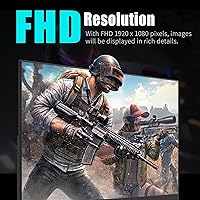
  • Resolution: Native resolution is 1920 x 1080 pixels (Full HD 1080p), delivering a clean and sharp image at standard viewing distances on a 24-inch panel.
  • Panel Type: An IPS (In-Plane Switching) panel is used, which provides more accurate colors and wider viewing angles than TN alternatives at a comparable price.
  • Refresh Rate: The display supports a maximum refresh rate of 144Hz, which produces noticeably smoother motion in games and fast-scrolling content compared to 60Hz screens.
  • Response Time: Rated at 1ms response time, this figure helps reduce trailing or ghosting artifacts during high-speed on-screen movement.
  • Color Coverage: The panel covers 110% of the sRGB color space, producing vivid, saturated colors that slightly exceed the standard sRGB gamut.
  • Viewing Angle: Horizontal and vertical viewing angles reach up to 178 degrees, allowing consistent color and brightness from almost any seated position.
  • Aspect Ratio: The display uses a 16:9 widescreen aspect ratio, which is the standard format for HD gaming, streaming, and general productivity content.
  • Connectivity: One HDMI port and one VGA port are available, and an HDMI cable is included in the box for immediate use.
  • Wall Mount: The monitor is VESA-compatible for wall or arm mounting, though the mounting hardware itself is not included and must be purchased separately.
  • Screen Surface: The screen uses a glossy finish, which enhances perceived color vibrancy but may produce reflections in brightly lit environments.
  • Eye Care: A flicker-free backlight and an integrated blue-light reduction filter are built in to help reduce eye fatigue during extended screen sessions.
  • Dimensions: The monitor measures 26.46 x 17.52 x 4.33 inches with the stand attached, fitting comfortably on most standard desks.
  • Weight: Total weight with stand is 8.8 pounds, which is light enough for single-person installation or repositioning without difficulty.
  • Model Number: The official model designation is USC2412FDA-P, which can be used to identify the exact unit when contacting support or searching for accessories.
  • Brand: Manufactured by Viewedge, a company that reports over ten years of monitor production experience, primarily serving markets outside North America and Europe.
  • Date Available: This monitor became available for purchase in April 2025, making it a recently launched product with a still-growing base of real-world user reviews.

Related Reviews
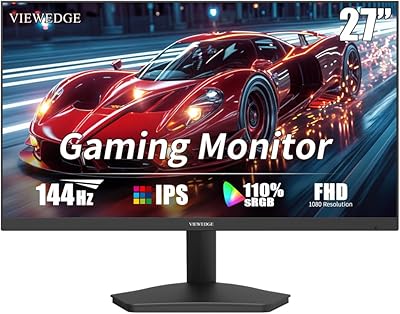
Viewedge 27-Inch FHD 144Hz Gaming Monitor
71%
88%
Value for Money
83%
Image Quality
86%
Refresh Rate Performance
81%
Eye Comfort
44%
Stand & Ergonomics
More
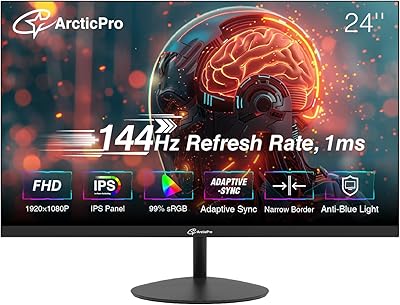
ArcticPro AD24EF2 24-inch Gaming Monitor

73%
88%
Value for Money
82%
Image Quality
79%
Gaming Performance
63%
Build Quality
84%
Connectivity
More
ReHisk 24 Inch FHD IPS Gaming Monitor
83%
88%
Value for Money
90%
Display Quality
87%
Gaming Performance
84%
Ease of Setup
82%
Eye Care Features
More
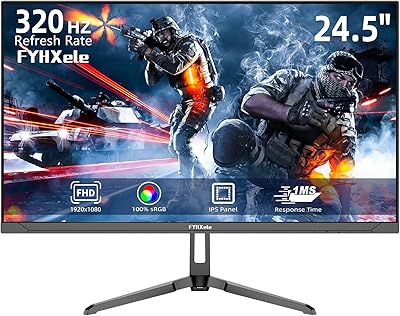
SANSUI ES-G24F4M 24-inch Gaming Monitor
73%
88%
Value for Money
91%
Gaming Performance
86%
Motion Clarity
58%
Color Accuracy
79%
Contrast & Black Levels
More
FYHXele 24-inch Gaming Monitor FHD 1080p 180Hz
86%
88%
Performance (Smooth Gaming)
85%
Display Quality
82%
Build Quality & Durability
90%
Ease of Setup
91%
Value for Money
More
Samsung Odyssey G3 24-Inch FHD Gaming Monitor
83%
91%
Display Quality
94%
Gaming Performance (Refresh Rate/Response Time)
88%
Ease of Setup
85%
Ergonomics & Adjustability
89%
AMD FreeSync Performance
More
LG 24GN60R-B 24-inch FHD IPS Gaming Monitor
85%
93%
Gaming Performance
88%
Display Quality
91%
Response Time
85%
Color Accuracy
92%
Value for Money
More
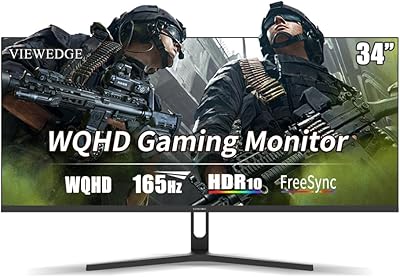
Viewedge G3416S1-P 34-inch WQHD 165Hz Gaming Monitor
85%
92%
Display Quality
89%
Gaming Performance (165Hz & 1ms)
85%
Build Quality
88%
Ease of Setup
90%
Eye Comfort (Flicker-Free & Blue Light Filter)
More
Dell SE2422HX 24-inch Monitor
75%
83%
Image Quality
88%
Eye Comfort
76%
Build Quality
47%
Ergonomics & Adjustability
74%
Refresh Rate & Smoothness
More
CRUA 24.5-Inch Gaming Monitor
84%
92%
Display Quality
89%
Gaming Performance
88%
Color Accuracy
84%
Ergonomics/Adjustability
90%
Setup Ease
More

FAQ

You will need to connect via HDMI to reach 144Hz — the VGA port is an analog connection and physically cannot carry that signal. Make sure your PC or console supports 144Hz output over HDMI as well, since not all devices do by default, and you may need to confirm the setting in your display or GPU driver panel.

The included cable is a standard HDMI cable and works fine for getting up and running. For 144Hz at 1080p you do not need anything exotic — any HDMI 1.4 or higher cable handles it without issue.

Viewedge does not officially list FreeSync or G-Sync support for this display. If adaptive sync is important to your gaming setup, that is worth weighing carefully before purchasing, as the absence of it can result in screen tearing when frame rates fluctuate.

The stand supports basic tilt adjustment, but height adjustment and pivot (portrait rotation) are not mentioned in the official specs. If ergonomic positioning matters to you, the VESA mount compatibility means a third-party monitor arm is a straightforward upgrade.

Some early buyers have reported mild backlight bleed along the edges, which is common across budget IPS panels in this price range. It tends to be most visible when displaying a fully dark image in a dim room. For general gaming and productivity use, most users find it acceptable.

Yes, both consoles connect easily via the HDMI port. Keep in mind that consoles typically output at 60Hz for most games, so while the display is capable of 144Hz, you will only see that benefit when connected to a compatible PC with a GPU that can push the frame rate high enough.

Absolutely — the VGA port handles legacy connections cleanly, which is one of the more practical features of the 24-inch gaming display for users running older hardware. Just note that VGA tops out well below 144Hz, so you will be running at a lower refresh rate in that configuration.

It can be. Glossy panels reflect ambient light more than matte ones, and direct sunlight or bright overhead lighting behind you will create visible glare on screen. If your workspace is bright, positioning the monitor away from direct light sources makes a real difference.

Viewedge lists VESA compatibility but does not specify the exact hole pattern in the primary product listing. Before buying a wall mount or arm, it is worth reaching out to Viewedge support to confirm the VESA size, as 75x75mm and 100x100mm are the two most common standards for monitors of this size.

Based on early buyer reports, Viewedge customer support has been generally described as responsive and willing to help resolve issues. The company emphasizes after-sales support in its product listing, and that appears to hold up in practice for the limited number of buyers who have needed it so far. Given the brand is newer to Western markets, having that direct line of support available is reassuring.